Overview

The Garmin dezl OTR810 Truck GPS Navigator is built for one job: getting an 18-wheeler from point A to point B without a low bridge or a weight-restricted backroad getting in the way. This is not a car GPS with a bigger screen bolted on. Everything about this trucking GPS, from its 8-inch display down to how it calculates a route, is designed around actual truck dimensions and weight. It sits at the premium end of the trucking GPS market, and that price tag puts it well above basic car navigators, but it's aimed squarely at owner-operators and long-haul drivers who need routing built around real truck specs, not guesswork. It comes ready to mount on the dash or windshield right out of the box.

Features & Benefits

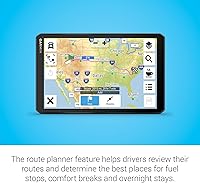
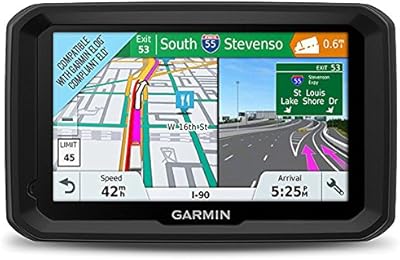
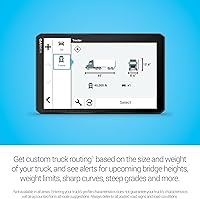
Once you're moving, this dezl navigator earns its price through the details. Custom routing factors in your truck's height, weight, and trailer length, then flags bridge heights, weight limits, sharp curves, and steep grades before you're committed to a turn. The BirdsEye satellite imagery is a standout feature for arrival planning, letting you preview a loading dock or truck entrance before you're threading a 53-foot trailer into a tight space. A split-screen view keeps your route overview and weather alerts visible together, so you're not toggling between screens at 65 miles per hour. The built-in truck stop directory lets you filter by brand or amenity, whether that's a specific chain or simply finding a shower. PrePass integration through the companion app adds weigh station and bypass notifications on top of all that.

Best For

This truck-specific GPS unit makes the most sense for owner-operators and OTR drivers hauling routes where a wrong turn can mean miles of backtracking or a citation for hitting a low bridge. If you're constantly searching for truck-friendly parking, comparing fuel stop brands, or trying to plan breaks around hours-of-service limits, the trip planning tools here genuinely help. Drivers who've been burned by a car GPS routing them onto a residential street or under a bridge with two feet to spare will appreciate the difference immediately. It's less necessary for local or regional drivers running the same familiar routes day after day, where the custom routing advantage matters less. For anyone logging serious miles on unfamiliar highways, though, it's a meaningful upgrade over a standard consumer navigator.

User Feedback

Real-world feedback on this dezl navigator tends to echo the same themes. The bigger screen and sharper display get singled out repeatedly as a clear improvement over older Garmin trucking units, especially for drivers who've squinted at a 5-inch screen for years. People consistently praise the custom routing, though several experienced drivers are quick to note that any GPS alert should back up posted signage and road conditions, not replace it. The satellite arrival imagery draws a fair number of compliments from drivers making deliveries to unfamiliar warehouses for the first time. On the downside, a handful of reviewers mention a bit of a learning curve when first entering truck and trailer dimensions, and PrePass app pairing reliability seems to vary depending on the phone and Bluetooth setup involved.

Pros

  • Large, sharp 8-inch display is a noticeable upgrade over older, smaller trucking units
  • Custom routing accounts for real truck height, weight, and trailer length, not generic car directions
  • BirdsEye satellite imagery lets drivers preview loading docks and entrances before arriving
  • Split-screen layout keeps weather alerts visible without losing sight of the route
  • Truck stop directory makes it easy to filter by brand or amenities like showers
  • PrePass integration can flag weigh stations and bypass opportunities to save time
  • Comes with multiple mounting options included, so no extra hardware purchase needed
  • Garmin dezl OTR810 Truck GPS Navigator handles portrait or landscape mounting depending on cab setup

Cons

  • Premium price puts it well above basic consumer GPS units
  • Initial setup requires entering accurate truck and trailer dimensions, which takes real effort
  • PrePass and Bluetooth pairing reliability seems to depend heavily on the phone being used
  • Routing alerts still require drivers to stay alert to posted signs and road conditions
  • Less practical for drivers who already know their routes well and rarely need rerouting
  • Some drivers report a learning curve before the interface feels fully intuitive
  • Mounting hardware is solid but adds bulk compared to a simple suction-cup car GPS

Ratings

Our scores for the Garmin dezl OTR810 Truck GPS Navigator are generated by AI after analyzing thousands of verified owner reviews from drivers across North America, with spam, bot activity, and incentivized feedback filtered out. The result is a transparent breakdown that reflects both the standout strengths and the genuine friction points real truckers run into on the road.

Display Quality
91%
The 8-inch screen draws consistent praise for being easy to read at a glance, especially during long overnight hauls when eye strain becomes a real issue. Drivers upgrading from smaller older units describe the jump in clarity as immediately noticeable from the first drive.
A few users mention glare becomes an issue when sunlight hits the screen at certain angles during morning or evening drives. The larger size also means it takes up more dash space than smaller GPS units some drivers are used to.
Custom Truck Routing
84%
Drivers consistently highlight how routing factors in actual truck height, weight, and trailer length, avoiding the low bridges and restricted roads that plague generic car GPS units. This alone is the main reason many owner-operators switch to this trucking GPS.
Several reviewers caution that routing suggestions occasionally miss localized restrictions or recent road changes, requiring drivers to stay alert to posted signage. Accuracy also depends heavily on entering correct truck and trailer dimensions during setup.
BirdsEye Satellite Imagery
86%
Drivers making deliveries to unfamiliar warehouses repeatedly mention how useful it is to preview a loading dock or entrance gate before arrival. It removes a lot of guesswork on first-time delivery routes, especially in tight industrial areas.
Some facilities aren't covered with recent imagery, leaving occasional gaps for less common delivery sites. A handful of users also note that older satellite captures don't always reflect recent construction or layout changes.
Truck Stop & Services Directory
82%
18%
Being able to filter stops by brand or amenity, like finding a specific chain or a shower, gets called out often as a genuinely practical daily-use feature. Long-haul drivers especially appreciate not having to guess which stop ahead has what they need.
Coverage can feel thinner in more rural or less-trafficked routes, where fewer amenities are listed. A few drivers also wish filtering options went deeper, such as combining multiple amenities in a single search.
PrePass Integration
68%
32%
When everything pairs correctly, drivers report real time savings from weigh station bypass notifications, particularly on routes with frequent checkpoints. It's described as a meaningful convenience for those already running an active PrePass account.
Bluetooth pairing reliability with the dezl app varies noticeably depending on the phone model and software version. Several drivers report needing to repair or restart the connection periodically, which undercuts the convenience somewhat.
Initial Setup & Ease of Use
71%
29%
Most drivers find the core interface intuitive once truck and trailer profiles are entered, with menus laid out logically for quick access to routing and stop information. Voice guidance also helps reduce the need to glance at the screen repeatedly.
Entering accurate truck dimensions takes more time and attention than expected for first-time users, and a few reviewers describe an initial learning curve before things click. Skipping or rushing this step noticeably hurts routing accuracy later.
Split-Screen Functionality
79%
21%
Having route overview and weather alerts visible simultaneously is appreciated by drivers navigating long stretches with unpredictable conditions, letting them plan ahead without switching screens mid-drive.
On the 8-inch display, some drivers feel the split layout makes individual elements feel a bit cramped compared to viewing either screen alone. It works better for planning stops than for tight, fast-paced navigation decisions.
Mounting & Build Quality
85%
The included suction cup, screw-down mount, and ball adapter give drivers flexibility for either a quick dash setup or a more permanent windshield install. Build quality on the mounts themselves is generally described as sturdy for daily highway vibration.
A few users note the powered magnetic suction mount can loosen over very rough roads or extreme temperature swings, occasionally requiring repositioning. The larger unit also adds noticeable bulk compared to smaller car GPS mounts.
Voice Guidance
80%
20%
Clear voice prompts let drivers keep their eyes on the road for upcoming turns and alerts rather than glancing down constantly, which matters during heavy traffic or bad weather conditions.
A small number of reviewers feel the voice alerts could trigger earlier for complex highway interchanges, leaving less reaction time in dense city driving situations.
Map Coverage
83%
North America coverage is described as thorough for major highways, interstates, and common trucking corridors, giving most OTR drivers consistent reliability across long-haul routes.
Coverage thins out somewhat in remote or less-traveled regions, and a few drivers running cross-border routes mention occasional gaps in detail near certain rural areas.
Battery Life
66%
34%
Since the unit is designed to run primarily off vehicle power through the included cable, battery longevity isn't a major daily concern for most drivers who keep it plugged in during use.
Drivers who occasionally unplug the unit report the built-in battery drains faster than expected, making it less reliable as a standalone device away from constant power.
Value for Money
73%
27%
Owner-operators who drive long, unfamiliar routes frequently feel the premium price is justified by avoided fines, fewer wrong turns, and time saved through smarter trip planning tools.
Drivers running familiar local or regional routes are more likely to feel the price is steep relative to how often they'd actually need the truck-specific routing features.
Overall Reliability
84%
Across long-term ownership reports, this dezl navigator is generally described as stable and consistent for day-to-day routing once properly configured, with most core features working as expected on a typical run.
The PrePass and Bluetooth pairing inconsistencies remain the most commonly repeated complaint, slightly pulling down an otherwise dependable overall experience.

Suitable for:

The Garmin dezl OTR810 Truck GPS Navigator makes the most sense for owner-operators and OTR drivers who spend most of their week on unfamiliar highways rather than the same regional loop. If you're hauling a trailer with real height and weight figures that actually matter to your routing, having those numbers factored in automatically saves you from guessing at every overpass. Drivers who regularly need to find truck-friendly parking, specific fuel brands, or showers after a long shift will get genuine daily use out of the built-in directory. Anyone who's been burned by a standard car GPS routing them under a low bridge or down a weight-restricted road will appreciate the difference almost immediately. It's also a solid fit for drivers making frequent deliveries to unfamiliar warehouses, since previewing a loading dock before arrival removes a lot of guesswork. Long-haul drivers planning multi-stop trips around fuel and rest breaks will likely lean on the trip planning tools more than they expect.
Not suitable for:

This trucking GPS isn't a great match for local or regional drivers running the same fixed routes day after day, since the custom routing advantages matter far less once you already know the roads. Drivers on a tight budget who just need basic turn-by-turn directions will find the price hard to justify compared to a simpler car navigator. Anyone hoping for a fully hands-off experience should know there's a real setup process involved, since accurate routing depends on correctly entering truck and trailer dimensions. People relying heavily on PrePass notifications should also go in aware that app pairing reliability varies by phone, so it's not a guaranteed smooth connection. Finally, the Garmin dezl OTR810 Truck GPS Navigator shouldn't be treated as a substitute for reading posted signs and actual road conditions, since routing software can still get things wrong.

Specifications

  • Display Size: The screen measures 8 inches diagonally and supports both landscape and portrait mounting orientations.
  • Resolution: The touchscreen offers a high-resolution display designed for clear visibility of route details and alerts.
  • Product Weight: The unit itself weighs 13.7 ounces, not including the mount or cables.
  • Dimensions: The device measures 7.9 x 4.9 x 0.8 inches when unmounted.
  • Map Coverage: Maps cover North America, including the United States and Canada.
  • Connectivity: Wireless Bluetooth connectivity allows pairing with a compatible smartphone for app features.
  • Routing Engine: Custom truck routing calculates directions based on entered truck height, weight, length, and trailer specifications.
  • Driver Alerts: The system provides on-screen warnings for bridge heights, weight limits, sharp curves, and steep grades.
  • Satellite Imagery: BirdsEye imagery provides high-resolution aerial views of loading docks, truck entrances, and security gates.
  • Screen Layout: A split-screen mode displays the active route alongside weather conditions and route overview simultaneously.
  • Services Directory: A built-in Truck and Trailer Services directory lets drivers filter stops by brand or amenity.
  • PrePass Support: PrePass weigh station and bypass notifications require an active PrePass account paired with the dezl app.
  • Audio Output: Voice guidance audio announces upcoming turns and alerts without requiring drivers to look at the screen.
  • Power Source: The unit includes one built-in lithium-ion battery along with a vehicle power cable for charging.
  • Mounting Hardware: Included mounts consist of a suction cup with powered magnetic mount, a screw-down mount, and a 1-inch ball adapter.
  • Cables Included: A USB cable and vehicle power cable are included for charging and data transfer.
  • Model Number: The item model number for this unit is A04455.
  • Manufacturer: This product is manufactured by Garmin under the dezl product line.

Related Reviews
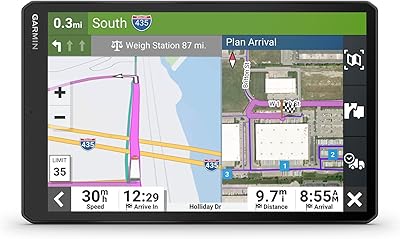
Garmin dezl OTR610
Garmin dezl OTR610
77%
88%
Truck Routing Accuracy
91%
Display Quality
83%
Arrival Planning & Dock View
74%
PrePass Integration
86%
Ease of Setup
More
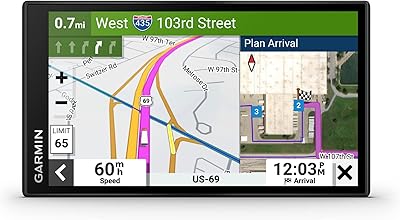
Garmin dēzl OTR1010 10″ GPS Truck Navigator
76%
88%
Screen Quality
84%
Truck Routing Accuracy
91%
BirdsEye Satellite Imagery
67%
PrePass Integration
63%
Value for Money
More
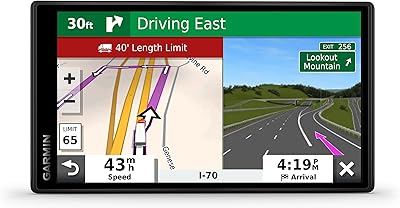
Garmin dezl 580 LMT-S Truck GPS Navigator
81%
89%
Routing Accuracy
92%
Ease of Use
62%
Screen Size/Visibility
95%
Traffic and Weather Updates
58%
Voice Command Performance
More
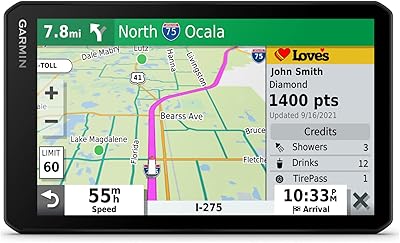
Garmin Dezl OTR500 5.5-inch Truck GPS Navigator
75%
91%
Truck Routing Accuracy
88%
Display Quality
74%
PrePass Integration
72%
Load-to-Dock Guidance
69%
Ease of Setup
More
Garmin dezlCam OTR710 Truck GPS Navigator
74%
83%
Truck Routing Accuracy
71%
Dash Cam Quality
68%
Cloud Vault Storage
88%
Screen Readability
79%
BirdsEye Satellite Imagery
More
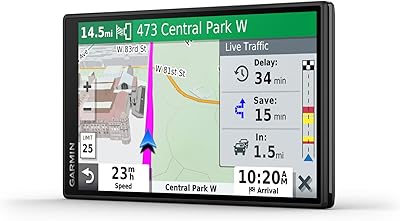
Garmin DriveSmart 55 GPS Navigator
74%
88%
Screen Readability
83%
Routing Accuracy
79%
Live Traffic Updates
91%
Ease of Use
57%
Voice Recognition
More
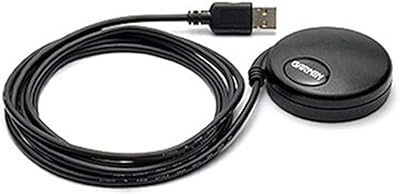
Garmin GPS 18x USB Navigation Receiver
67%
91%
Signal Accuracy
47%
Software Compatibility
78%
Build Quality
63%
Ease of Setup
84%
Long-Term Durability
More
Garmin Nüvi 2539LMT GPS Navigator
78%
91%
Ease of Use
88%
Navigation Accuracy
93%
Map Update Value
82%
Traffic Avoidance
74%
Display Quality
More
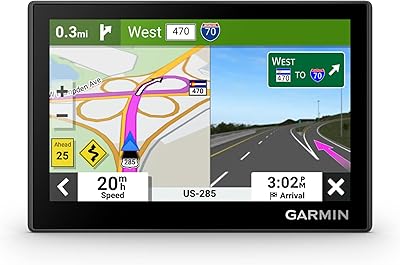
Garmin Drive 53 GPS Navigator
76%
88%
Display Quality
91%
Ease of Use
86%
Navigation Accuracy
41%
Battery Life
63%
Mount & Stability
More
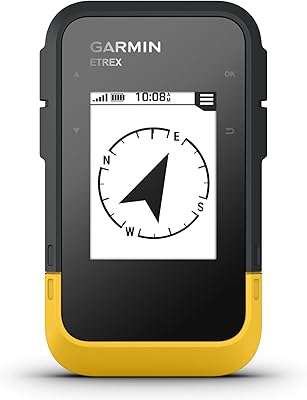
Garmin eTrex Solar Handheld GPS Navigator
80%
91%
Battery Life
88%
GPS Accuracy
93%
Build Quality
58%
Display Quality
67%
Solar Performance
More

FAQ

You enter your truck and trailer dimensions yourself during setup, including height, weight, length, and width. Once that profile is set, this dezl navigator uses those numbers to calculate routes and warn you about restrictions ahead of time. It's worth taking a few extra minutes to get the numbers accurate, since routing quality depends entirely on that data.

It can technically navigate like any GPS, but you'd be paying for a lot of trucking-specific features you won't use. If you're not regularly driving a commercial truck, a standard car GPS would honestly serve you better and cost less.

Drivers generally find it genuinely helpful for previewing unfamiliar delivery sites before arrival. That said, satellite imagery can be outdated if a facility has changed its layout recently, so treat it as a strong heads-up rather than a guarantee.

Yes, you need an active PrePass account along with the dezl companion app installed on a paired smartphone. The unit itself doesn't include or activate a PrePass subscription.

At 8 inches, it's noticeably larger than most older truck GPS units, and most drivers comment on how much easier it is to read at a glance. You can also switch between landscape and portrait depending on your cab setup.

No, and this is important. The routing alerts are a helpful backup, but you should always defer to posted signs and actual road conditions, since not every restriction is captured in mapping data.

It's not overly complicated, but it does take some patience the first time. You'll need to input your truck's dimensions accurately, and a handful of users mention there's a brief learning curve getting everything configured correctly.

It shows truck stop locations filtered by brand or amenity, and fuel pricing information can appear as part of the trip planning tools. This helps with deciding where to stop without guessing blind.

You get a suction cup with a powered magnetic mount, a screw-down mount option, and a 1-inch ball adapter with an AMPS plate. That gives you flexibility for either a temporary dash setup or a more permanent windshield mount.

Probably not as much as it would be for someone running unfamiliar long-haul routes. If you already know your roads, restrictions, and stops by heart, you'd be paying a premium for routing features you rarely need to lean on.