Garmin Drive 52 GPS Navigator
Overview
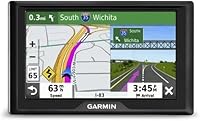
The Garmin Drive 52 GPS Navigator is a refurbished dedicated navigation unit that sits in a practical middle ground — capable enough for real daily routing, but priced well below Garmin's more advanced lineup. Refurbished here means the unit has been inspected and restored by the manufacturer, though buyers should expect plain or generic packaging rather than a retail box experience. The 5-inch touchscreen and windshield suction mount give it a familiar, no-fuss form factor that most drivers can set up in minutes. If you've grown tired of draining your phone battery or losing signal on rural stretches, this refurbished GPS unit offers a straightforward, phone-free alternative.
Features & Benefits
The display reads clearly through a windshield without demanding your full attention — the menu layout is simple enough that most people won't need to consult the manual. Street maps covering the US and Canada come preloaded, and lifetime map updates are included at no extra cost, though those updates must be downloaded manually via a computer using Garmin's desktop software. Lane assist is a genuinely useful touch at busy highway interchanges, guiding you into the correct lane before a split. Toss in driver alerts for speed zones and sharp curves, plus a built-in database of national parks and historic sites, and the Drive 52 covers more ground than its modest spec sheet suggests.
Best For
This refurbished GPS unit makes the most sense for a specific kind of driver. If you find smartphone navigation stressful, or if you'd rather not chew through data and battery every time you hit the road, having a dedicated navigation device is a real convenience. It's a natural fit for older drivers who want large, readable menus without digging through app settings. Road-trippers heading through national parks or less-connected stretches of the country will appreciate that the Drive 52 needs no cell signal to function. It also works well as a secondary vehicle GPS — keep it in a truck, RV, or a family member's car without any ongoing subscription costs.
User Feedback
With over 1,000 ratings averaging 4.2 stars, the overall reception is clearly positive. Most buyers highlight how quick and painless setup is — plug in, mount, and go — and many note the screen holds up well in direct sunlight. Where things get more nuanced is on the refurbished side: a handful of reviewers mention scuffed units or minimal packaging that felt more like an afterthought than a proper unboxing. Some owners have flagged that the suction mount loses grip in hot weather, and a few find the touchscreen a bit sluggish compared to a modern smartphone. Fair criticisms, but the majority of buyers seem genuinely satisfied with what they received.
Pros
- Setup takes only a few minutes — mount it, plug it in, and you're navigating right away.
- The 5-inch screen is large enough to read clearly at a glance without squinting.
- No ongoing subscription fees; the device works without a data plan or monthly charges.
- Free lifetime map updates mean US and Canada routing stays current over the long haul.
- Lane assist is genuinely helpful at confusing highway splits and multi-lane interchanges.
- Works perfectly in dead zones where phone-based navigation loses signal and fails.
- Driver alerts for speed changes, sharp curves, and school zones add a quiet safety layer.
- The built-in national parks and historic sites database is a useful bonus for road-trippers.
- Buying refurbished brings Garmin quality to a noticeably lower price point.
- The included mount, power cable, and USB mean no extra accessories are needed out of the box.
Cons
- No real-time traffic data, so the Drive 52 cannot reroute around accidents or congestion.
- Map updates must be downloaded manually via a PC or Mac — there is no automatic sync.
- The touchscreen responsiveness feels sluggish compared to a modern smartphone display.
- Refurbished units sometimes arrive with cosmetic scuffs or in plain, unbranded packaging.
- The suction cup mount can lose grip in very hot weather, which is a recurring complaint.
- No Bluetooth, no phone pairing, and no hands-free calling support whatsoever.
- The 480x272 resolution looks noticeably dated next to current phone screens or newer GPS units.
- There is no voice control or smart assistant integration of any kind.
- Drivers accustomed to satellite view or Street View will find the map display quite basic.
- Refurbished stock may vary in condition, and quality control is not always consistent.
Ratings
The scores below reflect our AI-driven analysis of thousands of verified buyer reviews for the Garmin Drive 52 GPS Navigator, with spam, incentivized feedback, and bot activity actively filtered out before any scoring was applied. Reviewers ranged from daily commuters and long-haul road-trippers to older drivers replacing aging GPS units, giving us a broad, real-world picture of how the Drive 52 actually performs. Both the genuine strengths and the recurring frustrations are weighted transparently in every category score.
Ease of Setup
Map Accuracy
Screen Readability
Refurbished Condition
Value for Money
Lane Assist Quality
Driver Alert System
Touchscreen Responsiveness
Suction Mount Durability
Menu Navigation
Lifetime Map Updates
Points of Interest Database
Build Quality
Power & Cable Management
Suitable for:
The Garmin Drive 52 GPS Navigator is a smart pick for anyone who wants reliable, phone-independent navigation without a steep learning curve. It's particularly well-suited to older or less tech-savvy drivers who find smartphone apps cluttered and frustrating — the large 5-inch screen and straightforward menus make it genuinely easy to operate while driving. If you frequently travel through rural areas, national parks, or any stretch of highway where cell signal drops out, having a dedicated GPS unit that doesn't depend on a data connection is a real practical advantage. Road-trippers will also appreciate the built-in database of historic sites and national parks, which adds a layer of discovery that Google Maps doesn't replicate well. And if you're outfitting a second vehicle — a truck, an RV, or a car shared with a family member — this refurbished GPS unit keeps costs down without sacrificing the Garmin reliability most drivers already trust.
Not suitable for:
The Garmin Drive 52 GPS Navigator is not the right choice for tech-forward drivers who expect real-time traffic rerouting, live incident alerts, or Bluetooth integration with their phone — none of those features are present here. Because it relies on GPS-only connectivity with no Wi-Fi or cellular radio, the device cannot pull live data of any kind; what you get is static routing based on your downloaded maps. The free lifetime map updates are a genuine perk, but they require you to connect the unit to a computer and run Garmin's desktop software manually, which may feel like a chore if you're used to apps that update silently in the background. Buyers who care about unboxing condition or pristine cosmetics should also pause — refurbished units sometimes arrive with minor scuffs or generic packaging that feels nothing like a retail purchase. If your daily commute is in a well-connected urban area where your phone already works flawlessly, the added hardware is unlikely to offer enough over what you already have.
Specifications
- Brand: Manufactured by Garmin, a well-established name in consumer and professional GPS navigation hardware.
- Model Number: The unit carries the official model designation 010-N2036-06, identifying it as the Drive 52 platform.
- Condition: Sold as a manufacturer-refurbished unit, meaning it has been inspected and restored to working order before resale.
- Screen Size: Features a 5-inch diagonal touchscreen display designed for clear visibility while mounted on a windshield.
- Resolution: The display outputs at 480 x 272 pixels, which is adequate for map rendering but below modern smartphone standards.
- Dimensions: The unit measures 0.8 x 5.5 x 3.3 inches, making it compact enough to sit within most drivers' sightlines without obstructing the road view.
- Weight: The device weighs 14.4 ounces, which is light enough for the included suction mount to hold securely under normal conditions.
- Connectivity: Uses GPS satellite connectivity only; there is no cellular radio, Wi-Fi module, or Bluetooth capability built in.
- Map Coverage: Comes preloaded with street maps covering the continental United States and Canada, ready to use without any additional downloads at setup.
- Map Updates: Includes free lifetime map upgrades, which must be applied manually by connecting the device to a computer running Garmin Express software.
- Mount Type: Attaches to the windshield via an included suction cup mount, which can be repositioned without tools.
- Lane Assist: Lane assist guidance displays the correct lane to occupy ahead of complex interchanges, merges, and multi-lane exits.
- Driver Alerts: Provides passive audio and visual alerts for school zones, speed limit changes, sharp curves, and railroad crossings.
- Points of Interest: Includes a curated database of US National Parks and notable historic sites to support road-trip route planning.
- Input Method: Navigation is controlled entirely via the resistive touchscreen; there are no physical navigation buttons on the unit.
- In the Box: Package includes the Drive 52 unit, a windshield suction cup mount, a vehicle power cable, a USB cable, and a printed quick start manual.
- Power Source: Powered through the included vehicle power cable that connects to a standard 12V car accessory or cigarette lighter socket.
- Map Type: Maps cover road navigation across North America and are optimized for automotive routing rather than hiking or off-road use.
Related Reviews
Garmin Drive 53 GPS Navigator
Garmin Drive 50 USA LM GPS Navigator
Garmin Drive 51 LMT-S GPS Navigator
Garmin Nüvi 2539LMT GPS Navigator
Garmin DriveSmart 55 GPS Navigator
Garmin GPS 18x USB Navigation Receiver
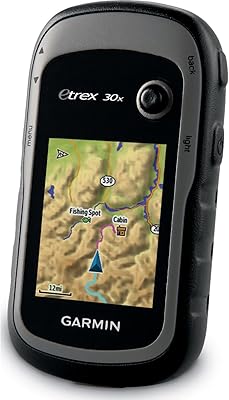
Garmin eTrex 30x Handheld GPS Navigator
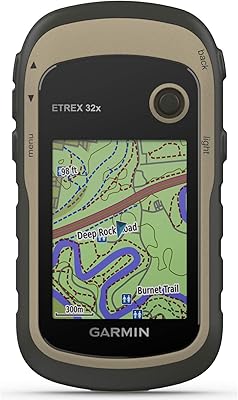
Garmin eTrex 32x Handheld GPS Navigator
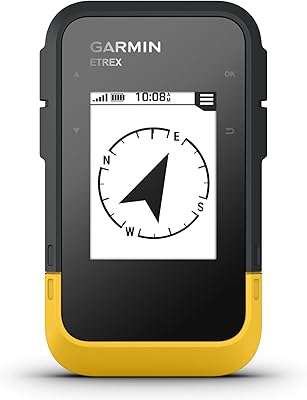
Garmin eTrex SE Handheld GPS Navigator