Overview

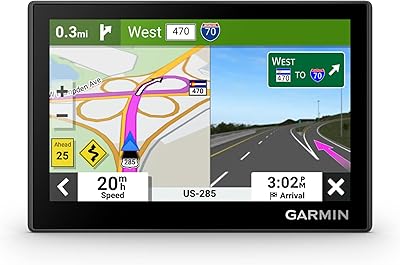
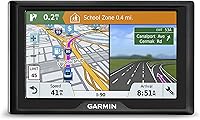
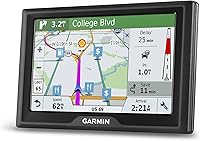
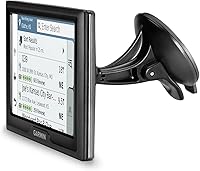
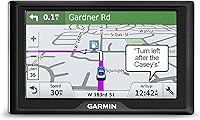
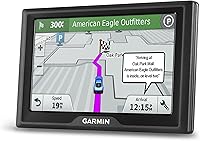
The Garmin Drive 51 LMT-S GPS Navigator is a dedicated in-car navigation device that makes a real case for leaving smartphone navigation behind. It features a 5-inch touchscreen that flips between portrait and landscape orientation — a small but practical detail depending on how your dash is set up. The resolution is modest at 480x272 pixels, so sharp graphics are not the selling point here, but maps and text are clear enough while driving. It arrives preloaded with US maps and covers lifetime map updates at no recurring cost, removing one of the more frustrating hidden expenses tied to dedicated GPS devices. A suction cup mount and vehicle power cable come included.

Features & Benefits

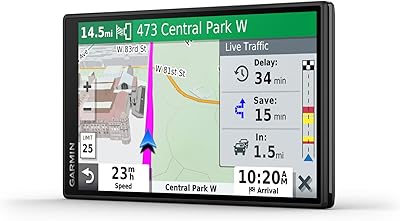
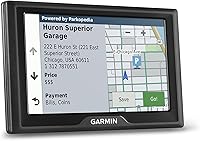
What sets this Garmin navigator apart from entry-level GPS devices is how much practical utility is packed into a compact unit. Lifetime map updates mean you are not navigating with two-year-old road data, which is a genuine issue with budget alternatives. Pair it with the free Smartphone Link app and it pulls in live traffic and, in select cities, live parking availability — useful when you are hunting for a spot downtown. A driver alert system warns you ahead of sharp curves, speed camera zones, railroad crossings, and animal crossing areas. Built-in TripAdvisor and Foursquare data lets you pull up rated stops along your route without reaching for your phone mid-drive.

Best For

This dedicated GPS unit makes the most sense for drivers who are done depending on a phone for directions. If your data plan is tight, your phone battery drains fast on long trips, or you simply want a device that is always mounted and ready, this fills that role well. It is particularly well-suited to less tech-savvy drivers who want straightforward, low-friction guidance without app management. Frequent road trippers benefit from the offline map coverage and real-time driver alerts. Travelers who regularly scout restaurants or hotels on the go will appreciate having TripAdvisor ratings built right in, saving them from juggling multiple apps while navigating unfamiliar territory.

User Feedback

Most buyers find the Drive 51 LMT-S easy to set up, and clear voice guidance earns consistent praise alongside generally accurate turn-by-turn directions. Owners who have run map updates report the process is simple enough. On the downside, screen visibility in direct sunlight is a recurring complaint — the display can wash out noticeably on bright days, which is worth knowing if you drive in sunny conditions often. The Smartphone Link app, required for live traffic features, gets mixed marks; some users connect without issues while others report frustrating dropouts. And with roughly one hour of battery life off the charger, this unit really needs to stay plugged into your vehicle power cable to be useful.

Pros

  • Lifetime US map updates are included at no extra cost, keeping routes accurate long-term.
  • Built-in TripAdvisor and Foursquare data helps drivers find rated stops without touching a phone.
  • Driver alerts for speed cameras, sharp curves, and railroad crossings add a genuine safety layer.
  • Setup is straightforward — mount it, power it, and it is ready to navigate within minutes.
  • Dual-orientation display gives flexibility depending on your windshield mount position.
  • Offline map access means navigation works reliably even in areas with poor cell coverage.
  • Bluetooth connectivity supports hands-free calling without needing a separate car kit.
  • The Direct Access feature simplifies routing to destinations inside large, complex venues.
  • Compact and lightweight enough that it does not obstruct sightlines when mounted on the windshield.
  • A solid option for drivers wanting to preserve phone battery on extended road trips.

Cons

  • Screen resolution is low by current standards and visibility in direct sunlight can be poor.
  • Live traffic and parking features only work when paired via the Smartphone Link app, which has reported reliability issues.
  • Built-in battery lasts roughly one hour, making it dependent on the vehicle power cable for practical use.
  • The Smartphone Link app pairing can be inconsistent, leaving some users without live data when they need it most.
  • No international map coverage included, limiting usefulness for cross-border travel.
  • The interface and visual design feel dated compared to current smartphone navigation apps.
  • Screen size at 5 inches may feel small to users accustomed to larger phone displays or premium GPS units.
  • No subscription-based advanced routing features like some competing units offer at a similar price point.

Ratings

The Garmin Drive 51 LMT-S GPS Navigator has been evaluated using AI-driven analysis of thousands of verified global user reviews, with spam, bot-generated, and incentivized feedback actively filtered out to ensure honest results. Scores reflect the full picture — where this dedicated GPS unit genuinely earns its place in a driver's vehicle, and where real buyers have run into frustrations. Both strengths and pain points are represented transparently across every category below.

Ease of Setup
91%
Buyers consistently report that getting this navigator up and running takes just a few minutes — mount it, plug it in, and it is ready. Even users with minimal tech experience say the initial configuration feels intuitive, with clear on-screen prompts guiding them through the basics without needing the manual.
A small number of users found pairing with the Smartphone Link app for the first time less straightforward than expected, requiring a few attempts before the Bluetooth connection stabilized. This is a minor friction point but shows up often enough in feedback to note.
Map Accuracy
84%
For everyday driving across the US, the preloaded maps hold up well, and users on long road trips report that routing decisions are generally sensible and reliable. The lifetime update policy means the data does not stagnate, which owners who have run multiple update cycles appreciate noticeably.
Some users in rural or newly developed suburban areas report occasional routing quirks, such as directing them to roads that have changed or pointing to outdated street configurations. These issues are not constant but surface often enough to be a real consideration for drivers in fast-growing regions.
Voice Guidance
88%
Clear, well-timed voice prompts are one of the most praised aspects of this unit. Drivers say the guidance announces turns early enough to react without stress, and the speaker volume is loud enough to hear comfortably over road noise and moderate music.
The voice itself sounds noticeably robotic compared to the natural-language voices in modern smartphone navigation apps. A handful of users also note that in complex highway interchanges, the phrasing of instructions can occasionally be ambiguous about which lane to take.
Screen Visibility
57%
43%
In shaded conditions or overcast weather, the 5-inch display is readable and the map layout is clean enough to interpret at a glance while driving. The dual-orientation support is a practical touch that lets drivers position the device to suit their mount angle.
Direct sunlight exposure is a recurring complaint. The display washes out significantly on bright days, which is a real problem for drivers with south-facing windshields or those driving in consistently sunny climates. The 480x272 pixel resolution also looks noticeably dated next to a modern smartphone screen.
Live Traffic Reliability
61%
39%
When the Smartphone Link connection holds steady, live traffic data provides useful rerouting suggestions, particularly on congested urban highways during peak commute hours. Users in major metros note that the traffic layer has helped them avoid delays on familiar routes.
The dependency on a stable Bluetooth app connection is a significant weak point. A substantial share of reviewers report that the Smartphone Link app disconnects unexpectedly or fails to sync, leaving them without live data precisely when they need it most. This inconsistency undercuts what should be a standout feature.
Battery Life
43%
57%
The internal battery does its job for short unmounted use cases, such as carrying the device briefly into a building or using it temporarily without the car cable connected. It functions as a backup power buffer in very short bursts.
At roughly one hour of unplugged use, the battery is not suitable for any real navigation scenario without the vehicle power cable. Users who forget their cable or whose cable port malfunctions are effectively left with a non-functional device. This is the most consistently criticized hardware limitation across all feedback.
Value for Money
78%
22%
The lifetime map update policy removes what is typically an ongoing hidden cost with GPS devices, and having TripAdvisor and Foursquare data built in adds genuine utility that reduces the need for extra apps on a long trip. For buyers specifically wanting a dedicated device, the overall package is reasonably competitive.
Buyers who compare it directly against free smartphone navigation apps — which offer sharper displays, better real-time data, and more frequent map updates — find it harder to justify the price. At this tier, some competitors offer brighter screens or more reliable smart features for a similar outlay.
Build Quality
73%
27%
The unit feels solid enough for daily in-car use, and most buyers report no physical durability issues after extended use. The suction cup mount holds reliably on clean glass without slipping under normal driving conditions.
The overall construction has a plastic-heavy feel that does not inspire confidence in premium build quality. A handful of users mention that the mount cup loses suction in extreme heat, which is a meaningful concern for drivers in hot climates who leave the device in a parked car.
Touchscreen Responsiveness
74%
26%
The touchscreen registers taps accurately enough for standard in-drive interactions like confirming a route or dismissing an alert. Most users do not find themselves fighting with the screen to complete basic inputs.
The response latency feels sluggish compared to a smartphone touchscreen, and some users find that precise inputs on smaller menu elements require more than one tap. This becomes noticeable when entering a destination address, particularly for users accustomed to faster phone interfaces.
Driver Alert System
83%
Real-world feedback on the driver alerts is largely positive, especially for road-trippers who drive through unfamiliar terrain. Warnings for sharp curves, speed camera zones, and railroad crossings are well-timed and appreciated by drivers who regularly travel through rural or mountainous routes.
Some users find the frequency of alerts on certain route types — particularly stretch of interstate with many speed monitoring zones — to be repetitive and distracting. There is no simple way to customize which alert types are active, which means it is all-or-nothing for drivers who only want select warnings.
POI Integration
79%
21%
Having TripAdvisor ratings embedded directly into the map is a practical benefit on unfamiliar roads, letting drivers pull up rated stops without reaching for their phone. Foursquare venue data rounds out the coverage for more casual location searches along a route.
The POI database is not updated as frequently as it would be through a live-connected app, so some locations may be outdated, closed, or missing entirely. Users in smaller towns or rural areas find the coverage thinner and less reliable than what a current smartphone app would surface.
Smartphone Integration
63%
37%
When the pairing works as intended, Bluetooth integration for hands-free calling is a convenient add-on, and the Smartphone Link app expands the device's capabilities meaningfully beyond what the hardware alone provides. Drivers who successfully maintain a stable connection find real value in the combined setup.
The overall Bluetooth experience is inconsistent across different phone models and operating systems, with some users reporting that reconnecting after a trip restart is unreliable. The integration feels dependent on phone compatibility in ways that are not always transparent before purchase.
Instruction Clarity
81%
19%
The on-device menus are logically organized and most core tasks — setting a destination, checking a route overview, finding a nearby restaurant — are reachable in just a few taps. New users tend to find the learning curve short and forgiving.
The included printed quick start manual is minimal, and users who want to explore less obvious features like Direct Access or custom alert settings often find themselves hunting through menus without clear guidance. The PDF manual is more complete but requires a separate download.

Suitable for:

The Garmin Drive 51 LMT-S GPS Navigator is a strong fit for drivers who want a reliable, always-ready navigation device without the compromises that come with using a smartphone. It works especially well for older or less tech-savvy users who prefer a dedicated screen on the dash rather than juggling phone mounts, app updates, and battery anxiety. Frequent road trippers will appreciate the offline US map coverage and lifetime update policy, which removes the guesswork of whether your routes are current. Drivers who regularly scout places to eat or stay on the go will find the built-in TripAdvisor and Foursquare ratings genuinely useful without requiring a second device. It also suits anyone who wants to protect their phone battery on long drives or who operates in areas with inconsistent cellular coverage where app-based navigation tends to struggle.

Not suitable for:

The Garmin Drive 51 LMT-S GPS Navigator is not the right choice for buyers who want a crisp, high-resolution display — the 480x272 screen is functional but noticeably dated compared to modern smartphone screens, and it can wash out in strong direct sunlight. Tech-forward drivers who already rely on Google Maps or Waze and are happy with that setup will find little reason to add a separate device to their dash. The live traffic and parking features sound appealing on paper, but they require a consistent Bluetooth connection to the Smartphone Link app on your phone, meaning this unit is not truly standalone for those features. If you frequently drive internationally or need maps outside the US, this device will not cover you without additional purchases. Buyers expecting tablet-quality visuals or a completely phone-free smart navigation experience will likely come away disappointed.

Specifications

  • Screen Size: The device features a 5-inch touchscreen display that supports both portrait and landscape orientation.
  • Resolution: The display runs at 480x272 pixels, which is adequate for map reading while driving but not a high-definition panel.
  • Preloaded Maps: Comes preloaded with detailed maps covering the contiguous United States, ready to use out of the box.
  • Map Updates: Lifetime map updates are included at no extra cost and can be downloaded via a computer using the Garmin Express software.
  • Live Traffic: Real-time traffic data is available through the free Smartphone Link app paired via Bluetooth to a compatible smartphone.
  • Live Parking: Live parking availability is accessible in select cities when connected to the Smartphone Link app on a paired phone.
  • Driver Alerts: The unit provides audible and visual alerts for sharp curves, speed changes, speed cameras, railroad crossings, and animal crossing zones.
  • POI Data: TripAdvisor ratings and Foursquare location data are integrated directly into the device for finding restaurants, hotels, and attractions.
  • Bluetooth: Bluetooth connectivity supports hands-free calling and wireless pairing with the Smartphone Link app on a compatible smartphone.
  • Battery Life: The internal battery provides approximately one hour of use, making the included vehicle power cable essential for practical operation.
  • Dimensions: The unit measures 5.5 x 3.3 x 0.8 inches, making it compact enough to mount without significantly obstructing windshield sightlines.
  • Connectivity: USB connectivity is used for charging via computer and for transferring map updates through the Garmin Express desktop application.
  • Mount Type: Includes a vehicle suction cup mount designed for windshield or dashboard installation, along with a vehicle power cable.
  • Direct Access: The Direct Access feature allows the unit to guide drivers to specific entrances or destinations within large venues such as malls and airports.
  • Color: Available in black with a standard gloss finish on the housing.
  • In the Box: Package includes the GPS unit, a vehicle suction cup mount, a vehicle power cable, a USB cable, and a printed quick start manual.
  • Compatibility: USB map updates are compatible with Windows XP or newer and Mac OS X 10.4 or later via the Garmin Express software.
  • Audio Output: A built-in speaker delivers voice-guided turn-by-turn directions without requiring an external audio device or car stereo connection.

Related Reviews
Garmin dezl 580 LMT-S Truck GPS Navigator
81%
89%
Routing Accuracy
92%
Ease of Use
62%
Screen Size/Visibility
95%
Traffic and Weather Updates
58%
Voice Command Performance
More
Garmin DriveSmart 61 6.95-inch GPS Navigator
75%
91%
Display Quality
88%
Navigation Accuracy
86%
Lifetime Map Updates
34%
Battery Life
78%
Voice Activation
More
Garmin Drive 53 GPS Navigator
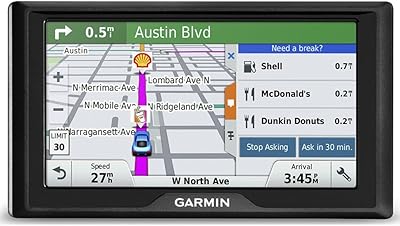
76%
88%
Display Quality
91%
Ease of Use
86%
Navigation Accuracy
41%
Battery Life
63%
Mount & Stability
More
Garmin Drive 50 USA LM GPS Navigator
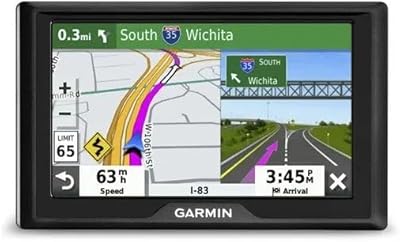
84%
94%
Ease of Use
90%
Accuracy of Maps
91%
Driver Alerts (Safety)
88%
Foursquare Data Integration
60%
Screen Resolution
More
Garmin DriveSmart 55 GPS Navigator
74%
88%
Screen Readability
83%
Routing Accuracy
79%
Live Traffic Updates
91%
Ease of Use
57%
Voice Recognition
More
Garmin GPS 18x USB Navigation Receiver
67%
91%
Signal Accuracy
47%
Software Compatibility
78%
Build Quality
63%
Ease of Setup
84%
Long-Term Durability
More
Garmin Nuvi 2539LMT GPS Navigator
84%
91%
Ease of Use
89%
Display Quality
75%
Traffic Update Accuracy
85%
Bluetooth Connectivity
93%
Navigation Accuracy
More
Garmin Drive 52 GPS Navigator
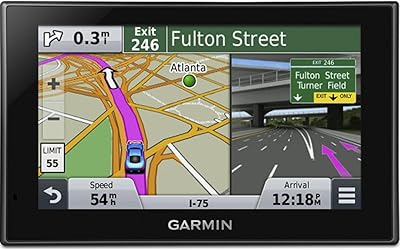
73%
91%
Ease of Setup
78%
Map Accuracy
83%
Screen Readability
63%
Refurbished Condition
82%
Value for Money
More
Garmin eTrex 30x Handheld GPS Navigator
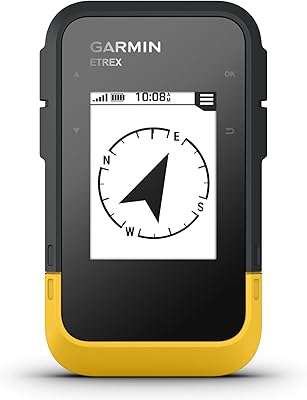
87%
93%
Build Quality & Durability
87%
Battery Life
91%
Ease of Use
75%
Display & Visuals
90%
Mapping & Navigation Features
More
Garmin eTrex SE Handheld GPS Navigator
81%
97%
Battery Life
91%
GPS Accuracy
88%
Build Quality
63%
Display Quality
79%
Ease of Use
More

FAQ

For basic navigation, no — the maps are stored directly on the device so it works completely offline. However, if you want live traffic updates or live parking info, you will need to pair it with a smartphone running the free Smartphone Link app, which does use your phone's data connection.

Map updates are downloaded through Garmin Express, a free desktop application you install on your Windows or Mac computer. You connect the device via USB, and Garmin Express walks you through the process. There is no subscription fee — lifetime means as long as Garmin supports the device, you can keep updating. The only catch is that you need a computer to do it; it cannot update over Wi-Fi on its own.

Yes, it navigates just fine without a phone connection. The full US map database is built in, and voice-guided routing works completely independently. You only miss out on the live traffic, live parking, and Smartphone Link features if your phone is not paired.

User experiences vary. Many people connect without issues and get useful traffic data, but a fair number report that the Bluetooth pairing between the app and the device can drop or fail to connect reliably. It works well enough when it connects, but it is worth knowing that live features are not as rock-solid as the core offline navigation.

This is one of the more honest trade-offs with this unit. The display is functional in typical lighting conditions, but direct sunlight can wash it out noticeably. If you drive a lot in bright, sunny climates or have a south-facing windshield, screen visibility may frustrate you compared to a smartphone with higher brightness.

The preloaded maps cover the United States only. If you need Canadian or Mexican coverage, you would need to purchase additional map regions separately. It is not set up for international travel out of the box.

The internal battery lasts roughly one hour on its own, which is really just enough to get the device started or briefly use it unplugged. For any real road trip use, you will want it plugged into the included vehicle power cable the entire time. Treat the battery as a backup, not a primary power source.

The device does not support voice-activated search or hands-free destination entry in the way that smartphone assistants do. Navigation prompts and driver alerts are delivered through the built-in speaker, but you interact with it via the touchscreen.

It is actually one of the better fits for that use case. The interface is straightforward, the menus are clearly laid out, and once it is mounted and powered it basically just works. There is no app ecosystem to manage during a drive, and the voice guidance is clear. The occasional map update via computer is the only part that might need some help to set up initially.

Google Maps wins on real-time data quality, map detail, and display sharpness. Where this dedicated unit has an edge is reliability — it does not drain your phone battery, does not need a data signal for core navigation, and stays mounted and ready without competing for your phone's attention. For drivers who want a set-it-and-forget-it navigation device rather than relying on a phone, it makes a reasonable case for itself.

Where to Buy