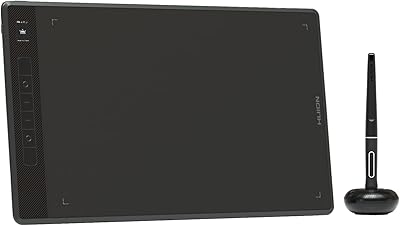
GAOMON WH851 8x5 Graphics Tablet
Overview
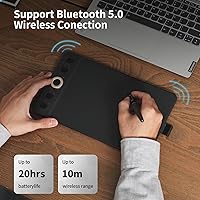
The GAOMON WH851 8x5 Graphics Tablet sits in an interesting spot — capable enough for intermediate digital artists, yet accessible enough for serious hobbyists who don't want to commit to Wacom-level pricing. The 8x5-inch active area offers noticeably more usable space than typical beginner tablets, which often cap out around 6x4 inches. GAOMON has been quietly building its reputation as a credible challenger to XP-Pen and Wacom, and this wireless drawing tablet reflects that ambition well. Supporting both wired and Bluetooth 5.0 wireless connectivity at this price is a genuine differentiator. That said, be clear-eyed going in: this is a solid mid-range tool, not a professional studio replacement.
Features & Benefits
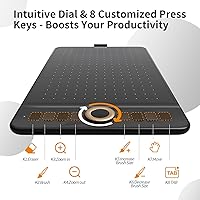
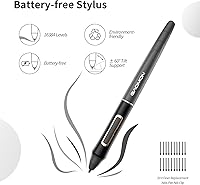
What stands out most about this GAOMON tablet is just how much the pen does. The battery-free AP519 supports 16,384 pressure levels, which in practice means you can transition from hairline strokes to thick, opaque fills by simply adjusting how hard you press — no layer tricks needed. Combined with 60-degree tilt recognition, shading with a digital brush actually starts to mimic the angled drag of a real pencil. The center dial is a nice touch, switching between zoom, scroll, and brush-size control without lifting your hand from the surface. Eight programmable keys round out the hardware shortcuts. Battery life runs up to 18 hours wirelessly, which easily covers a full day of drawing.
Best For
The WH851 hits a sweet spot for a specific type of buyer. Self-taught illustrators ready to upgrade from a cramped starter tablet will find the 8x5-inch workspace a meaningful jump. The multi-device flexibility — pairing across Windows, macOS, and Android — makes it practical for artists who don't stick to one platform. Animators working on short-form content and sketchers who prefer moving around rather than staying desk-bound will appreciate the wireless freedom. Educators who annotate during online lessons or professionals signing documents digitally also get solid mileage out of this wireless drawing tablet. It's less ideal if you draw sporadically and never bother customizing shortcuts.
User Feedback
Owners generally praise the WH851 for pen accuracy and responsiveness, with many noting that the pressure sensitivity genuinely shows up in their Procreate or Photoshop work. Build quality gets positive mentions too — the tablet feels sturdier than its price suggests. Where things get more mixed is the driver experience: some users report a steeper-than-expected setup, and Bluetooth pairing on certain Android devices can require a restart or two before it clicks. A handful of long-term reviewers mention surface wear on the drawing area over time. Professional artists with complex, large-scale workflows tend to find the active area too compact for comfort. Overall, most buyers feel the value is strong for this market tier.
Pros
- Wireless Bluetooth 5.0 connection works reliably through full-day drawing sessions without cable clutter.
- The battery-free AP519 pen supports 16,384 pressure levels, delivering genuine line variation in real artwork.
- 60-degree tilt recognition makes shading with digital brushes feel noticeably more natural and intuitive.
- An 18-hour wireless battery life means most users charge once or twice a week at most.
- The center dial with dual modes keeps zoom, scroll, and brush-size adjustments within effortless reach.
- Eight programmable shortcut keys let you build a custom workflow that reduces repetitive menu navigation.
- At 14 ounces and 0.1 inches thick, this wireless drawing tablet fits easily into any bag for on-the-go use.
- Aspect ratio is switchable between 16:10 and 20:10, which suits different monitor configurations without fuss.
- Build quality feels more solid and premium than the price bracket typically delivers.
- Cross-platform support across Windows, macOS, and Android covers most real-world creative setups without compromise.
Cons
- Driver installation is genuinely confusing for non-technical users and lacks clear step-by-step guidance.
- Bluetooth pairing on certain Android devices is inconsistent and sometimes requires a full device restart.
- The drawing surface texture wears smooth over months of heavy use, subtly changing the pen-drag feel.
- No carrying case or pen holder is included, leaving the surface exposed during bag transport.
- The battery level indicator is not granular enough, making surprise low-battery warnings during sessions a real risk.
- Tilt sensitivity requires per-app calibration to behave consistently across different creative software.
- The pen diameter feels slightly slim for users with larger hands during sessions lasting two or more hours.
- Driver update frequency lags behind competing brands, leaving some software compatibility gaps unresolved.
- Niche or legacy animation software often lacks full pressure support without workarounds.
- Android app compatibility varies noticeably by device brand, making the cross-platform promise uneven in practice.
Ratings
The GAOMON WH851 8x5 Graphics Tablet has been rated by our AI system after analyzing thousands of verified global user reviews, with spam, incentivized, and bot-generated feedback actively filtered out. Scores reflect honest consensus across a wide range of buyers — from students picking up their first serious drawing tool to intermediate illustrators switching from competing brands. Both the standout strengths and the genuine frustrations are transparently baked into every number below.
Pen Accuracy & Pressure Sensitivity
Wireless Performance
Battery Life
Driver Software & Setup
Build Quality & Materials
Drawing Surface Texture
Shortcut Keys & Dial Usability
Active Area Size
Multi-Device Compatibility
Value for Money
Portability & Form Factor
Pen Ergonomics
Tilt Recognition
Software Ecosystem & App Support
Unboxing & Included Accessories
Suitable for:
The GAOMON WH851 8x5 Graphics Tablet is a strong fit for hobbyists and intermediate digital artists who want a meaningful hardware upgrade without committing to professional-tier pricing. Students studying illustration, animation, or graphic design will find the 8x5-inch active area generous enough for real creative work — a noticeable improvement over the cramped 6x4-inch tablets many start with. If you regularly switch between a Windows desktop and an Android device, the broad cross-platform support and Bluetooth 5.0 connectivity make this wireless drawing tablet unusually versatile for its class. The dial and eight programmable keys will particularly appeal to anyone who has already developed a shortcut-driven workflow and wants tactile controls without buying a separate accessory. Educators who annotate slides or sign documents digitally during remote sessions will also find it practical, reliable, and easy to transport between locations.
Not suitable for:
The GAOMON WH851 8x5 Graphics Tablet is not the right choice for professional artists whose work demands a large active canvas — environment illustrators, storyboard artists, and concept designers working at high resolution across wide monitors will find the 8x5-inch area too constraining for comfortable, uninterrupted work. Buyers who expect a truly plug-and-play experience should also temper their expectations: driver setup can be a real friction point, and if you are not comfortable troubleshooting software configuration, the onboarding process may be genuinely frustrating. The Android Bluetooth experience, while functional, is not reliable enough to recommend for artists who depend on an Android tablet as their primary drawing device. Long-term heavy users should be aware that the drawing surface texture does wear down over months of daily use, which can affect pen feel. Finally, anyone already invested in a Wacom ecosystem — with muscle memory built around its driver behavior and pen feel — will likely find the transition requires more adjustment than the hardware differences alone suggest.
Specifications
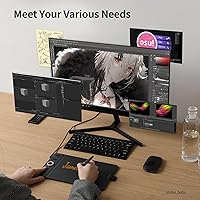
- Active Area: The drawing surface measures 8 x 5 inches, providing a comfortable workspace suited to single-monitor illustration and annotation tasks.
- Physical Size: The full tablet body measures 11.37 x 6.74 x 0.1 inches, keeping the overall footprint slim and bag-friendly.
- Weight: The tablet weighs 14 ounces, light enough for easy portability between a desk, a couch, or a client meeting.
- Pen Model: Includes the battery-free AP519 stylus, which requires no charging and maintains a consistent weight and balance throughout use.
- Pressure Levels: The AP519 pen supports 16,384 levels of pressure sensitivity, enabling fine gradations in line weight and brush opacity.
- Tilt Support: The pen recognizes tilt angles up to 60 degrees, allowing natural shading and cross-hatching techniques similar to traditional media.
- Pen Nib Sinkage: Nib sinkage is limited to 0.45mm, producing a firm, paper-like resistance that reduces the springy feedback common in entry-level styluses.
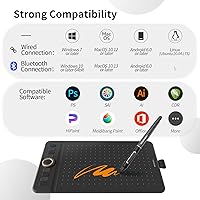
- Connectivity: Supports both USB Type-C wired connection and Bluetooth 5.0 wireless, allowing flexible use across fixed and mobile setups.
- Battery Life: The internal battery supports up to 18 hours of continuous wireless use on a full charge.
- Express Keys: Features 8 fully programmable press buttons positioned along the tablet body for quick access to custom shortcuts and commands.
- Dial: A single center dial operates in two modes — driver and radial — enabling quick canvas zoom, brush size adjustment, and scroll control.
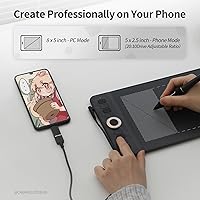
- Aspect Ratio: The active drawing area can be switched between 16:10 and 20:10 ratios by default, with additional custom ratios available through the GAOMON driver.
- Windows Support: Compatible with Windows 7 and later via both wired and Bluetooth connections, covering the vast majority of current desktop and laptop configurations.
- macOS Support: Compatible with macOS 10.12 (Sierra) and later, supporting wired and wireless use on modern Apple hardware.
- Android Support: Works with Android 6.0 and later devices, enabling use with drawing apps on compatible smartphones and tablets over Bluetooth.
- Model Name: Officially designated as the WH851 Gray, distinguishing this variant within the GAOMON product lineup.
- Release Date: The WH851 was first made available in January 2024, making it a relatively recent entry in the mid-range graphics tablet segment.
- Power Source: Requires one included lithium-ion battery for wireless operation; the battery is built-in and charged via the USB-C port.
- BSR Ranking: Holds a Best Sellers Rank of approximately #90 in the Computer Graphics Tablets category on Amazon, reflecting strong sustained demand.
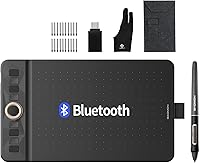
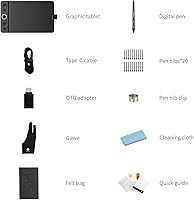
- Included Items: The package includes the WH851 tablet, the AP519 battery-free pen, a USB-C cable, and a set of replacement nibs.
Related Reviews
GAOMON M10K PRO 10×6.25 Drawing Tablet
GAOMON PD1161 11.6-inch Pen Display Tablet
TeinenRon T1060 10x6 Inch Drawing Tablet
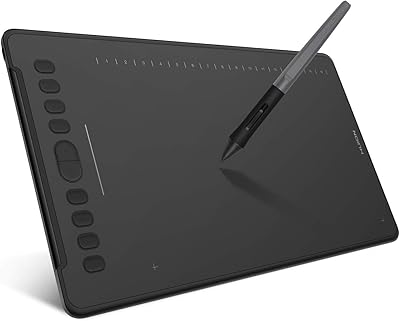
HUION Inspiroy H1161 Graphics Drawing Tablet
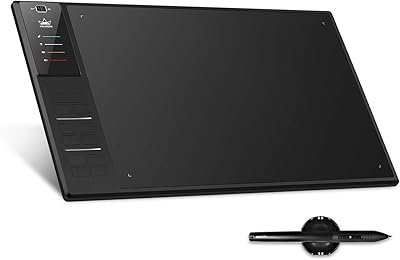
Huion WH1409 Wireless Graphic Drawing Tablet
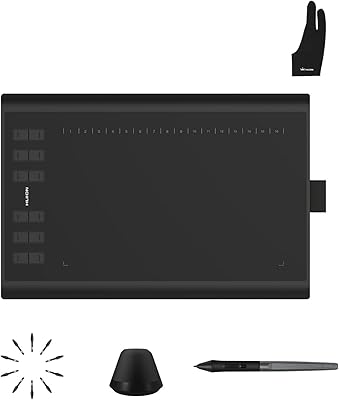
Huion Inspiroy H1060P Graphics Drawing Tablet
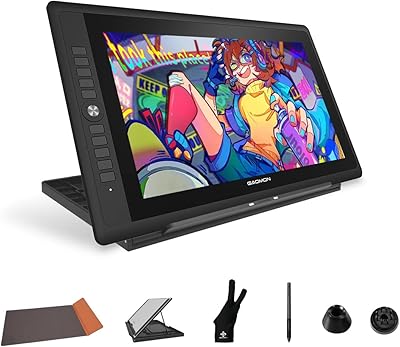
GAOMON PD156Pro 15.6″ Pen Display Tablet
VEIKK A15Pro 10x6-Inch Graphics Pen Tablet
HUION Inspiroy Q11K Wireless Drawing Tablet