Overview

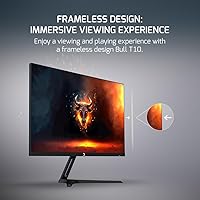
The GamePower Bull T10 24-inch Gaming Monitor comes from a Turkish brand that hasn't yet built wide recognition in Western markets, but it arrives with a respectable spec sheet for the price. This budget gaming monitor sits squarely in entry-level territory, targeting casual players who want a faster refresh rate without a significant investment. One thing worth flagging upfront: the product listing title advertises 200Hz, while the actual description specifies 180Hz — a discrepancy buyers should know about before purchasing. On the physical side, the frameless design keeps the footprint trim, handy for cramped desks. A zero dead pixel warranty is a genuinely reassuring inclusion at this price point.
Features & Benefits

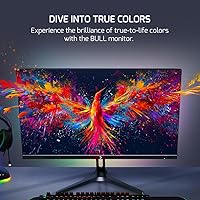
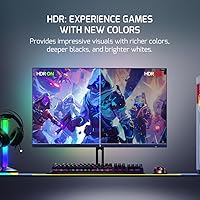
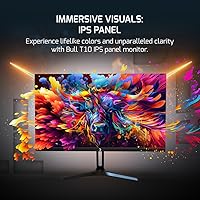
The IPS panel is the standout choice here — it delivers accurate, consistent colors across wide 178° viewing angles, something TN panels at this price simply can't match. Motion handling is solid for casual gaming, with a 0.5ms response time and a refresh rate that keeps things smooth in fast-paced titles. Adaptive Sync support covers both G-Sync and FreeSync GPUs, so screen tearing stays out of the picture regardless of your graphics card. The 300-nit brightness is adequate for indoor use, and a built-in blue light filter is a practical touch for longer sessions. The HDR support exists, but at this tier it leans closer to entry-level HDR than anything transformative — manage expectations accordingly.

Best For

This entry-level IPS display is a natural fit for first-time PC gamers stepping up from a 60Hz or 75Hz setup — the jump in smoothness is immediately noticeable. Students pulling double duty between coursework and gaming will appreciate its versatility, and the compact, frameless build makes it easy to place on a small desk without sacrificing screen real estate. It also works well in shared spaces like dorms or home offices where you need a monitor that handles a bit of everything. The universal voltage range is a quiet but useful feature for international buyers or anyone who relocates frequently. Limited stand adjustability means dedicated ergonomics shoppers may want to look elsewhere.

User Feedback

Buyers of the Bull T10 tend to respond positively to the color quality out of the box — most find the IPS panel performs well above expectations for everyday use. The zero dead pixel warranty also gets mentioned as a confidence boost, particularly for those hesitant about purchasing from a lesser-known brand. On the critical side, the 200Hz versus 180Hz mismatch in the product listing has caused frustration among detail-oriented buyers who feel the spec was overstated. Stand rigidity draws occasional complaints, which is not unusual at this price tier. HDR performance gets a predictably lukewarm reception — it functions, but nobody is calling it impressive. Setup is generally described as quick and straightforward.

Pros

  • IPS panel delivers noticeably better color consistency and viewing angles than budget TN alternatives
  • Adaptive Sync works with both AMD FreeSync and Nvidia G-Sync GPUs, covering most setups
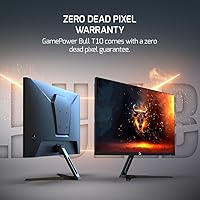
  • The zero dead pixel warranty adds real peace of mind for a lesser-known brand purchase
  • Frameless design keeps the physical footprint minimal, a genuine plus for tight desk spaces
  • Built-in blue light filter reduces eye fatigue during long study or gaming sessions
  • Universal voltage range makes it a flexible choice for international buyers or frequent movers
  • Matte screen surface cuts glare effectively in typical indoor lighting conditions
  • Out-of-box setup is reportedly quick and straightforward with minimal hassle
  • Refresh rate upgrade from 60Hz or 75Hz is immediately and obviously noticeable in daily use

Cons

  • The 200Hz claim in the product title conflicts with the 180Hz figure listed in the actual specs — a red flag for transparency
  • HDR support is entry-level at best and unlikely to impress anyone who has used proper HDR displays
  • Stand build quality and rigidity have drawn criticism, which is a real usability concern over time
  • No confirmed VESA mount compatibility information is listed, limiting third-party stand or arm upgrades
  • GamePower has minimal brand presence or support infrastructure in Western markets, making warranty claims harder to navigate
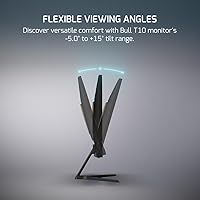
  • Stand offers no documented height or pivot adjustment, which limits ergonomic customization
  • At 300 nits, brightness may feel flat in rooms with strong ambient or natural lighting
  • Limited independent reviews and testing data make it difficult to verify marketed spec claims objectively

Ratings

Our AI rating system analyzed verified global user reviews for the GamePower Bull T10 24-inch Gaming Monitor, actively filtering out incentivized, duplicate, and bot-generated submissions to surface what real buyers actually experienced. Scores reflect a balanced synthesis of consistent praise and recurring frustrations — nothing has been smoothed over or inflated. Both the strengths that make this monitor a compelling budget pick and the trade-offs that matter to real buyers are transparently reflected below.

Value for Money
83%
For buyers stepping into PC gaming on a strict budget, the combination of an IPS panel, Adaptive Sync, and a zero dead pixel warranty at this price tier is genuinely difficult to match. Most users feel they received noticeably more than they paid for, particularly when comparing to similarly priced TN-panel alternatives.
The 200Hz versus 180Hz spec inconsistency in the product listing leaves some buyers feeling misled, which chips away at the perceived value even when the actual panel performance is acceptable. A small but vocal group felt the stand quality did not match the screen quality, making the overall package feel uneven.
Panel & Image Quality
79%
21%
The IPS panel consistently earns praise for delivering accurate, stable colors from wide angles — something users notice immediately when watching movies or playing story-driven games from a comfortable couch distance. Color reproduction feels natural and warm out of the box, with minimal calibration needed for everyday use.
The marketed 110% sRGB claim is difficult to verify without professional equipment, and some users report that colors, while pleasing, do not appear dramatically wider than a standard sRGB display in practice. Those coming from higher-tier monitors may find the image quality competent but unremarkable.
Refresh Rate & Smoothness
77%
23%
Users upgrading from 60Hz or 75Hz displays consistently describe the jump in smoothness as immediately obvious and satisfying, whether gaming or simply scrolling through a web browser. Fast-paced titles like shooters and racing games benefit noticeably from the reduced motion blur at higher frame rates.
The advertised refresh rate figure differs between the product title and the spec sheet — 200Hz versus 180Hz — and buyers who researched carefully before purchasing found this frustrating. Without independent lab verification, it is difficult to confirm which figure reflects the panel's actual certified capability.
Response Time
74%
26%
The 0.5ms rated response time keeps ghosting minimal in most gaming scenarios, which casual and mid-level gamers appreciate during intense action sequences. For the target audience of this budget gaming monitor, the motion clarity is more than adequate.
Budget panel response time ratings are often measured under best-case overdrive conditions and may not reflect typical everyday performance across all grey-to-grey transitions. Competitive esports players or those sensitive to smearing in dark scenes may notice inconsistencies that the spec sheet does not disclose.
Adaptive Sync Performance
81%
19%
Broad compatibility with both AMD FreeSync and Nvidia G-Sync setups is a practical strength that removes the guesswork for buyers who may not know their GPU brand going in. Users with mid-range graphics cards reported noticeably smoother gameplay with screen tearing effectively eliminated during normal play sessions.
Some Nvidia users noted that enabling G-Sync Compatible mode required a manual step in the control panel that was not documented in the included setup guide. Performance at the very edges of the refresh rate range — extremely low or high frame rates — can occasionally feel less consistent than on certified monitors.
HDR Performance
47%
53%
HDR mode does provide a visible bump in contrast and brightness for compatible content, and users who had never experienced any form of HDR before found it a worthwhile addition. It works without requiring any special cables or settings changes in most cases.
This is where expectations need to stay firmly in check. The HDR implementation is entry-level and does not approach the experience of a properly certified HDR display — most users who have used better HDR panels describe it as a modest brightness boost rather than a genuine dynamic range improvement. It is a checkbox feature here, not a selling point.
Build Quality
61%
39%
The screen bezel and panel housing feel reasonably solid for the price category, and the frameless design gives the Bull T10 a cleaner, more modern appearance than many competitors at this tier. The lightweight body makes repositioning easy without feeling flimsy when it is sitting still.
The stand is the most criticized physical component, with multiple buyers noting wobble on slightly uneven surfaces and a general sense that the plastic used feels thin under pressure. Stand rigidity is a known trade-off at this price point, but it is more noticeable here than on some competing budget monitors.
Brightness & Glare Handling
68%
32%
The matte screen coating handles diffuse indoor lighting well, making the display comfortable to use in typical home or dorm room environments without obvious hotspot reflections. For users with moderate ambient lighting, 300 nits provides adequate visibility throughout the day.
In brighter rooms with natural light from nearby windows, the 300-nit ceiling starts to show its limitations, and the image can look washed out during daytime hours. Users in sunlit workspaces or who keep their blinds open during the day found themselves wishing for more headroom in brightness.
Eye Comfort
76%
24%
The blue light filter mode is easy to activate and makes a noticeable difference during late-night sessions, which students and remote workers using this entry-level IPS display for extended periods found genuinely helpful. The matte surface also reduces the harsh reflections that contribute to eye fatigue on glossy panels.
The on-screen menu for accessing the blue light filter and other comfort settings is functional but not particularly intuitive, and a few users reported spending more time than expected navigating it during initial setup. No flicker-free certification is mentioned in the specifications, which may concern photosensitive users.
Ergonomics & Stand
43%
57%
The stand keeps the monitor stable on flat, level surfaces, and the overall assembly process is quick enough that most users had the display up and running within minutes of opening the box. The lightweight body means repositioning the entire unit is easy when needed.
There is no confirmed height adjustment, pivot, or swivel functionality, which significantly limits ergonomic customization for users who spend long hours at their desk. Buyers who rely on a specific monitor height for comfort — especially those who pair their display with a sit-stand desk — will likely find the fixed stand a real day-to-day frustration.
Connectivity
62%
38%
Standard port selection covers the needs of most casual users connecting a single desktop PC or laptop, and the universal voltage range is a practical bonus for international buyers or anyone who moves between countries.
The product listing does not clearly enumerate available ports or cable types in the box, leaving buyers uncertain about whether they need to purchase additional cables before setup. The lack of USB hub functionality, which some competing monitors include at similar prices, is a missed convenience.
Setup & Out-of-Box Experience
73%
27%
The physical assembly is consistently described as quick and uncomplicated, with most buyers reporting that the monitor was ready to use within ten to fifteen minutes of opening the packaging. The default image settings are generally pleasant without requiring immediate adjustments.
The included documentation is sparse, and users who wanted to understand menu navigation or fine-tune advanced settings — like enabling Adaptive Sync or switching to the blue light filter mode — had limited guidance to rely on. Non-technical buyers occasionally needed to search online for clarification.
Brand Trust & Warranty
58%
42%
The zero dead pixel guarantee is a meaningful commitment that gives cautious buyers more confidence than a typical budget brand would offer, and it signals that GamePower stands behind the physical quality of its panels. For the price tier, this warranty alone differentiates the Bull T10 from several competitors.
GamePower has minimal brand recognition and service infrastructure in Western markets, which means exercising a warranty claim could involve navigating a less established support process than buyers are used to with brands like LG or ASUS. The limited online presence also makes it harder to find community troubleshooting resources when issues arise.

Suitable for:

The GamePower Bull T10 24-inch Gaming Monitor is a practical pick for budget-conscious buyers who want a meaningful upgrade from a standard 60Hz display without stretching their wallet. It suits casual PC gamers who play titles like MOBAs, shooters, or RPGs at a relaxed-to-moderate level, where a smooth refresh rate matters but pixel-perfect color calibration does not. Students sharing a small dorm room or apartment will find the compact, frameless build easy to fit on a modest desk alongside books and a laptop. Anyone who games part-time and also uses their monitor for everyday tasks — browsing, streaming, light creative work — will find the IPS panel more than capable for all of it. The universal voltage support is a genuine practical bonus for international students or buyers who move between regions with different power standards.
Not suitable for:

Serious gamers and enthusiasts expecting studio-grade color accuracy or true high-dynamic-range performance will likely find this entry-level IPS display underwhelming on both counts. The HDR implementation is basic at best, and the 110% sRGB claim should be approached with measured expectations rather than taken at face value. The listing inconsistency — advertising 200Hz in the title while the specifications state 180Hz — is the kind of detail that erodes trust among buyers who research carefully, and it remains an unresolved concern. Those who need ergonomic flexibility, such as height adjustment or pivot rotation, will find the stand options here too limited for all-day comfort. Content creators who need a color-accurate display for photo or video editing, or competitive players who demand verified and certified specs, should invest in a monitor from a more established brand with a transparent testing track record.

Specifications

  • Screen Size: The panel measures 23.8 inches diagonally, commonly marketed as a 24-inch display.
  • Resolution: Native resolution is 1920x1080 pixels, delivering standard Full HD image quality.
  • Panel Type: Uses an IPS (In-Plane Switching) panel, which provides consistent color reproduction and wide viewing angles.
  • Refresh Rate: The panel operates at 180Hz, though the product listing title incorrectly states 200Hz — buyers should note this discrepancy.
  • Response Time: Rated at 0.5ms response time, which helps reduce ghosting and motion blur in fast-moving content.
  • Brightness: Maximum brightness is rated at 300 nits (candela per square meter), suitable for typical indoor lighting conditions.
  • Color Gamut: Covers 110% of the sRGB color space, offering somewhat wider color reproduction than a standard sRGB display.
  • HDR Support: HDR is supported at an entry level, adequate for basic contrast enhancement but not comparable to certified HDR400 or higher standards.
  • Adaptive Sync: Compatible with both AMD FreeSync and Nvidia G-Sync, synchronizing the display refresh rate with the GPU to reduce tearing.
  • Viewing Angles: IPS panel delivers up to 178 degrees of horizontal and vertical viewing angles with minimal color shift.
  • Aspect Ratio: Standard 16:9 widescreen aspect ratio, compatible with all modern gaming and media content.
  • Screen Surface: Matte anti-glare coating helps reduce reflections from ambient light sources in typical room environments.
  • Blue Light Filter: Built-in blue light reduction mode is available to help minimize eye strain during extended use.
  • Voltage Range: Accepts input voltage from 100V to 240V, making it compatible with power standards across most global regions.
  • Dimensions: Physical dimensions with stand measure approximately 21.18 inches wide, 16.69 inches tall, and 6.18 inches deep.
  • Weight: Total unit weight is 5.65 pounds, making it relatively lightweight and easy to reposition.
  • Dead Pixel Warranty: GamePower includes a zero dead pixel guarantee, meaning the unit should be replaced if any dead pixels are present on arrival.
  • VESA Mounting: VESA mount compatibility is not officially confirmed in the product specifications; buyers should verify before purchasing a monitor arm.
  • Stand Adjustability: Stand adjustment options are not detailed in the official specs; tilt may be available but height and pivot adjustments are unconfirmed.
  • Model Number: Official model designation is Bull T10, manufactured by GamePower (also listed as Gamepower in some documentation).

Related Reviews

KOORUI E2411K 24-inch Gaming Monitor
76%
91%
Value for Money
83%
Gaming Performance
74%
Image & Color Quality
88%
Refresh Rate & Smoothness
81%
Eye Comfort
More
Viewedge USC2412FDA-P 24-inch FHD 144Hz Gaming Monitor
71%
83%
Value for Money
79%
Gaming Performance
76%
Image Quality
81%
Eye Comfort
63%
Build Quality
More
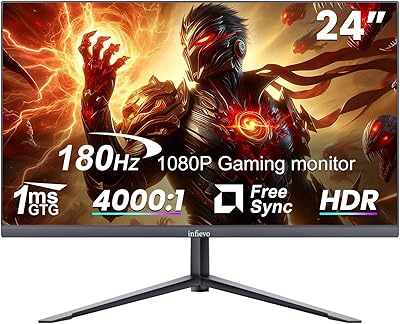
INFIEVO 24-inch 180Hz FHD Gaming Monitor
74%
91%
Refresh Rate Performance
83%
Response Time & Motion Clarity
74%
Image & Color Quality
47%
HDR Experience
88%
Connectivity & Compatibility
More
KTC 24-inch 190Hz Gaming Monitor
76%
88%
Refresh Rate Performance
76%
Color Accuracy
83%
Motion Clarity
54%
HDR Quality
91%
Value for Money
More
STGAubron LCD2401 24-Inch Gaming Monitor
71%
83%
Value for Money
76%
Image Quality
79%
Color Accuracy
47%
Gaming Performance
43%
Screen Glare & Reflections
More
CRUA CR245ZB 24.5″ Gaming Monitor
78%
83%
Gaming Performance
86%
Refresh Rate & Smoothness
74%
Color Accuracy & Vibrancy
91%
Ergonomics & Adjustability
68%
Build Quality & Materials
More
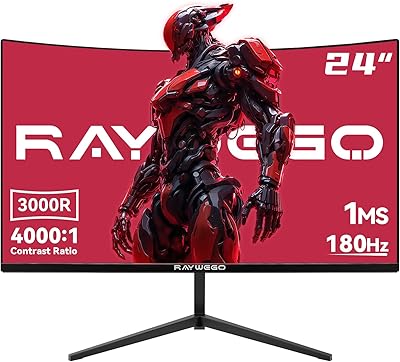
Raywego Q24B16 24-inch Curved Gaming Monitor
73%
88%
Refresh Rate Performance
84%
Contrast & Black Levels
91%
Value for Money
76%
Image Sharpness
47%
HDR Quality
More
AOC 24G4 24-inch Gaming Monitor

76%
93%
Refresh Rate Performance
78%
IPS Color Quality
84%
Motion Clarity
91%
Value for Money
87%
Adaptive-Sync Implementation
More
CUNPU 24-Inch 240Hz VA Gaming Monitor
76%
88%
Value for Money
91%
Refresh Rate Performance
76%
Panel Color Quality
89%
Connectivity
83%
Motion Clarity
More
INFIEVO 24-inch 165Hz FHD Gaming Monitor
72%
88%
Value for Money
84%
Gaming Performance
82%
Response Time
71%
Color Accuracy
41%
HDR Quality
More

FAQ

This is a fair concern. The product listing title advertises 200Hz, but the actual specification section of the same listing states 180Hz. Until GamePower officially clarifies this, buyers should assume 180Hz is the accurate figure. It is still a solid refresh rate for casual gaming, but the inconsistency is worth knowing upfront.

It works with both. The Bull T10 supports Adaptive Sync, which is compatible with AMD FreeSync and Nvidia G-Sync setups. You may need to enable G-Sync Compatible mode in the Nvidia control panel, but the functionality should work across both platforms without needing a specific GPU brand.

Temper your expectations here. The HDR support is entry-level and likely functions closer to a basic contrast toggle than the premium HDR experience you might see on higher-end displays. It adds a modest boost in brightness and contrast, but it is not the kind of HDR that will dramatically transform how games or movies look. For most buyers at this price point, it is a nice extra rather than a core reason to buy.

VESA compatibility is not confirmed in the official product specs, which is a genuine gap in the product information. Before purchasing an arm or wall mount, it would be worth contacting GamePower directly or checking community reviews to see if buyers have successfully used one. Without confirmed VESA specs, assuming compatibility is risky.

The IPS panel actually makes this entry-level IPS display quite versatile. Wide viewing angles and reasonable color accuracy mean it handles general productivity, streaming, and casual media consumption well. It is not just a gaming-only screen, which is part of what makes it a decent value for students or home users who do a bit of everything.

Most buyers report a straightforward setup experience. The stand assembly is typically simple, and the monitor connects to a PC using standard video cables. The on-screen menu for adjusting brightness, color modes, and blue light settings is generally accessible, though budget monitors occasionally have menus that feel clunky compared to more premium options.

It is a meaningful commitment on paper, and it does set this budget gaming monitor apart from competitors that offer no such guarantee. The practical challenge is that GamePower has limited support infrastructure in Western markets, so exercising that warranty could involve more effort than it would with a well-established brand. Keep your purchase documentation just in case.

For most indoor environments with controlled or moderate lighting, 300 nits is adequate. If you work in a bright room with large windows or strong overhead lighting, the display may look a bit washed out during daytime hours. The matte screen coating helps reduce glare, but it does not fully compensate for low brightness in very bright environments.

The physical panel measures 23.8 inches diagonally, which is the industry standard size that manufacturers and retailers round up and market as 24 inches. There is no practical visual difference between the two — it is simply a common naming convention in the monitor market.

Yes, and quite dramatically so. Going from 60Hz to 180Hz is one of the most immediately perceptible upgrades a PC user can make. Mouse cursor movement feels smoother, game animations look cleaner, and even scrolling through web pages has a noticeably different quality. It is the kind of upgrade where most people wonder why they waited so long.