



Overview

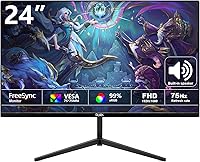
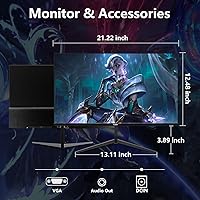
The DJiEX Z24B12 24-inch Gaming Monitor arrived in early 2025 as a genuinely affordable option for anyone tired of squinting at a dated 60Hz panel. DJiEX isn't a household name, and that's worth acknowledging upfront — but the monitor itself makes a reasonable case for consideration. You get a VA panel with a 100Hz refresh rate and full 1080p resolution, which puts it a clear notch above the most basic budget displays. The three-sided borderless design looks clean on a desk, and the snap-on stand means you're up and running in minutes without digging out a screwdriver.

Features & Benefits

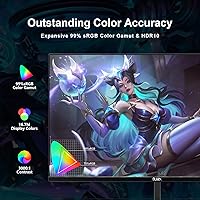
The VA panel technology is one of this budget gaming monitor's strongest arguments. VA screens typically produce deeper blacks and richer contrast than IPS panels at the same price, and a 3000:1 dynamic contrast ratio backs that up here. Colors come through 99% sRGB coverage and 8-bit depth — more than adequate for everyday work and casual gaming. The 100Hz refresh rate won't impress competitive FPS players, but it makes a real, noticeable difference over 60Hz; scrolling feels smoother and fast-moving scenes don't blur as badly. Both HDMI and DisplayPort inputs are included, which adds welcome flexibility when connecting different devices.

Best For

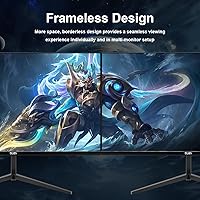
This VA panel monitor makes the most sense for students, remote workers, and casual home gamers who want a meaningful upgrade without a serious financial commitment. If you're still running a 60Hz TN panel, the jump here will feel immediately rewarding. It's also a smart pick for dual-monitor setups — the borderless design on three sides keeps the gap between screens minimal and far less distracting. That said, competitive gamers or anyone doing professional color work would likely outgrow it quickly. For everyday productivity and light gaming in a compact home office, it covers the bases comfortably.

User Feedback

Buyers tend to appreciate the color richness right out of the box — the contrast genuinely stands out for what you're spending. On the flip side, some users note that the snap-on stand, while quick to assemble, feels lightweight and can introduce minor wobble. A handful have flagged backlight bleed in corners, which is a known trade-off with budget VA panels rather than a DJiEX-specific defect. The limited tilt range is another recurring friction point — functional, but restrictive for taller users or unconventional desk setups. Overall, satisfaction skews noticeably higher among work-from-home users than among dedicated gamers expecting more from the display.

Pros

  • The VA panel delivers noticeably deeper blacks and stronger contrast than IPS alternatives at a comparable price point.
  • 100Hz refresh rate makes everyday scrolling and casual gaming feel meaningfully smoother than a standard 60Hz screen.
  • Three-sided borderless design looks clean and works especially well in side-by-side dual-monitor configurations.
  • Blue light filtering and flicker-free technology make long work-from-home sessions easier on the eyes.
  • Both HDMI and DisplayPort inputs are included, so connecting a PC, laptop, or console is straightforward.
  • The snap-on stand requires no tools and takes only a couple of minutes to set up out of the box.
  • VESA 75x75mm compatibility gives users the option to wall-mount or use a third-party monitor arm.
  • At this price tier, the 99% sRGB color coverage is a genuine advantage for casual content consumption and everyday tasks.
  • The slim profile and lightweight build keep desk setups looking tidy without sacrificing screen real estate.

Cons

  • The stand offers almost no ergonomic flexibility — no height adjustment and a very limited tilt range.
  • Backlight bleed in corner areas is a reported issue, which becomes obvious during dark content or night use.
  • At 250 cd/m², brightness is underwhelming in well-lit rooms or spaces with direct sunlight nearby.
  • DJiEX has minimal brand history, so long-term durability and after-sales support remain largely unproven.
  • The snap-on stand, while quick to assemble, feels lightweight and can wobble with minor desk vibration.
  • 100Hz is a modest refresh rate by current standards and will feel limiting for fast-paced competitive gaming.
  • No built-in speakers are included, which is a small but inconvenient omission for users without external audio.
  • Response time specifications are not prominently disclosed, making it harder to assess real-world gaming performance upfront.

Ratings

The DJiEX Z24B12 24-inch Gaming Monitor has been evaluated by our AI rating system after analyzing verified buyer reviews from multiple global markets, with spam, bot submissions, and incentivized feedback actively filtered out. Scores reflect the genuine consensus of real-world users — from students and remote workers to casual gamers — and transparently capture both what this VA panel monitor does well and where it falls noticeably short.

Value for Money
83%
Most buyers feel they got more display than they paid for, particularly when comparing the contrast-rich VA panel and 100Hz refresh rate to what competitor monitors offer at the same budget tier. For first-time monitor buyers or students on a tight budget, the value proposition consistently lands well.
A handful of buyers who compared it directly to refurbished monitors from established brands felt the value edge narrows considerably. Those who encountered build issues early felt the savings weren't worth the trade-off in long-term reliability confidence.
Image Quality
78%
22%
The high contrast ratio makes a genuine visual difference — dark scenes in games and films look noticeably richer than on a typical budget IPS panel. Colors pop well for everyday content consumption, and most users report that the screen looks better than expected straight out of the box.
Some buyers found colors slightly oversaturated by default and noted the monitor lacks fine-grained calibration controls to correct this easily. Brightness tops out at a level that feels underwhelming in naturally bright rooms, which can wash out the otherwise solid contrast performance.
Refresh Rate & Motion
74%
26%
Users upgrading from a 60Hz screen consistently describe the 100Hz experience as a clear, tangible improvement — scrolling through webpages and moving windows around the desktop feels smoother in a way that is hard to go back from. For casual gaming in slower-paced or single-player titles, motion handling is more than adequate.
Competitive gamers and anyone used to 144Hz or higher panels will find 100Hz underwhelming rather than exciting. Fast-paced gaming scenes can still exhibit visible motion blur, and the monitor lacks any advertised adaptive sync certification to help manage frame rate inconsistencies.
Build Quality
61%
39%
The slim profile and borderless three-sided bezel give the monitor a premium look that buyers appreciate, especially considering the price. Out of the box, the panel itself feels solid and the screen surface is well-finished with a clean matte coating.
The snap-on stand draws consistent criticism for feeling flimsy — minor desk vibrations can cause visible wobble, which becomes annoying during typing. The lightweight plastic construction of the base lacks the reassurance of more established brands, and some buyers questioned long-term durability after only weeks of use.
Ergonomics & Adjustability
46%
54%
The tool-free snap-on assembly is genuinely appreciated by buyers who dread setup complexity. Getting the monitor physically on your desk takes minutes and requires no additional hardware, which is a real convenience for students or users who frequently rearrange their workspaces.
The stand's -5° to 15° tilt range is one of the most recurring complaints across buyer feedback. Taller users in particular report neck and posture discomfort after extended use, and the complete absence of height, swivel, or pivot adjustment is a meaningful limitation for a monitor marketed toward work and study.
Eye Comfort
77%
23%
The blue light filter and flicker-free backlight are features that genuinely resonated with buyers who spend six or more hours daily in front of a screen. Remote workers and students specifically called out reduced eye fatigue compared to older monitors they were replacing.
At 250 cd/m² maximum brightness, the monitor cannot get bright enough in some settings to allow the blue light filter to do its job comfortably — users in bright rooms sometimes feel forced to choose between eye strain from low brightness or blue light exposure. The filter mode also slightly warms the color tone, which not everyone finds acceptable for color-sensitive tasks.
Connectivity
79%
21%
Having both HDMI and DisplayPort available is a genuine practical advantage at this price — most direct competitors offer only HDMI. Buyers who switch between a PC and a gaming console particularly appreciate not needing an adapter or having to unplug and replug cables constantly.
There are only two input ports total, which can feel limiting for users who run three or more devices. There is no USB hub functionality and no audio output jack on the monitor itself, meaning any audio setup requires a separate solution.
Color Accuracy
69%
31%
The 99% sRGB coverage is a genuine asset for casual photo viewing, streaming, and general creative work at a hobbyist level. Buyers who use the monitor for everyday tasks like editing documents, browsing social media, or watching video content report that colors look vibrant and natural.
For anything beyond casual creative work — photo editing for clients, graphic design, or video color grading — the default calibration and lack of professional color modes fall short. Factory calibration consistency also varies noticeably between units, with some buyers reporting visibly warmer or cooler panels than expected.
Setup Experience
86%
The snap-on stand design makes unboxing to usage a genuinely fast process, and buyers consistently note that no tools, no manual hunting, and no frustration were involved. For someone setting up a home office on a weekend without technical confidence, this matters more than most reviews acknowledge.
A small number of buyers reported that the snap-on mechanism felt imprecise or took multiple attempts before clicking securely into place. Instructions included in the box are minimal, which caused brief confusion for a subset of buyers unfamiliar with tool-free monitor stands.
Viewing Angles
72%
28%
The 178-degree viewing angle spec translates reasonably well into real use — colors hold up when viewed from the side, which is useful for shared workspaces or when showing content to someone sitting beside you. VA panels at this tier typically perform solidly here compared to TN alternatives.
Color and brightness consistency does degrade more noticeably from extreme vertical angles than horizontal ones, which is characteristic of VA technology. Users who sit at unusually high or low eye levels relative to the screen report some color shift that cannot be fixed without better stand height adjustment.
Bezel & Aesthetics
81%
19%
The three-sided slim bezel design earns consistent praise from buyers who care about how their desk setup looks. In a dual-monitor arrangement, the near-borderless edges create a visually clean seam that buyers say feels closer to a premium setup than the price would suggest.
The bottom bezel is noticeably thicker than the other three sides, which some buyers found slightly inconsistent with the borderless marketing. The matte plastic finish on the rear housing also picks up fingerprints and smudges fairly easily, particularly around the port area.
Gaming Performance
63%
37%
For casual gaming — platformers, RPGs, strategy titles, and slower-paced shooters — this VA panel monitor performs capably and the improved contrast makes darker game environments look more atmospheric than on a flat budget IPS screen. Buyers in this category tend to rate their gaming satisfaction positively.
Competitive gamers are largely disappointed: input lag is adequate but not optimized, there is no confirmed VRR or FreeSync support, and 100Hz simply cannot keep up with fast-action titles at a level serious players expect. This is a monitor for gaming in leisure, not for winning matches.
Brand Reliability
52%
48%
For buyers who prioritized display specs over brand pedigree, the monitor has delivered consistent day-to-day performance in early ownership. Buyers who approached the purchase with realistic expectations about an emerging brand have largely reported satisfaction through the first few months of use.
DJiEX has minimal brand history and limited visibility in after-sales support channels, which creates uncertainty around warranty claims and long-term service. A notable portion of buyers explicitly mentioned hesitation about rebuying from the brand or recommending it to others without more track record to point to.

Suitable for:

The DJiEX Z24B12 24-inch Gaming Monitor is a genuinely sensible pick for students, remote workers, and budget-conscious home users who want a noticeable step up from whatever aging panel they're currently tolerating. If you're still on a 60Hz TN screen, the jump to 100Hz with a VA panel will feel immediately rewarding — colors look richer, motion looks smoother, and the display simply looks better on a desk. The three-sided borderless design makes it particularly appealing for dual-monitor builds, where a clean, low-distraction seam between screens matters more than raw performance specs. Casual gamers who play slower-paced or single-player titles will appreciate the reduced motion blur without needing to pay for a 144Hz or higher panel. The VESA mount support also makes it a flexible option for users who prefer wall-mounting or arm setups rather than the included stand.

Not suitable for:

The DJiEX Z24B12 24-inch Gaming Monitor is not the right call for anyone expecting competitive-grade gaming performance or professional color accuracy. At 100Hz, it falls short of what serious FPS or racing game players need, and the 250 cd/m² brightness is modest — it will struggle in brightly lit rooms or against windows. The stand offers only a narrow -5° to 15° tilt range with no height adjustment, which can be genuinely problematic for taller users or anyone with specific ergonomic requirements. Budget VA panels at this price point are also susceptible to backlight bleed, which can be distracting during dark scenes or late-night use. Graphic designers, photographers, or anyone doing color-sensitive work should look toward a calibrated IPS panel instead, as 99% sRGB coverage, while decent, is not a substitute for professional-grade color tools. DJiEX is also an emerging brand with limited long-term reliability data, which may be a concern for buyers prioritizing warranty peace of mind.

Specifications

  • Panel Type: This monitor uses a VA (Vertical Alignment) panel, which produces stronger contrast and deeper blacks compared to IPS panels at a similar price.
  • Screen Size: The active display area measures 24 inches diagonally, making it a practical fit for most standard desks without feeling oversized.
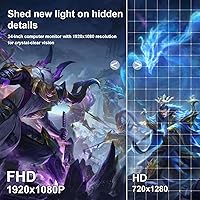
  • Resolution: Native resolution is 1920x1080 (Full HD), delivering a sharp, clear image well-suited to everyday work, streaming, and casual gaming at this screen size.
  • Refresh Rate: The panel supports a maximum refresh rate of 100Hz, providing noticeably smoother motion than standard 60Hz monitors.
  • Brightness: Peak brightness is rated at 250 cd/m², which is adequate for indoor use but may feel dim in rooms with strong ambient or direct light.
  • Contrast Ratio: A dynamic contrast ratio of 3000:1 allows for richer shadow detail and more defined dark scenes compared to typical budget IPS alternatives.
  • Color Gamut: The display covers 99% of the sRGB color space with 8-bit color depth, rendering up to 16.7 million colors for accurate everyday color reproduction.
  • Viewing Angle: VA panel viewing angles reach up to 178 degrees horizontally and vertically, keeping colors and contrast relatively consistent when viewed from the side.
  • Blue Light Filter: A built-in blue light filtering mode is included to reduce eye strain during extended use, particularly helpful during long work or study sessions.
  • Flicker-Free: The monitor uses flicker-free backlight technology to minimize screen flicker, which can reduce headaches and eye fatigue during prolonged viewing.
  • Bezel Design: Three sides of the monitor feature an ultra-slim borderless bezel design, making it visually clean and well-suited to multi-monitor configurations.
  • Tilt Adjustment: The stand supports a tilt range of -5° to 15° forward and backward, but offers no height, swivel, or pivot adjustment.
  • Connectivity: Input options include one HDMI port and one DisplayPort, providing flexible connectivity for desktop PCs, laptops, and gaming consoles.
  • VESA Compatibility: The monitor supports VESA 75x75mm wall-mount patterns, allowing it to be used with compatible monitor arms or wall brackets.
  • Dimensions: Physical dimensions with stand measure approximately 23.62 inches wide, 3.54 inches deep, and 16.14 inches tall.
  • Weight: The complete unit weighs approximately 7 pounds, making it lightweight and easy to reposition or mount without assistance.
  • Stand Assembly: The included stand uses a tool-free snap-on attachment system, requiring no screwdriver or additional hardware to assemble.
  • Input Voltage: The monitor operates at 12 volts and is compatible with standard power adapters included in the package.
  • Aspect Ratio: The display uses a 16:9 widescreen aspect ratio, which is the standard format for modern video content, web browsing, and office applications.
  • Model Number: The official model designation for this monitor is Z24B12, manufactured and sold under the DJiEX brand.

Related Reviews
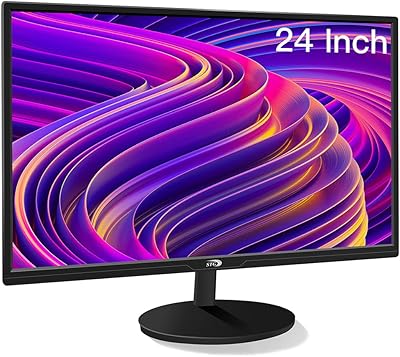
STGAubron LCD2401 24-Inch Gaming Monitor
71%
83%
Value for Money
76%
Image Quality
79%
Color Accuracy
47%
Gaming Performance
43%
Screen Glare & Reflections
More
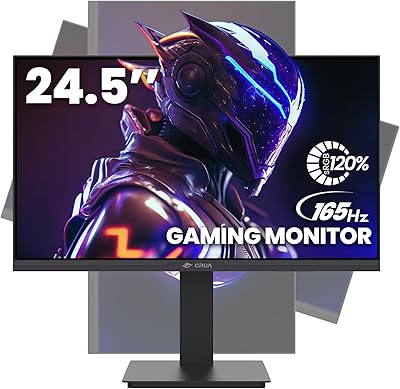
CRUA CR245ZB 24.5″ Gaming Monitor
78%
83%
Gaming Performance
86%
Refresh Rate & Smoothness
74%
Color Accuracy & Vibrancy
91%
Ergonomics & Adjustability
68%
Build Quality & Materials
More
AOC 24G4 24-inch Gaming Monitor
76%
93%
Refresh Rate Performance
78%
IPS Color Quality
84%
Motion Clarity
91%
Value for Money
87%
Adaptive-Sync Implementation
More
KOORUI E2411K 24-inch Gaming Monitor
76%
91%
Value for Money
83%
Gaming Performance
74%
Image & Color Quality
88%
Refresh Rate & Smoothness
81%
Eye Comfort
More
ViewSonic XG2431 24-Inch Gaming Monitor
86%
92%
Gaming Performance
88%
Display Quality
93%
Response Time
85%
Ergonomics and Comfort
89%
Visual Clarity
More
AOC G2490VXS 24″ Gaming Monitor
80%
88%
Gaming Performance
83%
Color Quality
86%
Contrast & Black Levels
91%
Refresh Rate & Smoothness
74%
Build Quality
More
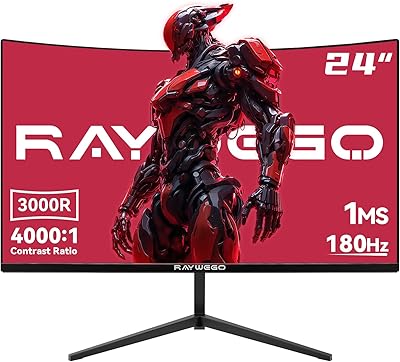
Raywego Q24B16 24-inch Curved Gaming Monitor
73%
88%
Refresh Rate Performance
84%
Contrast & Black Levels
91%
Value for Money
76%
Image Sharpness
47%
HDR Quality
More
CUNPU 24-Inch 240Hz VA Gaming Monitor
76%
88%
Value for Money
91%
Refresh Rate Performance
76%
Panel Color Quality
89%
Connectivity
83%
Motion Clarity
More
Sealan 24-Inch Curved Gaming Monitor
86%
92%
Gaming Performance
88%
Visual Quality
91%
Refresh Rate Smoothness
85%
Design & Build
87%
Eye Care Features
More
INFIEVO 24-inch 165Hz FHD Gaming Monitor
72%
88%
Value for Money
84%
Gaming Performance
82%
Response Time
71%
Color Accuracy
41%
HDR Quality
More

FAQ

Honestly, it works well for both but shines brightest as a daily work display. The 1080p resolution is sharp enough for documents and spreadsheets, the blue light filter genuinely helps during long sessions, and the slim bezel looks tidy on a desk. The gaming credentials are real but modest — 100Hz is a nice upgrade over 60Hz for casual play, just not what a competitive gamer would seek out.

Setup is tool-free. The stand snaps onto the back of the panel without a screwdriver, and most buyers report being up and running in under five minutes. It is genuinely one of the more painless monitor setups at this price point.

Yes, the HDMI port makes it straightforward to connect any modern gaming console. Just plug in and go — no special settings required. The 100Hz refresh rate will only be available for supported content, but the display will work fine regardless.

A small number of buyers have reported light bleed in the corners, which is a common trade-off with budget VA panels rather than something specific to this monitor. It tends to be more noticeable during dark scenes or in a dark room. Not every unit shows it, but it is worth knowing before you buy if that is a dealbreaker for you.

Yes, the back panel has a standard VESA 75x75mm mounting pattern, so it is compatible with the vast majority of monitor arms and wall brackets on the market. If the limited tilt range of the included stand bothers you, switching to an arm is a practical fix.

VA panels like this one tend to produce deeper blacks and higher contrast, which makes dark content look richer. IPS panels usually offer slightly more accurate colors out of the box and better consistency at extreme viewing angles. For general use and casual gaming, the VA advantage in contrast is often the more noticeable difference day-to-day.

For someone coming from a 60Hz screen, 100Hz genuinely feels smoother — everyday tasks like scrolling a webpage or moving windows around look noticeably less choppy. For competitive gaming, it is a relatively modest spec and falls well short of 144Hz or 165Hz panels. It is a real improvement, just not a dramatic one for gaming specifically.

No, there are no built-in speakers. If you need audio, you will need external speakers or headphones. This is fairly common at this price tier, but worth knowing if you were hoping to go cable-light on your desk.

Not very. You get a -5° to 15° tilt range, which covers the basics but is fairly restrictive. There is no height adjustment, no swivel, and no pivot into portrait mode. Taller users in particular tend to find this limiting. A monitor arm is a reasonable solution if ergonomics are a priority.

DJiEX is a newer entrant in the monitor market with limited long-term track record, which is a fair thing to flag. The product itself is well-specified for its price, and early buyer feedback has been generally positive. That said, if brand-backed warranty support and proven reliability are important to you, it is reasonable to weigh that uncertainty. At this budget level, it competes well on specs — but you are taking a small gamble on brand history.