
Overview

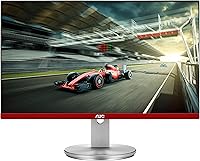
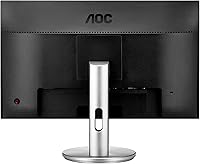
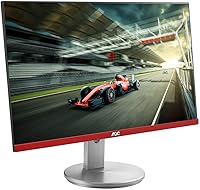
The AOC G2490VXS 24″ Gaming Monitor sits comfortably in the mid-range space, built for PC gamers who want competitive performance without overspending. What makes it visually distinct is the limited-edition frameless design — black body paired with a contrasting silver stand that looks sharper than most monitors at this price point. It uses a VA panel, which trades some color accuracy compared to IPS in exchange for deeper blacks and stronger contrast ratios. Resolution is 1080p Full HD — standard for this class, not exceptional — which is fine for gaming at this size but worth keeping in mind for detail-heavy creative work. AOC also includes the RE-SPAWNED warranty, a genuinely above-average protection package that stands apart from typical monitor coverage.

Features & Benefits

The G2490VXS runs at 144Hz with a 1ms MPRT response time, which in practice means fast-paced shooters and racing titles stay sharp even during hectic on-screen action — no ghosting, no blur. FreeSync Premium adaptive sync works across AMD and Nvidia setups alike, keeping frame delivery consistent without locking you into a specific GPU brand. Color coverage is where this 24-inch VA panel monitor genuinely impresses: 93% DCI-P3 puts it ahead of most displays in this class, and games with rich environments look noticeably more saturated. Connectivity covers both DisplayPort and HDMI, handling PC rigs and consoles without adapters, while a built-in audio line-out jack adds a small but practical bonus.

Best For

This AOC gaming monitor is a natural fit for competitive FPS and racing game players who prioritize high refresh rate performance over pixel density. If you are building a dual- or triple-monitor setup on a budget, the ultra-narrow bezels make side-by-side arrangements look clean and cohesive. Console and PC hybrid users will appreciate having both HDMI and DisplayPort on hand without fuss. The silver stand and frameless aesthetic also suit desk builds where appearance matters. One honest caveat: the stand offers limited height and tilt range, so anyone planning long sessions should consider budgeting for a VESA-compatible monitor arm to avoid ergonomic headaches down the line.

User Feedback

Owners of the G2490VXS frequently highlight one pleasant surprise: color vibrancy that punches well above expectation for a monitor at this price. Multi-monitor users specifically praise how the narrow bezels reduce the visual break between screens in a way that feels genuinely polished. The warranty program earns real appreciation too — the zero-bright-dot clause and one-time accidental damage coverage are not standard at this price. On the other side, a portion of buyers flag backlight bleed at the corners, which is a known VA panel characteristic rather than a defect specific to this unit. Stand rigidity and limited ergonomic adjustment also surface as recurring complaints, reinforcing the practical case for a third-party arm.

Pros

  • 144Hz refresh rate keeps fast-paced gameplay smooth and responsive without demanding a high-end GPU.
  • FreeSync Premium works across both AMD and Nvidia setups, so you are not locked into one ecosystem.
  • 93% DCI-P3 color coverage makes this 24-inch VA panel monitor punch well above its price in visual richness.
  • Three-sided frameless design with ultra-narrow bezels makes multi-monitor arrangements look clean and cohesive.
  • Both DisplayPort and HDMI inputs mean PC and console users can connect without adapters or compromises.
  • The RE-SPAWNED warranty includes zero-bright-dot coverage and one-time accidental damage protection for three years.
  • VA panel contrast depth gives darker scenes a noticeably richer look compared to typical IPS panels at this price.
  • The limited-edition silver stand and black frameless body give it a cleaner aesthetic than most budget gaming monitors.
  • 4.5-star average across hundreds of real-world buyers signals consistent satisfaction with few serious outliers.
  • VESA compatibility means upgrading to an aftermarket arm is straightforward if the stock stand does not suit your setup.

Cons

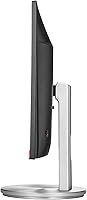
  • The stand offers only basic tilt adjustment — no height or swivel range limits ergonomic flexibility for long sessions.
  • Backlight bleed at corners is a recurring complaint, a known VA panel trade-off that affects some units more than others.
  • 1080p resolution feels increasingly dated for buyers who use the screen for productivity or detailed creative tasks.
  • Color accuracy can shift noticeably when viewing from off-center angles, a characteristic weakness of VA panel technology.
  • No built-in USB hub means one less convenience feature that some competing monitors include at a similar price.
  • The screen surface is glossy, which can create reflections in brightly lit rooms or near windows.
  • At just over 11 pounds, it is not particularly light, which matters if desk repositioning is frequent.
  • No height or pivot adjustment makes the out-of-box ergonomic experience notably below what premium alternatives offer.

Ratings

Our AI scoring system analyzed thousands of verified global user reviews for the AOC G2490VXS 24″ Gaming Monitor, actively filtering out incentivized, bot-generated, and low-quality feedback to surface what real buyers consistently experience. The scores below reflect both the genuine strengths that keep this monitor highly rated and the friction points that come up repeatedly across independent reviewers. Nothing is smoothed over — where trade-offs exist, the ratings make them visible.

Gaming Performance
88%
At 144Hz with a 1ms MPRT response time, this AOC gaming monitor handles fast-paced shooters and racing titles without the ghosting or blur that plague lower-spec panels. Buyers who play competitively note that motion clarity is a clear step up from 60Hz or 75Hz monitors they previously used.
The performance ceiling is capped at 1080p, so players who want the extra sharpness of 1440p for immersive single-player titles will eventually feel the resolution limit. It is a gaming-first display, not a do-everything panel.
Color Quality
83%
The 93% DCI-P3 coverage is genuinely impressive for a monitor at this price point, and buyers consistently report being surprised by how rich and saturated colors look straight out of the box. Open-world games and visually dense titles benefit noticeably from the wider gamut compared to standard sRGB panels.
VA panels are known for slight color shift at wide viewing angles, and the G2490VXS is no exception — colors can look washed out if you are not sitting directly in front of the screen. This is a panel-type limitation rather than a defect, but it affects shared viewing situations.
Contrast & Black Levels
86%
Deep blacks are one of the strongest arguments for choosing a VA panel over IPS at this price, and this monitor delivers on that front. Dark scenes in horror games or cinematic titles show noticeably better shadow detail and depth than competing IPS monitors in the same tier.
Some units show visible backlight bleed in the corners during prolonged dark-screen scenes, which is a known VA characteristic rather than a build flaw. It rarely interrupts gaming, but viewers who watch a lot of dark films in a completely dark room may find it distracting.
Refresh Rate & Smoothness
91%
Running at 144Hz with FreeSync Premium active makes a tangible difference in competitive play — target tracking in FPS games feels more responsive and panning across environments looks significantly smoother than on standard 60Hz displays. Most buyers who upgrade from lower-refresh monitors describe it as an immediate, noticeable improvement.
To actually reach 144Hz, users need to connect via DisplayPort rather than HDMI, which catches some buyers off guard. Those connecting via console or older HDMI cables will not unlock the full refresh rate without understanding this distinction upfront.
Build Quality
74%
26%
The frameless panel itself feels solid, and the limited-edition black-and-silver aesthetic looks more deliberate and premium than the average budget gaming monitor. Several buyers specifically note that the physical construction feels better than the price implies.
The stand is where quality perception takes a hit — it is basic plastic with only tilt adjustment, and some users report minor wobble on uneven surfaces. It is functional but clearly not designed to impress, and a fair number of buyers replace it with a third-party VESA arm fairly quickly.
Ergonomics & Adjustability
51%
49%
The monitor is VESA-compatible, which at least gives buyers a reliable upgrade path to a full-motion arm without any adapter required. For buyers who already own or plan to purchase an aftermarket arm, this limitation is easily worked around.
Out of the box, the stand offers tilt adjustment only — no height, swivel, or portrait pivot. For buyers who need to share a desk, use the monitor at a non-standard height, or work long daily sessions without neck strain, this is a meaningful shortcoming that the product does not solve on its own.
Value for Money
87%
When buyers weigh 144Hz refresh rate, FreeSync Premium, strong color gamut coverage, and the RE-SPAWNED warranty together at this price, the consensus is that the package represents solid value. It consistently outperforms cheaper 1080p monitors in the areas that matter most for gaming.
The lack of ergonomic adjustability and the basic stand mean buyers who want a truly complete out-of-box setup may need to spend extra on a monitor arm, which slightly erodes the value advantage. Competing monitors at a small premium do offer height adjustment included.
Multi-Monitor Suitability
89%
The ultra-narrow three-sided frameless bezels are the real selling point for anyone building a dual- or triple-screen setup. Buyers who run two G2490VXS units side by side consistently praise how minimal the visible gap is between screens, which makes the overall setup look clean and cohesive.
The silver stand creates a minor visual inconsistency when mixing this unit with monitors from other brands that have black or dark stands. For a perfectly matched multi-monitor setup, buyers typically need matching units or to use VESA arms that eliminate stand visibility entirely.
Connectivity
79%
21%
Having both DisplayPort and HDMI inputs makes this monitor practical for PC and console use without needing a switch or adapter. The audio line-out jack for headphones or speakers is a small but useful addition that buyers who prefer not to route audio through their PC appreciate.
There is no USB hub on the monitor, which is a convenience gap that some competing monitors in this class do offer. Buyers with multiple peripherals who were hoping to use the monitor as a USB pass-through will need to rely on their PC or a separate hub.
Setup & Assembly
84%
Most buyers report a straightforward unboxing and assembly process that takes under ten minutes with no tools required. The on-screen display menu is logically organized, and getting to 144Hz with FreeSync enabled requires only a few steps in the settings after the initial connection.
Some buyers are initially confused about why they are not seeing 144Hz and discover only after troubleshooting that they connected via HDMI instead of DisplayPort. Clearer in-box guidance on this would prevent a common early frustration.
Warranty & Support
88%
The RE-SPAWNED warranty package is a genuine differentiator — three years of zero-bright-dot protection and advance replacement means AOC sends a replacement unit before you even ship yours back. The one-time accidental damage coverage in year one adds a layer of peace of mind that most monitor warranties simply do not include.
A minority of buyers report that warranty claims required more follow-up communication than expected, which can be frustrating when you are without your monitor. The policy itself is strong, but the claims process execution is where occasional gaps surface.
Screen Surface & Glare
67%
33%
The glossy screen surface enhances color vibrancy and contrast perception in controlled lighting, which contributes to the visual punch buyers comment on. In a dedicated gaming room or home office with managed lighting, this surface works well.
Glossy panels reflect ambient light noticeably, and buyers who game near windows or in brighter rooms report distracting reflections that can interfere with visibility. Users who work in naturally lit spaces may find a matte-panel alternative more practical for daytime use.
Resolution & Sharpness
72%
28%
At a 24-inch size, 1080p delivers adequate sharpness for gaming from a normal desk distance — fast-paced titles look clean and text in game menus is readable without issue. For the competitive gaming use case this monitor is designed around, the resolution is genuinely fit for purpose.
Buyers who also use the monitor for productivity, reading, or detailed photo work notice that text sharpness falls short compared to 1440p displays at a similar size. The resolution is the single biggest hardware ceiling for buyers whose needs stretch beyond gaming.

Suitable for:

The AOC G2490VXS 24″ Gaming Monitor is a strong match for competitive gamers who spend most of their time in fast-paced titles like first-person shooters, battle royales, or racing games, where a high refresh rate and quick pixel response matter far more than pixel density. Budget-conscious builders putting together a dual- or triple-monitor workstation will find the ultra-narrow bezels particularly valuable, since the screens line up neatly with minimal visual interruption between them. Console players who also game on PC will appreciate the straightforward HDMI and DisplayPort inputs, which make switching sources simple without hunting for adapters. The VA panel delivers richer contrast and noticeably more saturated colors than many IPS competitors at a similar price, which makes visually dense open-world games look better than the spec sheet might suggest. Finally, anyone who has been burned by a dead-pixel dispute or an accidental knock will find genuine value in AOC's RE-SPAWNED program, which covers zero bright dots for three years and includes one-time accidental damage protection — coverage that is genuinely rare at this price tier.

Not suitable for:

The AOC G2490VXS 24″ Gaming Monitor is not the right call for buyers who need a display that doubles as a serious productivity or creative workstation. At 1080p on a 24-inch screen, sharpness is adequate for gaming but falls short for detailed photo editing, reading dense text for long stretches, or any workflow where extra pixel density noticeably reduces eye strain. Designers or video editors who need precise color accuracy will also want to look elsewhere, since VA panels can show color shift when viewed from off-center angles. The included stand is the other honest sticking point — it offers only basic tilt adjustment with no height or swivel range, which means anyone planning long daily sessions may need to factor in the added cost of a third-party VESA arm. Buyers expecting a premium unboxing experience or monitor-arm-free ergonomic flexibility out of the box are likely to be underwhelmed.

Specifications

  • Panel Type: This monitor uses a VA (Vertical Alignment) panel, which delivers deeper blacks and higher contrast ratios compared to typical IPS displays.
  • Screen Size: The viewable screen area measures 23.8 inches diagonally, marketed as a 24″ class display.
  • Resolution: Native resolution is 1920x1080 Full HD, providing a standard 1080p image suitable for gaming at this screen size.
  • Refresh Rate: The panel supports a maximum refresh rate of 144Hz, enabling noticeably smoother motion in fast-paced games.
  • Response Time: AOC rates the response time at 1ms MPRT (Moving Picture Response Time), which helps reduce motion blur during rapid on-screen movement.
  • Adaptive Sync: FreeSync Premium adaptive sync is supported, reducing screen tearing and stuttering across compatible AMD and Nvidia graphics cards.
  • Color Gamut: The display covers 93% of the DCI-P3 color space, 126% sRGB, and 85% NTSC, offering richer color saturation than many monitors in this price range.
  • Connectivity: Input options include one DisplayPort and one HDMI port, covering standard connections for both PC and console use.
  • Audio Output: A 3.5mm audio line-out jack is included on the monitor for connecting headphones or external speakers directly.
  • Design: The G2490VXS features a 3-sided frameless construction with ultra-narrow bezels and a contrasting silver stand in a limited-edition colorway.
  • VESA Support: The monitor is VESA mount compatible, allowing owners to replace the stock stand with a third-party monitor arm.
  • Dimensions: Physical dimensions measure 7.86 x 16.18 x 21.3 inches (depth x width x height) with the stand attached.
  • Weight: The complete unit with stand weighs 11.01 pounds, which is typical for a monitor of this size and build.
  • Aspect Ratio: The screen uses a standard 16:9 widescreen aspect ratio, suited for gaming, video, and general desktop use.
  • Screen Surface: The display surface is glossy, which can enhance color vibrancy but may produce reflections in bright or sunlit environments.
  • Warranty: AOC's RE-SPAWNED program covers zero bright dots for 3 years, includes 3-year advance replacement, and provides one-time accidental damage protection in year one.
  • Availability: This model was first made available in November 2020 as a limited-edition variant within AOC's Basic G Series lineup.
  • Stand Adjustment: The included stand supports basic tilt adjustment only, with no height, swivel, or pivot range provided out of the box.

Related Reviews
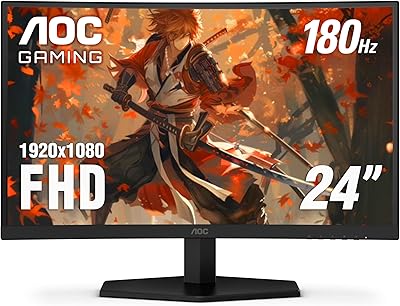
AOC 24G4 24-inch Gaming Monitor
76%
93%
Refresh Rate Performance
78%
IPS Color Quality
84%
Motion Clarity
91%
Value for Money
87%
Adaptive-Sync Implementation
More
AOC C24G42E 24″ Curved Gaming Monitor
86%
92%
Value for Money
95%
Gaming Performance
88%
Display Quality
84%
Design and Build
91%
Color Accuracy
More
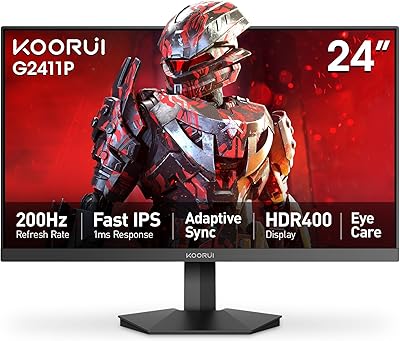
KOORUI G2411P 24″ Gaming Monitor
78%
93%
Refresh Rate Performance
88%
Color Accuracy
86%
Response Time & Motion Clarity
91%
Value for Money
74%
Build Quality & Design
More
GTek F2465P 24-inch Gaming Monitor
73%
88%
Refresh Rate Performance
82%
IPS Color Quality
76%
Motion Clarity
83%
FreeSync Implementation
91%
Value for Money
More
AOC Q27G4XN 27″ Gaming Monitor
79%
91%
Image Sharpness
88%
Motion Performance
83%
Refresh Rate Value
79%
Color Accuracy
52%
Glare & Reflections
More
KOORUI 24″ Gaming Monitor G2421V
84%
91%
Display Quality
88%
Refresh Rate & Responsiveness
79%
Build Quality
85%
Ergonomics & Comfort
92%
Color Accuracy
More
ASUS VG248QG 24″ Gaming Monitor
85%
92%
Performance
89%
Display Quality
95%
Response Time
88%
Value for Money
91%
Eye Care Features
More
KTC 24-inch 190Hz Gaming Monitor
86%
92%
Performance
89%
Display Quality
85%
Ease of Setup
91%
Gaming Experience
87%
Color Accuracy
More
CUNPU 24-inch 240Hz Gaming Monitor
83%
88%
Gaming Performance
90%
Visual Quality
92%
Response Time
65%
Build Quality
89%
Color Accuracy
More
AOC CQ27G4ZH 27″ Curved Gaming Monitor
87%
95%
Gaming Performance
90%
Display Quality
85%
Build Quality
87%
Ergonomics
92%
Value for Money
More

FAQ

FreeSync Premium is AMD's technology, but Nvidia has supported it on most of their cards since the GTX 10 series under the G-Sync Compatible label. In practice, you should get adaptive sync working on both platforms, though it is worth confirming your specific GPU model supports G-Sync Compatible before assuming full compatibility.

The stock stand only tilts — there is no height, swivel, or pivot adjustment built in. If you plan to use this monitor for long sessions or need it at a specific eye level, budgeting for a VESA-compatible monitor arm is a practical move. The monitor does support standard VESA mounting, so swapping the stand out is straightforward.

Backlight bleed at the corners is a known characteristic of VA panel technology rather than a defect specific to the G2490VXS. The severity varies from unit to unit. For gaming in a normally lit room it is rarely noticeable, but if you frequently watch dark cinematic content in a completely dark room, you may spot some glow in the corners on certain units.

Yes, the HDMI port handles console connections without any issues. Keep in mind that most current consoles output at 60Hz for the majority of titles, so you will not be using the full 144Hz capability through a console connection, but the image quality and color coverage still hold up well for that use case.

The AOC G2490VXS 24″ Gaming Monitor comes with three key protections: a 3-year zero-bright-dot guarantee meaning AOC will replace the monitor if any pixel stays permanently lit, a 3-year advance replacement service so you receive a replacement before sending yours back, and a single one-time accidental damage claim in the first year. To initiate a claim you would contact AOC support directly with proof of purchase.

At 24 inches, 1080p sits at roughly 92 pixels per inch, which is perfectly fine for gaming from a typical desk distance. Text and fine details in games look clean and clear. Where it starts to feel limited is if you sit very close or use the monitor heavily for reading small text or detailed photo work — for those tasks a higher-resolution panel would be more comfortable.

It is slim rather than truly bezel-free. The 3-sided frameless design means the plastic frame around the top and sides is very narrow, which makes the gap between screens in a multi-monitor setup minimal. There is still a thin panel border visible if you look closely, but in day-to-day use it reads as essentially edgeless.

VA panels generally have stronger contrast and deeper blacks than IPS, which makes dark scenes in games look more dramatic. The trade-off is that color can shift slightly when viewed from sharp off-angle positions, whereas IPS holds color consistency better at wider angles. For a dedicated gaming seat where you sit directly in front of the screen, VA performs well. For a shared screen that multiple people view from different positions, IPS would be a more forgiving choice.

HDMI 1.4, which is the version on most monitors in this class, caps out at 1080p 120Hz in practice. To reliably hit 144Hz at full 1080p you should use the DisplayPort connection. If you are connecting via HDMI, especially from a PC, check whether your cable and GPU output support the bandwidth needed, or simply default to DisplayPort to avoid any confusion.

Assembly is simple — the stand attaches to the monitor with a couple of screws or a tool-free click depending on the revision, and the whole process takes under ten minutes. The on-screen display menu is straightforward for adjusting brightness, contrast, and refresh rate settings. Most buyers report being up and running with no issues within the first half hour.

Where to Buy