FOPO S888 15.6″ Portable Quad Laptop Monitor
Overview
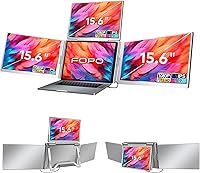
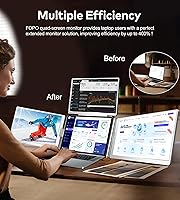
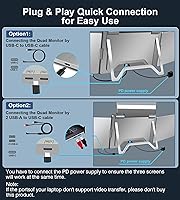
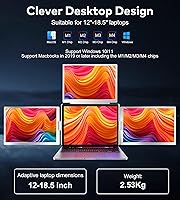
The FOPO S888 15.6″ Portable Quad Laptop Monitor takes a different approach from standalone portable monitors — instead of sitting beside your laptop, it clips onto the back of your screen and unfolds into two additional 15.6-inch displays, giving you three active screens from a single device. That single-cable connection is the real selling point: one cable handles video and power simultaneously, which matters when you're working from a coffee shop or hotel desk with limited ports. Priced at the premium end of the market, buyers rightly expect reliable hardware and polished software. This laptop display add-on supports Windows 10 and later, plus macOS 2019 and newer — including M1, M2, and M3 MacBooks — but Surface and Chromebook users are explicitly excluded.
Features & Benefits
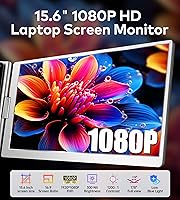
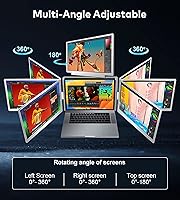
The IPS panel delivers 1080P FHD resolution across each 15.6-inch screen, with a 72% NTSC color gamut and 1000:1 contrast ratio that translates in practice to clean, punchy colors — solid for spreadsheets, video calls, or light photo work, though not a substitute for a calibrated professional display. The 0–360° rotation hinge is genuinely useful: flip one screen forward for a client presentation or drop it into portrait mode for reading long documents. Connectivity covers Thunderbolt 3/4, USB-C, and USB-A, so most modern laptops are covered, though USB-A users will likely need the included driver disk. A reverse charging passthrough keeps your laptop battery topped up during sessions — a practical touch at this price tier. The carry bag and full cable kit mean you can walk out the door fully equipped.
Best For
This quad monitor extender is a natural fit for remote workers and nomads who need a multi-screen setup without a fixed desk or display dock. Finance professionals tracking live data across multiple tabs, developers running a terminal alongside a browser and documentation, and data analysts juggling dashboards will all feel the benefit quickly. Frequent travelers working from hotel rooms or co-working spaces will appreciate not having to hunt for spare outlets or HDMI ports. M1, M2, and M3 MacBook users have fewer multi-screen options in this portable clip-on form factor, so this laptop display add-on fills a real gap. If your work involves client-facing presentations, the rotation hinge lets you spin a screen toward the room without rearranging anything.
User Feedback
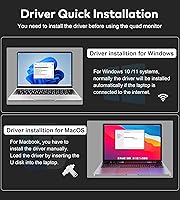
Users who navigate the initial setup successfully report that the single-cable promise largely holds — screens come to life without excessive fiddling once drivers are in place. Windows users relying on USB-A have run into the most friction, though; the driver install from the included USB disk is not always smooth, and a failed first attempt appears regularly in early reviews. Hinge durability draws occasional scrutiny, with some noting creakiness setting in after extended daily use. Outdoor or brightly lit rooms expose a brightness ceiling that some find limiting. On the other side, the carry bag earns consistent praise, and setup portability — the ability to unpack and be working across three screens in minutes — is the feature buyers cite most enthusiastically.
Pros
- Two additional 15.6-inch FHD screens attach to your laptop without requiring a second power outlet or extra cables.
- The single-cable connection supports Thunderbolt 3/4, USB-C, and USB-A, covering the majority of modern laptops.
- A 60W reverse charging passthrough keeps your laptop battery from draining during long working sessions.
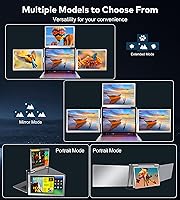
- The 0–360° rotation hinge unlocks portrait mode, landscape mode, and client-facing presentation angles on the fly.
- IPS panel technology delivers consistent colors and wide viewing angles across all three screens.
- The included carry bag, dual cables, PD power supply, and driver disk mean you have everything needed right out of the box.
- M1, M2, and M3 MacBook users get a rare plug-and-play multi-screen option in a compact clip-on form factor.
- Users who clear the setup hurdle consistently report that the three-screen workspace functions reliably day to day.
Cons
- At 8.75 pounds total, this portable screen expander adds significant weight to any travel bag over a full day.
- Windows users connecting via USB-A frequently report a frustrating driver installation process on first setup.
- The 72% NTSC color gamut is adequate for productivity work but unsuitable for professional color-critical tasks.
- Brightness levels can feel limiting in sunny rooms or outdoor environments with strong ambient light.
- Some users report hinge creakiness developing after several weeks of daily opening and closing.
- Surface and Chromebook users are completely excluded, with no workaround available.
- The system requires a PD power supply when running all three screens simultaneously, adding another item to manage.
- At its premium price point, the build quality of the carry bag has drawn criticism as feeling underdeveloped relative to the overall investment.
Ratings
The scores below reflect AI-synthesized analysis of verified global user reviews for the FOPO S888 15.6″ Portable Quad Laptop Monitor, with spam, incentivized, and bot-generated feedback actively filtered out before scoring. Each category captures both the genuine strengths buyers celebrate and the real friction points they report — nothing is glossed over. The result is an honest, balanced picture of where this portable screen expander delivers and where it asks you to compromise.
Setup Experience
Display Quality
Portability & Weight
Connectivity Range
Hinge & Build Durability
Brightness & Glare Handling
Mac Compatibility
Windows Compatibility
Value for Money
Rotation & Flexibility
Accessory Kit Completeness
Screen Consistency Across Panels
Driver & Software Stability
Presenter Use Case
Suitable for:
The FOPO S888 15.6″ Portable Quad Laptop Monitor is built for professionals whose work genuinely demands multiple windows open simultaneously and who cannot rely on a fixed desk setup to provide that. Finance analysts tracking live markets, developers context-switching between a terminal, documentation, and a browser, and data professionals managing dashboards will feel an immediate productivity lift from having two extra screens clipped right onto their laptop. It is an especially strong fit for M1, M2, and M3 MacBook users, who have historically had fewer portable multi-screen options in this clip-on form factor. Frequent business travelers who set up temporary workstations in hotel rooms or shared co-working spaces will also appreciate having a complete three-screen environment that unpacks in minutes from a single carry bag. If you regularly present work to clients face-to-face, the 0–360° rotation hinge means you can flip a screen toward the room without any additional equipment or rearranging.
Not suitable for:
Buyers expecting an ultralight travel companion should think carefully before committing — the full system tips the scales at 8.75 pounds, which adds meaningful weight to any laptop bag over the course of a travel day. The FOPO S888 15.6″ Portable Quad Laptop Monitor explicitly does not support Microsoft Surface devices or Chromebooks, so users in those ecosystems should stop here and look elsewhere. Anyone running Windows older than version 10, or a Mac released before 2019, will also find themselves outside the supported range. Professionals who need color-accurate displays for photography, video grading, or print design should note that a 72% NTSC color gamut is adequate for general productivity but falls short of what creative color work demands. Finally, buyers who are not comfortable installing drivers manually or troubleshooting USB connectivity on their own may find the initial setup more involved than expected, particularly on Windows machines using a USB-A connection.
Specifications
- Screen Size: Each extended display measures 15.6 inches diagonally, matching the upper range of common laptop screen sizes for a visually consistent tri-screen workspace.
- Resolution: Both extended panels output at 1920×1080 pixels (FHD 1080P), providing sharp, readable text and clear visuals for productivity and video work.
- Panel Type: The displays use IPS LCD technology, which delivers wider viewing angles and more consistent color reproduction compared to standard TN panels.
- Color Gamut: Color coverage is rated at 72% NTSC, which is adequate for general office productivity, presentations, and media consumption but not intended for professional color grading.
- Contrast Ratio: A 1000:1 contrast ratio provides a clear distinction between dark and light areas, producing clean whites and reasonably deep blacks under normal indoor lighting.
- Aspect Ratio: Both panels maintain a standard 16:9 widescreen aspect ratio, consistent with the native display on most modern Windows and macOS laptops.
- Hinge Rotation: The attachment hinge supports 0–360° rotation, allowing each panel to be positioned in landscape, portrait, or client-facing orientation without any tools.
- Connectivity: The extender connects via a single cable and is compatible with Thunderbolt 3, Thunderbolt 4, USB-C, and USB-A ports, covering the majority of laptops released after 2018.
- Laptop Compatibility: Physically fits laptops with screen sizes between 13.6″ and 17.3″; Microsoft Surface devices and Chromebooks are explicitly not supported by this extender.
- OS Support: Compatible with Windows 10 and later versions, and macOS 2019 or newer, including MacBooks equipped with M1, M2, and M3 Apple Silicon chips.
- Device Weight: The full unit weighs 8.75 pounds, which is a meaningful addition to a laptop bag and should be factored into any daily commute or travel packing decisions.
- Dimensions: The extender measures 1.6 × 15.5 × 9.6 inches, folding flat against the rear of the laptop lid when collapsed for transport.
- Included Cables: The package includes a dual USB-A to USB-C cable, a 60 cm USB-C to USB-C cable rated for video and power, and a 120 cm USB-C to USB-C cable rated for power only.
- Power Supply: A 30W PD power adapter is included in the box and is required when running the device in full quad-monitor mode with both extended panels active.
- Reverse Charging: When used with a compatible 60W adapter, this laptop display add-on can pass power back to the connected laptop, keeping it charged during extended working sessions.
- Model Number: The official model designation is S888, manufactured by SHENZHEN E-Tech Digital Technology Co., Ltd., based in Shenzhen, China.
- In The Box: The package contains the monitor unit, a carry bag, a power adapter, two USB-C to USB-C cables, a dual USB-A to USB-C cable, a USB driver disk, a quick guide, and a user manual.
- Date Available: This product was first listed for sale on June 2, 2025, making it a recent market entry with limited long-term durability data available at the time of this review.
Related Reviews
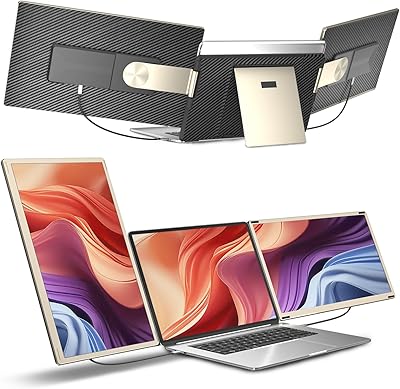
Siaviala S6 15.6″ Triple Portable Monitor Extender
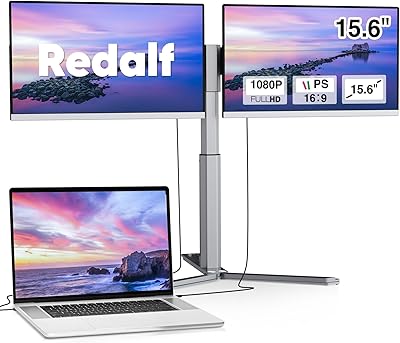
Redalf Z2 15.6″ Triple Portable Monitor

Topmonitor P15.6/2.5K 15.6-inch Portable Monitor
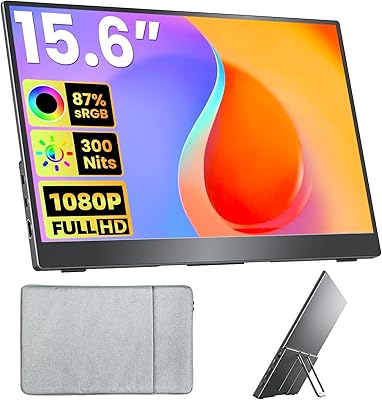
Upperizon U156LH 15.6″ Portable Monitor
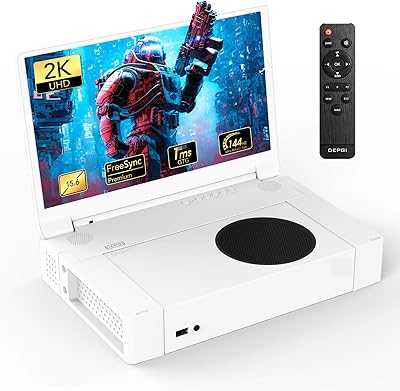
DEPGI 15.6″ Portable Gaming Monitor
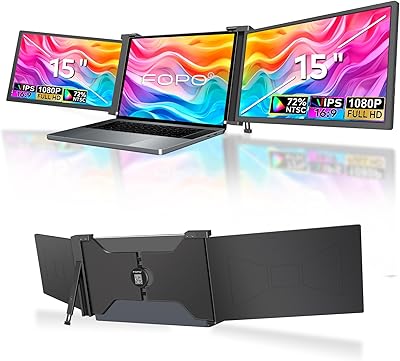
FOPO S17 15″ Triple Portable Monitor

LUMIPIX Magic-001 15.6-inch Portable Monitor

CAPERAVE CF15 15.6-inch Portable Monitor
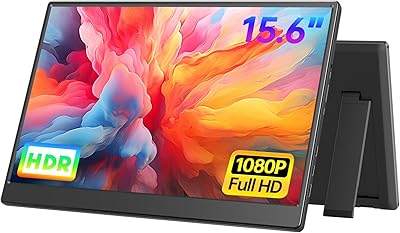
UFYQL 15.6-inch FHD Portable Monitor
