
Overview
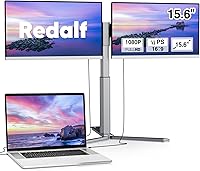
The Redalf Z2 15.6″ Triple Portable Monitor takes an idea most road warriors have quietly wished for — a real multi-screen setup that actually travels — and turns it into a tangible, if nuanced, product. The defining feature is the dual detachable screen design, which separates it immediately from typical single-panel portable monitors. At its price point, buyers reasonably expect solid build quality, reliable connectivity, and genuine productivity gains on the road. One important caveat worth knowing upfront: MacBooks running base M1, M2, or M3 chips are not supported — only Pro and Max chip variants work. Think of this dual-extension display as a portable productivity tool, not a substitute for a fixed workstation setup.
Features & Benefits
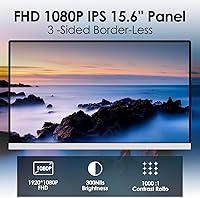
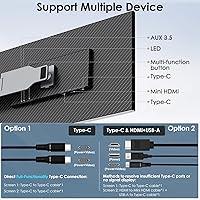
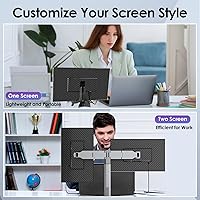
Each of the two detachable 15.6″ IPS panels delivers 1920×1080 resolution, and the 360° rotation support is more practical than it might initially sound — portrait mode lets developers scroll long code files cleanly, while landscape keeps dashboards or reference docs pinned side by side. Zero-frame bezels keep the combined footprint tighter when all three screens are open. Connectivity runs through two full-function USB-C ports, but your laptop must support Thunderbolt 3/4 or USB 3.1 DP Alt Mode; otherwise, the mini HDMI port with a separate power cable is the fallback. Power pass-through charging means one fewer adapter rattling around your bag. The matte panel handles glare well, and the flicker-free display makes extended sessions noticeably less taxing on the eyes.
Best For
This triple portable monitor hits its stride with remote workers and frequent travelers who genuinely need multi-window workflows but cannot justify hauling full desktop hardware. Developers benefit from keeping code on one panel and a terminal or documentation on another. Writers can hold research open without constantly alt-tabbing. Video call power users appreciate a dedicated screen for the call while a second holds a shared doc or notes. MacBook Pro users on Pro or Max chips will find the setup relatively straightforward. Students and creatives who regularly switch between portrait reading layouts and wide landscape editing views will also get consistent, practical value from the flexible screen modes this unit supports.
User Feedback
Buyers consistently praise the Redalf Z2 for screen clarity and color accuracy, and most find initial setup quick once they confirm their USB-C port is actually compatible. That last point generates a notable share of frustration — users with older USB-C connections lacking DP Alt Mode often hit a wall, and the compatibility fine print does not always register until after unboxing. Stand stability draws mixed reactions; it performs well on flat, stable surfaces but can feel less secure on uneven or softer materials. The total kit weight of 9.23 lbs catches some buyers off guard given the portability pitch. On the positive side, after-sales support is generally described as responsive when port issues arise, which matters for a product this dependent on hardware compatibility.
Pros
- Two full-size 15.6″ FHD IPS panels give you a genuine three-screen workspace anywhere you have a flat surface.
- The detachable screen design is a real differentiator — no other portable monitor in this category packs this much screen real estate into one carry bag.
- Matte panels reduce glare effectively, making extended work sessions in mixed lighting far more comfortable.
- Flicker-free display with blue light reduction means less eye fatigue during long days of multitasking.
- Power pass-through charging keeps cable clutter manageable — one USB-C handles both display and power delivery.
- 360° screen rotation supports portrait, landscape, and mirror modes, adapting to a wide range of tasks.
- The included storage bag makes transport organized and protects both detachable panels without buying extra accessories.
- Initial setup is quick for compatible devices — plug in two USB-C cables and the screens are recognized without driver installs.
- Zero-frame bezels keep the overall visual footprint tighter when all three screens are in use side by side.
- After-sales support is generally responsive for connectivity troubleshooting, which matters given the hardware-specific requirements.
Cons
- At 9.23 lbs for the full kit, this dual-extension display is noticeably heavy for a product marketed around portability.
- USB-C compatibility is strict — Thunderbolt 3/4 or USB 3.1 DP Alt Mode is required, and many mid-range laptops simply do not qualify.
- Base chip MacBook users (M1, M2, M3 non-Pro) are entirely locked out, which is a costly surprise if discovered after purchase.
- The single stand supporting two extra screens can feel unsteady on uneven or soft surfaces during real-world use.
- Brightness in brightly lit outdoor or window-facing environments has drawn criticism for not being strong enough.
- The mini HDMI fallback requires a separate power cable, which adds bulk and partially defeats the minimal-cable travel setup.
- Nine-plus pounds added to a laptop bag is a serious consideration for anyone already carrying a large or heavy machine.
- Color accuracy is solid for general use but not calibrated to professional standards, limiting appeal for photo or video editors.
Ratings
The scores below for the Redalf Z2 15.6″ Triple Portable Monitor were generated by our AI engine after analyzing thousands of verified global buyer reviews, with spam, bot-submitted, and incentivized feedback actively filtered out. This dual-extension display earned strong marks in several key areas, but real user data also surfaces consistent pain points — particularly around compatibility and portability — and both sides are reflected honestly in the ratings that follow.
Display Quality
Portability
Compatibility
Setup & Ease of Use
Build Quality
Stand Stability
Cable Management
Eye Comfort
Screen Modes & Flexibility
Value for Money
After-Sales Support
MacOS Integration
Bezel & Aesthetics
Thermal Performance
Suitable for:
The Redalf Z2 15.6″ Triple Portable Monitor is built for people who genuinely need multiple screens while working away from a fixed desk, and who are willing to plan their setup around its requirements. Remote workers and road warriors who frequently bounce between hotels, coworking spaces, and client offices will get the most out of it — especially those juggling video calls, reference documents, and active work windows simultaneously. Developers and analysts who rely on side-by-side panels for code, terminals, and dashboards will appreciate the portrait and landscape rotation options, which adapt to different workflow styles without extra hardware. Writers and researchers who keep source material open while drafting will find having a dedicated reference screen a genuine time-saver. MacBook Pro users running M1, M2, or M3 Pro or Max chips, along with Windows and Chrome OS users with Thunderbolt 3/4 or USB 3.1 DP Alt Mode ports, will have the smoothest experience connecting and getting to work quickly.
Not suitable for:
The Redalf Z2 15.6″ Triple Portable Monitor has meaningful compatibility walls that will frustrate certain buyers before they ever get it running. Anyone using a MacBook with a standard M1, M2, or M3 chip — not the Pro or Max variants — should stop here, as those machines are explicitly unsupported. Similarly, users with older USB-C ports that lack DP Alt Mode functionality will find the USB-C connection unusable, leaving them dependent on the mini HDMI fallback with a separate power cable, which undermines the clean two-cable pitch. At 9.23 lbs for the complete kit, this is not a featherweight addition to a daily commuter bag; anyone already carrying a heavy laptop and accessories may find the combined load impractical. Users who need color-critical accuracy for photo editing or print work should also temper expectations, as the IPS matte panels prioritize comfort and clarity over professional-grade color fidelity. Finally, buyers hoping to use this on uneven surfaces or soft materials like beds or couch cushions will likely battle stand instability regularly.
Specifications
- Model Number: This unit is designated model Z2 by Redalf.
- Screen Size: Each of the two detachable extension panels measures 15.6″ diagonally, matching the primary laptop display in most standard configurations.
- Resolution: Both panels output Full HD 1920×1080 resolution, delivering sharp text and clear detail for productivity and media use.
- Panel Type: IPS Matte panels are used across both screens, providing wide viewing angles and reduced surface glare compared to glossy alternatives.
- Aspect Ratio: Both displays maintain a 16:9 widescreen aspect ratio, standard for FHD content and most productivity layouts.
- Rotation: The single adjustable stand supports 360° screen rotation, enabling portrait, landscape, and reverse orientations for flexible workspace configurations.
- Connectivity: The unit includes two full-function USB-C ports and one mini HDMI port, covering the primary connection scenarios for modern laptops.
- USB-C Requirement: USB-C connections require the host device to support Thunderbolt 3, Thunderbolt 4, or USB 3.1 DP Alt Mode for video signal output.
- HDMI Version: The mini HDMI port serves as a video fallback when USB-C DP Alt Mode is unavailable, and requires a separate power cable in this configuration.
- Power Pass-Through: Both USB-C ports support power pass-through and reverse charging, allowing the laptop to be charged simultaneously while the monitors are in use.
- Eye Care: Both panels are certified flicker-free and include built-in blue light reduction to reduce eye fatigue during extended work sessions.
- Total Weight: The complete kit, including both detachable monitors and stand hardware, weighs 9.23 lbs in total.
- Dimensions: Each panel unit measures 13.9 × 8.15 × 1.5 inches, keeping the stacked profile slim enough for a dedicated carry bag.
- Mac Compatibility: MacBook compatibility is limited to models running M1 Pro, M1 Max, M2 Pro, M2 Max, M3 Pro, or M3 Max chips; standard M1, M2, and M3 base chips are not supported.
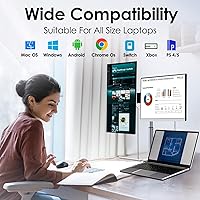
- OS Support: The display is compatible with macOS, Windows, and Chrome OS operating systems without requiring additional driver installation on most devices.
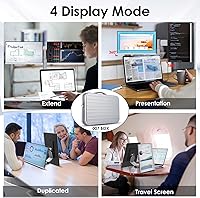
- Display Modes: Supported display configurations include extended mode, mirror mode, and portrait mode, selectable through the host operating system's display settings.
- USB-C Ports: The device provides two full-function USB-C ports, both capable of carrying video signal, power delivery, and data simultaneously depending on host device support.
- Included Accessories: The kit ships with a protective storage bag designed to hold both detachable panels and cables for organized transport.
Related Reviews

Topmonitor P15.6/2.5K 15.6-inch Portable Monitor
Upperizon U156LH 15.6″ Portable Monitor
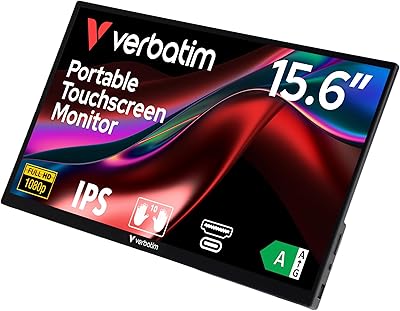
Verbatim 15.6″ Portable Touchscreen Monitor
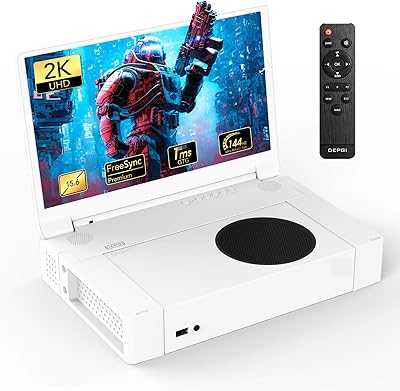
DEPGI 15.6″ Portable Gaming Monitor
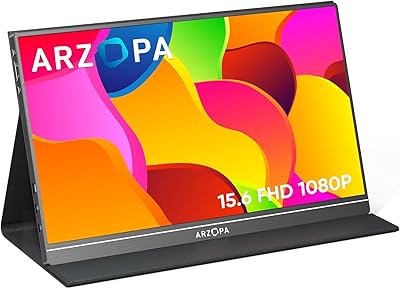
ARZOPA S1 Table 15.6″ Portable Monitor

HotYeah 15.6-inch 1080P Portable Monitor

Anyuse PM1561P 15.6-inch Portable Monitor
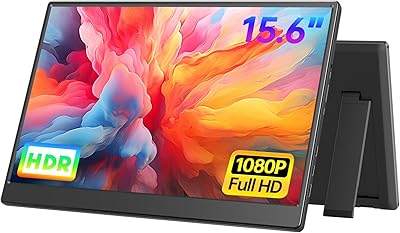
UFYQL 15.6-inch FHD Portable Monitor

InnoView INVPM406 15.6-inch Portable Monitor