Overview

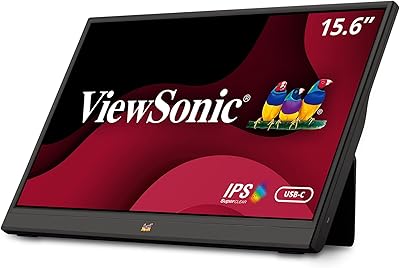
The InnoView INVPM406 15.6-inch Portable Monitor sits in a sweet spot for anyone who needs a second screen without spending a lot or hauling heavy gear. What sets it apart from older portable displays is genuinely simple setup — no drivers, no software, just plug in and work. At this price, getting a PU leather protective case included is a pleasant surprise; most competitors charge extra or skip it entirely. That said, keep expectations realistic. This is a functional, everyday display, not a tool for color-critical creative work. Think productivity and convenience, not studio-grade accuracy.

Features & Benefits

The IPS panel delivers wide viewing angles that hold up even when someone across the table is looking at your screen — colors stay consistent, not washed out. Single-cable USB-C connectivity is where this display shines for daily use; one cable handles video, data, and power delivery together, which keeps your bag and desk tidy. Two USB-C ports plus an HDMI input stretch compatibility across MacBooks, Android phones, and gaming consoles without much fuss. The matte screen finish does a decent job cutting glare in bright rooms. Built-in speakers are passable for calls and casual video — just don't expect hi-fi audio.

Best For

This travel-friendly display clicks best with a specific kind of buyer. Remote workers and digital nomads who are tired of squinting at a single laptop screen will get the most out of it — it's light enough to slip into a backpack and set up in minutes at a co-working space or hotel room. Students juggling multiple browser tabs and documents simultaneously will appreciate the added screen real estate. Gamers wanting to bring a Switch or PS5 somewhere without relying on a TV will find the HDMI input genuinely useful. It also doubles as a portable presentation screen for client meetings on the road.

User Feedback

Buyers consistently highlight easy plug-and-play setup and the sturdy protective case as standout positives — both save time and add peace of mind when traveling. Value-for-money sentiment is generally strong compared to similarly sized alternatives. Where opinions get mixed is around USB-C power compatibility. A handful of users report screen flicker or instability when connected to laptops lacking Thunderbolt 3 or USB 3.1 DP Alt Mode support, which is worth checking before purchasing. A few longer-term owners raise minor durability concerns after extended use. The InnoView screen is far from perfect, but for the intended use case, most buyers come away genuinely satisfied.

Pros

  • Plug-and-play setup works out of the box with no drivers or software required on compatible devices.
  • A protective PU leather case is included — a genuine rarity among portable monitors at this price point.
  • Single USB-C cable handles video, power, and data simultaneously on supported laptops, keeping your desk tidy.
  • The matte screen coating manages glare effectively in typical indoor environments like offices and cafes.
  • HDMI plus dual USB-C inputs cover a wide range of devices from MacBooks to PS5 and Android phones.
  • IPS panel keeps colors and contrast consistent even when viewed from wide angles — useful for side-by-side collaboration.
  • Portrait mode support is a practical bonus for coders, document reviewers, and anyone who reads long-form content.
  • Built-in speakers handle video calls and casual media without needing an external audio device.
  • The 18-month warranty offers a longer coverage window than most budget competitors in this category.
  • At this price bracket, the overall feature set represents strong value compared to similarly sized rivals.

Cons

  • Screen flicker and detection failures are a real risk if your laptop's USB-C port lacks DP Alt Mode support.
  • Brightness tops out at a level that struggles noticeably near windows or in sunlit rooms.
  • The HDMI cable is not included in the box, which catches buyers off guard when USB-C compatibility fails.
  • Built-in speaker audio is thin and tinny — adequate for calls but poor for music or film watching.
  • The stand only locks into two fixed angles, which can create ergonomic issues depending on your desk height.
  • Plastic chassis flexes slightly under pressure and shows cosmetic wear with sustained daily carry over time.
  • Color accuracy is functional but not reliable enough for any work where true-to-life color rendering matters.
  • Some long-term owners report backlight inconsistency and hinge stiffness changes after extended months of use.
  • The warranty excludes external force damage, which is a significant carve-out for a product designed for travel.
  • Competitive gaming is hampered by the 60Hz refresh rate ceiling, which falls short of faster portable alternatives.

Ratings

The InnoView INVPM406 15.6-inch Portable Monitor has been scored by our AI system after parsing thousands of verified global purchases, actively filtering out incentivized reviews and bot activity to surface what real buyers actually experience day-to-day. The scores below reflect a transparent picture of where this travel-friendly display earns its reputation — and where it falls short — so you can make a genuinely informed call before buying.

Ease of Setup
91%
Most buyers report being up and running within minutes, often without touching a single settings menu. The plug-and-play behavior across MacBooks, Windows laptops, and gaming consoles is the single most praised aspect of ownership — a real contrast to older portable displays that required driver installs.
A meaningful subset of users hit a wall when their USB-C port lacks DP Alt Mode support, which can make initial setup frustrating or impossible without switching to HDMI. This caveat is not always clearly understood at the point of purchase, leading to some disappointment.
Display Clarity
83%
At full HD on a 15.6-inch panel, the pixel density is comfortable for text, spreadsheets, and video calls without any obvious softness. The IPS technology keeps colors consistent whether you are looking head-on or from a wide angle, which matters when sharing your screen with someone sitting beside you.
Brightness tops out at a modest level that works well indoors but struggles in sunnier environments, such as near a window or on an outdoor patio. Color reproduction is functional rather than precise — photo editors or anyone who needs accurate color rendering will find it underwhelming.
Portability & Build
78%
22%
At under three pounds and barely thicker than a standard notepad, this display slots into a backpack without much sacrifice in space or weight. The included PU leather case adds genuine protection and feels more substantial than the soft pouches bundled with rival products at similar prices.
The plastic chassis flexes slightly under pressure, and a few long-term users report minor cosmetic wear on the casing edges after months of daily carry. It does not feel fragile, but it also does not inspire the same confidence as monitors with aluminum builds.
USB-C Compatibility
62%
38%
When connected to a modern laptop with Thunderbolt 3 or USB 3.1 DP Alt Mode, the single-cable experience works exactly as advertised — power and video through one port, no adapters needed. The pass-through charging is a practical bonus that keeps your laptop topped up simultaneously.
Compatibility is genuinely hit-or-miss for anyone outside the Thunderbolt ecosystem. Several verified buyers report screen flicker, failed detection, or the need to fall back on HDMI plus a separate power cable, which defeats the one-cable appeal. Checking your laptop specs before purchasing is essential.
Value for Money
88%
Bundling a protective case, dual USB-C ports, and an HDMI input at this price bracket is objectively competitive. Buyers consistently note that comparable 15-inch portable monitors either cost notably more or strip out the case and speaker, making this feel like a well-rounded package for the outlay.
A few buyers who encountered compatibility issues or screen flicker felt the value proposition collapsed quickly, since resolving those problems often required purchasing additional cables or adapters. If your setup requires workarounds, the effective cost creeps up.
Screen Glare & Matte Finish
79%
21%
The matte coating handles overhead office lighting and cafe environments reasonably well, reducing the reflections that glossy panels suffer from. Users working in corporate open-plan offices specifically call out the anti-glare surface as a reason they chose this model over shinier alternatives.
In very bright or sunlit spaces the matte finish alone cannot compensate for the modest brightness output, and the image can look dim and washed out. It is not a display you would comfortably use outdoors or next to a large south-facing window.
Built-in Speakers
58%
42%
Having speakers at all in this form factor is appreciated by buyers who use the display for video calls or casual YouTube viewing on the road, removing the need to pack a Bluetooth speaker alongside it. Volume is adequate for a quiet hotel room or private office.
Audio quality is thin and tinny under any scrutiny — bass is essentially absent and clarity degrades at higher volumes. Anyone planning to watch films or listen to music through these speakers regularly will find the experience unsatisfying and will likely reach for headphones or an external speaker quickly.
Portrait Mode Flexibility
74%
26%
The ability to rotate into portrait orientation is genuinely useful for developers reviewing long code files, lawyers reading lengthy documents, or anyone who spends most of their day scrolling vertically. The stand grooves hold the panel steady in both orientations without wobble.
The stand adjustment only offers two fixed angles rather than a smooth tilt range, which can feel limiting depending on desk height or seating position. A small number of users found neither angle ideal for their ergonomic setup and resorted to propping the case with books.
Connectivity Range
81%
19%
Two full-function USB-C ports plus an HDMI input gives this display genuine flexibility across device types — from a MacBook on USB-C to a PS5 over HDMI to an Android phone with DP Alt Mode support. Most users find at least one input method that works for their primary device without buying extras.
The HDMI cable is not included in the box, which catches some buyers off guard, particularly those whose laptops lack USB-C DP support and need HDMI as their primary connection. A power cable is also required separately in that scenario, adding friction to what should be a simple setup.
Long-Term Durability
67%
33%
The majority of buyers who reviewed after six or more months of regular use report the display still functioning without significant degradation. The protective case appears to do its job, with several travel-heavy users noting the screen arrived scratch-free even after frequent commuting.
A smaller but notable segment of longer-term owners flagged hinge stiffness changes and minor scuffs on the casing over time. There are isolated reports of backlight inconsistency developing after extended use, though these remain a minority rather than a pattern.
Refresh Rate & Motion Handling
71%
29%
For everyday productivity tasks — documents, browsers, video calls — the 60Hz refresh rate is perfectly adequate and most users never notice any limitation. Casual gaming on Switch or PS4 titles at this refresh rate is smooth enough to be enjoyable on a secondary screen.
Competitive or fast-paced PC gaming exposes the ceiling quickly, as 60Hz cannot keep pace with high frame rate titles in the way that 120Hz or 144Hz portable alternatives can. This is not the right choice for anyone prioritizing gaming performance over portability and price.
Protective Case Quality
84%
The included PU leather case stands out as one of the more frequently praised accessories in verified reviews, particularly because it doubles as a functional stand rather than being purely protective. Buyers traveling with the display in luggage or overstuffed backpacks report it surviving the journey without issue.
PU leather shows scuffs and surface cracking with heavy daily use over time, and a few buyers noted the magnetic closure weakened after several months. It is a strong inclusion at this price but not a premium-grade case by any objective measure.
Brightness & Indoor Performance
66%
34%
In a typical indoor environment — dim office, bedroom, or hotel room — the brightness level is comfortable for extended use and does not cause the eye strain that overly bright panels can produce. Low-light working scenarios are where this display performs most consistently.
At 250 nits, the brightness headroom is noticeably limited compared to mid-range rivals pushing 300 to 350 nits. Users in bright rooms frequently report having to reposition themselves or the display to find a workable viewing angle, which undermines the convenience the product is supposed to deliver.
Warranty & After-Sales Support
72%
28%
An 18-month warranty is longer than the 12-month coverage standard on many budget portable monitors, which gives buyers a modest extra cushion of confidence. Several users report straightforward resolution when contacting InnoView support through the contact details printed on the back of the unit.
The warranty explicitly excludes external force damage, which is a meaningful carve-out for a product designed to be carried around daily. A handful of buyers found the definition of what qualified as external damage applied more broadly than they expected when making a claim.

Suitable for:

The InnoView INVPM406 15.6-inch Portable Monitor is a practical pick for anyone whose work or study life regularly pulls them away from a fixed desk setup. Remote workers and digital nomads will find it genuinely useful — it slips into a laptop bag without much bulk and gets a second screen running in minutes at a coffee shop or co-working space. Students juggling research tabs, writing documents, and reference materials simultaneously will appreciate the extra screen real estate without the financial hit of a more expensive display. It also makes a solid portable gaming screen for console players who want to bring their Switch or PS5 somewhere without depending on a hotel TV. Professionals who present to small groups at client sites will value the plug-and-play setup, which eliminates the panic of fumbling with drivers in a meeting room. If your USB-C laptop supports Thunderbolt 3 or DP Alt Mode, the single-cable setup genuinely delivers on its promise.

Not suitable for:

The InnoView INVPM406 15.6-inch Portable Monitor is a poor fit for anyone who needs precise, color-accurate output for professional creative work. Photographers editing images, video colorists, or graphic designers will find the color gamut and brightness ceiling too limited to rely on — this is a productivity display, not a color-critical tool. Competitive gamers chasing high frame rates will also run into a hard wall, since the 60Hz refresh rate cannot keep up with fast-paced titles the way higher-refresh portable monitors can. Buyers whose laptops lack Thunderbolt or USB 3.1 DP Alt Mode support should also think carefully — the single-cable convenience disappears entirely if you need HDMI plus a separate power cable, adding setup friction and extra gear to carry. If outdoor use or bright environments are a regular part of your workflow, the modest brightness output will frustrate more than it helps. Finally, anyone prioritizing long-term build durability or premium materials should look elsewhere, as the plastic chassis and PU leather case are functional but not built to endure years of hard daily travel.

Specifications

  • Screen Size: The display measures 15.6 inches diagonally, offering enough working area to comfortably run two application windows side by side.
  • Resolution: Native resolution is 1920x1080 FHD, delivering sharp, readable text and clean visuals for everyday productivity and media consumption.
  • Panel Type: An IPS panel is used, providing consistent color reproduction and stable contrast when viewed from up to 178 degrees off-axis.
  • Brightness: Peak brightness is rated at 250 cd/m², suitable for controlled indoor environments but limiting in bright or sunlit spaces.
  • Color Gamut: The display covers approximately 80% of the sRGB color space, placing it firmly in the functional tier rather than the color-accurate professional tier.
  • Refresh Rate: The panel operates at a fixed 60Hz refresh rate, which handles everyday tasks and casual gaming but is not suited to high-frame-rate competitive gaming.
  • Color Depth: 8-bit color depth supports smooth gradients and natural-looking images across standard content types including video, photos, and web browsing.
  • Screen Surface: A matte anti-glare coating is applied to the panel surface to reduce reflections in typical indoor lighting conditions.
  • Aspect Ratio: Standard 16:9 widescreen aspect ratio is used, compatible with the vast majority of video content, applications, and operating systems.
  • Ports: Connectivity includes two full-function USB-C ports and one HDMI port, supporting a broad range of laptops, phones, tablets, and game consoles.
  • Power Input: The display runs at 5V via USB and supports power pass-through, allowing a connected laptop to charge simultaneously through the second USB-C port.
  • Compatibility: Full single-cable functionality requires the connected device to support Thunderbolt 3, Thunderbolt 4, or USB 3.1 Type-C DP Alt Mode; HDMI connection is available as a fallback.
  • Built-in Audio: Two integrated speakers are built into the chassis, providing basic audio output for video calls, casual media, and system sounds without an external device.
  • Orientation Support: Both landscape and portrait display orientations are supported, with the included stand case providing fixed-angle support in either configuration.
  • Dimensions: The monitor body measures approximately 14.37 x 9 x 0.2 inches, making it thin enough to slip into most laptop sleeves and backpack compartments.
  • Weight: Total unit weight is 2.65 pounds including the display panel, which is manageable for daily carry in a bag alongside a laptop.
  • Protective Case: A PU leather smart case is included in the box and functions both as a protective cover during transport and as an adjustable stand during use.
  • Viewing Angle: The IPS panel supports a 178-degree viewing angle both horizontally and vertically, keeping colors stable across a wide range of viewing positions.
  • Warranty: InnoView provides an 18-month limited warranty covering manufacturing defects, with external force damage explicitly excluded from coverage.
  • Model Number: The official model identifier for this display is INVPM406, which can be used when contacting support or searching for compatible accessories.

Related Reviews

Topmonitor P15.6/2.5K Portable Monitor 15.6-inch 2560×1680
86%
94%
Display Quality
90%
Portability/Size/Weight
91%
Color Accuracy
87%
Connectivity (USB-C, HDMI)
85%
Build Quality
More
HotYeah 15.6-inch Portable Monitor
86%
91%
Display Quality
95%
Portability & Weight
88%
Compatibility & Connectivity
89%
Ease of Use & Setup
60%
Speaker Quality
More
CAPERAVE 15.6-inch Portable Monitor
85%
88%
Display Quality
92%
Portability
93%
Setup and Ease of Use
90%
Compatibility
80%
Gaming Performance
More
Westinghouse 15.6 Inch Portable Monitor
82%
88%
Display Quality
92%
Portability
86%
Connectivity Options
94%
Ease of Setup
80%
Build Quality
More
Anyuse PM1561P 15.6-inch Portable Monitor
74%
91%
Portability & Form Factor
84%
Image Clarity
72%
Setup & Compatibility
74%
Build Quality & Durability
61%
Brightness & Outdoor Usability
More
LUMIPIX 15.6-Inch Portable Monitor
84%
91%
Portability
89%
Display Quality
93%
Ease of Setup
87%
Connectivity
84%
Build Quality
More
VILVA V156F1 15.6-inch Portable Monitor

69%
74%
Display Quality
61%
Portability
82%
Connectivity & Compatibility
67%
Build Quality
83%
Value for Money
More
VisionOwl Portable Monitor 15.6-inch FHD
86%
89%
Display Quality
91%
Portability
88%
Ease of Setup
85%
Compatibility
92%
Connectivity Options
More
VILVA 15.6-inch 4K Portable Monitor
75%
91%
Display Sharpness
88%
Color Accuracy
93%
Portability
86%
Value for Money
67%
USB-C Compatibility
More
Topmonitor P15.6/4K 15.6-inch 4K Portable Monitor
79%
93%
Display Sharpness
88%
Color Accuracy
91%
Portability
67%
Stand Stability
84%
Connectivity & Compatibility
More

FAQ

No, you do not. This portable monitor is genuinely plug-and-play — your operating system detects it automatically on Windows, macOS, and most Android devices. Just connect the cable and you should see your display extend or mirror within seconds, no downloads required.

This is the most common setup issue buyers run into. Not all USB-C ports carry video signal — yours needs to support either Thunderbolt 3, Thunderbolt 4, or USB 3.1 DP Alt Mode for the single-cable connection to work. Check your laptop specifications online using your model number. If your port does not support video output, you can still connect using the HDMI port, though you will need a separate power cable in that case since HDMI alone does not carry power.

Yes, it works well with MacBooks that have Thunderbolt 3 or Thunderbolt 4 ports, which covers most MacBook Pro and MacBook Air models from 2018 onward. A single USB-C cable is all you need for both video and power delivery. MacBooks with only the older USB-A ports would require an adapter setup.

Yes, and this is one of the more practical use cases for this display. The Switch connects via the HDMI port through its dock, and the PS5 and Xbox also output through HDMI. Just note that the HDMI cable is not included in the box, so you will need to bring your own.

In a typical office or bedroom with standard overhead lighting it performs well enough. However, near a window with natural daylight coming in, or in any brightly lit environment, the brightness ceiling becomes noticeable and the image can look dim. It is best suited to controlled indoor lighting rather than bright or outdoor settings.

The box includes the monitor, a PU leather protective case, and USB-C cables for connectivity. What is not included is an HDMI cable or a separate power brick — if you need to connect via HDMI because your laptop does not support USB-C video output, you will need to supply both of those yourself. It catches some buyers off guard, so worth knowing upfront.

Yes, portrait mode is supported. You rotate the display physically and then adjust the orientation in your operating system display settings. The case stand has grooves that hold it steady in portrait orientation, though you are limited to two fixed angles rather than a fully flexible tilt range.

This usually comes down to insufficient power delivery from your USB-C port. Some laptop ports do not output enough wattage to run the display stably on their own. The fix is to power the monitor independently — either via the second USB-C port connected to a power adapter, or by switching to an HDMI connection paired with a USB power cable. Once powered adequately the flicker typically stops.

It holds up well for regular commuting and bag-to-bag transfers. The PU leather feels solid initially and the magnetic closure keeps things secure. Over many months of heavy daily use some buyers report surface scuffing and the leather starting to show wear, which is expected for PU rather than genuine leather. For occasional travel it should last well; for extremely rough daily use a separate sleeve might give extra peace of mind.

Yes, power pass-through is supported when connected via USB-C. This means you can plug a power adapter into the second USB-C port on the monitor and it will pass charging current through to your laptop, keeping it topped up while the display is in use. The exact charging wattage passed through depends on your power adapter and laptop, so very high-wattage charging may be slower than using the adapter directly.