Overview

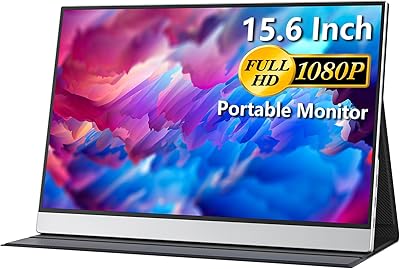
The Topmonitor P15.6/2.5K 15.6-inch Portable Monitor arrived in late 2024 as a budget-friendly second screen for travelers and remote workers hunting sharp resolution without paying premium prices. What separates it from most portable displays in this range is the 3:2 aspect ratio — a taller panel that most competitors haven't adopted at this price point. Topmonitor is a relatively new name, lacking the track record of established brands. That said, the specs it carries are hard to dismiss. Strong resolution, solid brightness, and a genuinely slim form factor make this travel screen worth examining closely before writing it off on brand recognition alone.
Features & Benefits

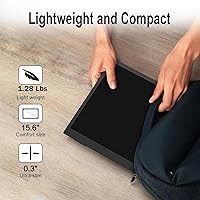
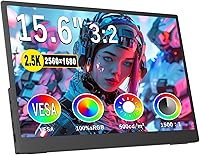
The pixel density on this portable monitor is genuinely impressive for its price tier — squeezing a high 2.5K resolution into a 15.6-inch IPS panel means text stays crisp and fine image details hold up well at close range. The taller screen proportions reward you in ways a number can't fully capture: you can see noticeably more of a document or webpage before needing to scroll. Color accuracy is a real strength here, with the panel covering the full sRGB color gamut at a solid 500 nits — enough for a well-lit café or airplane tray table. Connectivity covers most scenarios: dual USB-C ports handle power and video over a single cable, with HDMI as backup. Under 1.3 pounds and barely a third of an inch thick, this is genuinely easy to carry.

Best For

The Topmonitor 2.5K display is a natural fit for remote workers and digital nomads who regularly set up in coffee shops, airports, or hotel rooms and need a reliable second screen that won't weigh down a travel bag. The taller aspect ratio gives it a particular edge for productivity-focused users — anyone working with long documents, code editors, or web-heavy workflows will feel the difference compared to a standard widescreen portable. Light photo and video editors traveling without their full setup will appreciate the color accuracy for quick review work. Casual console gamers who want a portable gaming screen for a PS5 or Switch can make it work, though competitive players needing high refresh rates should look elsewhere.

User Feedback

Since this travel screen only launched at the end of 2024, the pool of buyer reviews is still building — so treat any patterns here as early signals rather than settled verdicts. Buyers who have weighed in tend to praise the image sharpness and color vibrancy, with several noting the display punches above its price. On the downside, the glossy panel picks up fingerprints and reflections faster than matte alternatives, which some found frustrating in bright environments. A recurring concern involves power delivery: a handful of users report that certain devices need an external power source rather than drawing cleanly from USB-C alone. Stand stability on uneven surfaces has drawn mild criticism as well. No major durability complaints yet, but the sample size remains small.

Pros

  • Unusually sharp 2.5K resolution for this price range makes text and fine details noticeably crisper than standard 1080p portable displays.
  • The 3:2 aspect ratio provides meaningful extra vertical space for documents, code, and browsing — a practical advantage most portable monitors skip.
  • Full sRGB color coverage is a genuine plus for anyone doing color-sensitive work away from their main setup.
  • At under 1.3 pounds and barely a third of an inch thick, this travel screen is among the lightest and slimmest options available.
  • Plug-and-play setup requires no drivers — just connect a USB-C cable and it works with most modern laptops and devices.
  • HDMI plus dual USB-C ports cover a wide range of devices, from MacBooks to gaming consoles, without needing adapters in most cases.
  • VESA mount support adds long-term desk flexibility that most portable monitors in this category do not offer.
  • 500 nits brightness holds up reasonably well in moderately lit environments like offices and hotel rooms.
  • The adjustable stand covers a useful range of tilt angles and feels stable enough for everyday desk use.

Cons

  • Topmonitor is a new brand with no established track record, making long-term durability and warranty support an open question.
  • The glossy screen surface picks up fingerprints and reflections quickly, which becomes a real issue in brighter environments.
  • Some devices cannot power the monitor over USB-C alone and require a separate power adapter — not always obvious at the time of purchase.
  • The stand can wobble on uneven or soft surfaces, limiting reliable use in informal settings like coffee shop tables or laps.
  • A 60Hz refresh rate limits appeal for any gaming scenario beyond casual or turn-based play.
  • Review data is still thin given the recent launch date, so buyer experiences are not yet fully representative.
  • No matte screen option is available, which rules it out for users who specifically need glare reduction.
  • The 3:2 format creates black bars when watching standard widescreen video, which may bother media-focused buyers.

Ratings

The scores below for the Topmonitor P15.6/2.5K 15.6-inch Portable Monitor were generated by AI after analyzing verified purchase reviews from buyers worldwide, with spam, bot-submitted, and incentivized feedback actively filtered out before scoring. Each category reflects the honest balance of what real users praised and where they ran into friction, without glossing over the pain points that showed up repeatedly in the data.
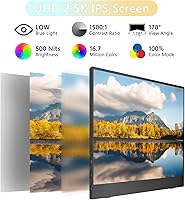
Image Sharpness
91%
Buyers consistently call out the clarity of this display as its single strongest trait. At this screen size, the 2.5K resolution produces noticeably crisp text and fine image detail that makes reading documents, browsing code, or reviewing photos genuinely comfortable for extended sessions.
A small number of users noted that the sharpness advantage is less obvious when the monitor is driven at lower resolutions by older or less capable host devices. In those cases, the panel does not upscale as cleanly as some competing displays.
Color Accuracy
87%
Remote workers and light content creators who brought this travel screen into their photo review or design workflows were pleasantly surprised by how consistent and lifelike the colors appeared. The full sRGB coverage holds up well in dim to moderately lit environments without obvious color cast or hue drift.
The glossy coating tends to shift perceived color balance under direct overhead lighting or near windows, making the output feel slightly warmer or washed out in those conditions. Users doing precise color grading work flagged that it is not a substitute for a calibrated professional display.
Portability
93%
This is where the Topmonitor 2.5K display consistently earns its strongest praise. Frequent travelers noted that it slipped into laptop sleeves and carry-on bags without adding meaningful bulk, and the sub-1.3-pound panel weight was repeatedly called out as a standout practical advantage over heavier competitors.
The smart cover that doubles as a stand adds some thickness to the carry package, and a few users felt it did not protect the glossy screen surface as securely as a dedicated sleeve would during bag travel.
Connectivity
82%
18%
Having dual USB-C ports alongside a full HDMI input gives this portable monitor meaningful flexibility across different device types. MacBook users praised the single-cable setup for keeping their desk or hotel table tidy, and console owners appreciated being able to switch inputs quickly between a laptop and a gaming device.
The power delivery situation is the recurring weak point here — some laptops and phones simply do not output enough current through USB-C to run the display without a wall adapter. This trips up buyers who assumed any USB-C connection would be fully self-sufficient.
Value for Money
88%
At its price point, buyers who compared this travel screen against similarly priced 1080p portable monitors consistently felt the resolution and color spec jump justified the purchase. The inclusion of a wall adapter, multiple cables, and a smart cover in the box added to the sense that the package was fairly complete for the cost.
A handful of buyers noted that a slightly higher investment would get them a monitor from a more established brand with a longer service history. For buyers who prioritize brand trust and after-sales support, the value equation feels less clear-cut.
Stand Stability
67%
33%
On a flat, smooth desk surface — a home office table, hotel writing desk, or solid café counter — the adjustable stand holds the panel steadily across most of its tilt range. Users doing office-style work at a fixed location generally had no complaints about wobble or slippage.
On textured, uneven, or slightly angled surfaces, the stand loses its grip noticeably. Several buyers flagged this as a frustration in real travel scenarios — think wooden café tables, airplane tray tables, or couch armrests — where the base struggled to stay planted.
Screen Surface & Glare
58%
42%
In controlled indoor environments with overhead diffuse lighting, the glossy panel delivers punchy, vivid colors that look more vibrant than the typical matte portable monitor. Users working in dim hotel rooms or evening home office setups found it genuinely attractive.
In brighter conditions, the glossy surface becomes a real problem. Window reflections, lamp glare, and even overhead office fluorescents all reduce usability significantly. This was one of the most common recurring complaints in buyer feedback and is the primary reason some users regretted their purchase.
Build Quality
71%
29%
For a budget-tier portable monitor, the chassis feels reasonably solid in hand and does not flex excessively when handled. Buyers who used it daily over several weeks noted no creaking, port loosening, or structural issues during normal travel use.
The overall finish and materials do not feel premium — the plastic body shows fingerprints readily and attracts minor surface scuffs with regular handling. Compared to more established brands, the fit and finish is noticeably a step down, even if functional durability holds up.
Brightness
79%
21%
In typical indoor environments, the 500-nit panel output is more than adequate. Buyers using it in coffee shops, offices, or hotel rooms found they did not need to push brightness to maximum to get a comfortable, well-lit image even with overhead ambient light present.
Outdoor or window-adjacent use exposes the limits of the brightness spec. Even at full output, direct sunlight or bright window glare overwhelms the display quickly, which reinforces the glossy screen surface as a compounding issue in high-ambient-light conditions.
Aspect Ratio Utility
89%
Users who regularly work with documents, spreadsheets, terminals, or multi-tab browsing sessions came away genuinely appreciating the taller 3:2 canvas. The extra vertical space made them measurably less reliant on scrolling, and several noted it was difficult to go back to a standard widescreen portable after adapting to it.
For media consumption, the 3:2 format is clearly not ideal. Streaming movies or watching YouTube means living with horizontal black bars, which bothered buyers who expected an all-purpose display rather than a productivity-focused one.
Setup & Compatibility
84%
The plug-and-play experience was smooth for the majority of buyers across MacBooks, Windows laptops, and gaming consoles. No driver installation, no configuration menus to navigate — most users were up and running within seconds of connecting a cable for the first time.
Edge cases around USB-C power compatibility created confusion for a segment of buyers. Devices with older or lower-output USB-C ports sometimes triggered error states or refused to power the display, and the troubleshooting path was not always intuitive for less technical users.
Refresh Rate & Motion
61%
39%
For the target productivity and casual use audience, the 60Hz refresh rate is entirely sufficient. Scrolling through documents, watching video at standard frame rates, and navigating operating system interfaces all feel smooth and lag-free during normal use.
Anyone coming from a higher-refresh-rate monitor will notice the ceiling immediately, particularly during fast scrolling or video playback of high-frame-rate content. Casual gamers found it acceptable for turn-based or slower-paced titles, but it is a clear limitation for anything competitive or action-heavy.
Brand Trust & Support
53%
47%
Early buyers who needed basic support reported receiving responses from Topmonitor, suggesting the brand is actively monitoring product feedback. For straightforward use cases, the out-of-box experience was reliable enough that most users did not need to contact support at all.
As a brand with no long track record, Topmonitor carries inherent uncertainty around warranty fulfillment, firmware updates, and ongoing parts availability. Buyers who prioritize post-purchase security naturally lean toward brands with years of documented support history, and this monitor cannot offer that assurance yet.
Included Accessories
76%
24%
Receiving a wall adapter, a USB-C cable, an HDMI cable, and a functional smart cover in the box at this price tier is a reasonable package. Most buyers did not need to immediately purchase additional accessories to get started, which lowered the effective out-of-pocket cost.
The smart cover feels thin and minimally protective for daily bag travel. A few buyers replaced it with a third-party sleeve shortly after purchase, viewing the included cover as barely adequate rather than genuinely reliable screen protection on the road.

Suitable for:

The Topmonitor P15.6/2.5K 15.6-inch Portable Monitor is a strong match for remote workers and digital nomads who regularly work from hotels, cafés, or co-working spaces and need a lightweight second screen that actually fits in a carry-on bag. The taller 3:2 screen proportions make a real difference for anyone who spends hours in spreadsheets, long documents, or code editors — you simply see more content before needing to scroll, which adds up over a full workday. MacBook users in particular will find the aspect ratio familiar and comfortable, since it mirrors the proportions Apple has standardized on its own laptops. Travelers doing light photo editing or color-critical work on the road will appreciate the wide color coverage, which is genuinely uncommon at this price tier. Students who need a portable second display for research-heavy work or split-screen multitasking will also find it a practical and affordable option.
Not suitable for:

Buyers who prioritize a proven brand with years of quality control history and robust customer support may find the Topmonitor P15.6/2.5K 15.6-inch Portable Monitor a harder sell — Topmonitor is a newer name, and long-term reliability data simply does not exist yet. Competitive gamers or anyone sensitive to motion performance should look elsewhere, since the 60Hz refresh rate is not designed for fast-paced gaming scenarios that demand higher frame rates. Users who work frequently in bright outdoor environments or near windows will likely find the glossy panel frustrating, as reflections can significantly reduce usability compared to a matte-finish alternative. Anyone who needs a USB-C setup that draws power entirely from their laptop should double-check device compatibility first, as some configurations require a separate power source. Finally, buyers expecting a wide-format 16:9 display for media consumption or video editing workflows should know the taller 3:2 canvas will leave letterbox bars when watching standard widescreen content.
Specifications

  • Screen Size: The display measures 15.6 inches diagonally, offering a usable working area that balances portability with enough screen real estate for side-by-side applications.
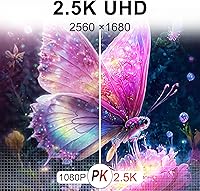
  • Resolution: The IPS panel renders at 2560×1680 pixels, delivering a pixel density noticeably sharper than standard 1080p portable monitors at this screen size.
  • Aspect Ratio: A 3:2 aspect ratio provides a taller viewing canvas compared to the 16:9 widescreen format common on most portable monitors.
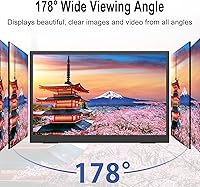
  • Panel Type: IPS (In-Plane Switching) technology ensures consistent color accuracy and contrast when viewed from wide angles up to 178 degrees in any direction.
  • Brightness: Rated at 500 nits, the display is bright enough for use in well-lit indoor environments such as offices, hotel rooms, and cafés.
  • Color Gamut: The panel covers 100% of the sRGB color space, making it suitable for color-sensitive tasks like photo review, light video editing, and graphic work.
  • Contrast Ratio: A 1500:1 static contrast ratio helps distinguish shadow detail and bright highlights, offering more visual depth than entry-level portable displays.
  • Refresh Rate: The panel refreshes at 60Hz, which is standard for productivity and casual use but not designed for high-frame-rate gaming scenarios.
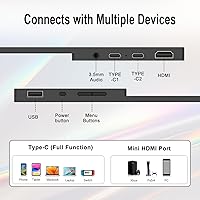
  • Connectivity: The monitor includes two USB-C ports (supporting both power delivery and video signal) and one full-size HDMI port for broader device compatibility.
  • Weight: The panel itself weighs approximately 1.28 lbs; with the included stand and accessories, the total packaged weight is around 2.68 lbs.
  • Thickness: At roughly 0.3 inches thin, the display body is slim enough to slide into most laptop sleeve compartments alongside a standard notebook computer.
  • Dimensions: The monitor body measures approximately 13.1″ wide by 9.4″ tall by 0.59″ deep, fitting comfortably inside a standard 15.6-inch laptop bag or backpack sleeve.
  • VESA Mount: The rear of the display supports VESA 75×75mm mounting, allowing attachment to compatible monitor arms or wall mounts for permanent desk setups.
  • Stand Adjustment: The included kickstand adjusts between 0° and 45° of tilt, offering a range of viewing angles for both desk and travel use cases.
  • Screen Surface: The display uses a glossy screen coating, which enhances color vibrancy but increases susceptibility to reflections and fingerprint smudging in bright environments.
  • Driver Support: The monitor operates as a plug-and-play display requiring no software drivers on macOS, Windows, or most modern operating systems.
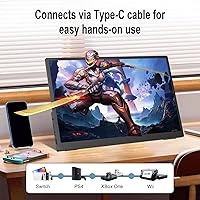
  • Compatibility: Supported devices include MacBook, Windows PC, Android and iOS tablets, smartphones, Xbox, PS5, PS4, and Nintendo Switch via USB-C or HDMI.
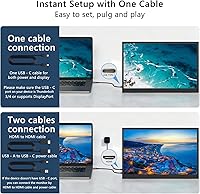
  • Power Source: The display can be powered through a single USB-C cable from a compatible host device, though some devices may require a supplemental USB-C wall adapter.
  • Included Accessories: The package includes a USB-C to USB-C cable, a mini-HDMI or HDMI cable, a USB-C wall adapter, and a smart cover that doubles as a stand.
  • Availability: This product was first listed in December 2024, making it a recent market entrant with a limited but growing body of verified owner feedback.

Related Reviews
FMC 15.6-inch 2.5K 144Hz Portable Monitor
72%
74%
Image Quality
71%
Refresh Rate Performance
78%
Build Quality
89%
Portability
83%
Setup & Connectivity
More
Topmonitor P15.6/4K 15.6-inch 4K Portable Monitor

79%
93%
Display Sharpness
88%
Color Accuracy
91%
Portability
67%
Stand Stability
84%
Connectivity & Compatibility
More
InnoView INVPM406 15.6-inch Portable Monitor
75%
91%
Ease of Setup
83%
Display Clarity
78%
Portability & Build
62%
USB-C Compatibility
88%
Value for Money
More
VILVA V156F1 15.6-inch Portable Monitor

69%
74%
Display Quality
61%
Portability
82%
Connectivity & Compatibility
67%
Build Quality
83%
Value for Money
More
LUMIPIX Magic-001 15.6-inch Portable Monitor
76%
78%
Display Quality
91%
Portability
72%
Connectivity
61%
Stand Stability
79%
Value for Money
More
HotYeah 15.6-inch 1080P Portable Monitor
76%
83%
Display Quality
62%
Brightness & Visibility
91%
Portability & Design
88%
Value for Money
93%
Setup & Ease of Use
More
Westinghouse 15.6 Inch Portable Monitor
82%
88%
Display Quality
92%
Portability
86%
Connectivity Options
94%
Ease of Setup
80%
Build Quality
More
CAPERAVE CF15 15.6-inch Portable Monitor

70%
83%
Portability & Build
76%
Display Quality
51%
Brightness
91%
Setup & Ease of Use
82%
Value for Money
More
Anyuse PM1561P 15.6-inch Portable Monitor

74%
91%
Portability & Form Factor
84%
Image Clarity
72%
Setup & Compatibility
74%
Build Quality & Durability
61%
Brightness & Outdoor Usability
More
ViewSonic VG1655 15.6-inch Portable Monitor
80%
93%
USB-C Connectivity
91%
Portability
78%
Display Quality
62%
Brightness
84%
Build Quality
More

FAQ

In most cases, yes — a single USB-C cable will handle both video and power when connected to a MacBook with a USB-C or Thunderbolt port. That said, if your MacBook is running a demanding workload and the cable alone does not supply enough power, you may need to plug the monitor into a separate USB-C wall adapter simultaneously. It is worth testing your specific setup before relying on it for travel.

The HDMI port handles console connections cleanly for most users. Keep in mind the panel runs at 60Hz, so you will be capped at that frame rate regardless of what the console outputs. For casual gaming or media use on a console, it works fine — just do not expect a high-refresh-rate competitive gaming experience from this display.

It actually feels very natural for productivity work. The taller proportions mean you see more of a webpage, document, or code file before needing to scroll. Where it does feel different is when watching standard widescreen video — you will get horizontal black bars since the content does not fill the full height of the panel. For work tasks, most people find they quickly prefer it.

The glossy finish is the main limitation here. In a dimly lit room or shaded office, the 500-nit brightness performs well. Near a bright window or under strong overhead lighting, reflections can become distracting. If you regularly work in high-ambient-light environments, a matte-screen portable monitor may suit you better.

No drivers are required. It is recognized automatically as a standard display when connected via USB-C or HDMI on Windows 10 and 11. You may need to adjust display settings in Windows (such as resolution or scaling) after connecting, but there is no software to install.

The slim, lightweight build is genuinely travel-friendly, and the included smart cover provides basic screen protection. For daily commuting, a padded laptop sleeve adds an extra layer of security. The build quality is solid for the price tier, though it lacks the premium chassis feel of higher-end brands — treat it with normal care and it should hold up fine.

Yes, the monitor supports portrait orientation. You can rotate the display and adjust the output rotation in your operating system display settings. The 3:2 ratio in portrait becomes quite narrow, so most users stick to landscape, but portrait mode is functional for tasks like reading long documents or reviewing vertical content.

Some laptops — particularly older models or those with limited USB-C power output — cannot supply enough current to run this travel screen on their own. In that situation, you can plug the included wall adapter into one of the monitor's USB-C ports for power while using the second USB-C port or HDMI for the video signal. It is a minor inconvenience but a workable solution.

On paper, the full sRGB coverage is competitive with well-regarded portable monitors from more established brands. For light photo editing, color review, or design work on the road, the color output should satisfy most non-professional needs. Professional colorists or anyone needing DCI-P3 or wide-gamut accuracy would want a more specialized display regardless of brand.

On a flat, stable desk surface, the adjustable stand holds the screen steadily at most tilt angles. On uneven surfaces — think a textured café table or a cushioned surface — it can feel less secure and may need repositioning. For fixed desk use it is adequate; for very mobile setups, handle it with a bit of care.