Overview

The Verbatim 15.6″ Portable Touchscreen Monitor is Verbatim's bid for a real foothold in the mid-range portable display market, and it shows up with a reasonably strong hand. The 15.6-inch IPS panel delivers Full HD 1080p with 10-point touch support — practical specs for a travel-oriented second screen. What stands out physically is the aluminum housing, which gives it a sturdiness that feels a notch above typical plastic competitors at this price tier. It ships with a neoprene sleeve and a built-in kickstand, suggesting the design team actually thought through real travel scenarios. Released in late 2023, it carries current connectivity standards rather than outdated ports.

Features & Benefits

The connectivity story here is genuinely practical. A single USB-C cable handles both video and power in most cases, so you can build a dual-screen workspace without hunting for a power outlet. The HDMI port extends usability to gaming consoles, streaming sticks, and older machines that lack USB-C — a smart inclusion. The IPS panel earns its keep with wide viewing angles and solid color consistency, making it usable for light photo editing or document review rather than just web browsing. Then there's the 10-point multi-touch, which on Windows behaves like a real touch interface, not a gimmick. The headphone jack rounds things out for audio needs on the road.

Best For

This travel-friendly second screen makes the most sense for remote workers and travelers who want a proper dual-screen setup without lugging a full workstation. Students sharing a display for group work will appreciate the multi-touch capability — it enables collaborative annotation in a way a standard external display simply cannot. Occasional console use is possible, but be realistic: this is primarily a productivity tool that moonlights for gaming rather than the other way around. Windows power users wanting touch input without replacing their laptop will likely find the best value here. Those doing color-sensitive creative work should know it performs solidly for lighter tasks at this price range.

User Feedback

With a 4.0 average across roughly 199 ratings, the Verbatim touchscreen display sits in comfortable but not exceptional territory. Buyers frequently praise the build quality — the aluminum chassis genuinely impresses people who expected something flimsier at this price. Touch performance on Windows and Android draws positive notes, though a handful of users report inconsistency suggesting some driver sensitivity. Two issues surface regularly: kickstand stability on soft or uneven surfaces like airplane trays, and the iOS touch limitation that catches buyers off guard post-purchase. The neoprene sleeve gets acknowledged but rarely celebrated. Overall, the consensus leans positive for productivity use, with dissatisfaction mostly tied to platform-specific constraints rather than core display quality.

Pros

  • Single USB-C cable connection handles both power and video in most setups, reducing desk clutter considerably.
  • The aluminum build feels noticeably more durable than plastic-bodied competitors in the same price range.
  • 10-point multi-touch on Windows is fully functional, not just a spec-sheet checkbox.
  • Full HD IPS panel delivers consistent colors and wide viewing angles that hold up for everyday professional tasks.
  • HDMI port makes this portable monitor genuinely compatible with consoles, streaming sticks, and older laptops.
  • The built-in kickstand eliminates the need to pack a separate stand or prop solution for travel.
  • A bundled neoprene sleeve provides basic screen protection right out of the box.
  • The 3.5mm audio jack is a practical addition for private listening without needing a Bluetooth adapter.
  • Broad OS support across Windows, Android, and macOS makes it versatile across most users' device ecosystems.
  • A 2-year limited warranty adds a layer of confidence for a mid-range purchase used heavily on the road.

Cons

  • Touch functionality is completely disabled on iOS and iPadOS — a significant blind spot for Apple mobile users.
  • The kickstand can wobble or slip on soft, uneven, or angled surfaces like airplane tray tables or bed surfaces.
  • The glossy screen surface picks up reflections in bright environments, limiting usability in outdoor or well-lit spaces.
  • Touch response consistency has been reported as uneven by some users, particularly with certain Android configurations.
  • At 2.6 pounds, it trails the lightest portable monitors on the market, which matters for ultralight packers.
  • Lightning device users will need to source their own adapter, as none is included in the box.
  • The neoprene sleeve, while included, offers minimal structural protection against drops or hard impacts.
  • There is no built-in battery, so power delivery depends entirely on the host device or an available outlet.

Ratings

The scores below for the Verbatim 15.6″ Portable Touchscreen Monitor were generated by our AI engine after analyzing verified global buyer reviews, with spam, bot-submitted, and incentivized feedback actively filtered out. Each category reflects the honest balance of what real users praised and what genuinely frustrated them — no cherry-picking in either direction. Where this monitor earns its marks and where it falls short are both represented with equal transparency.

Build Quality
83%
The aluminum chassis consistently surprises buyers who expect something flimsier at this price point. Users traveling frequently note that it holds up to bag life without developing flex or creaking, and the overall feel compares favorably to more expensive portable monitors they've tried.
A few users noted that the screen-to-body finish around the bezel feels slightly less refined up close, with minor plastic trim that contrasts with the metal body. It's not a dealbreaker, but eagle-eyed buyers notice it.
Display Quality
78%
22%
The IPS panel earns real appreciation for its consistent color across wide viewing angles — particularly useful when sharing the screen with a colleague or positioning it off-axis on a desk. Text clarity at 1080p on a 15.6-inch panel is sharp enough for long document-reading sessions.
The glossy surface creates noticeable reflections in brighter office environments or near windows, which several users found distracting during daytime use. Color accuracy, while good for general tasks, is not calibrated to a professional standard and shows its limits on demanding color work.
Touch Performance
71%
29%
On Windows, the 10-point multi-touch generally behaves like a proper touch interface rather than a bolted-on feature — users report responsive tap and swipe gestures that hold up during annotation and navigation tasks. Android users also report functional touch performance for most everyday interactions.
Consistency is the issue: a meaningful number of users describe moments of lag or missed inputs, especially in the corners of the screen or during rapid multi-finger gestures. Touch behavior can also vary based on USB-C driver versions, which adds a layer of setup friction for some Windows users.
Portability
76%
24%
At 2.6 pounds with a slim profile, this travel-friendly second screen fits neatly alongside a laptop in most standard backpacks and messenger bags. Users on regular work trips appreciate that the included neoprene sleeve means it's ready to pack without hunting for extra protection.
It's not the lightest option in the portable monitor category — competing 15.6-inch models come in closer to 1.8 pounds, and that difference registers over a full travel day. Buyers prioritizing minimum carry weight may want to compare specs before committing.
Connectivity
86%
The combination of USB-C and HDMI covers a wide range of real-world scenarios — from a clean single-cable laptop setup at a coffee shop to plugging in a Nintendo Switch at a hotel. Users consistently call out how much they appreciate not needing a power brick in typical USB-C setups.
Lightning device users are on their own for adapters, which feels like an oversight given how many people still carry older iPhones. A small number of users also report that certain USB-C laptop ports don't deliver enough power to drive the display reliably, requiring a second cable connection.
Kickstand Stability
58%
42%
On hard, flat surfaces like desks and tables, the kickstand does its job without complaint — the tilt adjustment gives users enough angle flexibility to find a comfortable working position. For stationary desk use, most buyers find it more than adequate.
On any surface that isn't perfectly flat and firm — airplane tray tables, laps, sofa arms, or beds — the kickstand has a notable tendency to shift or collapse under light pressure. This is one of the most frequently mentioned frustrations in user reviews and is a real limitation for on-the-go use cases.
iOS/iPadOS Compatibility
41%
59%
The monitor does function as a display output for iPad when connected via USB-C or a compatible adapter, and the screen itself renders content from Apple devices correctly. For users who only need a larger view rather than touch interaction, this limited compatibility may be sufficient.
Touch functionality is completely absent on iOS and iPadOS, which is a hard stop for many Apple users who assumed the touchscreen would work across all connected devices. Several reviewers explicitly mention discovering this limitation after purchase, making it a transparency issue that damages overall satisfaction scores.
Value for Money
67%
33%
For Windows-centric professionals who use the touch feature regularly, the price-to-capability ratio feels reasonable — touch-enabled portable monitors tend to carry a premium, and this one sits at a more accessible level than many comparable options. The aluminum build reinforces the sense that you're getting something durable for your spend.
For buyers who don't use Windows or who discover the iOS touch limitation post-purchase, the value equation shifts significantly. At this price, competing non-touch IPS portable monitors offer better portability or brightness, making the touch feature the only real differentiator — and it's a differentiator that doesn't work on all platforms.
Setup & Ease of Use
81%
19%
Plug-and-play USB-C setup on Windows and Android is genuinely straightforward for most users — no driver downloads or display settings juggling required in typical configurations. Buyers consistently mention that getting up and running takes under two minutes on compatible devices.
Edge cases do exist: some users needed to manually configure display scaling, and others encountered driver-related touch glitches that required troubleshooting. macOS users occasionally report needing to adjust display arrangement settings before the screen behaves as expected.
Audio Output
63%
37%
Having a 3.5mm jack on a portable monitor is a practical convenience that gets genuine appreciation — particularly from users in hotel rooms or quiet co-working spaces who want audio without carrying a Bluetooth speaker. It works reliably for what it is.
There are no built-in speakers, so the audio jack is the only output option — users who forget headphones have no fallback. The jack itself has received a few complaints about loose fit with certain headphone plugs, though this appears to affect a minority of units.
Protective Sleeve
54%
46%
The neoprene sleeve is a thoughtful inclusion that protects the display surface from scratches during transit, and it fits the monitor snugly without adding meaningful bulk. Budget-conscious buyers appreciate not having to purchase screen protection separately.
The sleeve provides no structural rigidity and won't absorb impact from drops or being crushed in a packed bag. Most users treat it as a basic liner rather than true protection, and frequent travelers often replace it with a more robust padded case fairly quickly.
Color Accuracy
62%
38%
For general productivity tasks — documents, spreadsheets, web browsing, and casual photo review — the IPS panel produces natural-looking colors that don't feel washed out or overly saturated. It covers everyday visual work without obvious issues.
Professional photographers or designers working on color-critical output will find the lack of factory calibration and unverified color gamut coverage limiting. At this tier, the panel prioritizes broad usability over precision, which is fine for most users but a gap for creative professionals.
Warranty & Support
69%
31%
A 2-year limited warranty from Verbatim Americas LLC is a solid inclusion at this price point, offering more coverage than many competing portable monitor brands that limit support to one year. Users who have contacted support report reasonably helpful responses.
The limited warranty terms mean coverage is conditional, and some users have noted that processing warranty claims required more back-and-forth than expected. Verbatim's support infrastructure, while functional, doesn't match the speed or convenience of larger consumer electronics brands.

Suitable for:

The Verbatim 15.6″ Portable Touchscreen Monitor is a genuinely smart pick for remote workers and digital nomads who regularly need a second screen but can't afford the weight or bulk of a traditional external display. If your workflow lives on Windows or Android, the 10-point touch capability opens up real interaction patterns — annotating documents, navigating split-screen apps, or handing the display to a colleague during a meeting — that a standard portable monitor simply doesn't support. Travelers who hop between coffee shops, co-working spaces, and hotel desks will appreciate that a single USB-C cable often handles both video and power, cutting down on cable clutter significantly. Students collaborating on group projects will find the shared touch surface genuinely useful rather than gimmicky. It also suits light creative professionals who need reasonable color accuracy for photo review or design work while away from their main setup, without investing in a high-end portable display.

Not suitable for:

If you're an Apple user planning to use this with an iPhone or iPad, stop right there — the Verbatim 15.6″ Portable Touchscreen Monitor does not support touch functionality on iOS or iPadOS, which is a meaningful limitation that catches many buyers off guard after purchase. Hardcore gamers looking for a primary gaming display will likely find the glossy panel and mid-range color volume underwhelming compared to monitors purpose-built for gaming. Those working extensively with video editing or color-critical print design will want to look at displays with verified color space coverage, since this monitor is calibrated for general use rather than professional color accuracy. Buyers who frequently use this on their lap, on airplane tray tables, or on uneven surfaces should know the built-in kickstand has reported stability issues in those conditions. Finally, anyone expecting a truly ultralight carry — the kind that disappears into a slim bag — should note that at 2.6 pounds, it's reasonable but not class-leading in portability.
Specifications

  • Screen Size: The display measures 15.6 inches diagonally, offering a usable working area without becoming impractical to carry.
  • Resolution: Native resolution is 1920x1080 Full HD, delivering sharp text and clear images for productivity and media consumption.
  • Panel Type: An IPS (In-Plane Switching) panel is used, providing consistent color reproduction and wide viewing angles compared to TN alternatives.
  • Aspect Ratio: The screen uses a standard 16:9 widescreen aspect ratio, compatible with the vast majority of video and application layouts.
  • Screen Surface: The display surface is glossy, which enhances color vibrancy in controlled lighting but can produce reflections in bright environments.
  • Touch Input: Supports 10-point multi-touch input, enabling simultaneous independent touch actions from multiple fingers or users on Windows and Android.
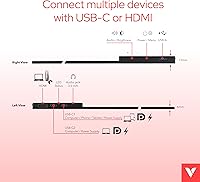
  • Connectivity: Equipped with one USB-C port and one HDMI port, covering both modern single-cable setups and legacy or console-based connections.
  • OS Compatibility: Compatible with Windows 11, 10, and 8, Android, and macOS; touch functionality is not supported on iOS or iPadOS.
  • Housing Material: The outer chassis is constructed from aluminum, contributing to a solid, travel-resistant build without excessive added weight.
  • Weight: The unit weighs 2.6 pounds, which is practical for a bag-friendly second screen while not quite matching the lightest ultra-slim competitors.
  • Dimensions: Physical dimensions are 14.06 x 8.46 x 0.02 inches (L x W x H), making it slim enough to slide alongside a laptop in most bags.
  • Audio Output: A 3.5mm headphone jack is built in, allowing direct connection of wired headphones or speakers without requiring adapters.
  • Kickstand: A built-in adjustable kickstand is integrated into the rear housing, offering tilt flexibility without needing a separate stand accessory.
  • Included Accessories: The package includes a neoprene protective sleeve designed to shield the screen surface during transport.
  • Power Input: The monitor operates at 20 volts and is powered via the USB-C connection, eliminating the need for a dedicated power brick in most setups.
  • Warranty: Verbatim covers this monitor with a 2-year limited warranty through Verbatim Americas LLC.
  • Model Number: The official model number is 49592, useful for identifying compatible accessories or contacting support.
  • Availability Date: This monitor became available in August 2023, placing it among more recent portable display releases with current port standards.

Related Reviews

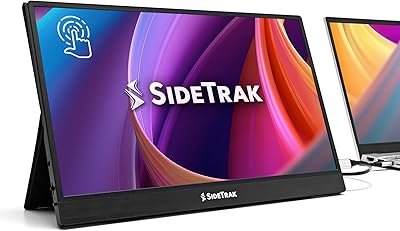
SideTrak Solo 15.6″ Portable Touchscreen Monitor
84%
93%
Portability & Weight
88%
Display Quality
90%
Ease of Setup
85%
Touchscreen Responsiveness
87%
Connectivity & Compatibility
More
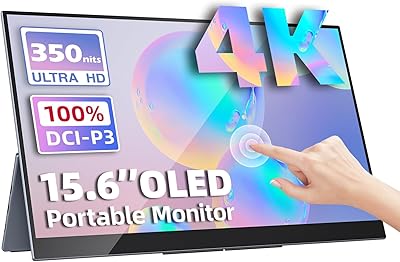
Upperizon 15.6″ 4K OLED Touchscreen Portable Monitor
85%
91%
Display Quality
95%
Portability & Weight
88%
Color Accuracy
70%
Touchscreen Functionality
89%
Ease of Setup
More
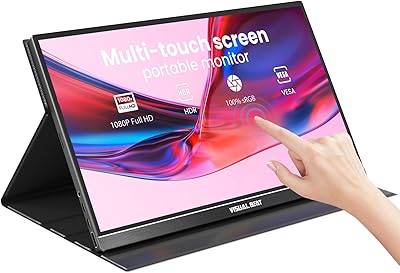
Visual Beat V15T 15.6-inch Portable Touch Monitor
78%
88%
Touch Responsiveness
84%
Display Quality
61%
Brightness & Outdoor Use
93%
Portability
86%
Connectivity
More
Topmonitor P15.6/2.5K Portable Monitor 15.6-inch 2560×1680
86%
94%
Display Quality
90%
Portability/Size/Weight
91%
Color Accuracy
87%
Connectivity (USB-C, HDMI)
85%
Build Quality
More
Upperizon 15.6″ Portable Monitor
86%
88%
Display Quality
93%
Portability
85%
Color Accuracy
90%
Ease of Setup
92%
Connectivity
More
Westinghouse 15.6 Inch Portable Monitor
82%
88%
Display Quality
92%
Portability
86%
Connectivity Options
94%
Ease of Setup
80%
Build Quality
More
VILVA V156F1 15.6-inch Portable Monitor
69%
74%
Display Quality
61%
Portability
82%
Connectivity & Compatibility
67%
Build Quality
83%
Value for Money
More
Acer PM161Q 15.6″ Portable Monitor
85%
93%
Portability
88%
Display Quality
85%
Gaming Performance
91%
Ease of Setup
86%
Build Quality
More
Verbatim 17.3″ Portable Touchscreen Monitor
84%
91%
Display Quality
94%
Portability & Weight
88%
Touchscreen Responsiveness
89%
Connectivity Options
84%
Build Quality & Durability
More
ARZOPA S1 Table 15.6″ Portable Monitor
76%
93%
Portability
81%
Display Quality
94%
Ease of Setup
67%
Build Quality
58%
Stand & Stability
More

FAQ

Yes, you can connect a Nintendo Switch to this portable monitor using an HDMI cable when the Switch is docked. It works as a secondary screen for travel gaming setups. Just keep in mind this is primarily a productivity display, so don't expect gaming-tuned response times or refresh rates.

In most cases, yes. A single USB-C cable can carry both the video signal and draw power from a compatible host device, which keeps your setup clean and cable-free. However, if your laptop's USB-C port doesn't deliver enough power output, you may need a separate power source — it's worth checking your laptop's USB-C power delivery specs beforehand.

The display itself will work as an extended or mirrored screen on macOS, but touch functionality is not supported on Mac. The IPS panel and resolution work fine — you just won't get touch interaction the way you do on Windows or Android.

No, and this is worth knowing before you buy. The Verbatim 15.6″ Portable Touchscreen Monitor does not support touch input on iOS or iPadOS at all. You can still use it as a display output from a Lightning or USB-C iPad with the right adapter, but tapping the screen won't do anything on Apple mobile devices.

It works on firm, flat surfaces without much trouble, but on soft or slightly angled surfaces like airplane tray tables or a lap, some users have reported it feeling unstable. If you plan to use it frequently in those conditions, having a small non-slip mat underneath can help a lot.

The package typically includes a USB-C cable and an HDMI cable, along with the neoprene sleeve. Note that if you need a Lightning adapter for an older iPhone or iPad, you'll need to source that separately as it's not included.

The glossy screen surface can pick up reflections in well-lit rooms or near windows, which is a known trade-off of glossy panels in general. It performs well in controlled or dimmer lighting, but if your workspace gets a lot of direct ambient light, you may notice glare more than you'd like.

Yes — the 10-point multi-touch capability means more than one person can interact with the screen simultaneously, each performing independent touch actions. This makes it genuinely useful for collaborative work or presenting to a small group in person, as long as you're on a compatible OS like Windows.

There is no built-in battery. This monitor draws power either from a USB-C host device or from a connected power source, so it always needs to be tethered to something. If you're in a location without outlets, your laptop will need to supply the power through its USB-C port.

The sleeve is a decent basic protection for the screen during transit and fits snugly, but it's not a hard case — it won't protect against drops or serious impacts. Most frequent travelers use it as a liner inside a laptop bag rather than as standalone protection. If you're rough on gear, consider a padded sleeve or case as an upgrade.