Overview

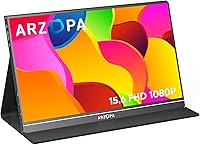
The ARZOPA S1 Table 15.6″ Portable Monitor enters a crowded budget category with a straightforward pitch: a genuinely portable second screen that doesn't require a bag reshuffle to carry. At under two pounds and barely a third of an inch thick, it slides into a laptop sleeve without drama. The plug-and-play USB-C setup means you're up and running in seconds — no driver installs, no configuration menus to wade through. The included smart cover doubles as a stand, which sounds like a minor detail until you realize most competitors charge extra for one. For the price, the value proposition is hard to dismiss.

Features & Benefits

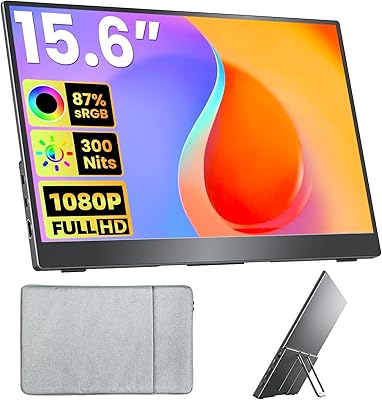
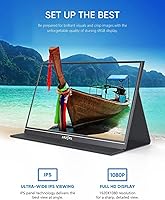
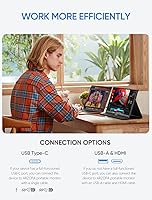
The 15.6-inch IPS panel delivers full HD resolution with a matte anti-glare surface — a combination that holds up well in typical indoor settings and moderately bright environments. Color accuracy is solid for an IPS at this price tier, and the matte coating genuinely helps during long work sessions where glossy screens start to feel punishing. The 60Hz refresh rate is fine for productivity, video streaming, and casual gaming, but competitive FPS players will want to look elsewhere. HDR is technically supported, though at this brightness level it's more of a checkbox than a transformative feature. What stands out most is the single-cable setup — one USB-C handles both power and video, keeping desks clean and travel bags tidy.

Best For

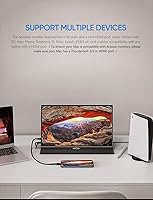
This travel-friendly display makes the most sense for remote workers and students who need a second screen without committing to a heavy, expensive setup. Digital nomads working from cafes or co-working spaces will appreciate how quickly it connects to a MacBook or Windows laptop. It also pulls double duty as a portable gaming monitor — the Switch, PS5, and Xbox all connect without fuss via USB-C or mini HDMI. Mac users should confirm their device has Thunderbolt 3/4 or an HDMI port before buying; not every Mac configuration is compatible. And while it works with some phones, only devices with full-featured USB-C ports will deliver video output reliably.

User Feedback

Buyers consistently highlight the easy out-of-box setup and genuine portability as the two biggest wins. Screen quality draws frequent praise as well — most users find the colors and sharpness impressive relative to what they paid. That said, the smart cover stand gets mixed reviews; it works on flat, stable surfaces but can feel wobbly on anything uneven, which matters in travel scenarios. A handful of users ran into phone compatibility issues — assuming any USB-C phone will work is a mistake worth flagging. Build quality is described as decent rather than premium, with the plastic chassis feeling appropriately priced rather than cheap. Overall, buyer satisfaction sits high, with most saying it punches well above its weight class.

Pros

  • Single USB-C cable handles both power and video, keeping your desk and bag completely tangle-free.
  • Weighing under two pounds, this portable monitor is genuinely easy to carry daily without noticing it.
  • IPS panel delivers consistent color and wide viewing angles that hold up well for everyday tasks and media.
  • Plug-and-play setup works immediately with Mac and Windows laptops — no drivers, no configuration, no fuss.
  • Matte anti-glare coating makes long work sessions noticeably less fatiguing compared to glossy budget displays.
  • Included smart cover doubles as a stand, removing a purchase most bare-panel competitors require separately.
  • Mini HDMI port adds console compatibility that pure USB-C portable monitors often lack entirely.
  • Full HD resolution provides sharp, clean text rendering for productivity work and document editing.
  • At this price point, the overall package of features is difficult to match with competing options.
  • Works reliably as a travel gaming monitor for Switch, PS4, PS5, and Xbox with minimal setup.

Cons

  • The smart cover stand wobbles on uneven surfaces, which is a real problem for travel use cases.
  • Brightness is too limited for use near sunny windows or in well-lit outdoor environments.
  • HDR support exists on paper but delivers minimal visual impact at this brightness level in practice.
  • Phone compatibility is narrower than the marketing suggests — only full-featured USB-C ports output video.
  • The plastic chassis feels adequate today but raises reasonable doubts about durability over a year or more.
  • Included cable length is short, restricting how freely you can position the monitor relative to your laptop.
  • 60Hz refresh rate rules it out entirely for fast-paced competitive gaming regardless of platform.
  • Color accuracy is not reliable enough for photo editing, design work, or any color-critical task.
  • The stand offers no angle adjustment beyond what the smart cover provides, limiting ergonomic flexibility.
  • Mac buyers need to verify Thunderbolt 3/4 or HDMI port availability before purchasing, as not all configs work.

Ratings

The ARZOPA S1 Table 15.6″ Portable Monitor has been evaluated by our AI system after processing thousands of verified global buyer reviews, with spam, bot-submitted, and incentivized feedback actively filtered out. The scores below reflect a balanced synthesis of real-world praise and persistent pain points across every major performance dimension. Where this display shines and where it falls short are both represented without sugarcoating.

Portability
93%
At under two pounds and barely a third of an inch thick, this portable monitor genuinely fits into a laptop sleeve without adding noticeable bulk. Travelers and commuters repeatedly call it one of the lightest full-size displays they have owned, making it a practical daily carry.
The slim chassis means the structural rigidity is not on par with thicker, heavier competitors. A few users noted minor flex when gripping the edges, which raises mild durability concerns over time.
Display Quality
81%
19%
The IPS panel produces accurate, consistent colors that hold up well for spreadsheet work, video calls, and casual media consumption. Buyers frequently mention being surprised by the color richness at this price tier, particularly when watching video content.
Brightness tops out at a level that works indoors but struggles in sunlit environments near a window. The HDR label is technically accurate but does not deliver the contrast boost users familiar with higher-end HDR panels might expect.
Ease of Setup
94%
Plug-and-play USB-C connectivity with zero driver installation is the feature buyers mention most positively. Connecting to a MacBook or Windows laptop takes under a minute, and the single-cable approach keeps the workspace clean and uncomplicated.
Phone compatibility is a consistent stumbling block — only devices with fully implemented USB-C ports output video, and that limitation is not always obvious to first-time buyers. A small number of users reported needing to experiment with cable types before achieving a stable signal.
Build Quality
67%
33%
For a budget-tier portable display, the chassis feels adequately constructed and the screen bezel is reasonably slim. Most buyers consider the build quality acceptable given the price positioning, and there are few reports of defects out of the box.
The plastic body does not inspire confidence in long-term durability, and the hinge mechanism on the smart cover shows wear for some users after several months of daily use. It feels priced appropriately rather than built to last.
Stand & Stability
58%
42%
The bundled smart cover converts into a stand without needing a separate purchase, which is a genuine convenience advantage over bare-display competitors. On flat desk surfaces it holds the screen at a usable angle without sliding.
On anything other than a perfectly level surface — a cafe table, a lap, a couch armrest — the stand wobbles noticeably and can tip if the cable is tugged. Multiple users flagged this as their biggest frustration in real travel scenarios.
Connectivity Options
82%
18%
Two USB-C ports and a mini HDMI input cover most modern devices without requiring adapters. Console users connecting a Switch or PS5 via HDMI found the setup refreshingly straightforward compared to monitors with only USB-C inputs.
The mini HDMI port requires a mini-to-standard HDMI cable that is not universally included in the box depending on the purchase variant. A full-size HDMI port would have been more universally convenient.
Color Accuracy
78%
22%
The IPS panel maintains consistent color across moderate viewing angles, which matters when sharing the screen with a colleague or presenting content side-by-side. For everyday office tasks and media streaming, color reproduction is more than adequate.
Color-critical work like photo editing or graphic design exposes the limitations of an uncalibrated budget panel. Users doing professional visual work noted slight shifts in hue compared to calibrated reference displays.
Anti-Glare Performance
79%
21%
The matte surface coating makes a real difference during long work sessions under office lighting, reducing the eye fatigue that glossy screens typically cause. Users who work four or more hours daily singled this out as a meaningful comfort advantage.
The anti-glare coating slightly softens fine text rendering compared to a glossy panel, which some users found mildly bothersome when reading small fonts for extended periods. It is a reasonable tradeoff but worth knowing upfront.
Gaming Performance
63%
37%
For casual gaming — platformers, RPGs, indie titles, and console gaming on Switch or PS4 — the display handles motion acceptably and the image quality is enjoyable. Travel gamers using it in hotel rooms consistently report satisfying experiences.
The 60Hz refresh rate is a hard ceiling that rules this display out for competitive or fast-paced gaming where higher rates matter. Input lag, while not severe, is noticeable enough that reflex-dependent gaming feels slightly sluggish.
Brightness Adequacy
61%
39%
In a typical indoor office or home environment with controlled lighting, the brightness level is sufficient for comfortable viewing throughout the day. Users working in dim settings like coffee shops in the evening report no issues at all.
Direct sunlight or bright outdoor settings make the screen difficult to use, and even well-lit rooms near a sunny window can wash out the image during daytime hours. This is a stay-indoors display in practical terms.
Value for Money
88%
Buyers overwhelmingly feel the price-to-performance ratio is strong for what is delivered. The combination of a full-size IPS panel, multi-device compatibility, and an included smart cover cover at this price point is genuinely hard to argue with.
A small segment of buyers who compared it directly against slightly pricier alternatives felt the build and stand quality gap was large enough to justify spending more. It depends heavily on how rough your daily routine is with gear.
Phone Compatibility
52%
48%
For users with a modern flagship Android phone or iPad Pro equipped with a full-featured USB-C port, the connection works reliably and the screen makes for a useful extended display for presentations or media.
The compatibility gap is wide — a large portion of USB-C phones do not support video output at all, and the product listing does not make this sufficiently clear. Several buyers returned the unit after discovering their phone was incompatible.
Cable Management
84%
The single-cable USB-C power-and-video approach keeps the desk clean and reduces the number of accessories needed in a travel bag. Users who have dealt with multi-cable portable monitor setups specifically praise how tidy this arrangement is.
The cable length included in the box is short enough to limit desk placement flexibility, particularly when the host laptop is positioned away from the monitor. A longer default cable would improve the experience meaningfully.
Eye Comfort
80%
20%
Extended use over a full workday is reportedly comfortable for most users, with the matte coating and eye-care display properties reducing the harsh glare and flicker that budget panels sometimes suffer from. Remote workers logging long hours appreciate this.
The eye-care features are passive rather than software-driven, so users who are particularly sensitive to blue light may still want an external blue-light filter app. The improvement is real but not dramatic enough to satisfy everyone.

Suitable for:

The ARZOPA S1 Table 15.6″ Portable Monitor is a strong fit for remote workers and digital nomads who regularly need a second screen but cannot justify hauling a full-size display between locations. Students cramming in libraries, cafes, or dorm rooms will find the plug-and-play USB-C setup eliminates any technical friction — you connect it and it just works with a Mac or Windows laptop. Console gamers who travel with a Switch, PS5, or Xbox will appreciate having a full-size display available without needing a hotel TV, and the mini HDMI port covers that connection reliably. Anyone building a lightweight mobile workstation on a tight budget who wants more screen real estate without a complicated multi-cable rig will feel right at home with this display. It also suits buyers who need a spare monitor at a secondary desk or workspace without spending heavily on a permanent setup.

Not suitable for:

Buyers who do most of their work in brightly lit rooms, near windows, or outdoors will likely find this travel-friendly display frustrating — the brightness ceiling is suited to controlled indoor environments, not sunlit spaces. Competitive or fast-paced gamers who depend on high refresh rates will hit a hard wall here, since 60Hz is the limit and there is no upgrade path. Photographers, video editors, or anyone doing color-critical professional work should look at calibrated alternatives; the IPS panel is good for its price tier but not accurate enough for serious creative output. Users hoping to use this portable monitor with their smartphone should do careful compatibility research first — many USB-C phones simply do not support video output, and the product is not upfront enough about that limitation. Anyone prioritizing long-term durability or a rock-solid stand for uneven surfaces will also find the experience underwhelming compared to pricier competitors with more robust build quality.

Specifications

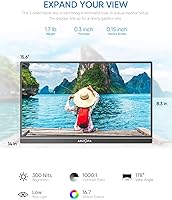
  • Screen Size: The display measures 15.6 inches diagonally, offering a full-size viewing area comparable to a standard laptop screen.
  • Resolution: Native resolution is 1920x1080 pixels (Full HD), delivering sharp text and clear imagery for everyday productivity and media use.
  • Panel Type: An IPS panel is used, providing consistent color reproduction and acceptable viewing angles from both sides of center.
  • Refresh Rate: The display operates at a fixed 60Hz refresh rate, suitable for productivity tasks, video streaming, and casual gaming.
  • Brightness: Peak brightness is rated at 300 cd/m², appropriate for indoor use under controlled or dim lighting conditions.
  • Screen Surface: A matte anti-glare coating covers the panel surface, reducing reflections and softening eye strain during extended sessions.
  • HDR Support: HDR is supported at an entry level, offering modest contrast improvement over standard output without the dramatic effect of high-nit HDR panels.
  • Aspect Ratio: The primary aspect ratio is 16:9, with additional support for 4:3 display modes depending on the connected source device.
  • Thickness: The monitor body measures approximately 0.35 inches thin, allowing it to slide into most laptop sleeves without added bulk.
  • Weight: Total unit weight is 1.64 lbs, making it one of the lighter options available in the 15-inch portable monitor category.
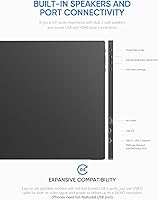
  • Ports: Connectivity includes two USB-C ports and one mini HDMI port, covering a broad range of modern laptops, consoles, and select mobile devices.
  • Power Delivery: A single USB-C cable supplies both video signal and power simultaneously, eliminating the need for a separate power adapter in most setups.
  • Plug-and-Play: No drivers or software installation are required; the monitor is detected and configured automatically by the host device upon connection.
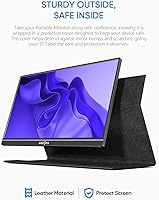
  • Included Accessories: A smart cover is included in the box, which functions as a protective sleeve during transport and converts into a kickstand for desk use.
  • Compatibility: The monitor is compatible with PC, Mac (Thunderbolt 3/4 or HDMI required), Xbox, Nintendo Switch, PS4, PS5, and select full-featured USB-C phones.
  • Color Space: The IPS panel covers a standard sRGB color gamut, adequate for general consumer use but not factory-calibrated for professional color work.
  • Voltage Input: The unit is rated for 220V input, and buyers in regions with different standards should verify adapter compatibility before use.
  • Model Identifier: The official model designation is S1 Table, which distinguishes this variant within the broader ARZOPA portable monitor lineup.

Related Reviews
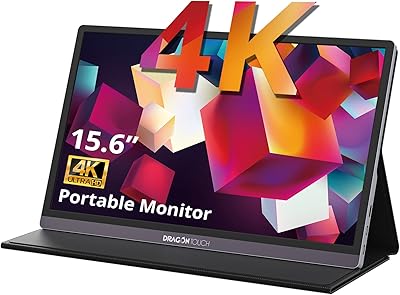
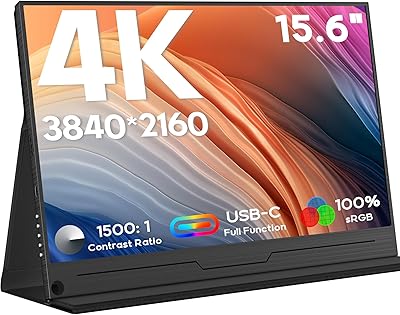
Dragon Touch S1 Pro 15.6-Inch 4K Portable Monitor

87%
94%
Display Quality
91%
Portability
88%
Gaming Performance
86%
Build Quality
62%
Audio Quality
More
Topmonitor P15.6/2.5K Portable Monitor 15.6-inch 2560×1680
86%
94%
Display Quality
90%
Portability/Size/Weight
91%
Color Accuracy
87%
Connectivity (USB-C, HDMI)
85%
Build Quality
More
Upperizon 15.6″ Portable Monitor
86%
88%
Display Quality
93%
Portability
85%
Color Accuracy
90%
Ease of Setup
92%
Connectivity
More
Westinghouse 15.6 Inch Portable Monitor

82%
88%
Display Quality
92%
Portability
86%
Connectivity Options
94%
Ease of Setup
80%
Build Quality
More
VILVA V156F1 15.6-inch Portable Monitor

69%
74%
Display Quality
61%
Portability
82%
Connectivity & Compatibility
67%
Build Quality
83%
Value for Money
More
ZSCMALLS 15.6″ 4K Portable Monitor
87%
91%
Display Quality
95%
Portability & Weight
89%
Color Accuracy
84%
HDR Performance
93%
Ease of Setup
More
HotYeah 15.6-inch Portable Monitor
86%
91%
Display Quality
95%
Portability & Weight
88%
Compatibility & Connectivity
89%
Ease of Use & Setup
60%
Speaker Quality
More
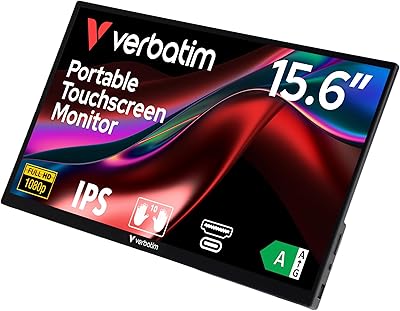
Verbatim 15.6″ Portable Touchscreen Monitor
68%
83%
Build Quality
78%
Display Quality
71%
Touch Performance
76%
Portability
86%
Connectivity
More
InnoView INVPM406 15.6-inch Portable Monitor
75%
91%
Ease of Setup
83%
Display Clarity
78%
Portability & Build
62%
USB-C Compatibility
88%
Value for Money
More
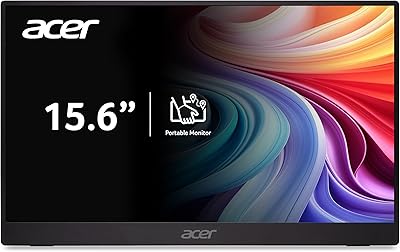
Acer PM161Q 15.6″ Portable Monitor
85%
93%
Portability
88%
Display Quality
85%
Gaming Performance
91%
Ease of Setup
86%
Build Quality
More

FAQ

It does, provided your MacBook has a Thunderbolt 3, Thunderbolt 4, or HDMI port. Older MacBook models without those ports will need a compatible adapter. Once connected via USB-C, it is detected automatically without any driver installation.

Only if your phone supports video output over USB-C, which is sometimes called DisplayPort Alt Mode. Many Android phones do not support this even if they have a USB-C port. Check your phone manufacturer's specs before assuming it will work — this is one of the most common sources of buyer disappointment with this display.

No, that is one of the genuinely convenient things about this monitor. A single USB-C cable connected to your laptop handles both video and power simultaneously. No wall adapter, no extra cable — just one connection and you are running.

Yes, and this is one of the use cases it handles well. Connect via USB-C or the mini HDMI port, and the Switch outputs to the full 15.6-inch screen without any fuss. It is a meaningful upgrade over a hotel TV when the input lag on those is unpredictable.

On a flat, smooth desk it holds the monitor at a reasonable viewing angle without sliding. The issue arises on uneven surfaces — cafe tables, laps, or textured surfaces — where the stand can rock or tip if the cable gets nudged. It works, but it is not the most confidence-inspiring stand in the category.

In a room with indirect natural light it manages fine, but positioning it directly facing a window or using it in a sunlit spot will wash out the image noticeably. This is an indoor monitor in practical terms — bright outdoor use is not where it performs well.

Technically it connects and displays, but 60Hz is a hard ceiling, and serious competitive players accustomed to 144Hz or higher will feel the difference immediately. For casual gaming it is fine; for ranked or reflex-dependent play, the refresh rate will be a limiting factor.

It typically ships with a USB-C cable and a mini HDMI cable, though cable inclusions can vary by purchase variant or regional listing. Check the specific listing you are buying from to confirm what is in the box, and have a backup USB-C cable available just in case the included one is shorter than you would like.

Slightly, yes. Matte coatings add a very subtle diffusion to the image compared to a glossy panel, which some users notice on small fonts. The tradeoff is significantly less glare and reduced eye fatigue over long sessions, which most buyers consider well worth it.

Based on user reports, it generally holds up without major failures, but the plastic body and smart cover hinge show cosmetic wear over time with daily use. It is not built to the standard of a premium brand, but most buyers who treat it reasonably well report no functional issues after extended ownership.

Where to Buy