Overview

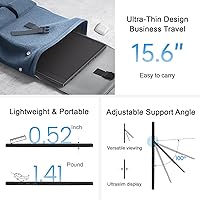
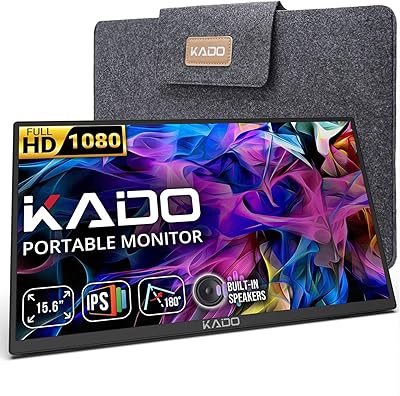
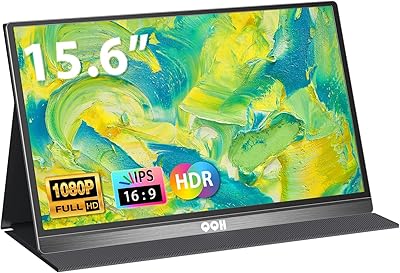
The UFYQL 15.6-inch FHD Portable Monitor enters a crowded budget segment with a straightforward pitch: a thin, light second screen that actually fits in your bag. At just 0.52 inches thick and 1.41 pounds, the physical experience is genuinely impressive for the price tier. UFYQL is a relatively new name, launching this display in November 2024, but it has already carved out a respectable rank among computer monitors. This is not a pro-grade panel for color-critical work — but that is not the point. For everyday productivity, travel, and casual gaming, this portable monitor performs solidly at its price level.
Features & Benefits

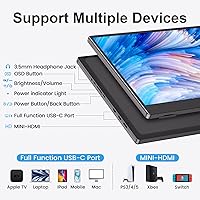
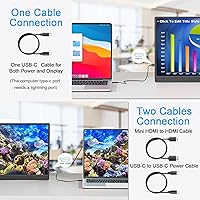
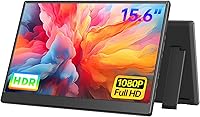
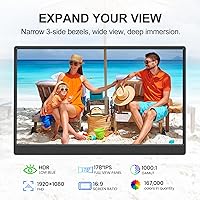
The IPS panel delivers a clean 1080p image across a 178-degree viewing angle, so colors stay consistent whether you are sitting directly in front or off to the side — useful in shared workspaces or couch co-op gaming. The matte surface handles reflections reasonably well indoors, though at 250 nits you will want to avoid harsh direct sunlight. Built-in blue light reduction and flicker-free technology help during long sessions. Connectivity is a real strength: two full-featured USB-C ports handle both power and signal through a single cable on Thunderbolt-compatible devices, while the Mini-HDMI port keeps older setups covered. The adjustable kickstand and built-in speakers round it out as a self-contained travel package.

Best For

If you carry a laptop between meetings, coffee shops, or client sites, this travel-friendly screen solves a real problem without weighing you down. Students moving between a dorm and the library will appreciate being able to slip it into a backpack alongside their laptop without noticing the added bulk. Console gamers get a capable portable display for Switch or PS5 sessions on the road — not a substitute for a dedicated gaming setup, but more than adequate for the use case. Remote workers and frequent travelers who prioritize a lighter load over pixel-perfect image quality will find the UFYQL display fits naturally into their workflow.

User Feedback

Because this display launched in late 2024, the review pool is still growing — worth keeping in mind when weighing early impressions. Buyers consistently highlight easy plug-and-play setup and color quality that exceeds expectations at this price point; the single-cable USB-C experience earns particular praise. Criticisms tend to cluster around two areas: the 250-nit brightness ceiling becomes a real limitation in sunlit rooms or outdoors, and the built-in speakers, while functional, deliver the thin audio typical of compact portable hardware. A handful of reviewers also note the kickstand performs best on hard, flat surfaces and can feel less stable on softer materials like a bed or couch cushion.

Pros

  • Single-cable USB-C connectivity works cleanly with Thunderbolt laptops and MacBooks, cutting setup time to seconds.
  • At under 1.5 pounds, this portable monitor is light enough to carry daily without rethinking your bag setup.
  • The IPS panel produces natural, consistent colors that hold up well across wide viewing angles — useful in shared spaces.
  • Plug-and-play compatibility means no driver installs or configuration headaches across laptops, consoles, and more.
  • The built-in kickstand adjusts smoothly from flat to near-vertical, covering most desk and table viewing preferences.
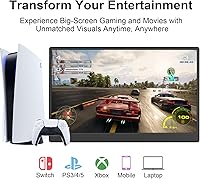
  • Broad device support — including Switch, PS5, Xbox, and Steam Deck — makes this a versatile travel companion for console gamers.
  • The matte screen surface handles indoor glare better than glossy alternatives in this price range.
  • Blue light reduction and flicker-free technology make long working or studying sessions noticeably more comfortable.
  • Mini-HDMI port provides a reliable fallback for devices without full-featured USB-C, expanding compatibility further.
  • For the price tier, overall build rigidity and finish quality exceed what most buyers expect from a budget portable display.

Cons

  • At 250 nits, brightness is insufficient for brightly lit rooms or any outdoor use.
  • The kickstand becomes unstable on soft or uneven surfaces like beds, laps, or textured café tables.
  • Built-in speakers lack volume headroom and sound thin — they are a backup option, not a real audio solution.
  • No carrying case or screen cloth is included, despite portability being the central reason to buy this display.
  • HDR is present but delivers only a modest improvement — do not expect deep blacks or vivid highlights.
  • Buyers without Thunderbolt 3 or full-featured USB-C lose the single-cable simplicity and need a powered HDMI connection instead.
  • The 60Hz refresh rate limits appeal for fast-paced or competitive gaming scenarios.
  • No software or on-screen color profile adjustments are available for users who want to fine-tune the image.
  • Plastic rear casing is prone to minor surface scratches with regular bag use over time.
  • As a newer brand with a recently launched product, long-term reliability data and after-sales track record are still limited.

Ratings

The UFYQL 15.6-inch FHD Portable Monitor has been evaluated by our AI rating system after processing verified buyer reviews from global markets, with spam, incentivized, and bot-generated feedback actively filtered out. The scores below reflect a balanced picture of where this travel-friendly screen genuinely delivers and where real-world users have run into friction. Both the strengths and the limitations are represented as honestly as the data allows.
Portability & Form Factor
91%
At just 1.41 pounds and barely over half an inch thick, this portable monitor slides into a laptop sleeve or backpack without any real compromise to pack weight. Travelers and commuters consistently call out the slim profile as one of the first things they notice when they take it out of the bag.
The 15.6-inch footprint, while not huge, is still a substantial panel to carry daily, and a few buyers on longer trips noted they wished it came with a protective sleeve included rather than sold separately.
Display Clarity
84%
For an IPS panel at this price tier, sharpness at 1080p holds up well across everyday tasks like document editing, web browsing, and video streaming. Colors look natural and consistent, with the wide 178-degree viewing angle making shared-screen situations noticeably comfortable.
Fine detail in complex visuals, like dense spreadsheets or high-resolution photography, can feel slightly soft compared to mid-range panels. This is not a dealbreaker but sets realistic expectations for creative or detail-critical work.
Brightness & Outdoor Usability
54%
46%
Indoors in typical office or home lighting, 250 nits is workable and most users do not push the screen to its limits under those conditions. The matte surface helps by cutting glare from overhead lighting better than glossy alternatives in its category.
In sunlit rooms or near windows, the brightness ceiling becomes a genuine obstacle. Multiple buyers flagged visibility issues on bright days, and outdoor use is essentially impractical. This is one of the more consistent pain points across the review pool.
Connectivity & Setup
93%
The single-cable USB-C setup works cleanly with Thunderbolt 3 and compatible laptops, and buyers repeatedly describe the plug-and-play experience as genuinely effortless — no driver installs, no configuration menus. The inclusion of both dual USB-C and a Mini-HDMI port covers a wide range of devices without adapters.
Users with older laptops lacking full-featured USB-C ports may need to rely on the Mini-HDMI path, which requires a separate power connection and adds a bit of cable clutter — something worth checking before purchase.
Kickstand Stability
67%
33%
The built-in adjustable kickstand handles the 0-to-90-degree range reliably on hard, flat surfaces like desks and tables. It keeps the screen at a comfortable angle without any wobble in stable environments, and it eliminates the need to buy a separate stand.
On softer or uneven surfaces — think a couch cushion, a bed, or a textured café table — the kickstand loses its footing more easily than buyers expect. A handful of reviews specifically called this out as a frustration during casual or couch gaming sessions.
Gaming Performance
73%
27%
At 60Hz and 1080p, this travel-friendly screen handles console gaming on Switch and PS5 well enough for casual play on the road. HDR is present and adds a mild boost to color pop in supported titles, which is a genuine bonus for the price.
Competitive or fast-paced gamers will notice the 60Hz ceiling compared to 144Hz alternatives. The HDR implementation, while functional, lacks the punch of a true HDR display, so expectations should be calibrated accordingly.
Built-in Audio
49%
51%
Having speakers built in at all is a convenience that saves carrying a Bluetooth speaker for video calls or casual content. For quiet environments, audio is intelligible and gets the job done for YouTube or light video conferencing.
Speaker quality is a recurring weak point in user feedback. Volume headroom is limited and audio sounds noticeably thin at higher levels. Most buyers treat the 3.5mm jack as the real audio solution and use the built-in speakers only as a fallback.
Color Accuracy
71%
29%
Out of the box, color reproduction is pleasant for general media consumption — streaming services look vibrant and skin tones appear natural without obvious oversaturation. For users who are not calibrating screens professionally, it reads as accurate enough.
For photo editing, color grading, or any work where color fidelity matters, the panel falls short of a calibrated standard. There is no sRGB mode or color profile adjustment, which limits its appeal for creative professionals.
Eye Comfort
82%
18%
Blue light reduction and flicker-free technology are not just spec-sheet checkboxes here — buyers who use this portable monitor for long stretches of writing or studying report noticeably less eye strain compared to other budget displays they have used. It is a genuine quality-of-life feature.
The eye comfort settings are not adjustable through any dedicated software menu, so users looking to fine-tune color temperature or filter intensity manually will find their options limited to whatever their operating system provides.
Build Quality & Materials
76%
24%
The chassis feels solid for a budget panel — there is no notable flex in the frame and the bezels, while not premium, do not feel fragile. The overall finish comes across as more considered than some similarly priced competitors.
The plastic construction is unmistakably mid-tier up close, and a few buyers noted minor scratches appeared on the rear casing after routine bag use. A carry case would add meaningful protection that the box does not include.
Compatibility Range
88%
The breadth of supported devices is a real selling point. MacBooks, Windows laptops, PS4 and PS5, Xbox consoles, Nintendo Switch, and Steam Deck are all confirmed working by buyers across the review pool, and the plug-and-play nature means switching between devices takes seconds.
Full single-cable USB-C functionality is limited to devices with Thunderbolt 3 or higher. Users with budget Android phones or older USB-C-equipped devices sometimes find they need a powered HDMI connection instead, which slightly undercuts the simplicity pitch.
Value for Money
86%
At its price point, the combination of a 15.6-inch IPS panel, built-in kickstand, dual speakers, and broad device compatibility is difficult to beat. Buyers frequently mention feeling like they got more than expected given the cost, particularly around build solidity and image quality.
The brightness limitation and speaker quality are the two areas where cost-cutting is most visible. Buyers who compare it directly against mid-range portable monitors in a side-by-side test will notice the gap, even if the value ratio still holds up on its own terms.
Out-of-Box Experience
79%
21%
Most buyers describe a straightforward unboxing with the necessary cables included and clear enough setup instructions that no manual is really needed. The monitor is typically ready to use within a few minutes of opening the package.
A small but consistent group of reviewers noted that packaging protection was minimal and there is no included carrying case or screen cloth. Given that portability is the central promise of this display, the lack of protective accessories in the box feels like an oversight.

Suitable for:

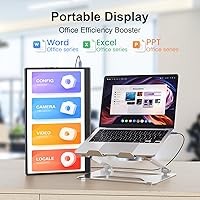
The UFYQL 15.6-inch FHD Portable Monitor is a strong fit for anyone whose productivity hinges on having a second screen but whose lifestyle makes a traditional monitor impractical. Remote workers and hybrid professionals who rotate between home, the office, and client sites will find the single-cable USB-C setup eliminates the usual hassle of configuring an external display on the fly. Students living in dorms or moving between campus spaces get a meaningful screen upgrade without dedicating shelf space or hauling bulky hardware. Console gamers who travel regularly and want a dedicated display for their Switch or PS5 — rather than relying on a hotel TV — will find this portable monitor more than capable for casual-to-moderate gaming sessions. Frequent flyers and digital nomads who already pack light will appreciate that this travel-friendly screen adds under 1.5 pounds to their bag while meaningfully expanding what they can accomplish on the road.
Not suitable for:

The UFYQL 15.6-inch FHD Portable Monitor is not the right tool for buyers whose work demands color accuracy, high brightness, or high refresh rates. Photographers, video editors, and graphic designers need a calibrated, wide-gamut panel — this display offers none of that, and its HDR implementation does not change the calculus. Anyone planning to use a portable monitor primarily in bright environments, near windows, or outdoors should reconsider, as 250 nits is simply not enough to fight ambient light reliably. Competitive gamers who have grown accustomed to 120Hz or 144Hz displays will find the 60Hz refresh rate a noticeable step back in fast-paced titles. Buyers looking for rich, room-filling audio from built-in speakers will also be disappointed — the built-in audio is functional but thin, and is best treated as a last resort rather than a primary listening solution.
Specifications

  • Screen Size: The display measures 15.6 inches diagonally, providing a practical working area for productivity and media consumption without becoming unwieldy to carry.
  • Resolution: Native resolution is 1920x1080 pixels (FHD), delivering sharp text and clear images across the full panel area at standard viewing distances.
  • Panel Type: The screen uses an IPS (In-Plane Switching) panel, which maintains consistent color and contrast when viewed from wide angles up to 178 degrees.
  • Refresh Rate: The display runs at a 60Hz refresh rate, which is standard for everyday computing, video streaming, and casual gaming use cases.
  • Brightness: Peak brightness is rated at 250 nits, which is adequate for indoor use in controlled lighting but falls short in bright or sunlit environments.
  • HDR Support: The monitor includes HDR (High Dynamic Range) support, offering a modest improvement in contrast and color depth on compatible content and devices.
  • Screen Surface: The panel features a matte anti-glare coating that reduces reflections from overhead lighting and nearby light sources during indoor use.
  • Dimensions: The monitor measures 14.1 x 8.8 x 0.52 inches, making it thin enough to slip into most standard laptop sleeve compartments.
  • Weight: Total weight is 1.41 pounds, light enough for daily bag carry without meaningfully adding to the load alongside a laptop and accessories.
  • Ports: Connectivity includes two full-featured USB-C ports and one Mini-HDMI port, supporting both signal and power delivery through a single USB-C cable on compatible devices.
  • Audio: Built-in dual speakers are integrated into the chassis, with a 3.5mm audio jack available for connecting headphones or external speakers.
  • Kickstand: An adjustable built-in kickstand supports tilt angles from 0 to 90 degrees, eliminating the need for a third-party monitor stand on flat surfaces.
  • Eye Care: The display incorporates blue light reduction and flicker-free technology to reduce eye strain during extended viewing or working sessions.
  • Aspect Ratio: The screen uses a standard 16:9 widescreen aspect ratio, compatible with the vast majority of video content, applications, and operating system layouts.
  • Compatibility: The monitor works with laptops, MacBooks, PCs, PS4, PS5, Xbox, Nintendo Switch, and Steam Deck, covering a broad range of consumer devices out of the box.
  • Setup: No drivers or additional software are required; the display functions as a plug-and-play device immediately upon connection via USB-C or Mini-HDMI.
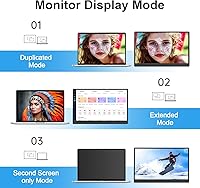
  • Display Modes: Supported display modes include duplicate, extended, second screen, and vertical orientation, configurable through the connected device's display settings.
  • Viewing Angle: The IPS panel supports a 178-degree viewing angle both horizontally and vertically, maintaining color accuracy across a wide range of seating positions.

Related Reviews
VisionOwl Portable Monitor 15.6-inch FHD
86%
89%
Display Quality
91%
Portability
88%
Ease of Setup
85%
Compatibility
92%
Connectivity Options
More
HTNZIR 15.6 Inch FHD Portable Monitor
81%
86%
Display Quality
92%
Portability & Size
80%
Build Quality
88%
Response Time (Gaming)
85%
Connectivity Options
More
MNN 15.6-inch Portable Monitor
74%
91%
Value for Money
89%
Portability & Weight
74%
Display Quality
61%
Brightness & Visibility
78%
USB-C Connectivity
More
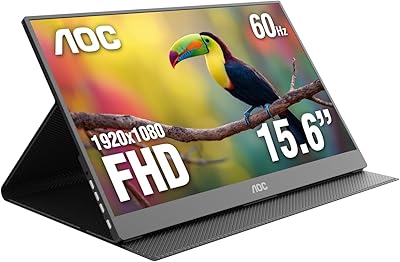
AOC 16T20 Portable Monitor 15.6-inch FHD
85%
92%
Portability & Weight
89%
Display Quality
88%
Ease of Setup
90%
Viewing Angles
85%
Compatibility with Devices
More
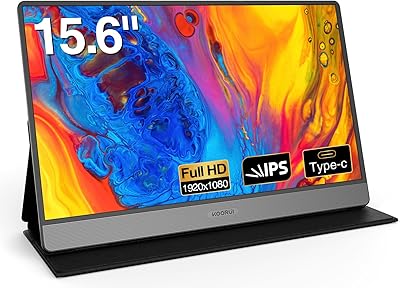
KOORUI 15.6-inch Portable Monitor 1080P FHD
83%
93%
Portability
89%
Display Quality
88%
Setup Ease
56%
Audio Quality
81%
Battery Life
More
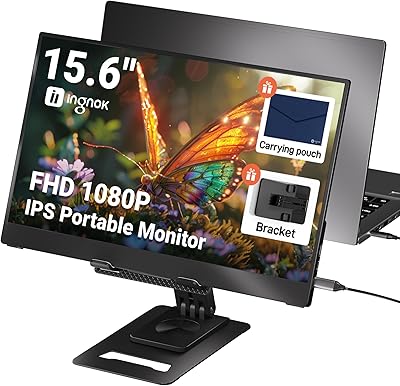
Ingnok YN02D 15.6-inch Portable Monitor
76%
93%
Portability & Form Factor
81%
Display Clarity
62%
Brightness & Visibility
89%
Setup & Plug-and-Play Experience
71%
Color Accuracy
More
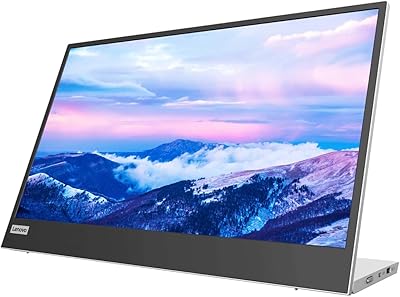
Lenovo L15 15.6-inch Portable Monitor
82%
83%
Display Quality
91%
Portability
88%
Stand & Ergonomics
86%
Connectivity
93%
Setup & Ease of Use
More
Kado K165W-FP 15.6-Inch Portable Monitor
79%
83%
Display Quality
91%
Portability & Weight
71%
Build Quality
74%
Kickstand Design
86%
Connectivity
More
QQH Z12-3 Portable Monitor 15.6 Inch FHD 1080P
85%
91%
Display Quality
89%
Portability
95%
Ease of Setup
84%
Build Quality
70%
Brightness
More
Topmonitor P15.6/2.5K Portable Monitor 15.6-inch 2560×1680
86%
94%
Display Quality
90%
Portability/Size/Weight
91%
Color Accuracy
87%
Connectivity (USB-C, HDMI)
85%
Build Quality
More

FAQ

Single-cable USB-C works cleanly as long as your laptop or device supports Thunderbolt 3 or a full-featured USB-C port that delivers both data and power. If your USB-C port only handles data or charging but not display output, you will need to use the Mini-HDMI connection alongside a separate USB-C power cable. Check your laptop specs before assuming one-cable operation.

Yes, the Switch is one of the more popular use cases for this portable monitor. You connect it via USB-C when the Switch is in docked mode, or through Mini-HDMI with the dock. It is a practical setup for gaming sessions away from home where you cannot rely on a TV.

Honestly, 250 nits is on the lower end for bright environments. It is perfectly usable in a typical office or dim room, but if you sit near a sunny window or plan to use it outdoors, you will likely find yourself squinting or repositioning to avoid washout. The matte surface helps with glare, but it cannot compensate for the brightness limitation entirely.

On a hard, flat surface like a desk or table, the kickstand is reliable and holds its angle without wobbling. Where it gets unreliable is on soft or uneven surfaces — a bed, a couch cushion, or a textured surface can cause it to shift or tip. For desk-only use, it works well.

They are functional, not impressive. You can follow dialogue in a video call or catch audio from a YouTube video without problems, but do not expect real volume or bass. Most users treat the 3.5mm jack as the practical audio solution and use the built-in speakers only when headphones are not around.

Yes, it works with MacBooks that have a Thunderbolt or full-featured USB-C port — which covers most MacBook Air and MacBook Pro models from the past several years. A single USB-C cable handles both display signal and power delivery, and macOS recognizes it without any driver installation.

It typically ships with a USB-C cable and a Mini-HDMI cable, covering the two main connection methods. However, a carrying case or protective sleeve is not included, which is a real gap given that portability is the whole point of this display. Consider picking up a sleeve separately if you plan to toss it in a bag daily.

Yes, portrait mode is supported. You rotate it physically and then adjust the display orientation in your operating system settings — on Windows this is straightforward through display settings, and macOS handles it similarly. It is a useful option for reading long documents or coding with more vertical line visibility.

Not directly — the monitor uses Mini-HDMI rather than full-size HDMI, so you would need a Mini-HDMI to HDMI adapter or cable to bridge the connection. That does add a small accessory cost and a bit of cable fuss, but it does work once you have the right adapter.

HDR on a 250-nit panel is a modest improvement rather than a dramatic one. You will notice slightly punchier colors and a bit more contrast depth in HDR-enabled content on a PS5 or compatible laptop, but do not expect the deep blacks and vivid highlights of a high-end HDR display. It is a nice extra feature at this price tier, just not a transformative one.