Overview

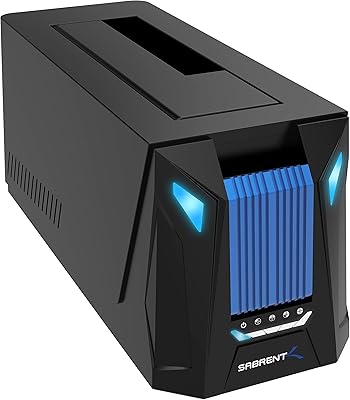
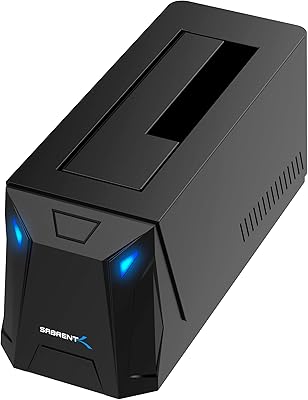
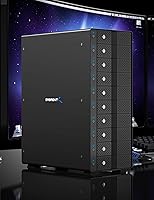
The SABRENT DS-UCTB 10-Bay SATA Docking Station sits in a category most buyers never knew they needed until they outgrow their fourth external drive. It is a prosumer-grade DAS enclosure — not a NAS, not a RAID box — built for people who want simple, individual access to up to ten 3.5-inch SATA drives over a single USB-C connection. The aluminum chassis and dual 120mm fans signal that Sabrent designed this for sustained professional workloads, not occasional use. It works across Windows, macOS, and Linux without any driver headaches. At its price tier, this is a deliberate tool for specific workflows, not an impulse buy for casual storage needs.
Features & Benefits

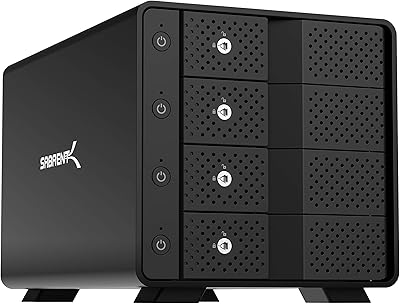
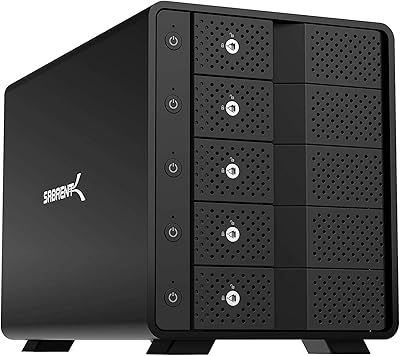
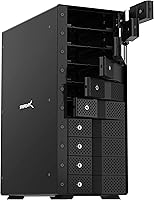
What makes this 10-bay docking station stand out in daily use is the per-bay control system. Each of the ten bays has its own power switch and LED indicator, so you can spin up only the drives you actually need rather than running the full array continuously. Physically, drives slide in tray-free and lock in place with a key locking mechanism — accidental ejection during active transfers is a real concern with cheaper docks, and Sabrent addressed it properly here. The aluminum body handles heat well, but the dual fans are audible under load; this is not a unit for a quiet home office. One important caveat: all ten bays share a single 10 Gbps bus, so simultaneous access across multiple drives will divide that bandwidth accordingly.

Best For

The Sabrent DS-UCTB makes the most sense for people managing large, independent drive collections — not unified storage pools. Video editors archiving raw footage across multiple project drives, IT staff who image or rotate drives regularly, and archivists pulling selective cold-storage drives on demand will find the individual power control genuinely useful. Home lab enthusiasts who want a centralized enclosure without spinning up a full NAS are also a natural fit. If you already own a stack of 3.5-inch SATA HDDs and have run out of practical ways to access them, this drive enclosure fills that gap cleanly. It is not the right tool if you need network access, drive redundancy, or remote management.

User Feedback

With over 3,000 ratings averaging 4.1 stars, the consensus is genuinely positive but not without real complaints. Buyers consistently praise the build quality and the reliability of drive recognition across operating systems — Mac, Windows, and Linux users all report consistent results. The individual bay switches get frequent positive mentions from IT and media workflows. On the other side, fan noise is the most common grievance; multiple reviewers describe the unit as loud enough to be distracting in quiet workspaces. A subset of users also flag bandwidth limitations when pulling from several drives at once — expected behavior, but it still catches buyers off guard. A few long-term owners have raised concerns about fan and power supply longevity, though Sabrent support is consistently noted as responsive when issues arise.

Pros

  • Ten independently switchable bays let you power only the drives you need, reducing unnecessary wear and idle energy draw.
  • Tray-less hot-swap with individual key locking prevents accidental drive ejection during active data transfers.
  • Aluminum construction dissipates heat effectively, keeping drives thermally stable during long, sustained workloads.
  • Reliable drive recognition reported consistently across Windows, macOS, and Linux with no special drivers required.
  • Per-bay LED indicators provide instant visual confirmation of which drives are active at any given moment.
  • Kensington lock slot and individual bay key locks add meaningful physical security in shared or professional office environments.
  • Supports up to 220 TB of raw storage across ten 3.5-inch SATA HDDs from a single enclosure.
  • USB 3.2 Gen 2 delivers up to 10 Gbps — more than sufficient throughput for demanding single-drive sequential workloads.
  • Sabrent customer support is consistently noted as responsive when drive compatibility edge cases arise.
  • Includes both USB-C and USB-A cables, broadening compatibility with a wide range of host systems right out of the box.

Cons

  • Fan noise under load is loud enough to be genuinely disruptive in quiet home office or studio environments.
  • All ten bays share a single 10 Gbps USB bus, capping real-world throughput sharply when accessing multiple drives at once.
  • At 11 pounds with a 13.4 x 10.5 x 5.7-inch footprint, this enclosure demands serious, dedicated desk space.
  • No hardware RAID support means users needing native redundancy must depend entirely on software-level solutions.
  • Some long-term owners have flagged concerns about fan and power supply durability after extended periods of continuous use.
  • Only supports 3.5-inch SATA drives — no compatibility with 2.5-inch HDDs, SATA SSDs in smaller form factors, or NVMe.
  • The premium price tier is difficult to justify for casual users who access their drives infrequently or in small numbers.
  • A single USB-C host connection means the entire array becomes inaccessible if that cable, port, or controller encounters a fault.

Ratings

Our scores for the SABRENT DS-UCTB 10-Bay SATA Docking Station are generated by AI after rigorously analyzing thousands of verified buyer reviews from global markets, with spam, incentivized, and bot-generated feedback actively filtered out. The result is a balanced picture that captures both what this drive enclosure genuinely excels at and the recurring frustrations real buyers have surfaced across multiple platforms. Nothing has been softened — the ratings reflect an honest, use-case-aware consensus.
Build Quality
88%
The aluminum chassis feels immediately solid and purposeful — not the lightweight plastic shell common on budget docks. Users running sustained overnight backup jobs consistently report that the exterior stays cool to the touch, and the fit and finish holds up well after months of regular use in professional storage workflows.
A pattern of longer-term owner feedback raises questions about internal component longevity — specifically the fans and power supply — after continuous extended operation. At 11 pounds unpopulated, the unit is also heavier than many buyers anticipate, making repositioning it on a shelf more physically involved than it initially looks.
Individual Power Control
92%
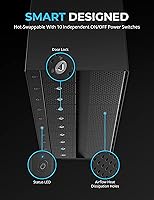
The per-bay power switches are the defining feature that sets this 10-bay docking station apart from generic enclosures — IT admins managing drive rotation schedules and video editors pulling from one archive at a time benefit enormously from this granular control. The status LED on each bay makes it effortless to confirm which drives are live at a glance.
There is no scheduling or automated power management built in — everything is controlled by physical switches, which means there is no way to power bays on or off remotely or on a timer. For users running all ten bays simultaneously, the selective power feature provides no energy-saving benefit whatsoever.
Noise Level
41%
59%
For users who place this 10-bay docking station in a dedicated server room, equipment closet, or behind a partition, the fan noise is essentially a non-issue — the unit simply runs in the background and does its job without requiring any additional acoustic treatment or management on the user's part.
In any shared or quiet workspace, the dual fans are loud enough to be a genuine daily irritant. Multiple reviewers specifically mention that the noise level rules out placing this drive enclosure in home offices, bedrooms, or studio environments — more than one buyer compared the sound to a budget rack server rather than a desktop accessory.
USB Bandwidth & Speed
67%
33%
For workflows that access drives one or two at a time — pulling archived footage from a specific project drive or running a focused single-disk backup — the USB 3.2 Gen 2 connection delivers real-world throughput that satisfies most content creators and IT professionals working with large files on an isolated basis.
All ten bays share a single 10 Gbps USB bus, so simultaneous multi-drive transfers divide that bandwidth across however many active drives are running — a reality that consistently catches buyers off guard. Users who need parallel high-speed access to several drives at once will hit a practical ceiling that the top-line spec does not make immediately obvious.
Value for Money
71%
29%
For the buyer this unit genuinely targets — someone actively rotating ten or more 3.5-inch HDDs who needs individual power control and a durable aluminum build — the value proposition holds up. Comparable alternatives with per-bay switching and solid construction are genuinely rare, which gives the premium pricing a defensible rationale for professional daily use.
Buyers who only need four to six bays, access drives infrequently, or primarily care about raw transfer speed will find the asking price hard to justify against cheaper alternatives that cover those narrower needs just as effectively. The premium is specifically tied to a full feature set — pay for features you will not use, and the value calculation quickly falls apart.
Drive Compatibility
83%
Across a broad range of reviews, users report reliable recognition with virtually every major 3.5-inch SATA HDD brand — Seagate, WD, Toshiba, and HGST among them — without any special configuration. Even older SATA I drives that can be finicky in cheaper enclosures are reported to mount cleanly on first insertion.
The enclosure is strictly limited to 3.5-inch SATA HDDs, with no support for 2.5-inch drives, SATA SSDs, or NVMe in any form. Users hoping to mix drive types or run a hybrid HDD and SSD workflow from a single enclosure will need to look elsewhere — this is a hard constraint, not a workaround.
Thermal Management
76%
24%
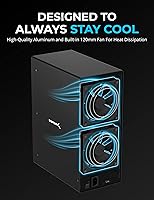
Drive temperatures during long transfer sessions stay within safe operating ranges for most users, with the aluminum chassis providing passive heat dissipation alongside the active airflow from the dual 120mm fans. IT administrators running multi-hour disk imaging jobs report drives remaining well within manufacturer thermal specifications throughout.
Effective thermal management comes at a direct acoustic cost — the fans run at a consistent, audible speed regardless of actual thermal load, with no variable speed control reported. Users cannot trade a lighter workload for a quieter fan profile, meaning the noise floor stays elevated even when only a few bays are occupied.
Ease of Setup
86%
Driver-free plug-and-play setup works consistently across Windows, macOS, and Linux — drives appear as independent volumes within seconds of powering on a bay, with no configuration required. The tray-less bay design means inserting or removing a drive is genuinely fast and requires no tools, even for users handling multiple drives in a single session.
The physical size and cable management demands make initial placement more involved than many buyers expect — at 13.4 inches long and 11 pounds, finding a practical permanent home for it requires real planning. The included manual is described by several users as sparse, leaving software RAID setup and advanced disk management workflows entirely to self-research.
Hot-Swap Reliability
84%
Tray-less hot-swapping performs as advertised for the overwhelming majority of users — drive insertion and ejection are smooth, and operating systems respond to bay power-cycle events reliably across all three supported platforms. The per-bay locking mechanism adds meaningful confidence for IT professionals who need drives to stay firmly seated through long active sessions.
A subset of users report occasional drive recognition delays following a hot-swap, requiring a manual bay power cycle before the OS properly mounts the newly inserted drive. These occurrences appear infrequent but are worth flagging for workflows where fast, predictable hot-swap turnaround is operationally critical.
OS Compatibility
89%
Cross-platform support without proprietary drivers is one of the cleaner aspects of this drive enclosure — Windows 10 and 11, recent macOS versions, and major Linux distributions all recognize inserted drives immediately as independent volumes with zero configuration. Mixed-OS creative studios and IT shops consistently report no compatibility friction across platforms.
While driver-free compatibility is broad, advanced use cases — software RAID configuration, drive health monitoring, or automated power scheduling — require third-party tools or OS-native utilities that Sabrent neither provides nor documents. Linux users working with edge-case configurations in particular may need to invest time in self-directed troubleshooting.
Security Features
79%
21%
The combination of individual bay key locks and a Kensington cable lock slot gives this drive enclosure a level of physical security that most competing units at this price point simply omit. For IT departments managing sensitive data drives in shared office environments, the per-bay lockout capability is a genuinely practical and underappreciated feature.
Security is entirely physical — there is no software-level access control, drive encryption management, or access logging built into the enclosure itself. Environments requiring data-at-rest encryption or auditable drive access records must handle those requirements entirely at the OS or individual drive firmware level, with no assistance from the hardware.
Long-Term Reliability
63%
37%
Most users who have run the Sabrent DS-UCTB for a year or more report that the core enclosure functions consistently — bay recognition remains reliable, the chassis shows no structural wear, and day-to-day drive access remains stable. Sabrent customer support receives notably positive mentions from buyers who encounter edge-case compatibility issues.
A recurring pattern across long-term owner reviews points to the fans and power supply as the components most likely to show degradation over time, particularly in units operating continuously or near-24/7. This pattern appearing across multiple review platforms warrants caution for buyers planning mission-critical or always-on deployments.
Cable & Accessories
77%
23%
Including both a USB-C to USB-C and a USB-A cable out of the box extends immediate compatibility to a wider range of host machines, including older workstations that lack USB-C ports entirely. The included bay security key and printed manual round out a thoughtfully assembled package that does not feel stripped-down for a premium product.
The included cables are functional but uninspiring — several users note that cable quality feels average relative to the overall price tier of the enclosure. Only one cable of each type is included, so users who need a longer run or a backup cable will need to source those separately at additional cost.
Physical Footprint
58%
42%
For users with a dedicated shelf, side rack, or secondary workbench reserved for storage equipment, the physical presence of this 10-bay docking station is a non-issue — it sits stable, presents a professional appearance, and the aluminum finish holds up well in a fixed installation over time.
At 13.4 x 10.5 x 5.7 inches and 11 pounds before any drives are installed, this is genuinely large hardware that demands a committed permanent footprint. Buyers working from compact desks or shared workspaces have repeatedly noted that finding a practical home for it — one that also accommodates cable management — requires real advance planning.

Suitable for:

The SABRENT DS-UCTB 10-Bay SATA Docking Station is built for users who need centralized, independent access to a large number of physical drives without the overhead of a hardware RAID setup or a full NAS deployment. Video editors and content creators managing sprawling offline media libraries will appreciate being able to power individual drives on demand rather than spinning up the entire array every session. IT administrators who regularly rotate backup drives, image multiple disks for deployment, or archive data across many independent volumes will find the per-bay power switches genuinely time-saving in practice. Archivists, researchers, and home lab enthusiasts who have accumulated a substantial collection of 3.5-inch SATA HDDs — and need a clean, organized way to access them from a single USB-C port — are exactly who this enclosure was designed for. Cross-platform support for Windows, macOS, and Linux makes it a practical fit for mixed-environment shops and creative studios without any driver headaches.
Not suitable for:

If your workflow depends on network-accessible storage, built-in drive redundancy, or remote management capabilities, the SABRENT DS-UCTB 10-Bay SATA Docking Station is the wrong tool — it is a direct-attached device with no networking capability whatsoever, and it should not be confused with a NAS. Buyers hoping for hardware RAID will be disappointed; this drive enclosure intentionally omits it, leaving only software RAID as an option for those who need it. The fan noise under sustained load is significant enough that anyone working in a quiet home office, podcast studio, or noise-sensitive environment should seriously reconsider before purchasing. Because all ten bays share a single 10 Gbps USB bus, users who routinely need to transfer data from multiple drives simultaneously will hit bandwidth ceilings faster than the spec sheet implies. Finally, buyers with simpler needs — two to four drives accessed occasionally — will find cheaper, quieter alternatives far more practical at a fraction of the cost.
Specifications

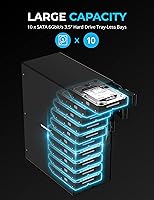
  • Drive Bays: The enclosure features 10 tray-less, hot-swappable bays, each with an individual locking mechanism to prevent accidental ejection.
  • Drive Type: Compatible exclusively with 3.5-inch SATA I, II, and III hard disk drives; 2.5-inch drives and SSDs of any form factor are not supported.
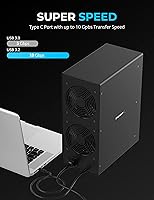
  • Interface: Connects to a host computer via USB 3.2 Gen 2, with both a USB-C and a USB-A port available on the enclosure for flexibility.
  • Transfer Rate: The shared USB bus delivers a maximum of 10 Gbps total bandwidth across all active bays simultaneously.
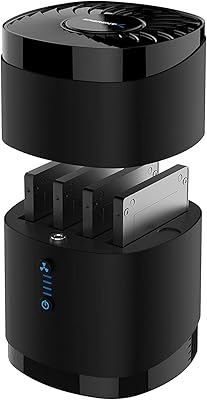
  • Cooling System: Dual 120mm fans provide active airflow across all ten drive bays to maintain thermal stability under sustained workloads.
  • Enclosure Material: The outer chassis is constructed from high-quality aluminum, which aids passive heat dissipation and contributes to overall structural durability.
  • Power Control: Each of the ten bays has a dedicated ON/OFF switch and LED indicator, plus a single master power switch for the entire unit.
  • LED Indicators: One status LED per bay provides visual confirmation of whether a drive in that slot is currently powered and active.
  • RAID Support: No hardware RAID is included by design; each drive appears as an independent volume, though software RAID can be configured through the host operating system.
  • Security: Each bay includes a physical key lock to secure individual drives in place, and a Kensington lock slot is built into the chassis for cable-lock security.
  • OS Support: Compatible with Windows, macOS, and Linux operating systems without requiring proprietary drivers for basic drive recognition and access.
  • Max Capacity: The enclosure can accommodate up to 220 TB of total raw storage across all ten populated bays, depending on installed drive capacities.
  • Power Input: Accepts 100–240V AC input via an included external power supply, making it compatible with standard outlets globally.
  • Dimensions: The unit measures 13.4 x 10.5 x 5.7 inches (L x W x H), requiring substantial dedicated space on a desk, shelf, or equipment rack.
  • Unit Weight: The enclosure weighs 11 pounds unpopulated, so expect considerably more mass once drives are installed.
  • In the Box: Package includes the docking station, a USB-C to USB-C cable, a USB-A cable, a power cord, a bay security key, and a printed user manual.

Related Reviews

SABRENT DS-4SSD 4-Bay 2.5″ Drive Docking Station
80%
93%
Plug-and-Play Setup
71%
Drive Compatibility
67%
Transfer Performance
79%
Build Quality
84%
Cooling Effectiveness
More
Sabrent DS-SC4B 4-Bay USB 3.2 Gen 2 Docking Station
80%
88%
Build Quality
83%
Cooling Performance
86%
Hot-Swap Reliability
74%
Transfer Speed
91%
Per-Bay Power Control
More
SABRENT DS-SC5B 5-Bay Hard Drive Docking Station
76%
88%
Build Quality
83%
Cooling Performance
61%
Noise Level
84%
Hot-Swap Usability
74%
Transfer Speed
More
Sabrent DS-UNHC USB-C Docking Station
80%
91%
Drive Compatibility
67%
Offline Clone Reliability
84%
Transfer Speed
78%
Thermal Management
72%
Build Quality
More
SABRENT DS-UC1B USB-C Hard Drive Docking Station
81%
88%
Plug-and-Play Reliability
79%
Transfer Speed Performance
74%
Build Quality & Materials
86%
Hot-Swap Functionality
83%
Compatibility Range
More
SABRENT DS-UFNC
SABRENT DS-UFNC
80%
93%
Drive Compatibility
89%
Offline Clone Function
71%
Transfer Speed (Real-World)
94%
Ease of Setup
76%
Build Quality & Materials
More
Sabrent EC-DFLT USB 3.0 SATA Hard Drive Docking Station
77%
93%
Ease of Setup
88%
Drive Compatibility
76%
Transfer Speed
67%
Build Quality
71%
Power Delivery
More
StarTech SDOCK2U33EB Dual-Bay Hard Drive Docking Station
78%
83%
Hot-Swap Reliability
88%
Drive Compatibility
74%
Transfer Performance
76%
Build Quality
93%
Ease of Setup
More
WAVLINK WL-ST334UA Dual-Bay USB 3.0 Hard Drive Docking Station
72%
83%
Offline Cloning Reliability
74%
Transfer Speed
79%
Build Quality
91%
Ease of Setup
38%
Mac Compatibility
More
ICY DOCK flexiDOCK MB830SP-B 3-Bay 3.5 Inch SATA/SAS HDD Docking Enclosure
83%
93%
Ease of Installation
88%
Build Quality
87%
Performance & Speed
79%
Cooling Efficiency
65%
Noise Levels
More

FAQ

The SABRENT DS-UCTB 10-Bay SATA Docking Station works natively on Windows, macOS, and Linux without requiring any proprietary drivers — plug it in via USB-C and your OS will recognize each installed drive as a separate, independent volume. No special software setup is needed for basic access on any of those three platforms.
No — that is the most important technical caveat to understand before buying. All ten bays share a single USB 3.2 Gen 2 bus with a total ceiling of 10 Gbps, so that bandwidth is divided across however many drives are actively transferring at the same time. If you are mostly accessing one or two drives at a time, the speed is solid. If you regularly need to read or write across many drives simultaneously, you will hit that ceiling quickly.

The fans are genuinely audible — this is not a quiet unit. Under sustained load with several drives running, most users describe the noise level as comparable to a small server or a loud desktop tower. In a dedicated equipment room or storage closet, that is perfectly manageable. In a quiet home office or any kind of recording environment, the fan hum will likely be a persistent irritation.

No. This drive enclosure is built specifically for 3.5-inch SATA HDDs and will not accommodate 2.5-inch hard drives, SATA SSDs, or NVMe drives in any configuration. If you need SSD support, you will need a different product designed for those form factors.

There is no hardware RAID in this 10-bay docking station — that is an intentional design decision, not an oversight. Each drive shows up as a completely independent volume to your computer. If you want RAID, you can configure it through your operating system using tools like Windows Storage Spaces or macOS Disk Utility, but the enclosure itself plays no role in that. For true hardware RAID, you would need a different class of device entirely.

Yes, fully. You can flip the individual bay switch off, remove or swap a drive, reinsert the new one, and power the bay back on — your OS will detect it without any need to restart the system or disconnect the enclosure. The per-bay key locks also mean you can physically secure a drive in place when you do not want it accidentally ejected.

No special software or drivers are required for standard use on any of the three supported operating systems. The Sabrent DS-UCTB presents each drive to your computer as a standard external USB storage device, so your OS handles everything natively. If you want to set up software RAID or use disk health monitoring, you would use whatever utilities your operating system or a third-party tool already provides.

It is a large unit — 13.4 x 10.5 x 5.7 inches and 11 pounds before any drives are installed. Think roughly the size of a compact desktop PC chassis lying on its side. Most users put it on a dedicated shelf, a nearby equipment rack, or a side table rather than directly on their main desk. Make sure to also account for the USB cable run and some airflow clearance around the fans.

No — this is a direct-attached storage device, not a NAS. It connects to one computer via USB and is only accessible from that single host machine. There is no Ethernet port, no Wi-Fi, and no built-in sharing software. If network access to your drives is a requirement, you would need a dedicated NAS device or would have to share the connected drives manually through your host computer.

Not at all. Since there is no hardware RAID linking the bays, each drive operates in complete isolation from the others. A single failed drive simply goes offline on its own — the remaining nine stay fully accessible and unaffected. This drive isolation is one of the genuine practical strengths of a no-RAID direct-attached design, particularly for backup rotation and archiving workflows.

Where to Buy