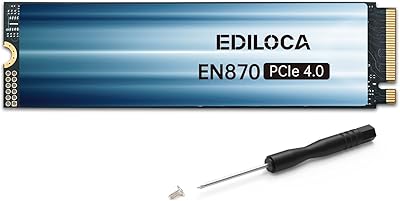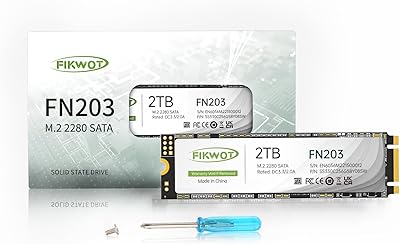
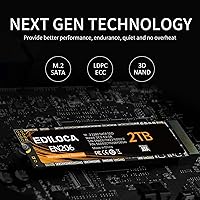
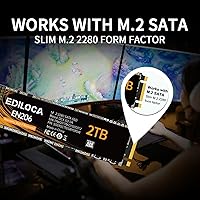
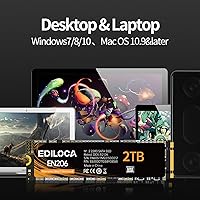
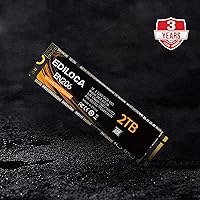
Overview

The Ediloca EN206 2TB M.2 SATA SSD enters a storage market full of options but manages to stand out by offering a large capacity at a price that won't force you to choose between space and budget. One thing worth clarifying upfront: this is an M.2 SATA drive, not NVMe. The physical connector may look similar, but the underlying interface is different, and the performance ceiling is lower. If your ultrabook or mini PC only has a SATA-based M.2 slot, that distinction is actually irrelevant — this drive fits perfectly. With a 4.5-star rating from over 1,000 verified buyers and a top-150 rank in Internal SSDs, the real-world reception has been solid.

Features & Benefits

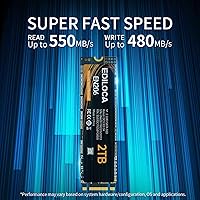
The EN206 runs on the SATA III 6Gb/s interface, topping out at around 550 MB/s read and 480 MB/s write — respectable numbers for a SATA-class drive, even if they won't impress anyone comparing it to NVMe. The flash is 3D NAND TLC paired with LDPC error correction, which adds a meaningful layer of protection against corrupted data over time. Installation is straightforward; the 2280 form factor slots in without any case or bracket in most compatible systems. It weighs just over an ounce, so it adds nothing noticeable to a thin laptop. Compatibility covers Windows 7 through the latest versions, and a 3-year warranty backs the whole package.

Best For

This M.2 SATA drive makes the most sense in two situations: you have a system that physically only supports a SATA M.2 slot, or you need a high-capacity secondary drive without paying NVMe prices. Think older ultrabooks, budget mini PCs, or even a tablet with an M.2 slot that caps out at SATA speeds regardless of what you install. It works well as a home for media libraries, game installs you don't mind loading a bit slower, or a large backup volume. Students and light professionals who just need reliable, roomy storage for everyday files will find 2TB of space more than sufficient here.

User Feedback

Buyers who've installed the EN206 consistently highlight effortless installation — most report it was detected immediately with no driver fiddling required. The speed jump over an old spinning hard drive is genuinely noticeable, especially at boot and when launching applications. That said, a handful of reviewers note that real-world speeds don't always reach the advertised ceiling under sustained load, which is a known characteristic of TLC NAND. The larger gap in transparency is Ediloca's silence on TBW endurance and DRAM cache — two specs many buyers reasonably want to see. For everyday use, this Ediloca SSD earns its rating, though it isn't positioned as a long-haul workhorse.

Pros

  • A full 2TB of storage fits comfortably in a single M.2 2280 slot, which is rare at this price tier.
  • Installation is genuinely simple — most users report the drive is detected immediately after seating it.
  • Upgrading from a spinning hard drive delivers a noticeable difference in boot times and app launches.
  • 3D NAND TLC with LDPC error correction adds meaningful data protection for everyday storage tasks.
  • The 3-year limited warranty provides reasonable peace of mind for a budget-category drive.
  • At just over an ounce, the EN206 adds no meaningful weight to thin laptops or compact systems.
  • Compatible with a wide range of Windows versions, including older operating systems still in active use.
  • Works well as a high-capacity secondary drive alongside a faster NVMe primary in desktop builds.
  • The 2280 form factor is widely supported, making physical fitment a non-issue in most compatible devices.

Cons

  • Ediloca does not publish a TBW endurance rating, making it hard to assess long-term reliability objectively.
  • No DRAM cache is confirmed, which can cause write speed dips during sustained large-file transfers.
  • Real-world speeds under heavy load fall short of the advertised sequential maximums fairly consistently.
  • SATA III is the hard performance ceiling here — no firmware or setting can change that fundamental limit.
  • Brand recognition is limited, and long-term support or warranty claim experience is harder to verify than with established names.
  • Not a viable choice for systems that support NVMe, where spending a little more gets significantly faster drives.
  • The absence of detailed technical documentation makes it difficult for power users to evaluate or tune the drive.
  • Sustained write workloads, such as large video renders or bulk file copies, may expose TLC throttling behavior.

Ratings

The Ediloca EN206 2TB M.2 SATA SSD scores below are generated by AI after systematically analyzing verified buyer reviews from multiple global markets, with spam, bot-submitted, and incentivized feedback actively filtered out. Ratings reflect the full spectrum of real user experience — strengths and frustrations weighted equally — so you get an honest picture of what this M.2 SATA drive actually delivers day to day.

Value for Money
88%
For a 2TB internal SSD at this price tier, the EN206 consistently earns praise from buyers who compare it against similarly priced alternatives and come away satisfied. Students and home users especially appreciate getting large-capacity solid-state storage without stretching their budget to cover NVMe pricing.
A small but vocal group of reviewers feel the value equation weakens once you account for the missing TBW rating and unconfirmed DRAM cache — details that matter when estimating how long the drive will realistically last under sustained daily use.
Read & Write Speed
71%
29%
Buyers migrating from mechanical hard drives report a dramatic improvement in boot times and application launches, and sequential read performance in everyday tasks does come close to the advertised 550 MB/s ceiling for large file reads. For typical home office and media consumption workloads, the speed feels perfectly adequate.
Real-world write speeds under sustained load fall noticeably short of the 480 MB/s advertised figure, a pattern consistent with TLC NAND behavior without a large DRAM buffer. Users copying large video libraries or doing bulk file transfers notice the slowdown fairly quickly.
Installation Ease
93%
This is arguably the EN206's strongest suit in user feedback: the vast majority of buyers, including self-described non-technical users, report the drive was detected immediately after being seated in the M.2 slot with no driver installation or BIOS changes required. The caseless 2280 form factor slots cleanly into supported devices.
A small number of users ran into compatibility issues with specific older ultrabook models where the M.2 slot pinout or BIOS version caused detection problems, though these cases appear to be edge cases rather than a systemic issue.
Compatibility
82%
18%
The standard M.2 2280 form factor fits the vast majority of ultrabooks, mini PCs, and compact desktops that use SATA-based M.2 slots, and Windows 7 through current versions are all supported without additional configuration. Buyers using it as a secondary drive in desktop builds also report clean plug-and-play detection.
Compatibility concerns surface when buyers mistakenly install it in NVMe-only slots — the drive won't work, and Ediloca's product listing could do more to make the SATA-only limitation clearer before purchase. macOS and some proprietary laptop connectors are also outside its supported range.
Long-Term Reliability
61%
39%
The 3D NAND TLC with LDPC error correction gives the drive a reasonable foundation for data integrity under normal workloads, and a 3-year warranty provides a baseline safety net that reassures buyers who are using it for documents, photos, and light media storage.
The absence of a published TBW endurance rating is a recurring complaint among more technically aware buyers, making it genuinely difficult to assess how the drive will hold up over three to five years of regular use. Without DRAM cache confirmation either, heavy write users face meaningful uncertainty about long-term performance consistency.
Build & Form Factor
84%
The bare-board M.2 design is compact, lightweight at just over an ounce, and fits neatly into tight chassis without requiring a housing or bracket. Buyers installing it in slim ultrabooks appreciate that it adds nothing noticeable in terms of weight or thickness.
The lack of any protective casing means the drive's components are exposed during handling, which makes careful installation more important than with enclosed drives. A few buyers noted the bare PCB aesthetic feels less premium compared to drives with aluminum heat spreaders.
Thermal Performance
67%
33%
In light daily workloads — web browsing, document access, casual media playback — the EN206 runs cool and doesn't appear to throttle, which is consistent with the relatively modest performance envelope of SATA-class drives in general.
During prolonged sequential write sessions, such as copying a large media library, a handful of users report speed drops that suggest thermal or TLC cache saturation, though the drive does recover once the workload eases. No thermal padding or heatspreader is included to help manage heat in tighter chassis.
Advertised vs Real Speed
58%
42%
For sequential reads of large single files, the drive does approach its rated ceiling reasonably closely, which is consistent with how SATA III drives behave under ideal benchmark conditions. Buyers doing straightforward file transfers of large video files tend to be satisfied.
The gap between advertised and real-world write speeds is a recurring theme in critical reviews, particularly during mixed or sustained workloads. Some buyers feel the marketing oversells the performance, and the missing DRAM cache detail makes it harder to contextualize the slowdowns.
Warranty & Support
69%
31%
A 3-year limited warranty is a reasonable commitment for a drive in this price tier, and Ediloca's pre-shipment testing claim gives buyers some baseline confidence that obvious defects are screened before the drive ships.
Actual warranty claim experiences are harder to verify given Ediloca's limited brand history and documentation compared to established storage manufacturers. Customer support responsiveness and RMA turnaround times are not well-documented in the public review record.
Software & Extras
41%
59%
The drive works out of the box without any proprietary software requirement, which keeps things simple for users who just want to install and go without managing additional applications.
There is no companion software offered — no cloning utility, health monitoring tool, or secure erase application — which puts the EN206 at a disadvantage compared to competitors that bundle at least a basic drive management suite. For less experienced users migrating data from an old drive, this gap is a genuine inconvenience.
Packaging & Unboxing
74%
26%
Most buyers report the drive arrives well-protected and in clean condition, with the retail packaging doing a competent job of preventing shipping damage for such a small, fragile component.
The packaging offers nothing extra — no mounting screw, no installation guide, no quick-start card — which means first-time upgraders need to source a retention screw separately if their device doesn't already have one available, a minor but unnecessary friction point.
Noise & Vibration
97%
As a solid-state drive with no moving parts, the EN206 operates in complete silence under all workloads, which buyers upgrading from mechanical hard drives consistently flag as one of the most immediately noticeable quality-of-life improvements after installation.
There is genuinely little to criticize here — silent operation is inherent to SSD technology, and no buyers have raised concerns about abnormal vibration or acoustic issues with this drive specifically.

Suitable for:

The Ediloca EN206 2TB M.2 SATA SSD is a practical choice for anyone who needs to breathe new life into a system constrained by a SATA-only M.2 slot — a situation more common than many buyers realize, especially with older ultrabooks, budget mini PCs, and compact tablets. If your device physically cannot use an NVMe drive, this M.2 SATA drive gives you 2TB of fast, reliable storage without requiring a system replacement. It also works well as a secondary drive in a desktop or laptop that already has an NVMe boot drive, handling media libraries, archived files, or game installs that don't demand top-tier load speeds. Students managing large project files, freelancers archiving video or photo work, and everyday home users who simply ran out of space will all find it a straightforward upgrade. The plug-and-play installation makes it accessible even for people who have never opened a laptop before.

Not suitable for:

The Ediloca EN206 2TB M.2 SATA SSD is the wrong tool if raw speed is your priority. Anyone building or upgrading a system with a free M.2 NVMe slot should strongly consider a NVMe drive instead — the performance gap is substantial, and the price difference has narrowed considerably. Competitive PC gamers, video editors working with 4K timelines, or professionals running storage-intensive workloads will hit the ceiling of what SATA can deliver and likely feel the limitation in daily use. Buyers looking for long-term endurance data — published TBW ratings, DRAM cache confirmation, or detailed reliability benchmarks — will find Ediloca's spec sheet frustratingly thin. If you need a primary drive in a high-performance build, this M.2 SATA drive simply isn't the right fit regardless of its capacity.

Specifications

  • Capacity: The drive provides 2TB of usable storage space for files, applications, and media.
  • Form Factor: It uses the M.2 2280 form factor, measuring 22mm wide and 80mm long, which is the most common M.2 size.
  • Interface: It connects via the SATA III 6Gb/s interface, which is distinct from and slower than the NVMe protocol.
  • Sequential Read: Rated sequential read speed reaches up to 550 MB/s under optimal conditions.
  • Sequential Write: Rated sequential write speed reaches up to 480 MB/s under optimal conditions.
  • Flash Type: Storage cells use 3D NAND TLC (Triple-Level Cell) flash memory architecture.
  • Error Correction: Built-in LDPC (Low-Density Parity-Check) error correction helps maintain data integrity during read and write operations.
  • Weight: The drive weighs 1.06 oz (approximately 30g), adding negligible mass to portable systems.
  • Dimensions: Physical package dimensions measure 4.53 x 2.64 x 0.75 inches including retail packaging.
  • Color: The drive is finished in black, which is standard for the M.2 2280 bare-board form factor.
  • OS Support: Compatible with Windows 7, Windows 8, Windows 10, and later versions of the Windows operating system.
  • Compatible Devices: Designed for use in ultrabooks, tablet computers, and mini PCs equipped with an M.2 SATA slot.
  • Installation Type: This is an internal drive requiring physical installation into an M.2 slot inside the host device.
  • Warranty: Ediloca covers the drive with a 3-year limited warranty backed by pre-shipment quality testing.
  • DRAM Cache: Ediloca does not officially disclose whether this drive includes a DRAM cache buffer.
  • TBW Rating: No official Terabytes Written endurance rating is published by the manufacturer for this model.
  • ASIN: The Amazon Standard Identification Number for this product is B0C9CW4D43.

Related Reviews
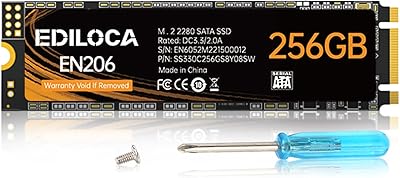
Ediloca EN206 256GB M.2 SATA SSD
74%
88%
Value for Money
74%
Read/Write Performance
69%
Compatibility
91%
Installation Ease
77%
Build Quality
More
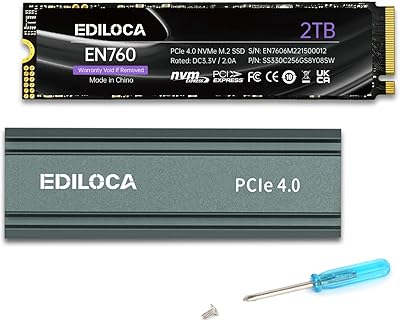
Ediloca EN760 2TB M.2 NVMe SSD
80%
88%
Read Speed Performance
74%
Write Speed Performance
93%
PS5 Compatibility
82%
Heatsink Quality
86%
Value for Money
More
Ediloca EN870 2TB NVMe M.2 SSD
78%
88%
Sequential Read Speed
79%
Sequential Write Speed
91%
Value for Money
93%
PS5 Compatibility
86%
Installation Ease
More
Fikwot FN203 2TB M.2 SATA SSD
88%
88%
Sequential Read Speed
84%
Sequential Write Speed
90%
Durability
87%
Data Integrity/Error Correction
95%
Ease of Installation
More
ORICO Y20M 2TB M.2 SATA SSD
81%
88%
Value for Money
83%
Compatibility Clarity
79%
Read & Write Speed
91%
Installation Experience
74%
Long-term Reliability
More
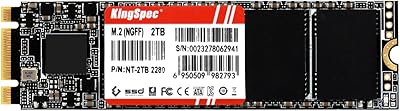
KingSpec NT 2TB M.2 2242 SATA SSD
78%
88%
Value for Money
91%
Form Factor Compatibility
74%
Read & Write Speed
86%
Installation Experience
71%
Endurance & Longevity
More
KingSpec NT 2TB M.2 2280 SATA SSD
74%
88%
Value for Money
74%
Read & Write Speed
61%
Compatibility
86%
Installation Experience
63%
Long-term Reliability
More
Timetec JM600 2TB M.2 2280 SATA SSD

82%
91%
Value for Money
83%
Read Speed Performance
61%
Sustained Write Speed
93%
Installation Ease
69%
Long-Term Reliability
More
dockteck DH0002 M.2 NVMe/SATA SSD Enclosure

84%
88%
Transfer Speed (NVMe)
76%
SATA Drive Performance
83%
Build Quality
93%
Ease of Setup
79%
Thermal Management
More
SanDisk 2TB SSD Plus M.2 NVMe SSD
86%
89%
Performance
92%
Ease of Installation
88%
Reliability
91%
Value for Money
90%
Capacity
More

FAQ

You need to check whether your laptop has an M.2 slot that runs on the SATA protocol. The easiest way is to look up your laptop model's specifications on the manufacturer's support page and search for the M.2 slot type. If it says M.2 SATA or lists B-key or B+M-key slots, this drive will work. If your slot is NVMe only, it won't be compatible.

M.2 is just the physical shape of the connector — both SATA and NVMe drives can use it, but they run on completely different protocols. NVMe is significantly faster, often three to five times quicker for sequential transfers. For everyday tasks like browsing, document editing, and light media work, the difference is less obvious, but for large file transfers or demanding applications, NVMe pulls well ahead. If your system supports NVMe, it's worth considering whether this Ediloca SSD's SATA interface meets your actual speed needs.

Generally, all you need is a small Phillips-head screwdriver to open your device and a tiny screw to secure the M.2 card in place. The drive itself requires no external housing or cables since it connects directly to the M.2 slot on your motherboard. Most users find the process straightforward, though it's always a good idea to watch a disassembly video specific to your laptop model before starting.

Ediloca officially lists compatibility with Windows 7 through current versions. That said, M.2 SATA drives are hardware-agnostic at the storage level, so Linux will generally recognize and use the drive without issues. For macOS, compatibility depends heavily on your specific Mac model and whether it uses a proprietary connector — most modern Macs do not use a standard M.2 slot, so this drive likely won't physically fit.

Yes, it can serve as a primary boot drive in any compatible system. Boot times will be much faster than a traditional hard disk, and the system will feel noticeably more responsive day to day. Just keep in mind that it operates at SATA speeds, so if you have a system that supports NVMe, using an NVMe drive as your boot volume would give you snappier performance overall.

Ediloca offers a 3-year limited warranty, so you would contact their support team to initiate a claim. As with most budget-tier brands, the process and turnaround time may vary, and the warranty covers manufacturing defects rather than physical damage or data recovery. It is always worth keeping a backup of important files regardless of which drive brand you choose.

TLC NAND is the most common flash type in consumer SSDs today, including many well-regarded mainstream drives. It is entirely suitable for typical home and office workloads. The EN206 includes LDPC error correction to catch and fix bit errors before they become data problems. The main caution with TLC is that it has lower write endurance than MLC or SLC flash, but for moderate daily use, most buyers will never approach the drive's practical write limit within its usable life.

Technically yes — if you place the M.2 SATA drive into a compatible M.2 SATA USB enclosure, it will function as external storage. Just make sure the enclosure explicitly supports M.2 SATA rather than NVMe, as they are not interchangeable. This can be a practical option if you later upgrade your laptop's internal drive and want to repurpose this one.

Like all TLC-based SSDs, write performance can dip somewhat when the drive is nearly full because less free space is available to use as a write buffer. Keeping at least 10 to 15 percent of the drive free is a good habit that helps maintain consistent performance. For everyday reading tasks, a full drive performs essentially the same as a partially full one.

In practice, sequential read speeds tend to come close to the advertised figure for large, contiguous file reads, but everyday mixed workloads — opening apps, copying varied file types, browsing saved data — typically land lower than the headline number. This is normal for any SATA drive and not unique to this model. If you are migrating from a spinning hard disk, you will still notice a substantial improvement in responsiveness and transfer times.