
Overview

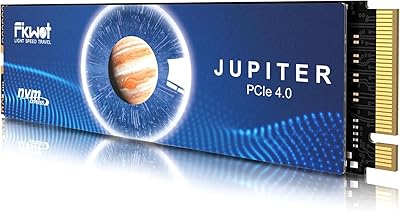
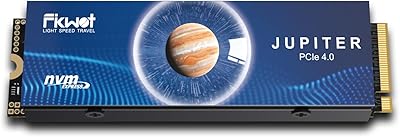
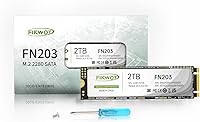
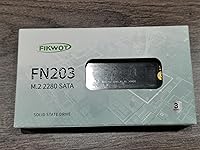
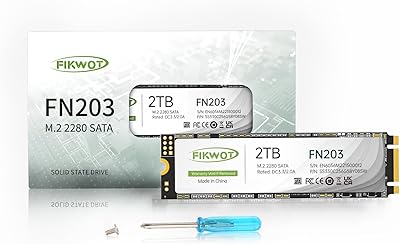
The Fikwot FN203 2TB M.2 SATA SSD is a straightforward, value-oriented storage upgrade aimed at users who need generous capacity in a compact form factor without overspending. Before buying, one thing is worth understanding: M.2 is a physical shape, not a speed standard. A drive can be M.2 and still run on the older SATA protocol rather than the faster NVMe/PCIe pathway. This Fikwot SSD falls into that SATA category, which means it tops out at the SATA III ceiling of roughly 550MB/s — well below what modern NVMe drives achieve, but still a massive step up from any spinning hard drive.

Features & Benefits

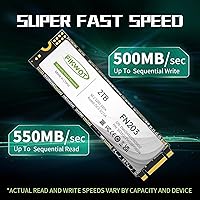
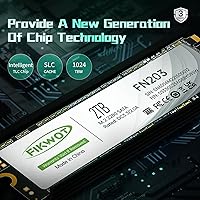
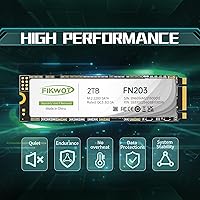
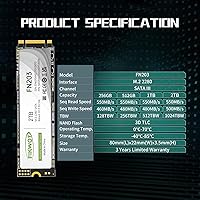
The FN203 2TB runs on a SATA III 6Gb/s interface, delivering sequential reads of up to 550MB/s and writes up to 480MB/s. Under the hood, it uses 3D NAND TLC flash paired with SLC caching, which helps maintain snappy performance during everyday tasks like opening apps or copying smaller files. For large sustained transfers — think moving hundreds of gigabytes at once — write speeds will dip once the SLC cache fills, which is normal behavior for TLC drives in this price range. LDPC error correction adds a layer of data integrity protection, and the drive carries a 300TBW endurance rating backed by a 3-year warranty upon registration.

Best For

This M.2 SATA drive makes the most sense for specific upgrade scenarios rather than new high-performance builds. If your laptop or mini PC has an M.2 slot that only supports SATA — not PCIe — this is one of the few ways to get 2TB of internal storage at a modest cost. It also works well as a secondary drive for media libraries, archived documents, or OS backups where raw speed matters less than capacity. Users upgrading from a traditional spinning HDD will notice a dramatic improvement in boot and load times. Just confirm your system's M.2 slot supports SATA before purchasing, since NVMe-only slots will not recognize it.

User Feedback

With over 1,000 ratings averaging 4.5 stars, the FN203 2TB has earned a reasonably positive reception. Most buyers highlight the noticeable speed boost over old hard drives and praise how straightforward the installation process is. The value at the 2TB capacity tier comes up repeatedly, especially compared to name-brand alternatives at higher prices. On the critical side, a handful of users have flagged slower sustained write performance during large file transfers — consistent with the TLC cache behavior described above. A few also mentioned needing to update BIOS settings for the drive to register correctly. Since this drive only launched in late 2023, long-term reliability data is still limited, so that is worth factoring into your decision.

Pros

  • 2TB of storage at a price point that undercuts most name-brand alternatives by a meaningful margin.
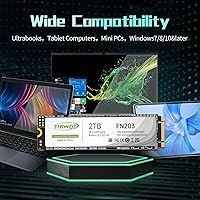
  • The M.2 2280 form factor fits a wide range of ultrabooks, mini PCs, and NUC-style builds without any adapters.
  • Sequential read speeds up to 550MB/s represent a huge real-world upgrade over any traditional spinning hard drive.
  • SLC caching keeps everyday read and write tasks feeling snappy for typical workloads like document editing and web browsing.
  • LDPC error correction adds a layer of data protection that helps maintain integrity over the drive's lifespan.
  • 300TBW endurance rating is reasonable for a SATA drive used as primary or secondary storage in a personal machine.
  • The 3-year warranty offers solid peace of mind for a value-tier product, assuming you register after purchase.
  • Broad Windows compatibility from Windows 7 through Windows 11 covers nearly any older system you might be upgrading.
  • At just over an ounce and barely a tenth of an inch thick, it adds virtually no weight or bulk to a portable system.
  • Installation is straightforward enough that buyers with minimal technical experience report completing it without issues.

Cons

  • Sustained write speeds drop significantly once the SLC cache fills, making large sequential file transfers slower than the spec sheet implies.
  • Fikwot is a relatively young brand with a limited long-term reliability track record compared to established storage names.
  • The 3-year warranty requires active product registration — easy to overlook and potentially costly to forget.
  • Some users have reported needing a BIOS update or settings change before the drive is recognized, which can trip up less experienced buyers.
  • This M.2 SATA drive will not work in M.2 slots that are wired exclusively for NVMe, a compatibility mistake that is easy to make without checking specs first.
  • No included cloning software or mounting hardware means extra steps if you are migrating an existing OS from another drive.
  • The 480MB/s write ceiling, while adequate, is noticeably lower than the read speed and limits performance on write-heavy tasks.
  • Long-term ownership data is thin since the drive only entered the market in late 2023, leaving durability questions partially unanswered.

Ratings

Our AI scoring for the Fikwot FN203 2TB M.2 SATA SSD was built by analyzing verified buyer reviews from multiple global markets, with spam, incentivized feedback, and bot-generated content actively filtered out before any scores were calculated. The results reflect a genuinely balanced picture — where this drive earns its praise and where real users have run into friction. Both the strengths and the limitations are represented honestly in each category below.

Value for Money
91%
Buyers consistently call out the price-per-gigabyte ratio as the single strongest argument for choosing this drive. Getting 2TB of M.2 SATA storage without paying name-brand premiums is a recurring theme in positive reviews, especially among users upgrading aging laptops on a tight budget.
A small number of reviewers noted that if you stretch your budget slightly, entry-level NVMe drives at 1TB can be found for similar money, which muddies the value case for speed-conscious buyers. The value proposition is strongest when 2TB capacity is specifically the priority.
Read Performance
78%
22%
Users upgrading from mechanical hard drives report a night-and-day difference in boot times and application load speeds, with the 550MB/s sequential read ceiling doing real work in day-to-day tasks like opening large spreadsheets or launching creative software. For SATA-bound systems, this is about as fast as the protocol allows.
Buyers who previously owned NVMe drives found the read speeds underwhelming by comparison, and a few noted that benchmark results occasionally fell short of the advertised 550MB/s ceiling depending on system configuration. The SATA III protocol cap is a hard ceiling no firmware update can overcome.
Write Performance
63%
37%
For typical home and office workloads — saving documents, installing apps, writing smaller files — the SLC cache keeps things feeling responsive and the drive holds up well. Users doing light content creation or general computing rarely reported any noticeable sluggishness during normal use.
Sustained large-file transfers are where the cracks show. Multiple reviewers flagged a clear slowdown when copying 30GB or more in a single session, which is the SLC cache saturating and the drive falling back to native TLC write speeds. This is a real-world limitation that affects anyone who regularly moves big media files or does disk-intensive backups.
Compatibility
69%
31%
The M.2 2280 form factor is broadly supported, and the majority of users reported a clean plug-and-play experience in mini PCs, NUC builds, and older ultrabooks with SATA M.2 slots. Windows recognition was smooth in most cases without needing additional drivers.
A recurring pain point in reviews was buyers who purchased the drive without realizing their M.2 slot was NVMe-only — a compatibility mismatch that renders the drive undetectable. A smaller group also needed to enable the M.2 slot in BIOS or update firmware before the drive appeared, which added unexpected friction to an otherwise simple install.
Installation Ease
86%
The physical installation process drew consistently positive feedback, with many buyers — including self-described non-technical users — completing the swap in under ten minutes. The standard M.2 screw mount means no proprietary tools or adapters are needed in most systems.
The absence of any bundled cloning software means OS migration requires sourcing a third-party tool independently, which a portion of buyers found inconvenient. A small number of users also mentioned the drive arriving without a mounting screw, requiring them to source one separately.
Build & Reliability
71%
29%
The drive feels solid for its weight class, and the LDPC error correction gives some assurance that data integrity is being actively managed during read and write cycles. Early adopters who have used the drive daily since late 2023 report no failures or errors in normal use.
Because this drive only entered the market in late 2023, there is simply not enough long-term ownership data to draw firm conclusions about multi-year durability. Fikwot does not yet have the reliability track record of established brands, which is a legitimate concern for buyers storing irreplaceable data.
Warranty & Support
67%
33%
A 3-year warranty is a reasonable offer for a value-tier drive, and buyers who have contacted Fikwot support generally describe the experience as adequate for basic inquiries. The 24-hour support claim adds reassurance for less experienced users nervous about a failed installation.
The registration requirement to activate warranty coverage is a stumbling block — buyers who forget to register after install may find themselves unprotected. Several reviewers expressed mild frustration that warranty activation was not more prominently communicated in the packaging or quick-start materials.
Endurance Rating
74%
26%
The 300TBW rating is a realistic and honest spec for a 2TB TLC drive at this price tier, and for typical home users writing 20 to 40GB per day it comfortably covers years of use without approaching the wear limit. Users appreciate that Fikwot publishes this figure clearly rather than omitting it.
In the context of competing value-tier drives, 300TBW on a 2TB capacity works out to a relatively modest 0.15 DWPD (drive writes per day), which is fine for light personal use but may concern anyone running the drive in a write-heavy environment like a small business server or frequent VM workloads.
Thermal Behavior
72%
28%
Most users in mini PC and ultrabook environments reported no thermal throttling or heat-related slowdowns during standard workloads, which is expected given that SATA drives inherently generate less heat than high-performance NVMe alternatives. The compact form factor also benefits from existing system airflow in most enclosures.
A handful of users in passively cooled or very compact enclosures noted the drive running warm during prolonged write sessions, though no thermal shutdowns were reported. No heatsink or thermal pad is included, which is standard for this category but worth noting for very tight builds.
Capacity Usability
88%
Getting a genuine 2TB in the M.2 SATA form factor is still relatively uncommon at accessible price points, and buyers upgrading from 256GB or 512GB drives describe the extra headroom as transformative for media storage, game libraries, and local backups. The capacity alone drives a significant portion of the positive sentiment.
As with all flash storage, the formatted usable capacity will be slightly below the advertised 2TB due to reserved space for over-provisioning and system overhead. This is industry-standard behavior but occasionally surprises first-time SSD buyers expecting a full 2,000GB available on day one.
Form Factor Fit
83%
The standard 2280 footprint means this drive slides into the vast majority of M.2 slots without any physical fitment issues, and its slim profile adds nothing noticeable in terms of device thickness. Users in NUC and small form factor builds specifically appreciated not needing any bracket or adapter.
A small subset of buyers with 2242 or 2260 M.2 slots — shorter than the standard 80mm length — found the drive physically incompatible with their specific system, an edge case that is easy to avoid by checking slot length before purchasing.
Software & Extras
41%
59%
The drive does not need any companion software to function, and for buyers who just want to install and go without managing yet another utility application, the lack of bundled software is a non-issue. Basic SMART monitoring through free third-party tools like CrystalDiskInfo works reliably.
There is no dedicated Fikwot SSD management tool, no bundled cloning software, and no included mounting screw in all reported packages — a noticeable omission compared to drives from more established brands that bundle migration utilities as standard. Buyers who want a more complete out-of-box experience will need to source these extras independently.
Brand Confidence
62%
38%
Fikwot has built enough of a review base — over a thousand ratings with a strong average — to suggest the brand is producing functional, honest-value products rather than disposable no-name hardware. Buyers who took a chance on the brand largely report no regrets for general-purpose use.
Fikwot simply lacks the years of market presence and independent long-term testing that brands like Samsung, Crucial, or Western Digital carry, and that gap in confidence is real for buyers who prioritize proven reliability over price. The brand's after-sales support infrastructure also remains less tested than its established competitors.

Suitable for:

The Fikwot FN203 2TB M.2 SATA SSD is a practical fit for anyone working with an older laptop, ultrabook, or mini PC whose M.2 slot only supports the SATA protocol rather than the faster NVMe standard. If your machine currently runs on a spinning hard drive, the jump to this drive will feel dramatic — boot times shrink, apps open faster, and general responsiveness improves significantly without requiring a full system replacement. It also makes a compelling case as a secondary storage drive in a desktop or NUC build, where you want a large, affordable pool for media, backups, or archived files that do not demand top-tier transfer speeds. Budget-conscious buyers who need 2TB of internal storage and cannot justify the premium that name-brand NVMe drives command at this capacity will find real value here. Students, home office users, and anyone breathing new life into a machine from the late 2010s are the core audience this drive genuinely serves well.

Not suitable for:

The Fikwot FN203 2TB M.2 SATA SSD is the wrong tool if your system supports NVMe and you care about storage performance — at that point, spending slightly more on a PCIe Gen 3 or Gen 4 drive delivers read speeds three to six times higher. Content creators who regularly move large video files or do disk-intensive rendering work will run into the drive's TLC cache limitations, where sustained write speeds drop noticeably once the SLC buffer is exhausted. It is also not a fit for PS5 storage expansion, which the manufacturer explicitly flags as incompatible. Buyers building a high-performance gaming rig or workstation from scratch should look elsewhere, since the SATA III ceiling will become a bottleneck before anything else in the system does. And if long-term reliability data is a firm requirement for your decision, the relatively short time this drive has been on the market means that track record is still being written.

Specifications

  • Capacity: The drive offers 2TB of usable flash storage, suitable for operating systems, applications, and large media libraries.
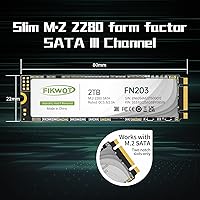
  • Form Factor: It uses the M.2 2280 (NGFF) format, measuring 80mm in length, which fits the vast majority of ultrabooks, mini PCs, and desktop motherboards with an M.2 slot.
  • Interface: Connectivity runs over SATA III at 6Gb/s, the standard bandwidth ceiling for all SATA-based drives regardless of physical connector type.
  • Sequential Read: Peak sequential read speed is rated at up to 550MB/s under optimal, burst-load conditions.
  • Sequential Write: Peak sequential write speed reaches up to 480MB/s, though sustained writes on large transfers will drop once the SLC cache is exhausted.
  • NAND Type: The drive uses 3D NAND TLC (Triple-Level Cell) flash, a common choice in value-tier SSDs that balances cost and density.
  • Cache Tech: An SLC (Single-Level Cell) caching layer accelerates burst read and write operations, keeping everyday tasks responsive.
  • Error Correction: LDPC (Low-Density Parity-Check) error correction is built in to detect and correct data errors, improving long-term data integrity.
  • Endurance: The drive is rated for 300TBW (terabytes written), which is adequate for typical personal computing use over several years.
  • Warranty: A 3-year warranty is included but requires product registration after purchase to activate coverage.
  • Dimensions: Physical dimensions are 3.15 x 0.87 x 0.09 inches (approximately 80 x 22 x 2.3mm), consistent with the M.2 2280 standard.
  • Weight: The drive weighs just 1.06 ounces (about 30g), adding negligible mass to any portable system.
  • OS Support: Compatible with Windows 7, 8, 10, and 11; macOS and Linux compatibility depends on individual system configuration and is not officially stated.
  • PS5 Support: This drive is explicitly not compatible with PlayStation 5 storage expansion, which requires an NVMe-based M.2 drive.
  • Brand & Model: Manufactured by Fikwot under the model designation FN203-2TB, released to market in September 2023.

Related Reviews
Fikwot FN203 2TB M.2 SATA SSD
88%
88%
Sequential Read Speed
84%
Sequential Write Speed
90%
Durability
87%
Data Integrity/Error Correction
95%
Ease of Installation
More
Fikwot FX660 2TB NVMe SSD
79%
88%
Sequential Read Performance
63%
Sustained Write Speed
71%
Thermal Management
91%
PS5 Compatibility
89%
Value for Money
More
Fikwot FX910 2TB M.2 NVMe SSD
80%
88%
Read/Write Performance
91%
Thermal Management
93%
Installation Ease
84%
PS5 Compatibility
87%
Value for Money
More
Fikwot FX991 2TB NVMe SSD
78%
88%
Sequential Read Performance
61%
Sustained Write Speed
93%
PS5 Compatibility
91%
Value for Money
82%
Thermal Management
More
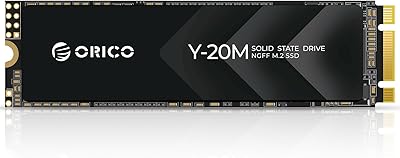
ORICO Y20M 2TB M.2 SATA SSD
81%
88%
Value for Money
83%
Compatibility Clarity
79%
Read & Write Speed
91%
Installation Experience
74%
Long-term Reliability
More
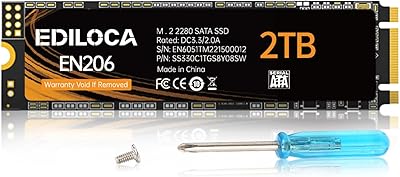
Ediloca EN206 2TB M.2 SATA SSD
74%
88%
Value for Money
71%
Read & Write Speed
93%
Installation Ease
82%
Compatibility
61%
Long-Term Reliability
More
Fikwot FX953 2TB M.2 2230 NVMe SSD
77%
83%
Read Speed Performance
71%
Write Speed Performance
74%
Thermal Management
91%
Installation Experience
78%
Device Compatibility
More
KingSpec NT 2TB M.2 2280 SATA SSD
74%
88%
Value for Money
74%
Read & Write Speed
61%
Compatibility
86%
Installation Experience
63%
Long-term Reliability
More
KingSpec NT 2TB M.2 2242 SATA SSD
78%
88%
Value for Money
91%
Form Factor Compatibility
74%
Read & Write Speed
86%
Installation Experience
71%
Endurance & Longevity
More
Timetec JM600 2TB M.2 2280 SATA SSD
82%
91%
Value for Money
83%
Read Speed Performance
61%
Sustained Write Speed
93%
Installation Ease
69%
Long-Term Reliability
More

FAQ

The key thing to check is whether your M.2 slot supports the SATA protocol, not just the M.2 physical shape. Some M.2 slots — particularly in newer machines — are wired exclusively for NVMe (PCIe), and a SATA drive simply will not be detected in those slots. Look up your laptop or motherboard model and confirm it lists M.2 SATA support in the specifications before ordering.

Yes, and it is one of the best use cases for this drive. If your ultrabook has an M.2 SATA slot, swapping out a mechanical hard drive for the FN203 2TB will noticeably cut boot times and improve overall responsiveness. Just verify the slot type first, since not all M.2 slots support SATA.

For smaller bursts of data, writes will feel fast thanks to the SLC cache layer. However, if you are copying something large — say, 50GB or more in a single pass — you will likely see speeds slow down once the cache fills up. This is normal behavior for TLC-based drives at this price point and is not a defect, but it is worth knowing if you plan to do regular large file transfers.

No. The PS5 requires an NVMe M.2 SSD for storage expansion, and this drive runs on the older SATA protocol, which the PS5 does not support. Do not purchase this drive for console use.

Generally, no. Windows 7 through 11 will recognize a SATA SSD without additional drivers. If you are doing a fresh OS install, you boot from your installation media and point it at the new drive. If the drive is not showing up, check your BIOS to confirm the M.2 slot is enabled and set to SATA mode rather than NVMe mode.

For context, 300TBW means you could write roughly 150GB to the drive every single day for around five years before reaching that limit. Most home users write far less than that daily, so in practice the endurance rating should comfortably outlast the 3-year warranty period for typical workloads.

Absolutely, and it is actually a great fit for that role. A 2TB SATA M.2 drive works well for storing a media library, a photo archive, game installations, or project backups where sustained peak speed matters less than having plenty of affordable, reliable space.

The 3-year warranty coverage is tied to product registration, so if you skip that step and run into an issue later, you may not be able to claim a replacement or repair. It is worth registering the drive as soon as you install it — the process only takes a few minutes and protects your investment.

Fikwot sits squarely in the value-tier segment rather than the premium category. It does not carry the same long track record as Samsung or WD, but the FN203 has accumulated over a thousand ratings on Amazon with a solid average, and the included warranty offers reasonable protection. If you need proven multi-year reliability data or are storing irreplaceable files without a backup, a more established brand might give extra peace of mind. For general use with a proper backup strategy in place, the risk is manageable.

The M.2 2280 size is one of the most common form factors supported in NUC-style mini PCs, so physical fit is rarely an issue. The drive is thin and light enough that clearance is almost never a problem. The main thing to confirm, again, is that the mini PC's M.2 slot supports SATA rather than NVMe-only.