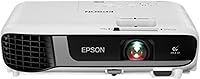
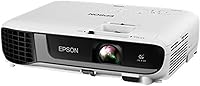
Overview

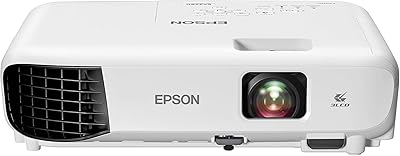
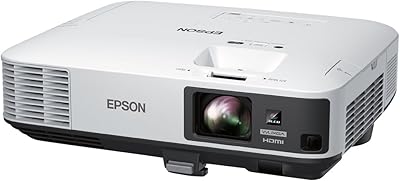
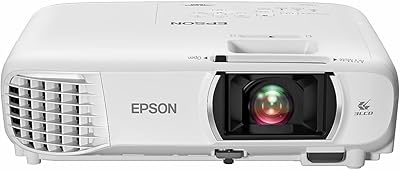
The Epson EX7280 WXGA 3LCD Projector occupies a practical sweet spot in the mid-range market — capable enough for daily business use, yet accessible enough for home office setups. Launched in 2021, it sits comfortably in Epson's EX lineup as a step up from basic entry-level models without demanding a laser-unit budget. One of its clearest advantages over similarly priced single-chip DLP projectors is the 3LCD panel technology, which handles color more consistently and avoids the rainbow artifact that plagues some DLP units. WXGA resolution at 1280x800 is plenty sharp for slides and spreadsheets, though buyers expecting a dedicated home cinema experience should adjust their expectations. This is a lamp-based projector, so long-term ownership means factoring in eventual bulb replacement costs.

Features & Benefits

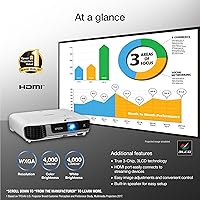
Where the EX7280 earns its keep is 4,000-lumen brightness — with color and white brightness rated equally. Many projectors inflate white brightness while letting color lag, meaning washed-out reds and greens in lit rooms. This Epson projector avoids that entirely. The 3LCD engine renders every frame with the full RGB signal, so colors stay accurate whether you're running a product demo or a training video. Setup is straightforward: the auto vertical keystone and horizontal slider let you place it off-center and still land a square image with minimal fuss. Built-in wireless handles cable-free mirroring from laptops and phones, while the HDMI port manages streaming sticks natively. The 2W built-in speaker works fine for a small huddle room; it won't fill a large conference space.

Best For

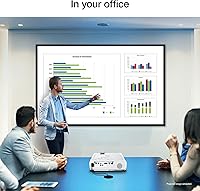
The EX7280 is a strong match for small-to-medium conference rooms and classrooms where ambient light is unavoidable and turning off the lights isn't practical. Teachers and trainers who regularly display spreadsheets, slides, and instructional videos will find the brightness and color accuracy genuinely useful day-to-day. Home office users who want a large-screen display for presentations or occasional movie nights will also get good value here — though casual home theater use is better served if you temper expectations around resolution. This 3LCD projector really shines for anyone upgrading from an older entry-level unit where dim, inaccurate images were a constant frustration. If you've been burned by DLP rainbow effects, this is an easy step up without committing to a full laser unit.

User Feedback

Across more than 300 ratings, the EX7280 holds a solid 4.5-star average, and the feedback is consistent enough to trust. Office and classroom users are the most enthusiastic — they praise the out-of-the-box brightness and how well colors hold up under room lighting. Setup gets positive mentions too; most buyers had it running within minutes. On the critical side, recurring complaints center on fan noise at full brightness, which some find distracting in quiet rooms, alongside the long-term cost of lamp replacements. Wireless connectivity generally works well, though a handful of users note occasional drops. The built-in speaker is treated as a convenience, not a feature. Home theater buyers tend to rate it lower — WXGA isn't 1080p, and that gap becomes obvious on large screens.

Pros

  • Matched 4,000-lumen color and white brightness keeps images vivid and accurate in well-lit rooms.
  • True 3-chip 3LCD technology eliminates the rainbow effect that bothers many viewers on DLP projectors.
  • WXGA resolution renders spreadsheet text and presentation slides cleanly at typical meeting distances.
  • Auto vertical keystone and a horizontal slider make real-world room placement far less fiddly than many rivals.
  • Built-in wireless lets you mirror a laptop or phone without hunting for cables or dongles.
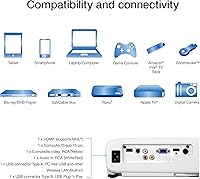
  • Single HDMI port handles streaming sticks like Roku and Fire TV natively, right out of the box.
  • Setup is genuinely quick — most users report a working image within minutes of unboxing.
  • At 5.7 lbs, the EX7280 is portable enough to move between rooms or carry to off-site presentations.
  • A 4.5-star average across hundreds of real-world reviews reflects consistent satisfaction among office and classroom users.
  • 1.2x optical zoom provides useful flexibility when you can't place the projector at an ideal distance.

Cons

  • WXGA resolution falls visibly short of 1080p on large screens, making it a weak pick for film and streaming content.
  • Fan noise at full brightness is a recurring complaint and can distract in quiet classroom or boardroom settings.
  • Lamp replacement is an unavoidable long-term cost that laser projectors avoid entirely.
  • The 2W mono speaker is adequate only for small rooms; external audio is a practical necessity in larger spaces.
  • Wireless connectivity, while convenient, draws occasional criticism for reliability drops mid-session.
  • A single HDMI input limits simultaneous connection options in more complex AV setups.
  • No 4K or even 1080p output means this 3LCD projector cannot future-proof a home theater setup.
  • Lamp-based brightness and color can degrade over hundreds of hours of use before replacement becomes necessary.
  • No lens shift means large physical positioning adjustments are required if the keystone range isn't sufficient.

Ratings

Our scores for the Epson EX7280 WXGA 3LCD Projector were generated by AI after analyzing verified buyer reviews sourced globally, with spam, incentivized submissions, and bot-driven feedback actively filtered out before any scoring was applied. Every category below reflects what real users consistently praised or raised concerns about — not marketing copy — so both the clear strengths and the genuine pain points are represented honestly. Whether you're evaluating this for a classroom, a home office, or a conference room, the breakdown should give you an unfiltered picture of where it performs and where it falls short.

Image Brightness
93%
The 4,000-lumen output handles rooms that most projectors struggle with — fluorescent overhead lighting, partially open blinds, conference rooms where nobody bothers to dim the lights. Critically, color and white brightness are both rated equally, so the image doesn't wash out into a pale, desaturated version of itself the way many competing units do.
At maximum brightness, the fan ramps up noticeably, which is a real trade-off in quieter environments. Users pushing the full output in very large rooms may also find the brightness still falls short of filling a screen beyond 120 inches with a punchy, fully satisfying image.
Color Accuracy
89%
The 3-chip 3LCD engine sends the full RGB color signal simultaneously on every frame, which means branded presentation materials, charts, and video content display with noticeably more fidelity than single-chip DLP projectors at similar prices. Real users consistently call out how natural skin tones and product colors look during video playback.
While color accuracy is strong for a lamp-based projector, it doesn't match the precision of higher-end laser units used in professional AV setups. As the lamp ages past the midpoint of its rated life, color consistency can drift slightly — a real concern for color-sensitive workflows like photography review or graphic design.
Value for Money
82%
18%
For a business-focused presentation projector, combining matched 4,000-lumen brightness, 3LCD color accuracy, built-in wireless, and auto keystone correction at this price tier is genuinely competitive. Office buyers and educators consistently find that this Epson projector delivers noticeably more usable image quality than the cheaper alternatives they considered.
The value calculation shifts once you factor in lamp replacement cycles — a replacement bulb typically adds 60 to 100 dollars every few years of regular use. Buyers comparing the EX7280 against newer laser projectors in an adjacent price range may find the long-term cost gap closes faster than they initially expected.
Resolution & Clarity
71%
29%
For spreadsheets, slide decks, instructional videos, and data visualizations, WXGA at 1280x800 is sharp enough to read comfortably at standard presentation distances. Text-heavy slides project with clean, legible edges, and HD video content looks acceptably clear in a conference room or classroom environment.
The resolution gap becomes visible on screens larger than 100 inches, where 1280x800 begins to show pixel structure during detailed scenes. Anyone coming from a 1080p display will notice the softness on film and streaming content — home theater enthusiasts and design professionals will find WXGA a genuine limitation.
Noise Level
61%
39%
In eco mode, the fan runs quietly enough that most users find it tolerable during presentations and video sessions. Eco mode also extends lamp life meaningfully, making it a sensible default for everyday use cases where squeezing every lumen isn't strictly necessary.
At full 4,000-lumen brightness, the cooling fan is loud enough to be genuinely distracting in quiet classrooms, small meeting rooms, and any setting where audio is recorded alongside the projection. This is the single most consistent complaint across buyer reviews and deserves serious consideration in noise-sensitive environments.
Setup & Ease of Use
88%
Out-of-box setup consistently earns high marks — most buyers report a working, calibrated image within minutes of unboxing. Auto vertical keystone handles the most common placement issue automatically, and the horizontal slider addresses off-center positioning that is typical in real rooms without dedicated ceiling mounts.
Wireless mirroring through Epson's companion app requires a bit more patience on first use, especially for less tech-savvy users unfamiliar with network pairing. A handful of reviewers also note that the on-screen menu navigation feels dated compared to newer smart projectors that offer more intuitive touch or app-based controls.
Build Quality
84%
At 5.7 lbs with a compact footprint, the EX7280 is easy to carry between classrooms, meeting rooms, or off-site venues without needing a dedicated rolling case. The chassis feels solid for a mid-range unit, with no noticeable flex or rattle during normal handling and transport.
The outer casing is plastic throughout, which is appropriate for the price tier but lacks the premium feel of higher-end commercial projectors. A few users specifically note that the lens cap and smaller control buttons feel cheaper than the rest of the unit, which can create a slightly inconsistent impression of overall quality.
Wireless Connectivity
74%
26%
Built-in wireless means there is no separate dongle to lose or firmware to keep updated, which matters when setting up quickly before a meeting. In straightforward environments with uncongested networks, connecting a laptop or phone for screen mirroring works reliably and cuts setup time considerably.
In office buildings or schools with congested Wi-Fi environments, a noticeable subset of users report intermittent drops during mirroring sessions at inconvenient moments. It is reliable enough for routine use, but experienced presenters tend to keep an HDMI cable nearby as a fallback for anything high-stakes.
Placement Flexibility
78%
22%
The combination of 1.2x optical zoom, auto vertical keystone, and the horizontal correction slider provides real flexibility for non-ideal room setups where the projector must sit off-axis on a table or cart. Most common placement scenarios in classrooms and meeting rooms are workable without requiring a ceiling mount.
There is no optical lens shift, meaning significant horizontal misalignment beyond the slider's correction range requires physically repositioning the unit. In rooms with fixed furniture layouts or unusually positioned screens, achieving a perfectly square, distortion-free image can require more repositioning than users initially expect.
Audio Quality
47%
53%
The 2W mono speaker delivers just enough volume for a small huddle room or one-on-one demo where bringing in additional equipment is impractical. As a plug-and-play convenience for quick setups, it fulfills a basic utility role without requiring any additional cables or devices.
In any room larger than a compact office, the speaker struggles with both volume and audio range, producing thin, midrange-heavy sound that wears on listeners quickly. The majority of conference room and classroom users concluded that a Bluetooth speaker or wired audio system was effectively a required companion purchase.
Long-term Ownership Cost
58%
42%
In eco mode, Epson rates lamp life up to around 12,000 hours, which translates to several years of moderate use before a replacement becomes necessary. For light users — a few hours per day in a home office or occasional classroom setting — the lamp cost spread over time is manageable.
Heavy users running the projector daily in normal brightness mode face a rated lamp life closer to 6,000 hours, with replacement bulbs typically costing 60 to 100 dollars per swap. Over a multi-year ownership cycle, these recurring costs add up in a way that laser-based alternatives in a nearby price bracket entirely avoid.
Connectivity Options
67%
33%
A single HDMI port covers the most common scenario — a laptop, desktop, or streaming stick — and the USB port handles basic file access and peripheral power for smaller accessories. Built-in wireless fills the gap for cable-free mirroring, giving users a reasonable spread of connection methods overall.
One HDMI input becomes a limitation in setups where multiple sources need to remain connected, forcing users to manually swap cables or purchase a separate HDMI switch. There is also no VGA port, which creates compatibility friction with older laptops and legacy conference room equipment that is still common in educational settings.
Home Theater Suitability
53%
47%
For casual movie nights, streaming, and sports viewing on a large screen, this 3LCD projector delivers a bright, color-rich image that many households genuinely enjoy — particularly coming from a dim budget projector or a small TV. The matched brightness makes colors pop even in a partially lit living room.
WXGA resolution is a persistent limitation for dedicated film viewers; the 1280x800 native output looks noticeably soft on screens over 100 inches, and the gap versus 1080p becomes clearly visible during detailed or dark scenes. Users expecting a home cinema experience are consistently the least satisfied segment in buyer feedback.

Suitable for:

The Epson EX7280 WXGA 3LCD Projector is an excellent choice for educators, trainers, and business professionals who regularly present in rooms where controlling ambient light isn't always possible. Its 4,000-lumen output — with color and white brightness matched equally — means charts, spreadsheets, and slide text stay legible and color-accurate even with overhead lights on, which is exactly what a classroom or mid-sized conference room needs. Home office workers who want a large-screen experience for video calls, client presentations, or occasional movie nights will find it versatile enough to cover those varied use cases without requiring a dedicated AV setup. It's also a smart upgrade path for anyone still running an older, dim entry-level projector — the brightness jump is immediately noticeable, and the 3LCD engine eliminates the rainbow-effect frustration common in similarly priced DLP units. If cable-free convenience matters, the built-in wireless connectivity means you're not scrambling for adapters before every meeting.

Not suitable for:

Buyers hoping to use the Epson EX7280 WXGA 3LCD Projector as a dedicated home theater display are likely to be disappointed, and it's worth being upfront about that. WXGA resolution tops out at 1280x800, which falls noticeably short of 1080p on larger screens — fine for text and slides, but visibly soft for films and streaming content where pixel density matters. Anyone planning to project in a consistently dark, light-controlled room will also find the lamp-based light source and fan noise more of an annoyance than they would in a bright office environment. Long-term cost is a real factor too: lamp replacements add recurring expenses that laser-based alternatives avoid entirely, so buyers planning heavy daily use should run those numbers before committing. Finally, audiophiles or anyone presenting in a room larger than a small huddle space will need to budget for external speakers, as the 2W mono built-in unit is purely a convenience fallback.

Specifications

  • Display Technology: Uses a true 3-chip 3LCD engine, which processes the full RGB color signal on every frame for consistent, accurate color reproduction.
  • Resolution: Native WXGA resolution of 1280x800 pixels delivers sharp text and clear images suited for presentations, spreadsheets, and HD video content.
  • Color Brightness: Rated at 4,000 lumens of color brightness, matching the white brightness rating to ensure accurate, vibrant color even in ambient-light environments.
  • White Brightness: Rated at 4,000 lumens of white brightness, consistent with the color brightness figure for a balanced, non-washed-out image in lit rooms.
  • Contrast Ratio: Dynamic contrast ratio of up to 16,000:1 provides meaningful separation between dark and bright areas during mixed-content presentations and video playback.
  • Light Source: Powered by a replaceable lamp-based light source; lamp life and eventual replacement cost should be factored into total cost of ownership.
  • Optical Zoom: A 1.2x optical zoom lens allows modest throw-distance adjustments without digitally degrading image quality.
  • Keystone Correction: Includes automatic vertical keystone correction and a manual horizontal slider to correct image distortion when the projector cannot be perfectly centered.
  • Connectivity: Equipped with one HDMI port, one USB port, and built-in wireless for cable-free screen mirroring from compatible laptops and mobile devices.
  • Built-in Speaker: Integrates a 2W mono speaker suitable for small-room audio convenience; not intended as a primary audio solution for large spaces.
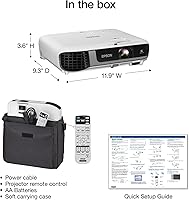
  • Dimensions: Unit measures 11.9″ x 9.3″ x 3.6″ (including feet), making it compact enough for desktop placement or carry-along transport.
  • Weight: The projector body weighs 5.7 lbs, light enough for occasional transport between rooms or off-site presentations.
  • Wireless Support: Built-in wireless connectivity supports screen mirroring from laptops and mobile devices without requiring a separate wireless dongle or adapter.
  • Model Number: Official Epson model number is V11HA02020, useful when sourcing compatible accessories, replacement lamps, or warranty support.
  • Recommended Use: Designed for home, office, and education environments where reliable brightness and color accuracy are priorities over maximum resolution.

Related Reviews
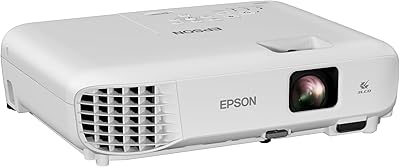
Epson EX3290 WXGA 3LCD Business Projector
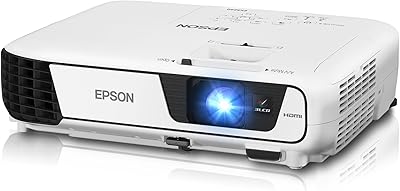
77%
88%
Image Brightness
91%
Color Accuracy
74%
Resolution & Sharpness
86%
Setup & Ease of Use
83%
Portability
More
Epson PowerLite 1781W Portable Projector
76%
93%
Portability
88%
Image Brightness
79%
Image Quality
74%
Wireless Connectivity
82%
Setup Speed
More
Epson EX3240 SVGA 3LCD Projector
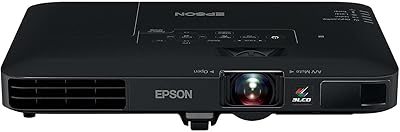
72%
88%
Brightness Performance
83%
Color Accuracy
61%
Image Sharpness
91%
Ease of Setup
79%
Connectivity
More
Epson PowerLite X49 XGA Classroom Projector
80%
91%
Image Brightness
86%
Color Accuracy
72%
Image Sharpness
83%
Brightness Consistency
88%
Connectivity
More
Epson EX3280 XGA 3LCD Projector
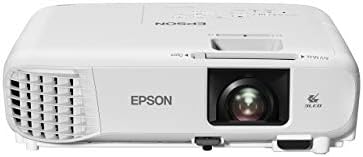
73%
88%
Brightness Performance
84%
Color Accuracy
91%
Value for Money
61%
Resolution Clarity
83%
Refurbished Condition Quality
More
Epson PowerLite 2250U WUXGA 3LCD Projector
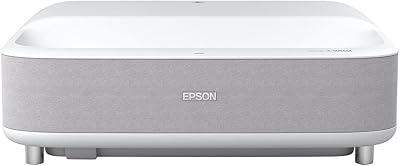
76%
94%
Brightness Performance
91%
Color Accuracy
88%
Image Sharpness
89%
Build Quality
74%
Value for Money
More
Epson EpiqVision Ultra Short Throw LS300 3LCD Smart Laser Projector
84%
93%
Brightness
89%
Picture Quality
85%
Setup & Installation
82%
Sound Quality
90%
Connectivity & Smart Features
More
Epson Home Cinema 1080 1080p Projector
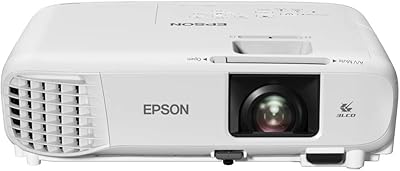
77%
91%
Image Quality
84%
Brightness & Ambient Light Performance
88%
Color Accuracy
79%
Gaming Performance
93%
Setup & Ease of Use
More
Epson PowerLite W49 LCD Projector
84%
88%
Brightness & Image Quality
92%
Value for Money
85%
Setup & Ease of Use
90%
Lamp Life
70%
Built-In Speaker
More
Epson EpiqVision Ultra LS500 4K Laser Projector
87%
94%
Image Quality
92%
Brightness Performance
88%
Ease of Setup
87%
Value for Money
70%
Sound Quality
More

FAQ

Yes, and that's genuinely one of its strongest points. With 4,000 lumens of both color and white brightness rated equally, the image stays clear and color-accurate under typical office or classroom lighting. You'll want to avoid direct sunlight hitting the screen, but you won't need to black out the room for a usable picture.

It does — the HDMI port accepts streaming devices directly, so you can plug in a Roku, Fire TV Stick, or Apple TV and get audio and video without any adapters. Just keep in mind the built-in speaker is only 2W, so for anything beyond a small huddle room you'll want to run audio to external speakers.

DLP projectors use a single spinning color wheel, which can cause a brief but distracting flicker known as the rainbow effect — some people are very sensitive to it. The EX7280 uses three separate LCD chips, one for each color channel, so every frame carries the full color signal simultaneously. The result is smoother, more accurate color with no rainbow artifacts, which makes a real difference during long presentations or training sessions.

Epson typically rates their EX-series lamps at around 6,000 hours in normal mode and up to 12,000 hours in eco mode, though actual lifespan varies with usage. Replacement lamps generally run in the range of 60 to 100 dollars depending on the supplier. It's worth factoring this into your long-term cost comparison, especially if you plan to run the projector for several hours daily.

It can accept a 1080p input signal over HDMI, but the native panel resolution is WXGA (1280x800), so that signal gets downscaled to fit. The result is noticeably softer than a true 1080p projector, which is fine for presentations but may disappoint you if watching films or streaming high-definition content is a primary use case.

At a throw distance of around 8 to 10 feet, you can expect a projected image in the range of 80 to 100 inches diagonal. The 1.2x optical zoom gives you a bit of flexibility if you can't place it at the ideal distance. For very large rooms requiring a 120-inch or bigger image, you'll need to push the projector further back, so always check the throw ratio against your room dimensions before purchasing.

Fan noise is one of the more common criticisms from users. At full 4,000-lumen brightness, the fan runs loud enough to be noticeable in a quiet room. Switching to eco mode reduces brightness somewhat but also brings the fan noise down to a more acceptable level. If you're presenting in a library or recording audio alongside the projection, it's worth testing in eco mode first.

The wireless works well for most users in typical home and office environments, but a handful of reviewers mention occasional drops, particularly in congested Wi-Fi environments. For critical presentations where a dropped connection would be embarrassing, having an HDMI cable as a backup is smart. For casual everyday use, the wireless is genuinely convenient and performs consistently enough to rely on.

Honestly, it depends on what you're watching and how critical you are about picture quality. For casual movie nights, Netflix, or sports on a large screen, the brightness and color accuracy make it enjoyable. But if you're a serious film viewer who values pixel-level sharpness, the WXGA resolution will fall short on a large screen compared to a 1080p or 4K projector. It's a solid entertainment option as a secondary use case, not a dedicated cinema replacement.

This 3LCD projector supports wireless connectivity through Epson's iProjection app, which is available for free on both Windows and Mac as well as iOS and Android. Setup involves connecting both your device and the projector to the same network or using a direct wireless connection mode. It takes a few minutes to configure the first time, but subsequent connections are straightforward. Some users prefer the simplicity of the HDMI cable for consistent performance, especially in professional settings.

Where to Buy