Epson PowerLite 1781W Portable Projector

Epson PowerLite 1781W Portable Projector — image 1
Epson PowerLite 1781W Portable Projector — image 2
Epson PowerLite 1781W Portable Projector — image 3
Epson PowerLite 1781W Portable Projector — image 4

Epson PowerLite 1781W Portable Projector — image 5
Epson PowerLite 1781W Portable Projector — image 6
Epson PowerLite 1781W Portable Projector — image 7
Epson PowerLite 1781W Portable Projector — image 8
Epson PowerLite 1781W Portable Projector — image 9
76%
24%

Overview

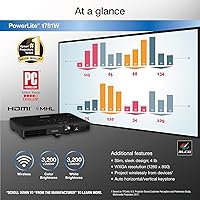
The Epson PowerLite 1781W Portable Projector entered the market in 2017 as a practical tool for professionals who spend as much time in conference rooms as they do at their own desks. At just 4 pounds and barely 2 inches thick, it slides comfortably into a standard laptop bag — no dedicated carry case needed. This sits firmly in the mid-to-premium tier, positioned for road warriors and small-conference presenters rather than budget buyers or home enthusiasts. Epson's 3LCD panel design is worth noting: it avoids the rainbow artifact common on single-chip DLP projectors, which makes extended presentations easier on the eyes. Several years after launch, this Epson portable projector still holds up as a credible business tool.

Features & Benefits

When it comes to brightness, what stands out about this wireless business projector is that color and white lumens are matched at 3,200 each — a detail that actually matters. Some competitors inflate white brightness while letting color output fall behind, which means your carefully designed slides look dull and off-hue on-screen. Resolution sits at WXGA (1280x800): crisp and readable for text-heavy presentations, though it won't satisfy anyone expecting full HD clarity. The built-in wireless LAN module handles connectivity without a dongle, and a standard HDMI port is available when Wi-Fi isn't an option. Keystone correction — both manual and automatic — handles skewed projections quickly, a genuine time-saver during hurried setups. The UHE lamp is solid but factor in eventual replacement costs.

Best For

This wireless business projector is a natural fit for professionals who regularly walk into unfamiliar rooms and need to be presentation-ready within minutes. Sales teams, corporate trainers, and consultants who present at client sites will appreciate the carry-anywhere form factor. It also makes sense as a shared team resource that an IT department can circulate among traveling staff. Just be clear about what it is not: there is no Miracast support for quick wireless screen mirroring, the resolution caps at WXGA, and it was never designed for home cinema use. If your priority is reliable business slide delivery in rooms where you cannot dim the lights, the PowerLite 1781W covers that well.

User Feedback

With over 240 reviews and a 4.4-star average, the PowerLite 1781W earns its reputation through consistent performance rather than novelty. Buyers who travel frequently point to strong image quality under typical office lighting as a standout, and the lightweight build gets mentioned almost as often as the optics themselves. Where things get more complicated is after extended ownership. Lamp replacement is a recurring complaint — the cost adds up, and more than a few long-term users note that real-world lamp life runs shorter than Epson's rated figure. Wireless setup occasionally stumbles, particularly for less technical users, though most work through it with a firmware update or fall back on HDMI without much friction.

Pros

  • Matched 3,200-lumen color and white brightness means slides and charts look accurate, not washed out, in lit rooms.
  • At 4 pounds, this Epson portable projector fits in a laptop bag and genuinely disappears into a travel load.
  • 3LCD technology avoids the rainbow effect that plagues single-chip DLP alternatives during extended presentations.
  • Built-in wireless LAN removes the dongle dependency that catches travelers off guard.
  • HDMI port provides a reliable wired fallback when Wi-Fi is unreliable or restricted.
  • Auto keystone correction gets the image aligned quickly, even when the projector angle isn't perfect.
  • A 4.4-star average across over 240 reviews reflects consistent, real-world satisfaction from business users.
  • Slim 2.1-inch profile means it stacks neatly in a bag or desk drawer without taking over the space.
  • WXGA resolution is sharp enough for text, data tables, and presentation slides in typical meeting room sizes.

Cons

  • Lamp replacement is a recurring out-of-pocket cost that adds up meaningfully over a few years of regular use.
  • Real-world lamp life frequently falls short of Epson's official rated hours, according to long-term owners.
  • No Miracast support rules out simple wireless mirroring from phones or tablets without additional setup.
  • Wireless connectivity can hiccup, and non-technical users sometimes struggle to get it working reliably on first use.
  • WXGA resolution shows its age compared to the 1080p and higher options now available at similar price points.
  • The PowerLite 1781W launched in 2017, meaning its feature set has been outpaced in some areas by newer competitors.
  • No built-in battery means you always need a power outlet nearby — true portability has a ceiling.
  • Color accuracy, while strong for presentations, is not calibrated for photography or design-critical work.

Ratings

The scores below reflect our AI-driven analysis of verified global user reviews for the Epson PowerLite 1781W Portable Projector, with spam, bot-generated, and incentivized feedback actively filtered out before any scoring was applied. Categories are weighted by how frequently real buyers raised them as deciding factors, not by what the manufacturer emphasizes. Both the strengths that keep this projector highly rated and the pain points that temper enthusiasm are represented transparently.

Portability
93%
Among business travelers, the carry weight is one of the most consistently praised attributes — slipping this Epson portable projector into a laptop bag alongside a notebook and charger without noticing the extra bulk is a real, recurring theme in verified reviews. Frequent flyers in particular highlight how rarely they reach for a separate projector case.
A small number of users who travel with ultralight setups note that even 4 pounds adds up over a long travel day, and the unit does not include a carry sleeve in the box, which feels like an oversight at this price tier.
Image Brightness
88%
The matched 3,200-lumen color and white output earns consistent praise from users presenting in hotel conference rooms and offices where overhead lighting stays on. Reviewers note that slides, charts, and text remain clear and color-accurate even when dimming is not an option — a practical distinction from projectors that inflate white lumens at the expense of color.
In very large rooms or under particularly harsh direct lighting, some users find the brightness ceiling limiting. A handful of long-term reviewers also note a gradual brightness drop as the lamp ages, which becomes noticeable before replacement is typically due.
Image Quality
79%
21%
For presentation-grade content — slide decks, spreadsheets, PDF documents — WXGA resolution produces a clean, sharp image that holds up well at typical meeting room distances. The 3LCD engine contributes to natural color rendering with no visible rainbow artifact, which makes extended viewing more comfortable for audiences.
Anyone expecting HD clarity will be disappointed; the 1280x800 resolution shows its limits on high-density content or large-format projection. Compared to 1080p-capable competitors now available at comparable price points, this wireless business projector feels noticeably behind on resolution.
Wireless Connectivity
74%
26%
The built-in wireless LAN module removes the dongle dependency that catches many travelers off guard, and technically savvy users consistently praise how clean and reliable the connection feels once the initial setup is complete. Mac and PC compatibility over wireless is handled well.
First-time wireless setup trips up a meaningful share of non-technical users, with network configuration steps that feel more IT-oriented than plug-and-play. Occasional mid-session disconnections are a recurring complaint in longer reviews, and the lack of Miracast support is a tangible limitation for mobile-first presenters.
Setup Speed
82%
18%
Once users are familiar with the workflow, getting the projector running — powering on, connecting wirelessly, correcting keystone — takes just a few minutes. Auto keystone correction in particular reduces the fussing around that typically eats up time before a presentation starts.
The initial wireless setup has a learning curve that some users describe as unexpectedly involved for a device aimed at non-technical road warriors. First-time users occasionally struggle through the software installation before the connection becomes reliable.
Build Quality
81%
19%
The projector feels solid without being heavy, with a casing that has held up well for shared-use scenarios where multiple team members handle the unit regularly. Long-term owners generally report no significant structural wear after months of regular use and travel.
The plastic housing, while durable, does not convey a premium feel at this price point. A few reviewers note that connector ports feel slightly loose after extended use, which is worth monitoring if the unit is frequently plugged and unplugged on the road.
Lamp Longevity
57%
43%
Under moderate, mixed-mode usage — alternating between high and economy brightness settings — some users report satisfactory lamp life that stretches across a reasonable operating period before replacement becomes necessary. Economy mode does extend the practical lifespan noticeably.
This is one of the most consistently flagged pain points across long-term reviews: real-world lamp life frequently falls short of Epson's rated hours when the projector is used regularly at full brightness. Combined with a lamp replacement cost that typically runs over $100, this represents a meaningful ongoing expense that new buyers frequently underestimate.
Value for Money
68%
32%
For a business traveler who needs a reliable wireless portable projector and does not require 1080p output, the core value proposition holds — the portability, brightness, and wireless capability cover most real-world presentation needs without requiring a second bag.
Given that the PowerLite 1781W launched in 2017, the current price feels harder to justify against newer competitors offering 1080p resolution at comparable or lower costs. The lamp replacement cost further erodes long-term value in ways that are not immediately obvious at the point of purchase.
Ease of Use
76%
24%
Day-to-day operation is straightforward for users already familiar with projectors — powering on, adjusting keystone, and switching inputs are all intuitive. Reviewers who use it regularly describe the workflow as second nature after just a few sessions.
The wireless setup process has a steeper learning curve than the hardware itself suggests, and non-technical users frequently mention needing IT assistance during first use. The manual and software materials could do more to simplify the onboarding experience.
Compatibility
84%
PC and Mac compatibility is handled reliably both over HDMI and via Epson's wireless software, covering the vast majority of corporate laptop environments without requiring third-party adapters or drivers. Most users report a clean connection experience once set up.
Mobile device compatibility is limited — no Miracast, no native AirPlay — which puts this projector behind more modern options for teams that frequently present from smartphones or tablets without carrying an HDMI adapter.
Fan Noise
66%
34%
In typical meeting room environments with normal background noise, the fan is not distracting enough to register as a problem. Users who present with audio running through speakers rarely notice it at all during active sessions.
In quiet one-on-one settings or small silent rooms, the fan hum is clearly audible and noticeable. A subset of reviewers specifically mentions this as a drawback when using the projector for intimate client demos or quiet training environments.
Keystone Correction
85%
Auto keystone correction is genuinely useful in practice — arriving at a room where the projector cannot be placed at the perfect angle is common, and the automatic adjustment handles most situations without any manual input. Manual override is available when precision matters.
At very steep angles, auto correction introduces some edge distortion that manual adjustment cannot fully resolve. This is a minor complaint in most reviews but becomes relevant in rooms with unusual furniture layouts or ceiling height constraints.
Accessories Included
59%
41%
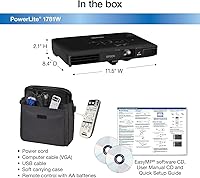
The package covers the basics — power cable, remote control, and the necessary connection cables — which gets most users operational without an immediate trip to buy add-ons. The remote is functional and adequately sized for use in a meeting room.
The absence of a carry sleeve or soft case feels like a meaningful gap for a projector explicitly marketed at travelers. Several reviewers note that protecting the unit during transport requires an immediate additional purchase, which is a frustrating omission at this price tier.

Suitable for:

The Epson PowerLite 1781W Portable Projector is built for professionals whose work regularly takes them out of their own office and into unfamiliar spaces — hotel conference rooms, client boardrooms, training facilities — where a reliable, bright image on short notice is non-negotiable. At just 4 pounds and thin enough to slide into the same bag as a laptop, it removes the logistical friction that heavier projectors impose on frequent travelers. Sales consultants, corporate trainers, and field managers who live out of a carry-on will find its wireless setup particularly valuable, since arriving at a venue without the right cable is a common enough reality. Small-to-medium meeting rooms where overhead lighting cannot be fully dimmed are also a strong fit, given the 3,200-lumen output holds up well under ambient light. IT departments looking for a durable, shareable projector to circulate among a mobile team will also get genuine mileage out of this Epson portable projector.

Not suitable for:

The Epson PowerLite 1781W Portable Projector is not the right call if sharp, high-resolution imagery is a priority. WXGA (1280x800) is adequate for text-heavy slides and spreadsheets, but it will disappoint anyone accustomed to 1080p or 4K output — whether for detailed visual content in a professional context or casual home cinema use. The absence of Miracast means quick wireless screen mirroring from a smartphone or tablet is off the table, which is a real limitation for less technical users who prefer cable-free convenience without configuring a network. Long-term cost of ownership is another consideration: UHE lamp replacement adds ongoing expense, and some owners report that real-world lamp life falls short of the rated figure, which quietly raises the total cost of owning this wireless business projector over time. Anyone prioritizing a low-maintenance, no-ongoing-cost setup — such as an LED or laser-based unit — should look at alternatives before committing.

Specifications

  • Weight: This projector weighs 4 lb, making it one of the lighter options in its class for professionals who carry equipment through airports and client offices.
  • Dimensions: The unit measures 11.5 x 8.4 x 2.1 inches, a slim profile comparable to a thick laptop that fits in most standard laptop compartments.
  • Display Technology: Epson uses a 3LCD panel system, which produces color using three dedicated chips rather than a single rotating color wheel.
  • Color Brightness: Color light output is rated at 3,200 lumens, matching the white brightness rating — an important distinction for accurate color reproduction in lit environments.
  • White Brightness: White brightness is also rated at 3,200 lumens, ensuring bright, legible images in conference rooms with overhead lighting that cannot be fully dimmed.
  • Native Resolution: The native resolution is WXGA (1280x800), which delivers clear text and crisp slides for business presentations at typical meeting room projection sizes.
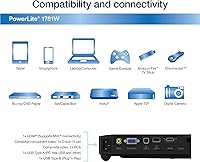
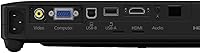
  • Connectivity: The projector includes a built-in high-speed wireless LAN module for network-based wireless projection, plus a standard HDMI port for wired connections.
  • Keystone Correction: Both manual and automatic vertical keystone correction are available, allowing quick image alignment when the projector cannot be placed perfectly level with the screen.
  • Lamp Type: The unit uses Epson UHE (Ultra High Efficiency) lamp technology, designed to balance brightness output with a reasonable operational lifespan for regular business use.
  • Miracast Support: Miracast wireless mirroring is not supported on this model, meaning direct screen casting from mobile devices requires a network-based wireless approach instead.
  • Recommended Use: Epson designates this projector for business use, specifically targeting presentation environments such as meeting rooms, training sessions, and client-facing demos.
  • Power Supply: The projector operates on AC power with no built-in battery, requiring access to a standard power outlet during all sessions.
  • Manufacturer: This projector is manufactured by Epson, a brand with a long-standing track record in business projection and display technology.
  • Model Number: The official model number is PowerLite 1781W, which is useful when searching for compatible lamps, accessories, or firmware updates.
  • First Available: The projector was first made available in January 2017, and has maintained consistent market presence in the business portable projector category since its launch.
  • Market Rank: At the time of review, this unit holds a Best Sellers Rank of #372 in the Video Projectors category on Amazon, reflecting steady ongoing demand.

Related Reviews
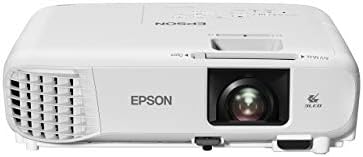
Epson PowerLite W49 LCD Projector
84%
88%
Brightness & Image Quality
92%
Value for Money
85%
Setup & Ease of Use
90%
Lamp Life
70%
Built-In Speaker
More
Epson CO-W01 Portable Projector
74%
91%
Color Accuracy
84%
Brightness
93%
Portability
63%
Image Resolution
88%
Setup & Ease of Use
More
Epson PowerLite X49 3LCD XGA Classroom Projector
84%
88%
Brightness & Image Quality
91%
Ease of Setup
89%
Value for Money
93%
Lamp Life & Eco Mode
86%
Connectivity & Versatility
More
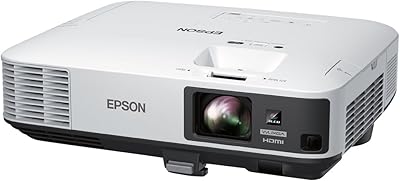
Epson EpiqVision Mini EF21 Laser Projector
79%
83%
Picture Brightness
91%
Color Accuracy
88%
Ease of Setup
86%
Portability & Form Factor
84%
Smart Platform & App Experience
More
Epson PowerLite 2250U WUXGA 3LCD Projector
76%
94%
Brightness Performance
91%
Color Accuracy
88%
Image Sharpness
89%
Build Quality
74%
Value for Money
More
ARTSEA Mini Portable Projector
69%
91%
Portability
88%
Ease of Setup
57%
Image Quality
49%
Brightness
83%
Value for Money
More
Epson EX3290 WXGA 3LCD Business Projector
77%
88%
Image Brightness
91%
Color Accuracy
74%
Resolution & Sharpness
86%
Setup & Ease of Use
83%
Portability
More
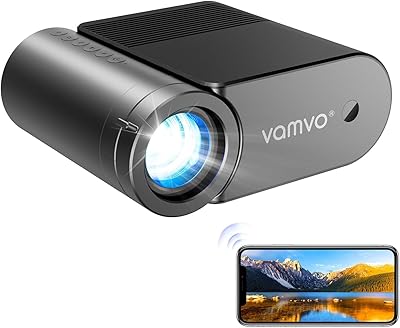
Vamvo VF320 Portable Projector
83%
90%
Ease of Setup
94%
Portability
88%
Picture Quality
65%
Sound Quality
72%
Connectivity
More
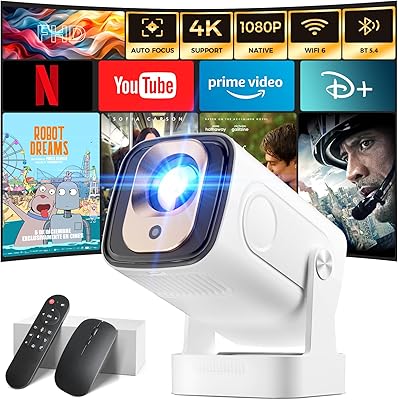
Wowlink W206 Mini Portable Projector
76%
74%
Picture Quality
58%
Brightness
91%
Setup Experience
69%
Built-in App Experience
93%
Portability
More
Epson Home Cinema 1080 1080p Projector
77%
91%
Image Quality
84%
Brightness & Ambient Light Performance
88%
Color Accuracy
79%
Gaming Performance
93%
Setup & Ease of Use
More

FAQ

Yes, the built-in wireless LAN module handles wireless projection natively — no dongle required. You will need to connect both the projector and your laptop to the same Wi-Fi network, and Epson provides software to manage the connection. It works on both PC and Mac.

For typical business content — spreadsheets, slide decks, PDFs — WXGA (1280x800) is genuinely sharp enough at standard meeting room projection distances. Text stays readable and numbers stay legible. If you routinely project extremely dense data tables at very large sizes, you may notice some softness at the edges of the frame, but for everyday presentations it holds up well.

Reasonably well, actually. At 3,200 lumens of both color and white brightness, the image stays visible and reasonably vivid under typical office fluorescent lighting. It won't match a purpose-built high-lumen room projector, but it handles the real-world scenario of a conference room with ambient light better than many portable units in its size range.

Yes, it is compatible with both PC and Mac computers, either through the HDMI port or via wireless connection using Epson's iProjection software. Most users find the Mac setup straightforward, though wireless first-time configuration occasionally takes a few extra minutes depending on network settings.

Lamp replacement is one of the more honest ongoing costs to factor in before buying. Epson rates the UHE lamp at several thousand hours depending on brightness mode, but real-world users frequently report shorter lifespans under regular high-brightness use. Replacement lamps typically run in the range of $100 to $150, so it is worth budgeting for this if you plan to use the projector heavily.

Not directly via Miracast or AirPlay — this model does not support either protocol natively. You can use Epson's iProjection app over a shared Wi-Fi network to project content from a mobile device, but it is not as instant as tapping a cast button. For quick mobile mirroring, a wired HDMI adapter remains the most reliable fallback.

In most cases, yes. At 2.1 inches thick and 4 pounds, this Epson portable projector is sized to slide into the secondary compartment of a typical laptop backpack or briefcase. A soft protective sleeve is a good idea to prevent scratches, but a dedicated hard-shell projector case is not necessary for everyday travel.

Both options are available. Auto keystone correction activates when the projector detects it is not level with the projection surface, making quick adjustments without any manual input. You can also override this and dial it in manually if the auto setting doesn't land exactly where you want it.

Fan noise is audible in quiet rooms, which is fairly typical for projectors in this brightness class. During a lively presentation or with any background noise in the room, most users do not find it distracting. If you plan to use it for quiet one-on-one demos in very small, silent spaces, it is worth being aware of.

It depends on your priorities. For pure business presentation use — slide decks, wireless connectivity, portability — the core performance still holds up and the 4.4-star user rating reflects that. Where it shows its age is resolution: newer competitors at similar price points now offer 1080p output. If WXGA resolution is acceptable for your content and portability is the main driver, this wireless business projector remains a solid, proven choice.