
Overview

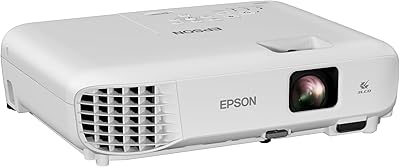
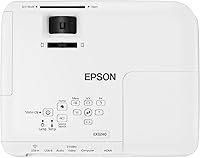
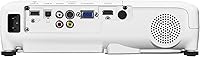
The Epson EX3240 SVGA 3LCD Projector is a straightforward, dependable workhorse aimed squarely at business presentations and classroom use. Launched back in 2015, it isn’t trying to compete with today’s 4K home theater setups — and it doesn’t need to. Where it earns its place is in the practical world of spreadsheets, slide decks, and training sessions. The 3LCD technology immediately separates it from single-chip DLP units, which can produce a distracting rainbow effect; here, colors appear consistent and accurate right out of the box. For buyers who need reliable brightness and trust the Epson name, this 3LCD projector still makes a reasonable case for itself.

Features & Benefits

At the heart of this Epson projector is its 3200-lumen output, which applies equally to both color and white brightness — a detail that matters more than most buyers realize. Many budget projectors advertise high white brightness but fall apart on color. Not here. Running at that level means you can keep overhead lights on during a meeting without washing out your slides. The native SVGA resolution handles text and charts cleanly, though it will show its limits if you try to project full-motion video or highly detailed graphics. HDMI input keeps connectivity simple, and the auto vertical keystone correction gets you square-on projection without fussing through menus. The built-in speakers are modest but functional for small rooms.

Best For

The EX3240 fits a fairly specific buyer profile. If you’re a teacher who needs to project lesson slides in a classroom that gets afternoon sun, this 3LCD projector handles that situation better than many alternatives in its class. Small business owners running client presentations or internal training sessions will find the setup process refreshingly fast — plug in via HDMI, let auto keystone do its job, and you’re ready. That said, if your primary use case involves streaming video, playing games, or showing photography, the SVGA resolution will disappoint. This isn’t a home theater unit. It’s a practical presentation tool built for people who value reliability and ease over cutting-edge specifications.

User Feedback

Across its 127 ratings, the EX3240 holds a 4.2 out of 5 score — respectable, though the review pool is small enough that a handful of strong opinions can skew things. Buyers consistently highlight brightness in lit rooms as the standout strength, which lines up with what the specs promise. Setup time also earns real praise; people appreciate not needing a manual to get started. On the other side, fan noise comes up repeatedly — it’s noticeable in quieter environments, which could be a real concern for small meeting rooms. Some users also flag that projected images can look soft when the content is video or photo-heavy. Long-term reliability seems solid, which is a meaningful endorsement given Epson’s track record.

Pros

  • Strong brightness holds up well in rooms with ambient light, reducing dependency on blackout conditions.
  • 3LCD technology produces accurate, consistent color without the distracting rainbow effect common in DLP units.
  • Auto vertical keystone correction makes getting a clean, square image fast and nearly effortless.
  • HDMI connectivity handles modern laptops and media players with a single cable and no adapters needed.
  • Built-in speakers are genuinely useful for small room presentations without external audio gear.
  • Setup is quick and approachable, even for users who aren't especially tech-savvy.
  • Epson’s track record for long-term reliability means this 3LCD projector tends to hold up well over time.
  • At 5.29 pounds, it’s portable enough to move between rooms or transport to off-site meetings.
  • Rated 4.2 out of 5 across real buyers, reflecting consistent satisfaction for its intended use case.

Cons

  • SVGA resolution produces noticeably soft images when projecting video, photos, or detailed graphics.
  • Fan noise is audible enough in quiet meeting rooms to become a real distraction during presentations.
  • No built-in wireless — optional adapters are required, adding extra cost and setup steps.
  • Launched in 2015, this projector lacks modern features found in more recently released competitors at similar prices.
  • Manual horizontal keystone adjustment can be fiddly compared to the fully automatic correction some rivals offer.
  • Built-in speakers lack the volume and clarity needed for larger rooms or audiences beyond a handful of people.
  • The relatively low resolution cap means the EX3240 has no upgrade path for higher-quality visual content.
  • With only 127 ratings, the review pool is still small, making it harder to fully gauge long-term reliability trends.

Ratings

The Epson EX3240 SVGA 3LCD Projector has been scored across key performance categories by our AI rating system, which analyzed verified global buyer reviews while actively filtering out incentivized, bot-generated, and spam submissions. The scores below reflect where this 3LCD projector genuinely excels and where real-world users have run into frustration — no glossing over the weak spots.

Brightness Performance
88%
In a room with overhead lights on, this Epson projector delivers a noticeably clear image that holds up better than many rivals in its class. Business users presenting mid-morning in glass-walled conference rooms consistently report that slides remain readable without hunting for a dimmer switch.
While the lumen output is strong for presentations, it can still struggle against direct natural light streaming in from windows. Users in particularly bright or sun-facing rooms have noted some washed-out areas, particularly toward the edges of the projected image.
Color Accuracy
83%
The 3-chip 3LCD technology processes each color channel independently, which translates to noticeably more consistent and natural-looking color than single-chip DLP units. Educators using color-coded charts and graphs have found that hues remain distinct and accurate without any adjustment.
While color performance is strong for presentation content, it doesn’t hold up as well for photographic or cinematic material where subtle gradients and skin tones matter. Some users note that color saturation feels slightly pushed in certain display modes, requiring manual calibration.
Image Sharpness
61%
39%
For projecting standard slide decks, bullet-pointed documents, and spreadsheet data, the SVGA resolution is functional and text remains legible at typical classroom or boardroom distances. Users who stick to presentation-only use rarely flag resolution as a problem in their feedback.
The 800x600 native resolution is a genuine limitation that becomes apparent quickly when showing anything beyond basic slides. Detailed diagrams, HD video, and photo-heavy content look noticeably soft, and this is the single most common complaint across real buyer reviews.
Ease of Setup
91%
Auto vertical keystone correction is a genuine time-saver in practice — users set the projector on a table, power it on, and the image snaps into reasonable alignment almost immediately. Non-technical users, including teachers and small business owners setting up solo, consistently highlight this as a standout strength.
Horizontal keystone correction is manual, which can require extra fiddling if the projector isn’t perfectly centered in front of the screen. In rooms with asymmetric furniture layouts, getting a truly square image takes more patience than the auto-vertical experience might lead you to expect.
Connectivity
79%
21%
A single HDMI cable handles both video and audio from modern laptops and media players, which keeps the cable clutter minimal in a meeting room setting. Most buyers find plug-and-play compatibility with Windows and Mac laptops to be essentially friction-free.
The lack of built-in wireless is a real inconvenience for users who want to present from across the room or share screen duties among multiple presenters. The optional wireless adapter adds cost and an extra setup step that undermines the otherwise simple experience.
Built-in Audio
54%
46%
For small breakout rooms with fewer than a dozen people, the integrated speakers handle basic audio duties adequately. Users running quick internal briefings or training videos at low volume have found the audio passable without reaching for external speakers.
Volume and clarity drop off sharply in any room of meaningful size. Several buyers specifically mention that audio becomes thin and strained at higher volumes, making the built-in speakers a stop-gap rather than a real solution for classrooms or conference rooms with more than a handful of attendees.
Fan Noise
58%
42%
In standard operating mode, the fan noise is in line with what you’d expect from a projector producing this level of brightness output. Running in eco mode reduces both lamp intensity and fan speed, which meaningfully quiets the unit for users who have the flexibility to dim slightly.
In genuinely quiet meeting rooms or during silent reading or test-taking scenarios in classrooms, the fan hum is consistently noticeable enough to be distracting. This is one of the more frequent real-world complaints from buyers, particularly those using the projector in library-quiet environments.
Build Quality
76%
24%
The chassis feels solid and well-constructed for a mid-range unit, and long-term reliability feedback from users who have owned the EX3240 for several years is generally positive. Epson’s manufacturing standards at this tier tend to deliver consistent build quality across units.
The plastic housing doesn’t feel particularly premium to the touch, and the ventilation grille design can accumulate dust in environments like classrooms. Some users report that the lens cover mechanism feels less refined than the rest of the unit.
Portability
72%
28%
At just over five pounds, this 3LCD projector is light enough to carry between classrooms or load into a bag for an off-site client meeting without significant effort. It doesn’t require a dedicated cart or fixed installation to be functional.
The physical footprint — nearly 15 inches wide — means it takes up meaningful tabletop real estate. It’s not the kind of compact unit you’d comfortably slip into a standard laptop bag alongside a computer without a dedicated case.
Value for Money
69%
31%
For buyers whose primary need is a reliable, bright projector for slide-based presentations in a business or educational setting, the price-to-performance ratio is reasonable given Epson’s brand reliability and the 3LCD technology advantage. It delivers on its core promise without requiring expensive accessories.
Newer competitors at comparable prices now offer XGA or even 1080p resolution, built-in wireless, and quieter operation, which makes the EX3240’s value proposition feel less compelling in 2024 than it did in 2015. Buyers willing to shop around may find meaningfully more capable options for similar or slightly higher spend.
Keystone Flexibility
74%
26%
Auto vertical keystone handles the most common alignment scenario — projector placed lower than the screen center — quickly and without manual input. This alone removes a significant friction point for everyday users in fixed room configurations.
The absence of auto horizontal keystone means users who can’t place the projector directly in front of the screen face a more manual correction process. In rooms where direct center placement isn’t possible, achieving a perfectly square image takes trial and error.
Resolution Versatility
47%
53%
Within its native SVGA format, the projector renders standard aspect-ratio presentations cleanly. Users who exclusively present 4:3 formatted slides and never deviate from that use case rarely feel constrained by the resolution ceiling.
The moment content moves beyond standard presentations, the limitations of 800x600 become hard to ignore. Widescreen content is letterboxed, HD video looks pixelated at larger screen sizes, and detailed infographics lose clarity — issues that grow more visible the bigger the screen.
Lamp Longevity
78%
22%
Epson’s UHE lamp technology in this projector line has a solid track record for lasting well beyond the rated hours when maintained properly and run in eco mode. Users who manage lamp usage sensibly report thousands of hours of reliable operation.
Replacement lamps add a recurring cost that occasional buyers may not factor in at purchase. There is also the practical inconvenience that a lamp failure mid-presentation — while uncommon — can leave a user without a backup in professional settings where reliability is critical.
Software & Controls
71%
29%
The onboard menu system is straightforward and doesn’t require any reading of the manual for basic operation. Navigation between brightness modes, keystone settings, and input sources is logical and consistent with what experienced Epson users will recognize from other models.
The remote control is functional but basic, and there is no app-based control or smart device integration. For users accustomed to modern wireless presentation tools, the control options feel dated given the projector’s 2015 hardware generation.

Suitable for:

The Epson EX3240 SVGA 3LCD Projector is a genuinely practical choice for educators and small business professionals who spend most of their projection time on slide decks, PDFs, spreadsheets, and other text-heavy content. If you run training sessions, team meetings, or classroom lessons in a room where you can't always shut the blinds, the strong brightness output means your audience can actually read what's on screen without you scrambling to dim every light. Teachers who present in standard classrooms, consultants who pitch in modestly lit boardrooms, and office managers setting up a simple conference room will all find this 3LCD projector hits the right balance of performance and practicality. It's also a solid step up for anyone replacing an older, dimmer unit and who values the reassurance of the Epson brand's long-standing reputation for reliability. The straightforward HDMI connection and fast keystone correction mean even less tech-savvy users can get up and running without frustration.

Not suitable for:

Buyers hoping to use the Epson EX3240 SVGA 3LCD Projector as a home theater centerpiece will likely walk away disappointed. The SVGA resolution, while perfectly adequate for a PowerPoint slide, looks noticeably soft when projecting movies, streaming content, or detailed photography — the kind of softness that becomes hard to ignore on a large screen. If your priority is watching video content, gaming, or displaying high-resolution imagery, the native 800x600 output simply isn't up to the task in 2024, no matter how good the brightness is. Audiophiles and those presenting in larger rooms should also note that the built-in speakers are modest at best, and fan noise — flagged by a meaningful number of real-world users — can become a genuine distraction in quiet environments. Anyone without built-in wireless connectivity needs to know it isn't included here; optional wireless adapters add both cost and setup complexity, which undermines the otherwise simple plug-and-play appeal.

Specifications

  • Brand: Manufactured by Epson, a globally recognized leader in projection and imaging technology.
  • Model: The EX3240 is a business and education-focused 3LCD projector first released in September 2015.
  • Display Technology: Uses Epson's 3-chip 3LCD system, which processes red, green, and blue light simultaneously for consistent, accurate color reproduction.
  • Native Resolution: Projects at SVGA resolution (800x600 pixels), well-suited for text-based presentations but limited for high-definition video content.
  • Color Brightness: Rated at 3200 lumens of color brightness, enabling clear, vivid image display even in rooms with ambient lighting.
  • White Brightness: White brightness is also rated at 3200 lumens, matching the color output for balanced and uniform image quality.
  • Connectivity: Equipped with HDMI input for digital video and audio transmission from laptops, media players, and other modern devices via a single cable.
  • Wireless: Built-in wireless is not included; optional wireless connectivity can be added through a separately purchased Epson wireless adapter.
  • Keystone Correction: Features automatic vertical keystone correction and manual horizontal keystone adjustment for flexible image alignment across varied room setups.
  • Built-in Audio: Includes integrated speakers, providing a basic audio solution suitable for small meeting rooms or classrooms without external sound equipment.
  • Dimensions: The unit measures 14.5 x 13.8 x 6.2 inches, making it a mid-sized projector appropriate for desktop or tabletop placement.
  • Weight: Weighs 5.29 pounds, offering reasonable portability for users who need to move it between rooms or transport it to off-site venues.
  • Lamp Type: Uses a replaceable UHE (Ultra High Efficiency) lamp, consistent with Epson's standard projector lamp platform for this product generation.
  • Aspect Ratio: Native aspect ratio is 4:3, aligned with the SVGA format and standard presentation slide layouts used in most business and educational settings.
  • Throw Type: Standard throw lens design requires a moderate distance from the screen to produce a usable image size, typical for classroom or boardroom use.
  • Market Rank: Holds a Best Sellers Rank of #2,568 in the Video Projectors category on Amazon, indicating steady ongoing demand despite its 2015 release.
  • Availability: The EX3240 is confirmed as not discontinued by the manufacturer, remaining an active product in Epson's lineup at time of listing.

Related Reviews
Epson EX3280 XGA 3LCD Projector
73%
88%
Brightness Performance
84%
Color Accuracy
91%
Value for Money
61%
Resolution Clarity
83%
Refurbished Condition Quality
More
Epson PowerLite X49 XGA Classroom Projector
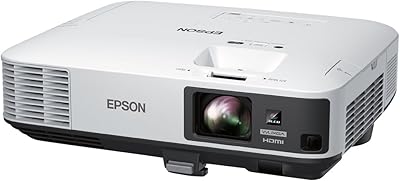
80%
91%
Image Brightness
86%
Color Accuracy
72%
Image Sharpness
83%
Brightness Consistency
88%
Connectivity
More
Epson PowerLite 2250U WUXGA 3LCD Projector
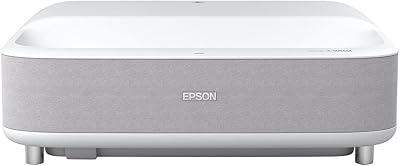
76%
94%
Brightness Performance
91%
Color Accuracy
88%
Image Sharpness
89%
Build Quality
74%
Value for Money
More
Epson EpiqVision Ultra Short Throw LS300 3LCD Smart Laser Projector
84%
93%
Brightness
89%
Picture Quality
85%
Setup & Installation
82%
Sound Quality
90%
Connectivity & Smart Features
More
Epson EX3290 WXGA 3LCD Business Projector
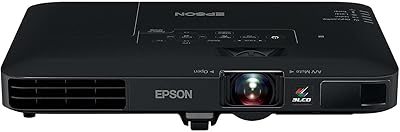
77%
88%
Image Brightness
91%
Color Accuracy
74%
Resolution & Sharpness
86%
Setup & Ease of Use
83%
Portability
More
Epson PowerLite 1781W Portable Projector
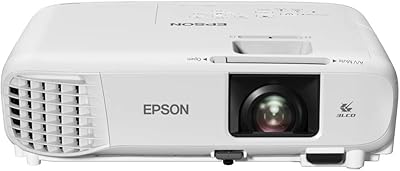
76%
93%
Portability
88%
Image Brightness
79%
Image Quality
74%
Wireless Connectivity
82%
Setup Speed
More
Epson PowerLite W49 LCD Projector
84%
88%
Brightness & Image Quality
92%
Value for Money
85%
Setup & Ease of Use
90%
Lamp Life
70%
Built-In Speaker
More
Epson Home Cinema 1080 1080p Projector
77%
91%
Image Quality
84%
Brightness & Ambient Light Performance
88%
Color Accuracy
79%
Gaming Performance
93%
Setup & Ease of Use
More
Epson EX7280 WXGA 3LCD Projector
73%
93%
Image Brightness
89%
Color Accuracy
82%
Value for Money
71%
Resolution & Clarity
61%
Noise Level
More
ViewSonic PA503S 4000-Lumen SVGA DLP Projector
72%
91%
Brightness Performance
48%
Image Resolution
88%
Ease of Setup
79%
Build Quality & Durability
54%
Fan Noise
More

FAQ

Yes, and this is genuinely one of its stronger points. The 3200-lumen output — applied equally to both color and white brightness — means you don’t need to black out the room to get a readable image. Overhead fluorescent lighting is manageable; direct sunlight on the screen is still a problem, as it would be for nearly any projector in this class.

For standard PowerPoint or Google Slides content, spreadsheets, and PDFs, SVGA holds up fine. Text is legible and charts read clearly. Where it falls short is detailed graphics or anything involving fine print at smaller sizes — those can look a little soft. For purely presentation-focused use, most buyers find it adequate.

The Epson EX3240 SVGA 3LCD Projector is not really built for that use case, and it shows. The 800x600 native resolution produces a noticeably softer image when projecting full-motion video or photography compared to XGA or 1080p alternatives. It’s functional in a pinch, but if video is a regular use case, you’d be better served by a higher-resolution unit.

Yes, as long as your laptop has HDMI out, the connection is straightforward — one cable handles both video and audio. If your laptop only has USB-C or Thunderbolt ports, you’ll need an appropriate adapter, but that’s a laptop-side issue rather than anything specific to the projector.

Noticeable is the honest answer. In a quiet meeting room with only a few people, the fan hum is present enough that some users find it distracting. In a classroom or larger room with background noise, it’s much less of an issue. It’s not unusually loud for a projector in this brightness class, but it’s not whisper-quiet either.

Wireless is not built in. If you want to project wirelessly from a laptop or mobile device, you’ll need to purchase Epson’s optional wireless LAN adapter separately. For most business and classroom users who already rely on HDMI cables, this isn’t a dealbreaker, but it’s worth factoring into the overall cost if wireless projection is important to you.

Setup is one of the things real users consistently mention in a positive light. The auto vertical keystone correction handles the most common alignment issue automatically, and HDMI keeps the cable situation simple. Most users report being ready to project within a few minutes of taking it out of the box, without needing to consult the manual.

The EX3240 can project images ranging from around 30 inches up to approximately 350 inches diagonally depending on throw distance, though optimal image quality sits in the 60–120 inch range for most room setups. At larger sizes, the SVGA resolution limitation becomes more apparent, so sticking to a moderate screen size generally gives the best results.

Epson’s replacement lamps for this projector line typically run in the range of 60 to 100 dollars depending on the supplier, and rated lamp life is generally around 5,000 to 10,000 hours depending on the power mode used. Running it in eco mode extends lamp life considerably and also reduces fan noise somewhat, which is worth considering for regular classroom use.

That depends entirely on what you need it for. If your primary use is projecting presentations and documents in ambient light, it still does that job well, and Epson’s reliability record means it’s likely to keep doing it for years. If you’re expecting modern features like built-in wireless, higher resolution, or smart connectivity, you’ll find newer competitors in a similar price bracket that offer more. It’s a capable but dated tool — fit for a specific purpose, not a general-purpose upgrade.

Where to Buy