Overview

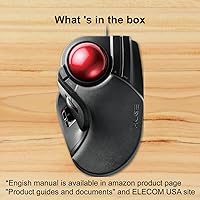
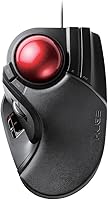
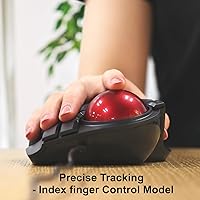
The ELECOM HUGE Wired Finger Trackball Mouse sits in an interesting corner of the peripheral market — one that more desk-bound professionals are discovering as wrist fatigue becomes a real occupational concern. Unlike thumb-operated trackballs, this finger trackball centers control on your index and middle fingers, rolling a large 52mm ball that gives a satisfying sense of precision without moving your arm at all. It connects via USB and works across Windows and macOS without fuss. This is not something you buy on a whim. It rewards patience and intention, aimed squarely at people who have decided to take their ergonomic setup seriously.
Features & Benefits

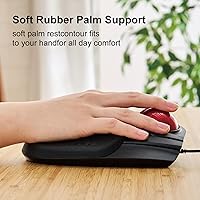
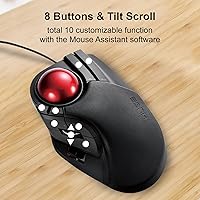
The 52mm optical ball rides on three artificial ruby ball bearings, and the difference is immediately noticeable — rolling feels fluid rather than sticky, even after hours of use. Dust resistance is a genuine plus here; the bearings are large enough that debris rarely causes problems, and when you do need to clean the ball, you just push it out through the bottom hole. Eight physical buttons offer real flexibility, including a tilt scroll wheel that handles horizontal navigation without awkward gestures. The DPI options — 500, 1000, and 1500 — are built for precision productivity work, not gaming. The integrated palm rest keeps your wrist neutral, which becomes significant during long sessions.

Best For

This wired trackball mouse is a strong fit for anyone who spends serious hours at a desk and has started feeling the toll in their wrist or shoulder. Graphic designers and CAD users tend to appreciate the finger-operated precision for detailed cursor work where overshoot is costly. If you have limited desk real estate, the static footprint is a real advantage — your hand stays in one place. People managing early-stage repetitive strain injury often find it more comfortable than a conventional mouse within a few weeks of adjustment. It also suits those moving from a thumb trackball who want something larger and more centrally controlled. A wired connection makes it dependable for home offices and professional studios alike.

User Feedback

Across user reviews, the most consistent praise is for ball smoothness and how comfortable the palm rest feels after extended use — people genuinely notice the difference compared to their previous setup. Build quality also gets regular positive mentions; nothing about it feels cheap. The honest caveat is the learning curve. Most users report needing one to two weeks before movement feels natural, and some never fully adjust. On the software side, button customization is limited out of the box, and third-party tools are often needed to unlock the full eight-button potential. A smaller group has flagged cursor drift after long-term use, though it is not a widespread complaint. Those chasing high DPI for gaming will want to look elsewhere.

Pros

  • The 52mm ball on ruby bearings delivers cursor movement that stays fluid and consistent across long work sessions.
  • An integrated palm rest meaningfully reduces wrist strain for users logging six or more hours a day at a desk.
  • No mouse pad required — the optical sensor works on virtually any surface, simplifying your desk setup.
  • The ball pops out tool-free for cleaning, making routine maintenance quick and genuinely painless.
  • Eight physical buttons including a four-way tilt scroll wheel cover most productivity workflows without extra peripherals.
  • A wired USB connection means zero input lag, no batteries to manage, and reliable plug-and-play on both Windows and macOS.
  • The fixed hand position eliminates the wide arm sweeps that contribute to shoulder and elbow fatigue over time.
  • DPI switching between 500, 1000, and 1500 gives useful flexibility for shifting between detailed precision work and faster general navigation.
  • Build quality is consistently praised — this finger trackball feels solid and holds up well after years of daily use.
  • The static desk footprint is a real advantage in tight or shared workspaces where every inch of surface area matters.

Cons

  • The adjustment period is real — expect one to two weeks of slower, less accurate cursor control before it clicks.
  • Button customization is limited out of the box, and ELECOM's own software feels underdeveloped compared to competitors.
  • The 1500 DPI ceiling is adequate for office work but genuinely restrictive for gaming or high-speed navigation tasks.
  • A minority of long-term users have reported subtle cursor drift after months of use, particularly without regular cleaning.
  • The scroll wheel tilt mechanism requires deliberate lateral force and can feel stiff or inconsistent after extended use.
  • No wireless option exists, which is a firm dealbreaker for users who prefer a cable-free desk or have non-standard PC placement.
  • Users with smaller hands may find the palm rest angle and overall body size slightly awkward and impossible to adjust.
  • The matte plastic surface picks up oils and fingerprints noticeably, requiring regular wiping to keep looking clean.
  • Linux users get no official driver support and are left to rely on generic HID compatibility with no guarantee of full functionality.
  • Those who invest in the device but cannot adapt to finger-operated tracking are left with an expensive peripheral that is hard to resell.

Ratings

The ELECOM HUGE Wired Finger Trackball Mouse has been rated by our AI system after processing thousands of verified global user reviews, with spam, bot activity, and incentivized feedback actively filtered out. The scores below reflect honest, real-world experiences from professionals, ergonomic enthusiasts, and everyday desk users alike. Both the genuine strengths and the friction points that buyers repeatedly flag are transparently captured in each category.
Tracking Smoothness
91%
The 52mm ball rolling on ruby bearings is the feature users mention most consistently and most positively. Day after day, people describe cursor movement as fluid and predictable, with none of the stuttering or resistance that plagues cheaper trackballs. For detailed design work or long spreadsheet sessions, that consistency genuinely matters.
A small group of long-term users reports that smoothness can degrade subtly over many months if the ball and bearings are not cleaned regularly. While maintenance is easy, it is not optional — neglect it and the premium feel starts to slip.
Ergonomic Comfort
88%
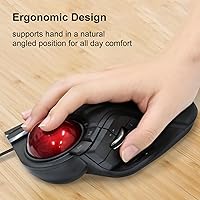
The integrated palm rest is not an afterthought here. Users who switched from a conventional mouse frequently report a noticeable reduction in wrist tension within the first week, and those managing early carpal tunnel symptoms describe it as one of the more impactful changes they made to their setup. The hand position feels natural once you settle in.
The palm rest geometry suits medium to large hands well, but users with smaller hands sometimes find the angle slightly awkward. It is not adjustable, so what you get out of the box is what you live with — a limitation worth knowing before buying.
Learning Curve
63%
37%
For users willing to invest the time, the adjustment period has a clear payoff. Most report that after one to two weeks of daily use, finger control starts to feel intuitive, and they would not go back to a conventional mouse. The large ball size actually helps here, giving more surface area to roll with precision.
Two weeks is a real commitment, and not everyone makes it through. A portion of buyers return the device during that window, frustrated that speed and accuracy feel worse than their old mouse. This is not a plug-and-play upgrade — it requires patience that not every buyer anticipates.
Build Quality
86%
The physical construction earns consistent praise. Nothing flexes unexpectedly, the buttons click with a satisfying firmness, and the overall weight of just over nine ounces gives it a planted, premium feel on the desk. Users who have owned it for two or three years often comment that it still feels as solid as day one.
The matte plastic surface, while functional, attracts fingerprints and oils over time. It does not feel quite as refined as some higher-priced alternatives, and a few users note that the scroll wheel feels slightly less precise than the main ball after extended use.
Button Layout & Usability
79%
21%
Eight physical buttons is generous for a trackball, and the tilt scroll wheel adds horizontal scrolling that feels genuinely useful in wide spreadsheets or panoramic design canvases. The button placement allows access without repositioning the hand, which keeps workflow interruption low.
The two extra buttons can be awkward to press reliably without disrupting grip, particularly during focused tracking tasks. Users with larger hands tend to adapt more easily, but for others, accidental presses are a recurring minor frustration.
Software & Customization
54%
46%
Out of the box, the basic button assignments work well for standard office tasks. Users who stick with the defaults — forward, back, DPI switching — report no friction and appreciate that no driver installation is required for core functionality on both Windows and macOS.
Anyone wanting to remap buttons beyond the defaults quickly hits a wall. ELECOM's own software is considered clunky by a notable share of users, and many resort to third-party tools to unlock what should be built-in flexibility. For a device at this price point, the software experience feels underdeveloped.
DPI Range & Cursor Control
72%
28%
For productivity-oriented use, the three DPI steps cover the realistic range well. At 500 DPI, pixel-level precision is achievable for illustration or photo editing work. At 1500 DPI, general navigation feels brisk without being twitchy. Users doing CAD or detailed design work tend to appreciate the low end most.
The 1500 DPI ceiling will disappoint anyone hoping to use this for gaming or fast-paced workflows that demand higher sensitivity. It is an honest productivity tool, not a high-performance input device, and buyers expecting otherwise will feel the limitation immediately.
Desk Space Efficiency
93%
This is one of the most practically appreciated aspects among users who made the switch from a traditional mouse. Because the hand stays stationary, the device occupies a fixed, compact footprint. Users in cramped home offices or shared workspaces frequently cite this as a secondary reason they stuck with it after the adjustment period.
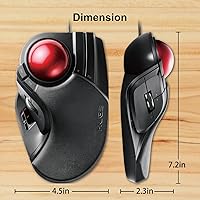
The device itself is not small — at over seven inches long, it needs a dedicated area of its own. It saves the sweep space a mouse requires, but users expecting a minimal-footprint device may be surprised by its actual physical size.
Maintenance & Cleaning
89%
Popping the ball out through the bottom hole is genuinely quick and tool-free, and the ruby bearings resist dust accumulation better than conventional bearing systems. Users who do a light clean every few weeks report that the tracking performance stays consistent over months without any degradation.
While maintenance is straightforward, it is also necessary. Users who ignore cleaning for extended periods report a gradual creep in friction and tracking inconsistency. The process itself is easy, but the expectation to maintain it regularly catches some buyers off guard.
Wired Connectivity & Reliability
94%
The wired USB connection is rock solid. Users in professional environments who have had bad experiences with wireless lag or battery management appreciate the zero-latency, always-on nature of the connection. On both Windows and macOS, plug-and-play recognition is essentially universal with no reported driver conflicts.
The cable length suits most standard desk setups, but users with non-traditional configurations — under-desk PCs or extended reach setups — occasionally find it restrictive. There is no wireless option, which is a firm dealbreaker for some buyers before they even try the device.
Value for Money
77%
23%
For users who commit to the finger-trackball style and use it daily, the long-term value is strong. The build holds up, the bearings last, and the ergonomic benefit for wrist health is something users in the right target group assign real dollar value to over time.
For buyers who try it and cannot get through the adjustment curve, the price feels steep for something that ended up in a drawer. The value proposition is deeply tied to personal adaptation — those who succeed love it; those who do not feel like they overpaid.
OS Compatibility
92%
Broad compatibility across Windows 8 through 11 and macOS 10.12 and later means this wired trackball mouse slots into almost any existing setup without friction. Mac users in particular appreciate that core functionality works natively without hunting for drivers.
Linux users are essentially on their own, and while many report it working through native HID support, ELECOM provides no official documentation or support for non-Windows and non-Apple systems.
Scroll Wheel Performance
74%
26%
The four-way tilt scroll wheel adds real utility for users who regularly navigate horizontal content — wide spreadsheets, panoramic timelines in video editing software, or large design canvases. Vertical scrolling is smooth and well-weighted for everyday document navigation.
The tilt mechanism requires deliberate, slightly forceful lateral pressure to activate consistently, and some users find it less responsive than they expected. After heavy use, a few reviewers note the tilt action becomes stiffer, which is a minor but nagging long-term complaint.
Cursor Stability Over Time
66%
34%
Under normal conditions and with regular cleaning, cursor behavior stays predictable. Users who maintain the device properly report no meaningful drift or erratic movement even after extended ownership, which reflects well on the bearing and sensor quality working together.
A minority of users — particularly those who skip maintenance — report subtle cursor drift appearing after several months of use. It is not universal, but it is persistent enough in the feedback pool to warrant honest mention, especially for users doing precision work where unexpected movement is costly.

Suitable for:

The ELECOM HUGE Wired Finger Trackball Mouse is purpose-built for people who spend serious hours at a desk and have started to feel that in their wrists, shoulders, or forearms. Graphic designers, CAD drafters, and video editors who need repeatable precision — where overshooting by a few pixels actually costs time — tend to get the most out of the finger-operated control style and the large ball's natural range of motion. Office workers managing early repetitive strain injury or carpal tunnel symptoms will find the fixed hand position and integrated palm rest a meaningful relief compared to the constant lateral movement a traditional mouse demands. If your desk is already crowded, the static footprint is a practical advantage that users in compact home offices cite regularly. Those who have tried a thumb-operated trackball but found it too cramped or imprecise may discover that the larger ball and finger-driven control feel far more natural for their hand size and workflow. A wired USB connection makes it a dependable, no-fuss choice for professional studio environments where wireless interference or battery management is simply not worth the risk.
Not suitable for:

The ELECOM HUGE Wired Finger Trackball Mouse is honestly not the right tool for everyone, and it is worth being direct about that before you commit. If you are a gamer or work in a fast-paced environment that demands high-sensitivity input, the 1500 DPI ceiling will feel restrictive almost immediately — this device was designed for controlled productivity, not rapid response. Anyone who is not prepared to invest one to two weeks of uncomfortable, slower-than-usual navigation during the adjustment period should think carefully, because that transition is real and not everyone comes out the other side as a convert. Users with smaller hands may find the palm rest geometry slightly off — it suits medium to large hands well, but it is not adjustable, so there is no way to compensate. If deep software customization is important to your workflow, the native button-mapping experience is limited and will likely push you toward third-party tools to get full use of all eight buttons. Finally, buyers who need wireless freedom — whether for a clean desk aesthetic or a non-standard setup with the PC out of reach — will need to look elsewhere, as there is no wireless variant of this device.

Specifications

  • Ball Size: The trackball uses a 52mm red optical ball, larger than most consumer trackballs, which gives the fingers more surface area for controlled, precise movement.
  • Ball Bearings: Three artificial ruby ball bearings, each 2.5mm in diameter, support the ball and provide low-friction rolling with strong resistance to dust buildup.
  • Sensor Type: An optical sensor tracks ball movement without requiring a mouse pad or flat surface, making it functional on virtually any desk material.
  • DPI Settings: Cursor sensitivity is switchable between three steps — 500, 1000, and 1500 DPI — via a dedicated button on the device body.
  • Button Count: The device features 8 physical buttons, including left and right click, two programmable side buttons, a DPI toggle, and a four-way tilt scroll wheel.
  • Scroll Wheel: The scroll wheel supports four-way input, with vertical scrolling via standard rotation and horizontal scrolling via left and right tilt pressure.
  • Palm Rest: An integrated, fixed palm rest is built into the base of the unit to support the lower palm and reduce wrist extension during extended sessions.
  • Connection: The device connects via a wired USB cable and is plug-and-play compatible on supported operating systems without requiring driver installation for basic use.
  • OS Compatibility: Officially supported on Windows 8, Windows 10, Windows 11, and macOS 10.12 or later; Linux compatibility is not officially documented by ELECOM.
  • Dimensions: The unit measures 7.16″ in length, 4.52″ in width, and 2.25″ in height, occupying a fixed footprint on the desk without requiring sweep space.
  • Weight: The device weighs approximately 9.2 oz, giving it a substantial, planted feel that prevents shifting during active use.
  • Color: Available in a two-tone Black and Red colorway, with the signature red ball providing a visual contrast against the matte black body.
  • Operation Type: This is a finger-operated trackball, meaning the index and middle fingers control ball movement rather than the thumb, as on smaller thumb-style alternatives.
  • Cleaning Access: The 52mm ball is removable without tools by pressing it through the dedicated hole on the underside of the unit for quick maintenance access.
  • Power Source: The device draws power entirely through its USB connection and requires no batteries, making it a zero-maintenance power solution for wired setups.
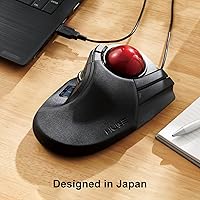
  • Brand & Model: Manufactured by ELECOM, a Japanese peripheral brand, under the model designation M-HT1URBK, first made available in July 2017.
  • ASIN: The Amazon Standard Identification Number for this product is B07353DBP9, useful for locating the correct listing across regional Amazon storefronts.

Related Reviews
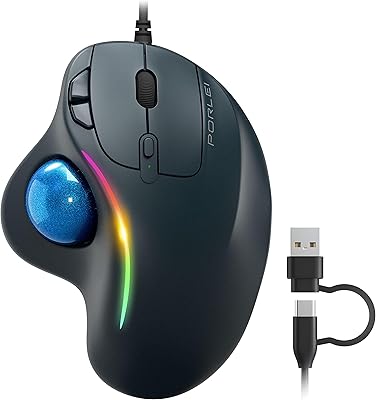
PORLEI TM551 Wired Trackball Mouse
76%
88%
Ergonomic Comfort
71%
Tracking Precision
63%
DPI Versatility
67%
Build Quality
94%
Ease of Setup
More
Nulea M509 Trackball Mouse
77%
83%
Ergonomic Comfort
67%
Trackball Precision
74%
Build Quality
94%
Ease of Setup
88%
Cable & Connectivity
More
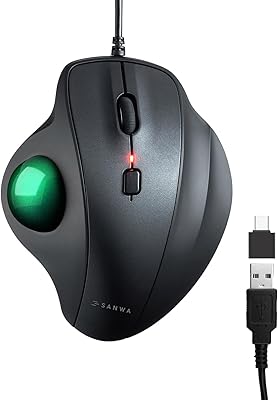
SANWA Wired Ergonomic Trackball Mouse
86%
91%
Ergonomics & Comfort
88%
Trackball Precision
87%
Silent Click Performance
95%
Setup & Installation
93%
Device Compatibility
More
ELECOM DEFT PRO Trackball Mouse
74%
83%
Ergonomic Comfort
78%
Tracking Precision
86%
Multi-Device Connectivity
84%
Build Quality
88%
Ball & Bearing Smoothness
More
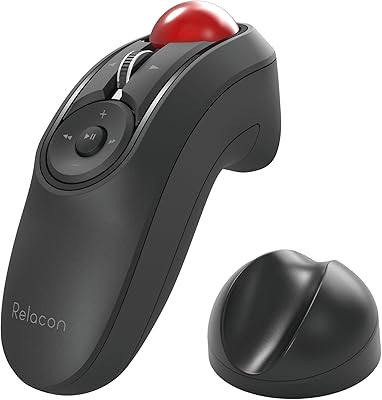
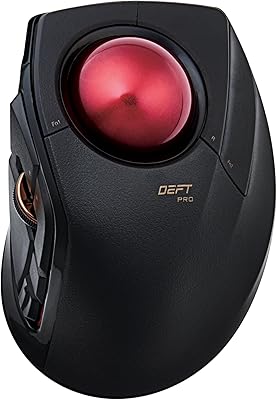
ELECOM Relacon M-RT1BRXBK Handheld Trackball
75%
83%
Ergonomics & Comfort
71%
Trackball Precision
68%
Bluetooth Connectivity
66%
Button Layout & Customization
61%
Learning Curve
More
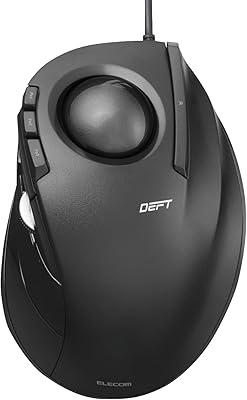
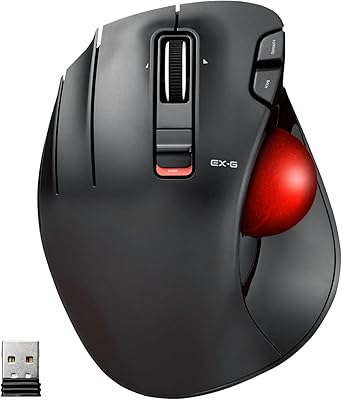
ELECOM DEFT Trackball Mouse
76%
83%
Ergonomic Comfort
72%
Tracking Accuracy
58%
DPI & Cursor Control
81%
Build Quality
76%
Button Layout & Feel
More
ELECOM M-XGM30UBSKBK Wired Ergonomic USB Mouse
86%
89%
Ergonomics
91%
Silent Click Function
85%
Customizability
84%
Build Quality
87%
Tracking Precision
More
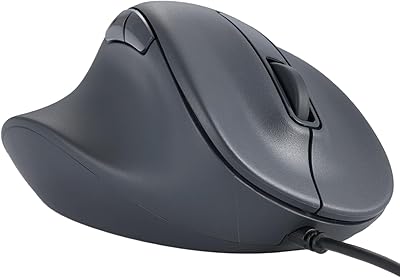
ELECOM EX-G Left-Handed Wireless Trackball Mouse
79%
93%
Left-Hand Ergonomics
81%
Tracking Accuracy
84%
Wireless Performance
58%
DPI Range & Customization
76%
Build Quality
More
SABLUTE Wireless Trackball Mouse
74%
83%
Ergonomic Comfort
79%
Adjustable Tilt Base
86%
Multi-Device Connectivity
67%
Trackball Precision & Feel
74%
DPI Range & Customization
More
ELECOM M-IT10URWH Wired Thumb Trackball
78%
84%
Ergonomic Comfort
81%
Tracking Smoothness
67%
Build Quality
76%
Button Performance
71%
Software & Customization
More

FAQ

Most users report that the first three to five days feel noticeably slower and slightly frustrating, but by the end of the second week things start to feel natural. A few people adapt faster, and a small number never fully get there. Going in with realistic expectations — and not judging it during the first week — makes a significant difference.

It is one of the more commonly recommended options for exactly that reason. Because your hand stays stationary while the fingers do the work, the repetitive lateral sweeping motion that aggravates wrist conditions is essentially eliminated. That said, it is not a medical device, and results vary — but many users with RSI or carpal tunnel symptoms report genuine relief after the adjustment period.

For basic use — left click, right click, scrolling, and cursor movement — no driver installation is needed on Windows or macOS. If you want to remap the extra buttons, you will need ELECOM's companion software or a third-party tool like StrokesPlus or Karabiner on Mac. The native software works but is considered functional rather than polished.

Push the ball out through the small hole on the underside of the device — no tools needed. Wipe the ball with a dry or lightly damp cloth, and use a cotton swab to clear any debris from around the three ruby bearings in the socket. Every two to four weeks is a reasonable cleaning interval for daily users; skip it for too long and you will notice a slight increase in rolling resistance.

Yes, macOS compatibility is solid. The device is recognized immediately as a standard HID input device, so core functions work without any setup. Horizontal scroll via the tilt wheel also works natively in most macOS applications. Button remapping beyond the defaults requires third-party software like Karabiner-Elements since ELECOM's own software is Windows-focused.

Strictly a productivity peripheral, honestly. The 1500 DPI ceiling is fine for detailed office and design work, but it falls well short of what fast-paced gaming demands in terms of sensitivity and response. The finger-operated control style also has a reaction speed ceiling that competitive gaming would expose quickly. If gaming is your priority, a dedicated gaming mouse will serve you far better.

Yes, in a practical sense. With a conventional mouse you need clear sweep space — often a 12-inch by 12-inch area or more — to move comfortably. With this wired trackball, your hand parks in one spot and the cursor moves via finger rolls. The device itself is not tiny, but the usable area it requires is essentially just its own footprint.

In a thumb trackball, a smaller ball sits on the side of the device and is controlled entirely by the thumb, while the fingers rest on standard mouse buttons. In a finger trackball like this one, the larger ball sits on top and is rolled by the index and middle fingers, which many users find allows for finer, more deliberate control. Thumb trackballs tend to feel more immediately familiar to mouse users; finger trackballs have a steeper learning curve but are preferred by many for precision tasks.

As of current listings, this model is marked as not discontinued by the manufacturer and remains available through major retailers. ELECOM has continued producing and supporting the M-HT1URBK line since its 2017 launch, which is a reasonable indicator of ongoing product support. That said, always verify current availability through your preferred retailer before purchasing.

The most common cause is debris accumulation around the ruby bearings. Start by removing the ball and doing a thorough cleaning of the bearing contact points with a dry cotton swab. If cleaning does not resolve it, try the device on a different USB port or machine to rule out a software or port issue. Persistent drift after cleaning is less common but has been reported by a minority of long-term users, and in those cases contacting ELECOM support is the recommended next step.

Where to Buy