ELECOM Relacon M-RT1BRXBK Handheld Trackball


Overview
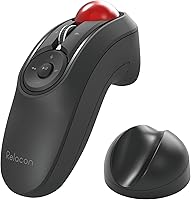
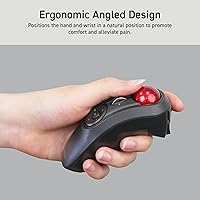
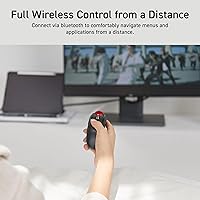
The ELECOM Relacon M-RT1BRXBK Handheld Trackball takes a fundamentally different approach to cursor control — you hold it like a TV remote and roll the ball with your thumb instead of sliding a mouse across a desk. That shift matters more than it sounds. Whether you're navigating a smart TV interface from the couch, advancing slides in a boardroom, or browsing from a recliner, keeping your arm still while controlling the cursor is genuinely useful. It's ambidextrous and Bluetooth-only, so there's no dongle to lose and no handedness bias. At under three ounces, it fits naturally in one hand. Just be clear on what this is: a specialized remote-style input device, not a replacement for your everyday desktop mouse.
Features & Benefits
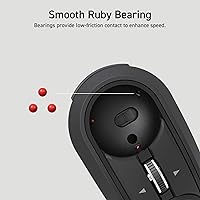
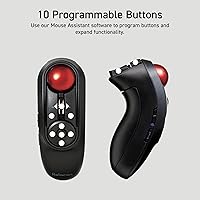
The thumb-operated ball sits on three ruby ball bearings, which keeps rolling friction noticeably low and makes movement feel fluid rather than gritty. ELECOM gives you 10 physical buttons, all reassignable, so you can map shortcuts for whatever workflow or app you have in mind. A three-step DPI switch — 500, 1000, or 1500 — lets you dial in cursor speed depending on whether you're pointing at a large TV from across the room or working on a laptop screen. The Relacon runs on two AAA batteries with a rated life of up to six months, and the ball pops out from the bottom for cleaning without any tools. No USB dongle required, which keeps your ports completely free.
Best For
This handheld trackball shines in situations where a traditional mouse simply doesn't fit. Couch-based TV browsing is the obvious sweet spot — navigating streaming menus or web browsers on a big screen is where thumb-operated cursor control actually makes sense. Presenters and teachers will appreciate having a full-featured mouse and slide controller in one pocket-sized device. It's also worth considering if you deal with wrist or shoulder strain, since keeping your arm stationary takes real stress off your joints. Users working from armchairs or cramped spaces will find it practical where a mouse pad isn't an option. Casual point-and-click gaming is feasible too, though that's clearly a secondary use rather than anything competitive.
User Feedback
Owners of the Relacon frequently mention one-handed comfort and the convenience of pure Bluetooth — no receiver to fumble with, no port consumed. That said, the honest reality is that transitioning from a standard mouse takes time. Reviewers who stuck with it for a few weeks generally warmed up to the trackball considerably; those who expected immediate precision were often let down early. Button placement draws mixed opinions — some find the layout clicks naturally, while others report accidentally hitting adjacent buttons mid-scroll. Bluetooth reconnection delays on certain Windows machines appear in enough reviews to be worth noting. The overall picture: a genuinely useful device for its intended context, but one that rewards patience.
Pros
- Cursor control without moving your arm makes couch browsing and presentations genuinely practical.
- Dongle-free Bluetooth keeps all your USB ports free — a real advantage on thin laptops and smart TVs.
- Ruby ball bearings deliver smooth, low-friction rolling that holds up well over months of regular use.
- Six-month battery life on two AAA cells means you rarely think about power at all.
- Ten customizable buttons give presenters and power users real flexibility to map their own shortcuts.
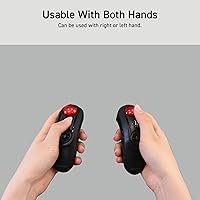
- The ambidextrous grip is one of the few designs that works equally well for left-handed users.
- Ball removal for cleaning requires no tools — just push from the bottom and rinse.
- Three DPI steps let you quickly adjust cursor speed between a large TV and a smaller laptop display.
- Lightweight at under three ounces, it slips easily into a jacket pocket for travel or room-to-room use.
- Long-term users consistently rate it higher as thumb muscle memory develops over the first few weeks.
Cons
- Bluetooth reconnection lag after idle periods is a documented issue on select Windows setups.
- The learning curve is steep — expect at least two weeks before thumb control feels natural.
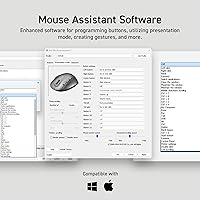
- ELECOM's button remapping software feels outdated and has compatibility issues on newer macOS versions.
- No USB dongle fallback means Bluetooth instability on your device has no workaround.
- Accidental button presses are common early on due to the compact, clustered button layout.
- Fine cursor precision for detail-heavy tasks is noticeably limited compared to a standard optical mouse.
- The device ships without a carrying pouch, leaving the exposed trackball vulnerable to lint and dust in transit.
- Users with larger hands may find the grip size slightly small, reducing long-session comfort.
- Android TV compatibility is inconsistent — some platforms require repeated re-pairing after idle.
- Only three DPI settings with no software-level fine-tuning leaves less flexibility than most desktop mice.
Ratings
The scores below for the ELECOM Relacon M-RT1BRXBK Handheld Trackball were generated by our AI system after analyzing thousands of verified purchase reviews from global buyers, with spam, bot activity, and incentivized feedback actively filtered out. We looked at patterns across long-term owners and first-time trackball users alike, so both the genuine strengths and the recurring frustrations are reflected honestly in every score.
Ergonomics & Comfort
Trackball Precision
Bluetooth Connectivity
Button Layout & Customization
Learning Curve
Build Quality
Battery Life
DPI & Cursor Speed Control
Portability
Ease of Maintenance
Software & Driver Support
Value for Money
Ambidextrous Design
TV & Media Navigation
Suitable for:
The ELECOM Relacon M-RT1BRXBK Handheld Trackball was built for a specific kind of user, and if you fall into that category, it genuinely delivers. Home theater enthusiasts who navigate smart TV interfaces, streaming menus, or web browsers from the couch will find this far more capable than a standard remote. Presenters and educators who move around a room while advancing slides will appreciate having full mouse functionality in one pocket-sized device — no separate clicker needed. People managing wrist fatigue, repetitive strain injuries, or shoulder discomfort will benefit from keeping their arm stationary while still controlling a cursor. Left-handed users, who are chronically underserved by most mice, will find the ambidextrous grip a rare and practical advantage. Anyone working from a recliner, a bed, or a cramped space where a mouse pad simply is not practical will also find the Relacon genuinely useful in daily situations.
Not suitable for:
The ELECOM Relacon M-RT1BRXBK Handheld Trackball is the wrong tool if you need a primary desktop mouse for detailed, precision-driven work like photo editing, design, or anything requiring fine cursor placement. The thumb trackball mechanism has an honest learning curve — buyers who expect to pick it up and immediately match the accuracy of a traditional optical mouse will almost certainly be disappointed and may end up returning it within days. If Bluetooth reliability on your specific machine or TV platform is already shaky, be aware that there is no 2.4GHz dongle fallback — Bluetooth is the only connectivity option, full stop. Competitive or fast-paced gamers should look elsewhere entirely, as the Relacon was not designed for that kind of input demand. Users who rely heavily on advanced software customization will also find ELECOM's driver software dated and inconsistent, particularly on recent macOS versions.
Specifications
- Brand & Series: Manufactured by ELECOM under the Relacon Trackball series, model number M-RT1BRXBK.
- Connectivity: Bluetooth only — no USB dongle or wired mode is available on this model.
- Operation Style: Thumb-operated trackball design allows cursor control without moving the hand or arm across a surface.
- Dimensions: The device measures 4.39″ long x 1.6″ wide x 2.23″ high, fitting comfortably in a single hand.
- Weight: Weighs 2.7 oz without batteries installed, making it one of the lighter handheld input devices in its category.
- Ball Bearings: The trackball rolls on three artificial ruby ball bearings, each 2.5mm in diameter, for low-friction, smooth movement.
- DPI Settings: Cursor speed is switchable between three hardware DPI levels: 500 (low), 1000 (medium), and 1500 (high).
- Button Count: Features 10 physical buttons, all of which can be remapped using ELECOM's proprietary software.
- Power Source: Runs on 2 x AAA batteries, which are included in the box at the time of purchase.
- Battery Life: Rated battery life is up to 6 months under typical usage conditions, though heavier daily use will reduce this.
- Handedness: The grip geometry is ambidextrous, making it usable in either the right or left hand without physical modification.
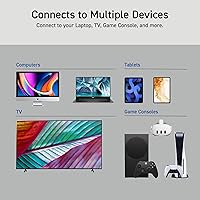
- Compatible OS: Compatible with Windows 7 and later, macOS Mojave 10.14 and later, and Android 6.0 and later.
- Color: Available in a black body with a distinctively colored red trackball.
- Ball Removal: The trackball can be removed for cleaning by pushing it through an access hole on the bottom of the device — no tools required.
- Bluetooth Version: Uses Bluetooth wireless technology with a stable frequency connection suited for living room and presentation distances.
- Hardware Platform: Designed for use with laptops and desktop PCs; also compatible with Android devices and Bluetooth-enabled smart TVs.
Related Reviews
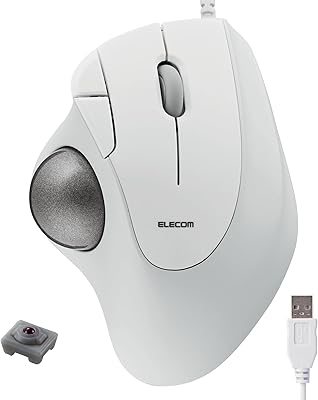
ELECOM M-IT10URWH Wired Thumb Trackball
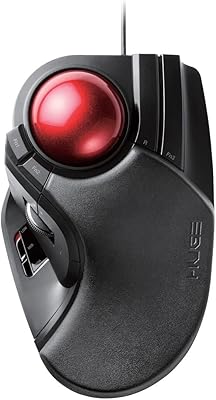
ELECOM HUGE Wired Finger Trackball Mouse
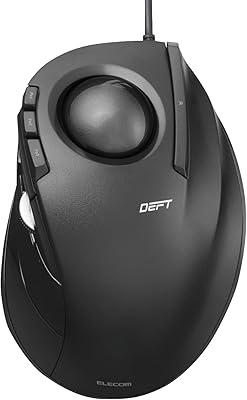
ELECOM DEFT Trackball Mouse
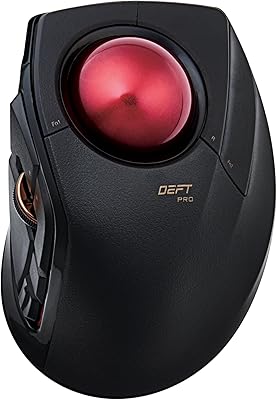
ELECOM DEFT PRO Trackball Mouse
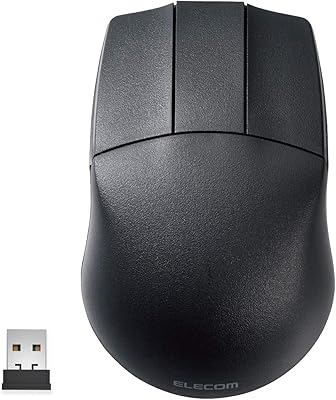
ELECOM M-CAD01DBBK Wireless 3D-CAD Mouse
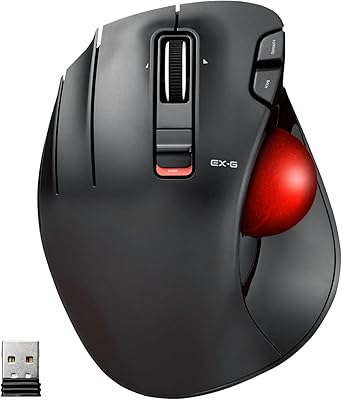
ELECOM EX-G Left-Handed Wireless Trackball Mouse
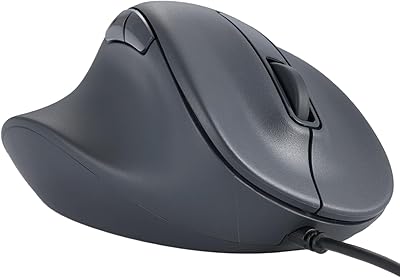
ELECOM M-XGM30UBSKBK Wired Ergonomic USB Mouse
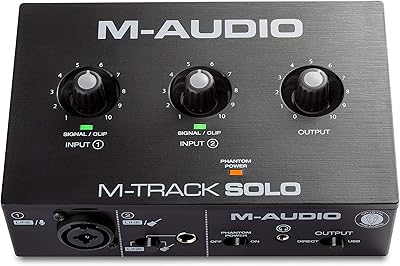
M-Audio M-Track Solo

M-Audio M-Track 2X2 USB Audio Interface
