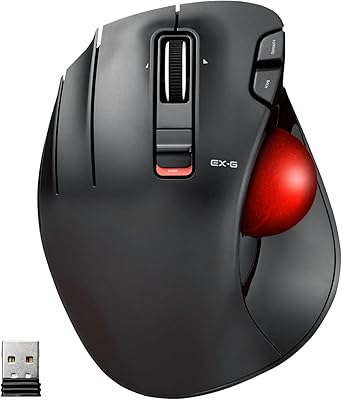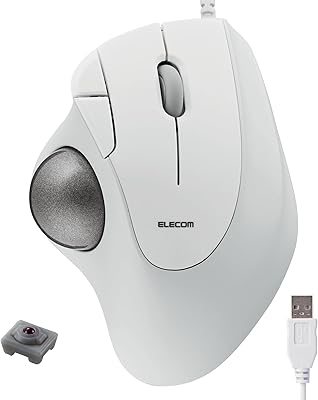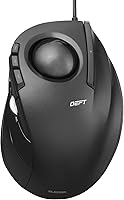
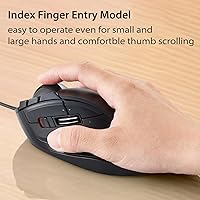
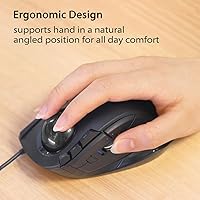
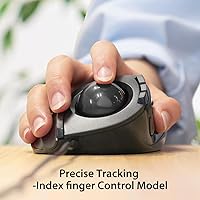
Overview

The ELECOM DEFT Trackball Mouse has been a quiet constant in the mid-range trackball market since 2015, and that staying power is worth noting. This is a wired finger-operated trackball built for desktop productivity — long work sessions, spreadsheet navigation, and anyone starting to feel the toll of repetitive wrist movement from a conventional mouse. It is not aimed at graphic designers or gamers who need fine-grained cursor control across a 4K display. Think of it as a solid, approachable entry point into the trackball world, compatible out of the box with both Windows and macOS, no driver installation required.

Features & Benefits

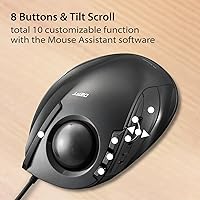
The 34mm ball sits under your index and middle fingers rather than your thumb — a key distinction if you have tried and struggled with thumb-style trackballs. Finger-roll control tends to feel more intuitive for newcomers, and the ball movement here is genuinely smooth once you find your rhythm. There are two DPI settings to switch between — 750 for careful deliberate work and 1500 for covering ground quickly — though on a high-resolution display, this two-step range will feel limiting. Eight physical buttons, including a tilt-scroll wheel for horizontal navigation, handle most daily workflows, and the ball pops out from the bottom for easy cleaning, which is a small but practical design detail.

Best For

This wired trackball is a natural fit for office workers and developers who clock long hours at a desk and want to reduce wrist strain without a steep adjustment period. Unlike thumb-operated models, finger-style tracking tends to feel more approachable for first-time trackball users — most people find their accuracy clicking into place within one to two weeks. It also suits anyone running Mac and Windows side by side, since it works natively on both. Tight desk space is no obstacle either. Those who want wireless flexibility or a broader DPI range may prefer looking at the DEFT PRO upgrade, but for plug-and-play wired use, this handles the job well.

User Feedback

Across more than 1,500 ratings, this finger-operated trackball holds a 4.1-star average — a score that reflects genuine satisfaction from long-term users rather than a burst of early enthusiasm. People consistently highlight smooth ball movement and a comfortable palm rest angle; the primary buttons also earn praise for their solid, confidence-inspiring click feel. The sticking points: two DPI steps are not enough for anyone on a high-resolution monitor, and the tilt scroll wheel can require more deliberate lateral force than some expect. Worth noting is that reviewers who returned it early typically gave up during the initial adjustment window, while those who pushed through rarely look back.

Pros

  • Finger-roll control reduces wrist and forearm strain noticeably during long desk sessions.
  • Works natively on both Windows and macOS with no driver setup required.
  • Plug-and-play wired USB connection means zero pairing issues and no batteries to manage.
  • Eight physical buttons cover most productivity workflows right out of the box.
  • The tilt scroll wheel adds practical horizontal scrolling for spreadsheet-heavy users.
  • Ball pops out easily from the bottom for quick cleaning — a feature you actually use.
  • Button remapping through ELECOM Mouse Assistant gives power users meaningful customization.
  • Primary buttons feel solid and are built to hold up through years of daily clicking.
  • Compact footprint makes it ideal for tight desk setups or shared workspaces.
  • Finger-style operation has a gentler learning curve than thumb-operated trackballs for most new users.

Cons

  • Only two DPI steps (750 and 1500) is a real limitation on 4K or high-resolution monitors.
  • The tilt scroll wheel requires noticeably deliberate lateral force, which some users find awkward.
  • Strictly right-handed design excludes left-handed users entirely.
  • The wired cable can feel restrictive if your desk setup is not static or well-organized.
  • No wireless or Bluetooth option means it is tied to USB port availability at all times.
  • Expect one to two weeks of reduced accuracy while your fingers adapt to the new control style.
  • The 34mm ball is on the smaller side, which can limit fine-motor control for precision tasks.
  • No tilt or height adjustment means the fixed angle may not suit all hand sizes equally well.
  • ELECOM Mouse Assistant software is functional but not particularly polished or intuitive.

Ratings

The scores below were generated by our AI after analyzing thousands of verified global user reviews for the ELECOM DEFT Trackball Mouse, with spam, bot-submitted, and incentivized feedback actively filtered out. The result is an honest, data-driven snapshot that reflects both what this wired trackball genuinely does well and where it falls short for specific users. Strengths and real pain points are weighted equally so you can make a confident, informed decision.

Ergonomic Comfort
83%
Long-session users — especially developers and data entry workers clocking six or more hours at a desk — consistently report a meaningful reduction in wrist and forearm fatigue after switching to the DEFT. The palm rest angle feels natural for most right-handed users, and the low-profile housing keeps the hand in a relaxed position throughout the day.
A noticeable share of users with smaller hands find the fixed body shape less accommodating, and the lack of any tilt or height adjustment means comfort is largely determined by whether the default angle happens to suit your specific hand size and grip style.
Tracking Accuracy
72%
28%
For everyday productivity tasks — navigating documents, working across multiple browser tabs, or moving through spreadsheets — the 34mm ball tracks smoothly and responsively. Users who keep their ball clean report consistent, predictable cursor behavior that holds up well over months of daily use.
The tracking falls noticeably short for precision-demanding work. On high-resolution or 4K displays, the limited DPI ceiling and 34mm ball size make fine cursor placement genuinely difficult, and several users doing photo editing or detailed design work switched back to conventional mice or upgraded to a higher-spec model.
DPI & Cursor Control
58%
42%
Being able to toggle between 750 and 1500 DPI on the fly is a small but real convenience — slower speed for careful text selection or form navigation, faster speed for broad multi-monitor movement. The switch is easy to reach and responds immediately with no lag.
Two DPI steps is a significant limitation by modern standards. Users on 1440p or 4K displays frequently flag that neither setting lands in quite the right range — 750 feels too sluggish and 1500 feels imprecise — and there is no way to dial in a middle ground. The DEFT PRO addresses this with a three-step range, which is a meaningful upgrade for display-intensive workflows.
Build Quality
81%
19%
The overall construction feels solid and well-weighted at 7 oz — not cheap-feeling despite being a mid-range device. Primary click switches hold up to heavy daily use over years without developing mushiness or double-click issues, which is one of the more common durability complaints with budget peripherals.
The plastic finish attracts fingerprints and light scratches over time, and a handful of long-term users report that the scroll wheel develops a slightly looser feel after extended use, though this does not appear to affect functional performance in most cases.
Button Layout & Feel
76%
24%
Eight physical buttons is generous for a device in this price range, and the primary clicks have a satisfying, confident feel that users notice immediately after coming from softer budget mice. The horizontal tilt scroll is a genuinely useful addition for anyone navigating wide spreadsheets or design canvases.
The tilt scroll wheel requires more deliberate lateral force than most users expect, which makes horizontal scrolling feel slightly effortful rather than fluid. A few users also find the side buttons placed just far enough from natural thumb rest position that reaching them mid-session requires a small but noticeable hand shift.
Learning Curve
61%
39%
Among trackball styles, finger-roll operation is consistently rated as more intuitive for first-time trackball users than thumb-operated designs. Most people find their accuracy improving steadily within the first week, and users who commit to the adjustment period almost universally report satisfaction once past it.
The first five to ten days can be genuinely frustrating, particularly for tasks requiring precise clicks on small interface elements. A meaningful portion of negative reviews come from buyers who gave up during this window — reviewers who note this adjustment period needed more attention in product descriptions before purchase.
Software & Customization
67%
33%
ELECOM Mouse Assistant gives users real control over button remapping, which power users and keyboard-shortcut-heavy workers genuinely appreciate. Being able to assign frequently used commands — browser back, copy-paste, media controls — to the extra buttons meaningfully speeds up daily workflows.
The software itself is functional but clearly not a priority for ELECOM's development resources. The interface looks dated, macOS support lags behind the Windows version, and the app has to be reloaded occasionally after system restarts to maintain custom settings, which several users flag as an ongoing irritant.
Cross-Platform Compatibility
88%
Out-of-the-box compatibility with both Windows and macOS is one of the DEFT's most consistently praised practical qualities. Users who switch between Mac and PC workstations — or who moved from one OS to the other — appreciate not needing separate peripherals or separate driver setups for each environment.
Horizontal scrolling does not function under Windows RT 8.1, though that OS version is effectively obsolete and unlikely to affect most users today. More relevant is that some advanced button remapping functions configured via ELECOM Mouse Assistant behave slightly differently across the two operating systems.
Ball Maintenance & Cleaning
84%
The push-hole removal system is genuinely well-designed — the ball pops out in seconds with a pen tip and goes back in just as easily. Users who clean it every few weeks consistently report that tracking quality stays consistent for months, and the process is simple enough that it actually gets done rather than being skipped.
The ball bearings inside the housing can collect fine dust that the ball itself does not remove, requiring occasional internal cleaning with a cotton swab. Users in dusty environments or those who eat at their desks find they need to clean more frequently than the general guidance suggests.
Wired Connectivity
74%
26%
For users who want a zero-fuss, always-on connection — no dongle to lose, no Bluetooth pairing to re-establish, no batteries to replace — the wired setup is a genuine advantage. Plug it in and it works, every time, with no latency concerns.
The cable, while adequate, is not particularly long or flexible, and desk setups where the USB port is far from the primary work area will require an extension. Users who occasionally work away from a fixed desk or use a laptop in different locations find the tethered design genuinely limiting.
Value for Money
77%
23%
For the mid-range price point, the DEFT delivers a well-rounded daily driver that holds its own against pricier competitors for standard office productivity use. Users who have owned it for two or more years without hardware issues feel they got solid long-term value from the purchase.
The two-step DPI range and absence of wireless connectivity are limitations that feel harder to accept as the product ages. Users who later upgraded to the DEFT PRO — which costs more but adds wireless, more DPI steps, and a larger ball — often reflect that they wish they had started there, which tempers the value case for this base model.
Desk Footprint
86%
At under 5 inches long, this finger-operated trackball takes up significantly less desk space than most standard mice when you factor in the movement area a conventional mouse requires. Users in small apartments, cubicle setups, or crowded shared workspaces rate this aspect particularly highly.
The device is slightly wider than it may appear in photos, which can feel snug in very compact keyboard tray setups. A small number of users also find the cable adds clutter that partially offsets the compact body footprint if cable management is not a priority.
Long-Term Satisfaction
79%
21%
Among verified reviewers who have used the DEFT for six months or longer, satisfaction rates climb noticeably compared to short-term impressions. Repeat buyers who replaced a worn unit with the same model are a common sight in the review history, which reflects genuine product loyalty rather than lack of alternatives.
A recurring theme among dissatisfied long-term users is the lack of product updates — this model has remained essentially unchanged since 2015, and buyers who want wireless capability or a wider DPI range eventually migrate away rather than re-purchasing the same hardware.

Suitable for:

The ELECOM DEFT Trackball Mouse is an excellent fit for desk-bound professionals — think developers, writers, accountants, or administrative workers — who are starting to feel chronic wrist fatigue from years of conventional mouse use. Because it uses a finger-roll control style rather than thumb operation, it tends to click with people who have tried and bounced off thumb-style trackballs; the movement feels closer to natural hand positioning for most right-handed users. It is also a smart pick for anyone working in a cramped desk setup, since the cursor moves without the device moving at all. Mac and Windows users in dual-system environments will appreciate that it works natively on both without hunting for drivers. If you want plug-and-play reliability, a wired connection you never have to think about, and a build that holds up to daily use over years, this wired trackball delivers on all of that without asking you to spend flagship money.

Not suitable for:

If you work on a high-resolution or 4K display and need nuanced, precise cursor control, the DEFT will frustrate you — two DPI settings simply do not offer enough granularity for that kind of work. Graphic designers, video editors, and anyone doing detailed pixel-level tasks should look elsewhere, likely at a higher-spec model like the DEFT PRO, which adds a third DPI tier, wireless connectivity, and a larger 44mm ball for finer control. Left-handed users are also out of luck here, as the shape is built specifically for right-hand orientation with no ambidextrous option. Those who dislike the initial adjustment period that comes with any trackball should know that finger-roll control takes real commitment — typically one to two weeks before accuracy feels natural — and buyers unwilling to push through that window may end up disappointed. Finally, anyone who regularly does work away from a fixed desk will find the wired tether limiting.

Specifications

  • Control Style: Finger-operated trackball using index finger roll to move the 34mm ball for cursor control.
  • Ball Size: The trackball measures 34mm in diameter, suited for general productivity use rather than high-precision tasks.
  • DPI Settings: Two switchable DPI levels — 750 and 1500 — toggled on the fly via a dedicated button on the device.
  • Buttons: Eight physical buttons in total, including left and right primary clicks, a clickable scroll wheel with tilt function, a DPI toggle, and two additional programmable side buttons.
  • Scroll Wheel: The scroll wheel supports both vertical scrolling and horizontal tilt-scrolling for lateral navigation in documents and spreadsheets.
  • Connection: Wired USB connection with no wireless or Bluetooth option on this model.
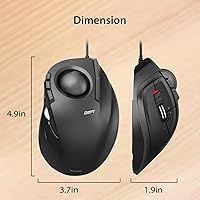
  • Dimensions: The device measures 4.9″ long by 3.73″ wide by 1.88″ tall, making it compact enough for tight desk setups.
  • Weight: The unit weighs 7 oz, giving it a solid, grounded feel on the desk without being cumbersome.
  • Hand Orientation: Designed exclusively for right-handed use; no left-hand or ambidextrous variant is available for this model.
  • OS Compatibility: Compatible with Windows 8 through Windows 11 and macOS 10.10 or later, working natively on both without additional drivers.
  • Software Support: ELECOM Mouse Assistant software allows users to remap button functions, available as a free download from ELECOM's website.
  • Ball Removal: The trackball can be removed by pushing it out through a small hole in the device base, making cleaning straightforward.
  • Button Durability: Primary left and right click switches are rated to withstand heavy daily use over an extended product lifespan.
  • Color: Available in black with a matching black trackball; no alternative color options are listed for this model.
  • Market Ranking: Ranked #44 in the Computer Trackballs category on Amazon with over 1,500 customer ratings averaging 4.1 out of 5 stars.
  • First Available: This model has been available since November 2015, reflecting consistent market demand over nearly a decade.
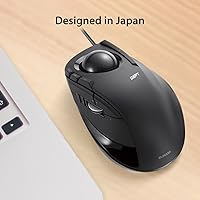
  • Manufacturer: Made by ELECOM, a Japanese peripherals brand known for a broad range of ergonomic input devices.
  • Model Number: The official model designation is M-DT2URBK, useful when searching for compatible accessories or replacement parts.

Related Reviews
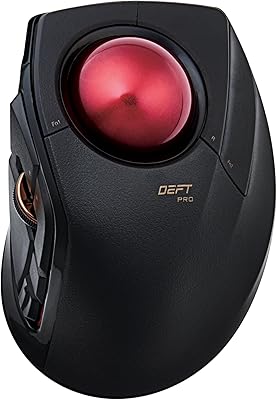
ELECOM DEFT PRO Trackball Mouse
74%
83%
Ergonomic Comfort
78%
Tracking Precision
86%
Multi-Device Connectivity
84%
Build Quality
88%
Ball & Bearing Smoothness
More
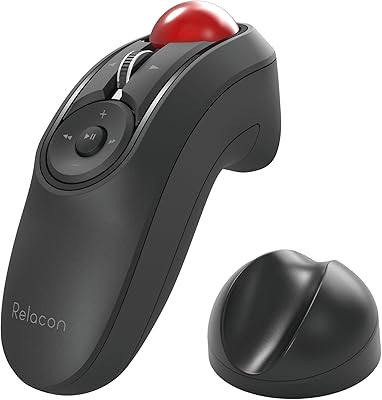
ELECOM Relacon M-RT1BRXBK Handheld Trackball
75%
83%
Ergonomics & Comfort
71%
Trackball Precision
68%
Bluetooth Connectivity
66%
Button Layout & Customization
61%
Learning Curve
More
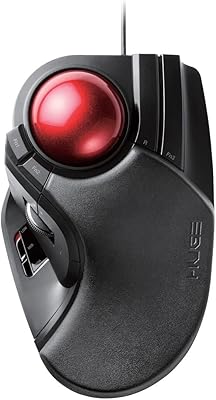
ELECOM HUGE Wired Finger Trackball Mouse
80%
91%
Tracking Smoothness
88%
Ergonomic Comfort
63%
Learning Curve
86%
Build Quality
79%
Button Layout & Usability
More
ELECOM EX-G Left-Handed Wireless Trackball Mouse
79%
93%
Left-Hand Ergonomics
81%
Tracking Accuracy
84%
Wireless Performance
58%
DPI Range & Customization
76%
Build Quality
More
ELECOM M-IT10URWH Wired Thumb Trackball
78%
84%
Ergonomic Comfort
81%
Tracking Smoothness
67%
Build Quality
76%
Button Performance
71%
Software & Customization
More
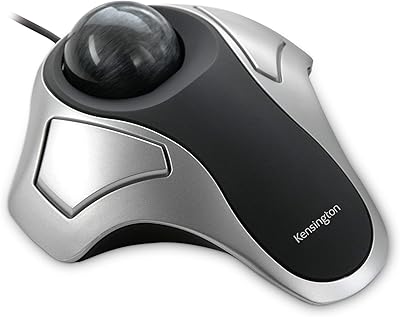
Kensington Orbit Trackball Mouse

77%
83%
Ergonomic Comfort
76%
Tracking Accuracy
61%
Scroll Ring Usability
88%
Build Quality & Durability
57%
Button Layout & Customization
More
seenda Wireless Trackball Mouse
78%
88%
Ergonomic Comfort
74%
Trackball Precision
86%
Multi-Device Connectivity
83%
Battery Life
71%
Build Quality
More
SABLUTE Wireless Trackball Mouse

74%
83%
Ergonomic Comfort
79%
Adjustable Tilt Base
86%
Multi-Device Connectivity
67%
Trackball Precision & Feel
74%
DPI Range & Customization
More
Nulea M501
Nulea M501
72%
83%
Ergonomic Comfort
78%
Trackball Smoothness
86%
Multi-Device Connectivity
91%
Value for Money
74%
Battery Life
More
PORLEI TM550 Wireless Trackball Mouse
75%
88%
Ergonomic Comfort
84%
Trackball Size & Control
86%
Multi-Device Connectivity
73%
Battery Life
54%
DPI Adjustment Usability
More

FAQ

No, the ELECOM DEFT Trackball Mouse works as a plug-and-play device on both Windows and macOS without any driver installation. If you want to remap buttons or customize behavior, you can optionally download the free ELECOM Mouse Assistant software, but it is not required to get up and running.

Most people find the adjustment takes one to two weeks of regular use before their accuracy feels natural. The first few days can be a little frustrating, especially when cursor precision matters, so it helps to start using it during lower-stakes tasks. Sticking with it past that initial window is the most important thing — users who do rarely go back.

It works on 4K displays, but the two-step DPI range (750 and 1500) can feel limiting at higher resolutions where fine cursor control really matters. If you do detailed work on a 4K screen and need more precision, the DEFT PRO — which offers an additional DPI tier and a larger 52mm ball — may be a better fit.

Unfortunately, no. The DEFT is shaped specifically for right-handed use, and there is no ambidextrous or left-hand version of this particular model. Left-handed users would need to look at other options, such as ELECOM's dedicated left-hand variants.

The ball pushes out easily through a small hole in the underside of the device — no tools needed. Once removed, you can wipe the ball and the internal housing with a dry or lightly damp cloth to remove dust and skin oils. How often depends on use, but a quick cleaning every two to four weeks keeps the ball rolling smoothly.

Yes, horizontal scrolling via the tilt wheel works on macOS. It is worth noting that horizontal scroll does not function in Windows RT 8.1, but that is an edge case most users will never encounter since that version of Windows is effectively obsolete.

For most people, yes. Finger-roll control feels closer to natural hand movement and tends to have a gentler learning curve than thumb-style trackballs, which require more isolated thumb dexterity. That said, it is still a meaningful change from a standard mouse, so some adjustment time is unavoidable regardless of style.

Yes, the ELECOM Mouse Assistant software lets you assign custom functions to the programmable buttons. Common remaps include browser navigation, copy and paste shortcuts, media controls, and application-specific commands. The software is free to download from ELECOM's website and supports both Windows and macOS.

The DEFT PRO costs more but adds wireless connectivity (USB 2.4GHz and Bluetooth), a larger 44mm ball, and a three-step DPI range (500, 1000, 1500), which gives you finer cursor control. If you only need a wired connection and work on a standard 1080p or 1440p display, this wired trackball is a solid, more affordable choice. The PRO is the better pick if you want wireless freedom or use a high-resolution monitor.

The tilt scroll wheel actually requires a fairly deliberate lateral push, which means accidental horizontal scrolling is not a common problem. The flip side is that some users find it needs more force than they expect, especially when first getting used to it. It is not a deal-breaker for most people, but it is worth knowing upfront.

Where to Buy