ELECOM M-IT10URWH Wired Thumb Trackball






Overview
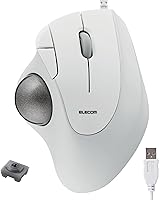
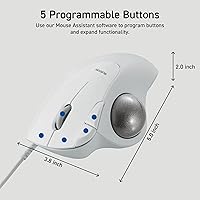
The ELECOM M-IT10URWH Wired Thumb Trackball entered the market in early 2024 as a mid-range option for desktop users who want a more comfortable alternative to a traditional mouse. It sits in a competitive but not overcrowded category, currently holding the #59 spot in Computer Trackballs on Amazon — a respectable showing for a relatively new release. Physically, this thumb trackball is compact and light, measuring about 5 by 3.8 by 2 inches and weighing just over 6 ounces. The white finish looks clean on a desk, and the stationary design means your hand stays put while your thumb does all the work.
Features & Benefits
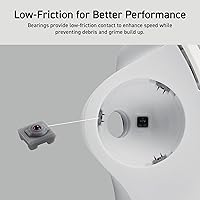
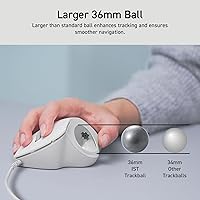
The standout element here is the ruby ball bearing system. Unlike standard steel bearings, ruby bearings tend to produce a noticeably smoother roll and hold up better over extended use without degrading as quickly. The 36mm ball is a practical size — large enough to cover a wide screen in just a few thumb movements, which matters on multi-monitor setups. The body sits at a 28-degree angle, letting the wrist rest in a more neutral position rather than being pressed flat. Five programmable buttons add flexibility, and ELECOM's companion software lets you remap them to fit your workflow. Replacement bearings are sold separately, so keep that in mind if long-term upkeep is a priority.
Best For
This thumb trackball makes the most sense for people who spend extended hours at a desk and deal with wrist strain from a conventional mouse. It's also a solid pick for anyone working in a tight space — the device sits in one spot, so there's no sweeping your arm across the desk. Mac and Windows users will find it works without much fuss, and Chrome OS is supported as well. If you like to customize your workflow, the software lets you remap button controls to fit your habits. First-time trackball users should expect a short adjustment period before the thumb movements start to feel intuitive.
User Feedback
Across 285 ratings and a 4.1-star average, most buyers are broadly satisfied with the ELECOM trackball, particularly praising how smoothly the ball rolls and how natural the thumb placement feels once they settle in. Setup is consistently described as quick and painless. That said, some reviewers note the bearing can feel or sound slightly inconsistent between units, and a handful find the build quality merely adequate rather than exceptional at this price point. The absence of included replacement bearings has also drawn mild criticism. On the positive side, buyers who invested time in the software found the custom button mapping genuinely useful for everyday shortcuts.
Pros
- The ruby bearing system produces a noticeably smooth ball roll that holds up well over extended daily use.
- A 28-degree angled body keeps the wrist in a natural, relaxed position during long work sessions.
- Wired USB-A connection means zero latency and no battery management — just plug in and get to work.
- The 36mm ball is large enough to cover wide or multi-monitor displays with minimal thumb effort.
- Works out of the box on Windows, Mac, and Chrome OS without hunting down extra drivers.
- Five programmable buttons give productivity-focused users real flexibility to streamline repetitive tasks.
- At its price point, this thumb trackball offers solid ergonomic value compared to pricier alternatives.
- The compact footprint frees up significant desk space compared to a full-sized mouse setup.
- Bearing components are interchangeable, giving the device a longer potential lifespan than sealed designs.
- Most buyers report a painless, quick setup experience with no technical headaches.
Cons
- New trackball users should expect a noticeable adjustment period before thumb movements feel natural and precise.
- Bearing feel and sound can vary between individual units, which feels inconsistent for a standardized product.
- Replacement bearings are not included, so long-term maintenance means an additional purchase.
- The overall build quality feels adequate rather than confident for buyers accustomed to higher-end peripherals.
- Strictly right-handed design excludes left-handed users entirely with no mirrored version available.
- The companion software adds button flexibility, but the interface is not particularly intuitive to navigate.
- A wired cable, while reliable, reduces flexibility for users who prefer a cleaner or more portable desk setup.
- With only 285 ratings so far, long-term durability data is still limited compared to more established trackball models.
Ratings
The scores below for the ELECOM M-IT10URWH Wired Thumb Trackball were generated by our AI system after analyzing verified buyer reviews from multiple global markets, with spam, bot activity, and incentivized feedback actively filtered out. Both the genuine strengths and the recurring frustrations are reflected in each category — nothing is glossed over. If real users had consistent complaints about a specific aspect, that shows up in the number.
Ergonomic Comfort
Tracking Smoothness
Build Quality
Button Performance
Software & Customization
Ease of Setup
Wrist & Arm Fatigue
Desk Space Efficiency
Multi-Monitor Usability
OS Compatibility
Value for Money
Bearing Longevity
Aesthetic Design
Cable Quality
Suitable for:
The ELECOM M-IT10URWH Wired Thumb Trackball is a strong fit for desk-bound professionals who spend long stretches at a computer and are starting to feel the toll of a conventional mouse on their wrist or forearm. The 28-degree angled body and thumb-operated ball mean your hand rests in a far more neutral position than it would on a flat mouse, which adds up to real comfort over an eight-hour workday. Remote workers and office users who have limited desk real estate will appreciate that the device stays in one place — no mousing surface required. It also suits people who prefer a wired connection for reliability reasons, since there are no batteries to swap and no wireless dropout to worry about. Mac users, Windows users, and those on Chrome OS can all use it without a complicated driver installation, which keeps setup friction low. If you like customizing your workflow, the five programmable buttons and companion software give you enough flexibility to set up shortcuts for common tasks without needing a high-end peripheral.
Not suitable for:
Anyone expecting to pick this up and immediately perform like a seasoned trackball user should lower those expectations, because switching from a traditional mouse to a thumb-controlled trackball always involves a genuine adjustment period. If you do fast-paced work that demands very precise cursor control right away — like detailed photo editing or CAD work — the learning curve could be frustrating in the early weeks. Left-handed users will also want to look elsewhere, as this wired trackball is designed around a right-hand grip only. Buyers who travel frequently and need a portable pointing device may find the form factor less convenient than a compact travel mouse. Those expecting a fully self-contained long-term solution should also know that replacement bearings are sold separately, so ongoing maintenance comes at an added cost. And if build quality that feels genuinely premium in the hand is a priority, this device sits in a range where the materials are functional but not exceptional.
Specifications
- Connection: Connects via a standard wired USB-A cable, requiring no wireless receiver or battery.
- Ball Size: Features a 36mm trackball that provides a comfortable range of motion for precise cursor control across large or multi-monitor displays.
- Bearing Type: Uses ruby ball bearings, which offer smoother rolling resistance and longer-lasting performance compared to standard steel bearings.
- Bearing System: The bearing system is interchangeable, allowing worn bearings to be replaced with compatible ELECOM parts sold separately.
- Ergonomic Angle: The body is angled at 28 degrees to support a more neutral wrist position during extended use.
- Buttons: Equipped with 5 programmable buttons that can be remapped using ELECOM's companion software.
- Software: Compatible with ELECOM's customization software, which allows users to reassign button functions on Windows and Mac.
- Sensor: Uses an IR LED optical sensor to detect trackball movement with consistent responsiveness.
- Compatible OS: Officially supports Windows, macOS, and Chrome OS without requiring additional driver installation for basic functionality.
- Dimensions: Measures 5 x 3.8 x 2 inches, making it compact enough for desks with limited available surface space.
- Weight: Weighs 6.2 oz, which keeps the device light and stable during daily use without feeling flimsy.
- Power Source: Draws power directly through the USB-A connection, so no batteries are required at any point.
- Color Options: Available in White (model M-IT10URWH) and Black, with both sharing the same internal specifications.
- Hand Orientation: Designed exclusively for right-handed use, with the thumb-operated ball positioned on the left side of the device body.
- Model Number: Official model identifier is M-IT10URWH, with ASIN B0CNBXSQMJ on Amazon.
- Release Date: First became available for purchase in January 2024.
- Manufacturer: Designed and manufactured by ELECOM, a Japanese peripheral brand with an established line of ergonomic input devices.
- Included Items: The package includes the trackball device and USB cable only; replacement RollMaster bearings are not included.
Related Reviews
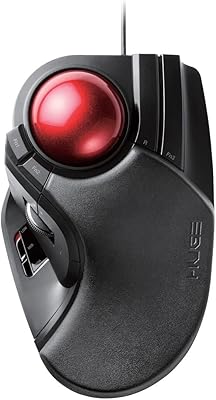
ELECOM HUGE Wired Finger Trackball Mouse
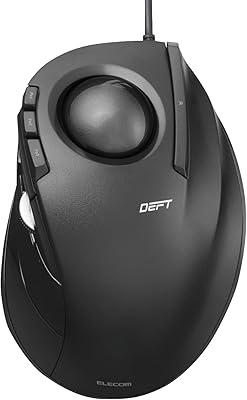
ELECOM DEFT Trackball Mouse
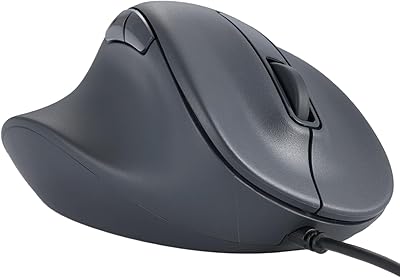
ELECOM M-XGM30UBSKBK Wired Ergonomic USB Mouse
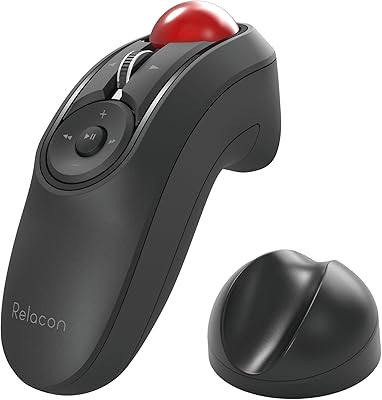
ELECOM Relacon M-RT1BRXBK Handheld Trackball
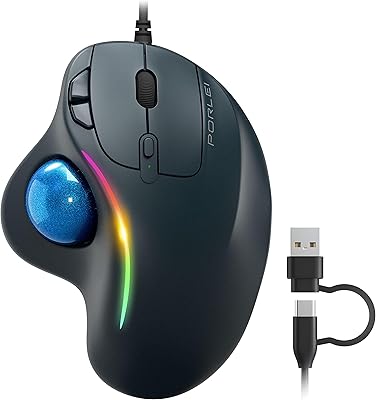
PORLEI TM551 Wired Trackball Mouse
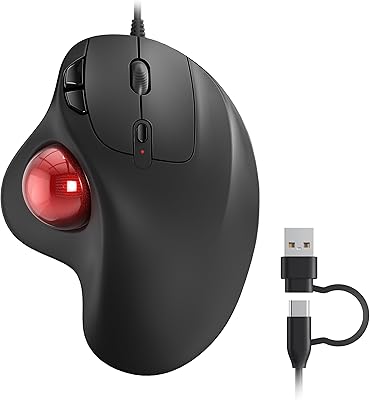
Nulea M509 Trackball Mouse
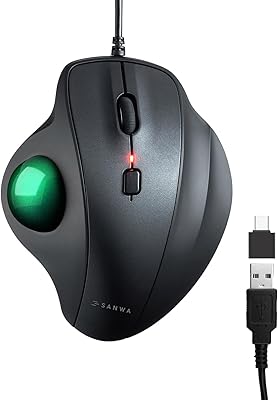
SANWA GMATB128GR Ergonomic Trackball Mouse
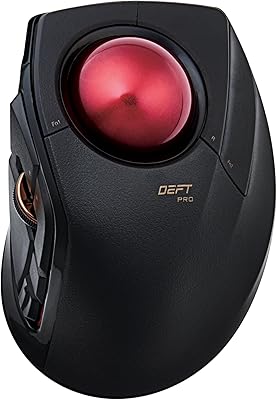
ELECOM DEFT PRO Trackball Mouse
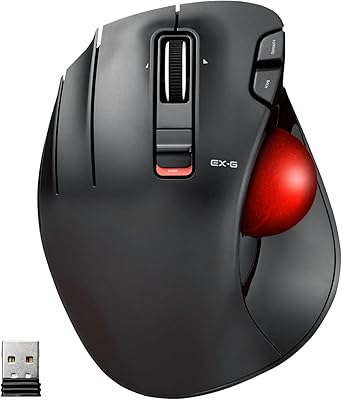
ELECOM EX-G Left-Handed Wireless Trackball Mouse