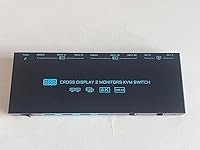
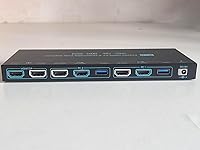
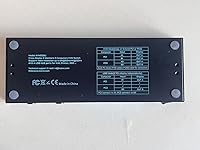
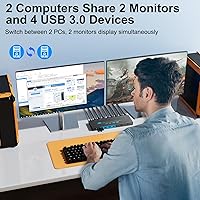
Overview

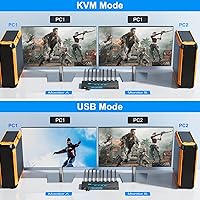
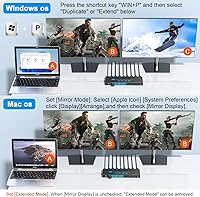
The DXchip KVM202U 8K Dual Monitor KVM Switch tackles a frustratingly common desk problem: two computers, two monitors, one keyboard and mouse — and the usual chaos of swapping cables or buying a second set of peripherals. This two-PC switcher offers two distinct operating modes that genuinely change how you work. In KVM mode, both monitors reflect or extend whichever PC you select. Switch to USB mode and each screen stays dedicated to a separate machine simultaneously, letting you move your keyboard and mouse freely between them. It sits at a mid-range price point, which means you get real HDMI 2.1 bandwidth without flagship-level spend. DXchip is a newer brand, so temper expectations around long-term support. It also only supports HDMI — no DisplayPort — and tops out at two PCs.

Features & Benefits

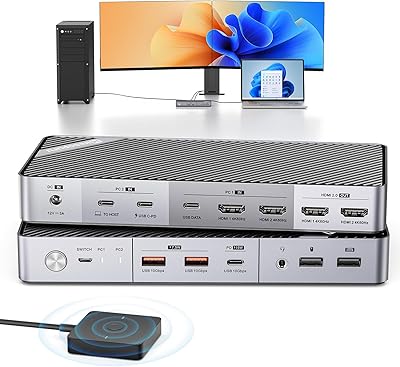
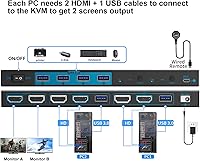
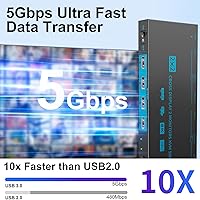
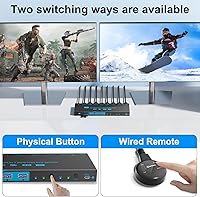
What separates the KVM202U from cheaper alternatives is the HDMI 2.1 backbone. Most buyers won't be running an 8K display, but 4K at 120Hz or higher refresh rates is increasingly relevant for gaming and video work, and this dual-monitor KVM switch handles that without breaking a sweat. The four USB 3.0 ports run at genuine high-speed transfer rates, so sharing a webcam, keyboard, mouse, and external drive between two machines is practical, not painful. The included wired remote controller is a small thing that matters a lot — no awkward arm reach across the desk to switch PCs. There is also a dedicated 12V power input for power-hungry USB devices, and a physical reset button that forces the switch to re-recognize displays without touching a single cable.

Best For

This two-PC switcher makes the most sense for anyone managing two computers on the same desk — a work laptop and a personal build, or a gaming rig and a streaming machine running side by side. Designers will appreciate being able to push output from two different systems onto two screens at once without shuffling hardware. It also pulls its weight as a home office solution for people on both Windows and Mac, since there are no drivers to install and no configuration menus to navigate. If your monitors are DisplayPort-only, or if you need to switch among three or more machines, look elsewhere. But for a straightforward two-PC, dual-monitor setup, the KVM202U is hard to beat at this price.

User Feedback

Most buyers are happy with how quickly this dual-monitor KVM switch gets up and running — cable in, done, no software rabbit holes. 4K switching performance is consistently praised. The friction tends to come from one specific place: cable quality. Hitting 8K or the highest refresh rates demands short, certified HDMI 2.1 cables, and the ones in the box don't always clear that bar. LG monitor owners hit a separate snag — the manufacturer explicitly warns that original OEM cables are required for those panels to perform correctly. A few users have noted minor lag when USB peripherals reconnect after switching. Overall, for the price, most buyers feel they got solid value, as long as they went in knowing the cable situation upfront.

Pros

  • Plug-and-play setup works immediately with no drivers or software installation required.
  • Dual operating modes give you real flexibility — mirror or extend displays in KVM mode, or run both PCs simultaneously in USB mode.
  • HDMI 2.1 support handles 4K at high refresh rates, making it genuinely useful for gaming and video editing workflows.
  • The wired remote controller lets you switch between PCs without reaching across the desk to press a button on the unit.
  • Four USB 3.0 ports provide fast data transfer, comfortably handling a keyboard, mouse, webcam, and external drive all at once.
  • A dedicated 12V power port prevents USB bandwidth drops when power-hungry peripherals like external HDDs or RGB gear are connected.
  • The built-in reset switch forces display re-recognition without any cable unplugging — a small feature that saves real frustration.
  • Compatible with Windows, Mac, Linux, and Unix, as well as consoles like PS4 and PS5, making it versatile across different setups.
  • Dual-color LED indicators clearly show which PC is currently active at a glance.
  • Comes with a one-year replacement warranty and a 30-day trial period, offering a reasonable safety net for a newer brand.

Cons

  • The included HDMI cables may not reliably deliver the highest resolution and refresh rate specs — budget for better cables separately.
  • LG monitor owners must use original OEM HDMI cables specifically, an extra constraint the box does not make obvious at purchase.
  • Some users report a brief lag when USB peripherals reconnect after switching, which can interrupt fast-paced workflows.
  • No DisplayPort inputs or outputs at all, which is a dealbreaker for anyone with a DisplayPort-only monitor or GPU.
  • Strictly limited to two computers — there is no way to expand inputs if your setup grows.
  • DXchip is a relatively new and lesser-known brand, so long-term firmware support and parts availability are uncertain.
  • No wireless or software-based hotkey switching — the only remote option is the included wired controller.
  • The 8K capability is largely theoretical for most buyers and requires very short, premium-grade cables to function at all.
  • At roughly 1.65 pounds with a dedicated power adapter, the setup takes up more desk space than compact passive switchers.
  • No audio switching functionality, so users with dedicated speaker or headset setups will need a separate solution for audio routing.

Ratings

The DXchip KVM202U 8K Dual Monitor KVM Switch has been evaluated using AI-driven analysis of verified global user reviews, with spam, bot-generated, and incentivized feedback actively filtered out to ensure the scores reflect genuine buyer experiences. Ratings cover the full spectrum — from the aspects users consistently praise to the friction points that generated the most complaints — so you get a transparent, well-rounded picture before committing to a purchase.

Ease of Setup
93%
Getting up and running takes most buyers under ten minutes — plug in the HDMI and USB cables from each PC, connect the monitors, and the switch is recognized automatically without touching a driver page. Home office users switching between a work laptop and a personal desktop specifically called out how refreshing it was to have zero software configuration involved.
A small number of users found the initial cable routing confusing because the ports are not labelled as intuitively as they could be, leading to a wrong-input mistake on first use. The quick-start guide is minimal, so buyers who prefer detailed written instructions may need to rely on trial and error for the first few minutes.
Switching Performance
81%
19%
Switching between computers at 4K and high refresh rates is reliable and consistent for the vast majority of users, with the active PC changing in a couple of seconds and both monitors snapping into sync without needing a manual nudge. Streamers and content creators who tested this in real workflows praised the predictability of the handoff during back-to-back switches.
A recurring complaint involves USB peripherals — particularly wireless keyboard and mouse receivers — occasionally taking a few extra seconds to reconnect after switching, which can break focus during time-sensitive tasks. A smaller subset of users reported the switch occasionally failing to re-acquire one of the two monitors, requiring a press of the reset button to recover.
Video Signal Quality
78%
22%
At 4K and standard 60Hz, the signal passing through this two-PC switcher is clean and visually indistinguishable from a direct connection, which satisfied the majority of buyers using it for general desktop work, video editing previews, and everyday gaming. Users running 4K at 120Hz with their own high-quality cables also reported sharp, stable output with no visible degradation.
Signal quality becomes heavily cable-dependent at higher refresh rates, and several users found that the bundled HDMI cables could not consistently sustain 4K above 60Hz without occasional flickering or dropped signal. Reaching 8K is technically possible but functionally unreliable in practice for most setups, making the headline spec feel aspirational rather than realistic for everyday use.
Dual-Mode Flexibility
88%
The ability to switch between KVM mode and USB mode is one of the genuinely standout traits of the KVM202U — it covers two fundamentally different workflows in a single box. Designers comparing outputs across two machines side by side and office workers who need both a personal and corporate PC visible at the same time found the USB mode particularly valuable.
Toggling between the two operating modes is not always clearly documented, and a handful of users initially struggled to understand why their second monitor appeared blank until they realized they were in KVM mode rather than USB mode. The distinction between modes could be communicated more clearly through better labeling or indicator behavior.
USB Hub Reliability
72%
28%
Having four USB 3.0 ports that switch alongside the video signal means users can share a full set of peripherals — keyboard, mouse, webcam, and an external drive — without manually re-plugging anything, which is exactly what most buyers at this price point are looking for. Transfer speeds for large files are genuinely fast, making it practical for creative professionals moving assets between machines.
Several users noted that certain USB devices, particularly wireless dongles and some webcam models, showed intermittent recognition issues after switching, requiring them to unplug and reinsert the device to restore function. Power delivery to bus-powered devices is more stable when the 12V adapter is connected, but this dependency is not prominently communicated in the product materials.
Cable Quality (Included)
54%
46%
The included HDMI 2.1 and USB 3.0 cables are adequate for getting started at standard 4K resolution, and buyers using the switch at 4K at 60Hz reported no issues with the bundled cables in day-to-day use. Having cables included at all keeps the out-of-box experience self-contained, which is appreciated by buyers who just want to plug in and go.
At higher refresh rates or resolutions, the included HDMI cables are a consistent source of frustration — buyers chasing 4K at 120Hz or above frequently found that upgrading to certified third-party cables resolved flickering and signal loss that they had initially blamed on the switch itself. LG monitor owners face an additional constraint, as the manufacturer explicitly requires original OEM cables for those panels, meaning the bundled cables are essentially unusable for that combination.
Build Quality
74%
26%
The enclosure feels solid enough for a desktop peripheral at this price tier — the ports seat firmly, the buttons have a satisfying click, and nothing flexes or rattles under normal handling. Several users commented that it looked and felt more substantial than budget KVM switches they had tried previously.
The plastic housing does show minor scuff marks with regular desktop handling, and a few users felt the overall finish was a step below what they expected given the premium spec list on the box. The unit also gets slightly warm during extended use, which is normal for an actively powered switch but drew passing concern from a small group of reviewers.
Wired Remote Controller
83%
The wired remote is one of those small details that adds up to genuine daily convenience — users who mount or tuck the switch behind a monitor praised being able to switch PCs without reaching around their desk setup. The cable length is adequate for most typical desk arrangements, and the button action is firm and responsive.
The remote is purely a switching button with no additional functionality, so users hoping for volume control, input labeling, or any kind of feedback display will not find it here. A few buyers also noted the cable is not quite long enough for deeper desk configurations where the switch sits more than an arm's reach away.
Compatibility
86%
Working across Windows, Mac, Linux, and Unix without any configuration is a real strength — mixed-OS households and developers who hop between operating systems daily found the KVM202U genuinely reliable across all their machines. Console compatibility with PS4 and PS5 also opens the switch up to setups that blend gaming and PC workloads on shared monitors.
HDMI-only connectivity is the primary compatibility ceiling — anyone with a DisplayPort GPU or monitor is simply excluded, no matter how otherwise suitable the switch might be for their setup. A small number of users also reported that certain older HDMI devices negotiated lower resolutions than expected, likely due to EDID handshake behavior rather than a defect.
Value for Money
82%
18%
Getting HDMI 2.1 bandwidth, dual operating modes, four high-speed USB ports, and a wired remote in a single mid-range package is genuinely competitive — most buyers felt the KVM202U delivered more capability per dollar than comparable dual-monitor switches they had researched or previously owned. For home office and gaming crossover setups, it hits a practical sweet spot.
The cable quality issue adds a hidden cost for buyers who need to replace the bundled cables to unlock the full performance the switch is rated for, which slightly undercuts the value proposition on paper. Users who factor in the cost of a pair of certified HDMI 2.1 cables alongside the purchase price may find the effective cost closer to premium-tier alternatives.
Power Reset Feature
87%
The dedicated power reset button is an underappreciated feature that solves a real recurring problem — instead of crawling under a desk to unplug and reinsert HDMI cables when a monitor stops responding, users can simply press the button and let the switch reinitiate the display handshake. Buyers who had dealt with finicky KVM switches before specifically called this out as a quality-of-life upgrade.
Some users expressed a preference for the reset to happen more quickly, as the restart cycle takes a few seconds that feel long when you are in the middle of a workflow. A small number of buyers also noted that in edge cases, a full power cycle of the switch was still needed even after pressing the reset button, meaning it does not resolve every signal issue.
Brand & Support
61%
39%
DXchip includes a one-year replacement warranty and a 30-day trial window, and the seller's stated commitment to responding to support inquiries has earned positive comments from buyers who reached out with setup questions. For a newer brand, the after-sales communication appears to be taken seriously.
DXchip does not yet have the established track record of legacy KVM brands, so long-term reliability data is limited and buyers have less historical evidence to lean on when making a purchase decision. Firmware update history and support for future OS changes are unknowns that could matter to buyers who expect to use the switch for several years.
LED Status Indicators
79%
21%
The two-color LED system — blue for one PC, green for the other — gives an instant, no-ambiguity read on which machine is currently active, which users with dual-monitor setups found more useful than they expected once they had live cable runs going in multiple directions. It eliminates the small but annoying uncertainty of not knowing which PC has keyboard focus.
The LEDs are bright enough that in a darkened room or late-night setup, they can draw the eye more than some users would prefer — there is no brightness adjustment or off mode. A few buyers also wished the indicator colors were customizable, particularly those with color vision differences who found the blue-green distinction harder to read at a glance.

Suitable for:

The DXchip KVM202U 8K Dual Monitor KVM Switch is a strong fit for anyone juggling two computers on a single desk who is tired of swapping cables or keeping two separate sets of peripherals around. Home office workers who split their day between a personal machine and a work-issued laptop will find the dual-mode operation particularly practical — KVM mode lets both monitors follow one active PC, while USB mode keeps each screen tied to its own machine so both are visible at once. Streamers and content creators who run a dedicated gaming rig alongside a capture or editing PC benefit from exactly that kind of side-by-side visibility without any desktop clutter. Designers comparing renders or drafts across two systems will also find the simultaneous dual-display output genuinely useful rather than a gimmick. Because it works straight out of the box across Windows, Mac, and Linux without any driver installation, it suits mixed-OS households and anyone who simply does not want to troubleshoot software just to share a monitor.

Not suitable for:

Anyone who relies on DisplayPort connections should look elsewhere — this two-PC switcher is HDMI-only, and there is no adapter workaround that preserves the full bandwidth this switch is capable of. Users managing three or more computers will hit a hard ceiling at two inputs, and there is no expansion option. If wireless or hotkey-based switching is important to your workflow, the wired remote is the only hands-free option here, which may feel limited compared to pricier competitors. Power users chasing the absolute highest refresh rates — particularly above 120Hz at 4K — should know that achieving those specs depends heavily on cable quality, and the included cables are not always up to the task; budget extra for certified third-party HDMI 2.1 cables if that matters to you. Finally, buyers who need enterprise-grade reliability or long-term brand support from a well-established manufacturer may want to consider more seasoned KVM brands, since DXchip is a newer company and the depth of its long-term after-sales support remains unproven.

Specifications

  • Video Inputs: Two HDMI 2.1 ports accept one connection per computer, supporting the full bandwidth needed for high-resolution, high-refresh-rate output.
  • Video Outputs: Two HDMI 2.1 output ports drive two monitors simultaneously, enabling true dual-display operation across both connected PCs.
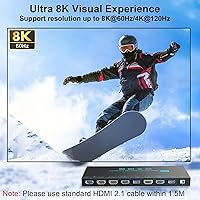
  • Max Resolution: Supports up to 8K at 60Hz when used with short, certified HDMI 2.1 cables under 1.5 meters in length.
  • Refresh Rates: Handles 4K at 120Hz, 144Hz, and 240Hz, making it viable for high-framerate gaming and smooth video editing playback.
  • USB Ports: Four USB 3.0 Type-A ports deliver up to 5Gbps data transfer, shared across both computers for peripherals like keyboards, mice, webcams, and drives.
  • Operating Modes: KVM mode shares both monitors with one active PC at a time, while USB mode dedicates each monitor to a separate PC simultaneously.
  • Switching Method: Input can be switched via a physical button on the unit or through the included wired remote controller for hands-free desktop use.
  • Power Supply: Requires a dedicated 12V DC power adapter, which is included in the box and supports high-draw USB peripherals like external HDDs and RGB gear.
  • Dimensions: The unit measures 5.91 x 3.94 x 1.97 inches, compact enough to sit flat on a desk or be tucked alongside a monitor stand.
  • Weight: Weighs 1.65 pounds without cables, which is typical for a powered dual-monitor KVM switch at this feature level.
  • Driver Requirement: No drivers or software installation are required — the switch is recognized immediately by the host operating system upon connection.
  • OS Compatibility: Works with Windows (including Vista and XP), Mac OS, Linux, and Unix, covering the vast majority of desktop and laptop environments.
  • Device Support: Compatible with PCs, laptops, PS4, PS5, and TV boxes, provided those devices use HDMI output and standard USB connections.
  • In-Box Cables: Includes two HDMI 2.1 cables and two USB 3.0 cables; note that achieving maximum resolution may require upgrading to shorter, higher-grade HDMI cables.
  • LED Indicators: Two-color LEDs — blue and green — indicate which PC is currently active, providing an at-a-glance status without any software interface.
  • Warranty: Covered by a one-year replacement warranty and a 30-day trial period, with lifetime technical support offered directly by the seller.

Related Reviews
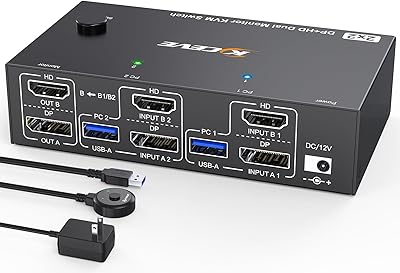
MLEEDA 8K Dual Monitor KVM Switch
75%
91%
Ease of Setup
83%
Video Signal Quality
74%
USB Peripheral Reliability
67%
Switching Experience
61%
Build Quality
More
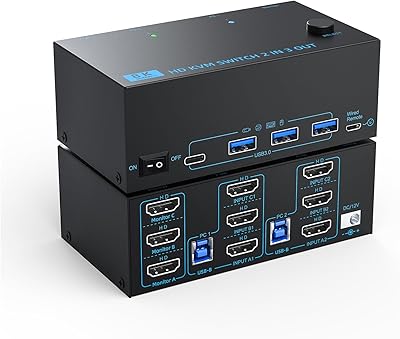
DXchip KVM8203 Triple Monitor HDMI KVM Switch
79%
83%
Video Signal Quality
71%
Switching Speed
74%
USB Peripheral Reliability
88%
Build Quality
86%
Cable & Accessory Inclusion
More
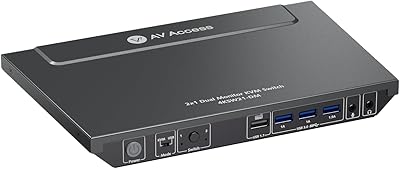
AV Access 4KSW21-DM Dual Monitor KVM Switch
77%
83%
Switching Speed & Reliability
86%
EDID Emulation Performance
88%
Video Quality at 4K
74%
Dual Operating Modes (KVM vs USB Mode)
71%
USB 3.0 Hub Performance
More
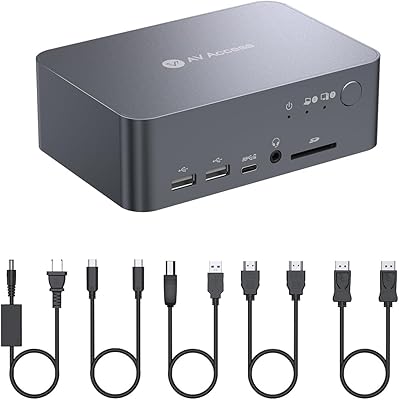
AV Access iDock C10 KVM Docking Station
77%
93%
Build Quality
88%
Video Performance
81%
KVM Switching
89%
EDID Emulation
84%
Ethernet Reliability
More
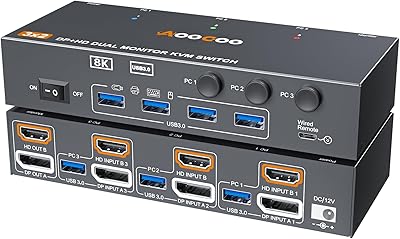
AOOCOO 8K 3-Computer Dual Monitor KVM Switch
78%
88%
Dual-Monitor Configuration
83%
Video Signal Quality
74%
USB Peripheral Reliability
76%
Switching Speed
86%
Setup & Installation
More
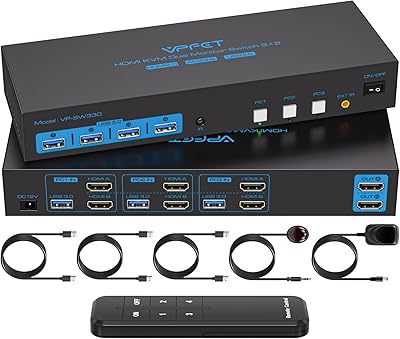
CMSTEDCD SW330 Dual Monitor KVM Switch
77%
91%
EDID & Window Layout Preservation
88%
4K Display Quality
84%
Switching Speed & Responsiveness
79%
USB 3.0 Peripheral Sharing
61%
Setup & Initial Configuration
More
Minisopuru MK808M-US Dual Monitor KVM Switch Docking Station
84%
94%
Dual Monitor Performance
91%
USB Peripheral Compatibility
88%
Switching Convenience
90%
Build Quality
82%
Setup & Installation
More
TRENDnet TK-440DP 4-Port Dual Monitor DisplayPort KVM Switch
85%
92%
Video Quality
85%
Ease of Use
90%
Compatibility
88%
Build Quality
87%
USB Hub Functionality
More
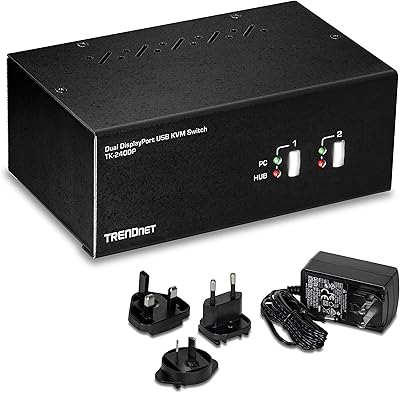
TRENDnet TK-240DP Dual Monitor DisplayPort KVM Switch

79%
88%
4K Signal Stability
84%
Dual Monitor Switching
71%
Value for Money
63%
Audio Switching Reliability
79%
USB Hub Functionality
More
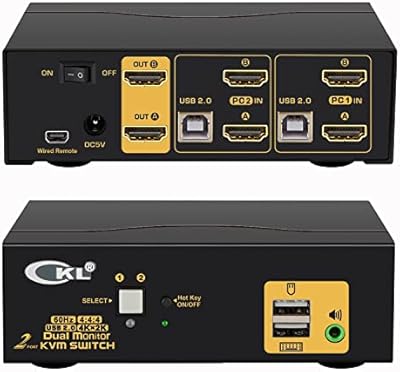
CKL 2x2 KVM Switch Dual Monitor HDMI 2.0 4K 60Hz
83%
88%
Ease of Setup
91%
Display Quality
85%
Switching Flexibility
84%
USB Hub Functionality
79%
Build Quality
More

FAQ

No, nothing to install. Plug the USB cables from each PC into the switch, connect your monitors and peripherals, and it works immediately. All major operating systems recognize it as a standard HID device right away.

In KVM mode, both monitors display whatever is on the PC you have selected — useful when you want one computer to take over your full dual-monitor workspace. USB mode is different: each monitor stays locked to its own PC at all times, so you can see both computers simultaneously and simply move your keyboard and mouse between them. USB mode is the better pick for multitaskers who need to keep an eye on both machines at once.

Technically yes, but it comes with a significant caveat. Reaching 8K at 60Hz requires very short HDMI 2.1 cables — under 1.5 meters — that are fully certified to the HDMI 2.1 spec. The cables included in the box may not always meet that bar, so if 8K is your actual goal, plan to source premium third-party cables separately. For most buyers, the more practical headline is 4K at 120Hz or higher, which is achievable with good cables.

Yes — the manufacturer specifically flags LG monitors as requiring original OEM HDMI cables to reach the advertised resolution and refresh rates. Third-party cables, even high-quality ones, may not reliably communicate the correct EDID data to LG panels. If you have an LG display, use the cable that came with the monitor itself.

There is a brief moment while the displays re-sync and USB peripherals reconnect — typically a couple of seconds. Most users find this acceptable, but if you are in the middle of something time-sensitive, like a live stream or a game, the short handoff window is worth being aware of.

Yes, that is one of the most common use cases for the KVM202U. It handles mixed-OS setups without any configuration changes — just connect both machines and switch between them as needed. Mac OS is fully supported alongside Windows, Linux, and Unix.

It does, as long as your console connects via HDMI and your monitors have HDMI inputs. Keep in mind that console resolutions and refresh rates are subject to what the console itself outputs, so the switch will pass through whatever signal the PS5 sends to your display.

Yes, there are four USB 3.0 ports available, so you can have a keyboard, mouse, webcam, and an external drive all connected simultaneously. All four are shared between both PCs and switch together when you change the active input.

The 12V power adapter ensures the switch can reliably power connected USB devices, particularly anything that draws significant current like external hard drives or USB hubs with RGB lighting. Without dedicated power, high-draw peripherals can behave unpredictably or fail to be recognized. The adapter is included in the box, so there is nothing extra to source.

There is a dedicated power or reset button on the unit specifically for this situation. Pressing it forces the switch to restart its display handshake process without you having to unplug anything. It is the first thing to try if a monitor goes dark or shows no signal after a switch — most users find it resolves the issue in a few seconds.