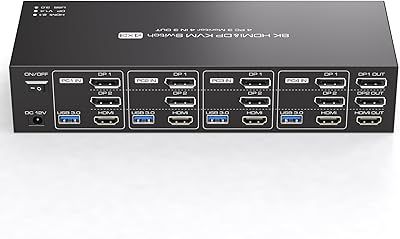
TRENDnet TK-440DP 4-Port Dual Monitor DisplayPort KVM Switch
Overview
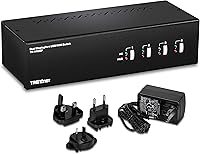
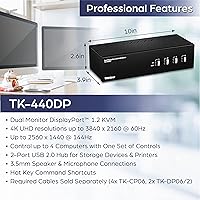
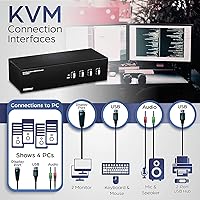
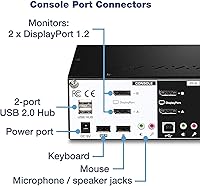
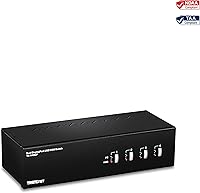
The TRENDnet TK-440DP 4-Port Dual Monitor DisplayPort KVM Switch offers a simple way to manage multiple computers with a single set of peripherals. This 4-port KVM allows you to control up to four systems with dual DisplayPort monitors, making it a great choice for users with complex setups. Supporting up to 4K UHD resolution at 60Hz, this switch ensures crisp, high-quality video output. Additionally, it includes a built-in USB 2.0 hub, making it easy to share peripherals such as printers and external drives between your computers.
Features & Benefits
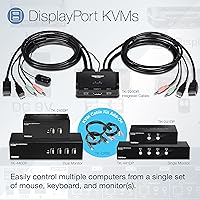
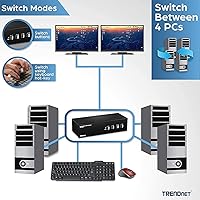
This KVM switch allows you to control four computers simultaneously using a single set of keyboard, mouse, and monitors. Its support for 4K UHD resolution and 60Hz refresh rate ensures excellent video quality, perfect for high-definition tasks. The full audio support with microphone and speaker jacks also helps boost workstation productivity. It is particularly beneficial for those needing an easy-to-use solution for managing multiple PCs. With its NDAA and TAA compliance, this KVM switch is suitable for use in government settings where strict regulatory standards are required.
Best For
The TRENDnet TK-440DP is ideal for professional environments where managing multiple computers with dual-monitor setups is essential. Users in industries such as IT support, media, or design, who need to seamlessly switch between computers, will benefit from its functionality. It’s also a strong choice for government and enterprise users who require NDAA/TAA compliance for their IT infrastructure. This KVM switch is perfect for anyone looking to streamline their workstation and reduce clutter, while still maintaining high-quality video and audio performance.
User Feedback
Users appreciate the reliability and ease of use of this KVM switch, especially when switching between multiple computers. Many highlight its seamless performance and 4K support, making it a solid choice for those who need high-quality displays. However, some customers have noted the absence of DisplayPort cables in the box, which are sold separately. A few users have also pointed out that while the switch is robust, it may take a little time to get used to managing the connections, especially in multi-PC environments. Overall, it's highly rated for its versatility and value.
Pros
- Supports 4K UHD resolution at 60Hz, delivering sharp and vibrant video output.
- Allows seamless switching between up to four computers with a single set of peripherals.
- NDAA and TAA compliance makes it a secure choice for government and enterprise installations.
- The built-in USB 2.0 hub simplifies peripheral sharing across multiple computers.
- Highly reliable performance for multi-computer setups, ensuring productivity in professional environments.
- Full audio support, including microphone and speaker jacks, enhances workplace functionality.
Cons
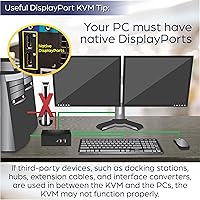
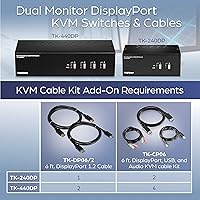
- DisplayPort cables are not included and must be purchased separately, adding extra cost.
- Some users find the setup process a bit tricky, especially for beginners.
- Lacks support for HDMI connections, limiting its compatibility with non-DisplayPort devices.
- It is relatively bulky and might not be the best fit for compact workspaces.
- The USB 2.0 hub is limited in speed and may not be fast enough for high-demand peripherals.
- The device may not be ideal for casual home users who don’t need multi-PC management.
Ratings
After analyzing verified user reviews from multiple platforms and languages, the scores for the TRENDnet TK-440DP 4-Port Dual Monitor DisplayPort KVM Switch reflect both its strengths and areas for improvement. We filtered out spam, bot-generated, and incentivized feedback to ensure that only authentic, high-quality reviews informed these results. Users appreciate the product's seamless performance, but some mention minor drawbacks such as the need for additional cables and setup complexity in multi-PC environments.
Video Quality
Ease of Use
Compatibility
Build Quality
USB Hub Functionality
Setup & Installation
Audio Support
NDAA/TAA Compliance
Port Versatility
Customer Support
Value for Money
Additional Cables Needed
Suitable for:
The TRENDnet TK-440DP 4-Port Dual Monitor DisplayPort KVM Switch is ideal for professionals who require seamless control of multiple computers with dual-display setups. Its 4K UHD resolution support and USB 2.0 hub functionality make it a strong choice for those in need of high-quality video output and efficient peripheral management. Government and enterprise users, especially those who require NDAA and TAA compliance, will also benefit from its security features. This device is well-suited for users who work with a variety of operating systems, including Windows, macOS, and Linux, and need to streamline their workflow with a single set of peripherals for several machines at once.
Not suitable for:
However, this KVM switch may not be the best option for users with limited technical expertise or those unfamiliar with setting up complex systems. While the setup process is manageable for most, some users have found it difficult to configure all necessary connections, especially when integrating multiple devices. Additionally, those who require HDMI support or need ultra-fast USB 3.0 speeds may be disappointed, as this model only supports DisplayPort and USB 2.0. It also may not be ideal for casual users or those who don't need the robust multi-computer functionality, especially since the additional DisplayPort cables are sold separately, adding extra cost and complexity.
Specifications
- Ports: Supports four computers, allowing users to switch between them using a single set of input devices and dual monitors.
- Resolution: Supports 4K UHD (3840 x 2160) at 60Hz for high-quality video output on dual DisplayPort monitors.
- USB Hub: Includes a built-in USB 2.0 hub with two USB ports for sharing peripherals between computers.
- Audio Support: Provides full audio support with microphone and speaker jacks for enhanced workstation productivity.
- Compliance: NDAA and TAA compliant, making it suitable for government installations in the U.S. and Canada.
- Display Type: Uses DisplayPort for video output, compatible with dual-monitor setups.
- Operating Systems: Compatible with Windows, macOS, and Linux operating systems for versatile usage.
- Dimensions: Measures 10 x 3.9 x 2.6 inches, providing a compact form factor for workspace efficiency.
- Weight: Weighs 3.53 lbs, making it sturdy and stable while still easy to handle.
- Power Supply: Requires a 1A power supply, which is included with the device.
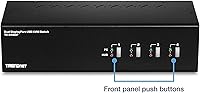
- Switching Method: Allows switching between computers using hotkeys or a push-button control on the device.
- Cables: DisplayPort cables are sold separately and must be purchased for proper setup.
- Max Number of Monitors: Supports dual-monitor configurations for each connected computer, enhancing multitasking and productivity.
- Input Devices: Allows control of multiple computers with a single set of keyboard and mouse, simplifying workspace management.
- Build Quality: Made from durable materials designed to withstand regular use in professional environments.
- Video Output: Supports high-definition video output, making it suitable for demanding applications such as design and editing.
- Network Compatibility: No built-in network ports; requires external connectivity for internet access.
- Security: NDAA and TAA compliance ensures the device meets strict security standards for sensitive government and enterprise applications.
- Multitasking: Ideal for users who need to manage multiple PCs simultaneously with minimal clutter and maximum efficiency.
Related Reviews
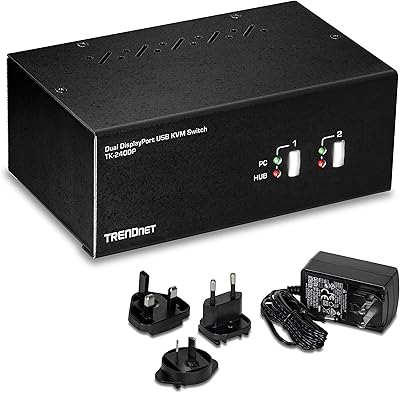
TRENDnet TK-240DP Dual Monitor DisplayPort KVM Switch

DiamondTiger KS304DL 4-Port DisplayPort KVM Switch
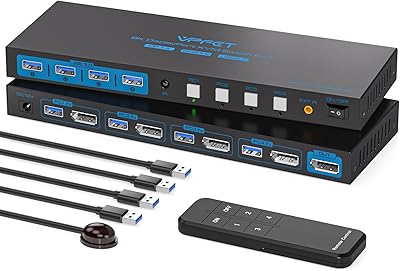
AILVLVNG 8K@60Hz DisplayPort KVM Switch 4-Port
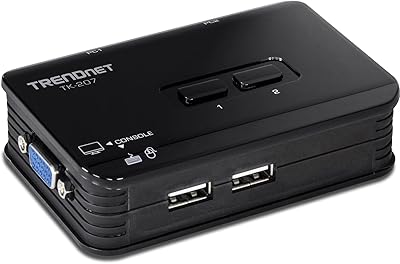
TRENDnet TK-207K 2-Port USB KVM Switch
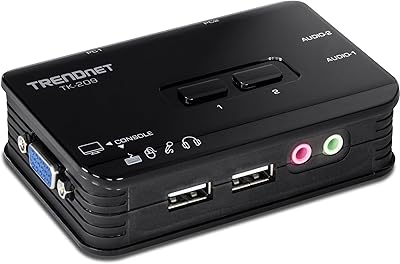
TRENDnet TK-209K 2-Port USB KVM Switch
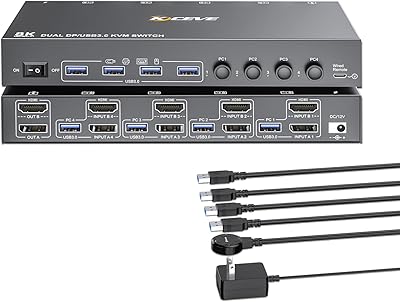
KCEVE 2-Monitor 4-Computer KVM Switch
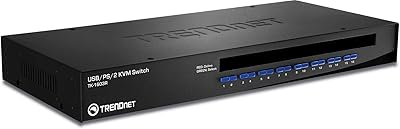
TRENDnet TK-1603R 16-Port Rack Mount KVM Switch
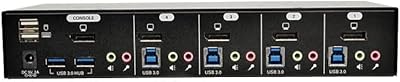
Tripp Lite B004-DPUA4-K 4-Port DisplayPort KVM Switch
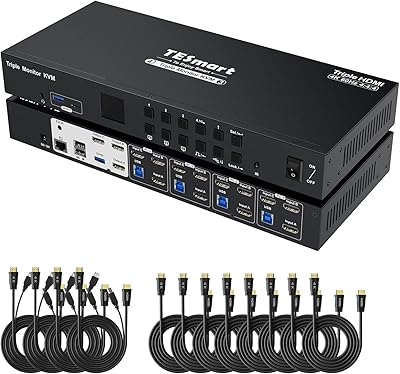
TESmart HKS403-P23 4-Port Triple Monitor KVM Switch