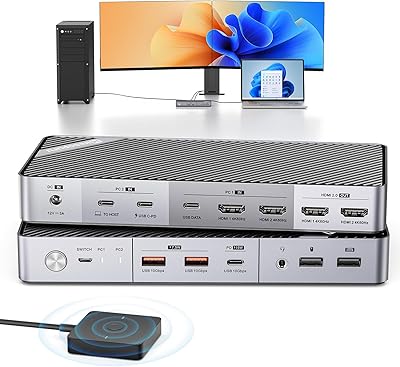
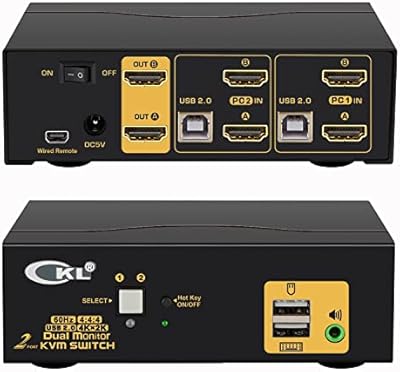
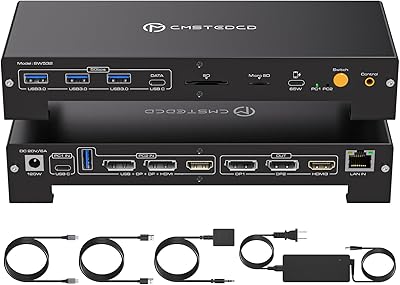
Overview

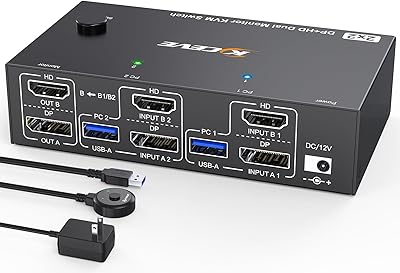
The CMSTEDCD SW330 Dual Monitor KVM Switch tackles one of the more persistent frustrations in multi-machine workspaces: controlling three computers through a single keyboard, mouse, and pair of monitors without a tangle of cables demanding constant attention. This 3-PC switcher sits comfortably in the mid-range of the KVM market, yet it brings one standout capability that usually costs considerably more — EDID simulation. In plain terms, that means when you switch away to another computer and come back, your windows stay exactly where you left them. One non-negotiable requirement before buying: two HDMI outputs per connected PC are mandatory to drive both monitors.
Features & Benefits

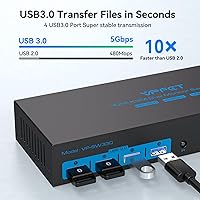
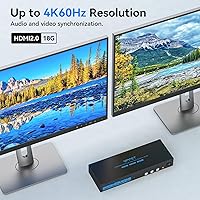
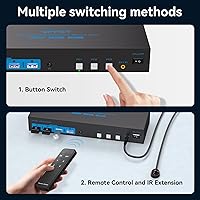
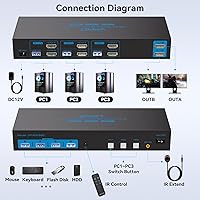
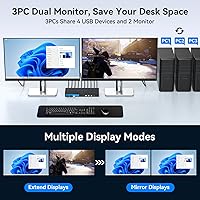
Running both displays at 4K resolution at 60Hz is where this dual-monitor KVM switch earns its keep — the picture stays sharp and fluid whether you are editing video, reviewing code, or sitting through back-to-back video calls. Switching itself works two ways: press one of the three labeled buttons on the unit, or use the included wireless remote if you have tucked the box out of sight. Four USB 3.0 ports handle shared peripherals at up to 5Gbps, so a high-speed external drive or webcam will not create a bottleneck. As for display modes, Copy mirrors your screens identically — handy during presentations — while Extended Mode gives each computer its own distinct workspace across both monitors.

Best For

This 3-PC switcher is a natural fit for developers and IT professionals who genuinely hop between machines throughout the day and cannot stand losing their carefully arranged window layouts each time they do. Home office workers drowning in cables will appreciate the cleaner desk that comes from consolidating separate keyboards and mice into one set. That said, be realistic about the setup process — six HDMI cables plus USB connections for three PCs adds up, and the initial configuration takes patience. If your monitors or computers rely on USB-C only, you will need adapters before this will work at all, so check your ports carefully before ordering.

User Feedback

The SW330 holds a strong overall rating, and recurring praise centers on how reliably the window-preservation feature works in real daily use — buyers who have been burned by cheaper switchers scrambling their layouts consistently call this out as a genuine relief. Build quality and switching speed also earn regular mentions. On the flip side, some users find the included cables too short for larger desk setups, and a handful report occasional USB device recognition hiccups after hot-swapping. Setup complexity is the most common complaint from first-time KVM buyers. Customer support responses appear prompt based on reviewer comments, with the 24-month warranty adding a reasonable safety net.

Pros

  • Window layouts stay exactly where you left them when switching between PCs — no more frantic rearranging.
  • Both monitors run at full 4K@60Hz simultaneously, keeping visual clarity intact across demanding workflows.
  • The wireless remote lets you switch computers without touching the unit, ideal for hidden or mounted setups.
  • Four USB 3.0 ports handle keyboards, mice, external drives, and webcams without any noticeable speed bottleneck.
  • Extended Mode gives each connected PC its own distinct workspace spread across both displays.
  • The included 12V power adapter ensures stable USB and display output even when all ports are under load.
  • Compatible with Windows, macOS, and Linux, making it workable in mixed-OS environments.
  • Physical switching buttons are clearly labeled and responsive, with no double-press needed to jump between machines.
  • The 24-month warranty and reported customer responsiveness add a reasonable safety net for a mid-range purchase.
  • Compact enough to sit beside a monitor stand without consuming meaningful desk real estate.

Cons

  • Each connected PC must have two HDMI outputs — a hard requirement that catches many buyers off guard after purchase.
  • Included cables are often too short for desktop towers positioned under a desk or in wider workstation setups.
  • Some users report intermittent USB device recognition failures, particularly with wireless dongle receivers after hot-swapping.
  • macOS users occasionally experience resolution delays and EDID inconsistencies, especially following system sleep cycles.
  • The setup process involves managing six HDMI cables plus USB runs for three PCs, which is genuinely time-consuming.
  • The wireless remote feels lightweight and has shown reliability issues for some users after several months of use.
  • No firmware update path exists to address emerging compatibility issues with newer operating systems or display hardware.
  • The power adapter cable is a fixed, relatively short length that can limit placement options depending on outlet location.
  • Documentation is thin, leaving less technical buyers without enough guidance to navigate display mode switching or initial configuration.
  • Support quality is inconsistent — straightforward hardware faults are handled well, but nuanced compatibility questions often go unresolved.

Ratings

The CMSTEDCD SW330 Dual Monitor KVM Switch has been evaluated by our AI rating system after analyzing verified purchase reviews from buyers worldwide, with spam, bot-generated, and incentivized feedback actively filtered out before scoring. Ratings reflect what real users experienced across daily workflows — from the initial setup frustration to long-term reliability — capturing both the standout strengths and the honest pain points that influenced buying satisfaction.
EDID & Window Layout Preservation
91%
Users who had previously dealt with cheaper KVM switches — where every context switch sent their windows tumbling into a single-monitor pile — consistently describe this feature as the main reason they kept the unit. Developers juggling IDE layouts and designers with precisely arranged panels report their setups surviving switches intact, even with screens locked.
A small subset of users on macOS report occasional inconsistencies, particularly after system sleep cycles, where one monitor's arrangement resets unexpectedly. It is not a widespread complaint, but macOS users should be aware it can surface depending on their display configuration.
4K Display Quality
88%
Both monitors running at 4K and 60Hz simultaneously is a genuine strength here — video editors and photographers note no perceptible degradation compared to a direct HDMI connection. The HDMI 2.0 spec holds up under sustained use without the signal dropouts that plague lower-end switchers at high resolutions.
A handful of users report that achieving stable 4K@60Hz required specific cable quality that was not always included in the box. Cheap third-party HDMI cables occasionally forced the unit to fall back to lower refresh rates, which is frustrating when you have already committed to a full-desk cable setup.
Switching Speed & Responsiveness
84%
The transition between computers is fast enough that it does not interrupt workflow rhythm — most users describe it as a brief flicker rather than a disruptive blank-screen pause. The physical buttons have a satisfying tactile response, and the wireless remote works reliably from across a standard home office desk.
Switching speed is not instantaneous in the way a DisplayPort switcher can be, and users coming from premium enterprise KVM units may find the brief delay noticeable. The wireless remote, while convenient, occasionally needed a repeat press when the unit was positioned behind a monitor arm.
USB 3.0 Peripheral Sharing
79%
21%
Having four USB 3.0 ports is genuinely useful — users share keyboards, mice, external drives, and webcams without constantly swapping cables. The 5Gbps throughput holds up for high-speed flash drives and most USB peripherals used in a professional home office context.
Some users report intermittent USB device recognition failures after hot-swapping, particularly with certain wireless dongle receivers and older USB hubs. The issue does not affect everyone, but if you rely on a specific USB audio interface or specialized peripheral, it is worth testing early in your return window.
Setup & Initial Configuration
61%
39%
Once fully configured, the 3-PC switcher runs reliably without needing further adjustment. Users who took time to route cables carefully and confirmed their PC output ports beforehand reported a relatively smooth experience and appreciate the one-time effort pays off in daily convenience.
This is where the most user frustration surfaces. Connecting three computers — each requiring two HDMI cables and a USB cable — creates a significant cable management challenge that the product documentation does not adequately prepare buyers for. Several returns are directly tied to buyers discovering mid-setup that their laptop only has one HDMI port or none at all.
Build Quality & Physical Design
76%
24%
The unit feels solid and well-weighted for its size, sitting stable on a desk without sliding around during button presses. The labeled PC selection buttons are clearly marked and the overall form factor is compact enough to tuck beside a monitor stand without dominating the desk.
The plastic casing, while functional, does not inspire confidence in premium durability over a multi-year lifespan. A few long-term users mention cosmetic scuffing around port openings after extended daily use, though no structural failures were widely reported within the warranty period.
Included Cable Quality & Length
58%
42%
The included USB cables are adequate for most standard desk configurations where the computers sit relatively close to the switch. Users with a tidy, compact workstation found the bundle sufficient to get running without an immediate trip to buy extras.
Cable length is one of the most repeated criticisms. Users with tower PCs under a desk or computers spread across a wider workspace consistently find the included cables fall short. The HDMI cables especially receive criticism for their stiffness, which complicates routing in tight desk arrangements.
Display Mode Flexibility (Copy vs Extended)
82%
18%
Having both Copy and Extended modes available without a software toggle is practical. Educators and presenters appreciate Copy Mode for mirroring screens to a second display, while power users running distinct workflows on each computer benefit from Extended Mode keeping three separate desktops spread across two monitors.
Switching between Copy and Extended modes is not always intuitive, and the manual does not walk through the process clearly enough for less technical users. A few buyers were unaware the distinction existed until they stumbled upon it, suggesting the documentation could do more work upfront.
macOS Compatibility
67%
33%
Mac users running modern macOS versions report functional compatibility for basic switching tasks. Those mixing a Mac with Windows machines in a shared KVM setup find the cross-platform operation works better than expected at this price point.
macOS is clearly a secondary consideration in the design. Some users encounter resolution negotiation delays after switching back to a Mac, and the EDID behavior can be inconsistent depending on macOS version. Users whose primary machine is a Mac should manage expectations accordingly.
Wireless Remote Controller
73%
27%
The remote is a practical addition for anyone who mounts or hides the switch behind a monitor or under a desk. It works at normal room distances without line-of-sight issues in most setups, and the ability to keep the physical unit out of reach adds a noticeable tidiness to the workspace.
The remote itself feels lightweight and inexpensive, raising questions about longevity. A couple of users report the remote connection becoming unreliable after several months of use, and since it uses a proprietary receiver, replacement options are limited to contacting the manufacturer directly.
Power Stability & Performance Under Load
83%
The included 12V power adapter provides enough headroom to drive the USB ports and both HDMI outputs simultaneously without the signal instability that passively powered KVM units often exhibit. Users who previously experienced random disconnects on bus-powered switches notice the difference immediately.
The power adapter cable is fixed length and not particularly long, which can be a constraint depending on outlet placement. A small number of users also report the adapter running noticeably warm during extended use, though no heat-related failures were broadly documented.
Value for Money
77%
23%
For a dual-monitor, three-computer KVM with EDID simulation and USB 3.0 at this price tier, the SW330 delivers a feature set that would have cost significantly more from enterprise brands just a few years ago. Buyers who researched alternatives before purchasing tend to express stronger satisfaction with the overall value proposition.
Users who did not fully understand the hardware requirements before purchasing — particularly the two-HDMI-output requirement per PC — often feel the value is poor simply because the product did not work for their setup. This is a mismatch issue more than a product deficiency, but it affects perceived value scores meaningfully.
After-Sales Support & Warranty
74%
26%
The 24-month warranty is longer than many competitors offer at this segment, and buyers who contacted support through Amazon messaging report reasonably prompt responses. A few users received replacement units without significant friction when genuine hardware faults were confirmed.
Support quality appears inconsistent depending on the nature of the issue. Compatibility questions — especially around non-standard HDMI adapters or USB-C setups — receive less definitive guidance, with some users reporting back-and-forth exchanges that did not fully resolve their configuration problems.
OS & Cross-Platform Compatibility
78%
22%
Windows users across XP through current versions report stable, plug-and-play operation with no driver installation required. Linux users in standard desktop environments also report functional compatibility, which is a meaningful plus for developers running mixed operating system environments.
Edge cases emerge with certain Linux distributions that handle display negotiation differently, and the unit has no firmware update mechanism to address emerging compatibility issues. Buyers running niche OS configurations should verify compatibility with support before committing to a purchase.

Suitable for:

The CMSTEDCD SW330 Dual Monitor KVM Switch was built for people who genuinely operate across multiple computers every day — not occasionally, but as a core part of how they work. Developers who keep a personal machine, a work laptop, and a home lab server all running simultaneously will feel immediately at home here, particularly because switching between them does not scatter their carefully arranged windows across the screen. IT professionals managing multiple systems, remote workers balancing a company-issued PC alongside their own hardware, and content creators who separate production environments from communication machines are all strong candidates. If you have already committed to a dual-monitor HDMI setup and find yourself constantly unplugging and re-plugging cables or rolling your chair between desks, this 3-PC switcher addresses exactly that friction. The wireless remote is a small but meaningful bonus for anyone who mounts their switch out of reach behind a monitor arm or under a standing desk.
Not suitable for:

Before buying the SW330, there is one hardware requirement that trips up a surprising number of buyers: every computer you intend to connect must have two dedicated HDMI output ports to drive both monitors independently. If any of your machines — especially laptops — only offer a single HDMI port, one USB-C port, or rely entirely on docking stations for display output, this 3-PC switcher will not work without additional adapters, and even then compatibility is not guaranteed. Mac users should also approach with measured expectations, since macOS support is functional but clearly secondary to the Windows-first design, with occasional EDID inconsistencies surfacing after system sleep or OS updates. Anyone hoping for a truly plug-and-play experience with zero cable planning will likely find the six-HDMI-cable setup process more involved than they anticipated. If your workflow only involves two computers rather than three, there are simpler and cheaper dual-PC KVM options better sized to your actual needs. Users who require DisplayPort connectivity or work with monitors lacking HDMI inputs are also firmly outside the intended compatibility range of this device.

Specifications

  • Model Number: The unit is identified by the manufacturer as model CMSTEDCD-SW330.
  • Supported Computers: The switch connects and controls up to 3 computers simultaneously from a single keyboard, mouse, and dual-monitor setup.
  • Monitor Outputs: Two HDMI 2.0 output ports deliver video signal to both connected monitors at the same time.
  • Max Resolution: Each HDMI 2.0 output supports a maximum resolution of 4K at 60Hz per display.
  • Resolution Compatibility: The switch is backward compatible with 2K and 1080P resolutions for monitors that do not support 4K.
  • PC Input Ports: Each of the three computer input positions requires two HDMI 2.0 ports plus one USB-A connection on the source computer.
  • USB Ports: Four USB 3.0 Type-A ports are available for sharing peripherals such as keyboards, mice, printers, and external storage devices.
  • USB Transfer Rate: USB 3.0 ports support a maximum data transfer rate of 5Gbps and are backward compatible with USB 2.0 and 1.1 devices.
  • EDID Simulation: Built-in EDID simulation retains each computer's display configuration and window layout when switching away and returning.
  • Display Modes: The switch supports Copy Mode, which mirrors identical content across both monitors, and Extended Mode, which presents a distinct desktop on each display.
  • Switching Methods: Users can switch between computers using three labeled physical buttons on the unit body or via the included wireless remote controller.
  • Power Supply: The switch is powered by an included 12V DC power adapter, which provides consistent output to drive all ports under full load.
  • Dimensions: The unit measures 9.33 x 3.31 x 1.38 inches, offering a compact footprint suitable for placement on or beside a desk.
  • Weight: The switch weighs 2.03 pounds, making it stable on a desk surface without being cumbersome to reposition.
  • OS Compatibility: The switch is compatible with Windows XP and all later Windows versions, macOS, and major Linux desktop distributions without requiring additional drivers.
  • Hot-Swap Support: USB 3.0 ports support hot-swapping, allowing peripherals to be connected and disconnected without powering down the switch or connected computers.
  • Warranty: The manufacturer provides a 24-month warranty covering hardware defects, with support accessible via Amazon messaging for replacement or refund requests.
  • Brand: This switch is manufactured and sold by CMSTEDCD, a brand specializing in KVM switching and peripheral-sharing hardware.

Related Reviews
DXchip 8K Dual Monitor KVM Switch
85%
88%
Performance
91%
Ease of Use
94%
Visual Quality (Resolution & Clarity)
87%
USB Transfer Speed
83%
Build Quality
More
MLEEDA 8K Dual Monitor KVM Switch
86%
92%
Visual Performance
88%
Ease of Setup
85%
Build Quality
90%
USB Connectivity
75%
Switching Reliability
More
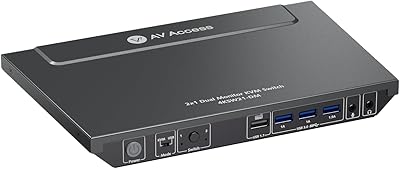
AV Access 4KSW21-DM Dual Monitor KVM Switch
77%
83%
Switching Speed & Reliability
86%
EDID Emulation Performance
88%
Video Quality at 4K
74%
Dual Operating Modes (KVM vs USB Mode)
71%
USB 3.0 Hub Performance
More
AV Access iDock C10 KVM Docking Station
77%
93%
Build Quality
88%
Video Performance
81%
KVM Switching
89%
EDID Emulation
84%
Ethernet Reliability
More
Minisopuru MK808M-US Dual Monitor KVM Switch Docking Station
84%
94%
Dual Monitor Performance
91%
USB Peripheral Compatibility
88%
Switching Convenience
90%
Build Quality
82%
Setup & Installation
More
TRENDnet TK-440DP 4-Port Dual Monitor DisplayPort KVM Switch
85%
92%
Video Quality
85%
Ease of Use
90%
Compatibility
88%
Build Quality
87%
USB Hub Functionality
More
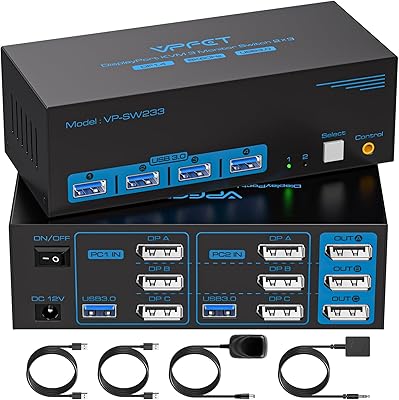
TRENDnet TK-240DP Dual Monitor DisplayPort KVM Switch
79%
88%
4K Signal Stability
84%
Dual Monitor Switching
71%
Value for Money
63%
Audio Switching Reliability
79%
USB Hub Functionality
More
CMSTEDCD 4K@120Hz DisplayPort KVM Switch 3 Monitors 2 Computers
84%
90%
Performance
88%
Ease of Use
91%
Video Quality
85%
USB Compatibility
60%
Display Flickering
More
CMSTEDCD SW532 KVM Docking Station
78%
88%
KVM Switch Reliability
84%
Multi-Monitor Display Performance
67%
Laptop Compatibility
79%
Power Delivery & Charging
91%
Port Selection & Variety
More
CKL 2x2 KVM Switch Dual Monitor HDMI 2.0 4K 60Hz
83%
88%
Ease of Setup
91%
Display Quality
85%
Switching Flexibility
84%
USB Hub Functionality
79%
Build Quality
More

FAQ

Unfortunately, no — and this is the most important thing to verify before ordering. The SW330 requires each connected computer to have two separate HDMI output ports, one for each monitor. A laptop with only a single HDMI port can only drive one display through this switch, which defeats the dual-monitor purpose. If your laptop has a USB-C or Thunderbolt port alongside an HDMI port, a compatible adapter may work, but you should contact the manufacturer to confirm before buying.

In plain terms, EDID simulation tricks each computer into thinking both monitors are always connected, even when you have switched to a different PC. Without it, the moment you switch away, your computer detects that the displays have disappeared and dumps all your open windows into a heap on the primary screen. When you switch back, nothing is where you left it. With EDID simulation active, that does not happen — your windows stay in place, which matters enormously if you have a carefully arranged multi-window workflow.

Copy Mode displays the exact same image on both monitors simultaneously — useful if you are presenting to someone sitting across from you or mirroring for reference purposes. Extended Mode is the more common daily-use setting, where each of your three computers can spread its own desktop content across both monitors independently. Most power users will live in Extended Mode and only switch to Copy Mode for specific situations like screen sharing during a meeting.

Wireless keyboards and mice work fine as long as their USB dongle receiver is plugged into one of the four USB 3.0 ports on the switch. The switch shares all connected USB devices across whichever computer is currently active, so a wireless combo set with a single receiver will function normally. You do not need a wired keyboard or mouse unless you have a specific preference.

Most users describe it as a brief flicker — typically one to three seconds before the new computer's desktop appears on both monitors. It is not instantaneous in the way some high-end DisplayPort switches can be, but it is fast enough that it does not disrupt workflow in any meaningful way. The physical buttons provide a clean single-press switch without needing to hold or double-tap.

Basic functionality works on macOS — you can switch to and from a Mac alongside Windows or Linux machines without major issues. That said, macOS compatibility is clearly not the primary design focus. Some users report occasional resolution negotiation delays after switching back to a Mac, and the EDID behavior can be inconsistent following system sleep. If your Mac is your primary workstation rather than a secondary machine, it is worth setting realistic expectations and testing thoroughly during your return window.

For a compact workstation where all computers sit close together on or under a single desk, the included cables are generally sufficient. However, if your tower PCs live on the floor under a deep desk, or if your setup is spread across a wider area, you will almost certainly need longer HDMI cables than what is in the box. Buying a couple of quality 6-foot HDMI cables as a precaution is a reasonable step before starting the setup process.

Yes, you can plug a USB hub into one of the four USB 3.0 ports to add more devices to the shared pool. Keep in mind that all connected devices will draw power through the switch, so a powered USB hub is preferable to a passive one to avoid stability issues. High-bandwidth devices like external SSDs may perform better on a direct port than through an additional hub.

No driver installation is required. The switch is plug-and-play on Windows, macOS, and Linux — you connect the cables, plug in the power adapter, and it should be recognized immediately by all three computers. There is no companion software, no firmware interface, and no background application needed for day-to-day operation.

When you press the switch button, all shared USB devices — keyboard, mouse, and anything else plugged into the switch's ports — transfer to the newly active computer. The previous computer temporarily loses access to those peripherals until you switch back. Hot-swap support means devices reconnect cleanly without needing to restart anything, though a small number of users have noted occasional hiccups with certain wireless dongles during rapid successive switches.