Overview

The Cenmate 2-Bay Hard Drive Docking Station is a no-frills utility tool from a Shenzhen-based electronics manufacturer, aimed squarely at users who need a reliable way to manage, transfer, or duplicate SATA drives without spending a lot. It handles both 2.5-inch and 3.5-inch HDDs and SSDs, making it versatile enough for a wide range of drives sitting in your drawer. What sets this docking station apart from basic single-bay alternatives is its offline clone feature — the ability to duplicate one drive onto another with no computer required. Compact and straightforward, it is built for people who want results, not complexity.
Features & Benefits

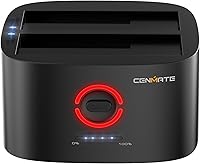
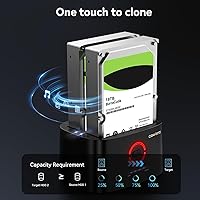
PC-free cloning works by double-clicking the dedicated CLONE button — no software, no setup, just drive-to-drive duplication. LED indicators track progress in percentage increments, so you are never left guessing whether the job is done. One important caveat worth knowing upfront: the target drive must be equal to or larger in capacity than the source, or the clone will fail. This drive cloner supports UASP, which pushes transfer speeds up to 6 Gbps — noticeably faster than standard USB 3.0 in real use. Both USB-A and USB-C 3.0 connections are available, and the included DC 12V adapter keeps things stable when working with larger, power-hungry 3.5-inch drives.

Best For

This docking station hits a sweet spot for a specific kind of buyer. If you are upgrading from an old spinning hard drive to an SSD, this is a clean, affordable way to clone the old disk and move on. IT technicians or small business owners who occasionally duplicate drives in the field will appreciate not needing a laptop to get the job done. Photographers and archivists storing large SATA drive collections can also use it as a quick-access dock between transfers. That said, if you need daily high-volume throughput or work exclusively with NVMe drives, this is not the right tool — it is built for occasional, practical use.

User Feedback

Buyers tend to be most positive about two things: the simplicity of the offline cloning process and how clearly the LED indicators communicate progress. Most people who picked it up for a one-time drive upgrade report it worked exactly as expected. On the other side, a handful of users run into cloning compatibility issues — usually cases where the target drive was slightly smaller than anticipated, or the dock failed to recognize an older unit. The ABS plastic construction feels functional rather than sturdy, which is fair at this price tier. Cenmate advertises a 24-hour support response window, and some buyers confirm timely follow-up — though that is a stated promise, not a verified guarantee.

Pros

  • Offline cloning works without a computer — just load two drives and press the button.
  • LED progress indicators show clone completion percentage at a glance, no guessing required.
  • Supports both 2.5-inch and 3.5-inch SATA HDDs and SSDs in the same unit.
  • UASP mode delivers noticeably faster transfers compared to standard USB 3.0 in real-world use.
  • Both USB-A and USB-C 3.0 connections are included, covering older and newer host devices.
  • Per-bay capacity support up to 18TB keeps this dock relevant as drive sizes grow.
  • The DC 12V power adapter delivers stable voltage, even when two large 3.5-inch drives are seated.
  • Plug-and-play behavior across Windows, Mac, and Linux means no driver installs for basic use.
  • Compact footprint makes this docking station easy to stow or carry for occasional field use.

Cons

  • The target drive must be equal to or larger than the source, and this is not made obvious upfront.
  • ABS plastic construction feels lightweight in a way that signals budget tier rather than durability.
  • Drive bays can feel slightly loose, which is noticeable when seating heavier 3.5-inch HDDs.
  • UASP speeds are host-dependent and drop back to standard USB 3.0 on older or limited systems.
  • The included documentation is thin and skips over common failure scenarios entirely.
  • The external power brick adds desk clutter and limits how portable this dock actually is in practice.
  • Customer support response times vary — the 24-hour reply window is a stated goal, not a guarantee.
  • No active cooling means the unit runs warm during prolonged cloning sessions with large drives.
  • No NVMe or PCIe drive support, which limits long-term usefulness as storage technology shifts.

Ratings

The Cenmate 2-Bay Hard Drive Docking Station earns a well-rounded but nuanced verdict based on AI analysis of verified global buyer reviews, with spam, bot-generated, and incentivized feedback actively filtered out before scoring. Across thousands of real-world use cases — from one-time SSD upgrades to field drive duplications — both the genuine strengths and recurring frustrations are reflected transparently in the scores below.
Offline Clone Functionality
83%
The PC-free cloning experience is where this dock consistently wins buyer praise. Users upgrading from an old HDD to a new SSD appreciate that the entire process is initiated with a simple double-click — no software installs, no driver headaches, no laptop required at all.
Cloning failures frustrate a notable segment of buyers, almost always traced back to using a target drive that is slightly smaller in capacity than the source. The instructions around this limitation are not prominent enough, and several users only discover the rule after a failed attempt.
Transfer Speed
76%
24%
Under UASP mode, real-world speeds are meaningfully faster than standard USB 3.0 connections, and users copying large video archives or disk images report noticeably shorter wait times compared to basic single-bay alternatives they had used before.
UASP performance is host-dependent, and users on older machines or certain USB hubs report speeds falling back to standard USB 3.0 levels without any clear indication. The gap between marketed peak throughput and everyday results can disappoint buyers expecting consistent 6 Gbps output.
Drive Compatibility
79%
21%
Supporting both 2.5-inch and 3.5-inch SATA HDDs and SSDs in a single unit gives this dock real versatility for anyone with a mixed collection of drives. Most consumer and prosumer drives up to 18TB per bay slot in and get recognized without issue.
Compatibility with certain older or less common SATA drives can be hit or miss, with a handful of users reporting that some drives spin up but fail to mount properly. NVMe users will also find no support here — this is strictly a SATA dock, and that catches some buyers off guard.
Value for Money
88%
At this price point, getting both a functional dual-bay dock and an offline clone capability in the same unit is genuinely hard to beat. Budget-conscious buyers — IT techs doing occasional duplications or home users doing a one-time drive swap — consistently say it does the job without requiring a bigger investment.
For users who eventually push the dock into more frequent or demanding use, the budget build quality starts to feel limiting. A few buyers note that paying slightly more for a more established brand would have been worth it after experiencing minor compatibility or stability issues.
Build Quality
61%
39%
The ABS plastic shell is clean and functional, and for the intended use case — occasional docking and cloning — it holds up reasonably well on a desk or shelf. The form factor is compact and does not feel flimsy when drives are seated properly.
This is clearly a budget-tier enclosure, and the plastic construction reflects that. Some users note the drive bays feel slightly loose, and the overall chassis lacks the solidity of competing options even a few dollars more expensive. It is not a daily-abuse tool.
LED Progress Indicators
82%
18%
Buyers consistently call out the percentage-based LED display as one of the most practical touches on this dock. Being able to glance at the unit and know roughly how far along a clone is — without a computer screen in the picture — removes a genuine pain point from the experience.
The LED readout only shows rough progress increments rather than a precise countdown or time estimate, which some users find a little vague during longer cloning sessions involving large drives. A few also report LEDs that are dim and hard to read in brighter room lighting.
Ease of Setup
86%
Plug-and-play behavior is one area this dock handles well across Windows, Mac, and Linux. Most buyers report the dock being recognized immediately after plugging in, with no driver installation needed for basic use, which makes the initial experience refreshingly frictionless.
The clone-specific workflow — double-clicking the CLONE button at the right moment — is not immediately obvious to first-time users, and the included documentation is minimal. A few buyers had to find the correct procedure through trial and error or online searches.
Power Stability
78%
22%
The bundled DC 12V adapter provides enough headroom to power two 3.5-inch HDDs simultaneously without the voltage drops that plague bus-powered alternatives. Users running longer clone sessions on large-capacity drives report stable operation throughout.
The power brick is on the bulkier side and adds to the overall desk footprint, which is a minor but real annoyance for users with tight workspaces. A small number of buyers also report the adapter running noticeably warm after extended sessions.
USB-A and USB-C Connectivity
81%
19%
Having both USB-A and USB-C 3.0 ports available is a practical touch that covers a wide range of host devices without needing adapters. Users switching between older desktops and newer laptops find the dual-port setup genuinely convenient.
Only one USB connection can be active at a time — this is not a hub — so the dual-port setup is really about flexibility across different host devices rather than simultaneous connectivity. A couple of buyers expected something different and were mildly confused at first.
Capacity Support
84%
Backing up to 18TB per bay means this dock stays relevant even as consumer drive sizes continue to grow. Photographers and videographers with multi-terabyte SATA archives report no issues with high-capacity drives being recognized and cloned correctly.
The 18TB limit per bay, while generous today, is a hardware ceiling that cannot be upgraded. Users building out large storage setups and planning ahead may find themselves outgrowing this dock sooner than expected as drive capacities scale up.
Noise and Heat
73%
27%
During normal transfer and docking use, this unit runs quietly — there are no fans, and the drives themselves are the main noise source. For home or office environments where ambient noise matters, that passive design is a real plus.
Extended cloning sessions involving two large 3.5-inch HDDs can generate noticeable warmth from both the drives and the dock itself. There is no active cooling, so users in poorly ventilated spaces or warm climates may want to keep an eye on temperatures during long jobs.
Portability
69%
31%
The compact footprint and relatively light weight make this docking station easy to toss in a bag for field use. IT techs who move between locations occasionally appreciate not having to carry bulky equipment just to do a quick drive duplication.
The external power brick limits true portability — you always need a power outlet nearby, so spontaneous on-the-go use is not really practical. The dock is better described as desktop-portable than genuinely mobile.
Customer Support
66%
34%
Cenmate advertises a 24-hour response window for support inquiries, and a portion of buyers confirm receiving timely follow-up when they reached out about setup or compatibility questions. For a budget brand, that level of stated commitment stands out.
This is a promised turnaround time, not a guaranteed one, and experiences vary. Some users report slower or less helpful responses, particularly for more technical cloning issues. The brand is not as established as larger competitors, and that shows in the consistency of after-sales support.
Documentation and Instructions
54%
46%
The dock is simple enough that experienced users can figure out the workflow without much guidance. For straightforward docking and file transfer, most people are up and running within minutes of unboxing.
The included manual is thin and does not cover edge cases or common failure scenarios clearly enough. The critical requirement that the target drive must be at least as large as the source is buried or absent, leading to avoidable frustration for first-time clone users.

Suitable for:

The Cenmate 2-Bay Hard Drive Docking Station is a strong fit for anyone who needs to clone or transfer drives occasionally without a lot of technical setup involved. If you are upgrading an aging laptop or desktop from a spinning HDD to an SSD, this dock lets you duplicate the old drive onto the new one without touching a computer — you just slot both drives in and press a button. IT technicians and small business owners who handle periodic drive duplications in the field will also find real value here, especially given the LED progress display that removes any guesswork about where a job stands. Photographers, videographers, and archivists sitting on a collection of older SATA drives will appreciate the wide compatibility across 2.5-inch and 3.5-inch formats, plus the headroom to work with drives up to 18TB per bay. Essentially, if your use case is occasional, practical, and budget-conscious, this drive cloner punches well above its price.
Not suitable for:

The Cenmate 2-Bay Hard Drive Docking Station is not the right pick for users who need a dock they can rely on daily under demanding, high-volume conditions. The ABS plastic build is functional but not durable enough for environments where the unit gets handled frequently or pushed through back-to-back cloning sessions for hours at a stretch. Anyone working exclusively with NVMe M.2 drives will find no support here at all — this is a SATA-only device, full stop. Users who expect peak UASP speeds consistently should also be aware that real-world throughput depends heavily on the host machine and cable quality, so results vary more than the spec sheet implies. If you need enterprise-grade reliability, verified after-sales support, or a dock from a brand with a long track record, spending more on an established alternative is the smarter call.
Specifications

  • Brand: Manufactured by Shenzhen Shi Ying Yuan Electronics Co. Ltd and sold under the Cenmate brand.
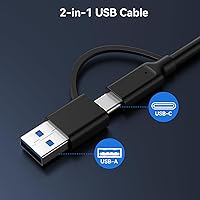
  • Interface: Connects to host devices via both USB-A 3.0 and USB-C 3.0 ports, though only one connection is active at a time.
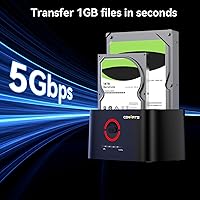
  • Transfer Protocol: Supports UASP (USB Attached SCSI Protocol) for transfer speeds up to 6 Gbps, which outpaces standard USB 3.0 under compatible conditions.
  • Drive Compatibility: Accepts 2.5-inch and 3.5-inch SATA HDDs and SSDs; does not support NVMe or IDE drives.
  • Bay Count: Dual-bay design accommodates two drives simultaneously for docking, transfer, or offline cloning operations.
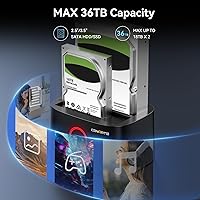
  • Max Capacity: Supports up to 18TB per bay, for a combined maximum of 36TB across both slots.
  • Offline Clone: PC-free cloning is initiated by double-clicking the dedicated CLONE button, with no host computer or software required.
  • Clone Indicator: LED progress display shows cloning status in percentage increments so users can monitor job completion at a glance.
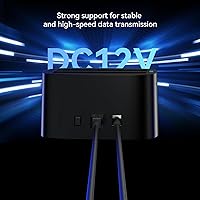
  • Power Supply: Includes a dedicated DC 12V external power adapter to ensure stable power delivery during intensive read and write sessions.
  • Material: Outer shell is constructed from ABS (Acrylonitrile Butadiene Styrene) plastic in a black finish.
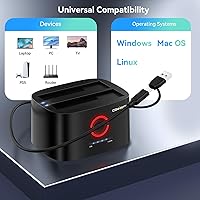
  • OS Support: Compatible with Windows, Mac, and Linux operating systems without requiring additional driver installation for basic use.
  • Item Weight: The unit weighs 15.8 ounces (approximately 0.45 kg), making it light enough for occasional transport.
  • Dimensions: Packaged dimensions measure 6.65 x 5.83 x 2.95 inches, representing a compact desktop footprint.
  • ASIN: The Amazon product identifier for this unit is B0CYFTBTBB, model number listed as 2 Bay Clone.
  • Availability Date: This product was first made available on Amazon on March 19, 2024.
  • Cooling: The unit is passively cooled with no internal fan, relying on ambient airflow during operation.
  • Max Devices: A maximum of two SATA drives can be connected and used simultaneously within the dual-bay enclosure.

Related Reviews
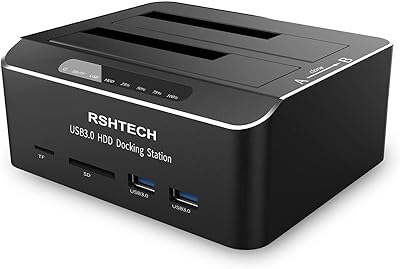
RSHTECH RSH-DS02 Dual Bay Hard Drive Dock
80%
88%
Offline Cloning Reliability
83%
Build Quality
76%
Transfer Speed
71%
Heat Management
62%
Large Drive Compatibility
More
MAIWO Dual-Bay Hard Drive Docking Station
78%
88%
Offline Clone Reliability
91%
Value for Money
67%
Transfer Speed
83%
Drive Compatibility
93%
Ease of Setup
More
dockteck Dual Bay External Hard Drive Docking Station
84%
90%
Performance and Speed
88%
Ease of Use
85%
Build Quality
91%
Cloning Functionality
82%
Compatibility
More
FIDECO YPZ220C Dual Bay USB 3.2 Gen 1 Hard Drive Docking Station
79%
88%
Offline Clone Functionality
79%
Transfer Speed
92%
Drive Compatibility
91%
Plug-and-Play Setup
63%
Build Quality
More
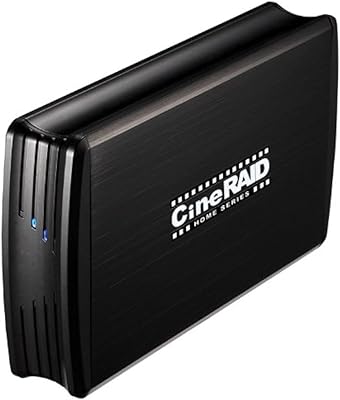
CineRAID CR-H212 Dual Bay Hard Drive Docking Station 2TB
85%
87%
Performance & Speed
92%
Build Quality & Durability
88%
Ease of Use & Setup
93%
Data Transfer Speed (USB 3.0)
90%
Compatibility with Operating Systems
More
StarTech SDOCK2U33EB Dual-Bay Hard Drive Docking Station

78%
83%
Hot-Swap Reliability
88%
Drive Compatibility
74%
Transfer Performance
76%
Build Quality
93%
Ease of Setup
More
WAVLINK WL-ST334UA Dual-Bay USB 3.0 Hard Drive Docking Station
72%
83%
Offline Cloning Reliability
74%
Transfer Speed
79%
Build Quality
91%
Ease of Setup
38%
Mac Compatibility
More
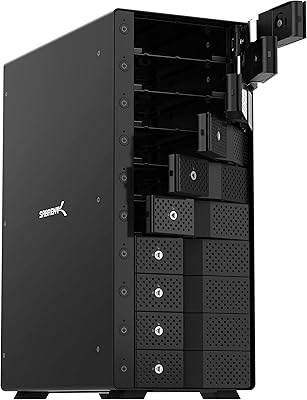
SABRENT DS-SC5B 5-Bay Hard Drive Docking Station
76%
88%
Build Quality
83%
Cooling Performance
61%
Noise Level
84%
Hot-Swap Usability
74%
Transfer Speed
More
Sabrent 10-Bay USB 3.2 Gen 2 SATA Docking Station
85%
94%
Ease of Use
88%
Build Quality
79%
Cooling Performance
90%
Speed & Data Transfer
91%
Compatibility with Operating Systems
More
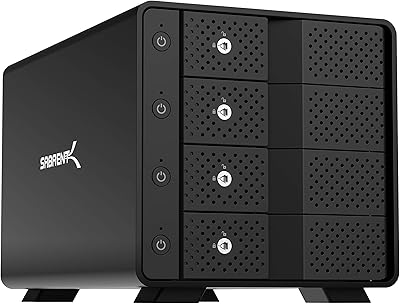
Sabrent DS-SC4B 4-Bay USB 3.2 Gen 2 Docking Station
80%
88%
Build Quality
83%
Cooling Performance
86%
Hot-Swap Reliability
74%
Transfer Speed
91%
Per-Bay Power Control
More

FAQ

That is correct — the offline clone function works entirely on its own. You slot the source drive into bay one and the target drive into bay two, then double-click the CLONE button. The dock handles everything from there, and the LED indicators show you how far along the process is. No laptop, no software, no cables to a computer needed.

The clone will fail. This is the single most important thing to get right before you start. The target drive needs to be the same size or larger than the source — even being slightly smaller in usable capacity can cause the process to abort. Always double-check your drive sizes before initiating a clone job.

No, this is strictly a SATA drive dock. It works with 2.5-inch and 3.5-inch SATA HDDs and SSDs only. If you have NVMe or PCIe-based M.2 drives, you will need a different type of enclosure or dock altogether.

Yes, it is compatible with macOS alongside Windows and Linux. It should be recognized as a standard USB storage device without any driver installation. Just keep in mind that if you are cloning a Mac drive with a specific file system, the clone itself copies the data as-is, so the resulting drive should work the same way on the same platform.

It is a true USB 3.0 port capable of UASP speeds up to 6 Gbps when your host device and cable support it. The USB-C connector here is not Thunderbolt or USB4 — it is standard USB 3.0 in a Type-C form factor, which covers most modern laptops just fine.

No, only one host connection can be active at a time. The two ports are there to give you flexibility across different devices — so you can plug into an older desktop with USB-A or a newer laptop with USB-C — but they are not meant for simultaneous dual-host use.

The LED progress indicators on the front of the unit display the clone completion status in percentage increments. When the process completes, the LEDs signal that the job is done. It is not a precise minute-by-minute countdown, but it gives you a clear enough read on where things stand without needing a screen.

It can get warm, especially when two 3.5-inch HDDs are running simultaneously over an extended period. There is no active fan inside, so heat dissipation is entirely passive. For most typical cloning jobs this is not a problem, but if you are in a warm room or a poorly ventilated space, it is worth keeping an eye on things during very long sessions.

It sits more comfortably in the occasional-use category. The build quality is solid enough for periodic drive management, cloning, or transfers, but the plastic construction and the nature of the product design make it better suited for someone who pulls it out a few times a month rather than hammering it daily in a high-throughput environment.

First, try a different USB cable and make sure the power adapter is fully seated, since power issues are a common culprit. If the drive still does not show up, test the drive directly in another dock or enclosure to rule out a failing drive. Cenmate advertises a 24-hour support response time, so reaching out to them directly is an option if basic troubleshooting does not resolve the issue — though response quality can vary.