Overview

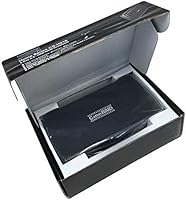
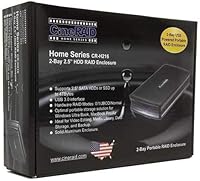
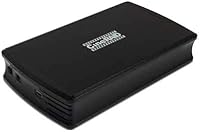
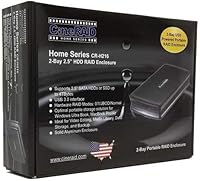
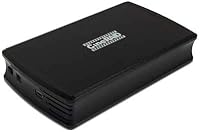
The CineRAID CR-H212 Dual-Bay 2.5″ RAID Enclosure has been around since 2012, and that longevity alone speaks volumes in a market where storage accessories cycle in and out quickly. Built around an all-aluminum chassis, it weighs just 8 ounces — genuinely portable without feeling flimsy or cheap. The hardware dip-switch RAID configuration is what really sets this dual-bay enclosure apart; most competing options rely on software RAID, which ties you to a specific OS and adds unnecessary complexity. USB 3.0 handles host connectivity — not the fastest interface available today, but capable and backward-compatible with USB 2.0 for older machines.
Features & Benefits

This portable RAID enclosure supports four operating modes — RAID 0 for speed, RAID 1 for mirroring, JBOD for spanning, and Normal for treating each drive independently. Switching between them is done entirely via hardware dip switches, so there is no software to install and no driver conflicts to troubleshoot. Each bay gets its own activity and failure LED, which makes it easy to spot a troubled drive at a glance. The unit accepts any 2.5″ SATA HDD or SSD up to 2TB per bay — worth noting, since some newer drives exceed that ceiling. OS support spans Windows, macOS, Linux, and PS4.

Best For

This dual-bay enclosure punches above its weight for a fairly specific set of users. Photographers and videographers who need a portable RAID 1 mirror for on-location shooting will find it fits neatly into a camera bag. It also suits anyone upgrading their laptop and looking to repurpose the old 2.5″ drive alongside the new one — no NAS required. Linux and PS4 users will appreciate the confirmed cross-platform support, which is genuinely rare at this price tier. If you want hardware RAID without writing scripts or wrestling with OS-level utilities, the CineRAID docking station handles it at the hardware level.

User Feedback

With a 3.9-star average from 52 reviews, the CineRAID docking station sits in respectable — if not glowing — territory. Most buyers praise the solid build quality and the effortless dip-switch RAID setup. One thing reviewers occasionally miss until it is too late: changing RAID modes requires reformatting the drives, so plan your configuration before loading data. Heat is another real concern — the sealed aluminum shell can get noticeably warm during sustained transfers. A handful of users have also reported intermittent drive recognition issues over time. The 2TB-per-drive cap frustrates anyone pairing it with newer high-capacity SSDs. Solid, but know its limits.

Pros

  • Hardware dip-switch RAID setup works without any drivers, software, or OS dependency.
  • All-aluminum chassis feels noticeably more durable than plastic enclosures in the same price range.
  • At just 8 ounces, this dual-bay enclosure is genuinely portable — fits easily in a camera bag or laptop sleeve.
  • Supports RAID 0, RAID 1, JBOD, and Normal modes, covering most practical use cases.
  • Per-bay activity and failure LEDs make it easy to monitor drive health without opening any app.
  • Broad OS support — Windows, macOS, Linux, and PS4 — is rare and genuinely useful at this price.
  • USB 2.0 backward compatibility means it works on older machines without any adapter.
  • Bus-powered over USB, so no separate power brick is needed for travel.
  • Proven design with years of real-world use, not a fly-by-night product from an unknown brand.

Cons

  • Maximum 2TB per bay rules out most high-capacity modern SSDs right out of the box.
  • USB 3.0 throughput feels dated compared to USB4 and Thunderbolt enclosures now widely available.
  • Switching RAID modes requires a full drive reformat — easy to overlook until data is already on the drives.
  • The sealed chassis has no fan or vents, and heat buildup is a real issue during sustained transfers.
  • A subset of long-term users have reported intermittent drive recognition problems over time.
  • Only accepts 2.5″ SATA drives — no NVMe, no 3.5″ support, no flexibility on form factor.
  • 52 total reviews is a thin sample size, making reliability trends harder to assess with confidence.
  • No included drives or cables beyond what is needed for basic connectivity — budget accordingly.

Ratings

The scores below reflect an AI-driven analysis of verified global buyer reviews for the CineRAID CR-H212 Dual-Bay 2.5″ RAID Enclosure, with spam, bot-generated, and incentivized feedback actively filtered out before scoring. Each category captures what real users genuinely praised and what frustrated them in day-to-day use. Both the strengths and the shortcomings are represented transparently — nothing has been softened to protect the product's image.

Build Quality
83%
The all-aluminum chassis earns consistent praise from buyers who have owned plastic enclosures before — it simply feels more solid in hand and holds up to the bumps of travel without flexing or creaking. Reviewers who carry it in camera bags or laptop sleeves report no cosmetic damage even after months of use.
A few users note that the aluminum shell, while durable, shows fingerprints and light scratches fairly easily. There is also no rubber padding or shock-absorbing layer, so dropping it on a hard surface remains a real concern despite the metal body.
RAID Setup Ease
88%
The hardware dip-switch approach to RAID configuration is one of the most consistently praised aspects across user reviews. People with no technical background report successfully setting up RAID 1 in minutes — flip the switch, connect the drives, and the enclosure handles the rest without any driver installs or menu navigation.
The one catch that catches buyers off guard is that switching RAID modes after initial setup requires a full reformat, wiping any data already on the drives. This is not well-documented upfront and has caused real frustration for users who tried to change modes mid-use.
Compatibility
86%
Confirmed support across Windows, macOS, Linux, and PS4 is a genuine differentiator at this price point, and Linux and PS4 users in particular highlight it as a deciding factor. Most users report plug-and-play behavior with no manual configuration required on any of these platforms.
Compatibility with newer operating system versions has occasionally been inconsistent according to a minority of reviewers, particularly after major OS updates. There are also no reports of compatibility with Android or ChromeOS, which limits its appeal for users in those ecosystems.
Transfer Speed
61%
39%
For everyday tasks — backing up photo libraries, transferring project files, syncing documents — USB 3.0 throughput is adequate and noticeably faster than USB 2.0. Users copying moderate file volumes report reasonable wait times without major bottlenecks.
USB 3.0 is a dated interface by current standards, and users moving large video archives or raw footage regularly will feel the ceiling. Compared to modern USB4 or Thunderbolt enclosures, the throughput gap is meaningful, and RAID 0 does not fully compensate for the interface limitation.
Heat Management
47%
53%
The aluminum chassis does conduct and dissipate some heat passively, which is better than a sealed plastic enclosure would manage. For light, intermittent use — short backups, occasional file transfers — surface temperatures stay within a tolerable range.
Sustained read/write sessions cause the enclosure to become noticeably warm, and several users describe it as uncomfortably hot to the touch after 30 to 60 minutes of continuous use. Without any ventilation slots or a fan, there is no mechanism to manage heat during heavy workloads, which raises long-term reliability concerns.
Drive Capacity Support
53%
47%
The 2TB per-bay limit covered the vast majority of 2.5″ SATA drive options when this enclosure launched, and it still works fine for users pairing it with older or budget-tier drives they already own.
In the current market, many affordable 2.5″ SATA SSDs exceed 2TB, making the cap a practical barrier for buyers who want to maximize storage. Users who discover this limitation after purchasing have no workaround — the enclosure simply will not recognize the full capacity of oversized drives.
Long-Term Reliability
58%
42%
A solid portion of buyers report years of stable daily use, particularly those running the unit in RAID 1 with matched drives. The aluminum build contributes to durability, and the dip-switch hardware mechanism has fewer points of failure than software-managed alternatives.
A recurring thread in user reviews involves intermittent drive recognition failures after extended ownership — the enclosure occasionally stops detecting one or both drives without explanation. This pattern appears in enough reviews to be a genuine concern rather than isolated incidents, and it is difficult to predict before it happens.
Portability
84%
At 8 ounces and roughly the footprint of a thick paperback, this dual-bay enclosure is genuinely easy to carry. Bus-powered operation over USB removes the need for a power adapter entirely, which photographers and location-based workers specifically call out as a practical advantage.
While the unit is compact, it is slightly thicker than a single-drive enclosure, which means it does not slide into every tight pocket or pouch. Users pairing it with two drives also add some weight, though it remains manageable for most travel scenarios.
LED Indicators
77%
23%
Having separate activity and failure LEDs for each bay is a thoughtful design choice that lets users quickly identify which drive is working and which might be failing — without connecting a computer or opening any software. Field photographers and off-site workers mention this as a practical monitoring tool.
The LEDs are functional but basic — they do not distinguish between different types of drive events beyond activity and failure. Users who want detailed status information, such as rebuild progress or read/write differentiation, will not get that level of feedback from the indicators.
Value for Money
72%
28%
For buyers who specifically need hardware RAID in a portable 2.5″ enclosure and do not want to pay NAS prices, this CineRAID docking station occupies a price tier where few competitors offer the same feature set. The dip-switch RAID alone justifies the cost for the right buyer.
For general users who do not need RAID, cheaper single or dual-bay enclosures offer equivalent or better performance at a lower price. The value proposition weakens considerably if you are pairing it with high-capacity drives that the enclosure cannot fully support.
Documentation & Support
51%
49%
Basic setup is intuitive enough that most users never need the manual — the dip-switch positions are labeled, and the enclosure behaves as expected for RAID modes on first connection. Experienced users report a smooth initial experience without any reference materials.
CineRAID's official support documentation is minimal, and the manual provides little guidance for troubleshooting drive recognition issues or RAID rebuild scenarios. Users who encounter problems often rely on community forums rather than any official resource, which is a gap for less technical buyers.
Noise Level
91%
With no fan and no moving parts of its own, this portable RAID enclosure operates in complete silence — drive noise is entirely dependent on the drives installed. SSD users report an essentially silent unit, which is appreciated in quiet office or home studio environments.
Mechanical HDDs installed in the enclosure will produce their own audible seek noise, and without vibration-dampening mounts, that noise can transfer slightly to whatever surface the unit rests on. This is a drive-specific issue rather than an enclosure flaw, but worth knowing.
Cable & Accessory Inclusion
55%
45%
The unit ships ready to use for buyers who already have a USB 3.0 cable on hand, and the included accessories cover the basics for getting started without additional purchases in most cases.
Some buyers report that the included USB cable is on the short side, limiting placement flexibility on a desk. The enclosure also ships without drive installation tools or a carrying case, which competitors at similar price points sometimes include.

Suitable for:

The CineRAID CR-H212 Dual-Bay 2.5″ RAID Enclosure is a strong fit for anyone who needs portable, hardware-level RAID without the overhead of a full NAS or desktop enclosure. Photographers and videographers shooting on location will appreciate the ability to mirror data in real time across two drives using RAID 1 — all without touching a software utility. It also makes a practical choice for home users who have accumulated spare 2.5″ SATA drives after laptop upgrades and want to give them a second life in a structured, organized setup. Linux users and PS4 owners in particular will find the confirmed cross-platform compatibility genuinely useful, since many enclosures at this price point simply do not bother supporting non-Windows environments. Anyone prioritizing simplicity — plug in, flip the dip switch, and go — will feel right at home with this dual-bay enclosure.
Not suitable for:

Buyers expecting cutting-edge performance or future-proof capacity should look elsewhere before committing to this portable RAID enclosure. The 2TB per-bay ceiling is a real constraint in 2024, when many affordable 2.5″ SSDs exceed that limit — pairing this unit with a modern high-capacity drive simply will not work. USB 3.0 connectivity is functional but no longer fast by today's standards, so anyone moving large video files regularly may find the throughput underwhelming compared to USB4 or Thunderbolt alternatives. The sealed aluminum design has no active cooling, which means heat can accumulate during long, sustained transfers — not ideal for workloads that run for hours at a stretch. If you anticipate needing to switch RAID modes frequently, be aware that doing so requires a full reformat of the drives, which is a meaningful operational inconvenience. Users who need more than two bays or 3.5″ drive support will need to look at a different product class entirely.

Specifications

  • Form Factor: Accepts only 2.5″ SATA hard drives and SSDs; 3.5″ drives and NVMe drives are not compatible.
  • Drive Bays: Houses two 2.5″ SATA drives simultaneously, operating in any of four configurable RAID modes.
  • Max Capacity: Supports drives up to 2TB per bay, for a maximum raw combined capacity of 4TB in JBOD or Normal mode.
  • Drive Interface: Uses Serial ATA-600 (SATA III) internally, compatible with both SATA II and SATA III drives.
  • Host Interface: Connects to the host system via USB 3.0, with full backward compatibility for USB 2.0 ports.
  • RAID Modes: Supports four modes: RAID 0 (striping for speed), RAID 1 (mirroring for redundancy), JBOD (spanning), and Normal (independent drives).
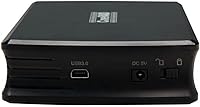
  • RAID Config: RAID mode is selected using a physical hardware dip switch on the enclosure body — no software or drivers required.
  • Chassis Material: Enclosure body is constructed from all-aluminum, providing passive heat dissipation and structural durability without adding significant weight.
  • Weight: The unit weighs 8 ounces (approximately 227g), making it practical for travel and on-location use.
  • Dimensions: Physical dimensions are 5.91 x 3.35 x 1.18 inches, compact enough to fit in most laptop bags or camera cases.
  • Power Source: Powered entirely via the USB connection — no external power adapter or separate cable is required during normal operation.
  • LED Indicators: Features a dedicated power LED plus individual drive activity and failure LEDs for each bay, allowing quick visual status checks.
  • OS Compatibility: Officially compatible with Windows, macOS, Linux, and PlayStation 4, with no proprietary driver installation needed.
  • USB Ports: The unit provides a single USB 3.0 port for host connection; it does not function as a USB hub.
  • Drive Types: Works with both 2.5″ SATA mechanical hard drives and 2.5″ SATA solid-state drives within the 2TB per-bay limit.

Related Reviews

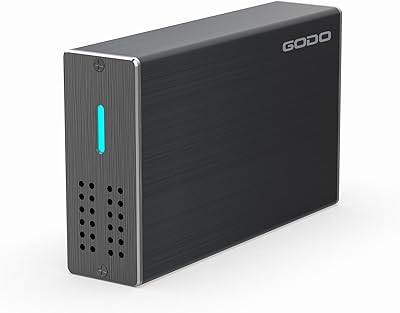
GODO 2.5″ Dual Bay RAID Enclosure
75%
88%
Value for Money
91%
Ease of Setup
83%
Build Quality
79%
Thermal Management
67%
Transfer Performance
More
Syba SY-ENC50122 5-Bay RAID Enclosure
71%
83%
Build Quality
78%
RAID Functionality
86%
Drive Compatibility
71%
USB 3.0 Performance
54%
eSATA Usability
More
ICY DOCK ToughArmor MB998SP-B 8-Bay 2.5” SATA/SAS HDD/SSD Mobile Rack Enclosure for 5.25″ Bay
87%
91%
Performance
88%
Cooling Efficiency
89%
Build Quality
93%
Ease of Installation
72%
Noise Level
More
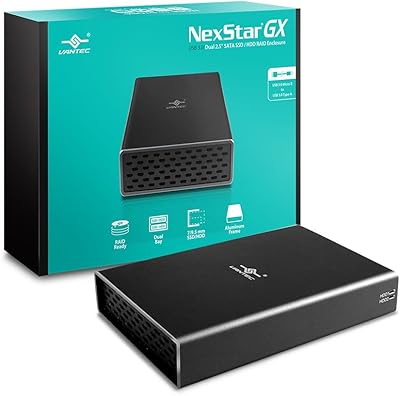
Vantec Nexstar GX Dual 2.5″ RAID Enclosure
74%
86%
Build Quality
83%
RAID Functionality
79%
Transfer Performance
61%
Drive Compatibility
67%
Thermal Management
More
IO CREST SY-ENC50127 USB 3.2 Type-C Dual Bay HDD + M.2 NVMe External Enclosure
83%
88%
Performance
93%
Ease of Setup
91%
Build Quality
87%
Data Transfer Speed
90%
Cooling/Heat Management
More
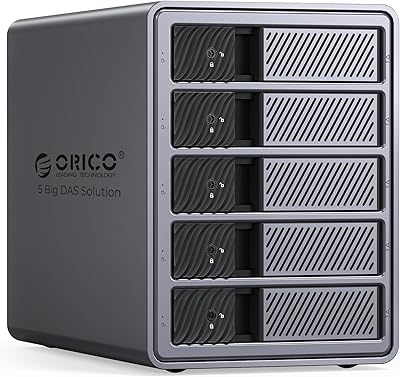
ORICO 9858RU3 5-Bay RAID HDD Enclosure
75%
88%
Build Quality
84%
Ease of Setup
81%
RAID Mode Flexibility
67%
Transfer Speed
74%
Thermal Management
More
TERRAMASTER TD2 Thunderbolt 3 2-Bay RAID Enclosure
73%
83%
Read/Write Performance
88%
Build Quality
81%
RAID Flexibility
86%
Mac Compatibility
53%
Windows Compatibility
More
MAIWO K25272 Dual Bay Hard Drive RAID Enclosure 16TB
84%
89%
Performance
88%
Build Quality
92%
Ease of Setup
87%
Data Transfer Speed
85%
Compatibility
More
Yottamaster DF5RU3 5-Bay RAID Hard Drive Enclosure
75%
88%
Build Quality
84%
RAID Configuration
58%
Transfer Speed
83%
Cooling Performance
67%
Ease of Setup
More
Vantec NexStar JX 3.5″ HDD Enclosure
76%
93%
Ease of Setup
78%
Transfer Speed — USB
86%
Transfer Speed — eSATA
74%
Thermal Management
67%
Build Quality
More

FAQ

No, you do not. The CineRAID CR-H212 Dual-Bay 2.5″ RAID Enclosure is fully hardware-based — RAID mode is set via a physical dip switch, and the unit mounts like a standard USB drive on Windows, macOS, and Linux without any additional software.
Technically you can flip the dip switch, but doing so will require a reformat of the drives before the new mode becomes active. That means any data already on the drives will be lost, so plan your RAID configuration before you start writing files to it.

No. The enclosure has a hard ceiling of 2TB per bay, which is a real limitation worth factoring in. Many modern 2.5″ SSDs are now available in capacities beyond 2TB, but this dual-bay enclosure simply will not recognize the full capacity or function correctly with drives that exceed that threshold.

It runs off the USB connection alone — no power brick needed. That is one of its more convenient traits for travel, though on older or low-power USB ports you may want to verify your host delivers adequate power.

Yes, compatibility with the PS4 is confirmed. This is less common than you might expect at this price point, and it makes the CineRAID docking station a reasonable choice if you want to expand console storage in a RAID or JBOD configuration.

The sealed aluminum chassis does get noticeably warm during sustained data transfers. Aluminum passively dissipates some heat, but there is no fan or ventilation, so if you plan to run long backup sessions or continuous read/write operations, keep it in a well-ventilated area and expect some surface warmth.

In Normal mode, each drive appears as a completely separate, independent volume on your computer. JBOD (Just a Bunch of Disks) spans both drives into a single logical volume, combining their capacity — but without any redundancy or performance gains. Both modes avoid data mirroring, so neither protects against drive failure.

Yes, absolutely. This portable RAID enclosure supports both 2.5″ SATA mechanical drives and 2.5″ SATA SSDs interchangeably — you can even mix one of each if you want. Just keep the 2TB-per-bay cap in mind when selecting your SSDs.

RAID 1 on this unit mirrors data across both drives in real time at the hardware level, which is a solid approach for protecting against a single drive failure. That said, RAID is not a substitute for a proper backup — if you accidentally delete a file or the enclosure itself fails, RAID 1 will not save you. Treat it as an added layer of protection, not your only one.

It should work without any configuration on most modern Linux distributions. The enclosure presents itself as a standard USB mass storage device, which Linux handles natively. Several Linux users have reported clean operation without kernel modules or manual setup, which is a genuine advantage over some competing units that quietly limit themselves to Windows only.