Overview

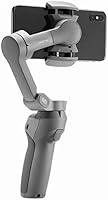
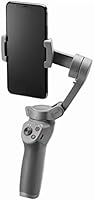
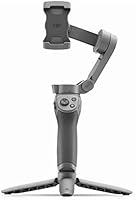
The DJI Osmo Mobile 3 Smartphone Gimbal Stabilizer marked a turning point in how creators think about portable stabilization — not because it reinvented the category, but because it finally made a capable gimbal genuinely pocketable. Earlier models were functional but awkward to carry; this one folds down small enough to slip into a jacket pocket without a second thought. It sits comfortably in the mid-range tier, competing with options from Zhiyun and Hohem, and works with a broad range of iPhones and Android devices through the DJI Mimo app. Just be clear-eyed about what it is: a strong tool for casual to semi-pro creators, not a substitute for dedicated cinema rigs.
Features & Benefits

The 3-axis stabilization is the core reason people buy this handheld stabilizer, and it delivers exactly what it promises — walk down a cobblestone street while filming and the footage stays composed. ActiveTrack 3.0 handles subject tracking with noticeably better accuracy than its predecessor, locking onto people and pets even when they move unpredictably. Gesture Control is a genuinely practical feature for solo shooting: raise your hand and the gimbal starts recording without touching a button. The Quick Roll toggle makes switching between portrait and landscape nearly instant, which matters when you are chasing fast-moving moments. Story Mode is a nice addition for beginners who want structured shots without planning every angle manually.

Best For

This smartphone gimbal hits its stride with travel vloggers, solo creators, and anyone shooting primarily for platforms like TikTok, Reels, or YouTube. If you are a parent trying to capture a kid's soccer game without wobbly footage, or a hobbyist wanting cleaner clips from a hiking trip, this handheld stabilizer is a straightforward upgrade from shooting freehand. It is especially well-suited to first-time gimbal users who do not want to spend weeks learning a complex system. That said, professional videographers looking for granular manual controls, log color profiles, or camera-grade optics will outgrow it quickly. It is built for real-life, on-the-go shooting — not controlled studio environments.

User Feedback

Owners who have used the Osmo Mobile 3 for months tend to echo the same points: setup is fast, and the improvement in footage smoothness is immediately obvious — that part rarely draws complaints. The foldable build gets consistent praise from people who travel light. Where things get more nuanced is around app dependency: the most useful features only work through DJI Mimo, and if updates break compatibility, the experience suffers noticeably. Battery life holds up for shorter sessions but can fall short during full-day shoots. Some users note that tracking loses focus in busy scenes with multiple moving subjects. Long-term durability reports are mostly positive, with few mechanical failures mentioned after months of regular use.

Pros

  • 3-axis stabilization produces noticeably smoother footage from the very first use, even while walking.
  • Folds down to a genuinely pocketable size — no dedicated case or extra bag compartment required.
  • ActiveTrack 3.0 reliably follows a single subject in open or moderately simple environments.
  • Gesture Control lets solo shooters start recording hands-free, which is practical for travel self-filming.
  • Quick Roll toggle switches portrait and landscape orientation almost instantly during a live shoot.
  • Setup from unboxing to first stabilized clip takes most users under 20 minutes.
  • Compatible with a broad range of iPhones and Android flagships without needing adapters.
  • The Osmo Mobile 3 holds up well mechanically after months of regular real-world use.
  • Story Mode gives complete beginners a structured way to produce shareable clips without editing skills.
  • Sport Mode improves gimbal responsiveness for faster-moving subjects like children or pets in open spaces.

Cons

  • Core features like ActiveTrack and Gesture Control are completely non-functional without the DJI Mimo app running.
  • App-to-phone compatibility issues frequently surface after major iOS or Android system updates.
  • Battery runs short during full-day shoots, and there is no option to charge while in use.
  • Subject tracking loses focus reliably in crowded scenes with multiple people moving simultaneously.
  • One-handed use for extended sessions — 45 minutes or more — causes noticeable wrist and arm fatigue.
  • Phones in rugged or battery-pack cases often exceed the thickness limit and must be removed before mounting.
  • Gesture Control becomes unreliable in low-light conditions or against visually busy backgrounds.
  • Story Mode templates feel limiting quickly and offer little value once a creator moves past the beginner stage.
  • No pass-through charging and no spare battery option means planning around recharge stops on long days.
  • Recalibration is sometimes needed after firmware updates or extended periods of storage.

Ratings

The scores below reflect an AI-driven analysis of thousands of verified owner reviews for the DJI Osmo Mobile 3 Smartphone Gimbal Stabilizer, collected from buyers across multiple global markets — with spam, incentivized submissions, and bot activity actively filtered out before scoring. Each category is assessed on real-world usage patterns, not spec sheets, so both the genuine strengths and the recurring frustrations are weighted transparently into every number.

Stabilization Performance
91%
Owners consistently describe a dramatic difference the first time they walk and film simultaneously — the footage that comes out feels locked and composed rather than handheld. For street vloggers, hikers, and event shooters, the 3-axis stabilization handles real-world movement with very little adjustment needed.
At faster running speeds or during aggressive directional changes, some users notice a slight lag before the gimbal compensates, resulting in a brief wobble at the start of a movement. It is a minor issue for casual use but noticeable to anyone shooting dynamic action consistently.
Portability & Form Factor
93%
The foldable build is one of the most praised aspects across long-term owners — it collapses small enough to fit inside a jacket pocket or a small daypack pouch without needing a dedicated case. Travelers especially appreciate being able to pull it out and be ready to shoot in under a minute.
At 14.3 oz, it is not ultralight, and after an hour of one-handed holding during a walking tour or family event, arm fatigue becomes a real consideration. A few users also note the folding mechanism feels slightly stiff when brand new, requiring a break-in period.
Subject Tracking (ActiveTrack 3.0)
78%
22%
For solo creators filming themselves against relatively clean backgrounds — a park, a hotel room, an empty street — ActiveTrack 3.0 keeps subjects centered reliably and handles moderate movement without losing the lock. Pet owners filming dogs running in open spaces also report solid results.
In crowded environments like markets, sports sidelines, or group gatherings, the tracker regularly gets confused by competing subjects and either latches onto the wrong person or drops the lock entirely. This is a consistent complaint from event shooters and anyone filming in busy urban settings.
App Dependency & Software Experience
62%
38%
The DJI Mimo app brings Story Mode, ActiveTrack, and Gesture Control to life in a single interface, and when everything is working, the pairing process is quick and the controls feel intuitive even for first-time gimbal users.
This is the most divisive aspect of the ownership experience. Several features are simply unavailable without the app running, and after OS updates on either iOS or Android, users frequently report connectivity hiccups, crashes, or broken tracking until DJI pushes a patch. The dependence on a third-party app for core functions feels like a real design compromise.
Ease of Setup & Learning Curve
84%
Most buyers report being up and shooting smoothly within 15 to 20 minutes of unboxing, which is unusually fast for a gimbal. The physical controls are minimal and well-labeled, and the Quick Roll and trigger buttons feel instinctive after a short session.
Gesture Control and Sport Mode both require deliberate practice before they behave predictably — a handful of users spent their first few outings accidentally triggering the wrong mode or missing shots while learning the hand signals. The learning curve is short overall, but it is not zero.
Battery Life
69%
31%
For a morning shoot, a city walk, or a couple of hours at a family event, the battery comfortably covers the session without anxiety. Owners doing shorter, focused outings rarely mention it as a concern.
Full-day shooters — festival videographers, travel vloggers covering 8-plus hours — consistently report running out of charge before the day ends. There is no pass-through charging, which means you cannot top up while shooting, and carrying a spare battery is not an option with this model.
Build Quality & Durability
82%
18%
Owners who have used this handheld stabilizer regularly for 12 months or more generally report that the motors, hinge, and clamping mechanism hold up well under normal use. The materials feel solid rather than cheap, which is reassuring at this price point.
The phone clamp spring tension can loosen slightly after extended use, leading to occasional wobble with heavier phones. A small number of long-term owners also report motor whine developing after a year of regular shooting, though this appears to be a minority experience.
Phone Compatibility
86%
The clamp accommodates phones between 62 and 88 mm wide and up to 9.5 mm thick, which covers the vast majority of mainstream iPhones and Android flagships without needing adapters. Most buyers find their device fits on the first try.
Phones in bulky protective cases often push against or exceed the thickness limit, forcing users to remove the case before mounting — a minor but recurring annoyance mentioned by owners with rugged or battery-pack-style cases.
Gesture Control
71%
29%
For solo travel photographers who want to set up a shot without a tripod assistant, Gesture Control is a genuinely freeing feature — raise a hand toward the front camera and the countdown begins. It works reliably in good lighting with a clear background.
In lower light or against visually busy backgrounds, the gesture recognition becomes inconsistent, sometimes triggering accidentally or failing to register at all. Users filming outdoors in shade or indoors at night report frustration with missed triggers.
Value for Money
83%
Buyers who use it regularly — even just for family videos or occasional travel content — feel the investment pays off quickly when compared against the cost of hiring stabilized footage or buying a more expensive professional setup.
For users who bought it primarily for ActiveTrack and later found the tracking unreliable in their typical shooting environment, the value proposition weakens considerably. Those who use it infrequently also question whether the features justify the spend versus a simpler, cheaper alternative.
Portrait-to-Landscape Switching
88%
The Quick Roll button is one of those features that sounds minor until you actually need it mid-shoot. Social media creators who switch between vertical Reels and horizontal YouTube footage in the same session consistently praise how fast and clean the transition is.
The button placement requires a deliberate reach that can interrupt a flowing shot if you are not used to it. A small number of users accidentally trigger it when repositioning their grip, resulting in an unintended orientation flip mid-clip.
Story Mode & Creative Shooting
74%
26%
Story Mode lowers the barrier for newer creators who do not yet have an instinct for shot composition — the guided templates produce structured, shareable clips without requiring editing knowledge, which resonates strongly with casual social media users.
Experienced creators tend to outgrow Story Mode quickly and find the templates limiting or formulaic. It feels designed for a specific beginner audience, and once you move past that stage, it becomes a feature you stop using rather than one that grows with you.
Weight & Handling Comfort
73%
27%
The grip is well-shaped and provides a secure hold during typical shooting scenarios — short walks, static setups, and casual panning all feel comfortable and controlled for most users within a normal session length.
Extended one-handed use over 45 to 60 minutes causes wrist and forearm fatigue for a notable share of users, particularly those with smaller hands. The gimbal was not designed for marathon shooting sessions, and it shows in long-form event coverage use cases.
Sport Mode Responsiveness
76%
24%
When tracking fast-moving subjects like kids at a soccer game or a dog at a dog park, Sport Mode reduces the lag between subject movement and gimbal response, producing more reactive and energetic footage than the standard mode allows.
The mode amplifies every small jitter in the operator's hands, so unless your handheld movement is already fairly controlled, Sport Mode can occasionally make footage feel less stable rather than more. It rewards practiced users more than beginners.
Long-Term Ownership Satisfaction
79%
21%
Owners who shoot regularly and use the gimbal as a consistent part of their workflow — travel bloggers, family documentarians, part-time content creators — tend to report high satisfaction at the six-month and one-year marks, citing it as a tool they reach for habitually.
Satisfaction drops noticeably among users who expected a set-it-and-forget-it experience. Firmware updates, occasional app compatibility issues after phone OS upgrades, and the need to recalibrate after long storage periods all contribute to a maintenance overhead that casual users did not anticipate.

Suitable for:

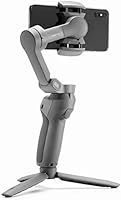
The DJI Osmo Mobile 3 Smartphone Gimbal Stabilizer is a strong match for anyone who shoots regularly on their phone and is tired of footage that looks shaky or amateurish. Travel vloggers will appreciate how quickly it folds down for a bag and unfolds when a moment worth capturing appears — there is no fumbling with a bulky case or separate carry bag. Solo creators who film themselves for TikTok, YouTube, or Instagram will find the combination of Gesture Control and ActiveTrack genuinely useful for capturing clean, centered footage without a second person behind the camera. Parents documenting kids at sports events, recitals, or on family trips will notice an immediate and meaningful improvement in their videos without needing to learn complex settings. Hobbyists and first-time gimbal users also tend to thrive with this handheld stabilizer because the setup is fast, the controls are intuitive, and the payoff in footage quality is obvious from the very first session.
Not suitable for:

Anyone approaching video production at a professional or semi-professional level will likely find the DJI Osmo Mobile 3 Smartphone Gimbal Stabilizer too limiting within a fairly short period of ownership. It does not offer the granular manual controls — exposure locks, focus pulls, or custom motor tuning — that serious videographers rely on, and it is fundamentally constrained by whatever optics your smartphone carries. If your work involves full-day event coverage, the battery capacity will become a recurring frustration, especially since there is no way to charge it while it is in use. Buyers who do most of their shooting in crowded, visually complex environments — concerts, busy markets, multi-person events — should know that the subject tracking struggles in those conditions and may feel more like a liability than a feature. Users who strongly prefer not to route their shooting experience through a dedicated app will also find this handheld stabilizer restrictive, since the most compelling features simply do not function without DJI Mimo running on the paired device.

Specifications

  • Brand: Manufactured by DJI, a leading brand in consumer and professional stabilization and aerial imaging equipment.
  • Stabilization: Uses a 3-axis motorized gimbal to compensate for pitch, roll, and yaw movements during handheld shooting.
  • Folded Dimensions: When collapsed, the gimbal measures 4.1″ deep, 4.9″ wide, and 11.2″ tall, making it compact enough for most jacket pockets.
  • Weight: The unit weighs 14.3 oz, which is manageable for short to medium shooting sessions but noticeable during extended one-handed use.
  • Phone Width: Accommodates smartphones between 62 mm and 88 mm wide, covering the majority of current mainstream iPhone and Android models.
  • Phone Thickness: Compatible with devices up to 9.5 mm thick; phones in thick protective cases may exceed this limit and require case removal.
  • Tracking System: ActiveTrack 3.0 provides automatic subject recognition and tracking for people and pets, with improved accuracy over the previous generation.
  • Gesture Control: Both the front-facing and rear cameras support Gesture Control, allowing hands-free photo and video triggering via hand signals.
  • Orientation Toggle: The Quick Roll button instantly switches the gimbal between portrait and landscape orientation without stopping or restarting a recording.
  • Shooting Modes: Includes Story Mode for guided shooting templates and Sport Mode for faster gimbal response when tracking quick-moving subjects.
  • Required App: Full feature functionality requires the DJI Mimo app at version 1.3.0 or above, available for free on iOS and Android.
  • iOS Requirement: Compatible iPhones must run iOS 10.0 or above to pair with the DJI Mimo app and access all stabilizer features.
  • Android Requirement: Compatible Android devices must run Android 6.0 or above to support the DJI Mimo app and full gimbal functionality.
  • Battery: Comes with one included D-type battery; there is no pass-through charging, so the unit must be powered off to recharge.
  • Model Number: The official DJI item model number for this unit is CP.OS.00000040.01, used for warranty and parts identification.
  • ASIN: The Amazon Standard Identification Number for this listing is B07RSPPQ18, referencing the standard Combo variant.
  • Best Sellers Rank: Ranked in the top 100 in Video Camera Supports and Stabilizers on Amazon, reflecting sustained buyer demand since its 2019 launch.
  • Release Date: First made available for purchase on April 26, 2019, and has since remained one of DJI's most widely adopted consumer gimbals.

Related Reviews

DJI Osmo Mobile 6 Smartphone Gimbal
79%
93%
Stabilization Performance
86%
ActiveTrack Object Tracking
91%
Portability & Form Factor
88%
Built-in Extension Rod
79%
Build Quality & Materials
More
DJI RS 4 Gimbal Stabilizer
81%
93%
Stabilization Performance
88%
Balancing Experience
91%
Native Vertical Shooting
89%
Build Quality & Materials
86%
Battery Life
More
DJI RS 2 3-Axis Gimbal Stabilizer
81%
93%
Build Quality
91%
Stabilization Performance
89%
Payload Capacity
84%
Touchscreen Usability
81%
Balancing & Setup
More
DJI RSC 2 Pro Combo 3-Axis Gimbal Stabilizer
86%
95%
Stabilization Performance
89%
Portability & Design
90%
Ease of Use
85%
Battery Life
88%
Build Quality
More
DJI Ronin-S Gimbal Stabilizer
85%
94%
Stabilization Performance
85%
Ease of Use
89%
Build Quality
82%
Portability & Size
88%
Battery Life
More
DJI Osmo Action 3 Adventure Combo Action Camera
81%
91%
Video Quality
88%
Stabilization
79%
Battery Life
87%
Build & Durability
93%
Waterproofing
More
DJI RS 4 Mini Combo
DJI RS 4 Mini Combo
82%
93%
Setup Speed
91%
Stabilization Performance
84%
Intelligent Tracking
89%
Build Quality & Materials
88%
Vertical Shooting Switch
More
DJI Osmo Pocket 3 Vlogging Camera
83%
93%
Video Quality
88%
Low-Light Performance
96%
Gimbal Stabilization
84%
Subject Tracking (ActiveTrack)
89%
Build Quality & Portability
More
DJI Ronin-SC Pro Combo Gimbal Stabilizer
86%
94%
Stabilization Performance
88%
Ease of Use
91%
Battery Life
89%
Build Quality
82%
Portability
More
Zhiyun Weebill S
Zhiyun Weebill S
76%
83%
Stabilization Performance
91%
Battery Life
78%
Build Quality & Durability
86%
Ergonomics & Comfort
88%
Camera Compatibility
More

FAQ

You can use the basic stabilization without the app — the gimbal will keep your footage smooth as long as it is powered on and your phone is mounted. However, features like ActiveTrack, Gesture Control, Story Mode, and Sport Mode all require the DJI Mimo app to be running on your phone. If you plan to use the Osmo Mobile 3 purely for its stabilization and manual controls, you can get by without it for simple sessions.

It depends on the case. The clamp accommodates phones up to 9.5 mm thick, which covers most slim and standard cases. Rugged cases, waterproof cases, and battery-pack-style cases often push beyond that limit. The safest approach is to measure your phone-plus-case thickness before assuming it will fit — many buyers discover they need to remove the case at the door.

For a two to three hour outing — a city walk, a short travel day, or a family event — the battery generally holds up without issue. If you are shooting for five or more hours continuously, plan on recharging mid-day. There is no pass-through charging, so you will need to pause and power it off to top it up, which is worth factoring into longer shooting schedules.

In clean environments — a park, an empty street, a simple indoor background — ActiveTrack 3.0 locks onto a subject reliably and follows smoothly through moderate movement. In busy scenes with multiple moving people or complex backgrounds, it can get confused and latch onto the wrong subject or drop the lock entirely. For solo creators filming against simple backgrounds, it works well enough to replace a human camera operator in most situations.

Genuinely beginner-friendly. Most first-time users report being up and shooting stabilized footage within 15 to 20 minutes of unboxing. The physical controls are minimal and the clamp mechanism is straightforward. The DJI Mimo app guides you through the initial pairing, and the main buttons — Quick Roll, trigger, and M button — are clearly labeled and intuitive after a short hands-on session.

The DJI Osmo Mobile 3 Smartphone Gimbal Stabilizer was designed around phones available at its 2019 launch, but the clamp is mechanical and fits any phone within the 62 to 88 mm width and 9.5 mm thickness range — so it physically fits most current flagships. App-side compatibility with the very latest iOS and Android versions depends on DJI keeping the Mimo app updated, which they have generally done, though brief gaps after major OS releases are not uncommon.

Yes, Gesture Control works with both the front and rear cameras. You can raise your hand toward the front camera and it will trigger a countdown before recording starts, which is useful for travel selfies or solo talking-head shots. The reliability does drop in lower light or against cluttered backgrounds, so bright, clear conditions give you the best results.

Sport Mode helps by making the gimbal respond more quickly to fast directional changes, which works reasonably well for kids in open spaces or moderate sports action like a casual soccer game. For high-speed or unpredictable athletic movements, it can still lag slightly before compensating. It is a solid choice for everyday family action filming, though dedicated sports camera rigs will outperform it in demanding scenarios.

Long-term owners generally report that the build holds up well under normal use — the motors, hinge, and clamp remain functional after 12 or more months of regular shooting. A small number of owners report the phone clamp spring losing some tension over time, and occasional motor whine developing after heavy extended use. These appear to be minority experiences, and the majority of users report no significant mechanical issues within a typical ownership window.

Yes, the Quick Roll button handles exactly this. A single press flips the gimbal from portrait to landscape orientation almost instantly, which is one of the more genuinely practical features for creators who post across multiple platforms with different aspect ratio requirements. The transition is smooth and fast enough that you can make the switch mid-session without losing much time.

Where to Buy