Overview

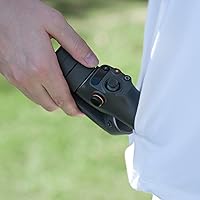
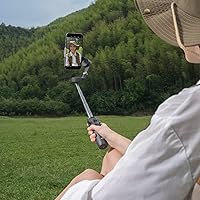
The DJI Osmo Mobile 6 Smartphone Gimbal is DJI's sixth-generation foldable stabilizer, and it sits in a comfortable spot for everyday creators who want noticeably better footage without spending serious money on professional gear. Folded down, it fits in your palm — or a jacket pocket — and the built-in extension rod means you're not hunting for a separate selfie stick when you want a wider angle. The Slate Gray finish feels solid without being flashy. It's a capable mid-range tool built for people who shoot regularly but aren't running a full production.
Features & Benefits

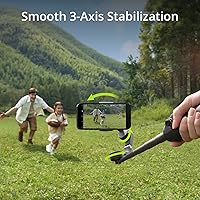
The 3-axis motorized stabilization is where this gimbal earns its keep. Walk across uneven terrain, turn quickly, or shoot from a moving vehicle — the footage stays smooth in a way that handheld shooting simply cannot match. ActiveTrack does a reliable job of keeping a moving subject in frame without you constantly nudging the controls, which is genuinely useful when filming solo. The built-in extension rod is worth calling out for anyone upgrading from an older model; it replaces an accessory you probably kept forgetting to pack. Pair it with the DJI Mimo app and you unlock timelapse modes and story templates, though the app takes some getting used to.

Best For

This stabilizer is a natural fit for travel vloggers and social media creators who want their footage to look intentional without hauling a bag full of gear. If you're used to shooting handheld and you're ready for a clear step up in quality, the Osmo Mobile 6 makes that transition straightforward — results are visible almost immediately. Solo creators who need reliable auto-tracking will find it especially practical; you can set it down, frame your shot, and trust it to follow you. It's less suited to users who want deep manual controls or plan to mount it on a dedicated rig.

User Feedback

Owners of this gimbal are largely positive, and stabilization quality is the most frequently praised aspect — people consistently mention how much better their clips look after just a few minutes of use. The extension rod also comes up often, particularly from users who previously owned an older model and appreciate not needing a separate accessory. On the critical side, battery life draws the most consistent complaints; it holds up for short outings but struggles during all-day shoots. A few buyers also flag the magnetic charging port as a weak point, preferring standard USB-C. The DJI Mimo app gets mixed marks — powerful once you know it, but the initial setup can frustrate newer users.

Pros

  • Three-axis motorized stabilization visibly transforms shaky handheld footage into smooth, confident-looking video almost immediately.
  • The built-in extension rod adds reach for selfies and creative angles without needing a separate accessory.
  • ActiveTrack reliably follows a solo subject through a room or outdoor path, freeing you to focus on what you are saying or doing.
  • Folds down small enough to fit in a jacket pocket, making it genuinely easy to carry every day.
  • Compatible with a wide range of smartphones, including larger flagship models, without requiring case removal in most situations.
  • The Slate Gray build feels sturdy and professional without the plasticky feel of cheaper stabilizers in this category.
  • Motion timelapse and creative shooting modes in the DJI Mimo app add real production value once you invest time in learning them.
  • At its mid-range price, the combination of tracking, stabilization, and the extension rod represents strong value per feature compared to rivals.
  • Weighs just over a pound unfolded, meaning extended one-handed shooting sessions do not cause meaningful fatigue for most users.

Cons

  • Battery life falls short during all-day shoots, particularly when ActiveTrack and the Mimo app are running simultaneously.
  • The proprietary magnetic charging port means one forgotten cable can leave you with an unusable gimbal on a trip.
  • The DJI Mimo app has a noticeable learning curve that frustrates beginners and occasionally fails to pair cleanly on some Android devices.
  • Tracking struggles in crowded scenes or with fast, unpredictable subjects like pets and young children.
  • Repeated folding and unfolding over many months shows minor hinge wear that raises questions about long-term durability.
  • Larger phones in thick rugged cases can create balance issues that require manual adjustment before shooting.
  • The stabilizer motor movement can produce audible noise in quiet indoor environments, occasionally picked up by the phone microphone.
  • No pass-through charging means the gimbal must be powered off and set aside while recharging mid-shoot.

Ratings

The DJI Osmo Mobile 6 Smartphone Gimbal has been scored by our AI system after processing verified buyer reviews from global markets, with spam, bot-generated, and incentivized feedback actively filtered out. Scores reflect the honest consensus of real-world users — casual vloggers, solo travel creators, and first-time gimbal owners alike. Both the standout strengths and the recurring frustrations are factored into every category below.

Stabilization Performance
93%
This is the category where the gimbal wins most decisively. Users across skill levels consistently report that shaky, unusable handheld footage becomes smooth and intentional almost immediately after picking it up. Walking, turning, and even light jogging produce results that genuinely surprise first-time users.
A small number of users note that at very high walking speeds or during sharp directional changes, micro-jitter occasionally breaks through. It is rare, but worth knowing if your shooting style involves fast, reactive movement.
ActiveTrack Object Tracking
86%
Solo creators repeatedly single out the tracking as a major practical benefit — you can position the gimbal on a flat surface or mini tripod, start recording, and trust it to follow you through a room or down a path without touching the controls. It handles moderate movement and partial obstructions better than competing models at this price tier.
Tracking does struggle in crowded environments where multiple moving subjects compete for attention, and bright backlit scenes can confuse the subject lock. A few users also note a brief lag when the subject moves suddenly off-axis.
Portability & Form Factor
91%
The folded size is genuinely pocket-friendly — not just jacket pocket in theory, but jeans pocket in practice for most users. Travelers and day-trip vloggers highlight this as a deciding factor, since it removes any excuse not to bring it along. At just over a pound, it does not add meaningful fatigue during extended handheld use.
The unfolded length, while necessary for proper stabilization, can feel slightly awkward in tight indoor spaces or crowded streets. A handful of buyers note that repeated folding and unfolding over many months shows minor wear on the hinge mechanism.
Built-in Extension Rod
88%
Owners upgrading from the fifth generation consistently flag this as the single most welcome addition. Having extra reach built directly into the body means better selfie framing, usable overhead shots, and low-angle perspectives — all without packing a separate stick that inevitably gets left behind.
The extension rod adds a small amount of length when stored, and a few users wish it locked more firmly at full extension under the weight of larger phones. It is not a major issue, but noticeable with heavier flagship handsets.
Build Quality & Materials
79%
21%
The Slate Gray finish feels deliberate and professional without looking like a toy, and the overall rigidity of the folded body inspires confidence when tossing it into a bag. The adjustable clamp mechanism holds phones firmly and shows no signs of loosening over normal use.
The plastic-composite construction, while adequate, does not convey the premium feel some users expect given DJI's reputation. The charging port design in particular — noted as magnetic rather than standard USB-C — has attracted criticism for feeling like a weaker link in an otherwise solid build.
Battery Life
62%
38%
For targeted shooting sessions — a morning at a market, a short hike, or a 90-minute event — the battery holds up without issue. Users who treat it as a focused shooting tool rather than an all-day companion tend to report satisfaction with the runtime.
All-day creators and travel vloggers are the most vocal critics here. Extended shoot days, especially when ActiveTrack and the app are running simultaneously, can drain the battery faster than expected. The lack of pass-through charging means downtime when the battery runs out mid-session.
App Experience (DJI Mimo)
67%
33%
Once users invest time in learning the DJI Mimo app, the creative payoff is real — motion timelapse, story templates, and Hyperlapse modes add genuine value for social media content. Experienced creators who have used DJI products before tend to find the interface logical and well-organized.
For first-timers, the app presents a learning curve that several reviewers describe as steeper than expected at this price point. The initial pairing process and mode navigation can feel cluttered, and occasional Bluetooth sync issues have been reported on certain Android devices.
Smartphone Compatibility
84%
The adjustable clamp accommodates a wide range of phone sizes, from compact handsets to large pro-tier flagships with cases attached. Most users — iPhone and Android alike — report a secure, well-balanced fit without needing to remove their case, which removes a small but real daily friction point.
Very thick rugged cases or phones with prominent camera bumps can create balance challenges that require manual weight adjustment. A small number of users with unusually wide-grip cases report that the clamp pressure marks the case over time.
Ease of Setup & Getting Started
78%
22%
Physically unfolding the gimbal and mounting a phone takes under a minute for most users — the mechanical setup genuinely lives up to the quick-start promise. The physical controls are well-labeled and intuitive enough that basic shooting modes require no manual reading.
The software side of setup is where the experience slows down. Downloading and configuring the DJI Mimo app, enabling permissions, and pairing via Bluetooth adds enough friction that first-time users sometimes give up and shoot without the app entirely.
Value for Money
82%
18%
At its mid-range price point, the Osmo Mobile 6 delivers hardware that competes meaningfully with options costing noticeably more. The combination of three-axis stabilization, built-in tracking, and the extension rod in a single compact package makes the per-feature cost feel fair for committed creators.
Budget-conscious buyers who compare it to cheaper no-brand stabilizers sometimes question whether the premium is justified for casual use. The app dependency also means the full value is only unlocked if you are willing to invest time in the software side.
Stabilizer Weight & Handling
83%
At just over a pound unfolded, this stabilizer sits in a comfortable middle ground — heavy enough to feel substantial, light enough to hold extended with one hand without fatigue. Vloggers who shoot walking segments report it balances well and does not cause wrist strain during typical session lengths.
Users coming from ultra-light two-axis stabilizers may notice the additional heft during longer sessions. It is not a dealbreaker, but those with smaller hands or wrist sensitivity have flagged the grip circumference as slightly wide for prolonged use.
Charging & Power Management
58%
42%
The battery charges to full in a reasonable window when not in use, and the power indicator gives enough warning to plan around low-battery situations. Users who remember to charge the night before rarely encounter problems in normal use.
The magnetic charging port is the most consistent hardware complaint across reviews. It is proprietary, which means forgetting the cable on a trip leaves you with a dead gimbal and no backup option. Several buyers specifically call out the wish for standard USB-C charging.
Motion Timelapse & Creative Modes
76%
24%
The motion timelapse function is a genuine highlight for users who take time to learn it — the results look polished and are difficult to replicate without a motorized system. Travel creators in particular highlight it as a feature that adds production value to destination content.
Accessing these modes requires navigating the DJI Mimo app, which limits spontaneous use. A few users also note that the timelapse motor movement can be noisier than expected in quiet indoor environments, which is occasionally picked up by phone microphones.
Subject Tracking Accuracy
74%
26%
In controlled environments — a single subject against a relatively static background — the tracking locks on quickly and holds well even as the subject moves laterally or changes speed. Users filming workout content, cooking demonstrations, or solo travel segments report it performs reliably in these scenarios.
Complex backgrounds, variable lighting, and fast lateral dashes push the tracking to its limits. Users trying to track pets or children in unpredictable environments note that the lock can break and take a noticeable moment to reacquire the subject.

Suitable for:

The DJI Osmo Mobile 6 Smartphone Gimbal is built for everyday creators who want their footage to look deliberate and polished without committing to a heavy, expensive kit. Travel vloggers will find it particularly well-suited — it folds into a jacket pocket, weighs next to nothing compared to traditional camera rigs, and is ready to shoot in seconds when something unexpected happens in front of you. Solo content creators who film themselves — whether for YouTube, Instagram, or TikTok — will get immediate, practical value from the ActiveTrack system, which handles the framing work while they focus on performing or speaking to camera. First-time gimbal buyers stepping up from purely handheld smartphone shooting will notice the difference in footage quality almost immediately, and the learning curve on the hardware side is gentle enough that results come quickly. It also rewards users who previously owned an older Osmo model, since the built-in extension rod removes one of the most commonly forgotten accessories from the packing list.
Not suitable for:

The DJI Osmo Mobile 6 Smartphone Gimbal is unlikely to satisfy buyers who need professional-grade control or plan to use it as part of a larger production setup. If you shoot all-day events — weddings, full-day travel shoots, multi-hour live streams — the battery limitations will become a genuine operational problem rather than a minor inconvenience. Users who dislike app-dependent hardware will find the experience frustrating, since the more interesting creative features are locked behind the DJI Mimo app, which takes real time to learn and has known Bluetooth pairing inconsistencies on certain Android devices. The magnetic proprietary charging port is also a meaningful concern for anyone who travels without a dedicated gear bag, since losing or forgetting that one cable renders the unit unusable with no workaround. Finally, creators who want deep manual control over pan speed, axis locks, or follow modes will likely find the feature set too simplified for their workflow and should look at more advanced stabilizer options.

Specifications

  • Brand: Manufactured by DJI Europe B.V., a leading name in consumer and professional stabilization and drone technology.
  • Model: Osmo Mobile 6, the sixth generation of DJI's foldable smartphone gimbal line, with item model number CP.ZM.000449.
  • Dimensions: Unfolded product dimensions measure 4.92 x 4.29 x 12.2 inches, providing a full-length grip suitable for one-handed use.
  • Weight: The unit weighs 1.01 pounds, making it light enough for extended handheld shooting without significant wrist fatigue.
  • Folded Size: When folded, the gimbal is compact enough to fit in the palm of a hand or a standard jacket pocket.
  • Stabilization: Uses a 3-axis motorized gimbal system to correct pitch, roll, and yaw movements in real time during handheld shooting.
  • Object Tracking: ActiveTrack technology enables automatic subject tracking, keeping a moving person or object centered in frame without manual input.
  • Extension Rod: A built-in telescoping extension rod is integrated into the handle, providing additional reach for selfie framing and high or low-angle shots.
  • Compatibility: Works with a wide range of smartphones via an adjustable spring-loaded clamp mechanism, accommodating most current iPhone and Android models.
  • Companion App: Pairs with the DJI Mimo app (available on iOS and Android) to access creative modes including Hyperlapse, motion timelapse, and story templates.
  • Connectivity: Connects to the companion app via Bluetooth for wireless control, mode switching, and access to intelligent shooting features.
  • Charging Port: Charges via a magnetic proprietary port rather than a standard USB-C connection, requiring the included cable for recharging.
  • Color: Available in Slate Gray, offering a neutral, professional appearance suitable for both casual and semi-professional shooting environments.
  • ASIN: The Amazon Standard Identification Number for this product is B0BTQ32264, listed under the Amazon Renewed category.
  • Amazon Rating: Holds an average rating of 4.4 out of 5 stars based on 56 verified ratings at the time of listing.
  • BSR Ranking: Ranked number 241 in Cell Phone Handheld Gimbals and Stabilizers on Amazon, indicating solid mid-tier market traction.
  • First Available: This product was first listed on Amazon on February 2, 2023, establishing it as a current-generation stabilizer still in active distribution.
  • Foldable Design: The gimbal arm and handle fold into a compact form factor designed for portability, quick deployment, and everyday carry without a dedicated case.

Related Reviews
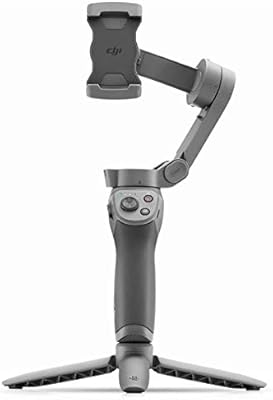
DJI Osmo Mobile 3 Smartphone Gimbal Stabilizer
79%
91%
Stabilization Performance
93%
Portability & Form Factor
78%
Subject Tracking (ActiveTrack 3.0)
62%
App Dependency & Software Experience
84%
Ease of Setup & Learning Curve
More
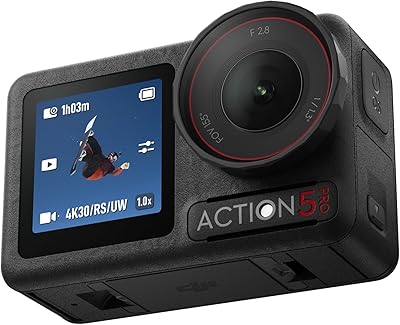
DJI Osmo Action 5 Pro Action Camera
80%
93%
Low-Light Image Quality
89%
Video Quality & Resolution
88%
Stabilization Performance
91%
Battery Life
94%
Waterproofing & Durability
More
DJI Ronin-S Gimbal Stabilizer
85%
94%
Stabilization Performance
85%
Ease of Use
89%
Build Quality
82%
Portability & Size
88%
Battery Life
More
DJI RS 4 Mini Combo
DJI RS 4 Mini Combo
82%
93%
Setup Speed
91%
Stabilization Performance
84%
Intelligent Tracking
89%
Build Quality & Materials
88%
Vertical Shooting Switch
More
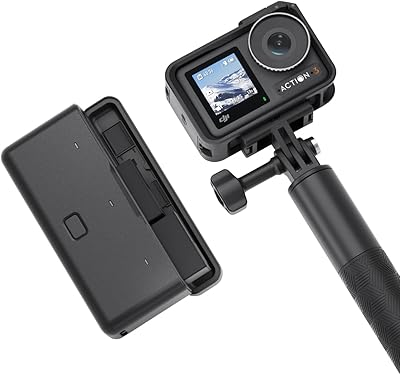
DJI Osmo Action 4 Action Camera
81%
88%
Low-Light Performance
91%
Video Quality
89%
Stabilization
86%
Battery Life
87%
Cold-Weather Reliability
More
DJI Osmo Pocket 3 Vlogging Camera
83%
93%
Video Quality
88%
Low-Light Performance
96%
Gimbal Stabilization
84%
Subject Tracking (ActiveTrack)
89%
Build Quality & Portability
More
DJI Osmo Action 3 Adventure Combo Action Camera
81%
91%
Video Quality
88%
Stabilization
79%
Battery Life
87%
Build & Durability
93%
Waterproofing
More
DJI RS 4 Gimbal Stabilizer
81%
93%
Stabilization Performance
88%
Balancing Experience
91%
Native Vertical Shooting
89%
Build Quality & Materials
86%
Battery Life
More
DJI Ronin-SC Pro Combo Gimbal Stabilizer
86%
94%
Stabilization Performance
88%
Ease of Use
91%
Battery Life
89%
Build Quality
82%
Portability
More
DJI RS 4 Pro Combo
DJI RS 4 Pro Combo
79%
93%
Motor Strength & Payload Handling
81%
LiDAR Autofocus Accuracy
88%
Native Vertical Shooting
86%
Combo Bundle Value
78%
Battery Life
More

FAQ

Yes, the adjustable clamp is designed to handle a wide range of phone sizes, including larger flagship models. Most users report a secure fit even with a slim case on. Very thick rugged cases may affect balance, requiring a small manual adjustment before shooting.

You can absolutely use it as a standalone stabilizer without the app — mount your phone, power it on, and it will stabilize your footage right away using the physical controls. The app is only required if you want to access features like ActiveTrack, motion timelapse, or the story templates. Many users start app-free and add the software side once they are comfortable with the hardware.

Most users report roughly 6 to 8 hours of moderate use, though that figure drops noticeably when ActiveTrack and the app are running continuously. For short vlogging sessions or a few hours of travel shooting it holds up well. If you are planning a full-day event shoot, it is worth carrying a power bank and the charging cable as a backup.

It works with both iOS and Android phones. The clamp mechanism is brand-agnostic, and the DJI Mimo app is available on both platforms. A small number of Android users have reported occasional Bluetooth pairing hiccups, but these are typically resolved by restarting the app or re-pairing the device.

More than you might expect. It gives you proper selfie framing without cramming the camera into your face, and it is genuinely useful for getting the gimbal above a crowd, shooting low to the ground, or capturing a wider establishing shot of yourself and your surroundings. For anyone upgrading from an older Osmo model, it replaces a separate accessory that was easy to forget at home.

Unfortunately no — the proprietary magnetic port means a standard USB-C cable will not work as a substitute. This is one of the most consistently raised practical complaints from travelers. It is worth keeping the charging cable permanently in your travel bag rather than your desk setup so it is always where the gimbal is.

In open environments with a clear subject and reasonable lighting, the tracking is reliable and holds lock well through normal movement. Where it starts to struggle is in busy scenes with multiple moving people, or in strong backlit conditions where the subject blends into the background. For solo outdoor shooting — hiking content, street vlogging, travel footage — it performs consistently well.

The physical setup is quick — unfolding the gimbal and mounting your phone takes under a minute, and the basic controls are intuitive enough to figure out without reading anything. The initial DJI Mimo app configuration takes a bit more patience: downloading the app, granting permissions, and completing the Bluetooth pairing can feel slow the first time. Once that is done, subsequent sessions are much faster.

In quiet indoor environments, some users do report a faint hum from the motors being captured by the phone microphone — particularly during slow motion timelapse sequences where the motors are working continuously. For most outdoor or ambient-noise shooting this is not noticeable. If you are recording voiceover or dialogue in a quiet room, using an external microphone is a good precaution.

It is a strong choice for a first gimbal. The hardware side is approachable, the stabilization improvement over handheld shooting is immediately visible, and the build quality feels solid without being overwhelming. The main caveat is the app — expect to spend an evening getting familiar with it before your first real shoot. If you go in knowing that, the experience is much smoother.

Where to Buy