Overview

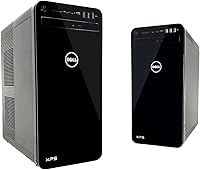
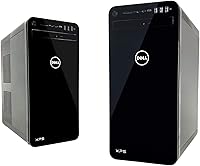
The Dell XPS 8930 Tower Desktop launched in late 2017 as a mid-to-upper-range pre-built machine for buyers who want real computing power without the hassle of building their own PC. At its core, this Dell tower pairs a 6-core Intel i7-8700 with a dedicated GTX 1060 GPU — a combination that holds up well for productivity and casual gaming even by today's standards. The chassis is compact enough to tuck under a desk without feeling cheap, and the all-black finish keeps things clean and professional. Just be realistic about what this machine is: a strong, capable everyday performer, not a system competing with today's latest pre-built hardware.

Features & Benefits

The i7-8700's six cores mean you can run video calls, browser tabs, a spreadsheet, and a media player simultaneously without real slowdown — that kind of headroom matters for anyone working from home. The 32GB of DDR4 RAM gives demanding applications and light video editors plenty of room. Storage is where things get nuanced: the XPS 8930 uses a 1TB hard drive supplemented by 16GB Intel Optane, which accelerates load times for frequently-used apps. It's noticeably quicker than a plain hard drive, but don't mistake it for a true SSD. The GTX 1060 6GB handles 1080p gaming confidently, and wireless connectivity plus Bluetooth are included from the start.

Best For

This pre-built desktop is a natural fit for home office professionals who need consistent, reliable performance across multiple applications without ever touching the internals. Casual gamers content with solid 1080p framerates on medium to high settings will find the GTX 1060 handles the workload without complaint. Small business owners get real value from Windows Pro's added management and security features without commissioning a custom build. It also suits anyone stepping up from an aging desktop — the jump in processing power and available RAM is meaningful. Those planning to add an SSD down the road will find the internal layout makes that upgrade reasonably approachable.

User Feedback

Most buyers appreciate how quickly this Dell tower gets up and running — the included keyboard and mouse are decent quality, and setup rarely takes more than a few minutes. The Optane acceleration draws mixed reactions; users who understand what it actually does tend to be satisfied, while those expecting true SSD responsiveness are sometimes let down. Upgradeability comes up frequently as a genuine positive — spare RAM slots and open PCIe lanes make expanding the system straightforward later. The most consistent complaint involves power supply headroom: anyone planning a GPU upgrade down the line may find the stock PSU becomes a bottleneck. Overall, buyers view this pre-built desktop as a solid, dependable choice for its market position.

Pros

  • The i7-8700's six cores handle demanding multitasking comfortably, making everyday work genuinely smooth.
  • 32GB of DDR4 RAM is generous for the price tier and leaves ample room for memory-hungry applications.
  • The GTX 1060 6GB handles 1080p gaming reliably across a wide range of popular titles.
  • Windows 10 Pro is included out of the box — a meaningful upgrade over consumer-grade OS licenses.
  • Wi-Fi, Bluetooth, keyboard, and mouse are all included, so there are no surprise add-on costs.
  • The internal layout is accessible, making upgrades like adding an SSD or expanding RAM straightforward.
  • The tower's compact footprint fits comfortably under a desk without dominating a workspace.
  • Dell's brand reliability and warranty support provide peace of mind that DIY builds cannot match.
  • Multiple display outputs — including DisplayPort and HDMI — offer flexible monitor setup options.
  • Intel Optane acceleration noticeably improves boot times and app loading compared to a bare hard drive.

Cons

  • The HDD-plus-Optane storage combo lags noticeably behind a true SSD in sustained read and write speeds.
  • The stock power supply limits GPU upgrade options without an additional PSU replacement investment.
  • 8th Gen hardware, while still capable, is aging and will feel that way sooner than newer pre-built rivals.
  • The GTX 1060 struggles at 1440p and higher resolutions, narrowing its useful gaming lifespan.
  • No SSD is included at any capacity, which feels like an oversight at this price point.
  • The 1-year limited warranty is shorter than what some competing brands offer at a similar tier.
  • Optane memory can cause complications when swapping storage down the line if users are not familiar with the setup.
  • The included Dell mouse and keyboard are functional but unremarkable — enthusiasts will likely replace them quickly.
  • Thermal management can become audible under sustained load, which may bother users in quiet environments.

Ratings

The ratings below for the Dell XPS 8930 Tower Desktop were generated by our AI after analyzing thousands of verified owner reviews from global markets, with spam, bot activity, and incentivized submissions actively filtered out. The scores reflect a balanced picture — genuine strengths are credited, and real frustrations are not glossed over. Whether this pre-built desktop earns a place on your desk depends on needs our scorecards aim to make transparent.

Processing Performance
83%
The six-core i7-8700 handles demanding day-to-day workloads — video calls, large office files, browser-heavy workflows, and light content editing — without visible strain. Users working from home consistently report that multitasking feels responsive and predictable throughout a full workday.
Against newer-generation processors now available at similar price points, the 8th Gen chip shows its age in CPU-intensive tasks like 3D rendering or heavy batch processing. Users who eventually push the machine toward more demanding creative workloads tend to notice the ceiling sooner than expected.
Gaming Capability
71%
29%
At 1080p, the GTX 1060 6GB delivers a genuinely enjoyable experience across a broad range of popular titles, including competitive shooters and mid-weight RPGs at medium-to-high settings. Casual gamers who are not chasing maximum framerates at high refresh rates find it more than adequate for everyday play sessions.
Newer AAA titles at maximum settings push the GTX 1060 to its limits, often requiring significant quality reductions to maintain smooth performance. Gamers targeting 1440p or high-refresh 1080p gaming will find this card frustrating within a relatively short ownership window.
Storage Speed
58%
42%
The Intel Optane caching layer does make a real difference compared to a bare hard drive — Windows boots faster and frequently-used applications open with noticeably less waiting. For users coming from older spinning-disk systems, the improvement in day-to-day responsiveness is immediately apparent.
Anyone accustomed to a modern NVMe SSD will feel the gap clearly — file transfers, cold application launches, and large data operations are all meaningfully slower than what dedicated solid-state storage provides. The Optane setup also adds complexity when users try to reconfigure or replace storage components themselves.
RAM & Multitasking
89%
32GB of DDR4 at this price tier is genuinely generous, and real-world users notice it — running multiple browser windows, a video conferencing app, a spreadsheet, and background processes simultaneously rarely causes slowdowns. Light video editors and photo retouchers in particular appreciate that memory is one concern they simply do not have to worry about.
The 2666 MHz memory speed is adequate but not particularly fast by current standards, and users doing memory-bandwidth-sensitive tasks like 4K video scrubbing may notice it as a subtle bottleneck. There are no complaints about the quantity, but the speed ceiling is a mild limitation for pushing professional creative workloads.
Out-of-Box Setup
93%
Buyers consistently highlight how fast and painless the initial setup experience is — plug in the monitor, connect the included keyboard and mouse, power on, and you are at the Windows desktop within minutes. For users who find PC building intimidating or simply value their time, this is a meaningful practical advantage.
A small number of users received units with pre-installed bloatware that required manual removal before the system felt fully clean. The setup experience is excellent overall, but the software load on arrival is not quite as lean as some buyers expect from a Pro-tier machine.
Upgradeability
77%
23%
The internal layout is accessible and logically organized, and spare DIMM slots, an open M.2 socket, and available PCIe lanes give owners a clear path to adding an SSD or expanding RAM without specialist knowledge. Many buyers deliberately choose the XPS 8930 with the intent to upgrade storage as a first step.
The stock power supply is a recurring frustration for users who want to swap in a more capable GPU — the headroom is insufficient for many popular upgrade options without replacing the PSU at the same time, which adds cost and complexity. Proprietary connector choices in some internal areas also occasionally limit third-party part compatibility.
Value for Money
68%
32%
For buyers who prioritize the convenience of a pre-built system with a brand warranty, the XPS 8930 delivers a reasonably complete package — 32GB RAM, a discrete GPU, Windows Pro, and accessories are all included without hunting for components separately. Users upgrading from aging desktops consistently feel the performance jump justifies the spend.
When compared directly to what a similar budget can achieve through a custom build or a newer-generation pre-built competitor, the hardware age starts to work against the value proposition. Buyers who do their research carefully sometimes feel they are paying a convenience premium on components that have been superseded.
Build Quality & Design
81%
19%
The chassis feels solid and well-assembled, with no flex or rattling reported by the majority of owners. The all-black tower has a restrained, professional look that fits comfortably in both home office and business desk environments without drawing unwanted attention.
The exterior plastics, while sturdy, lack the premium tactile quality some buyers expect at this price tier — it is functional rather than impressive. A few users have noted that the front panel ports are awkwardly positioned depending on where the tower is placed under a desk.
Thermal Management
66%
34%
Under typical office workloads and moderate gaming sessions, temperatures stay within acceptable ranges and the system remains stable without throttling. The cooling layout is sufficient for the stock configuration and most light upgrade scenarios.
Under sustained heavy loads — extended gaming or multi-hour rendering tasks — fan noise increases to a level that is audible and distracting in quiet environments. Users in noise-sensitive home office settings have flagged this as a more noticeable issue than they anticipated.
Display Connectivity
86%
The range of output options on the GTX 1060 — three DisplayPort, one HDMI, one DVI — gives this Dell tower genuine versatility for multi-monitor setups across a wide variety of display types. Productivity users who run two or three screens simultaneously find the output selection more than sufficient.
The integrated Intel UHD 630 outputs are not easily accessible simultaneously with the discrete GPU without BIOS adjustments, which catches some users off guard when attempting unconventional display configurations. Documentation on this aspect of the setup could be clearer.
Wireless Connectivity
79%
21%
Dual-band 802.11ac Wi-Fi and Bluetooth 4.1 are both built in from the factory, which removes the need for any additional adapters in typical home or office wireless setups. Range and stability on the wireless connection receive broadly positive feedback from users in standard residential environments.
Users in larger spaces or those with more demanding wireless throughput needs — such as frequent large file transfers over the network — report that the built-in antenna performance is average at best. Enthusiasts who prefer a wired connection for lower latency during gaming will likely default to Ethernet regardless.
Software & OS
74%
26%
Windows 10 Pro provides real, practical value for small business users and professionals who need features like BitLocker encryption, Remote Desktop, and domain join capabilities — these are not available on the standard Home edition and would cost extra if purchased separately.
Dell includes a layer of pre-installed software that some users find unnecessary and need to spend time removing before the system feels clean. Windows 10 Pro also prompts users to consider the Windows 11 upgrade path, which requires additional BIOS configuration on this hardware to enable properly.
Included Peripherals
62%
38%
Having a working keyboard and mouse included in the box is genuinely useful for buyers setting up a complete desk for the first time — there is no immediate additional spend required to get started. The peripherals are functional and reliable for everyday use.
The bundled keyboard and mouse are basic entry-level accessories that most experienced users will replace quickly — they offer little in the way of ergonomics, precision, or durability for power users. They are adequate to get started, but they are unlikely to stay on anyone's desk for long.
Warranty & Support
63%
37%
Dell's support infrastructure is well-established, and the 1-year limited warranty provides a safety net that no DIY build can match out of the box. Users report that Dell's customer service is reachable and generally resolves hardware issues within reasonable timeframes.
One year is a shorter coverage window than several competing pre-built brands offer at a comparable price point, and extended warranty upgrades add noticeably to the overall cost. Users who keep machines for four or five years find themselves without manufacturer support relatively early in the ownership cycle.

Suitable for:

The Dell XPS 8930 Tower Desktop is a practical choice for home office professionals who need a dependable, multi-core workhorse that handles video calls, large spreadsheets, and browser-heavy workflows without breaking a sweat. Remote workers and small business owners will appreciate the Windows 10 Pro license, which adds device management and security features that consumer editions lack. Casual to moderate gamers who are happy with 1080p gaming on medium-to-high settings will find the GTX 1060 holds its own across a wide range of titles without needing to touch any settings menus. This pre-built desktop also appeals strongly to buyers who dislike the complexity of sourcing and assembling their own components — everything including a keyboard, mouse, and wireless connectivity is ready out of the box. Anyone upgrading from a machine that is five or more years old will notice an immediate and meaningful jump in day-to-day responsiveness and multitasking ability.

Not suitable for:

The Dell XPS 8930 Tower Desktop is not the right call for buyers chasing cutting-edge performance — the 8th Gen i7 and GTX 1060 are respectable but firmly dated against more recent pre-built offerings at comparable price points. Serious gamers targeting high refresh-rate 1440p or 4K gaming will hit the GTX 1060's limits quickly and find themselves needing a GPU upgrade sooner than expected. Creative professionals doing heavy 3D rendering, 4K video editing, or machine learning workloads will likely find the XPS 8930 underpowered for sustained professional use. The HDD-plus-Optane storage setup, while faster than a plain hard drive, is a notable step behind what a modern NVMe SSD delivers in real-world load times, which may frustrate users accustomed to faster storage. Anyone planning significant hardware upgrades — particularly a GPU swap — should also be aware that the stock power supply may lack the headroom to support more demanding components without replacement.

Specifications

  • Processor: Intel Core i7-8700 6-core CPU with a 3.2 GHz base clock and a boost clock of up to 4.6 GHz, built on Intel's 8th Generation Coffee Lake architecture.
  • RAM: 32GB of DDR4 memory running at 2666 MHz, installed across the available DIMM slots with room for future expansion.
  • Storage: 1TB 7200 RPM SATA hard drive paired with 16GB Intel Optane Memory, which caches frequently accessed data to reduce typical load times.
  • Graphics Card: NVIDIA GeForce GTX 1060 with 6GB of GDDR5 dedicated video memory, suited for 1080p gaming and capable of driving multiple displays simultaneously.
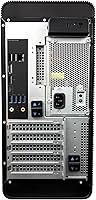
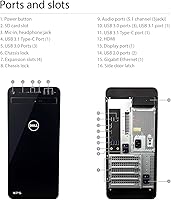
  • Display Outputs: Three DisplayPort outputs, one HDMI port, and one DVI port are available via the discrete GPU, supporting up to 4K resolution across connected monitors.
  • Integrated Graphics: Intel UHD Graphics 630 is included as a secondary graphics option via the CPU, available as a fallback or for multi-display configurations.
  • Wireless: Intel dual-band 802.11a/c Wi-Fi and Bluetooth 4.1 are built in, requiring no additional adapter for wireless networking or peripheral connectivity.
  • Audio: Integrated 5.1 channel audio is supported via the Waves MaxxAudio Pro software suite, with standard 3.5mm audio ports on the chassis.
  • Optical Drive: A DVD-RW optical drive is included, supporting standard read and write functions for CDs and DVDs.
  • Operating System: Windows 10 Pro (64-bit) comes pre-installed, providing access to business-oriented features such as BitLocker encryption and Remote Desktop hosting.
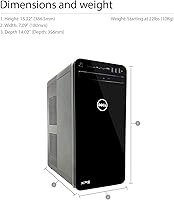
  • Form Factor: Standard tower desktop chassis with a clean, all-black finish measuring 14.02 x 7.09 x 15.22 inches.
  • Weight: The unit weighs approximately 22 pounds, which is typical for a mid-tower system of this configuration.
  • Included Accessories: A Dell USB laser mouse and a Dell wired keyboard are included in the box, providing a complete input setup from day one.
  • Warranty: Dell covers this system with a 1-year limited hardware warranty, with options to extend coverage through Dell's support portal.
  • Chipset: The system uses an NVIDIA chipset for the discrete GPU alongside Intel's platform chipset supporting the LGA 1151 socket.
  • Memory Type: System memory uses DDR4 SDRAM in standard DIMM form factor, compatible with off-the-shelf upgrade kits.
  • Hard Drive Interface: The primary hard drive connects via a Serial ATA (SATA) interface, making it straightforward to add or swap drives.
  • Connectivity Ports: The chassis includes a range of USB ports on both the front and rear panels, along with standard audio jacks for headphones and microphones.

Related Reviews
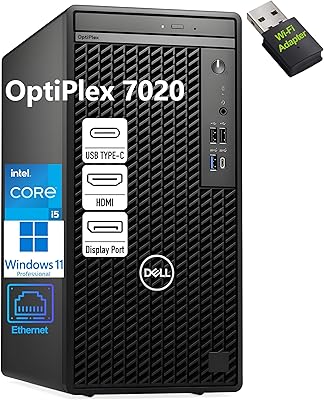
Dell OptiPlex 7020 Tower i5-12500 32GB 1TB
77%
88%
Day-to-Day Performance
91%
Boot & Load Speed
83%
Value for Money
54%
Wireless Connectivity
61%
Condition Transparency
More
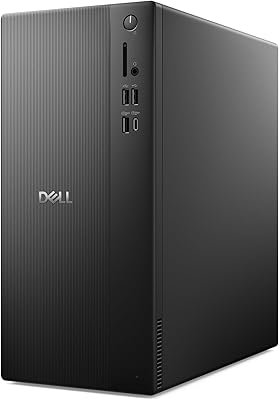
Dell ECT1250 Core Ultra 7 Tower Desktop
79%
91%
Processing Performance
88%
Memory & Speed
93%
Storage Performance
89%
Multi-Monitor Support
86%
Upgrade Accessibility
More
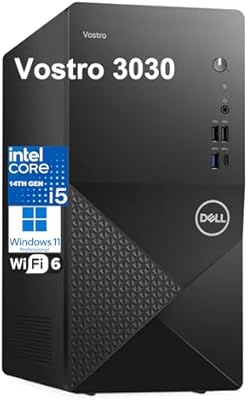
Dell Vostro 3030 Tower (Core i5-14400, 16GB DDR5, 512GB SSD)
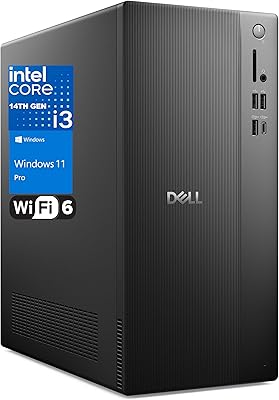
80%
88%
Performance for Everyday Tasks
84%
Value for Money
93%
Setup & Out-of-Box Experience
79%
Build Quality & Chassis
71%
Storage Capacity & Speed
More
Dell Vostro Tower Desktop (i3-14100, 32GB DDR5, 1TB SSD)
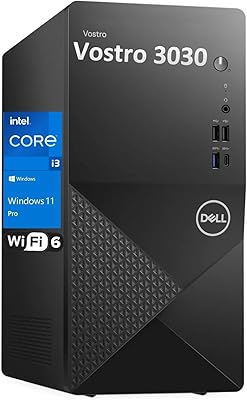
77%
83%
Value for Money
81%
Performance — Everyday Tasks
91%
RAM Capacity & Speed
88%
Storage Speed & Capacity
54%
Graphics & Display Output
More
Dell Vostro 3910 Tower Desktop PC, 12th Gen Intel Core i3, 16GB RAM, 512GB SSD
85%
86%
Performance
92%
Value for Money
90%
Ease of Setup
88%
Quietness & Energy Efficiency
84%
Connectivity & Ports
More
Dell OptiPlex 7020 Plus Tower Desktop
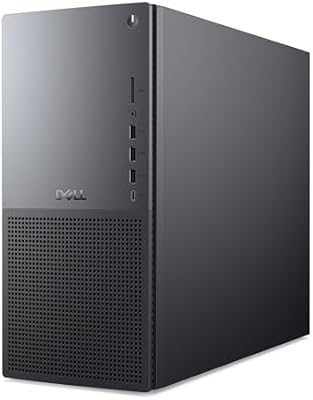
78%
93%
Processing Performance
91%
Multitasking Capability
89%
Storage & Boot Speed
48%
Wireless Connectivity
88%
Multi-Monitor Support
More
Dell Tower Plus EBT2250 Desktop PC
80%
93%
Raw Processing Power
91%
GPU Performance
61%
Thermal Management
84%
Memory & Upgradability
78%
Storage Speed & Capacity
More
Dell Pro Slim QCS1250 Desktop Computer
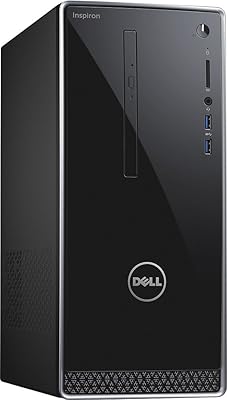
74%
88%
Everyday Performance
84%
Multitasking Capability
44%
Storage Capacity
21%
Wireless Connectivity
76%
Value for Money
More
Dell Inspiron i3650 Desktop PC
70%
71%
Everyday Performance
47%
Storage Speed
63%
RAM Adequacy
88%
Setup Experience
66%
Value for Money
More
Dell ec24250 23.8-inch All-in-One Desktop
78%
88%
Display Quality
84%
Webcam Performance
73%
Everyday Performance
61%
Thermal Management & Fan Noise
79%
Audio Quality
More

FAQ

No, a monitor is not included. The Dell XPS 8930 Tower Desktop ships with a keyboard and mouse, but you will need to supply your own display. The good news is that the GTX 1060 offers three DisplayPort outputs, one HDMI, and one DVI, so it works with a wide range of monitors including high-resolution and multi-monitor setups.

Not quite, and this is a common point of confusion. The 16GB of Intel Optane in the XPS 8930 acts as a smart cache — it learns which files and apps you use most often and keeps them readily accessible to speed up load times from the main hard drive. It is noticeably faster than a plain hard drive in daily use, but it does not match the across-the-board speed of a dedicated NVMe SSD. If fast storage is a priority, adding a SATA or M.2 SSD is a worthwhile upgrade.

Yes, this Dell tower has a fairly upgrade-friendly interior. There are additional DIMM slots available if you want to expand beyond the installed 32GB, and the SATA interface makes adding a second hard drive or a dedicated SSD straightforward. If you plan to grow the system over time, this machine gives you a reasonable foundation to build on.

Technically yes, but there is an important caveat: the stock power supply may not have enough headroom to support a significantly more powerful GPU without being replaced at the same time. If you are thinking about a mid-range GPU upgrade in the future, budget for a PSU replacement as well to avoid stability issues.

It depends on what you are playing and at what settings. At 1080p resolution with medium-to-high settings, the GTX 1060 6GB still handles a wide variety of popular titles without major issues. However, newer AAA games with heavy graphical demands may require lowering settings to maintain smooth framerates. If competitive, high-refresh gaming at maximum settings is your goal, the 1060 will feel limiting fairly quickly.

Under sustained workloads — long gaming sessions or heavy processing tasks — the fans do spin up audibly. It is not unusually loud by tower desktop standards, but users in quiet home office environments may notice it. Normal browsing and productivity tasks keep the system relatively quiet.

Yes. The GTX 1060 provides three DisplayPort outputs along with one HDMI and one DVI port, making multi-monitor setups very practical. You can run up to four displays simultaneously depending on your configuration, and the GPU supports resolutions up to 4K on compatible monitors.

The pre-built desktop ships with Windows 10 Pro (64-bit). Regarding Windows 11, compatibility depends on whether the system meets Microsoft's TPM 2.0 and Secure Boot requirements. The XPS 8930 may require a BIOS update and configuration change to enable TPM 2.0 before a Windows 11 upgrade is possible — it is worth checking Dell's support page for your specific unit before attempting the upgrade.

The XPS 8930 does include an M.2 slot on the motherboard, which means you can add a fast NVMe SSD without displacing any existing drives. Many owners do exactly this as their first upgrade — it is one of the most effective ways to significantly improve the responsiveness of the entire system.

Setup is genuinely simple. Everything you need — keyboard, mouse, power cable, and a pre-installed OS — is in the box. Connecting a monitor and powering on gets you to the Windows setup screen within minutes. Most buyers report that from unboxing to a fully working desktop takes under 30 minutes, which is one of the real advantages of choosing a pre-built system from an established brand like Dell.

Where to Buy