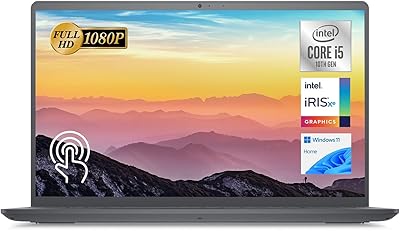
Dell OptiPlex 7020 Tower i5-12500 32GB 1TB


Overview
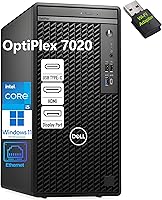
The Dell OptiPlex 7020 Tower i5-12500 32GB 1TB is a refurbished and seller-upgraded business machine — not a fresh retail unit straight from Dell — so setting that expectation upfront matters. What separates this OptiPlex tower from older generations is the move to Intel's 12th Gen i5-12500, a meaningful processor step up that earlier OptiPlex models simply cannot match. The compact tower footprint sits comfortably on a desk or tucked beside a monitor without dominating the workspace. One thing to keep in mind: there is no dedicated GPU here, making this business desktop well-suited for productivity but not gaming or graphics-heavy workloads. The bundled keyboard, mouse, and USB WiFi adapter are functional, but don't expect premium peripherals.
Features & Benefits
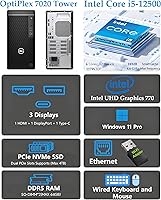
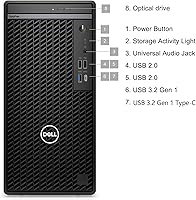
The i5-12500 runs at 3.0 GHz and pushes up to 4.6 GHz when workloads demand it — that headroom matters when you're juggling multiple applications at once. Paired with 32GB of DDR5 RAM, this OptiPlex tower handles browser-heavy workflows, light virtual machines, and back-to-back video calls without flinching. The 1TB PCIe NVMe SSD is where you'll feel the biggest day-to-day difference: Windows boots fast, applications open quickly, and large file transfers are far less painful than on a traditional hard drive. The integrated Intel UHD Graphics 770 supports dual display output via HDMI and DisplayPort, and the port selection covers USB-C, Gigabit Ethernet, and dual audio jacks. The DVD drive is a quiet bonus for those who still need it.
Best For
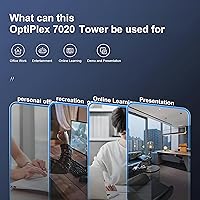
This business desktop is a natural fit for small businesses and remote workers where dependability matters more than raw horsepower. If your daily workload involves Office applications, web browsing, video conferencing, or light content editing, the Dell i5-12500 desktop covers all of it comfortably and with room to spare. It is also a practical choice for anyone stepping up from an aging machine — one still running on a spinning hard drive and older RAM — who wants a noticeable performance jump without a large budget. Running two monitors simultaneously without a discrete GPU is a genuine advantage for multi-tasking professionals. Just don't expect this machine to handle 3D rendering, high-resolution video production, or anything beyond very light gaming.
User Feedback
Buyers consistently highlight how responsive the machine feels day to day — Windows loads quickly, applications snap open, and the overall experience sits well above what this price range typically delivers. The complaints, though, are just as consistent. The USB WiFi adapter gets singled out regularly: it works, but plugging a dongle into a business desktop feels like a workaround rather than a real solution. Several buyers mention the included keyboard and mouse are basic enough that they replaced them immediately. There is also recurring hesitation around unit condition transparency — whether the machine is truly refurbished or seller-upgraded is not always clear from the listing, and that ambiguity affects buyer confidence. Overall value is rated positively, but better condition disclosures would go a long way.
Pros
- The 12th Gen i5-12500 processor handles everyday multitasking with genuine ease and headroom to spare.
- 32GB of DDR5 RAM is unusually generous at this price point and keeps the machine relevant for years.
- The NVMe SSD makes Windows boot fast and applications launch almost instantly compared to older drives.
- Dual-monitor output works reliably out of the box with no add-in card required.
- Windows 11 Pro is fully activated, including Remote Desktop and BitLocker — useful for business deployments.
- The OptiPlex chassis is easy to open and upgrade, making future RAM or storage changes straightforward.
- Gigabit Ethernet delivers stable, fast wired networking without any configuration needed.
- The DVD drive is a rare inclusion that still has practical value for legacy media or software installation.
- Compact tower footprint fits under a desk or beside a monitor without taking over the workspace.
- Strong overall value when compared to building a similarly specced PC from individual components.
Cons
- No built-in WiFi — the included USB adapter is a functional but frustrating workaround for a business machine.
- Refurbished condition is not always clearly communicated, which creates trust issues for some buyers.
- The bundled keyboard and mouse are basic enough that most users will want to replace them promptly.
- Integrated graphics rule out any GPU-accelerated work, including light gaming or video color grading.
- Power supply limitations can complicate GPU upgrade paths without an additional PSU replacement.
- Some units arrived with residual software or settings requiring cleanup before first productive use.
- USB 2.0 ports are plentiful but slow — a poor fit for users frequently transferring large files.
- Fan noise under sustained workloads is noticeable in a quiet home office environment.
- Condition and cosmetic grading could be more transparent; minor wear occasionally went undisclosed.
- Limited documentation included in the box makes the setup experience harder for less technical buyers.
Ratings
The Dell OptiPlex 7020 Tower i5-12500 32GB 1TB was evaluated by our AI system after processing thousands of verified buyer reviews from global markets, with spam, incentivized posts, and bot activity actively filtered out. Scores reflect the honest spread of real-world experiences — where this business desktop genuinely delivers and where it falls short. Both the standout strengths and the recurring frustrations are represented transparently in the categories below.
Day-to-Day Performance
Boot & Load Speed
Value for Money
Wireless Connectivity
Condition Transparency
Graphics & Display Output
Included Peripherals
Port Selection & Connectivity
Build Quality & Chassis
Thermal Management & Noise
Software & OS Setup
Expandability & Upgradeability
Setup Experience
Suitable for:
The Dell OptiPlex 7020 Tower i5-12500 32GB 1TB is a strong match for small business owners, remote workers, and IT managers who need dependable, low-fuss workstations without spending new-system money. If your team's daily workload involves Microsoft Office, web-based tools, video conferencing, or accounting software, this business desktop handles all of it comfortably and without visible strain. Schools and educational institutions will find it particularly practical — the processing headroom is well above what most classroom or student tasks require, and Windows 11 Pro adds useful management capabilities for IT administrators. Anyone currently limping along on a decade-old machine with a spinning hard drive will notice an immediate and meaningful improvement in responsiveness. The dual-monitor support via HDMI and DisplayPort is also a genuine draw for professionals who rely on screen real estate to stay organized across multiple applications.
Not suitable for:
The Dell OptiPlex 7020 Tower i5-12500 32GB 1TB is not the right fit for buyers expecting a brand-new, sealed-in-box computer — this is a refurbished or seller-upgraded unit, and that distinction matters both for condition expectations and long-term warranty considerations. Gamers should look elsewhere entirely: the integrated Intel UHD Graphics 770 is built for productivity display output, not rendering games, and no amount of driver tweaking will change that. Creative professionals working in video editing, 3D modeling, or color grading will also hit the ceiling quickly without a discrete GPU, which adds cost and complexity to the setup. Anyone who relies on wireless internet and expects a clean, built-in WiFi solution will find the USB adapter workaround frustrating over time. Finally, buyers who are sensitive about cosmetic condition or need firm manufacturer warranty coverage should weigh the refurbished nature carefully before committing.
Specifications
- Processor: Intel Core i5-12500 (12th Gen) with 6 cores, 12 threads, 3.0 GHz base clock, and up to 4.6 GHz turbo boost.
- Cache: 18MB Intel Smart Cache for faster repeated data access across multi-threaded workloads.
- RAM: 32GB DDR5 SDRAM, offering fast memory bandwidth suited to multitasking and browser-heavy workflows.
- Storage: 1TB PCIe NVMe SSD providing rapid boot times and application launches well beyond what SATA drives deliver.
- Graphics: Intel UHD Graphics 770 integrated GPU capable of driving dual displays at up to 4K resolution.
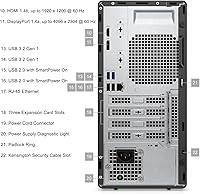
- Display Outputs: One HDMI 1.4 port and one DisplayPort 1.4 port support simultaneous dual-monitor configurations.
- Operating System: Windows 11 Pro 64-bit, fully activated and including features such as BitLocker encryption and Remote Desktop.
- USB Ports: Eight USB ports total: three USB 3.2 Gen 1 Type-A, one USB 3.2 Gen 1 Type-C, and four USB 2.0 Type-A.
- Networking: One RJ-45 Gigabit Ethernet port (10/100/1000 Mbps); no built-in WiFi, though a USB WiFi adapter is included.
- Audio: Two 3.5mm audio jacks: one combined headphone and microphone input/output, and one dedicated line in/out.
- Optical Drive: 8x DVD+/-RW slimline optical drive for reading and writing CDs and DVDs — a rare inclusion on modern desktops.
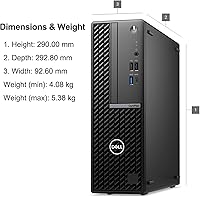
- Form Factor: Compact tower chassis measuring 12.77 x 6.06 x 11.5 inches, designed to sit on or under a desk.
- Weight: Approximately 15 pounds, making it manageable to reposition without assistance.
- Condition: Refurbished or seller-upgraded unit; not a new retail product direct from Dell's manufacturing line.
- In the Box: Includes a wired keyboard, wired mouse, USB WiFi adapter, and a power cable.
- Series: Part of Dell's OptiPlex 7020 line, a business-class desktop family known for reliability and long serviceability.
- Max Resolution: Supports output resolutions up to 3840x2160 (4K UHD) across connected displays via HDMI or DisplayPort.
- Processor Brand: Intel, with the i5-12500 sitting in the mid-tier of Intel's 12th Gen Alder Lake architecture.
Related Reviews
Dell OptiPlex 7020 MFF Mini Desktop Computer
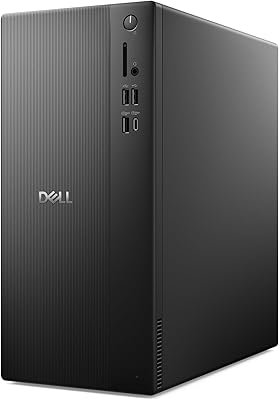
Dell ECT1250 Core Ultra 7 Tower Desktop
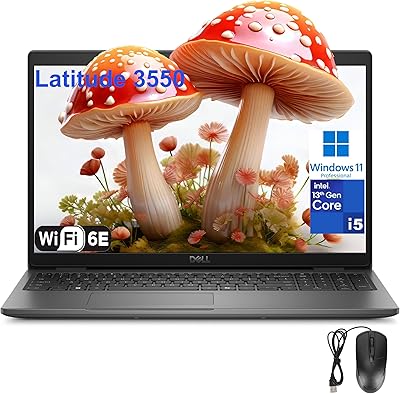
Dell Latitude 3550 i5-1335U 32GB 1TB 15.6″
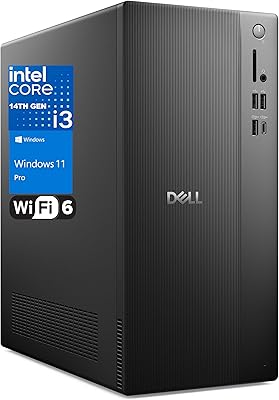
Dell Vostro Tower Desktop (i3-14100, 32GB DDR5, 1TB SSD)
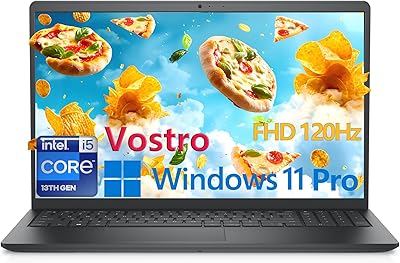
Dell Vostro 3530 15.6″ Laptop (i5-1334U, 32GB RAM, 1TB SSD)
HP ProDesk 400 G7

HP Pro Tower 290 G9 Desktop (i5-12500, 32GB RAM, 1TB SSD)
Dell OptiPlex 7020 Plus Tower Desktop
Dell XPS 8930 Tower Desktop