Overview

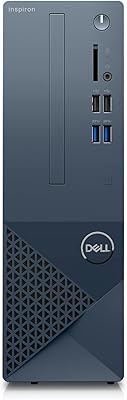
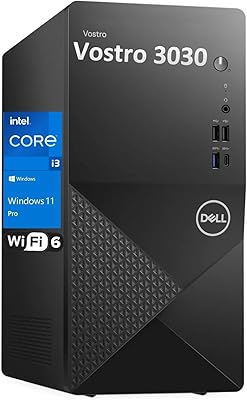
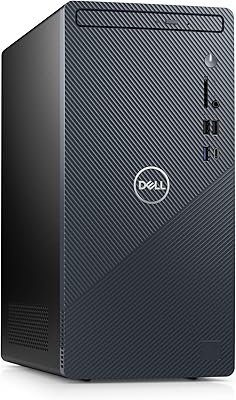
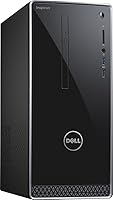
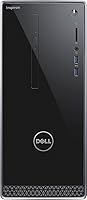
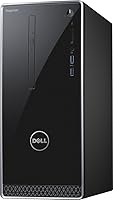
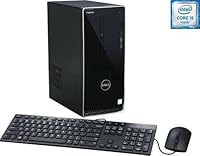
The Dell Inspiron i3650 Desktop PC is a straightforward entry-level tower built for everyday home and office computing — nothing more, nothing less. It sits in a silver/black chassis with a modest footprint, roughly the size of a thick hardcover book standing upright, so it tucks comfortably under most desks. Windows 10 Home comes pre-installed, and Dell includes a wired keyboard and mouse, which is a genuinely useful touch. Just know upfront: no monitor or speakers are in the box, and this home desktop is not built for gaming or heavy workstation tasks. Manage your expectations accordingly.

Features & Benefits

The Inspiron desktop runs on Intel's 6th Gen Core i3-6100 dual-core chip clocked at 3.7 GHz — enough to handle a dozen browser tabs, spreadsheets, and video calls without complaint. It ships with 6GB of DDR3L RAM, which covers daily multitasking adequately, though DDR3L is an older memory standard that limits long-term upgrade potential. Storage is a 1TB spinning hard drive at 7200 RPM — plenty of room but noticeably slower than any SSD alternative. Intel HD Graphics 530 supports two displays via HDMI and VGA, and the port lineup is generous: six USB ports total, gigabit Ethernet, Wi-Fi with Bluetooth, a 5-in-1 card reader, and a DVD burner included.

Best For

This Dell tower hits its stride when expectations are realistic. It is a solid pick for home and office use — think email, word processing, online research, and light video streaming. Students handling coursework and presentations will find it more than capable. Small offices looking to keep things simple without managing complex hardware will appreciate the no-fuss Windows setup right out of the box. It also makes practical sense for someone upgrading from a much older machine who already owns a monitor, since none is provided. If you want a dependable, brand-name system that works immediately without any assembly, this home desktop delivers exactly that.

User Feedback

Buyers consistently praise how easy setup is — unbox, plug in, and you are running in minutes, with the included keyboard and mouse removing one immediate extra purchase. The generous storage capacity also earns positive mentions. On the downside, the most common frustration centers on the spinning hard drive's sluggish feel; users coming from SSD-equipped machines notice the difference at boot time and during app launches. Some found 6GB of RAM a bit tight under heavier multitasking and chose to upgrade it. Wi-Fi performance gets described as adequate for typical home distances but unimpressive in larger spaces. Long-term reliability generally scores well, and Dell support receives consistent praise.

Pros

  • Arrives fully ready to use with a wired keyboard and mouse already included
  • Windows 10 Home is pre-installed, so there is no setup headache right out of the box
  • The 1TB hard drive offers generous storage for documents, photos, and media collections
  • RAM is expandable up to 16GB, giving the Inspiron desktop a meaningful upgrade path
  • Dual-display support via HDMI and VGA is a practical perk for multitaskers
  • Six USB ports plus a 5-in-1 card reader cover most everyday peripheral needs easily
  • Built-in DVD burner handles legacy discs that most modern desktops no longer support
  • Gigabit Ethernet and Wi-Fi with Bluetooth make wired and wireless connectivity flexible
  • Dell brand reliability and customer support reputation add genuine peace of mind
  • Compact tower footprint fits comfortably in tight desk spaces without dominating the room

Cons

  • The spinning hard drive makes boot times and app launches noticeably slow compared to SSD alternatives
  • DDR3L memory is an older standard that limits future upgrade compatibility over time
  • Integrated graphics rule out any meaningful gaming or GPU-accelerated creative work
  • Wi-Fi performance is average at best and can feel weak in larger or signal-crowded spaces
  • No monitor, speakers, or display cables are included, adding to the real out-of-pocket cost
  • The dual-core processor struggles under heavier multitasking or sustained workloads
  • 6GB of RAM out of the box can feel tight when running several applications simultaneously
  • Older wireless standard (802.11b/g/n) lags behind the faster Wi-Fi specs common today
  • The overall hardware generation is dated, which shortens its viable lifespan compared to newer builds
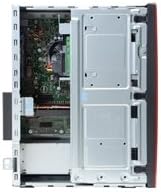
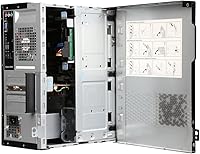
  • Chassis design is functional but unremarkable, with no tool-free access for easy internal upgrades

Ratings

Our AI rating system analyzed thousands of verified global purchases of the Dell Inspiron i3650 Desktop PC, actively filtering out incentivized, duplicate, and bot-generated submissions to surface what real buyers actually experienced. The scores below reflect an honest balance of genuine praise and recurring frustrations, covering everything from daily performance to long-term reliability. Where this home desktop earns strong marks, you will see why; where it falls short, we do not sugarcoat it.

Everyday Performance
71%
29%
For the tasks this Dell tower was designed around — web browsing, email, spreadsheets, video streaming — users generally found it responsive and stable. Handling a handful of browser tabs alongside an open Office document is well within its comfort zone, and most buyers reported smooth day-to-day operation without unexpected slowdowns.
Push it even slightly beyond basic multitasking and cracks appear quickly. Users running more than ten applications simultaneously, or anything CPU-intensive like video transcoding, reported noticeable lag. The aging dual-core i3 architecture is the ceiling, and for many buyers it became apparent sooner than expected.
Storage Speed
47%
53%
The 1TB capacity itself earns consistent appreciation — there is genuinely plenty of room for documents, photos, music libraries, and software installations without worrying about space management. Users who transferred large media collections found the drive accommodating without requiring external storage immediately.
The spinning hard drive's speed is the single most complained-about aspect across buyer feedback. Boot times regularly stretched beyond a minute, and application launches feel sluggish compared to any SSD-equipped machine at a similar price point. Many users ended up replacing or supplementing this drive within the first year.
RAM Adequacy
63%
37%
For solo-tasking and light multitasking, the 6GB configuration handles daily workloads acceptably well. Users who primarily used one or two applications at a time — a browser and a word processor, for instance — rarely felt constrained by the memory alone during normal sessions.
Open a video call while running a browser with multiple tabs and a spreadsheet, and 6GB starts to feel genuinely tight. A meaningful portion of buyers upgraded to 8GB or more within months of purchase, and the DDR3L memory type limits compatibility to older, increasingly hard-to-find modules.
Setup Experience
88%
Unboxing to a working desktop in under fifteen minutes is a consistent theme across buyer reviews. Windows 10 is pre-installed and activated, the included keyboard and mouse are plug-and-play, and Dell's initial setup wizard is clean and straightforward — even for buyers who had never set up a PC before.
A small but vocal group of users flagged that the initial Windows 10 setup included a noticeable amount of pre-installed bloatware that needed manual removal. A few also noted confusion around the absence of a monitor, which is not prominently flagged in the out-of-the-box experience.
Value for Money
66%
34%
At its original price point, the Inspiron desktop delivered a brand-name, Windows-ready system with a full gigabyte of storage and included peripherals — a combination that genuinely undercut many competitors offering less complete packages. For buyers who already owned a monitor, the total cost of entry was reasonable.
The absence of an SSD at this price tier frustrated a significant number of buyers who felt the hardware generation did not justify the cost compared to rivals offering faster storage. Factor in the missing monitor and speakers, and the real total investment climbs noticeably above the sticker price.
Build Quality
74%
26%
The chassis feels solid for an entry-level tower — no flexing panels or rattling components reported under normal use. Dell's build consistency across the Inspiron line means buyers received a unit that felt assembled with care, and internal component access, while not tool-free, was manageable for confident DIY upgraders.
The plastic exterior attracts scuffs and fingerprints more readily than premium alternatives, and the overall aesthetic is purely functional with no distinguishing design. A few buyers noted the chassis ran warmer than expected during extended use, though this did not translate into widespread reliability complaints.
Connectivity & Ports
82%
18%
Six USB ports across two speeds, gigabit Ethernet, a 5-in-1 card reader, and both HDMI and VGA outputs represent a genuinely well-rounded connectivity suite for a desktop at this tier. Buyers with multiple peripherals — printers, external drives, webcams — appreciated not having to juggle hubs immediately.
The Wi-Fi tops out at 802.11n on 2.4 GHz only, which users in larger homes or Wi-Fi-congested apartments found limiting. Wireless speeds and range lag noticeably behind machines equipped with newer dual-band adapters, and a wired Ethernet connection is strongly advisable for anyone doing large file transfers or video calls.
Graphics & Display
53%
47%
Supporting two monitors simultaneously through HDMI and VGA is a practical feature that productivity-focused buyers genuinely valued. For everyday display tasks — document work, web browsing, streaming video — the integrated Intel HD Graphics 530 is entirely adequate and trouble-free.
Anyone hoping to do light gaming, photo editing with accurate color rendering, or any GPU-accelerated task will find the integrated graphics a hard wall. There is no dedicated GPU upgrade path in a practical sense for this chassis, which rules out a meaningful category of use cases outright.
Wireless Performance
58%
42%
For users in smaller apartments or homes with their router nearby, the built-in Wi-Fi worked reliably for streaming, browsing, and video calls without requiring any additional hardware. Bluetooth 4.0 also handled wireless mice, keyboards, and speakers without reported pairing issues.
In larger spaces or environments with interference from neighboring networks, the 2.4 GHz-only 802.11n connection showed its age. Several buyers reported intermittent drops and slower-than-expected download speeds, particularly when other devices competed for bandwidth on the same frequency band.
Noise & Heat
76%
24%
Under typical light-to-moderate workloads, the fan stays quiet enough that users working in home office environments rarely noticed it. The thermal design handles browsing and productivity tasks without the fan ramping to disruptive levels during normal sessions.
Extended usage or heavier tasks caused the fan to spin up more audibly than some users expected from a desktop in a home setting. A small number of buyers also noted the chassis felt warm to the touch after several continuous hours of operation, though no widespread overheating failures were reported.
Long-Term Reliability
79%
21%
Dell's manufacturing consistency shows over time — buyers who maintained the machine reasonably reported multi-year operation without major hardware failures. The brand's established support infrastructure also meant that when issues did arise, resolution pathways were clearer than with lesser-known manufacturers.
The hard drive is the most likely failure point over time, given its mechanical nature and the sustained read/write demands of a daily-use machine. A handful of buyers reported drive failures after two to three years, which is not unusual for spinning drives but reinforces the case for an early SSD upgrade.
Upgrade Potential
61%
39%
The RAM expansion headroom up to 16GB and the SATA interface for drive swaps give this home desktop a reasonable upgrade runway for cost-conscious buyers willing to tinker. Swapping in an SSD is the single highest-impact change available, and the process is accessible to anyone comfortable opening a tower case.
The DDR3L memory standard limits upgrade options to an increasingly narrow pool of compatible modules, and the older chipset and socket type make a CPU upgrade impractical. Once you have maxed the RAM and added an SSD, meaningful hardware improvement essentially requires buying a new system.
Software & OS Experience
77%
23%
Windows 10 Home arrives pre-installed and ready to use, which buyers consistently appreciated as a time-saving convenience. The operating system itself is familiar, stable, and compatible with the vast majority of everyday software titles without driver headaches or compatibility surprises.
Pre-loaded Dell and third-party software added clutter that some buyers found annoying to clean up before the machine felt truly theirs. As Windows 10 itself ages toward end-of-support, the older hardware also limits the upgrade path to Windows 11, which has stricter minimum system requirements this machine may not fully satisfy.
Included Accessories
83%
Including both a wired keyboard and mouse is a straightforward but genuinely appreciated decision — it means buyers are productive from the moment of setup without an immediate extra purchase. The Dell-branded peripherals are functional, comfortable for everyday use, and have held up reliably across extended periods of use reported by buyers.
The accessories are utilitarian rather than impressive — the mouse and keyboard are basic in feel and design, and users who work long hours or prefer ergonomic input devices will want to replace them fairly quickly. No monitor cable, headset, or speakers are included, which surprises buyers who expect a more complete bundle.

Suitable for:

The Dell Inspiron i3650 Desktop PC makes the most sense for buyers whose computing needs are straightforward and predictable. If your daily routine involves email, web browsing, video calls, online banking, and working in Word or Excel, this home desktop handles all of it without breaking a sweat. Students who need a dedicated machine for writing papers, researching, and attending virtual classes will find it more than adequate for the job. It also works well in small office environments where staff need dependable, low-maintenance workstations that just get things done. Households looking to replace an aging computer without spending a fortune — and who already have a monitor sitting around — will appreciate the ready-to-use setup with keyboard and mouse already included. For anyone who finds building or configuring a PC intimidating, this Dell tower ships with Windows 10 ready to go, which genuinely lowers the barrier to getting started.

Not suitable for:

Anyone expecting snappy, modern performance will likely feel let down by what the Dell Inspiron i3650 Desktop PC offers at this hardware generation. The spinning hard drive is the most immediate bottleneck — boot times and application loading feel sluggish compared to virtually any SSD-equipped machine, even budget ones released in recent years. Gamers should look elsewhere entirely; the integrated Intel HD Graphics 530 cannot handle modern titles at playable settings, and there is no discrete GPU option to fall back on. Creative professionals who work with video editing, photo batch processing, or audio production will find the i3 processor and DDR3L memory a real constraint under sustained workloads. The older wireless standard also means users in larger homes or offices with crowded Wi-Fi networks may experience connectivity that feels less reliable than they expect from a modern desktop. Finally, buyers who do not already own a monitor, speakers, and other peripherals should factor in those additional costs, which can significantly change the overall value calculation.

Specifications

  • Processor: Powered by a 6th Generation Intel Core i3-6100 dual-core processor running at 3.7 GHz with 3MB cache.
  • RAM: Comes with 6GB of DDR3L SDRAM at 1600MHz configured as two sticks (4GB + 2GB), expandable up to 16GB.
  • Storage: Includes a 1TB 7200 RPM SATA hard disk drive for local file and application storage.
  • Graphics: Uses integrated Intel HD Graphics 530, sharing system memory with no dedicated GPU on board.
  • Display Outputs: Offers one HDMI port and one VGA port, supporting dual-monitor setups simultaneously.
  • Operating System: Ships with Windows 10 Home 64-bit pre-installed and activated out of the box.
  • USB Ports: Provides two USB 3.0 ports and four USB 2.0 ports for peripheral connectivity.
  • Optical Drive: Includes a tray-loading SuperMulti DVD burner compatible with DVD-R, DVD+R, DVD-RW, DVD+RW, CD-R, and CD-RW formats.
  • Wireless: Supports 802.11b/g/n Wi-Fi on the 2.4 GHz band with integrated Bluetooth 4.0.
  • Ethernet: Equipped with a 10/100/1000 Base-T Gigabit Ethernet port for wired network connections.
  • Card Reader: Features a 5-in-1 media card reader supporting SD, SDHC, SDXC, MMC, and MMC+ formats.
  • Audio: Delivers integrated 5.1-channel audio output with Wave MaxxAudio Pro processing; no speakers are included.
  • Dimensions: Measures 11.13″ long by 6.06″ wide by 13.78″ tall in a traditional upright tower orientation.
  • Weight: Weighs approximately 16.5 pounds, typical for a compact but fully equipped desktop tower.
  • Color: Finished in a silver and black two-tone color scheme across the chassis exterior.
  • Included Accessories: Comes with a Dell KB216 wired USB keyboard and a Dell MS116 wired USB mouse in the box.
  • Power: Runs on standard AC power; no internal battery — a power cable connection is required at all times.
  • Expansion: RAM slots support expansion up to 16GB total, and the SATA interface allows for additional or replacement drives.

Related Reviews
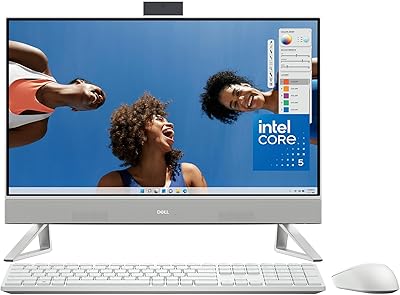
Dell Inspiron 24 5430 All-in-One (Core 5-120U, 8GB, 512GB)
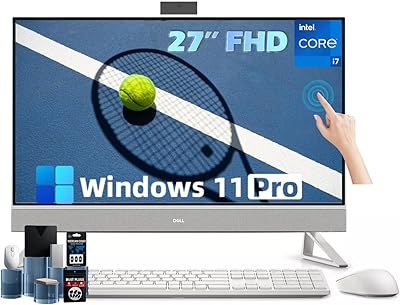
87%
93%
Aesthetic & Design
89%
Webcam Quality
94%
Setup Simplicity
87%
Display Comfort
78%
Productivity Performance
More
Dell Inspiron 27 Touchscreen All-in-One Desktop
82%
88%
Processing Performance
72%
Display Quality
61%
Graphics Performance
91%
Memory & Storage
93%
Connectivity & Ports
More
Dell Vostro 3030 Tower (Core i5-14400, 16GB DDR5, 512GB SSD)
80%
88%
Performance for Everyday Tasks
84%
Value for Money
93%
Setup & Out-of-Box Experience
79%
Build Quality & Chassis
71%
Storage Capacity & Speed
More
Dell Inspiron Desktop i3470-3903BLK-PUS, Intel Core i3-8100, 8GB RAM, 1TB HDD
85%
92%
Value for Money
88%
Performance for Everyday Tasks
81%
Build Quality
90%
Storage Capacity
85%
Multitasking Performance
More
Dell Inspiron 3020S Core i5 Compact Desktop
80%
84%
Everyday Performance
88%
Storage Configuration
76%
Build Quality & Chassis
58%
Graphics & Display Capability
83%
RAM & Multitasking
More
Dell Vostro 3910 Tower Desktop PC, 12th Gen Intel Core i3, 16GB RAM, 512GB SSD
85%
86%
Performance
92%
Value for Money
90%
Ease of Setup
88%
Quietness & Energy Efficiency
84%
Connectivity & Ports
More
Dell Inspiron 3910 Desktop Tower
76%
84%
Performance for Everyday Tasks
81%
Storage Configuration
58%
Graphics & Display Output
79%
Build Quality & Physical Design
83%
Connectivity & Port Selection
More
Dell Inspiron 27 7720 All-in-One Desktop, 27-inch FHD, Intel Core i5, 16GB RAM, 512GB SSD
87%
88%
Performance
92%
Display Quality
90%
Ease of Setup
89%
Design & Build Quality
85%
Customer Support
More
Dell Inspiron 24 5420 All-in-One (i5-1335U, 16GB, 1TB SSD)
83%
93%
Aesthetic Design
88%
Multitasking Performance
84%
Display Quality
91%
Storage Speed
87%
Webcam & Privacy
More
Dell OptiPlex 7020 Plus Tower Desktop
78%
93%
Processing Performance
91%
Multitasking Capability
89%
Storage & Boot Speed
48%
Wireless Connectivity
88%
Multi-Monitor Support
More

FAQ

No, it does not. This is one of the most commonly overlooked details before purchase — the box includes the tower, a wired keyboard, and a wired mouse, but no display whatsoever. You will need to source your own monitor and connect it via the HDMI or VGA port on the back.

Yes, you can. The Inspiron desktop has both an HDMI and a VGA output, so connecting two displays simultaneously is supported. Keep in mind that both run off the integrated Intel HD Graphics 530, so performance across two screens is fine for productivity tasks but not for anything graphics-intensive.

The RAM is user-upgradeable up to 16GB total, which is a reasonable ceiling for everyday use. The caveat is that it uses DDR3L memory, an older standard, so you will need to source compatible sticks specifically — DDR4 modules will not work here. If you plan to multitask heavily or run more demanding applications, bumping to 8GB or 12GB is a worthwhile and affordable upgrade.

Under typical workloads like web browsing and document editing, the fan is quiet enough that most users do not notice it. It can spin up more audibly during prolonged tasks, but this is not a machine that runs hot or loud in standard home conditions.

Yes, and honestly it is one of the best upgrades you can make. The SATA interface supports standard 2.5-inch and 3.5-inch SSDs, and swapping in even a budget SSD dramatically improves boot times and application responsiveness. The original spinning drive is functional but noticeably slow by modern standards.

Wi-Fi is built in and works out of the box — no adapter needed. It supports 802.11b/g/n on the 2.4 GHz band with Bluetooth 4.0 included. That said, the older wireless standard means speeds and range are more limited than what newer routers and adapters can achieve, which may matter in larger homes.

For general daily use — web browsing, Office apps, email, video streaming — yes, it still handles those tasks reasonably well. It will not win any speed contests, and some newer software has higher system requirements that may push it. Think of it as capable for light work rather than a machine built to handle the next five years of software evolution comfortably.

Dell typically ships the Inspiron line with a one-year limited hardware warranty, though the exact terms may vary depending on where and when you purchased it. It is always worth confirming warranty status at registration, as Dell does offer extended service plans for purchase.

Casual and older titles may run acceptably, but do not expect much. The integrated Intel HD Graphics 530 lacks the horsepower for modern gaming, and there is no slot for adding a dedicated graphics card in a practical sense at this tier. If gaming is a priority, a different system is the smarter choice.

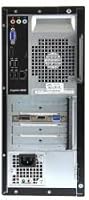
The front panel typically gives you quick access to USB ports and the card reader for everyday convenience, while the back houses the display outputs (HDMI and VGA), additional USB ports, audio jacks, Ethernet, and the power connection. The exact front/back split follows Dell's standard Inspiron tower layout for this generation.

Where to Buy