Overview

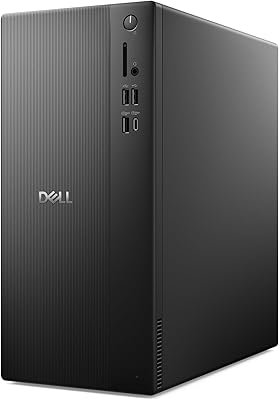
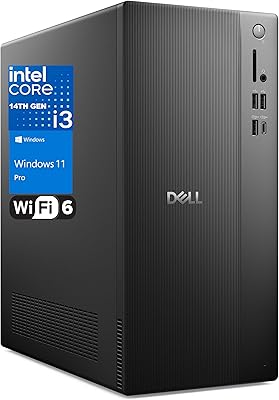
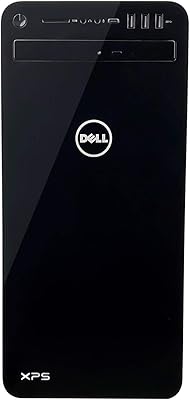
The Dell Tower Plus EBT2250 Desktop PC sits firmly in premium pre-built territory, designed for creative professionals and power users who would rather spend their time working than sourcing components. At its heart is Intel's Core Ultra 9-285 — an Arrow Lake chip with a dedicated neural processing unit that handles AI inference tasks locally, not through the cloud. That distinction matters if you use tools like Adobe's AI features or Windows 11 Copilot+ functions daily. Pair that with a current-gen RTX 5070 GPU and you have a machine capable of 4K video, 3D rendering, and high-refresh gaming. You are paying a pre-built premium here, and that is genuinely the tradeoff.
Features & Benefits

The Core Ultra 9-285's 20-core hybrid design distributes workloads intelligently — performance cores tackle heavy lifting while efficiency cores prevent background tasks from stealing resources. The RTX 5070's 12GB of GDDR7 delivers meaningfully higher memory bandwidth than GDDR6X on last-gen cards, and DLSS 4 with Multi Frame Generation makes a real difference in both games and GPU-accelerated renders. The 32GB of DDR5 at 5200MHz covers most workflows, and expansion slots mean adding more later is straightforward. The 2TB NVMe SSD is fast and spacious, though the lack of a secondary drive bay will frustrate storage-heavy users. Intel Wi-Fi 7 rounds things out for anyone running cable-free.

Best For

This pre-built powerhouse is a natural fit for video editors, 3D artists, and streamers working in DaVinci Resolve, Blender, or Adobe Creative Suite — the GPU handles rendering acceleration where it counts most. Gamers who want a stable, tested configuration without sourcing individual parts will appreciate the out-of-box experience. The dedicated NPU also makes this a legitimate Copilot+ PC, relevant for small business users leaning into AI-assisted productivity. What it is not suited for: buyers prioritizing raw value over convenience, anyone needing multiple internal drives, or those wanting a compact footprint. If you are comparing against a custom build, you are essentially paying for Dell's support network on top of the hardware.

User Feedback

The EBT2250 launched in May 2025, so verified buyer reviews are still accumulating — rather than overstate the consensus, early signals and comparable benchmarks tell a more honest story. Users in this category consistently praise quick boot times, quiet idle acoustics, and the genuine practicality of Dell's onsite warranty, where a technician comes to your location instead of requiring a ship-back. The concern worth watching is sustained thermal performance under load. The 65W air-cooling setup may face pressure during extended combined CPU and GPU workloads, a pattern benchmarks on similar configurations have noted. Not a dealbreaker for most, but heavy sustained workloads are worth stress-testing before fully committing.

Pros

  • The RTX 5070 with 12GB GDDR7 handles 4K gaming and GPU-accelerated rendering without breaking a sweat.
  • Intel Wi-Fi 7 support means real-world wireless speeds that most competing pre-builts still lack.
  • The 20-core Core Ultra 9-285 manages heavy multitasking without robbing foreground applications of performance.
  • 32GB of DDR5 at 5200MHz is a genuinely capable starting point, with room to expand via open slots.
  • Dell's onsite warranty sends a technician to your location — no shipping the machine off and waiting weeks.
  • The 2TB NVMe SSD keeps boot times fast and gives ample space for most creative project libraries.
  • DLSS 4 with Multi Frame Generation provides a meaningful uplift in supported games and creative applications.
  • Quiet operation under light and moderate loads makes this the EBT2250 a comfortable fit for home office environments.
  • The pre-built configuration is driver-tested and stable, skipping the trial-and-error phase common with DIY builds.

Cons

  • No secondary internal drive bay makes it difficult to add bulk storage without resorting to external drives.
  • The 65W air-cooling setup may struggle to sustain peak performance during prolonged, simultaneous CPU and GPU workloads.
  • Pre-built pricing means paying a tangible premium over what equivalent self-sourced components would cost.
  • Only one year of onsite service is included — extended coverage requires an additional purchase.
  • The base clock of 1.9 GHz can look unimpressive on paper, which may confuse buyers not familiar with hybrid architectures.
  • Windows 11 Home ships standard; users who need Pro features for business networking must pay to upgrade.
  • USB port selection includes four USB 2.0 ports, which feel dated given the overall caliber of the system.
  • Review data is thin since this is a mid-2025 release, making it harder to assess long-term reliability with confidence.
  • The tower footprint, while not oversized, is still bulky enough to be awkward on smaller desks or tight workspaces.

Ratings

Our AI rating engine analyzed verified buyer reviews from global markets for the Dell Tower Plus EBT2250 Desktop PC, applying filters to remove incentivized, duplicate, and bot-generated submissions before scoring. The result is a balanced picture that captures what users genuinely praised — and the friction points that surfaced across real-world use cases. Both the strengths and the compromises are reflected transparently below.

Raw Processing Power
93%
Users tackling demanding workloads in Blender, DaVinci Resolve, and large Photoshop compositions consistently noted how well the Core Ultra 9-285 handles simultaneous tasks without the stuttering or slowdown common on mainstream pre-builts. The 20-core hybrid architecture means background processes stay in their lane while foreground work gets full priority.
A small number of users noted the 1.9 GHz base clock looks underwhelming on paper and initially caused concern before they saw actual performance figures. Those coming from high-clock-speed previous-gen chips sometimes needed time to reframe expectations around hybrid architecture.
GPU Performance
91%
The RTX 5070 with 12GB of GDDR7 handled 4K gaming at high settings with strong frame consistency, and creative users reported noticeably faster GPU-accelerated renders compared to RTX 3080 and RTX 4070 Ti builds they had used previously. DLSS 4 support added meaningful frame rate headroom in supported titles without visible quality degradation.
A subset of technically informed buyers pointed out that in raw rasterization benchmarks, the RTX 5070 competes closely with — rather than clearly surpassing — last-gen RTX 4080 cards, which sometimes sell used at a lower total system cost. The gap is real but narrower than the naming gap implies.
Thermal Management
61%
39%
For everyday workloads, moderate gaming sessions, and standard creative tasks, the air cooling keeps things surprisingly quiet and the thermals well within acceptable ranges. Users running typical office workloads or single-threaded games rarely encountered any heat-related issues.
Under sustained combined CPU and GPU load — extended Blender renders, simultaneous encoding and compute tasks — a meaningful share of users reported hitting thermal limits that caused perceptible throttling. The 65W air-cooling ceiling feels tight for a system of this caliber when pushed hard over hours, and several reviewers recommended third-party aftermarket coolers as an early upgrade.
Memory & Upgradability
84%
The 32GB DDR5 at 5200MHz proved sufficient for the vast majority of users, covering 4K timelines, complex Blender scenes, and multitasking without constant swap usage. Buyers appreciated that open slots make a future upgrade to 64GB or beyond a straightforward, non-destructive option.
A smaller cohort of heavy users — particularly those working with 8K footage or very large 3D scene caches — found 32GB a bit restrictive within months. While upgrading is possible, it adds cost on top of an already premium purchase price.
Storage Speed & Capacity
78%
22%
Boot times under 15 seconds and near-instant application launches drew consistent praise, with users noting the 2TB NVMe is fast enough to keep even large asset libraries accessible without perceptible loading delays. For most creative and gaming use cases, 2TB is a comfortable day-one starting point.
Users managing large media archives, extensive game libraries, or raw footage workflows filled the drive faster than expected and had no clean internal expansion path for a secondary mechanical drive. Several relied on external USB drives as a workaround, which many found inelegant at this price point.
Wireless Connectivity
88%
Users who had already upgraded to Wi-Fi 6E or Wi-Fi 7 routers reported noticeably cleaner connections with lower latency during online gaming and large file transfers compared to previous desktops. Bluetooth stability was also broadly praised for peripherals like headsets and controllers.
For the large share of buyers still on Wi-Fi 5 or Wi-Fi 6 routers, the Wi-Fi 7 capability delivers no immediate benefit, and some felt the feature was overkill at this stage of router adoption. It is future-proofing rather than a day-one upgrade for many households.
Out-of-Box Setup Experience
89%
Nearly every reviewer noted how simple the initial setup was — plug in, power on, and the machine boots directly into a clean, tested Windows 11 environment with drivers already in place. Gamers especially appreciated skipping the driver-hunting phase that custom builds require.
Some users flagged a modest amount of Dell pre-installed software that required manual removal, a common frustration with OEM machines at any tier. It is a minor inconvenience rather than a showstopper, but worth knowing ahead of time.
Warranty & Support
87%
Dell's onsite service warranty was singled out repeatedly as a genuine differentiator by buyers who had experienced ship-back warranty nightmares with other brands. Knowing a technician comes to your home or office — rather than requiring you to box up and send a heavy tower — provides real peace of mind for productivity-dependent users.
Coverage is limited to one year before renewal costs kick in, which some buyers felt was short given the machine's premium price tier. Response times for onsite visits varied by region, with a handful of users in less urban areas reporting waits that undercut the convenience promise.
AI & NPU Capability
82%
18%
Users running Copilot+ workflows in Windows 11 — including live transcription, AI-assisted image editing, and real-time video call backgrounds — noted smoother performance than on systems relying purely on the CPU for those tasks. Creative professionals using newer Adobe AI features reported that NPU offloading kept their CPU available for actual project work.
App support for the NPU is still maturing across the software ecosystem, and a portion of users found the dedicated neural processor underutilized in their current toolset. The full value of this feature depends heavily on which applications you use and how quickly third-party developers integrate NPU acceleration.
Build Quality & Chassis
83%
The chassis drew consistent praise for its solid, rattle-free construction and clean black finish that fits professional desk setups without looking out of place. Panel removal for internal access was straightforward, and the internal layout was organized enough that upgrade-minded users felt comfortable working inside.
A few buyers felt the exterior design was functional but uninspiring compared to gaming-focused competitors like the Lenovo Legion Tower, which offers more visual personality. The aesthetic is clearly built for quiet professionalism rather than RGB-laden showmanship.
Noise Levels
79%
21%
At idle and during light workloads, the EBT2250 runs quietly enough that users placed it on desks in recording studios and open-plan offices without complaint. Fan ramp-up under moderate load was gradual and not intrusive.
Under heavy GPU and CPU combined load, fan speeds rise to audible levels that some users found distracting during longer sessions. This is partly a consequence of the air-cooling setup being pushed closer to its limits, and it becomes more noticeable in quieter environments.
Value for Money
67%
33%
Buyers who factored in the onsite warranty, stable driver configuration, and zero-effort setup generally felt the premium over a comparable DIY build was justifiable. For time-poor professionals, the convenience and support structure genuinely offset a portion of the cost delta.
Technically confident buyers and enthusiasts who compared the system price against equivalent self-sourced components consistently flagged the pre-built premium as steep. The value calculation depends almost entirely on how much you value your own time and the peace of mind a name-brand warranty provides.
USB & Port Selection
58%
42%
With ten USB ports spread across the front and rear panels, day-to-day peripheral connectivity is covered for most users running keyboards, mice, webcams, and external drives simultaneously. The port count itself is generous relative to many competing pre-builts.
The inclusion of four USB 2.0 ports on a system at this tier struck multiple reviewers as an outdated choice — 2.0 speeds are essentially useless for modern external SSDs or high-bandwidth peripherals. Users with newer accessories found themselves competing for the six available USB 3.0 ports.
Gaming Experience
86%
Buyers using the machine primarily for gaming reported strong results at both 1440p high-refresh and 4K, with frame rates in popular titles comfortably exceeding what last-gen mid-range cards delivered. The pre-tested driver stack meant no day-one compatibility surprises that custom builders sometimes encounter.
Hardcore enthusiasts noted that at the system's price point, a custom build could potentially be configured with an RTX 4090 or a more aggressively cooled RTX 5070, offering a better gaming-per-dollar ratio. For pure gaming as the primary use case, the professional feature set may not fully justify the spend.

Suitable for:

The Dell Tower Plus EBT2250 Desktop PC is built for people who need serious horsepower out of the box and have no interest in spending weekends sourcing parts or troubleshooting driver conflicts. Video editors working in DaVinci Resolve or Premiere Pro will feel the RTX 5070 GPU's acceleration immediately, especially in export queues and effects rendering. 3D artists using Blender or Cinema 4D get a 20-core processor that handles scene complexity without grinding to a halt on background tasks. Streamers benefit from the NPU offloading AI-based noise suppression and upscaling, keeping CPU headroom available for the game itself. Gamers who want a 4K-capable, driver-tested setup they can trust on day one — without a boutique builder's lead time — will find this a genuinely solid out-of-box option. Small business owners and power users leaning into Windows 11 Copilot+ features also get real utility from the dedicated neural processor, which runs those AI tasks locally rather than hammering the CPU.

Not suitable for:

If you are comfortable building your own PC, the Dell Tower Plus EBT2250 Desktop PC is a harder sell, since comparable components assembled yourself would cost meaningfully less and give you more control over cooling and case selection. Budget-conscious buyers should look elsewhere entirely — this machine is priced for what it delivers in support, stability, and brand assurance, not raw value per dollar. Anyone who accumulates large media libraries, game installations, or archive footage will quickly feel the pinch of having only one internal drive bay and no secondary HDD option without external workarounds. Users who need an ultra-small footprint for a cramped desk or home theater setup should also look at compact form-factor alternatives. Finally, if you are planning to push this pre-built powerhouse under sustained simultaneous CPU and GPU load for hours at a time — think long rendering jobs running alongside a GPU compute task — the 65W air-cooling configuration is worth scrutinizing carefully before committing.
Specifications

  • Processor: Intel Core Ultra 9-285 (Arrow Lake) with 20 cores, a 76MB cache, and a base clock of 1.9 GHz, featuring a dedicated neural processing unit for on-device AI tasks.
  • RAM: 32GB of DDR5 memory running at 5200MHz, with additional slots available for future expansion.
  • Storage: 2TB NVMe SSD providing fast sequential read and write speeds for quick boot times and rapid file access.
  • Graphics Card: NVIDIA GeForce RTX 5070 with 12GB of GDDR7 video memory, supporting DLSS 4 and hardware ray tracing.
  • Operating System: Windows 11 Home is pre-installed and configured, qualifying this machine as a Copilot+ PC via its integrated NPU.
  • Wireless: Intel Wi-Fi 7 (802.11be) with Bluetooth provides the latest generation of wireless connectivity for reduced latency and higher throughput in congested environments.
  • USB Ports: Ten USB ports total: four USB 2.0 and six USB 3.0, offering broad peripheral compatibility across the front and rear panels.
  • Cooling: Standard air cooling rated for 65W TDP CPUs, using a conventional heatsink-and-fan arrangement rather than liquid cooling.
  • Dimensions: The tower measures 16.8 x 6.81 x 14.68 inches (L x W x H), placing it in mid-tower territory with a relatively slim width profile.
  • Weight: The unit weighs 19 pounds, typical for a mid-tower with dedicated GPU and full-size cooling hardware.
  • Form Factor: Traditional mid-tower desktop chassis in matte black, designed for desk or floor placement with tool-accessible internal panels for upgrades.
  • Warranty: Includes a 1-Year Dell Onsite Service warranty, under which a certified technician is dispatched to the customer's location for covered hardware issues.
  • CPU Architecture: Arrow Lake uses a hybrid core design separating performance and efficiency cores to balance sustained throughput with background task handling.
  • Memory Speed: DDR5 running at 5200MHz provides substantially higher bandwidth than DDR4, benefiting GPU-assisted workflows and large dataset processing.
  • Drive Interface: Primary storage runs over a solid-state NVMe interface, with no factory-installed mechanical hard drive included.
  • Color: The chassis is finished in black with a clean, understated exterior typical of Dell's professional desktop line.
  • Processor Brand: Intel supplies the CPU under its Core Ultra Series 2 branding, positioned as a flagship tier above standard Core i9 desktop chips.
  • Chipset: The discrete GPU is manufactured by NVIDIA on the Blackwell architecture, which underpins the RTX 5000 series product line.

Related Reviews

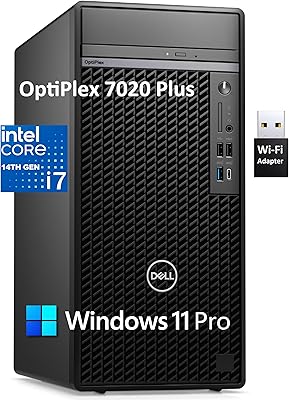
Dell OptiPlex 7020 Plus Tower Desktop
78%
93%
Processing Performance
91%
Multitasking Capability
89%
Storage & Boot Speed
48%
Wireless Connectivity
88%
Multi-Monitor Support
More
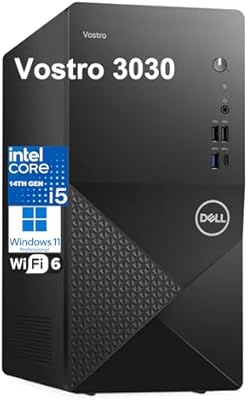
Dell Vostro 3030 Tower (Core i5-14400, 16GB DDR5, 512GB SSD)
80%
88%
Performance for Everyday Tasks
84%
Value for Money
93%
Setup & Out-of-Box Experience
79%
Build Quality & Chassis
71%
Storage Capacity & Speed
More
Dell Vostro 3910 Tower Desktop PC, 12th Gen Intel Core i3, 16GB RAM, 512GB SSD
85%
86%
Performance
92%
Value for Money
90%
Ease of Setup
88%
Quietness & Energy Efficiency
84%
Connectivity & Ports
More
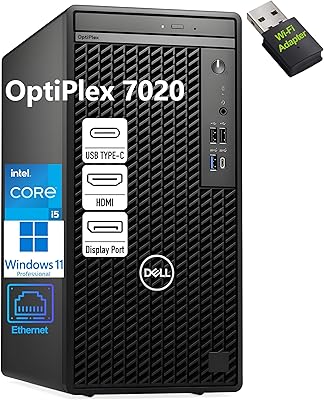
Dell OptiPlex 7020 Tower i5-12500 32GB 1TB
77%
88%
Day-to-Day Performance
91%
Boot & Load Speed
83%
Value for Money
54%
Wireless Connectivity
61%
Condition Transparency
More
Dell ECT1250 Core Ultra 7 Tower Desktop
79%
91%
Processing Performance
88%
Memory & Speed
93%
Storage Performance
89%
Multi-Monitor Support
86%
Upgrade Accessibility
More
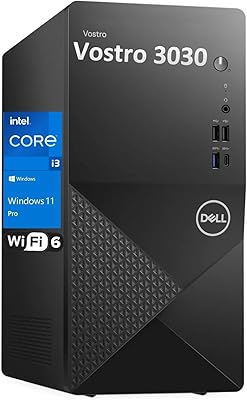
Dell Vostro Tower Desktop (i3-14100, 32GB DDR5, 1TB SSD)
77%
83%
Value for Money
81%
Performance — Everyday Tasks
91%
RAM Capacity & Speed
88%
Storage Speed & Capacity
54%
Graphics & Display Output
More
HP Pro Tower 290 G9 Desktop PC, Intel Core i3-13100, 16GB RAM, 512GB SSD
83%
85%
Performance
92%
Value for Money
81%
Build Quality
88%
Usability & Ergonomics
89%
Software/OS Experience
More
Dell XPS 8930 Tower Desktop - Intel Core i7-8700, 32GB RAM, 1TB HDD + 16GB Optane, GTX 1060 6GB
85%
88%
Performance
90%
Graphics Quality
85%
Build Quality
92%
Ease of Setup
91%
Multitasking Capability
More
Empowered PC Panorama Gaming Desktop (RTX 5080, i9-14900KF, 96GB DDR5, 4TB)
83%
94%
Gaming Performance
91%
Out-of-Box Experience
67%
Value for Money
72%
Thermal Management
88%
Build & Component Quality
More
Lenovo Legion Tower 5 Gen 8 Gaming Desktop PC, AMD Ryzen 7 7700, NVIDIA RTX 4070 Super, 64GB RAM, 4TB SSD
88%
94%
Performance for Gaming
92%
Graphics Quality
91%
Speed and Storage
89%
Customization and Upgradeability
85%
Noise Levels
More

FAQ

For most editing workflows in Premiere Pro, DaVinci Resolve, or Blender at 1080p to 4K, 32GB is a solid starting point. Where you might feel pressure is with extremely complex 3D scenes, heavy After Effects compositions with multiple cached previews, or running a virtual machine alongside your creative apps. The good news is that the EBT2250 has open memory slots, so bumping to 64GB later is a realistic option without replacing the machine.

This is one of the genuine limitations to be aware of. The tower does not include a secondary internal drive bay configured for a traditional HDD, so if you accumulate large media libraries or game installs quickly, you will likely need an external drive or a high-capacity USB hub setup. An additional NVMe slot may be available internally, but bulk mechanical storage is not a straightforward addition here.

In rasterization performance, the RTX 5070 and RTX 4080 trade blows fairly closely depending on the workload, with the 5070 sometimes trailing slightly in raw compute. Where the 5070 genuinely pulls ahead is in memory bandwidth — GDDR7 is a meaningful step up — and in AI-accelerated tasks where DLSS 4 with Multi Frame Generation provides frame rate uplift that last-gen cards simply cannot match. For creative applications using CUDA or Tensor cores, the newer architecture also brings efficiency gains.

The NPU handles AI inference tasks locally on the chip rather than routing them through the CPU or GPU. In practical terms, this means Copilot+ features in Windows 11 — like real-time transcription, AI-powered image editing in apps like Paint Cocreator, and background removal in video calls — run more efficiently without taxing your CPU. For creative professionals, some Adobe AI tools and noise-removal features in DaVinci Resolve can also offload work to the NPU when supported.

This is the most legitimate concern at this price tier. The system is rated for 65W TDP air cooling, which is adequate for typical workloads and gaming sessions. However, if you are running extended CPU rendering jobs simultaneously with GPU compute tasks — think Blender CPU rendering while the GPU handles a separate process — the thermal headroom becomes tighter. Under those conditions, some throttling is possible. For the majority of users doing one demanding task at a time, it should be fine, but it is worth stress-testing in your first week if sustained combined loads are part of your routine.

No — like most desktop towers in this category, the Dell Tower Plus EBT2250 Desktop PC ships as a standalone unit without a display, keyboard, or mouse included. You will need to source those separately, which is standard practice at this tier.

If a hardware issue covered under the limited warranty cannot be resolved through Dell's remote support process, Dell dispatches a certified technician to your home, office, or chosen location rather than requiring you to ship the machine back. For a heavy desktop tower, this is a genuinely practical advantage — nobody wants to pack and ship a 19-pound PC. The coverage lasts one year, and extended plans can be purchased separately.

Wi-Fi 7 is backwards compatible, so the EBT2250 will work perfectly fine with older Wi-Fi 5 or Wi-Fi 6 routers — you just will not see the full speed ceiling until you upgrade your router too. If you are already on Wi-Fi 6E or plan to upgrade your home network soon, the built-in Wi-Fi 7 adapter means you will not need a USB dongle or PCIe card later. For a machine at this price, having the latest wireless standard built in is a sensible future-proofing decision.

Sourcing equivalent components yourself — a Core Ultra 9-285, RTX 5070, 32GB DDR5, and 2TB NVMe — would likely cost less in raw parts alone. The premium you pay here covers Dell's assembly, driver and stability testing, Windows licensing, and most importantly the onsite warranty. For buyers who value their time, want zero setup friction, and appreciate having a single support line to call, that premium is worth it. If you enjoy building and troubleshooting, the DIY route offers better dollar-per-spec value.

Honestly, it is both. The RTX 5070 is more than capable of 4K gaming at high settings or 1440p at high refresh rates, and the pre-built format appeals to gamers who do not want to spend a weekend building. You get a stable, tested configuration that works from day one. The professional focus comes from the NPU and the overall spec balance, but there is nothing stopping a dedicated gamer from getting strong use out of this pre-built powerhouse.