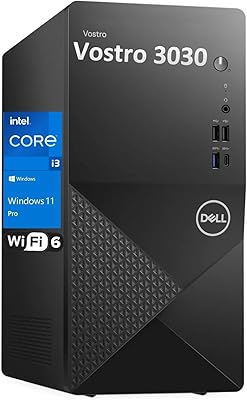
Dell OptiPlex 7020 Plus Tower Desktop



Overview
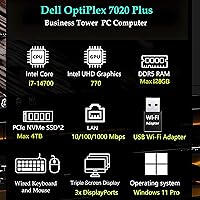
The Dell OptiPlex 7020 Plus Tower Desktop sits near the top of Dell's long-running OptiPlex business lineup, and for good reason. Built around Intel's 14th Gen Core i7-14700, this machine takes a different approach than its predecessors by pairing performance and efficiency cores in a single processor — a hybrid architecture that handles mixed workloads far better than older single-core-type designs. The DDR5 memory and PCIe SSD combination marks a real generational step forward from earlier OptiPlex models. One honest caveat worth flagging upfront: there is no built-in Wi-Fi. A USB adapter is included, but at this price point, that feels like a compromise worth knowing about before you buy.
Features & Benefits
The i7-14700's 20-core hybrid design is the real story here. Eight performance cores tackle demanding single-threaded tasks while twelve efficiency cores handle background processes, meaning you can run a virtual machine, crunch spreadsheets, and keep forty browser tabs open without the system losing composure. Paired with 64GB of DDR5 RAM, this business desktop has headroom that most enterprise applications will never fully exhaust. The 2TB PCIe SSD means boot times are fast and large project files move quickly. Three DisplayPort outputs support up to three 4K monitors — a genuine productivity multiplier for data-heavy roles. The included DVD optical drive is niche, but for legal firms or IT teams still imaging from disc, it genuinely matters.
Best For
This Dell tower makes the most sense for finance, legal, and healthcare professionals who live inside resource-hungry applications all day. IT departments will appreciate the standardized hardware, Windows 11 Pro out of the box, and Dell's established business support ecosystem. If your workflow involves three monitors and a dozen open applications simultaneously, this machine was built for exactly that. Remote and hybrid workers who need a reliable, low-maintenance desktop will find the OptiPlex 7020 Plus dependable in ways a budget tower simply is not. That said, if your work involves GPU-intensive tasks — video rendering, 3D modeling, or machine learning — the integrated Intel UHD 770 graphics are a hard ceiling. This is a productivity powerhouse, not a creative workstation.
User Feedback
Buyers consistently praise the out-of-box experience — everything arrives configured and ready, with build quality that reflects Dell's business-grade reputation. The system runs notably quiet under standard office workloads, which comes up repeatedly among users in shared or open-plan spaces. On the flip side, the USB Wi-Fi adapter draws real frustration; at this price tier, competitors offer native wireless, and the dongle solution feels like a cut corner. The included keyboard and mouse are functional but forgettable — most buyers replace them quickly. A recurring theme involves value versus custom builds: some users feel Dell's warranty and support justify the cost, while others note that comparable specs can be assembled independently for less.
Pros
- The 20-core Intel i7-14700 handles heavy multitasking — virtual machines, large spreadsheets, and video calls running simultaneously without breaking a sweat.
- 64GB of DDR5 RAM is future-proofed headroom that most enterprise software will not exhaust for years.
- The 2TB PCIe SSD provides fast boot times and enough storage for large project files right out of the box.
- Three 4K-capable DisplayPort outputs make multi-monitor productivity setups genuinely plug-and-play.
- The system runs notably quiet under typical office loads — a real plus in shared or open-plan workspaces.
- Out-of-box readiness is strong: Windows 11 Pro is pre-installed and the machine is configured and ready to use immediately.
- Dell's business-grade build quality and support ecosystem add long-term reliability that consumer desktops rarely match.
- The DVD+/-RW optical drive is a rare and practical inclusion for businesses that still rely on disc-based media or software imaging.
- An extensive port array — including a 20 Gbps USB Type-C front port — covers nearly every peripheral need without requiring a hub.
- Gigabit Ethernet provides a fast, stable wired connection ideal for office environments with managed networks.
Cons
- No built-in Wi-Fi is a genuine shortcoming at this price tier — the bundled USB adapter is a workaround, not a real solution.
- Integrated graphics rule out any GPU-intensive workloads, making this a poor fit for creative or compute-heavy visual tasks.
- The included keyboard and mouse are basic and forgettable — most buyers will replace them almost immediately.
- Buyers who compare specs against custom-built alternatives may find the brand premium harder to justify without factoring in support value.
- The full tower form factor takes up meaningful desk or floor space, which can be a practical issue in smaller work areas.
- No HDMI output means users with HDMI monitors must use an adapter, adding an unexpected step to initial setup.
- The USB Wi-Fi adapter occupies a port permanently, which quietly reduces the already-allocated front USB availability.
- At 18 pounds, this business desktop is not something you will move or reposition frequently without effort.
Ratings
The Dell OptiPlex 7020 Plus Tower Desktop earns its scores from AI-driven analysis of verified global buyer reviews, with spam, incentivized responses, and bot activity actively filtered out before scoring. Across thousands of real-world assessments, this business desktop shows clear strengths in processing power, reliability, and out-of-box readiness — but also some consistent frustrations around wireless connectivity and value perception. Both sides of that picture are reflected transparently in the categories below.
Processing Performance
Multitasking Capability
Storage & Boot Speed
Wireless Connectivity
Multi-Monitor Support
Build Quality
Noise & Thermal Management
Out-of-Box Experience
Graphics & Display Quality
Port Selection
Value for Money
Software & OS
Included Peripherals
Upgradeability
Suitable for:
The Dell OptiPlex 7020 Plus Tower Desktop is built for professionals whose daily work genuinely stresses a computer — think financial analysts running complex models, healthcare administrators juggling multiple clinical applications, or legal teams managing large document databases. IT departments will find it particularly appealing: the standardized hardware, Windows 11 Pro pre-installed, and Dell's well-established business support infrastructure make fleet deployment and long-term management far more straightforward than with consumer-grade machines. If your workflow regularly involves keeping dozens of browser tabs open alongside productivity suites, video conferencing, and background processes, the 20-core CPU and 64GB of DDR5 RAM mean you are unlikely to hit a wall anytime soon. Multi-monitor users get genuine value here too — three 4K-capable DisplayPort outputs make this a strong fit for data analysts, content managers, or anyone who depends on screen real estate to stay productive. Remote and hybrid workers who want a reliable, low-drama desktop that simply works day after day will feel right at home with this machine.
Not suitable for:
The Dell OptiPlex 7020 Plus Tower Desktop is the wrong choice for anyone whose work depends on dedicated GPU performance. Video editors rendering 4K timelines, 3D modelers, architects using GPU-accelerated design software, and machine learning practitioners will all run headfirst into the ceiling imposed by the Intel UHD 770 integrated graphics — no discrete card is included, and that is not a minor caveat. Gamers should look elsewhere entirely; this machine was never designed with gaming in mind. Buyers who need wireless connectivity built into the motherboard may also feel shortchanged — the included USB Wi-Fi adapter works, but it is an external dongle solution that feels out of place at this price tier. Those who prefer a compact or small-form-factor desktop will find the full tower footprint impractical on a crowded desk. Finally, budget-conscious buyers should weigh whether the Dell brand premium and warranty coverage justify the cost over a comparably specced custom build.
Specifications
- Processor: Intel Core i7-14700 with 20 cores (8 performance + 12 efficiency) and a maximum turbo frequency of 5.4GHz.
- CPU Cache: The processor includes 33MB of Intel Smart Cache to accelerate repeated data access and reduce latency.
- RAM: 64GB of DDR5 system memory provides high-bandwidth multitasking headroom suitable for demanding enterprise workloads.
- Storage: A 2TB PCIe x4 SSD delivers fast sequential read and write speeds for quick boot times and large file transfers.
- Graphics: Intel UHD Graphics 770 is integrated into the processor and supports up to three simultaneous 4K displays via DisplayPort 1.4a.
- Display Outputs: Three rear-facing DisplayPort 1.4a outputs support resolutions up to 3840x2160 for multi-monitor productivity setups.
- Optical Drive: A DVD+/-RW drive is included for reading and writing standard optical discs, supporting legacy media workflows.
- Operating System: Windows 11 Pro (64-bit) comes pre-installed, offering enhanced security features and business-focused management tools.
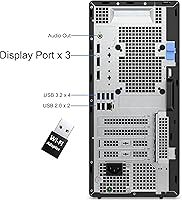
- Networking: A built-in Gigabit Ethernet (RJ-45) port is standard; wireless connectivity is provided via a bundled external USB Wi-Fi adapter.
- Front Ports: Front connectivity includes one USB 2.0 port with PowerShare, one USB 2.0 port, one USB 3.2 Gen 2x2 Type-C port (20 Gbps), one USB 3.2 Gen 2 port (10 Gbps), and one universal audio jack.
- Rear Ports: Rear connectivity includes three USB 3.2 Gen 1 ports (5 Gbps), two USB 2.0 ports with SmartPower On, one USB 3.2 Gen 2 port (10 Gbps), one RJ-45 Ethernet port, and one re-tasking audio port.
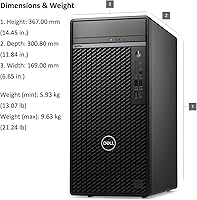
- Form Factor: The tower chassis measures 12.77 x 6.06 x 11.5 inches (LxWxH), fitting under or alongside a standard desk with room to spare.
- Weight: The unit weighs 18 pounds, reflecting its full-tower metal construction and internal component density.
- Included Accessories: A wired USB keyboard and mouse are included in the box alongside the bundled USB Wi-Fi adapter and a connectivity cable.
- Power: The system uses a standard internal power supply appropriate for the OptiPlex 7020 Plus tower configuration with no external power brick required.
Related Reviews
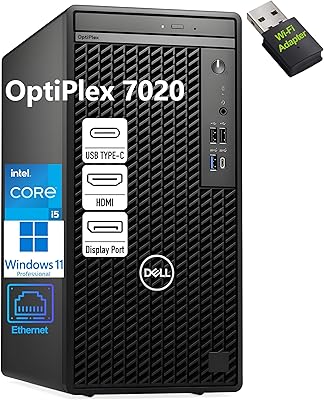
Dell OptiPlex 7020 Tower i5-12500 32GB 1TB
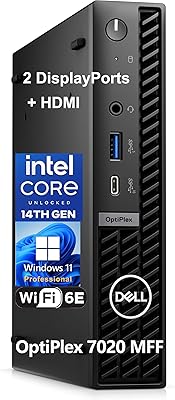
Dell OptiPlex 7020 MFF Mini Desktop Computer
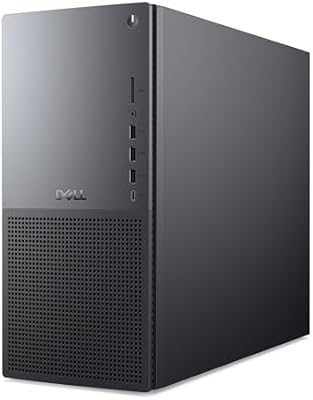
Dell Tower Plus EBT2250 Desktop PC
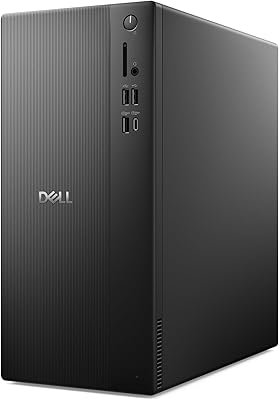
Dell ECT1250 Core Ultra 7 Tower Desktop
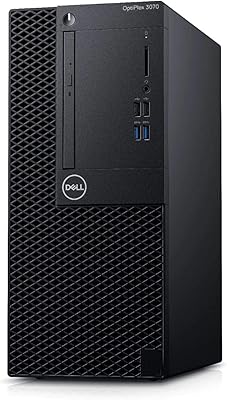
Dell OptiPlex 3070 Desktop - Intel Core i5-9500, 8GB RAM, 256GB SSD
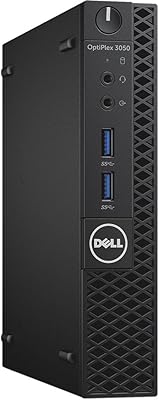
Dell OptiPlex 3050 Micro 256GB Desktop PC
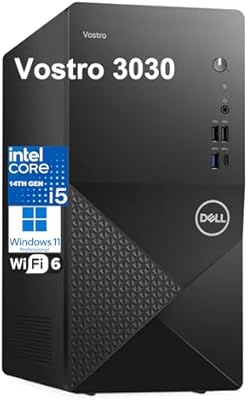
Dell Vostro 3030 Tower (Core i5-14400, 16GB DDR5, 512GB SSD)
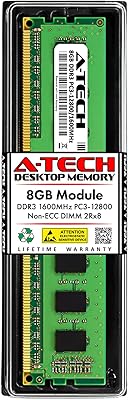
A-Tech 8GB DDR3 1600MHz RAM for Dell OptiPlex 9020 9010 7020 7010 3020 3010 XE2
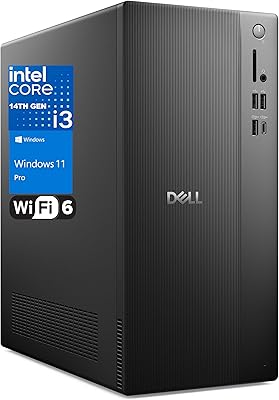
Dell Vostro Tower Desktop (i3-14100, 32GB DDR5, 1TB SSD)