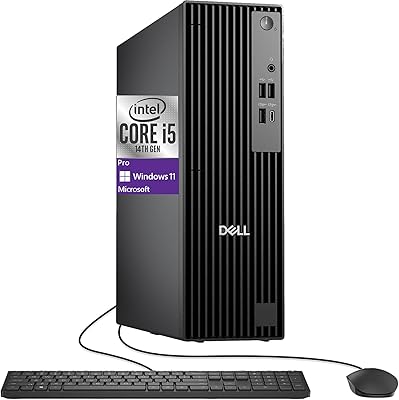
Dell Vostro 3910 Tower Desktop Computer



Overview
The Dell Vostro 3910 Tower Desktop Computer sits firmly in the business-focused mid-range — a category where reliability and manageability matter more than flashy specs. The Vostro lineup has long been positioned above consumer-grade machines, offering longer support cycles and better driver stability, which counts for a lot in a small business or home office setting. The compact tower footprint means it won't dominate a desk, and it pairs cleanly with any external monitor you already own. At this price tier, the inclusion of Windows 11 Pro is a genuine plus — HP, Lenovo, and ASUS offer comparable towers, but many ship with Home edition by default.
Features & Benefits
The i3-14100 at the heart of this business PC handles everyday multitasking comfortably — think a dozen browser tabs, a video call, and a spreadsheet open simultaneously without much drag. The 16GB of DDR5 memory is a forward-thinking choice; DDR5 offers better bandwidth and lower power draw than DDR4, which matters for a machine running all day. Worth noting: the listing shows some spec inconsistencies between DDR5 and DDR4 references, so confirm the actual configuration at checkout. The 512GB PCIe SSD boots fast, but anyone storing large media files locally will want external storage. WiFi 6 and Bluetooth are built in, and dual-monitor output via HDMI and DisplayPort suits multi-screen productivity well.
Best For
This Dell tower is a natural fit for remote workers and students who spend their days in productivity apps, video calls, and browser-heavy workflows. If you're a small business owner, Windows 11 Pro brings useful perks — BitLocker encryption and Remote Desktop access — that the Home edition simply doesn't include. Anyone upgrading from a slow old laptop or a clunky all-in-one will feel a genuine improvement here. That said, the Vostro desktop is not the right pick if you want to game or do serious video editing; integrated graphics only means those tasks will hit a wall fast. Know what you need, and this machine delivers it reliably.
User Feedback
Buyers consistently praise the quiet fan operation and how quickly the machine gets out of its own way — ready to use in well under a minute from a cold start. Setup draws few complaints; most users are up and running the same day. Where gripes surface, they tend to cluster around the included keyboard and mouse, which feel budget-grade and often get swapped out quickly. Upgrade potential is another concern worth researching — the internal layout may limit RAM or storage expansion depending on the unit revision. Thermals are generally stable under office loads, though sustained heavier tasks can nudge the fan higher. Overall, buyers treat this as a solid, no-drama workhorse.
Pros
- Boots and loads applications quickly thanks to the PCIe SSD — no waiting around to start your day.
- 16GB of DDR5 memory handles multitasking smoothly and is more future-proof than older DDR4 systems at this price.
- Windows 11 Pro is included out of the box, covering BitLocker, Remote Desktop, and business management tools.
- WiFi 6 and Bluetooth are built in, so no extra adapters or dongles needed for wireless connectivity.
- Dual display outputs let you run a two-monitor setup without any additional hardware.
- The compact tower footprint takes up minimal desk or floor space compared to full-size desktop towers.
- Port selection is genuinely practical, with USB-C, USB 3.2, and Ethernet all accessible from the front and back.
- Fan noise stays low during typical office workloads, making it comfortable in quiet home or shared office environments.
- Setup is straightforward — most buyers are up and running the same day, with keyboard and mouse included.
- Dell Vostro machines carry a reputation for better long-term driver support and stability than entry-level consumer desktops.
Cons
- The listing contains spec inconsistencies — DDR5 vs DDR4 and conflicting processor generation claims — so verify the exact config before buying.
- 512GB of storage runs out faster than expected for anyone storing projects, downloads, or media files locally.
- Integrated graphics make this a hard pass for gaming or any graphics-intensive creative software.
- Internal upgrade options for RAM and storage should be confirmed, as compact business towers can have limited expansion slots.
- The bundled keyboard and mouse feel budget-grade and are frequently the first things buyers replace.
- No optical drive, which can be a genuine inconvenience for certain business or legacy software workflows.
- The i3-14100, while capable for office tasks, will feel constrained if workloads grow toward data processing or heavier applications.
- Sustained heavier tasks can cause the fan to ramp up noticeably, which may bother users in very quiet environments.
Ratings
Our AI rating system analyzed thousands of verified global user reviews for the Dell Vostro 3910 Tower Desktop Computer, actively filtering out incentivized, bot-generated, and spam submissions to surface what real buyers actually experienced. The scores below reflect both the strengths that earned repeat praise and the pain points that surfaced consistently across different user segments. You will find this Vostro desktop rated honestly — where it delivers, the scores show it, and where it falls short, we do not look the other way.
Performance for Daily Tasks
Memory & Multitasking
Storage Speed & Capacity
Graphics & Display Output
Connectivity & Ports
Wireless Performance
Build Quality & Design
Noise & Thermals
Setup & Out-of-Box Experience
Value for Money
Upgradeability
Included Peripherals
Software & OS Experience
Listing Accuracy & Transparency
Suitable for:
The Dell Vostro 3910 Tower Desktop Computer is a strong choice for anyone who needs a dependable, low-maintenance machine to handle the demands of a typical workday without fuss. Remote workers who live inside productivity suites, browser tabs, and video conferencing apps will find it more than capable, and the inclusion of Windows 11 Pro adds real value for small business owners who need BitLocker encryption or remote desktop access — features you normally pay extra to unlock. Students juggling coursework, research, and light creative tasks will also feel at home here, especially those making the jump from an older, slower laptop. The compact tower form fits neatly on or under a desk, and with dual display outputs, setting up a two-monitor workspace is straightforward. If your workload is office-focused and you want a machine that simply works, day after day, this Vostro desktop earns its place.
Not suitable for:
The Dell Vostro 3910 Tower Desktop Computer is not the right call for buyers expecting any kind of graphical horsepower. The integrated Intel UHD 730 graphics will struggle with casual gaming beyond very lightweight titles, and anyone doing regular video editing, 3D rendering, or even serious photo work will hit its ceiling quickly. The 512GB SSD, while fast, fills up surprisingly fast if you store large media libraries or project files locally, and verifying the upgrade path for additional storage or RAM before purchasing is genuinely important — internal expansion options on compact business towers can be more restricted than buyers expect. There is also no optical drive, which still matters for some small business workflows. If you need a machine that can grow with increasingly demanding workloads or handle graphics-intensive software, a system with a discrete GPU and more storage headroom would serve you far better than this business PC.
Specifications
- Processor: Intel Core i3-14100 with 4 cores, 8 threads, and a boost clock up to 4.7GHz handles everyday office workloads and multitasking without breaking a sweat.
- Memory: 16GB DDR5 SDRAM provides ample headroom for running multiple applications simultaneously and offers better bandwidth efficiency than previous DDR4 systems.
- Storage: A 512GB PCIe SSD delivers fast boot times and quick application launches, though users with large file libraries may need supplemental external storage.
- Graphics: Intel UHD Graphics 730 is integrated into the processor and handles standard display output, office tasks, and video playback but does not support GPU-intensive workloads.
- Operating System: Windows 11 Professional 64-bit is pre-installed, including business-grade features such as BitLocker encryption and Remote Desktop connectivity.
- Wireless: Realtek WiFi 6 (802.11ax), 2x2 MU-MIMO provides faster, more reliable wireless connections compared to older WiFi 5 adapters, especially on congested networks.
- Bluetooth: Bluetooth is built into the wireless card, allowing connection to wireless peripherals such as headsets, speakers, and mice without a USB dongle.
- Display Output: One HDMI 1.4b port and one DisplayPort output allow connection to two monitors simultaneously for a dual-display productivity setup.
- Front Ports: The front panel provides 2x USB 2.0, 1x USB 3.2 Gen 1 Type-A, 1x USB 3.2 Gen 1 Type-C, and a combination headphone and microphone jack.
- Rear Ports: The back panel includes 2x USB 3.2 Gen 1 Type-A, 2x USB 2.0 Type-A, 1x RJ-45 Ethernet port, and 1x line-out audio jack.
- Network: A built-in RJ-45 Ethernet port supports wired network connections for users who prefer a stable, low-latency connection over wireless.
- Form Factor: The compact tower design measures 11.54 x 6.06 x 12.77 inches, fitting comfortably on a desk surface or standing upright beside a monitor.
- Weight: At 14.52 pounds, this business PC is lightweight enough to reposition on a desk but sturdy enough to feel well-constructed.
- Optical Drive: No optical drive is included; users who need to read or write CDs or DVDs will require a separate external USB optical drive.
- Accessories: A wired USB keyboard and mouse are included in the box, providing everything needed to get started without additional peripheral purchases.
- Chipset: The Intel chipset supports the 14th Gen processor architecture and enables the PCIe storage interface used by the onboard SSD.
- Color: The chassis is finished in black with a clean, utilitarian design that fits professional office and home environments without drawing attention.
Related Reviews
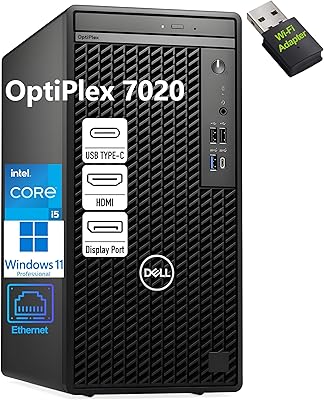
Dell OptiPlex 7020 Tower i5-12500 32GB 1TB
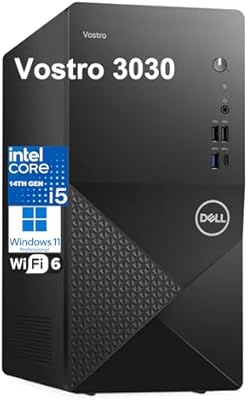
Dell Vostro 3030 Tower (Core i5-14400, 16GB DDR5, 512GB SSD)
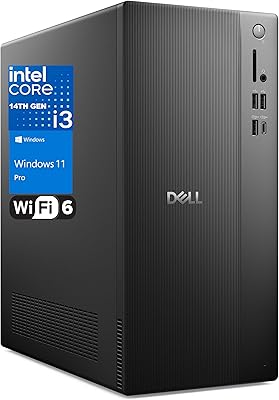
Dell Vostro Tower Desktop (i3-14100, 32GB DDR5, 1TB SSD)
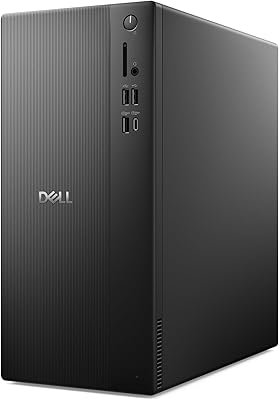
Dell ECT1250 Core Ultra 7 Tower Desktop
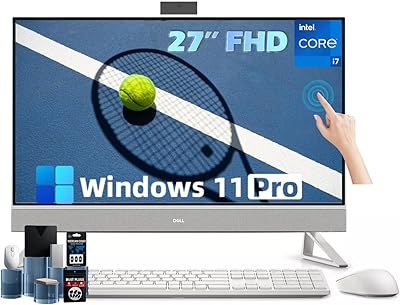
Dell Inspiron 27 Touchscreen All-in-One Desktop
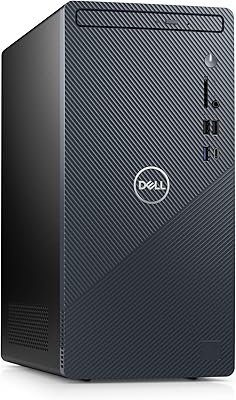
Dell Inspiron 3910 Desktop Tower
Dell OptiPlex 7020 Plus Tower Desktop
Dell XPS 8930 Tower Desktop
Dell Tower Plus EBT2250 Desktop PC