Overview

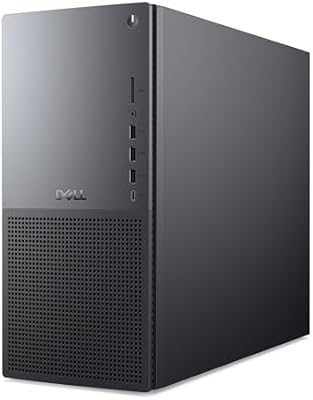
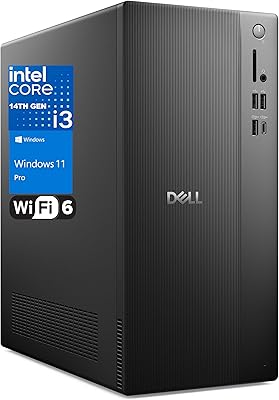
The Dell ECT1250 Core Ultra 7 Tower Desktop is Dell's answer to the growing demand for capable, compact business machines that don't require a rack or a dedicated IT team to manage. Sitting comfortably in the mid-to-upper tier of consumer towers, it ships with 32GB of DDR5 RAM, a 1TB M.2 SSD, and Intel's latest Core Ultra 7-265 processor — a combination that covers most professional workloads without asking you to configure anything out of the box. A bundled keyboard and mouse plus a 1-year onsite warranty round out a package that feels genuinely ready for day-one deployment.
Features & Benefits

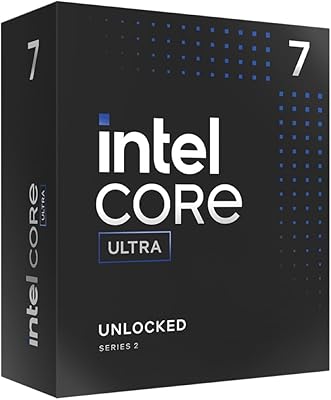
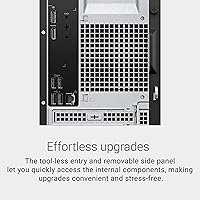
At the heart of this Dell tower is Intel's Core Ultra 7-265, a 20-core chip with AI acceleration built into the hardware — not just a marketing footnote. In practice, that means fast context-switching between heavy browser sessions, spreadsheets, and video calls running simultaneously. The DDR5 memory at 5600MT/s delivers noticeably snappier data throughput compared to older DDR4 systems. You can drive up to four FHD monitors or two 4K displays, a meaningful edge for anyone juggling multiple screens. The tool-less chassis makes future RAM or storage upgrades genuinely straightforward, and Wi-Fi 6 plus Bluetooth come included without needing a separate adapter.

Best For

The ECT1250 hits a practical sweet spot for a few distinct buyer profiles. Small business owners and remote professionals who need a dependable, upgradeable daily driver will find it fits that brief well. Finance teams, data analysts, or designers running multi-monitor setups benefit directly from the flexible display outputs. IT managers looking for a pre-configured machine with real on-site warranty support — not just a helpline number — will appreciate that peace of mind. One honest caveat: the integrated Intel graphics are not suited for gaming or GPU-heavy creative work, so anyone in video production or 3D rendering should budget separately for a dedicated card.

User Feedback

Users generally report that this business desktop feels fast from a cold boot, with the SSD and DDR5 pairing keeping everyday tasks moving without hesitation. Multi-monitor support draws consistent praise from people running two or three screens at once. On the downside, the bundled keyboard and mouse are widely described as purely functional — most buyers swap them out quickly. Fan noise under sustained workloads has come up occasionally in reviews, though it doesn't appear to be a widespread problem. Users who actually tested the tool-less upgrade process found it as hassle-free as advertised, which is always reassuring when a manufacturer makes that kind of promise.

Pros

  • The 20-core Intel Core Ultra 7-265 handles heavy multitasking without slowing down under pressure.
  • 32GB of DDR5 RAM out of the box means most users won't need to upgrade memory anytime soon.
  • Boot times and application launches feel genuinely quick thanks to the 1TB M.2 SSD.
  • Support for up to four monitors gives this Dell tower real flexibility for multi-screen setups.
  • The tool-less chassis makes swapping in more storage or RAM a straightforward, screwdriver-free job.
  • Wi-Fi 6 and Bluetooth are built in, so no extra adapters are needed for wireless connectivity.
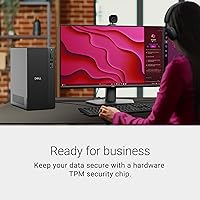
  • The hardware TPM chip and physical lock slot offer practical baseline security for office environments.
  • The 1-year onsite service warranty means a technician comes to you, which saves real time for businesses.
  • The compact footprint fits comfortably on or under a desk without dominating the workspace.
  • Built with recycled materials, which matters to buyers with sustainability considerations.

Cons

  • Integrated Intel UHD graphics rule out gaming and GPU-intensive creative applications entirely.
  • No monitor is included, which adds meaningful cost for buyers building a setup from scratch.
  • The bundled keyboard and mouse are basic — most users will want to replace them fairly quickly.
  • Fan noise under extended heavy workloads has been flagged by some users, though it is not universal.
  • Windows 11 Home lacks the domain-join and group policy features some business IT environments require.
  • No option for a discrete GPU in the base configuration means creative professionals need a different machine.
  • At just under 15 pounds, it is not particularly heavy, but the form factor still limits portability compared to a mini PC.
  • The ECT1250 is a mid-to-upper-range purchase, which may be harder to justify for light everyday computing needs.

Ratings

The scores below for the Dell ECT1250 Core Ultra 7 Tower Desktop were generated by our AI engine after analyzing verified buyer reviews from global markets, with spam, bot activity, and incentivized feedback actively filtered out. Every category reflects real-world usage patterns — from daily office multitasking to multi-monitor creative setups — capturing both what this business desktop genuinely excels at and where it falls short for certain buyers.

Processing Performance
91%
Users upgrading from older Core i5 or i7 machines consistently describe a noticeable leap in day-to-day responsiveness. Running multiple applications simultaneously — video calls, spreadsheets, a browser with dozens of tabs — rarely causes the system to hesitate, which is exactly what productivity-focused buyers need.
A handful of users note that the base clock of 2.4 GHz feels modest on paper, even if real-world throughput is strong. Buyers coming from high-clock gaming CPUs may notice the architectural difference in single-threaded burst tasks.
Memory & Speed
88%
The DDR5 memory running at 5600MT/s earns clear praise from users who work with large files or keep many applications open at once. Compared to DDR4 systems in the same price bracket, the throughput difference is tangible rather than theoretical during sustained workloads.
A small portion of buyers mention that 32GB, while generous today, may not leave room for long-term growth if the memory slots are already fully occupied. Users planning to run virtual machines or data-heavy analytical tools may hit practical limits sooner than expected.
Storage Performance
93%
Boot times and application launches are consistently praised across user feedback — this Dell tower wakes up fast and keeps things moving. The 1TB M.2 SSD is seen as a meaningful quality-of-life improvement for anyone migrating from a spinning-disk system.
A few buyers note that 1TB fills up faster than expected when dealing with video projects or large media libraries, and the upgrade path is not always immediately clear. Users with heavy storage demands may need an external drive sooner than anticipated.
Multi-Monitor Support
89%
The ability to connect up to four Full HD monitors or two 4K displays is a standout feature for finance professionals, analysts, and designers who live on multi-screen setups. Users consistently mention this as a key reason they chose this machine over competitors at a similar price.
Daisy-chaining for the four-monitor configuration requires DisplayPort-capable monitors with pass-through support, which not all users realize before purchasing. A few buyers experienced compatibility quirks with older monitors during initial setup.
Upgrade Accessibility
86%
The tool-less chassis genuinely delivers on its promise — users who attempted RAM or storage upgrades report the side panel comes off cleanly and internal components are well-organized and accessible. This is a meaningful differentiator for small IT teams doing in-house upgrades.
Some users note that while the chassis is easy to open, the internal layout can feel tight when trying to route cables or seat larger components. Guidance for first-time upgraders inside the documentation is reportedly thin.
Integrated Graphics
54%
46%
For the target audience — office workers, home office professionals, and multi-monitor productivity users — the Intel UHD graphics handle display output reliably and manage light photo browsing or presentation-grade visuals without issue.
This is the ECT1250's clearest weakness for any buyer with graphical ambitions. Gaming at any meaningful setting is off the table, and GPU-assisted video rendering or 3D work will quickly expose its limitations. Users who did not research this point before purchasing expressed genuine frustration.
Wireless Connectivity
82%
18%
Wi-Fi 6 performs reliably in typical home and office environments, with users noting stable connections during video calls and large file transfers. Having it built in rather than requiring a USB adapter is a small but consistently appreciated detail.
A minority of users report occasional Bluetooth pairing inconsistencies, particularly with multiple peripherals connected simultaneously. Wi-Fi stability in very crowded network environments has drawn a few complaints, though these appear to be isolated rather than systemic.
Included Peripherals
47%
53%
The bundled keyboard and mouse mean the system is technically ready to use out of the box, which has some value for buyers who need an all-in-one drop-ship solution for a new workstation. They are adequate for initial setup and testing.
User sentiment on the peripherals is notably negative — most describe them as stiff, cheap-feeling, and worth replacing immediately. This is one of the most consistent complaints across buyer feedback and represents a real pain point for anyone expecting a quality typing or clicking experience.
Thermal Management
74%
26%
Under typical office workloads, the system runs quietly and stays cool. Users doing email, document work, and video conferencing rarely notice the fan at all, which is a genuine comfort benefit in shared or open-plan workspaces.
Extended high-CPU tasks — long video exports, sustained compilation runs, or stress testing — cause audible fan spin-up that some users find disruptive. It is not a dealbreaker, but buyers expecting near-silent operation under heavy loads should temper expectations.
Build Quality
83%
The chassis feels solid for a machine in this class, with refined corners and a matte black finish that looks professional in both home and office environments. Users appreciate that it does not feel flimsy or cheap despite the compact footprint.
Some buyers note that the plastic side panels, while functional, have a slightly hollow feel when removed. The overall build quality is good but not premium, which may disappoint buyers expecting the heft of higher-end workstation builds.
Security Features
81%
19%
The hardware TPM chip and physical lock slot are practical inclusions for business buyers who need basic data security and physical deterrence. IT managers in small offices specifically call out the lock slot as a useful, often-overlooked feature.
The security suite is functional but basic — buyers in regulated industries or those needing full enterprise-grade encryption and remote management will find it insufficient without additional software investment. Windows 11 Home also lacks BitLocker by default.
Warranty & Support
87%
The 1-year onsite service warranty is consistently cited as a genuine differentiator by business buyers. Knowing a technician will come to the office rather than requiring the machine to be shipped back removes a significant operational headache for small teams.
The warranty is limited to one year, and extending it adds extra cost. Some users also note that initial remote support contact times can be slow before the onsite escalation is triggered, which can mean lost productivity during the waiting period.
Value for Money
78%
22%
For buyers who need a fully configured, business-ready tower with modern DDR5 memory, a fast SSD, and onsite warranty support, this Dell tower offers a competitive package without requiring significant post-purchase configuration. The spec-to-price ratio is reasonable within its tier.
Budget-conscious buyers who do not need all the included specs may find the price harder to justify, particularly since a monitor, quality peripherals, and potential Windows Pro upgrade add real extra cost on top of the base price.
Software & OS Experience
72%
28%
Windows 11 Home comes pre-installed and activated, with a clean enough out-of-box experience for home office users. Most buyers report getting productive quickly without needing to wipe or reinstall the OS.
Dell's pre-installed software suite includes some bloatware that a portion of users choose to remove before settling in. Windows 11 Home also lacks domain-join capability and Remote Desktop hosting, which limits deployment in more structured IT environments.

Suitable for:

The Dell ECT1250 Core Ultra 7 Tower Desktop is a strong fit for professionals who need a dependable, well-specced machine ready to handle real workloads from day one. Small business owners, remote workers, and home office users who spend their days in spreadsheets, video calls, browser-heavy research, or light content work will get genuine value from the 20-core processor and fast DDR5 memory. Multi-monitor users — analysts, traders, designers doing layout work — will appreciate the ability to drive up to four displays without adding a discrete graphics card. IT administrators and procurement managers will find the onsite warranty particularly compelling, since having a technician come to the office is a meaningful time-saver compared to shipping a machine back for repairs. Anyone upgrading from a system built around older Core i5 or i7 chips will notice a real performance difference in day-to-day responsiveness.
Not suitable for:

The Dell ECT1250 Core Ultra 7 Tower Desktop is not the right call for buyers whose workloads push hardware beyond standard productivity tasks. Gamers should look elsewhere entirely — the integrated Intel UHD graphics have no meaningful gaming capability, and there is no discrete GPU included. Video editors working with high-resolution footage, 3D artists, or machine learning practitioners who need dedicated VRAM will hit a hard ceiling fast. The bundled peripherals are functional at best, so buyers expecting a quality typing or pointing experience straight out of the box may be disappointed. Budget-conscious shoppers should also factor in that a monitor is not included, which adds a real cost if starting from scratch. If all you need is basic web browsing and email, the spec level here may be more than your budget actually requires.
Specifications

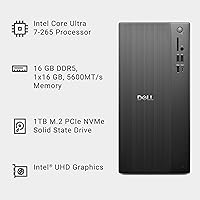
  • Processor: Intel Core Ultra 7-265 with 20 cores (4 Performance + 16 Efficient) and a base clock of 2.4 GHz, featuring a built-in Neural Processing Unit for AI-accelerated tasks.
  • Memory: 32GB DDR5 RAM running at 5600MT/s, offering fast data throughput suited to multitasking and memory-intensive productivity workloads.
  • Storage: 1TB M.2 NVMe SSD providing quick boot times and ample space for applications, documents, and project files.
  • Graphics: Intel UHD integrated graphics are included; no discrete GPU is present in the base configuration.
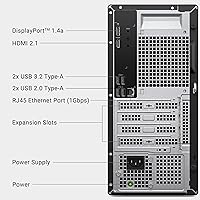
  • Display Output: Supports up to four Full HD monitors via DisplayPort daisy-chaining, or two 4K displays simultaneously using HDMI 2.1 and DisplayPort.
  • Wireless: Wi-Fi 6 (802.11ax) and Bluetooth are built in, enabling fast wireless networking and peripheral connectivity without adapters.
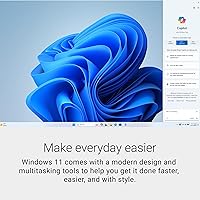
  • Operating System: Ships with Windows 11 Home pre-installed and activated.
  • Security: Includes a hardware TPM security chip, a built-in lock slot, and a padlock loop for physical and data protection.
  • Dimensions: The chassis measures 11.54 x 6.06 x 12.77 inches (L x W x H), making it a compact footprint for desk or floor placement.
  • Weight: The unit weighs 14.65 pounds, light enough to reposition easily but substantial enough to feel well-built.
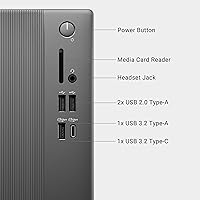
  • Card Reader: A USB 3.0 SD card reader is integrated into the chassis for fast media transfers.
  • Chassis Design: Features a tool-less entry panel and removable side panel for screwdriver-free access to internal components.
  • In the Box: Includes the tower unit, a wired keyboard, and a wired mouse — no monitor is included.
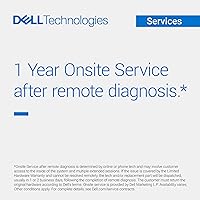
  • Warranty: Covered by Dell's 1-year Basic Onsite Service, where a technician is dispatched to your location if a hardware issue cannot be resolved remotely.
  • Materials: The chassis incorporates recycled materials in its construction, consistent with Dell's sustainability commitments.
  • Processor Cores: The Core Ultra 7-265 features 20 total cores, providing strong parallel processing headroom for multitasking and background tasks.
  • Color: Available in Black, with a modern design featuring refined corners intended to suit both home and office environments.
  • Connectivity Ports: Includes HDMI 2.1, DisplayPort outputs, USB 3.0 SD card reader, and standard USB ports for peripherals and accessories.

Related Reviews

Dell Tower Plus EBT2250 Desktop PC
80%
93%
Raw Processing Power
91%
GPU Performance
61%
Thermal Management
84%
Memory & Upgradability
78%
Storage Speed & Capacity
More
Intel Core Ultra 7 265K
82%
93%
Multi-Core Productivity
88%
Thermal Performance
91%
Gaming Frame Rates
67%
Value for Money
86%
Power Efficiency
More
Dell Slim ECS1250 Desktop PC
76%
83%
Processing Performance
86%
Multitasking & Memory
57%
Storage Capacity
89%
Multi-Monitor Support
81%
Build Quality & Design
More
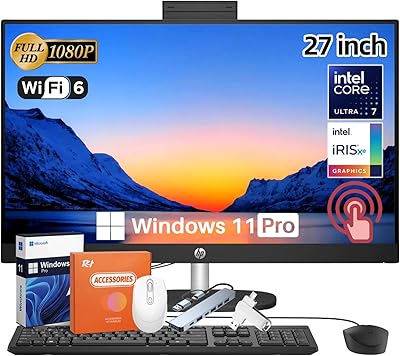
HP 27-inch All-in-One Desktop (Intel Ultra 7 155U, 64GB, 1TB)
86%
94%
Multitasking Performance
86%
Display Quality
89%
Video Conferencing
91%
Design & Space Efficiency
83%
Value for Money
More
Dell Vostro Tower Desktop (i3-14100, 32GB DDR5, 1TB SSD)
77%
83%
Value for Money
81%
Performance — Everyday Tasks
91%
RAM Capacity & Speed
88%
Storage Speed & Capacity
54%
Graphics & Display Output
More
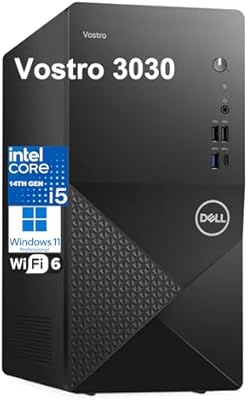
Dell Vostro 3030 Tower (Core i5-14400, 16GB DDR5, 512GB SSD)
80%
88%
Performance for Everyday Tasks
84%
Value for Money
93%
Setup & Out-of-Box Experience
79%
Build Quality & Chassis
71%
Storage Capacity & Speed
More
Dell Vostro 3910 Tower Desktop PC, 12th Gen Intel Core i3, 16GB RAM, 512GB SSD
85%
86%
Performance
92%
Value for Money
90%
Ease of Setup
88%
Quietness & Energy Efficiency
84%
Connectivity & Ports
More
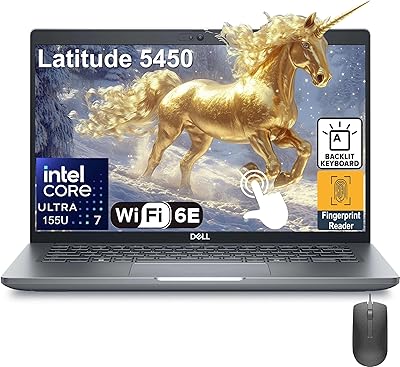
Dell Latitude 5450 14″ Touchscreen Business Laptop, Intel Core Ultra 7, 32GB RAM, 1TB SSD
86%
92%
Performance
88%
Display Quality
86%
Build Quality
79%
Battery Life
84%
Portability
More
Dell 14 Plus Laptop DB14250-14-inch 2.5K, Intel Core Ultra 7, 16GB RAM, 1TB SSD
85%
91%
Performance
94%
Display Quality
85%
Battery Life
88%
Build Quality
86%
Keyboard Usability
More
Dell OptiPlex 7020 Plus Tower Desktop
78%
93%
Processing Performance
91%
Multitasking Capability
89%
Storage & Boot Speed
48%
Wireless Connectivity
88%
Multi-Monitor Support
More

FAQ

No, the Dell ECT1250 Core Ultra 7 Tower Desktop does not include a monitor. You will need to purchase one separately. The good news is it supports up to four displays, so there is plenty of flexibility when you are ready to build out your setup.
That depends on the available PCIe slot and power supply headroom inside the ECT1250. Dell does not officially advertise a discrete GPU option for this model, so before purchasing a card, it is worth confirming the internal power supply wattage and slot availability. If GPU-intensive work is a priority now, a different machine may be a better starting point.

For the vast majority of professional workloads — video conferencing, spreadsheets, browser-heavy research, light content creation — 32GB of DDR5 is more than sufficient. If you are running virtual machines or doing serious data science work with large datasets, you may eventually want more, but most users will not hit that ceiling in day-to-day use.

Under typical office workloads, this business desktop runs fairly quietly. Some users have noted that fan noise becomes more audible during extended high-CPU tasks, but it is not described as disruptive. If you work in a very noise-sensitive environment, it is worth keeping that in mind.

It ships with Windows 11 Home. If you need Pro features — such as joining a corporate domain, BitLocker, or Remote Desktop hosting — you would need to purchase a Windows 11 Pro upgrade license separately. Many small businesses find Home sufficient, but larger IT environments with Active Directory requirements will want Pro.

Quite easy, actually. The chassis uses a tool-less side panel that pops off without a screwdriver, giving you straightforward access to the internals. Users who have done upgrades generally report that the process is as simple as Dell suggests — no unnecessary disassembly required.

The 1-year Basic Onsite Service means that if a hardware fault cannot be fixed remotely, Dell will send a technician to your home or office to repair it. It covers manufacturing defects and hardware failures under normal use. It does not cover accidental damage or software issues unrelated to hardware faults.

Yes. Wi-Fi 6 (802.11ax) is built directly into this Dell tower, so you can connect wirelessly right out of the box. Wi-Fi 6 is notably faster and more stable in congested network environments than older standards, which is a genuine practical benefit in busy home or small office settings.

In most cases, yes. Moving from a 10th or 11th Gen Core i7 to the Core Ultra 7-265 is a meaningful jump — not just in raw clock speed, but in how the processor handles parallel tasks, power efficiency, and AI-assisted features built into modern applications. You will likely notice the difference in everyday responsiveness.

Honestly, most users end up replacing them. The bundled peripherals are functional and fine for initial setup, but they are basic wired accessories without standout comfort or build quality. If you already have a keyboard and mouse you prefer, you will probably swap them in within the first week.