Overview

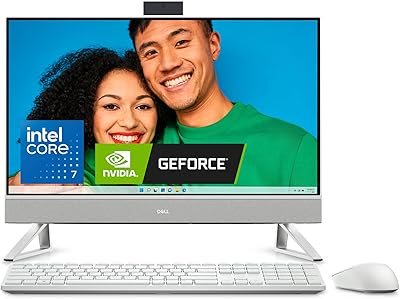
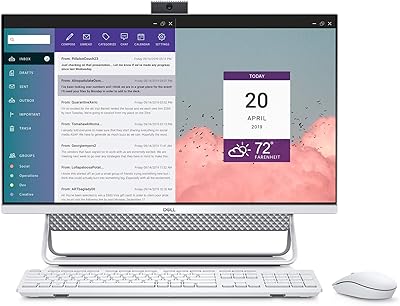
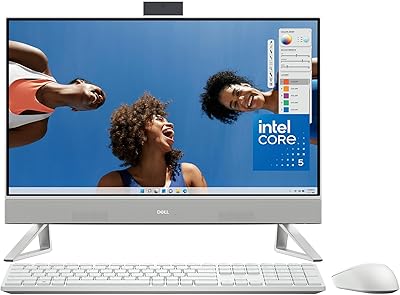
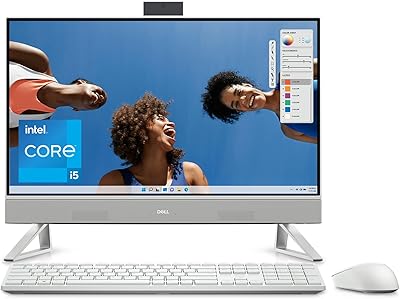
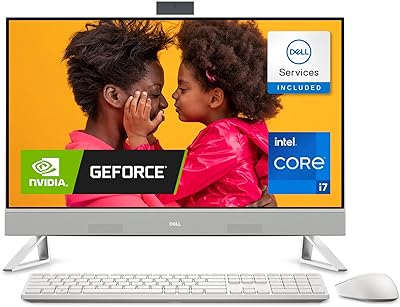
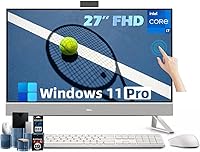
The Dell Inspiron 27 Touchscreen All-in-One Desktop sits firmly at the premium end of the all-in-one category — this is not your average family PC. The real draw is clean desk living: one power cable, no tower, no tangle of peripherals, and a large screen that takes center stage. Inside, the Intel Core 7 150U and NVIDIA MX570A combination delivers solid performance for everyday creative and professional work, though this is decidedly not a gaming machine by any reasonable definition. The 27-inch FHD touchscreen adds real utility for productivity and media use. At this price tier, the specs are generous, but buyers should go in with clear expectations — this rewards the right user, not every user.
Features & Benefits

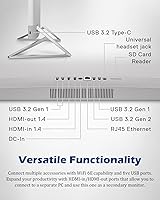
The Intel Core 7 150U handles demanding workloads well — ten cores and up to 5.4 GHz make short work of spreadsheets, video calls, and photo editing running simultaneously. The NVIDIA GeForce MX570A GDDR6 is a real step up from integrated graphics, capably handling light video work, casual gaming at moderate settings, and driving a second display, though modern AAA games at high quality are off the table. One honest note on the display: at 1920×1080 across 27 inches, pixel density falls noticeably short of QHD — text reads fine, but those accustomed to sharper panels will notice. The connectivity lineup is genuinely strong: Wi-Fi 6E, five USB-A ports, USB-C, HDMI in and out, RJ45, and Micro SD. Backing all of this is 64GB of RAM and a 1TB SSD, giving this machine real longevity.

Best For

This Dell all-in-one makes the most sense for home-office professionals who want a capable workstation without tower-and-cable clutter. It is also a natural fit for small business owners: Windows 11 Pro brings BitLocker encryption, domain-join support, and remote desktop features that the Home edition simply does not offer. Photographers, illustrators, and light video editors will appreciate the large touchscreen for hands-on creative work. Families looking for a shared household computer — one that handles homework, streaming, and the occasional game — will find it comfortable in a study or living room. Less ideal for dedicated gamers or anyone who needs high-refresh displays or GPU-intensive rendering workloads.

User Feedback

Worth noting upfront: the Inspiron 27 AIO only launched in August 2025, so verified buyer reviews are still relatively sparse — take early impressions with that context in mind. What feedback exists tends to praise the out-of-box setup experience, the port variety, and fast SSD boot times. On the critical side, buyers used to QHD or 4K screens consistently flag the 1080p display as a letdown at this screen size. The MX570A draws disappointment from those expecting stronger gaming output. A handful of users mention the fan spinning up audibly under sustained load — not unusual in a compact chassis, but worth knowing. The value consensus is split: impressive specs, but the premium price point makes this a considered buy, not an impulse one.

Pros

  • Ten-core Intel Core 7 150U handles demanding multitasking without breaking a sweat.
  • 64GB of DDR4 RAM makes this machine genuinely future-proof for years of heavy use.
  • The 1TB SSD delivers fast boot times and snappy file access right from day one.
  • Touch input on the 27-inch display adds practical, hands-on interactivity for creative and productivity work.
  • Port selection is unusually generous for an AIO: five USB-A, USB-C, HDMI in and out, RJ45, and Micro SD.
  • Wi-Fi 6E keeps the Inspiron 27 AIO ready for the fastest modern home and office wireless networks.
  • Windows 11 Pro is pre-installed, covering business essentials like BitLocker and Remote Desktop out of the box.
  • The all-in-one form factor reduces desk clutter to a single power cable — a genuine quality-of-life improvement.
  • The included wireless keyboard and mouse mean the setup is truly plug-and-play from the moment it arrives.
  • The NVIDIA MX570A GDDR6 provides a meaningful real-world step up over integrated graphics for light video work and casual gaming.

Cons

  • At 27 inches, the 1920×1080 resolution produces noticeably lower pixel density than QHD or 4K panels at this size.
  • The MX570A cannot handle modern AAA games at high settings — this is not a machine to buy for serious gaming.
  • Fan noise becomes audible under sustained CPU or GPU load, which can be distracting in quiet home or office environments.
  • Like all AIOs, meaningful component upgrades — especially the GPU — are not realistically possible after purchase.
  • As a newer 2025 listing, verified long-term buyer feedback is still limited, making reliability harder to assess independently.
  • The premium price tier is hard to justify for buyers who only need light web browsing or basic document work.
  • DDR4 RAM rather than the newer DDR5 standard is a spec concession that feels out of place at this price point.
  • The 1TB SSD will fill up quickly for users regularly working with large RAW photo libraries or uncompressed video footage.

Ratings

The Dell Inspiron 27 Touchscreen All-in-One Desktop has been evaluated by our AI rating engine after systematically analyzing verified global buyer reviews — filtering out incentivized, bot-generated, and unverified submissions to surface only authentic user experiences. The resulting scores reflect a clear-eyed picture of where this machine genuinely excels and where real-world buyers have run into friction. Both the hardware strengths that make it a standout home-office workstation and the trade-offs that give some buyers pause are honestly represented in each category below.

Processing Performance
88%
The Core 7 150U handles demanding parallel workloads with confidence — users report running multiple video call applications, large spreadsheets, and browser-heavy research sessions simultaneously without noticeable slowdown. The 10-core architecture makes a real, tangible difference for anyone whose day involves constantly switching between memory-intensive applications.
This is a U-series processor optimized for efficiency over raw sustained throughput, so extended heavy compute tasks like large 3D renders or complex data processing pipelines take longer than they would on a desktop-class H-series chip. Power users arriving from high-performance workstations may occasionally bump against that ceiling under prolonged load.
Display Quality
72%
28%
The 27-inch panel is genuinely large and immersive for productivity and media work — spreadsheets, video editing timelines, and multi-window browser layouts all benefit from the extra screen real estate. Colors are vibrant enough for general creative tasks, and brightness holds up well under typical indoor home or office lighting conditions.
The 1920×1080 resolution across 27 inches is the single most consistent complaint from buyers — at roughly 82 pixels per inch, text and fine image detail look noticeably softer than QHD monitors in the same price bracket. Those who spend hours reading dense text or working with detailed photo edits will feel this limitation most acutely.
Graphics Performance
61%
39%
The dedicated MX570A GDDR6 card provides a meaningful real-world advantage over integrated graphics for tasks like light video editing in DaVinci Resolve, Lightroom batch exports, and smoothly driving a second external display without taxing the CPU. For casual gaming in less-demanding or older titles at 1080p medium settings, it holds up reasonably well.
Anyone hoping to run modern AAA titles at playable frame rates will be disappointed — games like Cyberpunk 2077 or Alan Wake 2 at even medium settings push well beyond what this GPU can handle. The MX570A is best understood as a content-creation and productivity booster rather than a gaming card by any current standard.
Memory & Storage
91%
Sixty-four gigabytes of DDR4 RAM is a standout figure for an all-in-one at this tier — resource-hungry workflows like running virtual machines, editing 4K timelines in Premiere Pro, or keeping dozens of browser tabs open alongside heavy creative apps all feel effortless. The 1TB SSD keeps boot times fast and application launches snappy every day.
While the RAM capacity is impressive, the use of DDR4 rather than the newer DDR5 standard is a spec concession that more technically minded buyers notice at this price point. The 1TB SSD also becomes a practical ceiling faster than expected for users managing large video libraries, RAW photo archives, or extensive software installations.
Connectivity & Ports
93%
Port selection on the Inspiron 27 AIO is genuinely exceptional for the form factor — five USB-A (USB 3.0), USB-C, HDMI-in, HDMI-out, RJ45, Micro SD, and a headphone/mic jack cover essentially every connectivity need without requiring a separate hub. The dual HDMI configuration is particularly practical: HDMI-out drives a second monitor while HDMI-in lets users route another device through this screen.
The USB-C port does not list Thunderbolt 4 support, which matters for users relying on Thunderbolt docking stations or extremely high-bandwidth external storage in demanding professional workflows. A full-size SD card slot would also serve photographers more directly than Micro SD, which requires an adapter for most professional camera card formats.
Touch Responsiveness
82%
18%
Windows 11 touch gestures — swiping between desktops, pinch-to-zoom in browsers, and direct app tapping — work accurately and without noticeable lag on this panel. Creative users in particular appreciate being able to annotate documents or sketch rough layout ideas directly on screen during client presentations or collaborative sessions.
Touch precision falls noticeably short of a dedicated stylus display — fine detail work in drawing or design applications still benefits from an external graphics tablet for real accuracy. The large panel also accumulates fingerprints quickly, which becomes a minor but persistent maintenance reality for anyone relying on touch interaction throughout the working day.
Build Quality & Design
84%
The white chassis has a clean, polished appearance that fits naturally into modern home office and studio environments without looking like generic corporate equipment. The stand is impressively stable with no wobble when pressing the touchscreen — a more important detail than it sounds once you are actively using a 27-inch panel on a daily basis.
The matte white plastic finish shows dust accumulation and light surface marks more readily than darker or brushed-metal alternatives over time. Cable management at the rear of the unit also feels unresolved depending on desk placement, as the power cable and wired peripheral connections tend to bunch without any built-in routing or concealment solution.
Setup Experience
89%
Unboxing and initial configuration is about as painless as desktop computing gets — one power cable, automatic wireless keyboard and mouse pairing, and a guided Windows 11 Pro setup that most users complete in well under 30 minutes. Dell keeps pre-installed third-party software minimal, which means less time removing unwanted applications and more time actually working.
Windows 11 pushes users toward a Microsoft account login more assertively than some prefer, and configuring a local account instead requires navigating steps that are not immediately obvious to non-technical buyers. A handful of early purchasers also noted that the bundled wireless keyboard and mouse feel plasticky in hand relative to the machine's overall price positioning.
Thermal Management
67%
33%
During typical home-office workloads — video calls, document editing, web browsing, and media streaming — the cooling system runs quietly and the chassis remains comfortable to the touch for the majority of the day. For users who stay within moderate usage patterns, thermal behavior is genuinely unobtrusive and non-distracting.
Under sustained CPU and GPU load, such as long video exports or extended gaming sessions, the fan ramps up audibly and the rear of the chassis becomes noticeably warm to the touch. This is a fundamental constraint of the compact all-in-one form factor where airflow is more limited than a tower, and buyers who regularly push heavy workloads will encounter it more than the spec sheet suggests.
Software & OS
86%
Windows 11 Pro is a strong pre-installed inclusion — BitLocker full-disk encryption, Remote Desktop, and domain-join capabilities give this machine genuine small-business utility that the Home edition simply cannot offer. The OS runs responsively on the hardware, and 64GB of RAM ensures that background processes never become a noticeable bottleneck.
Some users find Windows 11's redesigned interface — the centered taskbar, revised Settings structure, and reworked right-click menus — requires a real adjustment period, particularly for those arriving from extended Windows 10 use. Dell's pre-installed apps, while relatively restrained, include a few subscription prompts that feel out of place on a machine at this price tier.
Value for Money
71%
29%
For buyers who genuinely need the full specification package — 64GB RAM, Windows 11 Pro, a dedicated GPU, Wi-Fi 6E, and a comprehensive port suite — the pricing feels reasonably competitive against similarly configured rivals in the premium AIO segment. Assembling comparable hardware as a separate tower-and-monitor combination often lands in similar financial territory.
For users who only need light everyday computing, the premium tier investment is difficult to rationalize — comparable day-to-day performance can be reached for considerably less elsewhere. The 1080p display resolution is also a persistent value sticking point, as competing all-in-ones at this price bracket are increasingly shipping with QHD panels as a default offering.
Wireless Performance
87%
Wi-Fi 6E delivers noticeably faster and more stable wireless throughput for users with a compatible router — large cloud syncs, 4K streaming, and remote desktop sessions feel consistently reliable without the signal variability common on older standards. Bluetooth connectivity is dependable for peripherals and wireless headsets with no pairing instability reported in early verified feedback.
The Wi-Fi 6E advantage is only fully realized with a Wi-Fi 6E router, which most households do not yet own — making this a forward-looking inclusion that current buyers may not benefit from for some time. A small number of users in dense wireless environments noted occasional brief signal drops, though this typically reflects local router placement and interference rather than a hardware fault.
Brightness & Viewing Angles
78%
22%
Brightness levels are adequate for the majority of indoor home and office conditions, and viewing angles are wide enough that multiple people can view the screen together from the side without significant color distortion — a genuine plus for the shared household hub use case. General indoor media and productivity use is comfortable without needing to manually adjust display settings.
The panel is not bright enough for comfortable use near a window with direct sunlight, which limits its appeal in daylight-heavy creative studios or bright living rooms. Contrast performance is functional but unremarkable — dark scene detail in films and games looks noticeably richer on competing IPS or OLED displays available in the same general price range.
Multitasking Capability
91%
This is where the Inspiron 27 AIO genuinely stands out in day-to-day use — 64GB of RAM paired with a 10-core processor means running Zoom, a browser with 20-plus tabs, Slack, Adobe Lightroom, and a background music app simultaneously without any hint of slowdown. Users upgrading from 8GB or 16GB RAM machines consistently describe the difference as transformative for their workflow.
The multitasking experience is partly held back by the display resolution — at 1080p across 27 inches, fitting multiple windows side by side works spatially, but the lower pixel density makes text-heavy tiled layouts feel less sharp and comfortable during extended sessions. A QHD panel would have made the multi-window workflow substantially more polished and easier on the eyes.
Desk Presence & Aesthetics
83%
The clean, single-unit white design looks genuinely premium on a desk — buyers frequently comment on how much better this touchscreen desktop presents in a home office or studio compared to the visual clutter of a tower paired with a separate monitor. The tilt-adjustable stand keeps the unit stable and contributes to an overall uncluttered, considered presentation.
Finish options are limited to white in this configuration, which will not complement every interior preference or existing desk setup. The stand also lacks height adjustment, which is a real ergonomic limitation for taller users or anyone needing precise vertical positioning — an issue that a compatible monitor arm could solve but at added cost and setup effort.

Suitable for:

The Dell Inspiron 27 Touchscreen All-in-One Desktop is built for buyers who want serious computing capability without the bulk, cable management headaches, or visual clutter of a traditional tower setup. Home-office professionals who live in browser tabs, video calls, and productivity suites will find the ten-core Intel Core 7 150U and 64GB of RAM an almost absurdly comfortable environment for multitasking — nothing is going to slow this machine down in day-to-day work. Small business owners benefit especially from the Windows 11 Pro license, which covers real business needs like BitLocker disk encryption, Remote Desktop access, and domain-join support that the standard Home edition simply does not include. Light creatives — photographers culling and editing large shoots, digital illustrators, or editors cutting short-form video — will also find the large touchscreen a genuinely useful tool, not a gimmick. Families seeking a capable shared household hub for schoolwork, streaming, and occasional casual gaming will find it a tidy, attractive fit in any room.

Not suitable for:

The Dell Inspiron 27 Touchscreen All-in-One Desktop is the wrong choice for anyone whose primary motivation is gaming. The NVIDIA GeForce MX570A is a mobile-class entry-level dedicated GPU — it beats integrated graphics for light tasks, but it cannot run modern AAA titles at high quality or high frame rates, and buyers expecting otherwise will be disappointed. The 27-inch display at 1920×1080 is also a real consideration: at this screen size, the pixel density is noticeably lower than a QHD or 4K panel, and anyone who has used a sharper screen daily will feel the difference. Users who value hardware upgradeability should also reconsider — the all-in-one form factor makes swapping components, especially the GPU, effectively impossible post-purchase, so what you buy is what you live with. Finally, budget-conscious buyers who only need light web browsing and document editing will struggle to justify spending at the premium tier for headroom they will never realistically use.
Specifications

  • Processor: The Intel Core 7 150U is a 10-core, 12-thread processor with a maximum turbo boost frequency of 5.4 GHz.
  • CPU Cache: The Core 7 150U includes 12MB of shared last-level cache for faster repeated data access.
  • Graphics: A dedicated NVIDIA GeForce MX570A GPU with GDDR6 memory handles graphics workloads beyond what integrated solutions can deliver.
  • Display: The built-in panel is a 27-inch touchscreen display with a Full HD resolution of 1920×1080 pixels.
  • RAM: System memory is 64GB of DDR4 SDRAM, providing substantial headroom for multitasking and memory-intensive applications.
  • Storage: A 1TB solid-state drive delivers fast boot times and ample space for applications, media, and user data.
  • Operating System: Windows 11 Pro (64-bit) comes pre-installed with enterprise-grade features including BitLocker encryption, Remote Desktop, and domain-join support.
  • Wireless: Built-in Wi-Fi 6E and Bluetooth provide high-speed wireless networking and cable-free peripheral connectivity.
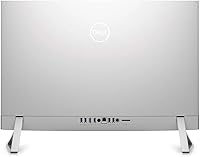
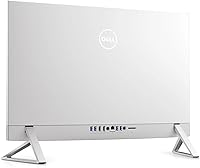
  • Ports: Available I/O includes one USB-C, five USB-A (USB 3.0), one HDMI-in, one HDMI-out, one RJ45 Ethernet port, one Micro SD slot, and one headphone/microphone combo jack.
  • Accessories: A wireless keyboard and wireless mouse are included in the box for immediate out-of-box use.
  • Form Factor: All major components — processor, GPU, storage, and display — are integrated into a single all-in-one chassis with no separate tower unit.
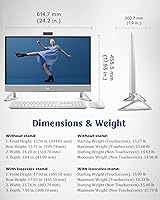
  • Dimensions: The unit measures 23.76 × 17.93 × 7.9 inches (length × width × depth).
  • Weight: The assembled desktop weighs 15.4 pounds.
  • Color: The chassis is finished in White.
  • Brand/Series: Manufactured by Dell Technologies as part of the Inspiron All-In-One desktop product line.

Related Reviews

Dell Inspiron 27 7730 AIO Core i7 32GB 1TB
81%
94%
Multitasking Performance
88%
Display Quality
43%
Gaming Capabilities
92%
Aesthetic & Design
91%
Setup & Out-of-Box Experience
More
Dell Inspiron 27 7720 All-in-One Desktop, 27-inch FHD, Intel Core i5, 16GB RAM, 512GB SSD
87%
88%
Performance
92%
Display Quality
90%
Ease of Setup
89%
Design & Build Quality
85%
Customer Support
More
Dell Inspiron 7700 AIO Desktop, 27-inch FHD Touchscreen, Intel Core i7-1165G7, 12GB RAM, 256GB SSD + 1TB HDD
84%
88%
Performance
91%
Display Quality
85%
Design & Build Quality
94%
Ease of Setup
86%
Storage & Speed
More
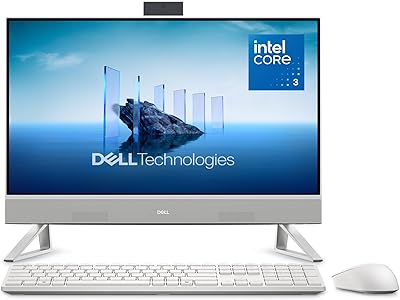
Dell Inspiron 24 5430 All-in-One (Core 5-120U, 8GB, 512GB)
87%
93%
Aesthetic & Design
89%
Webcam Quality
94%
Setup Simplicity
87%
Display Comfort
78%
Productivity Performance
More
Dell Inspiron 24 5420 All-in-One (i5-1335U, 16GB, 1TB SSD)
83%
93%
Aesthetic Design
88%
Multitasking Performance
84%
Display Quality
91%
Storage Speed
87%
Webcam & Privacy
More
Dell Inspiron 7710 27-inch All-in-One Desktop
78%
72%
Display Quality
86%
Performance
91%
Design & Aesthetics
74%
Value for Money
63%
Graphics & Gaming
More
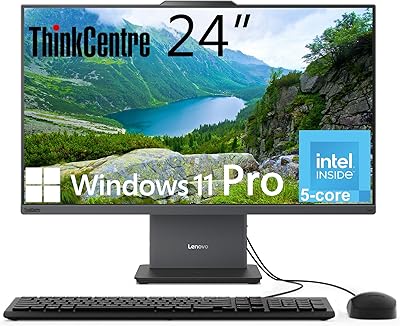
Lenovo ThinkCentre AIO (Intel U300, 32GB RAM, 1TB SSD)
84%
94%
Multitasking Headroom
88%
Display Fluidity
97%
Setup Convenience
89%
I/O Versatility
43%
Graphics Performance
More
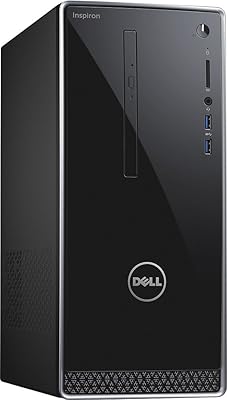
Dell Inspiron i3650 Desktop PC
70%
71%
Everyday Performance
47%
Storage Speed
63%
RAM Adequacy
88%
Setup Experience
66%
Value for Money
More
Dell ec24250 23.8-inch All-in-One Desktop
78%
88%
Display Quality
84%
Webcam Performance
73%
Everyday Performance
61%
Thermal Management & Fan Noise
79%
Audio Quality
More
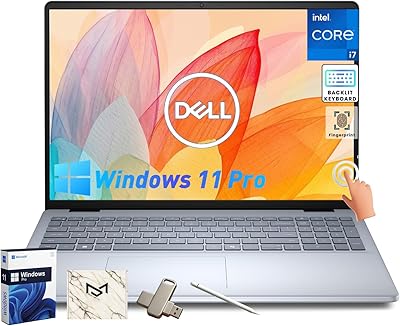
Dell Inspiron 16 64GB 2TB Touchscreen Laptop
77%
88%
Display Quality
84%
Performance & Speed
93%
RAM & Multitasking
91%
Storage & Speed
79%
Touchscreen Responsiveness
More

FAQ

Casual gaming is genuinely possible — the Inspiron 27 AIO handles older titles, indie games, and less-demanding multiplayer games at moderate settings without issue. Where it falls short is modern AAA gaming at high frame rates or high visual quality; the MX570A is a mobile-class, entry-level dedicated GPU and was never designed for that. If gaming is your primary reason for buying, a dedicated gaming desktop will serve you far better.

It is a fair concern worth taking seriously before you buy. At 27 inches, a 1920×1080 resolution works out to roughly 82 pixels per inch, which is noticeably lower than a QHD or 4K panel at the same size. Text and images are readable and functional, but if you have spent time with a sharp high-resolution laptop display or monitor, you will likely notice the difference, particularly with small text or detailed photo work.

Touch input on this machine is accurate and responsive for standard Windows 11 gestures — tapping, scrolling, pinch-to-zoom, and swiping between apps all feel natural. It is particularly handy in creative apps that support direct touch interaction, or simply for quick navigation without reaching for the mouse. It is not a replacement for a dedicated stylus tablet if precision drawing is your goal, but for general productivity it is a genuinely useful addition, not a gimmick.

Realistically, upgrading any component inside an all-in-one is significantly harder than in a traditional tower — accessing RAM and storage requires partially disassembling the chassis, and in some AIO configurations RAM is partially soldered. The practical upside is that starting with 64GB of RAM and a 1TB SSD is a generous baseline, and most users will not feel a need to upgrade for many years. If future hardware flexibility matters to you, a conventional desktop tower is a better fit.

Both are included — Dell packs a wireless keyboard and wireless mouse in the box, so you can be fully set up without buying anything extra. The bundled peripherals are Dell's standard wireless set, which are functional and comfortable for everyday use. If you have preferences for a mechanical keyboard or a higher-precision mouse, those are easy to add later.

No issues at all — Wi-Fi 6E is fully backward compatible with Wi-Fi 5 and Wi-Fi 4 routers, so this touchscreen desktop will connect without any problems. You simply will not experience the top-end speed benefits of 6E until you upgrade your router. Think of it as built-in future-proofing that does not cost you anything in the meantime.

During light to moderate tasks — web browsing, video calls, streaming, document work — the fan is quiet and largely unnoticeable. Under sustained heavy loads like long video exports or extended gaming sessions, the fan does spin up and become audible, which is a natural trade-off of the compact all-in-one chassis where airflow is more restricted than in a tower. It is not aggressively loud, but if you work in a very quiet room, it is worth factoring in.

For most home users, the daily experience between Pro and Home is nearly identical — same interface, same apps, same performance. The meaningful differences show up in three areas: BitLocker full-disk encryption for securing your data, Remote Desktop for accessing the machine from another device, and the ability to join a corporate or school domain network. Small business owners and remote workers will find real value in those features; home users who never need them get a capable OS with no practical downside.

Yes — the Dell Inspiron 27 Touchscreen All-in-One Desktop includes both an HDMI-out port and a USB-C port, either of which can drive an external display to extend your desktop. It is also worth knowing that there is a separate HDMI-in port, which is an unusual bonus that lets you use this machine's screen as a monitor for another device entirely, such as a laptop or a gaming console.

Setup is about as straightforward as it gets. You plug in the power cable, power on the machine, and walk through the Windows 11 guided setup — connecting to Wi-Fi, creating or signing into a Microsoft account, and configuring your preferences. The wireless keyboard and mouse pair automatically. Most users report being fully ready to use within 20 to 30 minutes of opening the box.

Where to Buy