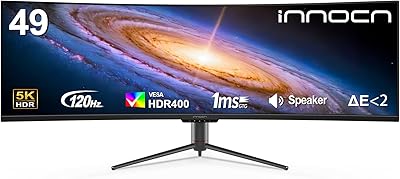
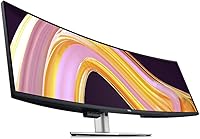
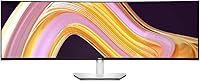
Dell UltraSharp U4924DW 49″ Curved Monitor




Overview
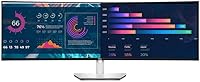
The Dell UltraSharp U4924DW 49″ Curved Monitor is built for professionals who find a standard widescreen display genuinely inadequate for serious multitasking. Think of it less as a very wide monitor and more as a dual-monitor replacement — one uninterrupted 5120x1440 DQHD canvas where two full-HD-equivalent windows can sit side by side. That kind of screen real estate reshapes how you work, letting you keep a code editor, documentation, and browser simultaneously visible without constant Alt-tabbing. At this price tier, it squarely targets power users: developers, analysts, and creatives who will actually use every inch. Gamers expecting high refresh rates should look elsewhere.
Features & Benefits
The 32:9 curved panel is the standout here. At 49 inches wide, a flat screen would force you to turn your head constantly — the gentle curve pulls the edges into your peripheral vision naturally, reducing fatigue during long sessions. The U4924DW also handles desk cable clutter well: a single USB-C connection carries video, data, and power delivery simultaneously, making it a practical docking solution for laptop users. Six USB 3.0 ports mean you rarely need a separate hub. Honest caveat: at 350 nits and without true HDR, this isn't the monitor for color-critical print work or cinematic HDR viewing — it's tuned for all-day office comfort.
Best For
This 49-inch ultrawide makes the most sense for heavy multitaskers who currently run two monitors and want the benefits without the bezel gap in the middle. Software developers running an IDE alongside documentation, financial analysts monitoring multiple dashboards, or video editors working with wide timelines will feel right at home. Remote workers connecting a laptop via USB-C will appreciate the clean single-cable setup. One practical warning: this curved workstation monitor is almost four feet wide and weighs over 60 pounds. Measure your desk before ordering — not just the surface area, but the depth too. Compact desk owners should genuinely reconsider.
User Feedback
With a 4.4-star average across roughly 66 ratings, buyer sentiment leans positive — but the sample size is modest enough to read carefully. Most praise centers on the immersive workspace experience: users report that switching back to a standard monitor feels jarring after just a few weeks. The sturdy stand and overall Dell build quality come up repeatedly. On the critical side, several buyers note that repositioning the monitor is genuinely cumbersome given its weight, and that Windows and macOS both require some configuration time to manage windows effectively across the wide canvas. A few USB-C compatibility questions have surfaced too — worth confirming your laptop's power delivery requirements before purchase.
Pros
- Replaces a dual-monitor setup entirely, with no center bezel breaking your field of view.
- The 5120x1440 DQHD resolution keeps everything sharp even when splitting the screen into multiple windows.
- A single USB-C cable handles video, data, and power delivery — a genuine quality-of-life upgrade for laptop users.
- Six built-in USB 3.0 ports eliminate the need for a separate desk hub.
- The 49-inch curve reduces neck strain noticeably compared to a flat ultrawide of the same width.
- Dell UltraSharp build quality and after-sales support stand well above most competing ultrawide brands.
- The sturdy stand holds the panel firmly with no wobble, even on slightly uneven desk surfaces.
- Edge WLED backlight delivers consistent brightness and color uniformity across the full width for everyday work.
Cons
- At nearly 48 inches wide and over 60 pounds, repositioning this curved workstation monitor is a two-person job.
- Windows and macOS both require manual configuration work to manage app windows sensibly across the wide canvas.
- USB-C power delivery may not fully charge all laptops — verify your device's wattage requirements before assuming compatibility.
- The glossy screen surface picks up reflections in brightly lit rooms, which can become distracting during long sessions.
- 350-nit brightness and no true HDR support make it a poor fit for HDR content or high-contrast creative work.
- The 60Hz refresh rate rules it out as a serious gaming monitor, regardless of the 5ms response time.
- With only around 66 buyer ratings, there is not yet enough review data to draw confident conclusions about long-term reliability.
- The physical footprint demands a deep, wide desk — compact or L-shaped setups may struggle to accommodate it comfortably.
Ratings
The Dell UltraSharp U4924DW 49″ Curved Monitor has been evaluated by our AI rating system after analyzing verified global buyer reviews, with spam, bot-generated, and incentivized feedback actively filtered out before scoring. Across categories ranging from display quality to long-term ergonomics, both the genuine strengths and the recurring frustrations are reflected honestly in the scores below. The result is a balanced picture of where this 49-inch ultrawide truly excels for working professionals — and where it falls short of expectations.
Screen Real Estate
Build Quality
Color Accuracy
Connectivity & Hub
Ergonomics & Setup
Image Sharpness
Gaming Performance
Brightness & Glare
OS Window Management
Value for Money
Desk Footprint
HDR & Contrast
Warranty & Support
Suitable for:
The Dell UltraSharp U4924DW 49″ Curved Monitor is purpose-built for professionals who spend their days juggling multiple applications and find themselves constantly switching between windows. Software developers who want a terminal, code editor, and documentation browser open simultaneously will immediately feel the difference — the 5120x1440 DQHD resolution essentially gives you two full 2560x1440 displays stitched together without a bezel interrupting the middle. Financial analysts tracking live dashboards, video editors working across wide timelines, and designers doing side-by-side layout comparisons will all find that the 32:9 format genuinely reshapes their workflow rather than just widening it cosmetically. Remote workers who dock a laptop with a single USB-C cable will also appreciate waking up to a clean, clutter-free desk every morning. If you have the desk space and the professional workload to justify it, this curved workstation monitor pays for itself in reclaimed focus and reduced tab-switching friction.
Not suitable for:
Buyers hoping to use the U4924DW as a primary gaming display will likely walk away underwhelmed — 60Hz and a 5ms GTG response time are perfectly adequate for office work but fall well short of what competitive or fast-paced gaming demands in 2024. This is also not the right choice for anyone working in a smaller home office or on a standard desk; at nearly 48 inches wide and over 60 pounds, it requires serious surface real estate and is genuinely difficult to reposition once placed. Users who rely heavily on HDR content or color-critical print workflows should note that 350 nits of brightness and the Edge WLED backlight, while solid for daily productivity, do not deliver the contrast depth or peak luminance that dedicated HDR or wide-gamut panels offer. Budget-conscious buyers will also feel the weight of the price tag — this is a premium tier purchase, and those who cannot fully exploit its multitasking capabilities are almost certainly overpaying for screen they will never use.
Specifications
- Screen Size: The panel measures 49 inches diagonally, providing a viewing area roughly equivalent to two 27-inch monitors placed side by side.
- Resolution: Native resolution is 5120x1440 (Dual Quad HD), delivering sharp detail across the full width without visible pixelation at normal viewing distances.
- Aspect Ratio: The 32:9 aspect ratio is twice as wide as a standard 16:9 display, enabling true side-by-side multitasking without splitting a single screen.
- Panel Type: Uses an Edge WLED-backlit LCD panel, which provides consistent brightness distribution and reliable color uniformity across the wide surface area.
- Response Time: Rated at 5ms GTG (Fast mode), which is adequate for productivity and casual video playback but below the threshold competitive gamers typically require.
- Brightness: Peak brightness reaches 350 nits, suitable for indoor office environments but not enough for comfortable HDR content or brightly lit rooms with direct glare.
- Curvature: The panel features a curved screen-edge design that pulls the far left and right edges into natural peripheral vision, reducing the need to turn your head.
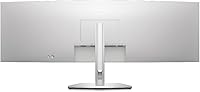
- USB-C Port: One USB Type-C port supports video input, data transfer, and power delivery in a single cable connection, functioning as a one-cable docking solution for compatible laptops.
- USB 3.0 Ports: Six USB 3.0 ports are built into the monitor body, effectively replacing the need for a standalone desktop hub on most setups.
- Screen Surface: The panel has a glossy screen surface, which enhances color vibrancy but can produce noticeable reflections in rooms with strong ambient or natural light sources.
- Dimensions: The assembled unit measures 4.4 x 47.8 x 14.4 inches (D x W x H), requiring a desk surface of at least 48 inches in width to sit properly.
- Weight: The monitor weighs 60.2 pounds fully assembled, making solo repositioning impractical and permanent desk placement the realistic expectation for most users.
- Color Accuracy: As part of the UltraSharp line, the panel is factory-calibrated and covers sRGB color space, making it suitable for design and photo editing work at a professional level.
- Brand & Series: Manufactured by Dell Technologies under the UltraSharp series, which is Dell's premium display line known for build consistency and multi-year warranty support.
- Model Number: The official model identifier is U4924DW, used for warranty registration, driver downloads, and compatibility verification with Dell support.
- Input Voltage: Rated for up to 240 Volts AC, making it compatible with both North American and international power supplies when used with the appropriate power adapter.
- Release Date: First made available in May 2023, placing it in the current generation of ultrawide workstation displays with up-to-date connectivity standards.
- Color Finish: Comes in a matte black finish on the housing and stand, which blends cleanly into most professional desk environments without drawing attention away from the screen.
Related Reviews
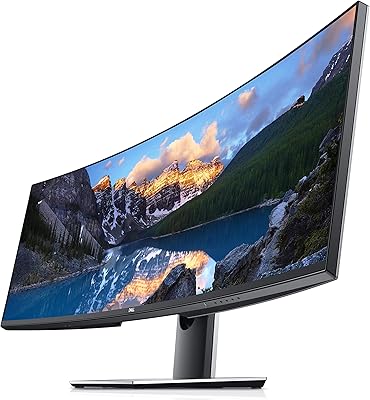
Dell UltraSharp U4919DW 49″ Ultrawide Monitor
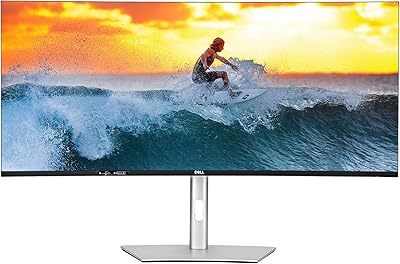
Dell UltraSharp U4025QW 40″ 5K2K Curved Monitor
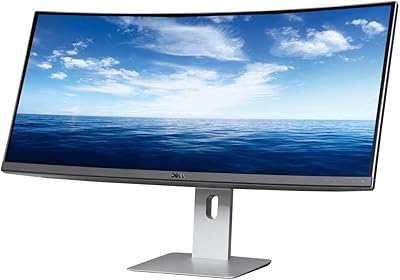
Dell U3419W Ultrasharp 34-Inch Curved IPS Monitor
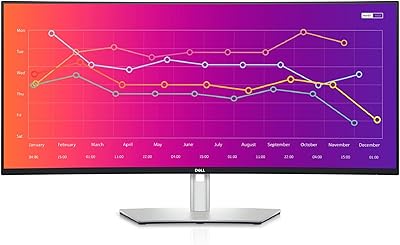
Dell UltraSharp U3821DW 38-inch Curved USB-C Hub Monitor
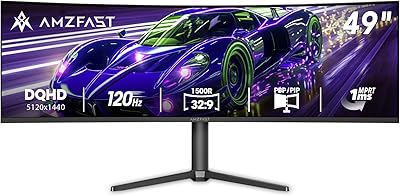
Amzfast AMZG49C7U 49-inch Curved Ultrawide Gaming Monitor
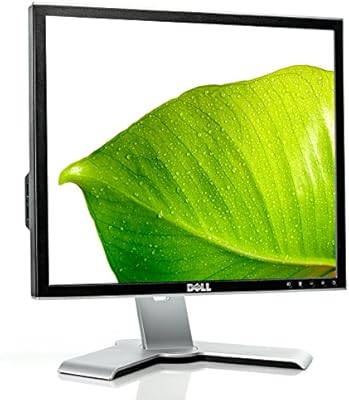
Dell 1908FP 19-Inch Flat Panel Monitor
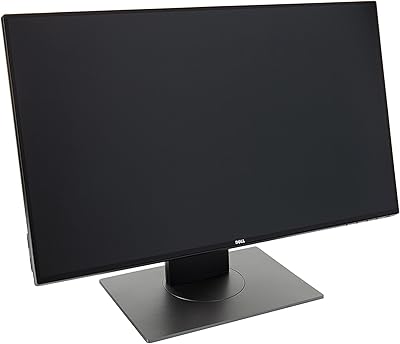
Dell UltraSharp U2417H 24-inch IPS Monitor
Dell UltraSharp U2415 24-inch Monitor
Dell S3221QS 32″ 4K UHD Curved Monitor