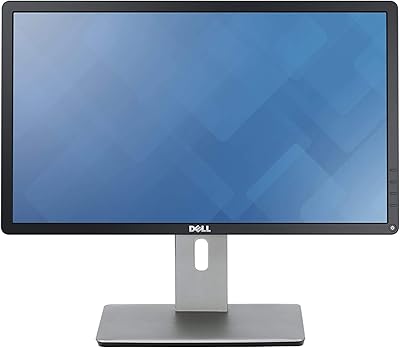
Dell UltraSharp U2417H 24-inch IPS Monitor

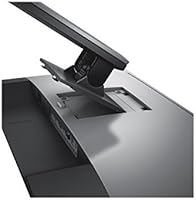
Overview
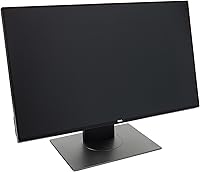
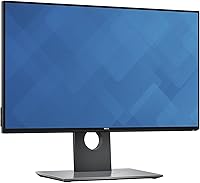
The Dell UltraSharp U2417H 24-inch IPS Monitor sits comfortably in the mid-range professional display category, offering the build quality and color consistency that Dell's UltraSharp line has built a reputation on. What immediately catches the eye is the ultra-thin bezel design — all four edges are nearly borderless, giving the screen a clean, premium look that punches well above its price class. The IPS panel means colors stay accurate and consistent whether you're viewing straight-on or at a wide angle. The ergonomic stand adds real-world practicality most budget monitors skip entirely. Just know going in: this is a Full HD 1080p panel, not 4K — well-suited for office work and general use, but not for demanding photo retouching or high-resolution creative production.
Features & Benefits
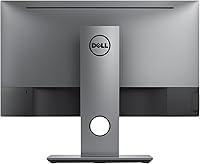
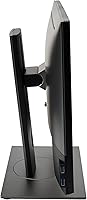
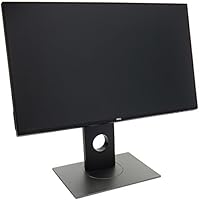
The near-borderless frame is the first thing most people notice about this Dell UltraSharp monitor, but the hardware underneath is equally considered. The IPS panel covers 99% sRGB, which translates to colors that look accurate and natural across a wide range of content — web design, spreadsheets, video calls, light photo editing. Connectivity is genuinely practical: you get HDMI, DisplayPort in and out, and four USB 3.0 ports that effectively turn the monitor into a desk-based USB hub. The ergonomic stand deserves real credit — it tilts, swivels, pivots to portrait mode, and adjusts in height. One honest caveat: at 60Hz with an 8ms response time, this display is built for productivity, not fast gaming.
Best For
The U2417H is a strong fit for office professionals and remote workers who want something that looks sharp, sits comfortably at eye level, and does not cause neck strain over a full workday. The near-borderless design makes it particularly useful for dual-monitor setups — two of these side by side creates a cohesive workspace with minimal visual gaps between screens. Graphic designers and content creators who work primarily in the sRGB color space will find the panel honest and reliable without paying for a wide-gamut professional display. Students upgrading from a basic screen will also appreciate the build quality and Dell's three-year warranty. Dedicated gamers or anyone who needs 4K resolution should look elsewhere.
User Feedback
With a 4.6-star rating across more than a thousand reviews, long-term satisfaction with this 24-inch IPS display runs consistently high. Buyers frequently highlight image clarity out of the box and the solid feel of the stand — it is the kind of peripheral that does not feel like it needs replacing after two years. The built-in USB hub also gets regular praise for simplifying cable management on a busy desk. That said, some users who initially bought this for productivity later found the 60Hz ceiling frustrating once they shifted toward gaming. A smaller number of early buyers reported minor backlight bleed at the screen edges. Dell's three-year warranty appears repeatedly in reviews as a genuine comfort factor when making the decision to buy.
Pros
- Near-borderless frame on all four sides makes dual-monitor arrangements look clean and cohesive.
- IPS panel delivers consistent, accurate color from wide angles — no color shift when viewing off-center.
- The stand adjusts in height, tilt, swivel, and pivot, giving real ergonomic flexibility for long work sessions.
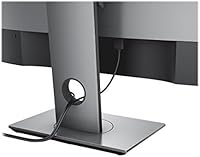
- Four USB 3.0 ports effectively turn the monitor into a desk hub, reducing cable clutter significantly.
- Anti-glare matte coating handles bright office lighting well without introducing heavy haze.
- DisplayPort output supports daisy-chaining, a practical feature for multi-monitor power users.
- Dell's three-year warranty provides a meaningful confidence buffer that most competing brands do not match.
- Out-of-the-box image quality is frequently praised — minimal calibration needed for everyday office use.
- VESA mount compatibility gives flexibility to wall-mount or use a third-party arm instead of the stock stand.
- Build quality feels solid and durable — owners regularly report years of reliable daily use without degradation.
Cons
- 60Hz refresh rate is a hard ceiling — users who shift toward gaming will quickly feel the limitation.
- Full HD resolution starts to show its age on a 24-inch screen for anyone doing detail-heavy visual work.
- Some early production units have been reported to exhibit minor backlight bleed along screen edges.
- Brightness tops out at 250 cd/m², which can feel insufficient in very bright or sunlit environments.
- No USB-C connectivity, which is a noticeable omission for modern laptops that rely on that port.
- The 8ms response time in normal mode is acceptable but not competitive with modern IPS gaming panels.
- At 13.9 pounds, the assembled unit is on the heavier side if you plan to reposition it frequently.
- Color coverage is limited to sRGB — not suitable for workflows requiring Adobe RGB or DCI-P3 accuracy.
- No built-in speakers, so audio requires a separate solution even for basic video call use.
- Older connectivity standard — HDMI 1.4 limits bandwidth compared to newer HDMI 2.0 or 2.1 ports.
Ratings
The scores below for the Dell UltraSharp U2417H 24-inch IPS Monitor were generated by our AI engine after analyzing thousands of verified global user reviews, with spam, bot-submitted, and incentivized feedback actively filtered out before any scoring was applied. Each category reflects the real distribution of buyer sentiment — including the frustrations that glossy marketing pages tend to omit. Where this monitor earns strong marks, you will see why; where it falls short for certain buyers, that is shown transparently too.
Image Clarity
Color Accuracy
Panel Uniformity
Build Quality
Ergonomic Stand
Connectivity
USB Hub Usability
Refresh Rate & Gaming
Response Time
Anti-Glare Coating
Brightness
Setup Experience
Value for Money
Warranty & Support
Multi-Monitor Compatibility
Suitable for:
The Dell UltraSharp U2417H 24-inch IPS Monitor is genuinely well-matched for office professionals and remote workers who spend the bulk of their day in productivity applications, video calls, and document work. The fully adjustable stand makes a real difference over a long workday — being able to dial in the exact height and angle reduces neck and shoulder strain in ways that fixed-stand budget monitors simply cannot. People building a dual-monitor setup will find the near-borderless frame particularly practical, since the narrow edges between two screens create a much more cohesive viewing surface. Graphic designers and content creators who work primarily within the sRGB color space — web design, social media assets, presentation graphics — will get consistent, honest color reproduction without paying for a specialist wide-gamut display. Students and home users upgrading from an entry-level monitor also land squarely in the sweet spot here, especially those who value a reputable brand and a three-year warranty as a safety net on a meaningful purchase.
Not suitable for:
Anyone who has gaming as even a secondary use case should think carefully before committing to the U2417H. The 60Hz refresh rate and 8ms response time are adequate for desktop work but will feel limiting compared to the 144Hz-and-above panels that have become standard in the gaming monitor category. Users who need 4K resolution for detailed photo retouching, video editing, or architectural work will also find Full HD underwhelming at this screen size, where pixel density simply does not hold up under close scrutiny. Content creators working in wide-gamut color spaces like Adobe RGB or DCI-P3 should look at panels specifically designed for those standards, as this IPS display covers sRGB well but was never intended for that level of color-critical work. Finally, buyers who prefer a completely bezel-free aesthetic on three sides rather than all four may want to compare newer panel generations before deciding.
Specifications
- Panel Type: The monitor uses an IPS (In-Plane Switching) panel, which provides consistent color accuracy and wide viewing angles up to 178 degrees both horizontally and vertically.
- Screen Size: The active display area measures 24 inches diagonally, offering a comfortable workspace footprint for single or dual-monitor desk setups.
- Resolution: Native resolution is 1920 x 1080 (Full HD), delivered at a 16:9 aspect ratio suited to standard office applications and media consumption.
- Refresh Rate: The panel operates at a fixed 60Hz refresh rate, which is standard for productivity-focused displays but not designed for high-frame-rate gaming.
- Response Time: Response time is 8ms in normal mode and 6ms in fast mode (gray-to-gray), keeping motion acceptable for general use and casual video playback.
- Color Coverage: The display covers 99% of the sRGB color space, making it reliable for web-oriented design work and accurate everyday color rendering.
- Brightness: Typical brightness is rated at 250 cd/m², which performs well in controlled indoor lighting but may feel limited in very bright or sunlit environments.
- Surface Finish: The screen is coated with an anti-glare matte finish rated at 3H hardness, reducing reflections in office environments without introducing significant haze.
- Video Inputs: Connectivity includes one HDMI 1.4 port, one DisplayPort 1.2 input, and one DisplayPort 1.2 output for daisy-chaining multiple monitors.
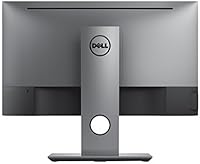
- USB Ports: The monitor includes four downstream USB 3.0 ports and one upstream USB 3.0 port, functioning as a built-in desk hub for peripherals.
- Ergonomics: The included stand supports tilt (-5° to 21°), swivel (45° in each direction), pivot (90° rotation to portrait), and height adjustment up to 130mm.
- VESA Support: The monitor is VESA mount compatible (100 x 100mm), allowing the stock stand to be removed and replaced with a wall mount or third-party monitor arm.
- Dimensions: With the stand attached, the monitor measures approximately 21.17 inches wide, 12.37 inches tall, and 1.78 inches deep at its thinnest point.
- Weight: The fully assembled unit with stand weighs 13.9 pounds, which is typical for a 24-inch monitor in this class.
- Warranty: Dell includes a 3-year limited hardware warranty with Advanced Exchange Service, covering defects and panel issues for the duration of the coverage period.
- Aspect Ratio: The display uses a standard 16:9 widescreen aspect ratio, compatible with virtually all modern operating systems and video content formats.
Related Reviews
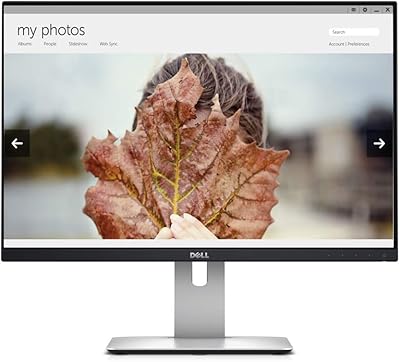
Dell UltraSharp U2415 24-inch Monitor

Dell E2420H 24-inch FHD IPS Monitor

Dell P2419H 24-Inch IPS Monitor
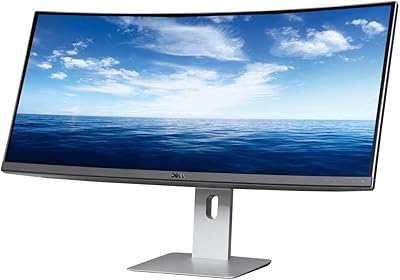
Dell U3419W Ultrasharp 34-Inch Curved IPS Monitor
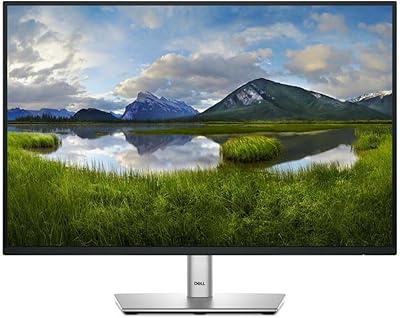
Dell P2425 24″ WUXGA IPS Monitor

Dell P2714H 27-inch IPS Monitor
Dell 1908FP 19-Inch Flat Panel Monitor

ViewSonic VG2448A 24-inch IPS Monitor
Dell SE2422HX 24-inch Monitor