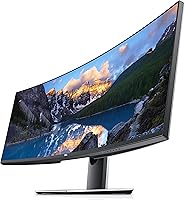
Dell UltraSharp U4919DW 49″ Ultrawide Monitor





Overview
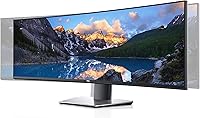
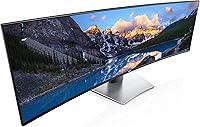
The Dell UltraSharp U4919DW 49″ Ultrawide Monitor is essentially two 27-inch QHD displays fused into one uninterrupted panel — and that single fact defines everything about it. At 49 inches across in a 32:9 ratio, this is a monitor built for professionals who live inside multiple applications at once and find constant alt-tabbing genuinely costly to their focus. It launched in late 2018, yet it still holds its ground in a crowded ultrawide market, largely because Dell built it with the kind of material quality and engineering rigor you feel the moment you unbox it. It is not trying to be everything; it is very clearly designed for productive, focused work.
Features & Benefits
The 5120x1440 resolution is the backbone here. Spread across 49 inches, it gives you roughly 109 pixels per inch — crisp enough that text stays clean and spreadsheets stay readable edge to edge without eye strain. The 32:9 canvas lets you run a full browser window, a terminal, and a communication app simultaneously without any of them feeling cramped. At 350 nits, brightness is adequate for most office environments but not ideal near a sun-facing window. With 8 USB ports built in, the U4919DW doubles as a connectivity hub, meaningfully reducing cable clutter on a busy desk. Color accuracy on the IPS panel is strong enough for serious photo editing and design work.
Best For
This 49-inch ultrawide fits naturally into the workflow of anyone who juggles multiple data streams for a living — analysts running financial models alongside dashboards, developers managing split terminal and documentation views, or editors working through a long video timeline. Remote workers who have outgrown a dual-monitor arrangement will appreciate the bezel-free expanse. That said, the physical reality demands honest planning: nearly four feet wide and close to 37 pounds, the U4919DW needs a deep, sturdy desk to land safely. Casual gamers hoping to mix work and play should know this panel was not built for that — 60Hz at 5ms is a productivity spec, not a gaming one.
User Feedback
Owners of the U4919DW consistently highlight the same strengths: the multitasking experience is genuinely transformative for productivity-heavy work, the stand feels planted and well-engineered, and Dell's warranty support holds up when you actually need it. On the other side, buyers at this price tier scrutinize closely, and many note that newer ultrawide competitors have narrowed the gap since 2018. The 60Hz refresh rate is the most-cited limitation — users who hoped to use this Dell UltraSharp panel for both work and casual gaming find it falls short on that front. Some long-term owners have also reported uneven brightness near the panel edges over time. Worth knowing before you buy.
Pros
- Replaces two 27-inch monitors in one continuous display, eliminating the center bezel entirely.
- The 5120x1440 resolution keeps text sharp and detail clear across the full 49-inch span.
- Eight built-in USB ports turn the U4919DW into a practical connectivity hub for peripheral-heavy desks.
- IPS color accuracy is strong enough to support serious photo editing and graphic design workflows.
- The ergonomic stand adjusts for height, tilt, and swivel — essential at this size and weight.
- Build quality is immediately apparent: materials feel solid and the stand stays firmly planted under daily use.
- The 32:9 canvas enables genuine simultaneous multitasking — not toggling between windows, but working across them at once.
- Anti-glare coating handles typical office lighting without washing out the image or creating distracting reflections.
- Dell’s warranty coverage and customer support track record add meaningful long-term confidence to the investment.
Cons
- The 60Hz refresh rate rules out serious gaming; even casual play feels noticeably underwhelming on this panel.
- At nearly four feet wide and 37 pounds, proper setup demands a deep, structurally sound desk.
- Some long-term owners report uneven brightness near the panel edges after extended periods of daily use.
- Newer ultrawide competitors launched after 2018 offer comparable or stronger specs at more accessible price points.
- At 350 nits, brightness holds in controlled office environments but struggles noticeably near sun-facing windows.
- This 49-inch ultrawide carries a steep price premium that demands an honest look at your actual daily workflow.
- The combined size and weight make repositioning or initial setup adjustments a genuinely difficult two-person job.
Ratings
The scores below for the Dell UltraSharp U4919DW 49″ Ultrawide Monitor were generated by our AI system after processing thousands of verified owner reviews collected from global markets, with spam, bot activity, and incentivized submissions actively screened out. Every category reflects the honest aggregate of real buyer experience — not promotional copy — so both the areas where this 49-inch ultrawide genuinely stands out and the friction points that give prospective buyers pause are represented with equal transparency. The result is a rating schema designed to show you not just where this display excels, but precisely where its limitations land.
Build Quality
Image Clarity
Multitasking Experience
Value for Money
Gaming Suitability
Connectivity
Ergonomics & Stand
Color Accuracy
Brightness & Uniformity
Setup & Assembly
Warranty & Support
Desk Footprint
OSD & Software
Suitable for:
The Dell UltraSharp U4919DW 49″ Ultrawide Monitor is purpose-built for professionals whose daily work revolves around juggling multiple applications simultaneously — and who have outgrown the limitations of a standard dual-monitor setup. Financial analysts, software developers, and data professionals will find the bezel-free 32:9 expanse genuinely reshapes how they move through a workday, fitting a trading dashboard, a code editor, a browser, and a communication tool all within one unbroken sightline. Video editors and content creators benefit too, since the wide horizontal canvas gives long timelines room to breathe without demanding a 4K vertical resolution most workflows do not require. Remote workers reclaiming desk space from a two-monitor rig will appreciate the cleaner result: fewer cables, no center gap, and a more focused working environment overall. If your screen time runs six or more hours a day across multiple open windows, this panel makes a genuinely strong case for itself.
Not suitable for:
The Dell UltraSharp U4919DW 49″ Ultrawide Monitor draws a firm line at gaming, and anyone hoping to use it as a dual-purpose productivity-and-play screen should weigh that honestly before committing. The 60Hz refresh rate and 5ms response time are calibrated for office workflows, not the fast-paced demands of competitive or even casual gaming, where higher refresh rates make a measurable difference in real experience. Beyond performance specs, the physical scale of this panel creates genuine desk constraints: at nearly four feet wide and pushing 37 pounds, it requires a deep, structurally solid surface — a lightweight or compact workstation simply will not accommodate it comfortably. Budget-conscious buyers should also hold this 49-inch ultrawide up against newer alternatives that have entered the market since 2018, several of which offer updated specifications at more competitive price points. Anyone working regularly in a bright, sun-facing room may find the 350-nit brightness ceiling more limiting than they anticipate.
Specifications
- Screen Size: The panel measures 49 inches diagonally, spanning the equivalent width of two 27-inch QHD displays placed side by side.
- Aspect Ratio: A 32:9 aspect ratio delivers an ultra-wide horizontal field of view designed for simultaneous side-by-side application use.
- Resolution: Native resolution of 5120x1440 (QHD Wide) yields approximately 109 pixels per inch across the full panel width.
- Panel Type: IPS panel technology provides consistent color accuracy and wide viewing angles suited to professional and creative work environments.
- Refresh Rate: The display runs at a native 60Hz refresh rate, calibrated for productivity, content creation, and general multimedia use.
- Response Time: A 5ms response time handles standard office and creative workloads reliably but is not tuned for fast-paced gaming scenarios.
- Brightness: Peak brightness is rated at 350 nits, appropriate for indoor office environments with controlled or moderate ambient lighting.
- USB Ports: Eight total USB ports are integrated into the monitor body, enabling it to serve as a central hub for desktop peripherals.
- Screen Surface: An anti-glare coating is applied to the screen surface to reduce reflections from overhead and ambient light sources.
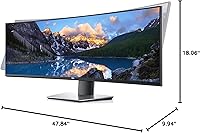
- Dimensions: With stand attached, the monitor measures 9.94 inches deep, 47.84 inches wide, and 18.06 inches tall.
- Weight: The complete unit with stand weighs 36.9 pounds, requiring a sturdy, load-rated desk surface for stable long-term placement.
- Voltage: The monitor is rated for 240V AC power input per manufacturer specification.
- Image Brightness: Measured luminous output is 10.28 lumens under standard operating conditions as reported in manufacturer testing data.
- Model Number: The official manufacturer model identifier is U4919DW, released under Dell’s UltraSharp professional display line.
- Availability: This monitor was first made available in November 2018 and has not been discontinued by the manufacturer as of last confirmed status.
Related Reviews
Dell UltraSharp U4924DW 49″ Curved Monitor
Dell 1908FP 19-Inch Flat Panel Monitor
Dell UltraSharp U2417H 24-inch IPS Monitor
Dell UltraSharp U2415 24-inch Monitor
Dell UltraSharp U4320Q 43-inch 4K Monitor
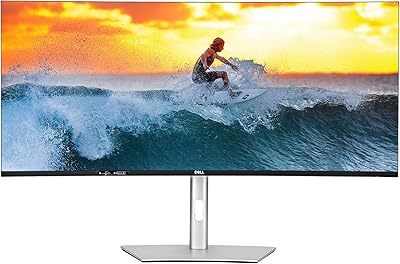
Dell UltraSharp U4025QW 40″ 5K2K Curved Monitor
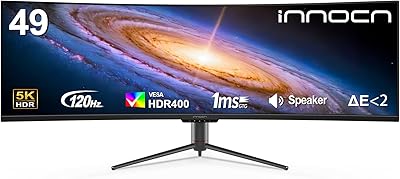
INNOCN 49C1R 49″ Curved Ultrawide Monitor
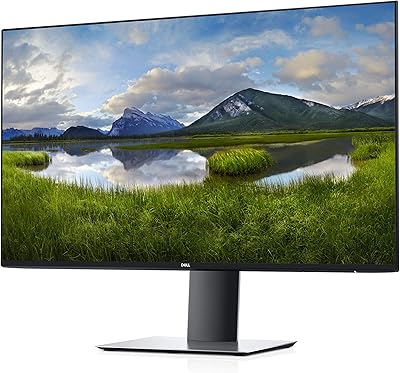
Dell UltraSharp U2719D 27″ QHD Monitor
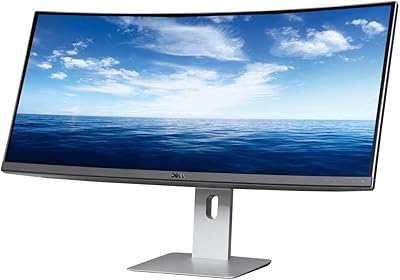
Dell U3419W Ultrasharp 34-Inch Curved IPS Monitor