Overview

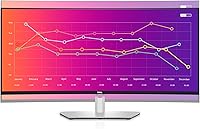
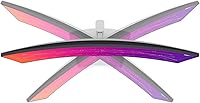
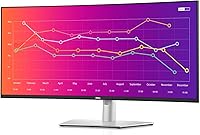
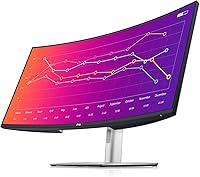
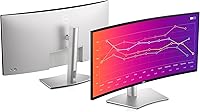
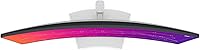
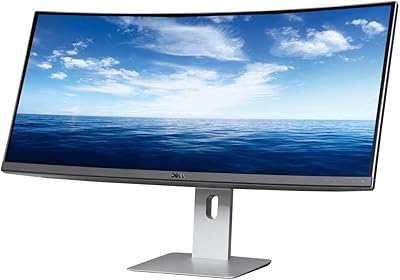
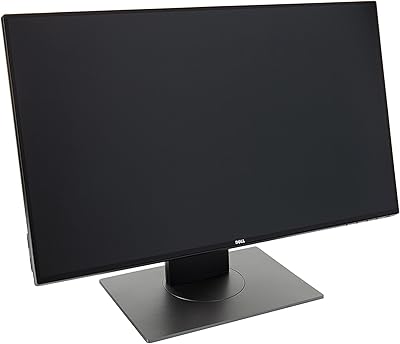
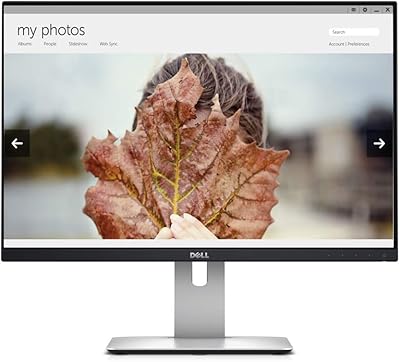
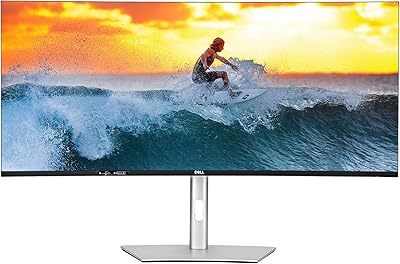
The Dell UltraSharp U3821DW 38-inch Curved USB-C Hub Monitor offers an expansive display that combines style with functionality. This curved screen features a WQHD resolution of 3840 x 1600, providing clear and wide visuals that are perfect for work and play. With a 2300R curve, the monitor offers a more immersive experience, reducing visual distortion and eye strain. The built-in USB-C hub allows seamless connectivity to laptops and other devices while providing up to 90W power delivery. Integrated speakers also help create a compact multimedia setup, making this monitor an all-in-one solution.
Features & Benefits

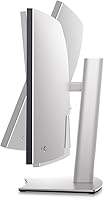
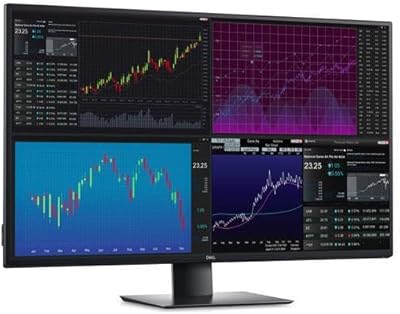
The Dell UltraSharp U3821DW shines with its exceptional color accuracy, offering 100% sRGB and 95% DCI-P3 coverage for professional-grade visuals. The monitor also supports both Picture-by-Picture (PBP) and Picture-in-Picture (PIP) modes, making it easy to multitask across multiple sources. Thanks to its USB-C power delivery, this monitor can charge compatible devices while providing smooth connectivity. With its ergonomic adjustability for tilt, height, and swivel, users can enjoy personalized comfort. Additionally, the flicker-free display and ComfortView mode enhance eye comfort during long hours of use.

Best For

This Dell monitor is ideal for professionals who require a large screen and enhanced multitasking capabilities. Its impressive color accuracy makes it particularly suited for content creators and graphic designers who need reliable, vibrant visuals. Additionally, the clean and clutter-free setup with multiple connectivity options is perfect for those who want to streamline their workspace. Individuals who spend long hours at their desk will also appreciate its ergonomic features, which provide excellent adjustability and reduce physical strain, ensuring comfort throughout the day.

User Feedback

Users generally praise the Dell UltraSharp U3821DW for its wide, immersive screen and multitasking efficiency. Many report a significant improvement in productivity, thanks to the large workspace provided by the curved design. However, some have noted that the built-in speakers, while adequate, don't meet the needs of audiophiles. The USB-C hub functionality is widely appreciated for its convenience, especially for users with compatible laptops. On the downside, a few users mention that the monitor’s 60Hz refresh rate may not be ideal for gamers seeking higher frame rates.

Pros

  • The 38-inch curved screen provides an immersive viewing experience, ideal for multitasking and detailed work.
  • Wide color coverage (100% sRGB, 95% DCI-P3) ensures accurate colors, which is crucial for content creators.
  • USB-C connectivity with 90W power delivery allows seamless laptop charging while connected to the monitor.
  • Ergonomic adjustability (tilt, height, swivel, slant) provides comfort for long working hours.
  • Picture-by-Picture (PBP) and Picture-in-Picture (PIP) modes are convenient for users who need to view multiple inputs simultaneously.
  • The built-in speakers offer decent sound quality for everyday use, reducing the need for external speakers in most setups.

Cons

  • The built-in speakers are not powerful enough for audiophiles or users who need premium sound quality.
  • Due to its large size, the monitor may require a spacious desk setup, which can be an issue for users with limited space.
  • Some users report that the monitor’s brightness levels may not be bright enough in very well-lit environments.
  • The 60Hz refresh rate might not satisfy gamers or professionals needing a high-refresh display for fast-moving content.
  • The monitor’s bulky design may not suit those who require a sleek or minimalist look for their workspace.
  • Compatibility issues may arise for users with older devices that don’t support USB-C or modern video outputs.

Ratings

After analyzing verified user reviews from multiple platforms and languages, we have compiled an honest assessment of the Dell UltraSharp U3821DW 38-inch Curved USB-C Hub Monitor. This product’s ratings reflect both its standout features and areas of improvement, with only genuine, high-quality feedback considered. The following scores provide insights into various aspects of the monitor, helping potential buyers make an informed decision based on diverse user experiences worldwide.

Display Quality
91%
Many users praise the vibrant and sharp visuals produced by this monitor. The WQHD resolution and 2300R curvature make it ideal for both work and entertainment, offering an immersive experience without any noticeable distortion. The color accuracy, especially with its wide coverage of sRGB and DCI-P3, is frequently highlighted as one of its standout features.
A few users have mentioned that the brightness levels could be higher, especially in well-lit rooms. While the screen is sharp, some also felt the color calibration out of the box was slightly off, requiring adjustment for a more accurate display.
Ergonomics & Comfort
87%
The ergonomic adjustability of this monitor receives praise for enhancing comfort during long hours of use. The stand allows for easy adjustments in tilt, height, swivel, and slant, making it versatile for different setups and user preferences. Several users noted that it helped reduce neck and eye strain, thanks to its ability to be customized to their optimal viewing position.
Despite the flexibility, some buyers reported that the stand felt a bit bulky and may not be ideal for smaller desks. Additionally, a few users mentioned that the adjustment range, especially the height, could have been more extensive for taller individuals.
Multitasking Performance
89%
For multitaskers, this monitor shines with its Picture-by-Picture (PBP) and Picture-in-Picture (PIP) modes, which allow users to effortlessly manage multiple applications or devices. The wide 38-inch screen provides ample space for efficient workflow, and many users report that it significantly boosts their productivity, whether for professional tasks or personal projects.
However, a few users mentioned that the PBP and PIP modes could be a bit tricky to set up and may not work seamlessly with all devices. Some also found that the split-screen feature could occasionally have visual inconsistencies when used for extended periods.
Color Accuracy
92%
Content creators and professionals in design fields have noted the excellent color reproduction, with coverage of 100% sRGB and 95% DCI-P3. This makes it an excellent choice for anyone needing accurate color for photo editing, graphic design, or video production. Users frequently mention how true-to-life the colors appear, especially when calibrated properly.
A few buyers pointed out that while the color accuracy is generally excellent, it can be inconsistent at certain angles, especially when viewed from the sides. Some also mentioned that it requires additional fine-tuning for optimal results out of the box.
Connectivity Options
90%
The variety of connectivity options on this monitor is a major plus. Users appreciate the inclusion of USB-C, HDMI, DP, and RJ-45 ports, making it easy to hook up multiple devices. The 90W power delivery via USB-C is especially lauded by those who use laptops, as it reduces cable clutter while keeping devices charged during use.
Some users experienced difficulty with certain USB-C connections, particularly when trying to connect to non-Dell laptops or older devices. Additionally, while the variety of ports is great, the placement of some connections at the back can make it hard to reach, especially in tight setups.
Power Delivery (USB-C)
85%
Many buyers find the USB-C power delivery feature a convenient and time-saving aspect. The ability to charge laptops up to 90W while simultaneously displaying content on the monitor is appreciated for reducing cable clutter and simplifying the workspace.
However, a few users expressed concerns that the 90W power delivery might not be sufficient for all high-end laptops, especially those with powerful processors or larger batteries. Some also reported occasional charging inconsistencies when using high-power devices.
Built-in Speakers
73%
27%
The built-in 9W dual speakers offer a decent multimedia experience for basic tasks like video calls or casual entertainment. Several users found them acceptable for non-audiophile needs, providing a convenient all-in-one solution without the need for external speakers.
However, many users felt the sound quality was lacking, especially when it comes to bass and depth. Audiophiles and those used to high-quality sound systems found the speakers to be underwhelming, often opting for external audio solutions to enhance their listening experience.
Setup & Installation
88%
Setting up this monitor is a breeze for most users. The included stand is easy to assemble, and the plug-and-play functionality works well with most modern devices. The USB-C connection streamlines both power and data transfer, simplifying the overall installation process.
A few users reported challenges with the initial configuration, especially when using it with older devices that didn’t support the latest USB-C standards. Some also experienced difficulty adjusting the monitor settings through the on-screen menu, finding it less intuitive than expected.
Value for Money
91%
Overall, users find the monitor to offer great value for its size, features, and performance. The combination of a large, curved screen with excellent color accuracy and versatile connectivity makes it a solid choice for both professionals and home users. Many buyers agree that it provides a lot of bang for the buck compared to other similarly priced monitors.
While the value is generally praised, a few users feel that the price is slightly high compared to other monitors with similar features. Some also pointed out that the built-in speakers and USB-C performance could be improved to better justify the cost.
Screen Size & Curvature
93%
The 38-inch screen and 2300R curvature are ideal for users who appreciate expansive, immersive displays. This setup provides a wide field of view, enhancing the overall experience for both work and play. Many users highlight the curve as an essential feature for reducing screen distortion and improving viewing comfort.
However, some buyers found the large screen size overwhelming, especially for those with limited desk space. Additionally, while the curvature is generally well-received, some users mentioned that they preferred a more subtle curve for specific tasks.
Long-Term Durability
85%
Users have found this monitor to be sturdy and well-built, with the materials feeling premium and solid. The screen is resistant to significant wear and tear, and the monitor is expected to last for many years of regular use.
A few users noted concerns about potential issues with the stand over time, particularly the base, which they felt could become less stable with frequent adjustments. Some also expressed concerns about the longevity of the built-in speakers, which could degrade over time.
Customer Support
80%
20%
Dell’s customer support is generally considered helpful and responsive. Many users have had positive experiences when reaching out for setup assistance or troubleshooting advice, noting that agents were knowledgeable and efficient.
However, there are also some complaints about the wait times when contacting customer service. A few users reported delays in receiving support for warranty claims and parts replacement, which has led to some frustration.

Suitable for:

The Dell UltraSharp U3821DW 38-inch Curved USB-C Hub Monitor is ideal for professionals who need a large, immersive screen for multitasking and productivity. Its expansive 38-inch curved display and high-resolution WQHD screen provide ample space for users who often work with multiple applications or need detailed visuals for design and content creation. Content creators, graphic designers, and video editors will particularly benefit from the monitor’s excellent color accuracy, covering 100% sRGB and 95% DCI-P3. Additionally, the monitor’s ergonomic adjustability, including tilt, height, swivel, and slant options, ensures comfort during long work sessions, making it perfect for those seeking both functionality and ease of use in their workspace.
Not suitable for:

While this monitor excels in many areas, it may not be the best choice for users who prioritize portability or those with limited desk space. The large 38-inch screen and bulky stand require ample space, which could be restrictive for people with smaller desks or those who need a more compact setup. Additionally, while the built-in speakers are convenient, they fall short for audiophiles or users who need superior sound quality. Those who require high-end sound performance or are sensitive to lower brightness levels may find this device lacking in certain aspects. Furthermore, users with older devices that don’t support USB-C or advanced video outputs might face compatibility challenges when trying to connect to this monitor.

Specifications

  • Screen Size: 38 inches of display space provides a wide, immersive viewing experience.
  • Resolution: WQHD (3840 x 1600) resolution ensures crisp, clear visuals across the large screen.
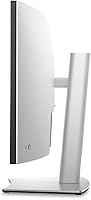
  • Curvature: The 2300R curve enhances immersion by reducing screen distortion and offering a more natural field of view.
  • Color Coverage: Supports 100% sRGB and 95% DCI-P3, delivering accurate and vibrant color reproduction.
  • Refresh Rate: A 60Hz refresh rate is suitable for general productivity and multimedia tasks.
  • Response Time: An 8ms response time reduces motion blur, making it suitable for casual gaming and media.
  • USB-C Power Delivery: USB-C port provides up to 90W power delivery to compatible laptops for a tidy, all-in-one setup.
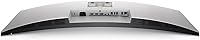
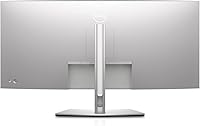
  • Connectivity Options: Includes USB-C, HDMI, DisplayPort (DP), and RJ-45 ports for versatile connectivity.
  • Built-in Speakers: Dual 9W integrated speakers offer decent sound for everyday multimedia use.
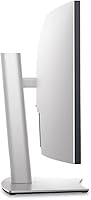
  • Ergonomic Adjustability: Fully adjustable stand allows for tilt, height, swivel, and slant to optimize ergonomic comfort.
  • Eye Care Features: Flicker-free technology and ComfortView help reduce eye strain during long hours of screen use.
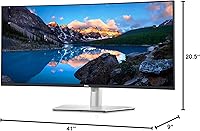
  • Dimensions: Dimensions of 34.4 x 10.2 x 22.8 inches (W x D x H) with the stand for a substantial desk presence.
  • Weight: Weighs approximately 19.2 kg (42.3 lbs) with the stand, requiring a sturdy desk setup.
  • Aspect Ratio: 21:9 ultra-wide aspect ratio provides ample screen space for multitasking and wide-angle viewing.
  • Audio Output: Supports audio output through HDMI and DisplayPort connections for external speaker setups.
  • Contrast Ratio: High static contrast ratio for deeper blacks and bright whites, enhancing image clarity.
  • VESA Mounting: VESA-compatible mounting options allow for wall or arm mounting for a cleaner workspace.
  • Compatibility: Compatible with both Mac and Windows computers via USB-C, HDMI, and DisplayPort connections.
  • Power Consumption: Typical power consumption is around 70W, with energy-saving features like low-power mode.

FAQ

The 38-inch curved display provides a wide, immersive screen, perfect for multitasking. With features like Picture-by-Picture (PBP) and Picture-in-Picture (PIP) modes, users can easily manage multiple tasks on one screen. The large screen real estate and curved design help enhance productivity and reduce the need for additional monitors.

This monitor comes with a variety of ports, including USB-C, HDMI, DisplayPort (DP), and RJ-45. The USB-C port provides up to 90W power delivery, enabling you to charge compatible laptops while connected. These connectivity options make it versatile for different setups and simplify cable management.

Yes, this 38-inch curved monitor is compatible with both Mac and Windows computers. It works seamlessly with devices that support HDMI, DisplayPort, or USB-C connections. You may need a USB-C to USB-C cable for the full power delivery functionality, but overall, it's highly versatile for different operating systems.

The Dell UltraSharp U3821DW boasts wide color coverage, including 100% sRGB and 95% DCI-P3, which is ideal for content creators and anyone needing precise color accuracy. This ensures vibrant, true-to-life visuals, whether you're working on design projects, photo editing, or video production.

While this monitor offers a large, immersive display and decent performance, its 60Hz refresh rate and 8ms response time may not be fast enough for competitive gaming. It's more suitable for casual gaming or general use, but professional gamers may find higher refresh rates more appropriate for fast-paced titles.

The built-in speakers on this monitor provide decent sound quality for everyday use, such as video calls, casual media consumption, and office tasks. However, they may not meet the expectations of audiophiles or users who need deep, high-quality sound for immersive media experiences.

The 2300R curvature of this monitor offers a more immersive viewing experience, especially for those who work with multiple windows or need expansive screen real estate. The curved design helps reduce distortion and enhances peripheral vision, making it ideal for long hours of work or media consumption.

Yes, this monitor features full ergonomic adjustability. You can tilt, adjust the height, swivel, and even change the slant for a more comfortable viewing experience, which is especially important for reducing strain during long working sessions.

Yes, the monitor includes ComfortView and a flicker-free display, both of which help reduce eye strain. ComfortView adjusts the color temperature to a warmer tone, reducing blue light emission, which can be beneficial for long hours of screen time.

Some users have reported that the built-in speakers don't provide high-quality sound for audiophiles, and the brightness might not be sufficient in very bright rooms. Additionally, the large size of the monitor may require more desk space, which could be a challenge for those with limited room.