Overview

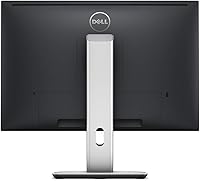
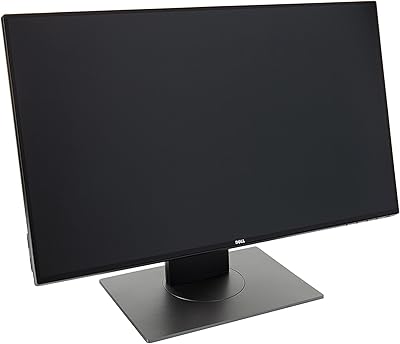
The Dell UltraSharp U2415 24-inch Monitor is a professional-grade display built around color accuracy and ergonomic flexibility rather than flashy headline specs. What separates this UltraSharp display from most 24-inch options is its 16:10 aspect ratio — a format now rare enough to feel like a genuine advantage. That extra vertical height means longer documents, taller code windows, and more usable space in design tools without jumping to a physically larger screen. Build quality is solid and purposeful, carrying the understated Dell UltraSharp pedigree that creative and office professionals recognize immediately. The connectivity suite adds real everyday value for multi-device desks. Be clear going in, though: this is a productivity-focused panel, not a gaming display or an HDR powerhouse.

Features & Benefits

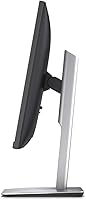
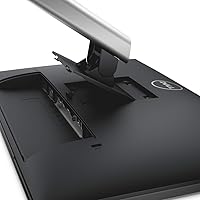
The 1920×1200 WUXGA resolution is the headline spec here, and paired with the 16:10 format it translates to real, usable screen height rather than just a number on a box. The IPS panel holds color consistency well across wide viewing angles, so what you see straight-on stays accurate from the side — useful when sharing work with someone at your desk. The stand is genuinely flexible: 115mm of height adjustment plus tilt, swivel, and full portrait pivot covers a wide range of working preferences. Five USB 3.0 ports turn the U2415 into a capable desktop connectivity hub, and the anti-glare coating handles bright office lighting without washing out the image. PowerNap quietly handles energy savings in the background without requiring any setup.

Best For

This 24-inch Dell panel fits best in the hands of people who spend serious, focused time in front of a screen. Designers, photographers, and video editors will value the color consistency and extra vertical space that keeps tools visible without sacrificing canvas area. Developers and office workers benefit for the same reason — more code lines visible at once, longer spreadsheets without constant scrolling. It suits multi-device users well too, since input switching is clean and the USB hub handles peripherals without a separate dock. People who rotate to portrait mode will find the pivot stand genuinely practical. If you are upgrading from a standard 1080p display, the step up to 1920×1200 at this size is an immediately noticeable improvement in how much work fits on screen.

User Feedback

Owners of the U2415 tend to be genuinely satisfied, with two things surfacing repeatedly in positive feedback: color uniformity across the panel and a stand that delivers on every adjustment it promises. Users who spend long hours at a desk specifically call out the ergonomic range as something they notice daily. On the critical side, the 6ms response time draws honest commentary — it handles video and everyday tasks without issue, but anyone expecting smooth fast-paced gaming should look elsewhere. A handful of buyers flag that the OSD navigation feels clunky compared to more recent Dell models. Overall sentiment stays solidly positive, with the recurring theme being strong value for a professional IPS panel aimed at serious productivity work.

Pros

  • The 16:10 aspect ratio gives you noticeably more vertical screen space than a standard 1080p monitor.
  • IPS panel delivers consistent, accurate color whether you are looking straight-on or from the side.
  • The fully adjustable stand handles height, tilt, swivel, and portrait pivot without any add-on hardware.
  • Five USB 3.0 ports effectively turn the U2415 into a desktop hub, reducing cable clutter significantly.
  • Anti-glare coating handles bright office lighting without washing out the image.
  • Multiple video inputs — HDMI, DisplayPort, and Mini DisplayPort — make multi-device switching clean and flexible.
  • Color uniformity across the panel is consistently praised by long-term owners.
  • PowerNap energy management reduces power consumption automatically without requiring manual adjustments.
  • Build quality feels solid and durable, consistent with the UltraSharp line's professional reputation.
  • The 1920×1200 resolution offers a practical upgrade over 1080p without requiring a larger desk footprint.

Cons

  • The 60Hz refresh rate and 6ms response time make this 24-inch Dell panel a poor fit for gaming.
  • No HDR support limits its appeal for buyers doing high-end video or color-grading work.
  • The OSD menu navigation feels dated and less intuitive compared to more recent monitor releases.
  • At 18.37 pounds, the U2415 is on the heavier side if you need to move or reposition it frequently.
  • No integrated speakers, so audio output requires separate hardware or headphones.
  • The 24-inch size may feel small to users accustomed to 27-inch or ultrawide displays.
  • Glossy screen finish listed in some specs can conflict with the anti-glare expectations buyers bring to it.
  • No USB-C port, which is a practical gap for users with modern laptops that rely on it for display output.

Ratings

The Dell UltraSharp U2415 24-inch Monitor earns consistently strong marks from productivity-focused buyers worldwide, and the scores below reflect what real verified owners actually report after extended daily use. Our AI has analyzed global user feedback, actively filtering out incentivized, bot-generated, and outlier reviews to surface the genuine consensus. Both the standout strengths and the honest friction points are weighted into every score you see here.

Color Accuracy
88%
Owners working in graphic design and photo retouching consistently note that colors look reliable and uniform across the entire panel, with no obvious shifts between sessions. For an IPS display at this price tier, the consistency between what you see on screen and what prints or exports is strong enough to trust for professional-quality work.
This is not a factory-calibrated wide-gamut panel, and professionals doing commercial color grading or prepress work will notice it falls short of dedicated color-critical displays. A small number of buyers reported needing to run a hardware calibration profile to get the most accurate results out of the box.
Panel Uniformity
86%
Backlight bleed is one of the most frequently praised aspects among long-term owners — most report clean, even illumination across the screen with no hotspots or clouding visible during dark scenes or solid-color backgrounds. For daily document work and design tasks, this translates to a noticeably more comfortable visual experience.
A minority of units show mild corner glow under very dark backgrounds, which is most visible when viewing black screens in a dim room. This appears to be within acceptable IPS panel tolerances, but it is worth knowing if you work frequently in dark-mode applications.
Ergonomics & Stand
93%
The adjustable stand is one of the most praised physical features across all user feedback — the 115mm height range, swivel, tilt, and portrait pivot collectively cover nearly every reasonable desk configuration. Users who alternate between sitting and standing setups, or who rotate to portrait mode for coding or reading long documents, specifically call out how much they value having all those adjustments available without buying a third-party arm.
The stand is sturdy but adds meaningful bulk and weight to the overall unit, which makes repositioning the monitor between workstations more effort than it sounds. A small group of users noted that the portrait pivot requires clearing some cable slack first, which can be mildly fiddly.
Connectivity & Ports
91%
Five USB 3.0 ports combined with HDMI, full-size DisplayPort, and Mini DisplayPort make the U2415 a genuinely useful desk hub rather than just a display. Multi-device users who switch between a laptop and a desktop throughout the day benefit significantly from having peripherals — keyboard, mouse, external drives — all connected to the monitor rather than needing a separate dock.
The absence of a USB-C port is the most commonly cited modern limitation, particularly for users with newer laptops that rely on it for both power and video output. Port placement on the rear panel also means frequently swapping cables requires reaching around the back, which some users find less convenient than side-panel access.
Screen Real Estate
89%
The 16:10 aspect ratio is the feature that genuinely surprises buyers who are upgrading from a standard 1080p widescreen — the extra vertical height makes a practical, daily difference when working with spreadsheets, long code files, design canvases, or stacked browser windows. Several developers and analysts in user feedback mention it is the one feature they would not give up.
Some buyers who primarily consume video content note that the 16:10 format introduces letterboxing on standard 16:9 video, which can look slightly odd on a monitor this size. It is a minor trade-off, but worth knowing if media consumption is a significant part of your use case.
Build Quality
87%
The physical construction feels premium and purposeful — plastics are dense and matte, the base does not wobble, and the overall fit of the chassis conveys the kind of durability that office hardware needs to sustain years of daily use. Long-term owners frequently mention the monitor still looks and performs like new after several years.
The aesthetic is strictly utilitarian, so buyers who care about a modern or minimalist desk look may find the design feels dated next to sleeker current-generation alternatives. The bezel, while functional, is wider than what newer monitors in this price range now offer.
Gaming Performance
41%
59%
For casual gaming — turn-based strategy, RPGs, simulation titles, or anything that does not require rapid reaction input — the panel handles motion adequately and the image quality makes slower-paced games look clean and detailed.
The 60Hz refresh rate and 6ms response time are a genuine limitation for anyone who plays competitive or fast-action games. Motion blur and input lag become noticeable in titles where high frame rates matter, and this panel simply was not designed with gaming performance as a priority.
Eye Comfort
83%
The anti-glare coating handles typical office and studio lighting well, and users who spend six to ten hours daily in front of the screen report significantly less eye fatigue than with glossy panels. The consistent IPS backlight avoids the harsh brightness fluctuations that contribute to eye strain over long sessions.
The monitor lacks a flicker-free or low blue-light hardware certification, which some buyers specifically look for in a long-session display. Users particularly sensitive to blue light may want to rely on software color temperature adjustments or an external filter.
OSD & Controls
54%
46%
The on-screen display covers all the necessary adjustments — brightness, contrast, input selection, color presets — and Dell Display Manager adds software-side control that reduces how often you need to interact with the physical menu at all.
The physical OSD button layout and menu structure feel noticeably behind the times compared to joystick-based navigation found on more recent monitors. Multiple users describe it as clunky and slow to navigate, especially when switching inputs or adjusting settings quickly.
Value for Money
78%
22%
Buyers who use this panel as a long-term productivity workstation consistently report feeling satisfied with the investment over time — the combination of IPS quality, ergonomic stand, and USB hub functionality avoids the need to purchase additional accessories that would raise the total cost of a comparable setup.
At its price point, the lack of USB-C, a higher refresh rate option, or any modern panel certifications means newer alternatives are increasingly competitive. Buyers evaluating current-market options will find that newer monitors offer more features at similar prices.
Multi-Device Switching
84%
Three distinct video inputs — HDMI, DisplayPort, and Mini DisplayPort — mean connecting a work laptop, a personal desktop, and a secondary device simultaneously is straightforward. Input switching through the OSD is reliable even if the interface itself is not particularly elegant.
There is no KVM switch functionality built in, so switching keyboard and mouse control between connected devices still requires a separate solution. Users who need true seamless multi-PC control will need to factor that into their setup planning.
Response Time
62%
38%
For the productivity, design, and office use cases the U2415 targets, the 6ms response time is a complete non-issue — documents, design tools, video calls, and general computing all run without any perceptible lag or ghosting.
The 6ms rating is below the threshold that gaming-focused buyers should accept, and motion trails are visible in fast-scrolling content or during video playback at high motion levels. This is a deliberate product design trade-off, not a defect, but it matters for the wrong buyer profile.
Energy Efficiency
79%
21%
The PowerNap feature works quietly and reliably in the background, dimming or sleeping the display during idle periods without requiring user intervention. Buyers who leave their workstations running throughout the day appreciate the reduction in idle power draw without any manual effort.
Some users report that the wake-from-sleep behavior can occasionally be sluggish, requiring a mouse movement or keystroke before the panel responds — a minor but occasionally frustrating delay when returning to a workstation mid-task.
Setup & Installation
85%
Assembly is clean and straightforward — the stand attaches without tools, cable management routing is built into the stand arm, and the plug-and-play compatibility means most operating systems recognize the display immediately without driver installation.
The included documentation is minimal, and first-time users adjusting the stand pivot to portrait mode without prior guidance occasionally report confusion about the correct rotation sequence to avoid straining the cable connections.

Suitable for:

The Dell UltraSharp U2415 24-inch Monitor is a strong fit for anyone whose daily work demands sustained focus and visual clarity at a desk. Designers, photographers, and video editors will appreciate the IPS panel's color consistency and, perhaps more practically, the 16:10 aspect ratio that keeps toolbars and palettes visible without shrinking the working canvas. Developers and analysts benefit for similar reasons — more lines of code or rows of data fit on screen without constant scrolling, which genuinely adds up over a long workday. Multi-device users will find the combination of five USB 3.0 ports and multiple video inputs useful for switching between a laptop and a desktop without rearranging cables. The fully adjustable stand makes this a smart choice for ergonomics-conscious users who spend long hours at a desk and need to change their setup throughout the day.

Not suitable for:

The Dell UltraSharp U2415 24-inch Monitor is not the right choice for anyone primarily buying a display for gaming. The 60Hz refresh rate and 6ms response time are perfectly adequate for productivity work, but they fall well short of what competitive or fast-paced gaming requires, where higher refresh rates and sub-2ms response times make a visible difference. Buyers hoping for HDR support or wide color gamut coverage for professional color-grading work will also need to look elsewhere, as this panel does not offer those capabilities. If you are after a large, immersive viewing experience, the 24-inch size and relatively compact footprint may feel limiting compared to 27-inch or ultrawide alternatives. Finally, users who value a cutting-edge on-screen display interface may find the menu system feels behind the times.

Specifications

  • Screen Size: The panel measures 24 inches diagonally, offering a practical workspace footprint without requiring an oversized desk.
  • Resolution: Native resolution is 1920×1200 (WUXGA), which provides more vertical pixels than a standard 1080p display at the same screen size.
  • Aspect Ratio: The 16:10 aspect ratio delivers extra vertical screen height compared to the 16:9 format common on most consumer monitors.
  • Panel Type: Uses an IPS (In-Plane Switching) LED-backlit panel, which maintains consistent color and brightness across wide viewing angles.
  • Refresh Rate: Operates at a fixed 60Hz refresh rate, suited to productivity, design, and general computing tasks.
  • Response Time: Rated at 6ms (gray-to-gray), which is adequate for everyday use but not optimized for fast-paced gaming.
  • Viewing Angles: Horizontal and vertical viewing angles both reach 178°, meaning color and contrast hold up reliably when viewed from off-axis positions.
  • Contrast Ratio: Static contrast ratio is rated at 1000:1, a standard figure for IPS panels in this class.
  • Color Depth: Supports 16.78 million colors, covering the sRGB color space well for professional productivity and design work.
  • Video Inputs: Connectivity includes one HDMI port, one full-size DisplayPort, and one Mini DisplayPort, supporting flexible multi-source setups.
  • USB Ports: Provides five USB 3.0 ports in total, including one upstream port, turning the monitor into a capable peripheral hub.
  • Audio Output: Includes a 3.5mm audio line-out jack for routing audio to headphones or external speakers directly from the monitor.
  • Stand Adjustments: The included stand supports 115mm of height adjustment, plus tilt, swivel, and a full 90° portrait pivot.
  • Screen Surface: The panel features an anti-glare coating that diffuses ambient light to reduce eye strain during long sessions in bright environments.
  • Power Management: Dell Display Manager's PowerNap feature automatically dims or sleeps the display after a period of inactivity to reduce energy consumption.
  • Dimensions: The monitor measures 8.07 × 20.95 × 13.8 inches (depth × width × height) with the stand attached.
  • Weight: The complete unit with stand weighs 18.37 pounds, which is typical for a professional monitor with a fully adjustable ergonomic stand.
  • Compliance: Certified to meet FCC, RoHS, TCO Displays, DDC/CI, and NFPA 99 standards for safety and environmental responsibility.
  • Operating Temp: Rated for operation between 0°C and 40°C (32°F to 104°F), covering standard indoor office and studio environments.
  • Horizontal Sync: Supports a horizontal refresh rate range of 30–83 kHz, compatible with a broad range of input signals and host devices.

Related Reviews
Dell UltraSharp U2417H 24-inch IPS Monitor
80%
88%
Image Clarity
84%
Color Accuracy
71%
Panel Uniformity
91%
Build Quality
93%
Ergonomic Stand
More
Dell P2425 24″ WUXGA IPS Monitor
82%
88%
Image Quality
84%
Color Accuracy
93%
Connectivity
87%
Build Quality
83%
Ergonomics & Stand
More
Dell 1908FP 19-Inch Flat Panel Monitor
74%
91%
Ergonomic Stand
88%
Portrait Mode Rotation
84%
Text Clarity
82%
Build Quality
79%
Value for Money
More
Dell SE2422HX 24-inch Monitor

75%
83%
Image Quality
88%
Eye Comfort
76%
Build Quality
47%
Ergonomics & Adjustability
74%
Refresh Rate & Smoothness
More
Dell E24 24-inch FHD IPS Monitor
78%
83%
Image Quality
67%
Brightness & Glare Handling
78%
Refresh Rate & Smoothness
89%
Connectivity & Compatibility
52%
Ergonomics & Stand
More
Dell E2420H 24-inch FHD IPS Monitor
88%
88%
Display Quality
90%
Color Accuracy
87%
Viewing Angles
92%
Ease of Setup
91%
Energy Efficiency
More
Dell D2421H 24-inch Full HD IPS Monitor
72%
82%
Image Quality
88%
Viewing Angles
41%
Refresh Rate & Gaming
38%
Ergonomics & Stand
74%
Build Quality
More
Dell UltraSharp U2719D 27″ QHD Monitor
75%
91%
Image Clarity
87%
Color Accuracy
89%
Build Quality
93%
Ergonomics
88%
Bezel Design
More
Dell P2419H 24-Inch IPS Monitor
84%
88%
Color Accuracy
91%
Viewing Angles
89%
Eye Comfort
93%
Stand Ergonomics
87%
Build Quality
More
Dell SE2425HM 24-inch IPS Monitor
78%
88%
Image Clarity
91%
Eye Comfort
79%
Refresh Rate Performance
74%
Color Accuracy
52%
Connectivity
More

FAQ

It is genuinely solid for photo editing at a hobbyist or semi-professional level. The IPS panel offers consistent color across the screen and the 16:10 format gives you extra room for toolbars without squishing your canvas. That said, it is not a factory-calibrated wide-gamut display, so professional colorists who need certified sRGB or Adobe RGB accuracy should factor that in before buying.

Yes, the U2415 connects to a MacBook via the Mini DisplayPort input, which is a direct match for older MacBooks, or via a USB-C to DisplayPort adapter on newer models. Full 1920×1200 resolution comes through cleanly with the right cable or adapter. HDMI also works if that is a more convenient option for your setup.

It works very well for dual-monitor use. The bezels are reasonably slim for a monitor of this era, and the stand adjustments make it easy to match heights between two units. Many users run a pair of them side by side for coding, financial analysis, or creative work where wide horizontal real estate matters.

The ports are located on the side and rear of the monitor rather than on a front panel, so they are better suited for peripherals you leave plugged in semi-permanently, like a keyboard, mouse, or external drive. If you need to frequently plug and unplug devices, the placement can feel slightly inconvenient compared to monitors with front-facing USB access.

The stand is one of the genuine strengths of this panel — it feels sturdy and holds its position well after adjustment. The 115mm height range covers a wide spread, and the pivot to portrait mode clicks into place firmly. It is not flimsy at all; users who have owned cheaper monitors often comment on how noticeable the quality difference is.

Once you use 16:10 for a few days, going back to 16:9 at the same screen size feels noticeably cramped vertically. You fit more rows in a spreadsheet, more lines of code without scrolling, and more of a long document on screen at once. For productivity work, the difference is practical and real rather than just a spec on paper.

For casual gaming — strategy games, RPGs, indie titles, or anything that does not demand split-second reaction times — 60Hz at this resolution is perfectly fine. Where it falls short is in competitive or fast-action games like first-person shooters, where 144Hz or higher refresh rates and sub-5ms response times start to matter. If gaming is a significant part of your intended use, a gaming-focused monitor would serve you better.

It handles typical office lighting well, reducing reflections enough that bright overhead lights or nearby windows do not wash out the image. It is not a perfect matte surface — some very bright or direct light sources will still cause mild glare — but day-to-day it is noticeably better than glossy panels in mixed lighting conditions.

PowerNap is a feature within Dell Display Manager that either dims the UltraSharp display to its lowest brightness or puts it into full sleep mode when your computer goes idle. It runs quietly in the background and does not require much configuration. For anyone mindful of energy use or who leaves their desk frequently, it is a simple way to reduce power draw without thinking about it.

The two most consistent criticisms from long-term owners are the OSD menu, which feels less polished and harder to navigate than what you find on newer monitors, and the lack of a USB-C input, which can be an inconvenience for users with modern laptops. Neither is a major functional issue, but both are worth knowing about if you care about ease of use or forward compatibility with newer hardware.

Where to Buy