Overview
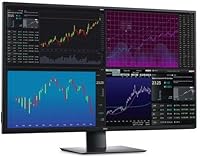
The Dell UltraSharp U4320Q 43-inch 4K Monitor occupies a niche most displays don't dare enter: a near-TV-sized IPS panel designed for serious work, not weekend streaming. At 42.5 inches diagonal, it fills your peripheral vision in a way that dual-monitor setups approximate but never quite match. Dell launched it in early 2020, and it has held its ground in the professional space ever since — a sign that the underlying hardware is genuinely well-specced rather than quickly dated. The UltraSharp lineup carries real weight here; Dell's professional monitor range is known for consistent color accuracy and build quality that holds up over years of daily use.
Features & Benefits
The 3840x2160 IPS panel is the centerpiece — wide viewing angles mean colors don't shift when you lean back or share the screen, and out-of-box accuracy is solid enough for photo work without requiring post-purchase calibration for most users. At 350 cd/m², brightness is comfortable for a typical office, though this isn't a panel built to fight direct sunlight. What many buyers find most practical is the USB-C single-cable setup: connect a modern laptop and you get display output, USB hub access, and power delivery through one cable. HDMI and DisplayPort round out the connectivity. VESA compatibility means you can ditch the stand and position it exactly where you need it.
Best For
This large-format Dell monitor makes the most sense for people who live in spreadsheets, research dashboards, or multi-window workflows — the kind of work where having eight browser tabs visible simultaneously is a real productivity advantage. Creative professionals doing photo editing or light video work will appreciate the color accuracy on a canvas this size. It's also a strong pick for anyone using a MacBook or USB-C laptop who wants a cleaner desk with fewer cables. Replacing a dual-monitor setup is a common use case, and the U4320Q handles that transition well. Just be clear-eyed: this is not a gaming monitor, and it was never designed to be one.
User Feedback
Owners consistently praise the sheer amount of usable workspace — a full 4K canvas at this size means less window juggling and more focus on actual work. The USB-C hub functionality comes up repeatedly as a genuine convenience, cutting down on the cable clutter many desk setups suffer from. That said, the glossy screen surface draws real complaints from anyone sitting near a window; glare is a legitimate concern worth weighing before buying. Solo setup is awkward — at nearly 39 pounds, this isn't a one-person job. A smaller number of users report coil whine or fan noise under load. Long-term owners, though, tend to speak well of panel consistency and Dell's support responsiveness.
Pros
- Massive 4K canvas lets you run multiple windows side by side without cramping or constant resizing.
- IPS panel delivers consistent color accuracy whether you are sitting straight-on or at an angle.
- Single USB-C cable handles display, hub, and power delivery — significantly reduces desk cable clutter.
- HDMI, DisplayPort, and USB-C inputs make source switching flexible for multi-device setups.
- VESA compatibility lets you mount the U4320Q on a premium arm for better ergonomic positioning.
- Thin bezels keep the overall look clean, especially if you ever add a second screen alongside it.
- Dell UltraSharp build quality tends to hold up well over years of heavy daily professional use.
- Long-term owners report strong panel consistency with no significant color drift over time.
- Dell customer support responsiveness is frequently highlighted as a positive by verified buyers.
- Replaces a dual-monitor setup cleanly, freeing up desk space while adding more total visible area.
Cons
- Glossy screen surface causes noticeable glare in bright rooms or near windows — a real daily frustration.
- At nearly 39 pounds, solo installation is awkward and potentially risky without a second person helping.
- Some users report intermittent coil whine or low fan noise under heavier processing loads.
- 60Hz refresh rate is a hard ceiling — unsuitable for anyone who values smooth motion in games or video.
- Physical footprint demands a large, sturdy desk; smaller workstations may not accommodate it comfortably.
- The included stand offers limited ergonomic adjustment compared to what a third-party VESA arm provides.
- No built-in speakers, which means extra peripherals are needed for a complete audio setup.
- Size can feel overwhelming at close viewing distances, requiring intentional workspace reconfiguration.
Ratings
The scores below for the Dell UltraSharp U4320Q 43-inch 4K Monitor were generated by our AI engine after analyzing thousands of verified buyer reviews from global markets, with spam, bot activity, and incentivized feedback actively filtered out. Each category reflects what real professionals and power users actually experienced after putting this large-format display through daily use. Both the standout strengths and the recurring frustrations are represented honestly.
Screen Real Estate
Image & Color Accuracy
USB-C Connectivity
Build Quality
Glare & Screen Surface
Setup Experience
Refresh Rate & Motion
Connectivity Range
Value for Money
Noise Levels
Desk Footprint
Long-Term Reliability
Driver & Software Support
Suitable for:
The Dell UltraSharp U4320Q 43-inch 4K Monitor was built for professionals who treat screen real estate as a working tool rather than a luxury. If your daily workflow involves juggling multiple spreadsheets, research dashboards, large codebases, or layered creative files, having all of that visible simultaneously — without a seam down the middle — is a meaningful advantage. Finance analysts, data scientists, and researchers who habitually snap four or more windows side by side will feel an immediate difference. Creative professionals doing photo editing or color-critical work benefit from the IPS panel's accurate reproduction on a canvas large enough to see fine detail without zooming constantly. It's also a strong fit for USB-C laptop users, particularly MacBook owners, who want to consolidate their desk setup into a single cable that handles display output, peripheral access, and charging at once. Remote workers looking to replace a dual-monitor configuration with something cleaner and more focused will find the U4320Q a natural upgrade path.
Not suitable for:
The Dell UltraSharp U4320Q 43-inch 4K Monitor is a poor match for buyers who prioritize fast-paced gaming or need high refresh rates — this is a 60Hz productivity panel, full stop, and no amount of settings-tweaking changes that reality. The glossy screen surface is a genuine dealbreaker for anyone whose desk faces a window or sits under strong overhead lighting; glare is persistent and can make long sessions uncomfortable. At nearly 39 pounds and over 30 inches wide, it also demands a sturdy, deep desk — smaller home setups or standard office workstations may simply not have the physical room or the surface strength to support it properly. Budget-conscious buyers will find the price hard to justify unless they can clearly articulate the productivity case for themselves. And if you prefer sitting close to your screen, the sheer size of this display can feel overwhelming at typical desk distances, requiring some adjustment to your physical workspace arrangement.
Specifications
- Screen Size: The panel measures 42.5 inches diagonally, delivering a near-TV-sized desktop workspace suitable for multi-window professional use.
- Resolution: Native resolution is 3840 x 2160 pixels (4K UHD), providing sharp text and fine image detail across the full panel area.
- Panel Type: IPS (In-Plane Switching) LCD with LED backlighting ensures consistent color accuracy and wide viewing angles in both horizontal and vertical planes.
- Aspect Ratio: The display uses a standard 16:9 widescreen aspect ratio, compatible with virtually all modern content formats and operating systems.
- Brightness: Peak brightness is rated at 350 cd/m², which is adequate for typical indoor office lighting but not designed for high-ambient-light environments.
- Screen Surface: The panel uses a glossy screen coating, which enhances color vibrancy but can produce reflections in brightly lit or window-facing rooms.
- Connectivity: Input options include HDMI, DisplayPort, and USB-C, allowing connection to a wide range of laptops, desktops, and workstations simultaneously.
- USB-C Function: The USB-C port supports single-cable connectivity, combining video input, USB hub data transfer, and power delivery to a connected laptop in one connection.
- VESA Compatibility: The monitor is VESA mount-compatible, enabling attachment to third-party monitor arms or wall mounts for ergonomic repositioning beyond the stock stand.
- Dimensions: With the stand attached, the unit measures approximately 9.8 x 30.08 x 29.1 inches, requiring a deep and wide desk surface for stable placement.
- Weight: The monitor weighs 38.8 pounds with stand, making it one of the heavier desktop displays and effectively a two-person installation job.
- Color: The chassis and stand are finished in black, consistent with Dell UltraSharp professional aesthetics.
- Refresh Rate: The panel operates at a 60Hz refresh rate, which is standard for productivity-focused displays but unsuitable for high-frame-rate gaming.
- Manufacturer: The U4320Q is designed and manufactured by Dell, a company with an established track record in professional and enterprise-grade display hardware.
- Model Number: The official model designation is U4320Q, part of Dell's UltraSharp monitor line positioned for professional and power-user applications.
- First Available: This monitor was first made available in February 2020 and remains an active, non-discontinued product in Dell's monitor lineup.
- In-Box Cables: The package includes HDMI, DisplayPort, USB Type-C, and USB Type-A to Type-C cables alongside the power cable, covering most common setup scenarios out of the box.
- Power Input: The monitor is rated for 240 volts input, and the included power cable should be verified for compatibility with your local outlet standard before setup.
Related Reviews
Dell UltraSharp U3223QE 31.5-inch 4K UHD Monitor
ViewSonic VX4381-4K 43-inch 4K Monitor
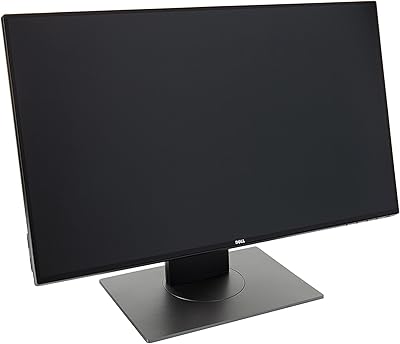
Dell UltraSharp U2417H 24-inch IPS Monitor
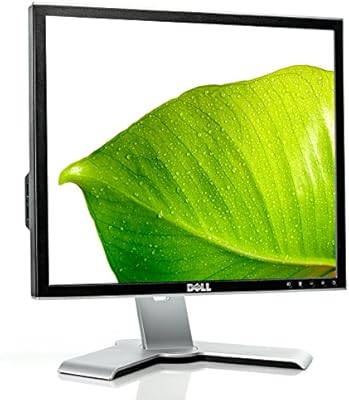
Dell 1908FP 19-Inch Flat Panel Monitor
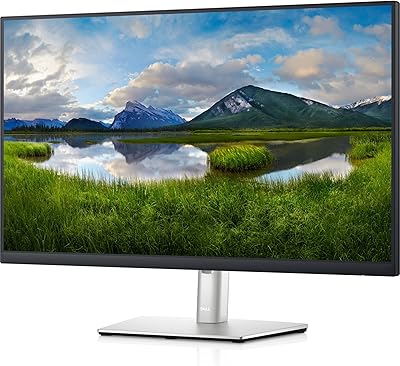
Dell P2721Q 27-inch 4K Monitor
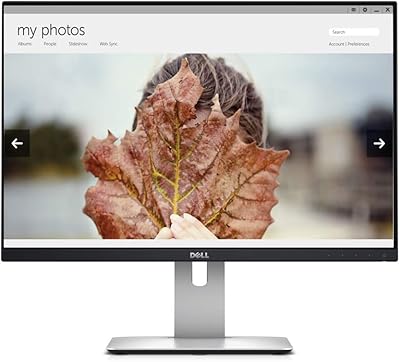
Dell UltraSharp U2415 24-inch Monitor
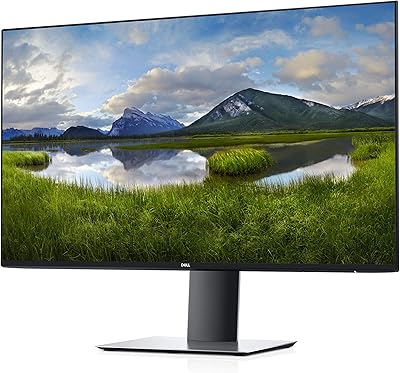
Dell UltraSharp U2719D 27″ QHD Monitor
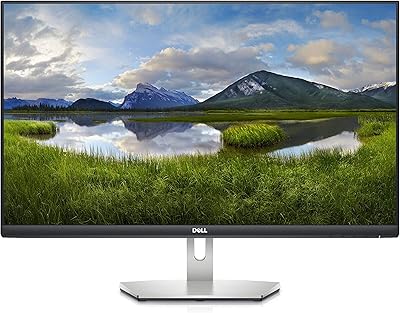
Dell S2721Q 27-inch 4K IPS Monitor
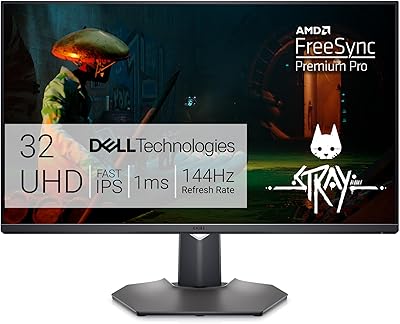
Dell G3223Q 32-inch 4K Gaming Monitor