Overview

The Dell UltraSharp U2719D 27″ QHD Monitor sits comfortably near the top of Dell's professional display lineup, and that UltraSharp badge carries real meaning — consistent color accuracy, solid build quality, and a panel tuned for people who spend hours in front of a screen. This is not a display chasing high refresh rates or HDR bragging rights. It is built for focused, detail-oriented work. The ultra-thin bezel keeps desk setups looking clean, and the stand's extensive adjustability means you can dial in exactly the right viewing angle without buying a third-party arm. Productivity-first, through and through.

Features & Benefits

The jump from 1080p to 2560x1440 resolution on a 27-inch IPS panel is immediately noticeable — text gets sharper, fine details in photos open up, and you can comfortably fit two documents side by side without squinting. The ultra-thin bezel is more than cosmetic; if you are building a dual-monitor setup, the gap between screens nearly disappears, making it feel like one continuous workspace. The stand handles tilt, swivel, pivot, and height adjustment, so long days at the desk become far more manageable. Connectivity covers DisplayPort, HDMI, and USB 3.0, and the on-screen display makes color and brightness calibration straightforward without digging through confusing menus.

Best For

This 27-inch QHD display earns its place on the desks of graphic designers and photo editors who need color they can actually trust. Developers and analysts running multiple windows or data-heavy applications will appreciate the extra screen real estate that QHD delivers over a standard 1080p panel. It is also a strong choice for anyone assembling a multi-monitor rig — the thin bezels keep the visual flow intact. If you are still on a 1080p screen and want a meaningful upgrade without committing to 4K and its demands on your GPU, the U2719D lands in a very practical sweet spot. Ergonomics make it equally suited for all-day office work.

User Feedback

Across more than 180 ratings, this Dell UltraSharp panel holds a 4.5-star average — a score that reflects genuine satisfaction rather than a single wave of enthusiastic early buyers. Owners consistently highlight image clarity and stand quality as standout positives, and many report using it without issues for years. That said, two complaints come up regularly: the glossy screen surface causes frustrating reflections in rooms with strong ambient light or windows behind the user, and the absence of USB-C limits flexibility for users with modern laptops. There are no built-in speakers either. For most buyers the trade-offs are acceptable, but they are worth knowing before you order.

Pros

  • Sharp QHD resolution makes text and fine details noticeably crisper than a typical 1080p panel of the same size.
  • The IPS panel delivers consistent, accurate colors that hold up well for design and photo editing work.
  • Ultra-thin bezels make dual-monitor setups look clean and feel nearly continuous.
  • The stand adjusts for tilt, swivel, pivot, and height — genuine flexibility without buying a separate arm.
  • DisplayPort, HDMI, and USB 3.0 connectivity covers most desktop and laptop hookup scenarios.
  • On-screen display controls make brightness and color adjustments straightforward, not a buried menu nightmare.
  • Over 180 buyers rate it 4.5 stars, reflecting consistent satisfaction across a wide range of use cases.
  • Build quality feels solid and premium, with owners reporting reliable performance over multiple years of daily use.
  • Dell's UltraSharp heritage means factory calibration is taken seriously, not an afterthought.
  • Pivot capability lets you rotate the panel to portrait mode, useful for reading long documents or code.

Cons

  • The glossy screen surface causes distracting reflections in any room with significant ambient or window light.
  • No USB-C port means users with modern laptops cannot use a single cable for both video and power.
  • There are no built-in speakers, so external audio is a required add-on for most workflows.
  • At its price tier, some competing 1440p IPS monitors now offer similar panel quality for less money.
  • The monitor is relatively heavy at over 13 pounds, making repositioning or mounting more cumbersome than lighter alternatives.
  • No HDR support limits the display for users who work with HDR video or content production pipelines.
  • The product launched in 2018, so connectivity standards feel slightly dated compared to newer display releases.
  • No adaptive sync or high refresh rate makes this a poor fit if you occasionally game after hours.

Ratings

Our AI-generated scores for the Dell UltraSharp U2719D 27″ QHD Monitor were produced by systematically analyzing verified buyer reviews from multiple global markets, with spam, bot activity, and incentivized feedback actively filtered out before scoring. Each category reflects the honest distribution of real user experiences — strengths and frustrations weighted equally — so you get a transparent picture of where this display genuinely delivers and where it falls short.

Image Clarity
91%
Users consistently describe text as sharp and fatigue-reducing during long writing or coding sessions, with the step up from 1080p feeling immediately obvious on a 27-inch screen. Designers note that fine details in vector work and photography are rendered with precision that holds up under close inspection.
A small number of reviewers note that out-of-box brightness can feel slightly cool or clinical on certain presets, requiring OSD tweaking to reach a warmer, more natural tone. Those coming from high-end wide-gamut displays may also find the color volume a step below their expectations.
Color Accuracy
87%
Factory calibration is a genuine differentiator here — most buyers report that the panel is ready for design and photo editing work without manual profiling. Skin tones and gradients in photography hold up well, and the IPS technology means color does not shift noticeably when viewed from an angle.
The panel covers sRGB well but is not marketed as a wide-gamut display, which limits its suitability for DCI-P3 or Adobe RGB workflows. Professional colorists who need certified wide-gamut performance will likely need to look at a more specialized option.
Build Quality
89%
The physical construction feels premium and intentional — no flex in the panel housing, solid hinge mechanisms, and materials that do not feel hollow or plastic-cheap. Many owners mention that the monitor still looks and performs as new after two or more years of daily desk use.
The stand base has a relatively wide footprint, which can feel bulky on smaller desks despite the monitor itself looking slim. A few buyers also noted that the matte-black finish attracts fingerprints around the bezel edges over time.
Ergonomics
93%
The range of physical adjustment — height, tilt, swivel, and full portrait pivot — is one of the most frequently praised aspects across buyer feedback. Office workers particularly appreciate being able to dial in the exact viewing position without spending extra on a monitor arm.
The stand is sturdy but adds meaningful weight and depth to the overall footprint, so users who want a minimal desk profile may prefer a third-party arm. The adjustment mechanisms, while functional, require slightly more force to move than some competitors in this category.
Bezel Design
88%
The ultra-thin three-sided bezel is a practical asset for anyone running a dual-monitor configuration, with buyers noting that the visual gap between two panels placed side by side is barely perceptible. For creative work requiring a wide field of view, this makes a tangible difference to the working experience.
The bottom bezel is noticeably thicker than the other three sides, which is a common design compromise but can feel asymmetric up close. A few perfectionists mention it is the one visual element that breaks the otherwise clean aesthetic.
Glare & Reflections
58%
42%
In dimly lit or controlled office environments, the glossy finish actually enhances perceived color depth and contrast, making images feel more vivid than a typical matte panel. Users who work in windowless or well-shaded rooms report no meaningful issue with the surface.
This is the most common complaint in buyer feedback by a clear margin — in rooms with overhead lighting or windows behind the user, reflections are sharp and persistent enough to interrupt work. Buyers sensitive to glare or those without control over their ambient lighting should treat this as a significant drawback.
Connectivity
72%
28%
Having both DisplayPort and HDMI alongside USB 3.0 downstream ports covers the connection needs of most desktop and older laptop setups without requiring adapters. The USB hub functionality is handy for plugging in keyboards, mice, or external drives without reaching around to a tower.
The absence of USB-C is the most practical connectivity frustration, particularly for users with modern MacBooks or Windows ultrabooks where USB-C is the primary output. For a monitor at this price point released in 2018, that omission already felt dated and has only become more limiting over time.
Setup Experience
84%
The assembly process is straightforward — the stand clicks into the panel without tools, and the OSD menu is logically organized enough that most users reach their preferred settings within the first session. Input switching between sources is handled cleanly without input lag or delay.
The OSD navigation uses physical buttons on the underside of the bezel, which some buyers find awkward to locate by touch without looking away from the screen. First-time monitor buyers may also need a few minutes to understand the color preset options and what each actually changes.
Value for Money
69%
31%
For buyers who place high value on build longevity, ergonomic flexibility, and Dell's warranty support, the pricing feels justified relative to budget alternatives that cut corners on stand quality or after-sale service. The multi-year reliability track record also contributes to a reasonable total cost of ownership argument.
The competitive 1440p IPS monitor market has expanded significantly since this panel launched, and comparable image quality is now available from several brands at a meaningfully lower price point. Buyers evaluating purely on display performance per dollar will find the value proposition harder to defend than it was at launch.
Long-Term Reliability
88%
A notable portion of the buyer base reports using the U2719D as their primary work monitor for three or more years without performance degradation, backlight issues, or hardware failures. This kind of longevity feedback is a genuine signal of above-average component quality for a consumer-facing display.
As with any aging product, a small number of reviewers report issues that emerged after extended use, including minor backlight uniformity changes. Dell's warranty support is generally rated positively, but resolving issues still requires navigating a support process that some find slow.
Multi-Monitor Compatibility
86%
The thin bezels and consistent panel color make matching two of these displays side by side an effective and popular setup, with buyers specifically calling out how well they work as a pair for productivity or creative work. The color consistency between units is better than average for this price tier.
The lack of USB-C means chaining displays or using daisy-chain DisplayPort configurations requires planning and may need additional hardware. Users mixing this monitor with a different brand or model may also encounter minor color calibration mismatches that require manual OSD adjustment.
Portrait Mode Usability
81%
19%
The pivot function rotates the panel to full portrait orientation smoothly, and at QHD resolution the extra vertical height is genuinely useful for reading long documents, reviewing code, or working in tools with tall vertical panels. Writers and developers in particular mention this as an underrated feature.
Rotating to portrait can interfere with the stand's footprint stability on narrower desks, and some users note the height adjustment range feels slightly more restricted in portrait orientation. Software display rotation also needs to be configured manually in operating system settings, which is a minor but recurring complaint for first-time pivot users.
Gaming Performance
44%
56%
For casual or turn-based gaming, the image quality is pleasant — colors look rich and the QHD resolution gives games a noticeably cleaner look than 1080p. Users who game occasionally and work primarily will find it adequate for low-intensity titles.
The 60Hz refresh rate and lack of adaptive sync are disqualifying factors for anyone who takes gaming seriously. Fast-paced competitive titles expose the limitations immediately, with motion appearing less smooth compared to any dedicated 75Hz or higher gaming monitor in the same price range.
Audio
21%
79%
There is nothing to note on audio performance beyond the ability to pass audio signal through connected devices. Buyers who planned ahead with external speakers or headphones are unaffected and report no issues with the audio passthrough from their source devices.
There are no built-in speakers whatsoever, which requires every buyer to arrange a separate audio solution. At a premium price point, this omission stands out more than it would on a budget panel, and several reviewers flag it as an unexpected oversight for a productivity-focused display.

Suitable for:

The Dell UltraSharp U2719D 27″ QHD Monitor was built with a clear audience in mind: professionals who spend the bulk of their day staring at a screen and need it to perform reliably hour after hour. Graphic designers and photo editors will appreciate the IPS panel's color accuracy, which means what you see on screen is close to what actually prints or publishes. Developers and data analysts benefit from the extra screen real estate that QHD delivers, making it practical to keep a code editor, terminal, and documentation open simultaneously without constant window juggling. Anyone building a dual-monitor workstation will find the ultra-thin bezel a genuine advantage, since the gap between two screens becomes almost negligible. The fully adjustable stand is a quiet but important bonus for anyone who cares about long-term comfort at a fixed desk setup.

Not suitable for:

If your priority is gaming, this Dell UltraSharp panel is likely to leave you underwhelmed — it does not advertise a high refresh rate or adaptive sync support, and those omissions matter when frame timing is critical. Buyers who work in a bright room with windows or overhead lighting directly facing the screen should think carefully before purchasing, as the glossy surface picks up reflections in a way that can genuinely interfere with extended work sessions. Users with modern laptops who rely on a single USB-C cable for both video and power delivery will find the U2719D frustrating, since that port is simply not here. Anyone hoping for built-in audio without adding external speakers should also look elsewhere. Finally, buyers on a tight budget may find that comparable 1440p IPS panels from other brands now offer similar image quality at a lower price point, making the premium feel harder to justify purely on specs alone.

Specifications

  • Screen Size: The display measures 27 inches diagonally, offering ample screen area for multi-window productivity workflows.
  • Resolution: Native resolution is 2560x1440 (QHD), delivering noticeably sharper text and image detail compared to a standard 1080p panel.
  • Panel Type: The monitor uses an IPS (In-Plane Switching) panel, which provides wide viewing angles and consistent color reproduction across the screen.
  • Aspect Ratio: The panel uses a standard 16:9 widescreen aspect ratio, compatible with virtually all modern operating systems and video content.
  • Screen Surface: The screen has a glossy surface finish, which can enhance color vibrancy but may produce reflections in brightly lit environments.
  • Bezel Design: Ultra-thin bezels surround three sides of the panel, minimizing the visual gap in multi-monitor configurations.
  • Connectivity: The monitor includes one DisplayPort, one HDMI port, and multiple USB 3.0 ports for connecting peripherals and host devices.
  • USB-C Support: This model does not include a USB-C port, which limits single-cable connectivity options for users with modern laptops.
  • Stand Adjustments: The included stand supports tilt, swivel, pivot (portrait rotation), and height adjustment to accommodate a wide range of ergonomic preferences.
  • OSD Controls: An on-screen display menu allows users to adjust brightness, contrast, color temperature, and input source directly from the monitor.
  • Color Calibration: Dell ships UltraSharp monitors with factory color calibration, targeting accurate color output suitable for design and photo editing use.
  • Built-in Audio: The U2719D does not include built-in speakers, so external audio output is required for users who need sound at their workstation.
  • Item Weight: The monitor with stand weighs 13.14 pounds, which is typical for a 27-inch professional display with a full ergonomic stand.
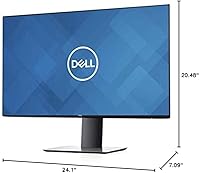
  • Product Dimensions: Exact assembled dimensions are not officially listed in the available product data; consult Dell's official spec sheet for precise measurements.
  • Color Finish: The monitor is finished in matte black, consistent with the clean, professional aesthetic of the UltraSharp product line.
  • Model Number: The official model identifier is U2719DSAP, which corresponds to the standard commercial version of this display.
  • Release Date: This monitor was first made available in October 2018, placing it in an established product cycle with a known reliability track record.
  • Power Supply: The monitor requires one Lithium Ion battery for the remote or accessory functions as noted in manufacturer packaging documentation.
  • VESA Compatibility: The stand is removable, and the monitor is compatible with standard VESA wall or arm mounting for flexible desk arrangements.
  • Warranty: Dell typically backs UltraSharp monitors with a three-year Advanced Exchange warranty, though buyers should confirm terms at time of purchase.

Related Reviews
Dell S2725DS 27-inch QHD Monitor
81%
91%
Image Clarity & Resolution
88%
Eye Comfort & Low Fatigue
89%
Ergonomics & Stand Flexibility
79%
Refresh Rate & Motion Smoothness
74%
Contrast & Black Levels
More
Dell S2722DGM 27-inch Curved Gaming Monitor
81%
88%
Image Clarity
91%
Refresh Rate Performance
84%
Response Time
86%
Panel Curvature & Immersion
71%
Color Accuracy
More
Dell S2721DGF 27-inch QHD Gaming Monitor
77%
91%
Image Clarity
88%
Refresh Rate Performance
86%
Color Accuracy
89%
Adaptive Sync
87%
Ergonomic Stand
More
Dell UltraSharp U2723QE 27″ 4K Monitor

78%
93%
Color Accuracy
88%
Contrast & Black Depth
91%
USB-C Hub & Connectivity
89%
Eye Comfort
87%
Build Quality & Stand
More
Dell S2725QC 27-inch 4K USB-C Monitor
81%
93%
Image Clarity
88%
Color Accuracy
91%
USB-C Connectivity
86%
Refresh Rate & Smoothness
89%
Build Quality & Design
More
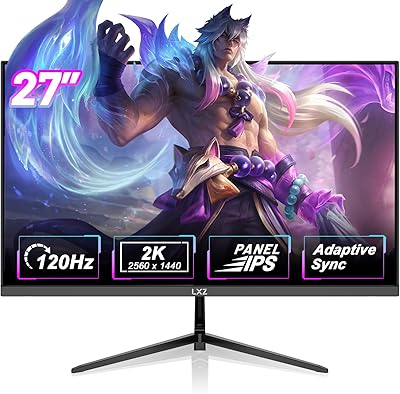
LXZ LX270ZA 27″ QHD Monitor
87%
94%
Display Quality
91%
Color Accuracy
90%
Refresh Rate Performance
88%
Adaptive Sync & Gaming
85%
Build Quality
More
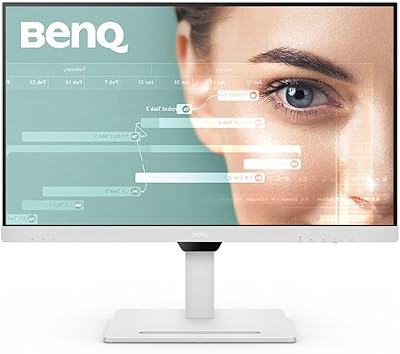
BenQ GW2790QT 27″ Productivity Monitor
78%
88%
Image Clarity
91%
USB-C Connectivity
86%
Eye Comfort
58%
Built-in Audio
83%
Ergonomics & Stand
More
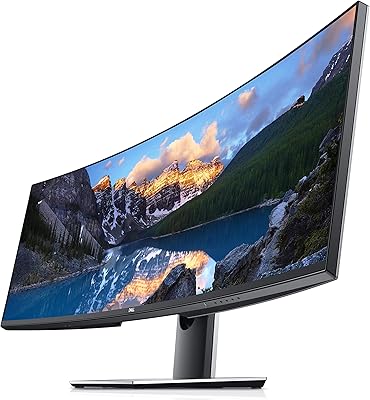
Dell UltraSharp U4919DW 49″ Ultrawide Monitor
75%
92%
Build Quality
88%
Image Clarity
94%
Multitasking Experience
59%
Value for Money
33%
Gaming Suitability
More
Dell S2722DC 27-inch USB-C Monitor
77%
93%
USB-C Connectivity
88%
Image Clarity
91%
Ergonomic Stand
86%
Value for Money
82%
Build Quality
More
Dell P2721Q 27-inch 4K Monitor
75%
93%
Image Sharpness
81%
Color Accuracy
89%
USB-C Connectivity
63%
Build Quality
77%
Ergonomics & Adjustability
More

FAQ

Yes, it holds up well for most creative workflows. The IPS panel and Dell's factory color calibration mean colors are reasonably accurate out of the box without manual adjustments. It is not a wide-gamut display targeting DCI-P3 coverage, so if you are doing high-end print production or professional video grading, you may eventually want something more specialized, but for the vast majority of design and editing work it performs reliably.

Not with a single cable, unfortunately. The U2719D does not have a USB-C port, so you will need a separate video cable (DisplayPort or HDMI) plus a USB connection if you want to use the hub features. If you rely on USB-C for everything, that is a real inconvenience worth factoring into your decision.

It depends heavily on your room setup. If you have a window directly behind you or strong overhead lighting, the reflections can be genuinely distracting during work. In a controlled lighting environment or a dimmer room, it is much less of an issue. If you are sensitive to glare, it is worth checking your typical lighting conditions before buying.

It is one of the better choices for dual-monitor use specifically because of the ultra-thin bezels on three sides. When placed side by side with a matching panel, the gap between the two screens is minimal, making it feel close to a continuous workspace. Many buyers purchase two units for exactly this reason.

The panel runs at 60Hz, which is standard for productivity monitors but noticeably limiting if you are used to 144Hz or higher gaming displays. It will run games without issues, but fast-paced competitive titles will feel less responsive compared to a dedicated gaming monitor. As a secondary screen or casual gaming display it is fine; as your primary gaming panel, probably not the right choice.

Dell typically includes a DisplayPort cable and a USB upstream cable in the box, but the exact contents can vary by region and retailer. It is worth checking your specific listing to confirm, and keeping in mind that you may need an HDMI cable separately if that is your preferred connection.

Quite adjustable, and that is one of the genuine highlights of this display. You can raise or lower the height, tilt the panel forward and back, swivel it left or right, and even rotate it fully into portrait orientation. For a fixed desk workstation where you spend long hours, this level of adjustment makes a real ergonomic difference over monitors with stands that only tilt.

Yes, the stand detaches and the back of the panel is VESA mount compatible, so you can attach it to most standard monitor arms without any issues. This is a common choice for people who want to free up desk space or need more precise positioning than the built-in stand allows.

The UltraSharp line carries a premium partly for build quality, the included ergonomic stand, and Dell's warranty support. Some competing panels now offer similar image quality for less money, but they may cut corners on stand adjustability, build materials, or after-sale support. Whether that premium is worth it depends on how much you value those secondary factors alongside the panel itself.

Based on the broader owner feedback pattern, long-term reliability is generally strong — many users report years of daily use without problems. As with any display, there are occasional reports of backlight uniformity variation or dead pixels, but these appear to be exceptions rather than a pattern. Dell's warranty process for UltraSharp monitors is generally considered responsive if issues do arise.