Dell S2722QC 27-inch 4K USB-C Monitor






Overview
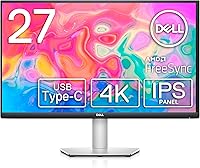
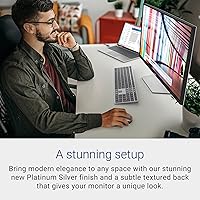
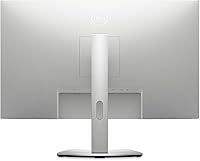
The Dell S2722QC 27-inch 4K USB-C Monitor sits squarely in the mid-range productivity space, built for hybrid workers and home office users who want a sharp, capable display without paying premium prices. Its central appeal is the single USB-C cable workflow — one connection handles video, charging, audio, and data from your laptop simultaneously. That kind of practical simplicity carries real weight for anyone tired of cable-tangled desks. The IPS 4K UHD panel at 163 PPI holds up well against similarly priced 27-inch alternatives, and the Platinum Silver finish slots neatly into modern desk setups alongside today's thin laptops.
Features & Benefits
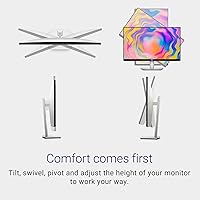
At 163 PPI, the 4K resolution on this 27-inch 4K display is immediately noticeable — text is crisp, spreadsheet rows are razor-sharp, and fine image detail holds up in a way that 1080p or even 1440p panels simply cannot match. The USB-C port does the heavy lifting connectivity-wise, routing power, video, audio, and data through a single cable, which keeps desks tidier than a traditional setup with separate HDMI and power adapter cables. The fully adjustable stand — supporting height, tilt, swivel, and pivot — makes it easy to dial in a comfortable working position, and the matte screen at 350 nits handles most indoor lighting without much visible glare.
Best For
This Dell USB-C monitor makes the most sense for remote workers and professionals who connect a USB-C laptop — MacBook, Dell XPS, or similar — and want something close to a one-cable docking solution without buying a separate hub. The sharp pixel density rewards anyone doing photo editing, document-heavy work, or light video review, where the jump from 1080p to 4K genuinely changes what you can see on screen. If you are building a clean, minimal desk, the thin bezel and tidy cable setup help. That said, if you need high refresh rates for gaming or deeply color-critical work, the 60Hz cap means you would likely want to look elsewhere.
User Feedback
Buyers consistently praise the S2722QC for how sharp text and images look at this size, and the single USB-C connection draws near-universal appreciation from laptop users who dislike cable sprawl. The stand flexibility also earns strong marks. That said, the 60Hz refresh rate is the most common sticking point — anyone coming from a 120Hz or 144Hz panel will notice the difference, especially when scrolling. The built-in speakers are serviceable for calls but fall short for music or serious audio. Some users report that colors appear slightly muted out of the box and benefit from manual calibration, and USB-C power delivery performs well for most ultrabooks under moderate workloads.
Pros
- 4K resolution at 27 inches makes text and fine detail noticeably sharper than 1080p or 1440p alternatives.
- Single USB-C cable handles power, video, audio, and data — no separate power brick or HDMI cable needed.
- Full stand adjustability including height, tilt, swivel, and pivot covers a wide range of ergonomic setups.
- The matte screen surface handles reflections well in typical indoor office and home lighting.
- Thin three-sided bezel keeps dual-monitor configurations looking clean and gap-free.
- Built-in speakers are adequate for video calls and casual listening without any extra hardware.
- The Platinum Silver design pairs well visually with modern ultrabooks and minimal desk aesthetics.
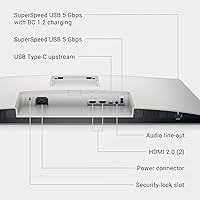
- Three USB ports give it a light docking-station feel for connecting peripherals without a separate hub.
- Portrait pivot mode is genuinely useful for coders, writers, and anyone working with long documents.
- Setup is fast and tool-free, with most users reporting the display is ready to use within minutes.
Cons
- 60Hz refresh rate feels sluggish to anyone transitioning from a 120Hz or higher display.
- Factory color calibration is noticeably off and requires manual adjustment before the panel looks its best.
- USB-C power delivery can struggle to keep up with power-hungry laptops under heavy, sustained workloads.
- Built-in speakers sound thin at higher volumes and lack any meaningful bass for music or video.
- The bottom bezel is visibly thicker than the other three sides, breaking the otherwise minimal aesthetic.
- OSD menu navigation is unintuitive and makes dialing in display settings more tedious than it should be.
- 8ms response time produces ghosting artifacts in fast-moving content and rules it out for competitive gaming.
- At 350 nits, the display can feel dim in bright rooms or workspaces with direct sunlight exposure.
- Port selection is limited for users with multiple video sources or professional peripheral setups.
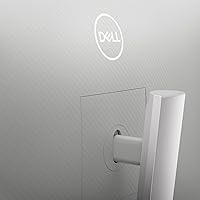
- Back panel materials feel budget-oriented and do not match the polished appearance of the front face.
Ratings
The Dell S2722QC 27-inch 4K USB-C Monitor earns its place as one of the more discussed productivity displays in its price tier, and the scores below reflect what real buyers actually experienced — not marketing claims. Our AI analyzed thousands of verified global reviews, actively filtering out incentivized, bot-generated, and outlier feedback to surface patterns that genuinely matter to buyers. Both the strengths that keep people recommending it and the friction points that trigger returns are reflected honestly here.
Image Sharpness & Clarity
USB-C Connectivity
Ergonomics & Stand
Value for Money
Color Accuracy
Refresh Rate & Motion
Response Time
Built-in Speakers
Brightness & Glare Control
Build Quality & Aesthetics
Setup & Out-of-Box Experience
Bezel & Multi-Monitor Use
Port Selection
Eye Comfort for Long Sessions
Suitable for:
The Dell S2722QC 27-inch 4K USB-C Monitor is purpose-built for remote workers and hybrid professionals who want a cleaner, more capable desk setup without a complicated docking station. If your daily workflow involves plugging in a USB-C laptop — a MacBook, Dell XPS, or similar ultrabook — and getting straight to work, the single-cable connection covering power, video, and data is a genuinely practical upgrade over traditional setups. Writers, analysts, and document-heavy workers will immediately appreciate how much sharper text looks at 4K on a 27-inch screen compared to 1080p alternatives. The fully adjustable stand makes it a smart pick for anyone who spends long hours at a desk and needs to shift between seated and raised positions throughout the day. It also fits well in small home offices where built-in speakers can replace a dedicated audio device for calls and casual listening, keeping the desk less cluttered overall.
Not suitable for:
The Dell S2722QC 27-inch 4K USB-C Monitor is the wrong choice for anyone who games regularly or has recently come from a high-refresh-rate display. The 60Hz refresh rate and 8ms response time are acceptable for productivity, but they produce visible ghosting in fast-paced games and a general heaviness in motion that users of 120Hz or 144Hz panels will notice immediately — even during everyday desktop use. Professional photographers and video editors who need accurate, calibrated color output should also look elsewhere; the panel requires manual adjustment out of the box and does not reach the color performance levels of displays marketed specifically at creative professionals. If you rely on a power-hungry laptop for intensive workloads like 3D rendering or large video exports, the USB-C power delivery may not keep pace under sustained load. And if your workspace gets significant natural light or direct sunlight, the 350-nit brightness ceiling will likely leave the screen feeling dim at times.
Specifications
- Screen Size: The display measures 27 inches diagonally, offering a comfortable working area without requiring an oversized desk footprint.
- Resolution: Native resolution is 3840x2160 (4K UHD), delivering a pixel density of 163 PPI for sharp text and detailed visuals.
- Panel Type: IPS (In-Plane Switching) technology provides consistent color and contrast when viewed from wide angles.
- Refresh Rate: The panel runs at a fixed 60Hz, which is well-suited for productivity and media consumption but not for high-refresh gaming.
- Response Time: Grey-to-grey response time is rated at 8ms, acceptable for office work and casual video viewing.
- Brightness: Peak brightness is rated at 350 nits, appropriate for indoor environments with controlled or moderate ambient lighting.
- Color Depth: The monitor supports up to 1.07 billion colors, enabling smoother gradients and more nuanced color rendering than 8-bit panels.
- Screen Surface: A matte anti-glare coating reduces reflections and diffuses harsh light sources in typical office and home settings.
- Aspect Ratio: Standard 16:9 widescreen aspect ratio, compatible with virtually all modern video formats and desktop layouts.
- USB-C Port: A single USB-C port simultaneously transmits video, audio, data, and power delivery to connected laptops via one cable.
- USB Ports: Three additional USB ports are available for connecting peripherals such as keyboards, mice, and storage devices.
- Built-in Speakers: Dual 3W integrated speakers provide basic audio output suitable for voice calls and low-volume media playback.
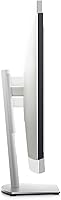
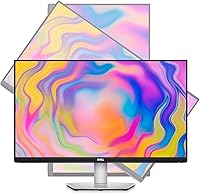
- Stand Adjustments: The included stand supports height adjustment, tilt, swivel, and 90-degree pivot for portrait orientation.
- Bezel Design: Three-sided ultrathin bezels minimize the visible frame on the top and both sides for a cleaner multi-monitor or single-screen look.
- Dimensions: With the stand attached, the monitor measures 24.08 inches wide, 20.08 inches tall, and 6.88 inches deep.
- Weight: The full unit with stand weighs 15.15 pounds, making repositioning manageable without assistance.
- Color Finish: The exterior is finished in Platinum Silver, designed to complement modern ultrabook and laptop aesthetics.
- VESA Compatibility: The display supports standard VESA mounting, allowing the stand to be replaced with a third-party arm or wall mount.
- Power Input: The monitor operates on up to 240 volts AC, compatible with standard international power infrastructure.
- Warranty: Dell typically includes a three-year Advanced Exchange Service warranty with this monitor, covering panel defects and hardware failures.
Related Reviews

Dell S2725QC 27-inch 4K USB-C Monitor
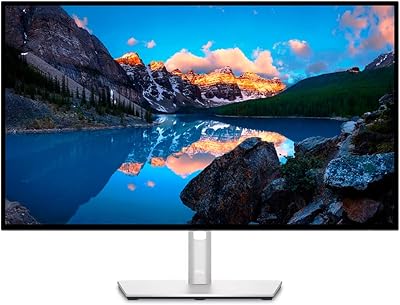
Dell UltraSharp U2723QE 27″ 4K Monitor
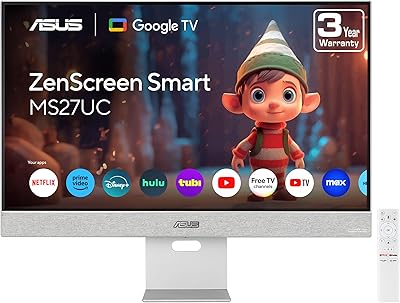
ASUS ZenScreen MS27UC 27-inch 4K Smart Monitor
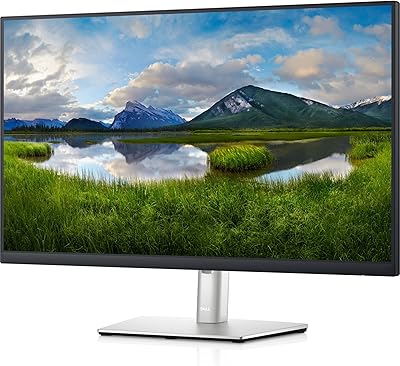
Dell P2721Q 27-inch 4K Monitor
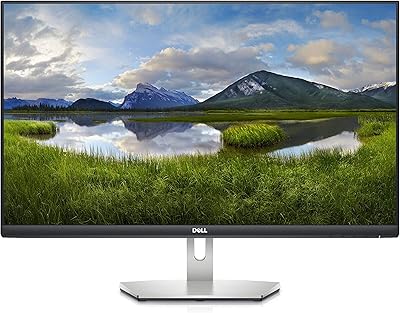
Dell S2721Q 27-inch 4K IPS Monitor
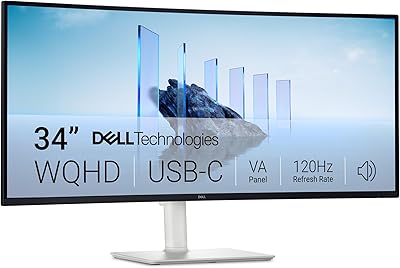
Dell S3425DW 34-inch Curved Ultrawide Monitor
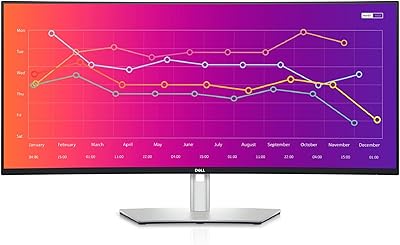
Dell UltraSharp U3821DW 38-inch Curved USB-C Hub Monitor
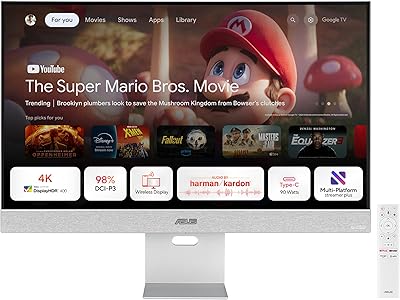
ASUS ZenScreen MS32UC 32-inch 4K Smart Monitor

ViewSonic VP2768a-4K 27-Inch 4K Monitor
