Dell UltraSharp U2723QE 27″ 4K Monitor


Overview
The Dell UltraSharp U2723QE 27″ 4K Monitor arrived in early 2022 as Dell's answer to a real gap in the professional display market — a 27-inch 4K screen with genuinely deep blacks, without asking buyers to commit to OLED pricing or complexity. What sets it apart from a crowded field of standard IPS panels is the IPS Black technology, which pushes contrast to 2000:1 — roughly double what you would expect from a typical IPS display. Add an integrated USB-C hub capable of powering a laptop, and this Dell UltraSharp becomes less of a monitor purchase and more of a desk infrastructure decision. It is premium, purposeful, and built for people who work rather than just browse.
Features & Benefits
The IPS Black panel is the headline feature here, and it earns the attention. Where standard IPS monitors typically top out around 1000:1 contrast, the U2723QE doubles that — a difference you actually notice when looking at dark UI elements, shadow detail in photos, or simply running a dark-mode interface for hours. Color coverage hits 98% DCI-P3, making it credible for serious photo and video work right out of the box. The built-in ComfortView Plus filter runs constantly, cutting blue light without the yellow tint that plagues most hardware filters. With eight USB ports, 90W USB-C power delivery, and onboard Ethernet, this 27″ 4K hub monitor handles real docking duties — not just pass-through charging.
Best For
This Dell UltraSharp makes the most sense for people whose work demands color they can trust — photographers, video editors, and designers who need a reliable calibrated starting point. It is also a strong fit for remote workers who want one cable running between their laptop and their desk: plug in a single USB-C and you get power, display, network, and peripherals in one go. Long-session users — developers, writers, analysts — will appreciate the always-on eye comfort features over an eight-hour stretch. Those upgrading from a standard IPS display will notice the improved black depth immediately; those expecting OLED-level contrast should adjust their expectations before buying.
User Feedback
Across more than a thousand ratings, the U2723QE holds a 4.4-star average — and the praise tends to be specific, which usually means it is genuine. Owners highlight color accuracy and the contrast improvement over previous IPS monitors as standout wins. The USB-C hub draws consistent appreciation, with users reporting it works reliably as a true docking solution. The stand earns marks too: solid, fully adjustable, no wobble. On the other side, the glossy panel surface is a legitimate concern in bright rooms — reflections are noticeable and can frustrate. The 60Hz refresh rate is a known limitation for anyone considering light gaming use. A small number of users also report Power Sync compatibility issues with certain non-Dell laptops.
Pros
- IPS Black panel delivers noticeably deeper blacks than standard IPS — a real, visible upgrade for dark content and UI work.
- 98% DCI-P3 color coverage makes the U2723QE a credible out-of-box option for photo and video professionals.
- The integrated USB-C hub with 90W power delivery genuinely replaces a standalone dock for most laptop users.
- Built-in Ethernet over USB-C is a quietly practical feature that simplifies desk cable management significantly.
- ComfortView Plus runs continuously without requiring manual activation, reducing eye strain across long work sessions.
- Power Sync wakes your connected laptop directly from the monitor, which is a small but satisfying convenience.
- Eight USB ports total, including SuperSpeed 10Gbps connections, handle most peripheral setups without an external hub.
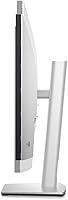
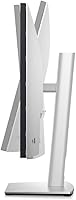
- The ergonomic stand is well-built and fully adjustable — height, tilt, swivel, and pivot all covered.
- 4K resolution at 27 inches hits a sharp, usable pixel density without needing display scaling on most operating systems.
- Over a thousand real-world ratings average 4.4 stars, suggesting consistent satisfaction across a wide range of buyers.
Cons
- The glossy screen surface creates noticeable reflections in bright or uncontrolled lighting environments.
- At 60Hz, this monitor is a poor fit for anyone who wants to use it for gaming, even occasionally.
- Power Sync compatibility is not guaranteed with non-Dell laptops, and some users report unreliable behavior.
- The premium price is difficult to justify if you only need color accuracy and have no use for the USB-C hub features.
- At nearly 14 pounds, the monitor is on the heavier side and requires a desk or arm rated for the load.
- HDR performance at 400 nits is entry-level — adequate for certification but not immersive for HDR-specific content.
- No built-in speakers, which is an omission that matters if your laptop is the only other audio source on your desk.
- The glossy finish also shows smudges and dust more readily than a matte-coated alternative would.
Ratings
Our AI rating engine analyzed verified global user reviews for the Dell UltraSharp U2723QE 27″ 4K Monitor, actively filtering out incentivized, bot-generated, and low-signal feedback to surface what real buyers consistently experienced. The scores below reflect both the genuine strengths that earned this display its loyal following and the recurring pain points that caused frustration for a meaningful portion of owners. Nothing has been smoothed over — if users found a flaw worth flagging, it shows up in the numbers.
Color Accuracy
Contrast & Black Depth
USB-C Hub & Connectivity
Eye Comfort
Build Quality & Stand
Reflection & Glare Control
4K Sharpness & Clarity
Refresh Rate & Motion
HDR Performance
Value for Money
Setup & Ease of Use
Port Placement & Accessibility
Ergonomics & Adjustability
Suitable for:
The Dell UltraSharp U2723QE 27″ 4K Monitor is built for professionals who spend serious hours in front of a screen and expect accuracy, comfort, and a clean desk setup in return. Photographers and video editors will find the wide color gamut and IPS Black contrast genuinely useful — not just on paper, but in the daily task of evaluating shadow detail and judging skin tones. Remote workers with a USB-C laptop will get particular value here, since a single cable handles display, power, and network simultaneously, which effectively replaces a separate docking station. Developers and writers who run dark-mode environments all day will also notice the difference that deeper blacks make over a long session. If your priority is a monitor that pulls double duty as a productivity hub and a color-accurate display, this Dell UltraSharp fits that brief better than most alternatives at its tier.
Not suitable for:
The Dell UltraSharp U2723QE 27″ 4K Monitor is not the right choice for everyone, and a few of its limitations are worth taking seriously before committing. The glossy panel surface, while good for color vibrancy, becomes a real problem in rooms with windows behind the user or overhead lighting that cannot be controlled — reflections are hard to ignore and no software setting can fix them. Gamers looking for a secondary display should look elsewhere; the 60Hz refresh rate is a firm ceiling, and no amount of praise for its color accuracy changes how it feels during fast-paced content. Buyers who primarily use legacy hardware without USB-C will not benefit from the hub features that justify much of the premium over a standard 4K IPS display. Those chasing OLED-level contrast and inky blacks should also temper expectations — IPS Black is a meaningful step up from standard IPS, but it is not in the same league as a self-emissive panel.
Specifications
- Panel Type: The display uses an IPS Black panel, which delivers a 2000:1 contrast ratio — roughly double that of a conventional IPS screen.
- Screen Size: The viewable screen measures 27 inches diagonally with a 16:9 aspect ratio.
- Resolution: Native resolution is 3840×2160 (4K UHD), providing sharp detail at standard desktop viewing distances.
- Color Gamut: The panel covers 98% of the DCI-P3 color space, making it suitable for professional photo and video color work.
- HDR Support: The monitor carries VESA DisplayHDR 400 certification with a peak brightness of 400 nits.
- Refresh Rate: The maximum refresh rate is 60Hz, which is standard for a productivity-focused professional display.
- USB-C Power: The upstream USB-C port delivers up to 90W of power delivery, enough to charge most modern laptops while in use.
- Quick Charge Port: A front-facing USB-C port provides up to 15W for convenient charging of phones and smaller peripherals.
- USB Ports Total: The monitor includes 8 USB ports in total, with SuperSpeed USB connections running at up to 10Gbps.
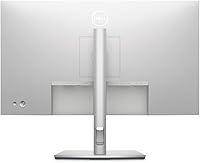
- Connectivity: Video inputs include HDMI, DisplayPort 1.4, and USB-C; network connectivity is provided via a built-in RJ45 Ethernet port.
- Eye Comfort: ComfortView Plus is an always-on, hardware-level low blue light filter that operates without any manual activation or color shift.
- Power Sync: The Power Sync feature allows the monitor to wake and power on a connected laptop, reducing the need to interact with the laptop directly.
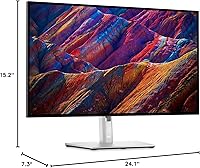
- Dimensions: With the stand attached, the monitor measures approximately 24.1 × 15.2 × 7.3 inches (width × height × depth).
- Weight: The monitor weighs 13.8 pounds with the stand, which is typical for a fully adjustable professional display in this size class.
- Screen Surface: The panel has a glossy screen surface, which enhances color vibrancy but can produce noticeable reflections in brightly lit rooms.
- Stand Adjustments: The included stand supports height, tilt, swivel, and pivot adjustments for ergonomic positioning across a range of desk setups.
- Voltage: The monitor operates at 240V AC, and is compatible with standard power configurations in supported regions.
- Release Date: The U2723QE was first made available in February 2022 and remains an active, non-discontinued product in Dell's UltraSharp lineup.
Related Reviews

Dell S2725QC 27-inch 4K USB-C Monitor
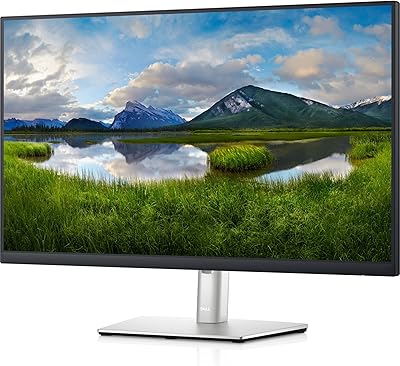
Dell P2721Q 27-inch 4K Monitor
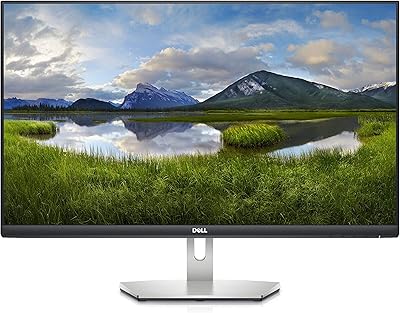
Dell S2721Q 27-inch 4K IPS Monitor
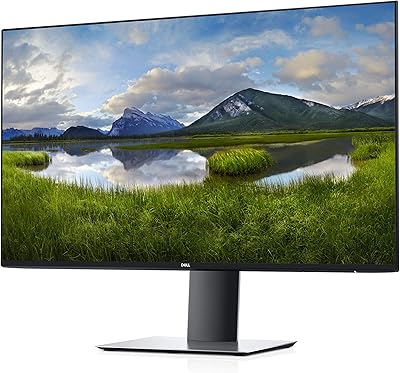
Dell UltraSharp U2719D 27″ QHD Monitor
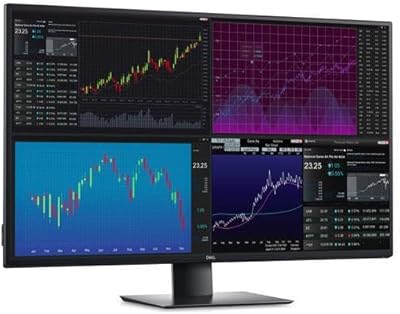
Dell UltraSharp U4320Q 43-inch 4K Monitor
Dell S2722QC 27-inch 4K USB-C Monitor
Dell UltraSharp U3223QE 31.5-inch 4K UHD Monitor

ViewSonic VP2768a-4K 27-Inch 4K Monitor

ViewSonic VG2756-4K 27-Inch 4K Docking Monitor
