Dell S3425DW 34-inch Curved Ultrawide Monitor


Overview
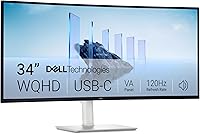
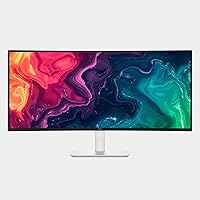
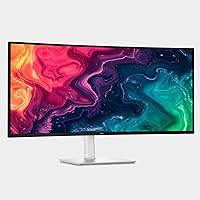
The Dell S3425DW 34-inch Curved Ultrawide Monitor lands squarely in the mid-range ultrawide category, targeting people who are tired of juggling two separate screens and want a single, wide canvas that handles both spreadsheets and the occasional gaming session. At 34 inches with a 21:9 aspect ratio, this curved ultrawide gives you the horizontal real estate of roughly two standard monitors, minus the annoying bezel running down the middle. Dell went with a VA panel here rather than IPS — which is worth understanding upfront. You gain richer contrast and deeper blacks in exchange for slightly narrower optimal viewing angles, a trade-off that suits desk-bound work far more than it hinders it.
Features & Benefits
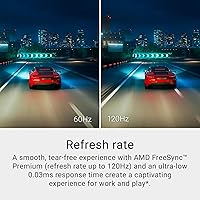
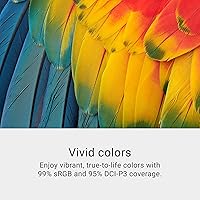
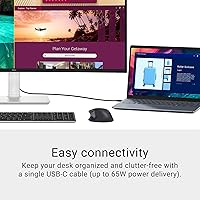
The 3440x1440 resolution spread across 34 inches hits a sweet spot — sharp enough for detailed work without demanding a powerful GPU to run games at playable frame rates. With a 120Hz refresh rate and AMD FreeSync Premium, motion feels noticeably cleaner than on a standard 60Hz panel, even when you are just scrolling through long documents. The VA panel's 3000:1 contrast ratio makes dark scenes in movies and games look genuinely rich rather than washed out, and color accuracy is strong out of the box with 99% sRGB and 95% DCI-P3 coverage. The single USB-C cable setup — pushing up to 65W back to your laptop — is the kind of desk simplicity that is hard to give up once you experience it.
Best For
This 34-inch Dell monitor makes the most sense for people who work at a desk for hours and want to reclaim their space — think writers, coders, analysts, or anyone currently running a side-by-side laptop-and-monitor arrangement who wants a cleaner solution. Laptop users especially benefit from the USB-C docking capability; one cable handles video, data, and charging simultaneously. Casual gamers will enjoy the wide field of view and smooth 120Hz playback in story-driven or strategy titles, though competitive players chasing the lowest possible response times for fast-paced shooters should look elsewhere. Content creators doing photo editing or color-sensitive design work will find the DCI-P3 coverage more than adequate for professional-adjacent tasks.
User Feedback
Buyers generally rate this curved ultrawide well, with strong praise for how vivid colors and contrast look straight out of the box — most say they barely touched the settings. The USB-C cable management gets consistent mentions as a practical win, and stand adjustability earns points for giving users enough range to find a comfortable position. On the critical side, some note that peak brightness in standard dynamic range feels a little restrained, and the limited USB-A hub ports can be a friction point for those with many peripherals. Compared to similarly priced IPS ultrawides, a few buyers flag slight color shift at steep off-angles. Overall though, value sentiment skews positive — most feel the feature set is well-matched to the price tier.
Pros
- Wide 21:9 canvas effectively replaces a dual-monitor setup without the center bezel interruption.
- Out-of-the-box color accuracy is strong, with most users reporting minimal calibration needed.
- The single USB-C cable connection simplifies desk setups significantly for laptop users.
- A 3000:1 contrast ratio makes dark scenes in movies and games look noticeably richer than typical IPS panels.
- 120Hz with AMD FreeSync Premium delivers smooth, tear-free visuals for everyday use and casual gaming.
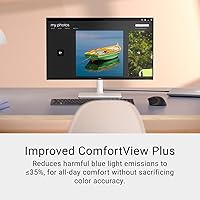
- Hardware-level blue light filtering works continuously without the color cast that software solutions introduce.
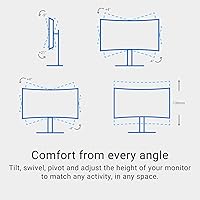
- Stand offers solid adjustability, letting users dial in a comfortable ergonomic position without a third-party arm.
- Redesigned integrated speakers are a genuine improvement over the previous generation for background audio.
- 95% DCI-P3 color coverage makes this a credible option for photo editing and design work at this price tier.
- VESA mount compatibility gives users the option to upgrade to an arm without buying a new monitor.
Cons
- Peak brightness in standard dynamic range feels restrained, particularly in well-lit room environments.
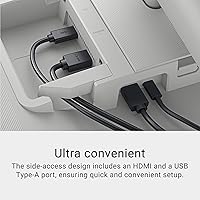
- USB-A hub ports are limited, which creates friction for users with several wired peripherals.
- VA panel color accuracy degrades noticeably at steep off-axis viewing angles, unlike IPS alternatives.
- HDR support is entry-level and does not deliver the dramatic improvement HDR-capable content promises on paper.
- At 20.7 pounds, this 34-inch Dell monitor is on the heavier side and can be cumbersome to reposition.
- No built-in KVM switch, which limits convenience for users managing two computers from one desk.
- Ash White finish, while clean-looking, shows dust and smudges more readily than darker monitor housings.
- 65W USB-C power delivery may not fully charge high-performance laptops under sustained heavy workloads.
Ratings
Our AI rating engine analyzed thousands of verified global purchases of the Dell S3425DW 34-inch Curved Ultrawide Monitor, actively filtering out incentivized, bot-generated, and outlier reviews to surface what real buyers consistently experience over time. The scores below reflect an honest synthesis of both the genuine strengths and the recurring frustrations that surface across long-term ownership — nothing is inflated, and no pain point is buried.
Color Accuracy
Contrast & Black Levels
Productivity & Multitasking
USB-C Connectivity
Gaming Performance
Build Quality
Stand & Ergonomics
Eye Comfort
Brightness
Integrated Speakers
HDR Experience
Value for Money
Setup & Out-of-Box Experience
Suitable for:
The Dell S3425DW 34-inch Curved Ultrawide Monitor is an excellent fit for home office workers and remote professionals who want to consolidate a cluttered dual-monitor setup into a single, cohesive workspace. The 21:9 aspect ratio gives you enough horizontal room to keep a document, browser, and communication app open side by side without constantly alt-tabbing, which makes a real difference during long work days. Laptop users will particularly appreciate the USB-C connectivity — one cable handles video output, data transfer, and up to 65W of charging simultaneously, effectively turning this curved ultrawide into a one-cable docking station. Creative professionals doing photography, graphic design, or video color work will find the 99% sRGB and 95% DCI-P3 coverage accurate enough for professional-adjacent projects without needing to invest in a dedicated color-critical display. People who are sensitive to eye strain and spend six or more hours daily in front of a screen will also benefit from the hardware-level blue light filtering, which works without the color distortion that software filters often introduce.
Not suitable for:
The Dell S3425DW 34-inch Curved Ultrawide Monitor is not the right choice for competitive gamers who need the fastest possible response and highest refresh rates to stay ahead in fast-paced titles — 120Hz is comfortable for casual play, but serious esports players typically target 144Hz or higher with IPS or TN panels for better consistency. The VA panel, while excellent for contrast, does exhibit some color shift when viewed from steep off-axis angles, which can be a problem in shared viewing setups or when a second person needs to reference the screen from the side. Users who need a robust USB hub built into the monitor may find the limited USB-A port selection frustrating, especially in a busy desk setup with multiple peripherals. Those who work in very bright rooms or need high peak brightness for HDR content should also be aware that the SDR brightness ceiling is modest compared to some competing panels in this class. Finally, anyone on a strict budget looking for the absolute lowest cost per inch of screen real estate may find similarly sized IPS ultrawides offer a competitive alternative worth comparing before committing.
Specifications
- Screen Size: The display measures 34 inches diagonally, providing a wide 21:9 ultrawide canvas that comfortably replaces a dual-monitor arrangement.
- Resolution: Native resolution is 3440x1440 pixels (WQHD ultrawide), delivering noticeably sharper detail than a standard 1080p panel at this screen size.
- Panel Type: Uses a VA (Vertical Alignment) panel, which provides deeper blacks and higher contrast than IPS but may show slight color shift at steep off-axis viewing angles.
- Refresh Rate: Supports a maximum refresh rate of 120Hz, enabling smoother motion for both productivity scrolling and casual gaming compared to standard 60Hz displays.
- Response Time: Rated at 0.03ms response time, which reduces visible ghosting during fast on-screen motion under optimal panel conditions.
- Contrast Ratio: Native contrast ratio of 3000:1 produces noticeably richer dark tones and more depth in shadow detail than typical IPS panels in this category.
- Color Coverage: Covers 99% of the sRGB color space and 95% of DCI-P3, making it suitable for photo editing, graphic design, and color-sensitive creative work.
- HDR Support: The panel is HDR-ready, offering basic high dynamic range compatibility, though it does not meet the brightness thresholds of premium HDR certification tiers.
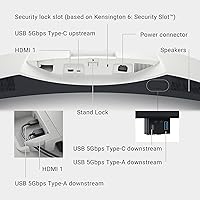
- Connectivity: Input options include one USB-C port (with 65W power delivery), DisplayPort, and HDMI, covering the most common laptop and desktop connection scenarios.
- Power Delivery: The USB-C port delivers up to 65W of power back to a connected laptop, enabling single-cable docking for most ultrabooks and mid-range laptops.
- Blue Light Filter: ComfortView Plus is a hardware-level low blue-light solution that reduces harmful blue light emissions to 35% or below without requiring software or affecting perceived color accuracy.
- Speakers: Integrated speakers are included and have been redesigned versus the previous generation for greater output power, deeper frequency response, and wider decibel range.
- Aspect Ratio: The 21:9 ultrawide aspect ratio is well suited to wide-format multitasking, cinematic content playback, and immersive gaming in compatible titles.
- Dimensions: The monitor measures 31.78 inches wide, 16.2 inches tall, and 8.73 inches deep with the stand attached, requiring a desk depth of at least 12 inches for comfortable placement.
- Weight: Total weight with stand is 20.7 pounds, which is typical for a 34-inch curved display but worth accounting for if frequent repositioning is expected.
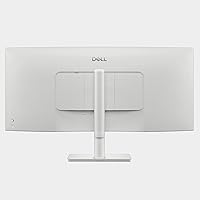
- VESA Compatibility: The display is VESA mount compatible, allowing users to attach a third-party monitor arm or wall mount if the included stand does not suit their setup.
- AMD FreeSync: AMD FreeSync Premium support provides adaptive sync to eliminate screen tearing and reduce stutter when paired with a compatible AMD or supported NVIDIA GPU.
- Color: The monitor ships in an Ash White finish, giving it a clean, modern appearance that suits bright home office environments.
Related Reviews
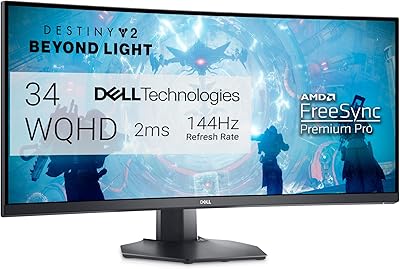
Dell S3422DWG 34-inch Curved Gaming Monitor

Raywego Q34DB45-1 34-inch Curved Gaming Monitor

Westinghouse 34-Inch Curved Ultrawide Gaming Monitor
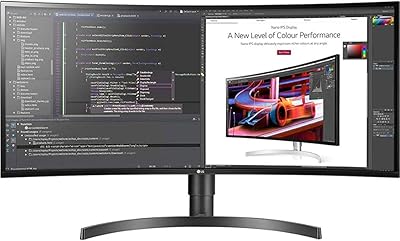
LG 34BL85C-B 34-inch UltraWide Curved Monitor
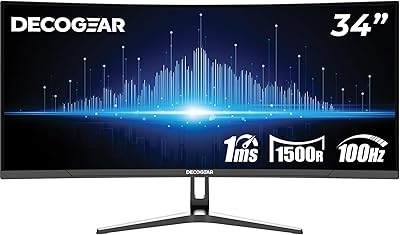
Deco Gear DGLUX340 34″ Curved Ultrawide Monitor
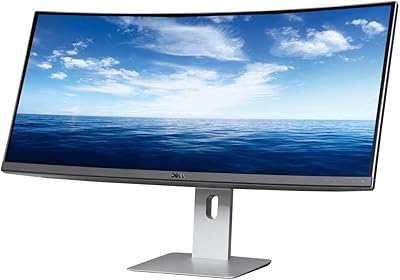
Dell U3419W Ultrasharp 34-Inch Curved IPS Monitor
Sceptre 34-inch Curved UltraWide Monitor C345W-2560UN
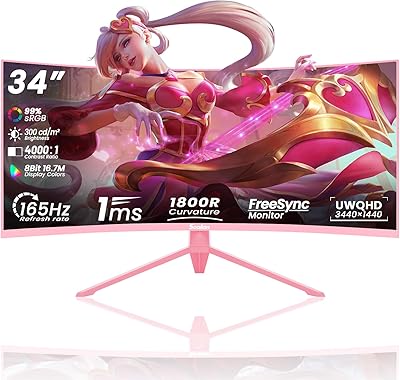
Sealan Q34P4D-1 34-inch Ultrawide Curved Gaming Monitor
LG 34WQ73A-B 34-Inch UltraWide QHD Monitor
