Overview

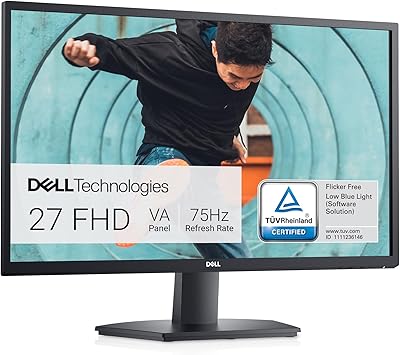
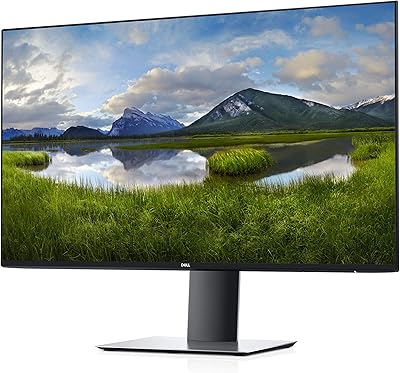
The Dell P2714H 27-inch IPS Monitor was Dell's push into larger-screen professional displays at a time when 27-inch IPS panels were still priced for dedicated buyers rather than casual shoppers. It sits in a mid-to-upper-mid price range that targets office workers, small business setups, and productivity-focused users who want genuine screen real estate without stepping into high-end territory. The Full HD resolution is worth addressing upfront — 1920×1080 on a 27-inch panel is a real trade-off, and some buyers will feel it immediately while others working primarily in documents and spreadsheets won't notice much. This 27-inch office monitor holds a 3.2-star rating from just 52 reviews, which means a handful of negative experiences can skew the number more than you might expect.

Features & Benefits

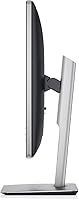
Where this 27-inch office monitor stands out is the IPS panel technology — colors hold accurate and brightness stays consistent whether you're viewing it straight-on or at a wide angle from across a shared desk. The stand covers all the bases: height adjustment, tilt, swivel, and full pivot to portrait mode are all built in, no third-party arm needed. Rotating to portrait is genuinely useful for reading long documents or scanning vertical code without constant horizontal scrolling. The built-in USB 2.0 hub handles four peripherals at once, which is practical for basic setups, though the 2.0 speed will feel limiting if your workflow involves frequent large file transfers. LED backlighting keeps energy use modest and illumination stable across the panel.

Best For

This 27-inch office monitor is a natural fit for anyone who spends long hours in spreadsheets, documents, or split-screen multitasking and wants the breathing room a larger display provides. The portrait rotation makes it particularly appealing to developers and writers who prefer reading long pages or code files vertically rather than hunting for scroll bars. Because the stand handles all adjustments natively, it works well on shared workstations where different colleagues need quick height or angle changes without touching a separate arm. It's also a reasonable upgrade path for someone moving off a smaller or TN-panel screen who wants noticeably better color consistency day to day. Those chasing pixel-sharp visuals for photo editing or gaming will likely need to look elsewhere.

User Feedback

Buyers who appreciate the P2714H most consistently mention the stand's flexibility — going from seated to standing-desk height or rotating into portrait without extra hardware is a recurring highlight. Color rendering for everyday office tasks draws positive remarks too. On the other side, the most common frustration is pixel density: 1080p spread across 27 inches produces noticeable softness on text, and that bothers some users more than others. A handful of reviews flag backlight bleed on certain units, and the USB 2.0 ports get called out as dated relative to the price point. With only 52 ratings total, the 3.2-star score reflects a small sample — a few problem units or disappointed buyers can pull that number down considerably faster than on a more widely reviewed display.

Pros

  • IPS panel technology delivers accurate, consistent colors across wide viewing angles — genuinely useful for shared desks.
  • The stand includes height adjustment, tilt, swivel, and full portrait pivot with no additional hardware required.
  • Portrait rotation is a practical workflow advantage for developers and writers handling long vertical content.
  • A 27-inch screen gives multitaskers real side-by-side workspace without crowding two smaller monitors together.
  • The built-in four-port USB hub keeps desk peripherals tidy without needing a separate hub or adapter.
  • LED backlighting delivers stable, even illumination and draws less power than older fluorescent-backlit displays.
  • Solid Dell build quality means this 27-inch office monitor feels durable and well-supported at the desk.
  • The 178-degree viewing angle in both directions makes color shift a non-issue for most office environments.

Cons

  • 1080p on a 27-inch panel is noticeably soft on text — a daily frustration for anyone reading dense content.
  • USB 2.0 ports feel dated at this price tier; slow transfer speeds will disappoint users with modern peripherals.
  • Several buyers have reported backlight bleed on their units, which becomes distracting in dark or low-light conditions.
  • No USB-C input limits plug-and-play compatibility with modern slim laptops that lack a traditional DisplayPort or HDMI.
  • At 15.8 pounds, the P2714H is heavy enough that repositioning it on a desk takes real effort.
  • The 3.2-star rating, though drawn from only 52 reviews, does include credible reports of dead pixels and early unit failures.
  • Newer monitors at a comparable price now offer QHD resolution, faster connectivity, and thinner bezels as standard features.

Ratings

Our AI rating system for the Dell P2714H 27-inch IPS Monitor was built by analyzing verified buyer reviews from across the globe, applying filters to remove incentivized, spam, and bot-generated feedback before scoring each category. Strengths are recognized where they genuinely exist, and recurring pain points are reflected without softening — the goal is a scorecard that gives buyers a transparent, balanced picture rather than a curated highlight reel.

Color Accuracy
78%
22%
The IPS panel gives this 27-inch office monitor a clear edge over TN displays at a comparable price point — colors remain faithful across documents, web content, and casual photo viewing without the greenish or bluish tints TN panels are notorious for. Office users working long hours found the neutral, consistent tone much easier on the eyes and more trustworthy for on-screen work.
Color accuracy holds up well for general productivity but plateaus before it reaches professional-grade territory — photographers and designers who need precisely calibrated output will want a display with a wider color gamut and tighter factory calibration. A few users also noted that the panel's brightness felt uneven when viewed against a very bright ambient environment.
Text Sharpness
47%
53%
For users upgrading from a smaller 1080p screen or an older TN panel at the same size, text will appear cleaner and more vibrant thanks to the IPS rendering characteristics. The improvement in color consistency can partially offset the lower pixel density for casual reading scenarios where razor-sharp text is not the primary requirement.
Spreading 1920×1080 pixels across 27 inches results in roughly 82 PPI, which produces visibly soft edges on body text and fine UI elements — something most buyers notice within the first hour of use. This is the single most cited complaint from users who researched beforehand and found the real-world softness matched exactly what they had been warned about.
Ergonomic Range
87%
The stand covers height adjustment, tilt, swivel, and full portrait pivot — the kind of complete adjustment package that most monitors at this tier reserve for more expensive configurations. Users on shared desks found being able to cycle through different heights and angles in seconds, without tools or additional hardware, a practical daily benefit.
A small group of users found the height adjustment range slightly narrow for standing desk setups where the required elevation exceeds the stand's ceiling. The stand's footprint and weight also drew occasional complaints on smaller desks where every inch of surface area matters.
Build Quality
74%
26%
The physical construction feels consistent with Dell's professional product line — the plastic casing is firm, the stand mechanism holds up under daily adjustment, and the overall assembly does not flex or creak during use. Most buyers who handled the unit came away confident it would hold up reliably on a standard office desk over the long term.
Some verified buyers reported cosmetic imperfections on arrival — minor scuffs or panel misalignment that pointed to inconsistent quality control at the manufacturing level. While structurally sound on most units, the occurrence rate of these cosmetic issues was frequent enough to temper confidence in delivery consistency.
Viewing Angles
83%
The 178-degree coverage in both directions is where IPS technology genuinely delivers — colleagues glancing at shared work from the side of the desk see an accurate image without the color inversion or contrast washout that TN panels produce at off-angles. This makes the P2714H a particularly practical choice for collaborative or open-plan office setups.
At extreme angles approaching the rated limits, some users did notice a slight color shift and brightness drop, which is expected behavior even from well-performing IPS panels. The effect is subtle enough that it rarely causes real-world complaints, but it is worth knowing the rating reflects an ideal condition rather than a flat guarantee across all angles.
Connectivity
58%
42%
Having VGA, DVI-D, and DisplayPort inputs gives users enough flexibility to connect a range of older and current desktop systems without immediately sourcing a new cable. The four-port USB hub, while not fast, consolidates peripheral connections at the desk and reduces the number of cables running directly to the PC tower.
The absence of USB-C and HDMI is a real limitation for anyone using a modern laptop as their primary machine — nearly every current ultrabook relies on one or both of those connections, requiring adapters that add friction and cost. The USB 2.0 hub speeds also lag far behind what buyers expect from a monitor at this price tier in today's market.
Value for Money
63%
37%
For buyers specifically focused on getting a fully adjustable stand and IPS color consistency at a mid-range price, this 27-inch office monitor offers a compelling package compared to similarly priced competitors that lack portrait rotation or have inferior ergonomic options. Users who prioritized those two features specifically tended to feel the spend was justified.
The fundamental problem is that 1080p on a 27-inch panel is difficult to justify at a mid-to-upper-mid price when QHD monitors at the same size have become widely available at competitive prices. Buyers who did not place particular value on the stand's flexibility often felt they overpaid for what the panel itself delivers in sharpness and resolution.
Portrait Mode
84%
Rotating this Dell IPS display to portrait is smooth and the stand's built-in pivot holds the panel securely at 90 degrees without wobble or drift during use. Developers scanning through long code files and writers reviewing full-page documents found the vertical layout a practical daily workflow advantage rather than a novelty feature.
The 1080p resolution in portrait orientation means the reading area is 1080 pixels wide, which is serviceable for most text content but noticeably narrower than what a QHD panel would provide in the same position. Some users also reported needing to manually change display rotation settings in the OS each time rather than having the pivot detected automatically.
Backlight Uniformity
54%
46%
For typical daytime office use with bright backgrounds — white documents, standard websites, spreadsheet grids — backlight bleed issues are largely invisible and do not interfere with day-to-day productivity. Users who primarily work with light-themed applications and rarely use the monitor in dim environments reported no noticeable problems with the panel uniformity.
A notable portion of user reviews described visible backlight bleed — typically concentrated in one or more corners — that becomes distracting when viewing dark backgrounds, using dark-mode applications, or working in a dim room after hours. The inconsistency across units suggests a quality control variability rather than a universal design flaw, making it hard to predict before purchase.
USB Hub
61%
39%
Having four USB ports integrated into the monitor chassis removes the need for a separate desk hub and keeps mouse, keyboard, and other daily-use accessories connected neatly at the display rather than routed around the back of the PC. For standard office peripherals, this arrangement works reliably without adding complexity to the desk setup.
USB 2.0 transfer speeds top out at 480 Mbps, which is slow enough to frustrate anyone plugging in an external drive or modern accessory designed for USB 3.0 speeds. Several users called this out specifically as evidence that the monitor has not aged well in a connectivity sense, particularly given its original asking price.
Setup Ease
81%
19%
The assembly process is well-documented by Dell and most users had the monitor running in under fifteen minutes out of the box. The stand clicks together without tools, and the OSD menu is straightforward enough that most people configure brightness and input source without needing to consult the manual.
A few users found the OSD button layout on the bezel awkward to navigate — the buttons are unmarked until the on-screen menu activates, adding a small learning curve for adjusting settings. Activating the USB hub also requires a separate upstream cable connection that the included documentation does not explain prominently enough for first-time users.
Eye Comfort
72%
28%
The IPS panel's consistent brightness and color rendering reduces the eye strain commonly associated with color-shifting TN panels during long work sessions. Several users explicitly noted that switching to this display from an older non-IPS monitor resulted in measurably less eye fatigue at the end of a full eight-hour workday.
The lower pixel density means text rendering is softer than on sharper panels, and some users who read dense content all day reported that the visual effort of parsing slightly blurry characters accumulated into mild discomfort over long sessions. Anti-glare coating quality was also noted as average, with reflections becoming noticeable under strong overhead office lighting.
Energy Efficiency
76%
24%
LED backlighting consumes noticeably less power than older CCFL-backlit panels, and users running this 27-inch office monitor in environments that track energy costs appreciated the lower draw during extended daily operation. Built-in power-saving modes reduce brightness automatically during periods of inactivity, which helps offset consumption over a full working week.
Energy consumption per watt is not class-leading by current standards, and at 27 inches the panel draws more power than smaller displays delivering the same resolution. Users who measured actual consumption found the numbers acceptable but not particularly competitive relative to newer displays built with power efficiency as a design priority.
Long-term Reliability
66%
34%
Dell's professional monitor line has a generally solid track record for longevity, and most users who have owned the P2714H for extended periods report that panel brightness, color consistency, and the mechanical stand all held up well under daily use. For a refurbished or secondhand purchase, the construction suggests reasonable remaining lifespan.
A recurring pattern in lower-rated reviews involves dead pixels and panel inconsistencies that surfaced within months of purchase, suggesting that unit-to-unit quality control was not tightly managed across the production run. Warranty support and Dell's response to these early hardware issues were also reported as inconsistent by some affected buyers.

Suitable for:

The Dell P2714H 27-inch IPS Monitor is a strong match for office professionals who spend the majority of their workday in documents, spreadsheets, or multi-window layouts and want a larger canvas without paying into the premium tier. The IPS panel keeps colors and contrast readable from virtually any desk angle, which matters in open-plan offices or collaborative setups where colleagues glance at your screen. Developers and writers who rotate to portrait orientation will find it a legitimately useful tool — reading long files or reviewing vertical code on a tall display reduces the constant scrolling fatigue that landscape mode creates for those tasks. The fully adjustable stand makes this 27-inch office monitor a practical solution for shared workstations where multiple people cycle through the same desk at different heights across a shift. Anyone stepping up from a smaller screen or an older TN panel will notice the color consistency improvement right away, even on everyday tasks.

Not suitable for:

The Dell P2714H 27-inch IPS Monitor is not the right choice for users who need sharp, dense pixel rendering — 1920×1080 spread across 27 inches works out to roughly 82 pixels per inch, which produces noticeably soft text and fine detail compared to a QHD panel at the same screen size. Photographers, graphic designers, or anyone doing color-critical work professionally will find the IPS accuracy serviceable for general viewing but not the precise, calibrated output that demanding creative workflows require. Gamers should look elsewhere, as this display was built for productivity rather than fast-paced motion, and it lacks the refresh rate and adaptive sync features that make a real difference in gaming performance. The USB 2.0 hub will frustrate anyone who regularly transfers large files or uses accessories that benefit from faster bandwidth — it handles basic peripherals fine, but it is behind the curve for a modern desk setup. Buyers actively comparing newer monitors at a similar price point will find competitors offering QHD resolution, USB-C connectivity, and slimmer bezels, making the P2714H a harder sell unless the price reflects its age.

Specifications

  • Screen Size: The panel measures 27 inches diagonally.
  • Panel Type: Uses an IPS (In-Plane Switching) panel for consistent color accuracy and brightness at wide viewing angles.
  • Resolution: Native resolution is 1920×1080 (Full HD), yielding a pixel density of approximately 82 PPI on the 27″ panel.
  • Aspect Ratio: The display has a 16:9 widescreen aspect ratio.
  • Viewing Angles: Rated at 178° horizontally and 178° vertically for consistent image quality from wide off-axis positions.
  • Backlight: LED backlighting delivers stable, even illumination across the panel surface.
  • Video Inputs: Accepts video signal via VGA, DVI-D, and DisplayPort connections.
  • USB Hub: A built-in 4-port USB 2.0 hub is integrated into the monitor chassis and requires an upstream USB cable to the host computer.
  • Stand Range: The stand supports height adjustment, tilt, swivel, and a full 90° pivot rotation to portrait orientation.
  • VESA Mount: A 100×100mm VESA-compatible mounting pattern is accessible on the rear panel after stand removal.
  • Dimensions: The assembled unit with stand measures 30.3 × 19.8 × 9.8 inches (L×W×H).
  • Weight: The complete unit with stand attached weighs 15.8 pounds.
  • Color Finish: The monitor ships in a Black and Silver two-tone color scheme.
  • Input Voltage: Designed for 120V AC power input.
  • Model Number: Dell's official model designation for this display is P2714H.

Related Reviews
Dell S2721HS 27-inch Full HD IPS Monitor

87%
94%
Display Quality
91%
Color Accuracy
85%
Build Quality
89%
Gaming Performance
92%
Design & Aesthetics
More
Dell S2725QC 27-inch 4K USB-C Monitor
81%
93%
Image Clarity
88%
Color Accuracy
91%
USB-C Connectivity
86%
Refresh Rate & Smoothness
89%
Build Quality & Design
More
Dell S2722DC 27-inch USB-C Monitor

77%
93%
USB-C Connectivity
88%
Image Clarity
91%
Ergonomic Stand
86%
Value for Money
82%
Build Quality
More
Gigastone LM-27FF51 27-Inch IPS Monitor
74%
82%
Image Clarity
54%
Brightness & Glare
76%
Color Accuracy
78%
Refresh Rate & Motion
71%
Build Quality
More
Dell P2721Q 27-inch 4K Monitor
75%
93%
Image Sharpness
81%
Color Accuracy
89%
USB-C Connectivity
63%
Build Quality
77%
Ergonomics & Adjustability
More
Dell G2725D 27-inch Gaming Monitor
78%
91%
Image Sharpness
88%
Refresh Rate Performance
83%
Motion Clarity
79%
Color Accuracy
86%
AMD FreeSync
More
Dell S2725DS 27-inch QHD Monitor
81%
91%
Image Clarity & Resolution
88%
Eye Comfort & Low Fatigue
89%
Ergonomics & Stand Flexibility
79%
Refresh Rate & Motion Smoothness
74%
Contrast & Black Levels
More
Dell P2214H 22-Inch IPS Monitor
78%
88%
Image Clarity
79%
Color Accuracy
54%
Glare & Reflections
91%
Ergonomics
86%
Build Quality
More
Dell SE2722HX 27-inch FHD Monitor
84%
91%
Value for Money
87%
Display Quality
83%
Build Quality
88%
Ease of Setup
85%
Ergonomics & Comfort
More
Acer SB272 27-inch FHD IPS Monitor
74%
91%
Value for Money
83%
Image Quality
54%
Brightness
78%
Refresh Rate & Smoothness
43%
Stand & Ergonomics
More

FAQ

Honestly, yes — the Dell P2714H 27-inch IPS Monitor delivers Full HD at roughly 82 pixels per inch, which is on the softer end for a panel this size. For spreadsheets, browser tabs, and video calls it is perfectly workable, and many users adapt quickly. But if you sit close to your screen or spend long hours reading small text, the lack of sharpness compared to a QHD display at the same size is something you will likely notice.

Raise the panel close to its maximum height first — that clears the base and prevents it from clipping during rotation — then pivot it 90 degrees clockwise. The stand was built specifically for this movement, so it turns smoothly without forcing anything. After rotating, go into your display settings in Windows or macOS and change the orientation to Portrait so the image matches.

The P2714H accepts VGA, DVI-D, and DisplayPort inputs, so a USB-C or Thunderbolt laptop will need an adapter to connect the video signal. The USB 2.0 hub also requires a separate USB-A upstream cable running from the monitor back to your computer for the ports to function — just plugging in the video cable alone will not activate them.

Dell typically packs a power cable and one video cable — usually DisplayPort or DVI-D — with this model. If you are buying from a third-party seller or as an open-box unit, it is worth confirming what is actually included, since cable bundles can vary and a missing cable will slow down your setup.

For a single-monitor desk setup, the stand handles the job well — height, tilt, swivel, and portrait rotation are all covered without any extra hardware. If you are mounting it on a multi-arm rig or need a very specific position that the stand cannot reach, the 100×100mm VESA pattern on the back makes arm installation straightforward after removing the stand.

To activate the four USB 2.0 ports, you connect an upstream USB-A cable from the monitor to one of your computer's USB ports — think of it like plugging a hub into your machine, except it lives in the monitor. Once that upstream connection is made, any peripheral you plug into the monitor's ports shows up on your computer. It handles keyboards, mice, and flash drives fine, but the USB 2.0 bandwidth will bottleneck anything that needs fast transfer speeds, like large external drives.

Take it with a grain of salt. That average comes from only 52 ratings, which is a small enough sample that a handful of units with backlight bleed, dead pixels, or shipping damage can drag the number down meaningfully. Read through the individual reviews and look for repeated patterns rather than relying on the aggregate alone — it is not a definitive verdict on the product.

Not especially. It was designed for office and productivity use, and it shows — the response time and lack of adaptive sync make it a weak match for fast-paced games where motion clarity and screen tearing matter. For casual browsing or slower-paced games it is perfectly usable, but anyone who games regularly will find purpose-built gaming monitors a better fit.

It comes up often enough in user reports that it is worth factoring into your decision. Backlight bleed typically appears as lighter patches near the screen edges when displaying dark content or a solid black background, and the severity varies from unit to unit. If you plan to use this display in a dark environment or with dark-themed software regularly, it is a realistic risk to weigh before purchasing.

Yes, it supports standard wall mounting. The back of the panel has a 100×100mm VESA mounting pattern, so any compatible wall mount or articulating arm with that hole spacing will work. Remove the stand first, line up the bracket, and you are set — no proprietary hardware is needed.

Where to Buy